steering Citroen C4 PICASSO 2015 2.G Owner's Manual
[x] Cancel search | Manufacturer: CITROEN, Model Year: 2015, Model line: C4 PICASSO, Model: Citroen C4 PICASSO 2015 2.GPages: 420, PDF Size: 10.72 MB
Page 4 of 420
7-inch touch screen tablet 11
Instrument panels
2
0
Indicator
and warning lamps
2
5
Adjustment
buttons
4
4
Setting
the date and time
4
7
Trip
computer
4
8
Monitoring
ove
r view
Electronic key - remote control 5
1
Keyless Entry and Starting
5
4
Central
locking
6
1
Doors
6
2
Boot
6
4
Motorised
tailgate
6
5
Alarm
6
8
Electric
windows
7
1
access
Front seats 73
Rear seats
8
0
Seat
modularity
87
M
irrors
8
9
Steering
wheel adjustment
9
1
Ventilation
9
2
Heating
9
4
Dual-zone
m
anual
a
ir
c
onditioning
9
5
Dual-zone
automatic air conditioning
9
7
Front
demist - defrost
1
02
Rear
screen demist -
d
efrost
10
3
Scented
air freshener
1
04
Interior
fittings
1
06
Comfort
Driving recommendations 1 21
Starting-switching off the engine with
t
he electronic key
1
22
Starting-switching
off the engine with
t
he "Keyless Entry and Starting" system
1
24
Electric
parking brake
1
28
Hill
start assist
1
35
5 -speed
manual gearbox
1
36
6 -speed
manual gearbox
1
36
Electronic
gearbox (ETG6)
1
37
Automatic
gearbox
1
41
Gear
ef ficiency indicator
1
46
Stop
& Start
1
47
Display
of inter-vehicle time
1
50
Memorising
speeds
1
54
Speed
limiter
1
55
Cruise
control
1
58
Active
cruise control
1
61
Collision
risk alert
1
69
Lane
departure warning
system
1
72
Blind
spot sensors
1
73
Parking
sensors
1
76
Reversing
camera
1
78
360
Vision
1
79
Park
Assist
1
81
Driving
Eco-driving
Contents
Page 9 of 420
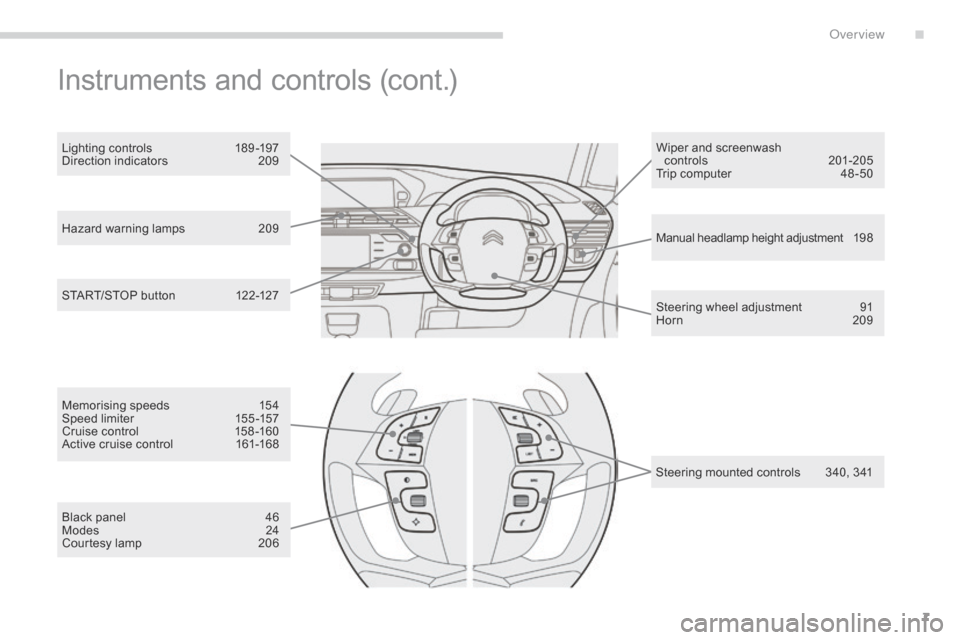
7
Hazard warning lamps 209
Manual headlamp height adjustment 1 9 8
Steering
wheel adjustment
9
1
Horn
2
09
START/STOP
button
1
22-127 Wiper
and screenwash
controls
20
1-205
Trip computer
4
8 -50
Lighting controls
1
89 -197
Direction indicators
2
09
Instruments and controls (cont.)
Memorising speeds 1
54
Speed limiter 1 55 -157
Cruise
control
1
58 -160
Active
cruise control
1
61-168
Black
panel
4
6
Modes
2
4
Courtesy
lamp
2
06 Steering
mounted controls
3
40, 341
.
over view
Page 26 of 420
24
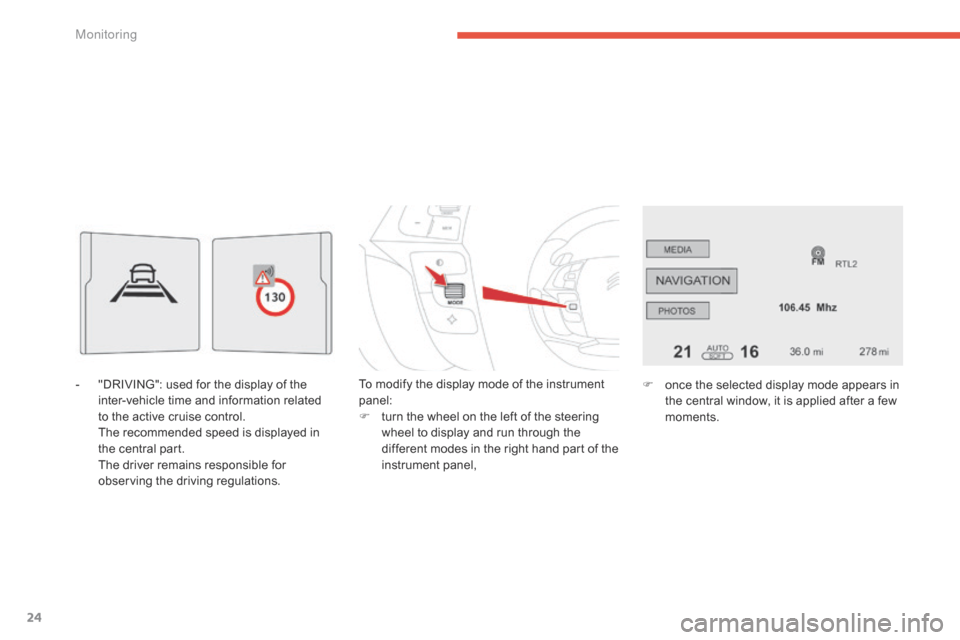
- "DRIVING": used for the display of the i
nter-vehicle time and information related
to
the active cruise control.
T
he recommended speed is displayed in
t
he central part.
T
he driver remains responsible for
o
bserving the driving regulations. To
modify the display mode of the instrument pan
el:
F
t
urn the wheel on the left of the steering
w
heel to display and run through the
d
ifferent modes in the right hand part of the
in
strument
pan
el,F
o nce the selected display mode appears in
t
he central window, it is applied after a few
m
oments.
Monitoring
Page 33 of 420
31
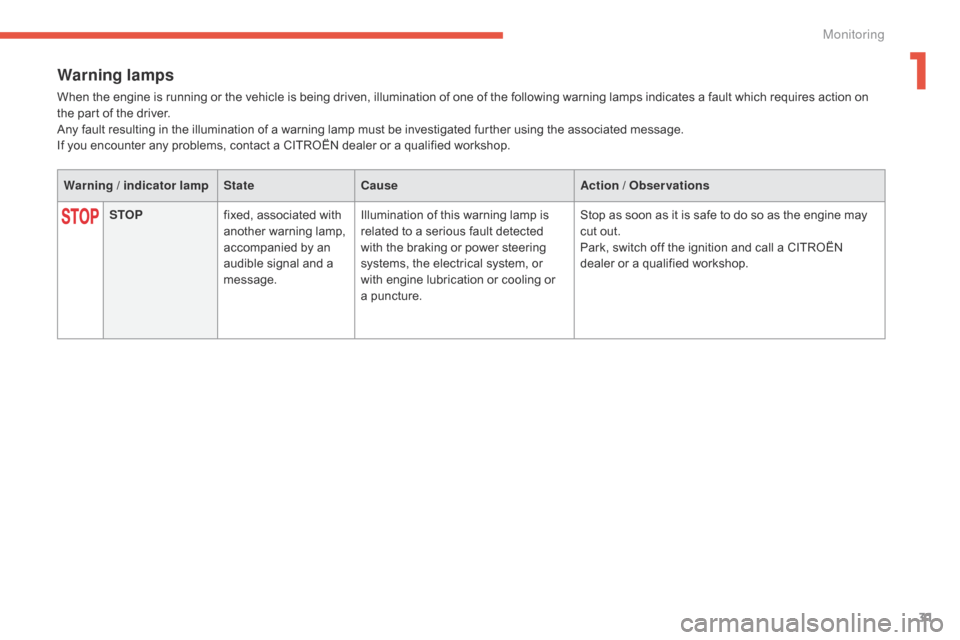
Warning lamps
When the engine is running or the vehicle is being driven, illumination of one of the following warning lamps indicates a fault which requires action on the part of the driver.
Any
fault resulting in the illumination of a warning lamp must be investigated further using the associated message.
If
you encounter any problems, contact a CITROËN dealer or a qualified workshop.
Warning / indicator lamp StateCause Action / Observations
STOP fixed,
associated with
a
nother warning lamp,
a
ccompanied by an
a
udible signal and a
m
essage.Illumination
of this warning lamp is
r
elated to a serious fault detected
w
ith the braking or power steering
s
ystems, the electrical system, or
w
ith engine lubrication or cooling or
a pu
ncture.Stop
as soon as it is safe to do so as the engine may
c
ut out.
Park,
switch off the ignition and call a CITROËN
d
ealer or a qualified workshop.
1
Monitoring
Page 48 of 420
46
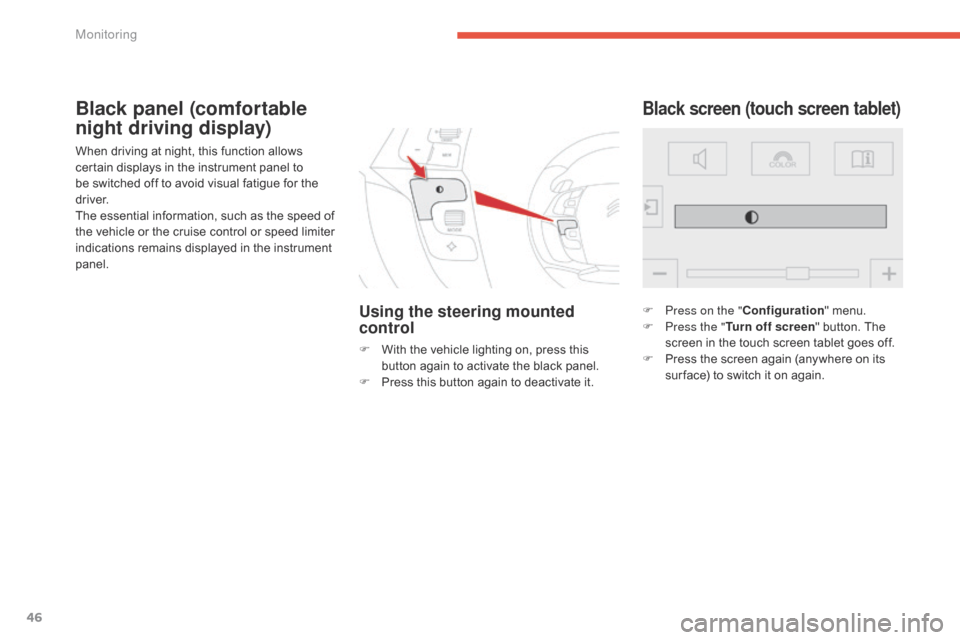
When driving at night, this function allows certain displays in the instrument panel to
b
e switched off to avoid visual fatigue for the
d
river.
The
essential information, such as the speed of
t
he vehicle or the cruise control or speed limiter
i
ndications remains displayed in the instrument
pan
el.
Using the steering mounted
control
F With the vehicle lighting on, press this b
utton again to activate the black panel.
F
P
ress this button again to deactivate it.
Black screen (touch screen tablet)Black panel (comfortable
night driving display)
F Press on the "Configuration" menu.
F P ress the " Turn off screen "
button. The
s
creen in the touch screen tablet goes off.
F
P
ress the screen again (anywhere on its
s
ur face) to switch it on again.
Monitoring
Page 93 of 420
91
Steering wheel adjustment
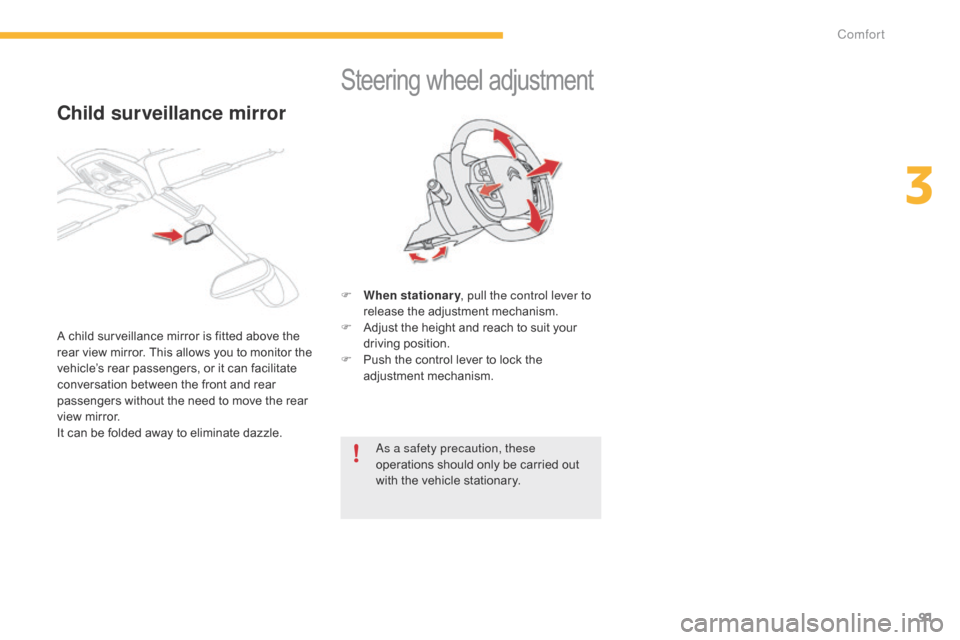
F When stationary , pull the control lever to
release the adjustment mechanism.
F
A
djust the height and reach to suit your
d
riving position.
F
P
ush the control lever to lock the
a
djustment
m
echanism.
as a s
afety precaution, these
operations
should only be carried out
w
ith the vehicle stationary.
Child surveillance mirror
A child surveillance mirror is fitted above the rear view mirror. This allows you to monitor the
v
ehicle’s rear passengers, or it can facilitate
c
onversation between the front and rear
p
assengers without the need to move the rear
v
iew mirror.
I
t can be folded away to eliminate dazzle.
3
Comfort
Page 108 of 420

106
Front fittings
1. Sun visor.
2. C ard holder.
3.
G
love box.
4.
C
entral
s
torage.
I
t contains the power and audio sockets.
5.
R
aised console with closed storage, low
c
onsole or removable console.
6.
C
up holder.
7.
D
oor pockets.
8.
S
torage below the steering wheel.
(
Handbook pack).
Comfort
Page 112 of 420
110
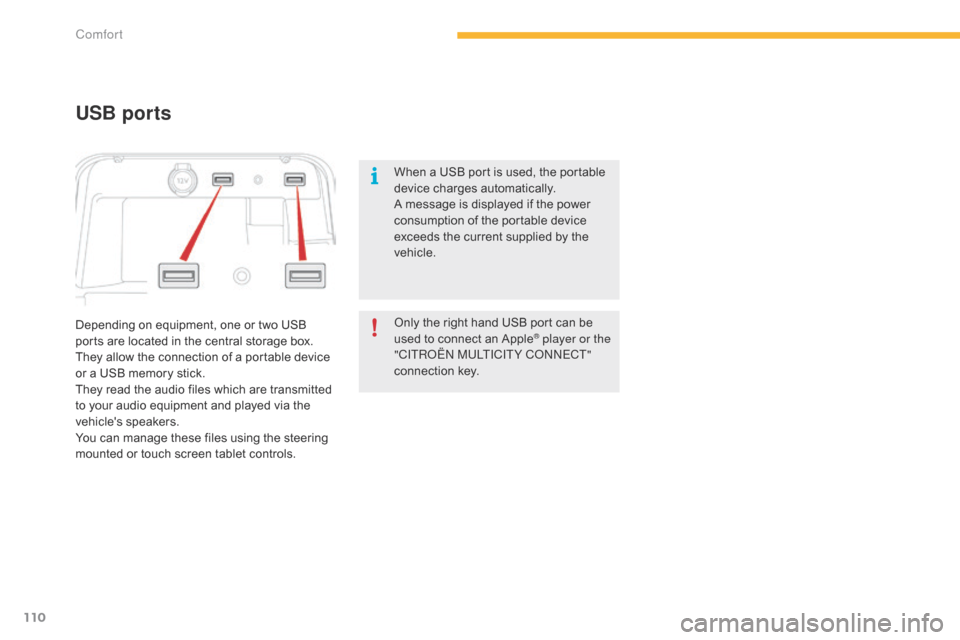
Depending on equipment, one or two USB ports are located in the central storage box.
They
allow the connection of a portable device
o
r a USB memory stick.
They
read the audio files which are transmitted
t
o your audio equipment and played via the
v
ehicle's
s
peakers.
You
can manage these files using the steering
m
ounted or touch screen tablet controls.
USB ports
When a USB port is used, the portable device charges automatically.
A
message is displayed if the power
c
onsumption of the portable device
e
xceeds the current supplied by the
v
ehicle.
Only
the right hand USB port can be
u
sed to connect an Apple
® player or the
"CITRoËn M
ULTICITY Co nnE CT"
connection
k
ey.
Comfort
Page 114 of 420

112
Storage boxes
F Raise the grip and lower the storage box c
ove r.
Opening
Do not place heavy objects in the boxes.
Depending
on equipment, storage boxes are
l
ocated under the front seats.
Storage belo
w
t
he steering wheel
This storage compartment below the steering w
heel is intended for stowing your vehicle's
han
dbook
pa
ck.
Comfort
Page 124 of 420

122
Starting-switching off the engine with the electronic key
F Place the gear selector lever at N for
vehicles with an electronic gearbox, P or N
for
vehicles with an automatic gearbox or
n
eutral with a manual gearbox.
F
I
nsert the electronic key in the reader.
F
P
ress the brake pedal for vehicles with
a
n electronic or automatic gearbox, or
f
ully declutch for vehicles with a manual
g
earbox.
Starting the engine
For Diesel vehicles , in
temperatures below zero the
e
ngine
will not start until the preheater
w
arning
lamp has gone off.
If
this
warning lamp comes on after
p
ressing "START/STOP", you should
h
old
the
brake or clutch pedal down
u
ntil
the
warning lamp goes off and
d
o
not
press the START/STOP button
ag
ain.
If
one
of
the starting conditions is not
m
et,
a
reminder message appears in
t
he
instrument panel screen. In some
c
ircumstances, it is necessary to turn
t
he
steering wheel slightly while pressing
t
he
"START/STOP" button to assist
u
nlocking of the steering; a message
w
arns
you when this is needed.
F
b
r
iefly press the "
START/STOP"
button.
T
he
steering
column
unlocks
and
t
he
engine
starts
more
or
less
i
mmediately
(see
the
advice
for
D
iesel
v
ersions).
Driving