instrument panel Citroen C5 2014.5 (RD/TD) / 2.G Owner's Guide
[x] Cancel search | Manufacturer: CITROEN, Model Year: 2014.5, Model line: C5, Model: Citroen C5 2014.5 (RD/TD) / 2.GPages: 344, PDF Size: 12.9 MB
Page 106 of 344

104
Maximum application
If necessary, you can make a maximum
application of the parking brake. It is obtained
by means of a long pull on control lever A,
until you see the message "Max application of
the parking brake" and a beep is heard.
Maximum application is essential:
-
i
n the case of a vehicle towing a caravan
or a trailer, if the automatic functions are
activated but you are applying the parking
brake manually,
-
w
hen the effective gradient you are parked
on is variable (e.g. on a ferry, in a lorry,
during towing).
-
i
n the case of towing, a loaded vehicle or
parking on a gradient, turn the front wheels
towards the pavement and engage a gear
when you park.
-
a
fter a maximum application, the release
time will be longer.
Particular situations
In certain situations (starting the engine...), the
parking brake can automatically alter its level of
application. This is normal operation.
To advance your vehicle a few centimetres
without starting the engine, but with the ignition
on, press on the brake pedal and release the
parking brake by pushing then releasing
control lever A .
The full release of the parking brake is
confirmed by the warning lamp P in the control
lever and the warning lamp in the instrument
panel going off and the display of a message
"Parking brake off " in the instrument panel
screen.
To ensure correct operation of the parking
brake and therefore your safety, the number of
successive application/release operations is
limited to eight.
If this number is exceeded, you are warned
by the message "Parking brake faulty" and a
warning lamp flashes. In the event of a battery failure, it will
not be possible to operate the electric
parking brake.
As a safety measure if the parking
brake is not applied, immobilise the
vehicle by engaging a gear or by
placing a chock against one of the
wheels.
Contact a CITROËN dealer or a
qualified workshop.
Driving
Page 107 of 344

105
If a failure of the DSC system is
signalled by the illumination of this
warning lamp, then braking stability is
not guaranteed. In this event, stability
must be assured by the driver by
repeating alternate "pull - release"
actions on control lever A.
The dynamic emergency braking
should only be used in exceptional
circumstances.
If it is not possible to immobilise the
vehicle, contact a CITROËN dealer or
a
qualified workshop.
Dynamic emergency
braking
In the event of a failure of the vehicle’s main
braking system or in an exceptional situation
(e.g. driver taken ill, under instruction, etc) pull
and hold control lever A to stop the vehicle.
The dynamic stability control system (DSC)
provides stability during dynamic emergency
braking.
If there is a fault with the dynamic emergency
braking, one of the following messages will be
displayed in the instrument panel screen:
-
"
Parking brake faulty".
-
"
Parking brake control faulty".
4
driving
Page 110 of 344
108
Hill start assist
System which keeps your vehicle immobilised
temporarily (approximately 2 seconds) when
starting on a gradient, the time to move your
foot from the brake pedal to the accelerator
pedal.
This function is only active when:
-
t
he vehicle is completely stationary, with
your foot on the brake pedal,
-
i
n certain conditions on a gradient,
-
w
ith the driver’s door closed.
The hill start assist function cannot be
deactivated.Operation
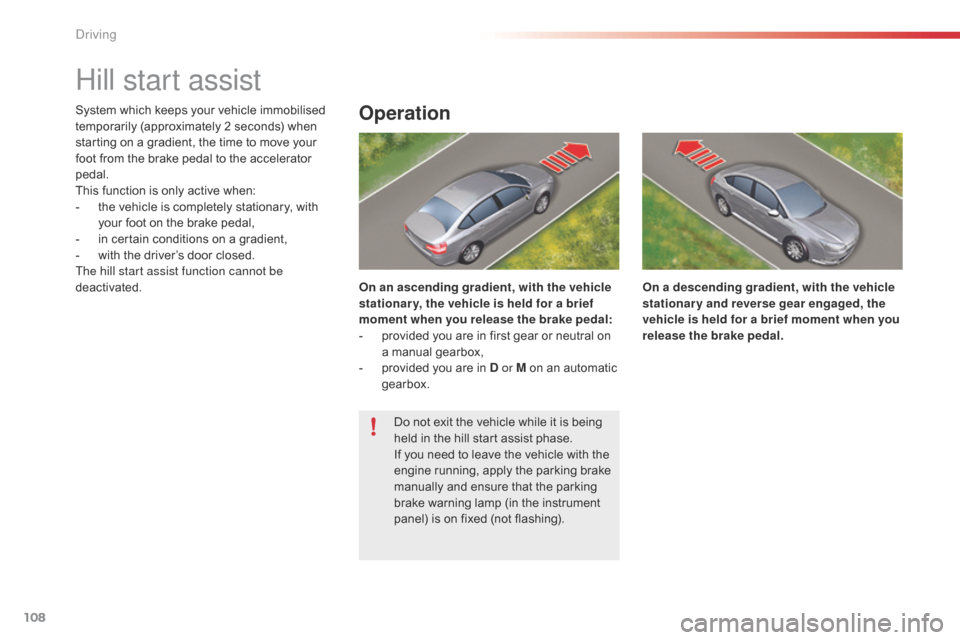
On an ascending gradient, with the vehicle
stationar y, the vehicle is held for a brief
moment when you release the brake pedal:
-
p
rovided you are in first gear or neutral on
a manual gearbox,
-
p
rovided you are in D or M on an automatic
gearbox. On a descending gradient, with the vehicle
stationary and reverse gear engaged, the
vehicle is held for a brief moment when you
release the brake pedal.
Do not exit the vehicle while it is being
held in the hill start assist phase.
If you need to leave the vehicle with the
engine running, apply the parking brake
manually and ensure that the parking
brake warning lamp (in the instrument
panel) is on fixed (not flashing).
driving
Page 114 of 344
112
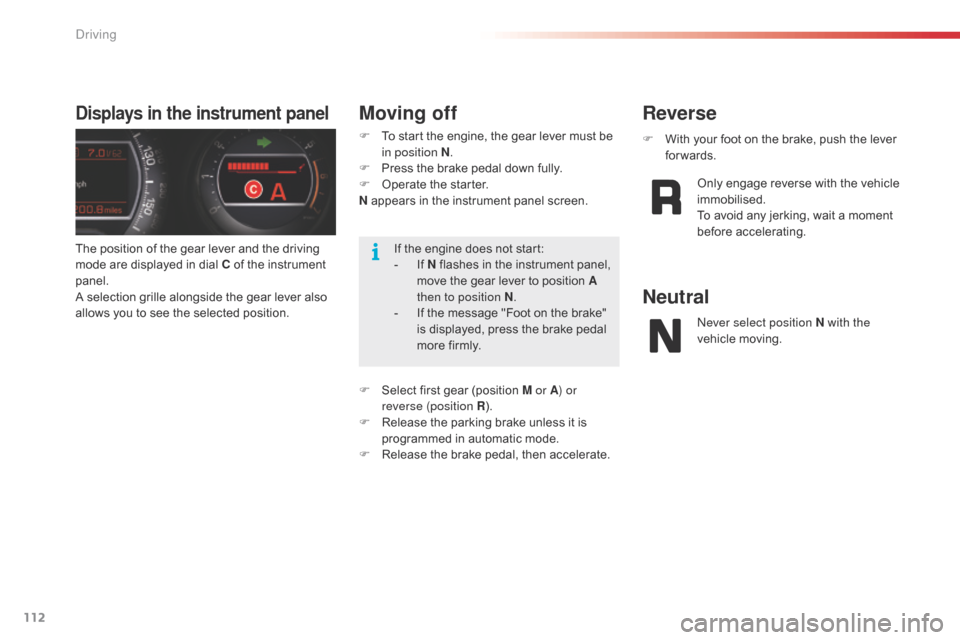
The position of the gear lever and the driving
mode are displayed in dial C of the instrument
panel.
A selection grille alongside the gear lever also
allows you to see the selected position.
Displays in the instrument panelMoving off
F To start the engine, the gear lever must be in position N .
F
P
ress the brake pedal down fully.
F
O
perate the starter.
N appears in the instrument panel screen.
F
S
elect first gear (position M or A ) or
reverse (position R ).
F
R
elease the parking brake unless it is
programmed in automatic mode.
F
R
elease the brake pedal, then accelerate. F
W ith your foot on the brake, push the lever
forwards.
Reverse
Only engage reverse with the vehicle
immobilised.
To avoid any jerking, wait a moment
before accelerating.
Neutral
never select position N with the
vehicle moving.
If the engine does not start:
-
I
f N flashes in the instrument panel,
move the gear lever to position A
then to position N .
-
I
f the message "Foot on the brake"
is displayed, press the brake pedal
more firmly.
Driving
Page 116 of 344

114
SPORT programmeStopping the vehicle
F Wit the gear lever at A and the engine
running, press button S to activate
the
SPORT programme, which provides a
more dynamic driving style.
S appears in the instrument panel.
F
P
ress the S button again to switch it off.
S then disappears from the instrument panel
screen.
On sharp acceleration, the gearbox will
not change up unless the driver acts on
the gear lever or the steering mounted
paddles.
ne
ver select neutral N while the vehicle
is moving.
Only engage reverse gear R when the
vehicle is immobilised with the brake
pedal pressed.
When immobilising the vehicle, with
the engine running, you must place the
gear lever in neutral N.
Before carrying out any work in the
engine compartment, check that the
gear lever is in neutral N and that the
parking brake is applied.
Before switching off the engine, you can
choose to:
-
m
ove to position N to engage neutral,
-
l
eave the gear engaged; in this case, it will
not be possible to move the vehicle.
In both cases, you must apply the parking
brake to immobilise the vehicle.
Driving
Page 118 of 344

116
Mode selectionDisplays in the instrument panel
F automatic mode: gear lever in position D,
F m anual mode: gear lever in position M ,
F
S
PORT mode: gear lever in position D and
button A pressed,
F
S
NOW mode: gear lever in position D and
button B pressed. The position of the gear lever and the driving
mode are displayed in the instrument panel
dial C
.
A position grille associated with the gear lever
allows you to view the selected position.
Automatic gearbox
Automatic gearbox which offers a choice
between the comfort of fully automatic
operation, enhanced by the sport and snow
programmes, or manual gear changing.
Four driving modes are provided:
-
a
utomatic operation for electronic control
of the gears by the gearbox,
-
t
he SPORT programme for a more
dynamic driving style,
-
t
he SNOW programme to improve driving
when the grip is poor,
-
m
anual operation for sequential changing
of the gears by the driver. For safety:
-
p
osition P can be disengaged only
if you press the brake pedal,
-
w
hen a door is opened, an audible
signal is heard if the gear lever is
not in position P ,
-
a
lways make sure that the gear
lever is in position P before you
leave your vehicle.
If the gearbox is in position P but the
position of the gear lever is different,
reposition the gear lever on P so that
you can start the vehicle.
Driving
Page 119 of 344

117
Moving off
F To start the engine, the gear lever must be in position P or N .
F
O
perate the starter.
F
W
hen the engine is running, place the gear
lever on R , D or M as required.
F
C
heck, in the instrument panel, the position
engaged.
F
R
elease the brake pedal and accelerate.
F
T
o avoid a possible difference between the
position of the gear lever and the actual
position of the gearbox, always exit from
position P with the ignition on and brake
pedal applied.
Otherwise, when the ignition is on or the engine
is running:
F
r
eposition the gear lever in position P ,
F
p
ut your foot on the brake pedal and then
select the gear you want.
Park
This position of the gear lever is used
to prevent the vehicle from moving
when you are stationary.
Reverse gear
Only engage this position when the
vehicle is stationary. To prevent
snatching, do not accelerate too soon
after selection.
Neutral
never select position N if the vehicle
is moving.
F
T
o select position P
, move the gear lever
back to the highest position (towards R ),
then push it for wards and then to the left.
F
T
o exit position P
, move the gear lever to
the right and then to the position you want.
F
O
nly engage this position when the vehicle
is completely stationary. In this position,
the front wheels are locked. Make sure that
the gear lever is correctly positioned.
ne
ver select positions P or R if the
vehicle is not stationary.
If, while the vehicle is moving,
position
N is engaged inadvertently,
allow the engine to idle before engaging
position D or M .
4
Driving
Page 121 of 344

119
SPORT and SNOW
programmes
SPORT programme "S"
These two special programmes supplement
the automatic operation in very particular
conditions of use.
F
W
ith the gear lever in position D and the
engine running, press button A .
The gearbox automatically favours a dynamic
driving style.
SNOW programme " T"
F With the gear lever in position D and the
engine running, press button B .
The gearbox adapts to driving on slippery
roads.
This programme makes moving off easier and
improves traction in conditions of poor grip.
T appears in the instrument panel.
S appears in the instrument panel.
Return to automatic operation
F At any time, press the button selected again to exit from the programme engaged
and return to auto-adaptive mode. A strong snatch may be felt when
selecting
R for reverse gear.
In the event of a fault, the gearbox is
blocked in one gear; do not exceed a
speed of 62 mph (100 km/h).
Do not turn off the engine while the gear
selector is in position D or R .
Never press the accelerator and brake
pedals simultaneously. Braking and
acceleration should be done with the
right foot only. Pressing both pedals
simultaneously may damage the
gearbox.
Contact a CITROËN dealer or a
qualified workshop.
If the ambient temperature is
below
-23°C, the engine should be left
running at idle for four minutes, in order
to ensure the correct operation and
durability of the engine and gearbox.
4
Driving
Page 122 of 344

120
System which reduces fuel consumption by advising the driver to change up.
The system intervenes only when driving
economically.
Depending on the driving situation and your
vehicle's equipment, the system may advise
you to skip one or more gears. You can
follow this instruction without engaging the
intermediate gears.
The gear engagement recommendations must
not be considered compulsory. In fact, the
configuration of the road, the amount of traffic
and safety remain determining factors when
choosing the best gear. Therefore, the driver
remains responsible for deciding whether or not
to follow the advice given by the system.
This function cannot be deactivated.Example:
-
Y
ou are in third gear.
-
Y
ou press the accelerator pedal
moderately. The information appears in the instrument
panel in the form of an arrow accompanied by
the suggested gear.
Gear efficiency indicator*
In the case of driving which makes
particular demands on the per formance
of the engine (firm pressure on the
accelerator pedal, for example, when
overtaking...), the system will not
recommend a gear change.
The system never suggests:
-
e
ngaging first gear,
-
enga
ging reverse gear,
-
e
ngaging a lower gear.
Operation
* Depending on engine. -
T
he system may suggest that you engage
a higher gear, if appropriate.
With an electronic or automatic
gearbox, the system is only active in
manual mode.
Driving
Page 123 of 344
121
Stop & Start
Operation
- with an electronic gearbox, at speeds
below 4 mph (6 km/h), press the brake
pedal or put the gear lever in position N .
Going into engine STOP
mode
The "ECO" warning lamp comes
on in the instrument panel and the
engine goes into standby:
If your vehicle is fitted with the
system, a time counter calculates
the sum of the periods in STOP
mode during a journey. It rests itself
to zero every time the ignition is
switched on with the key.
Special cases: STOP mode not
available
In this case, the "ECO" warning
lamp flashes for a few seconds then
goes
off.
This operation is perfectly normal. STOP mode is not invoked when:
-
t
he driver's door is open,
-
t
he driver's seat belt is not fastened,
-
t
he vehicle has not exceeded 6 mph
(10 km/h) since the last engine start using
the key,
-
t
he electric parking brake is applied or
being applied,
-
t
he engine is needed to maintain a
comfortable temperature in the passenger
compartment,
-
d
emisting is active,
-
s
ome special conditions (battery charge,
engine temperature, braking assistance,
ambient temperature...) where the engine is
needed to assure control of a system.
The Stop & Start
system puts the engine temporarily into standby - STOP mode - during stops in the traffic (red lights, traffic jams, or other...).
The
engine restarts automatically - START mode - as soon as you want to move off. The restart takes place instantly, quickly and silently.
Per fect for urban use, the Stop & Start system reduces fuel consumption and exhaust emissions as well as the noise level when stationary.
Never refuel with the engine in STOP
mode; you must switch off the ignition
with the key. For your comfort, during parking
maoeuvres, STOP mode is not
available for a few seconds after
coming out of reverse gear.
STOP mode does not affect the
functionality of the vehicle, such as for
example, braking, power steering...
4
driving