brakes CITROEN C5 AIRCROSS 2022 Handbook (in English)
[x] Cancel search | Manufacturer: CITROEN, Model Year: 2022, Model line: C5 AIRCROSS, Model: CITROEN C5 AIRCROSS 2022Pages: 276, PDF Size: 7.92 MB
Page 125 of 276

123
Driving
6and Recommendation, as shown on the
instrument panel:
►
Press button
5 once; a message is displayed
to confirm the memorisation request.
►
Press button
5 again to save the suggested
speed.
The speed is immediately shown on the
instrument panel as the new speed setting.
Temporarily exceeding the
speed setting
► Fully depress the accelerator pedal.
The speed limiter is deactivated temporarily and
the displayed speed setting flashes.
►
Release the accelerator pedal to return to
below the programmed speed.
When the limit speed is exceeded other than
as a result of action by the driver (on a steep
slope, for example), an audible signal triggers
immediately
.
On a steep descent or in the event of
sharp acceleration, the speed limiter will
not be able to prevent the vehicle from
exceeding the speed setting.
If necessary, use the brakes to control the
speed of your vehicle.
Once the speed of the vehicle returns to the
speed setting, the speed limiter resumes
operation: the display of the speed setting
becomes fixed again.
Switching off
► Turn the thumbwheel 1 to the "0" position:
the display of information on the speed limiter
disappears.
Malfunction
Dashes are displayed (flashing, initially, then
fixed) in the event of a speed limiter malfunction.
Have the system checked by a CITROËN dealer
or a qualified workshop.
Cruise control - particular
recommendations
For the safety of everyone, only use the
cruise control where the driving
conditions allow running at a constant speed
and keeping an adequate safety distance.
Remain vigilant when the cruise control
is activated. If you hold one of the speed
setting modification buttons down, a very
rapid change in the speed of your vehicle may
occur.
When descending a steep hill , the cruise
control system cannot prevent the vehicle
from exceeding the set speed. Brake if
necessary to control the speed of your
vehicle.
On steep climbs or when towing, the set
speed may not be reached or maintained.
Exceeding the programmed speed
setting
You can temporarily exceed the speed
setting by pressing the accelerator pedal (the
programmed speed flashes).
To return to the speed setting, release the
accelerator pedal (when the set speed is
reached again, the displayed speed stops
flashing).
Operating limits
Never use the system in the following
situations:
–
In an urban area with the risk of
pedestrians crossing the road.
–
In heavy traffic (except versions with the
Stop & Go function).
–
On winding or steep roads.
–
On slippery or flooded roads.
–
In poor weather conditions.
–
Driving on a speed circuit.
–
Driving on a rolling road.
–
When using snow chains, non-slip covers
or studded tyres.
Page 136 of 276
134
Driving
first level of alert may not be displayed: the
level 2 alert may be displayed directly.
Important: the level 1 alert is not displayed
when there is a stationary obstacle or
when the "Near" trigger threshold has been
selected.
Intelligent emergency
braking assistance
If the driver brakes, but not sufficiently to avoid a
collision, this system will supplement the braking,
within the limits of the laws of physics.
This assistance will only be provided if the driver
presses the brake pedal.
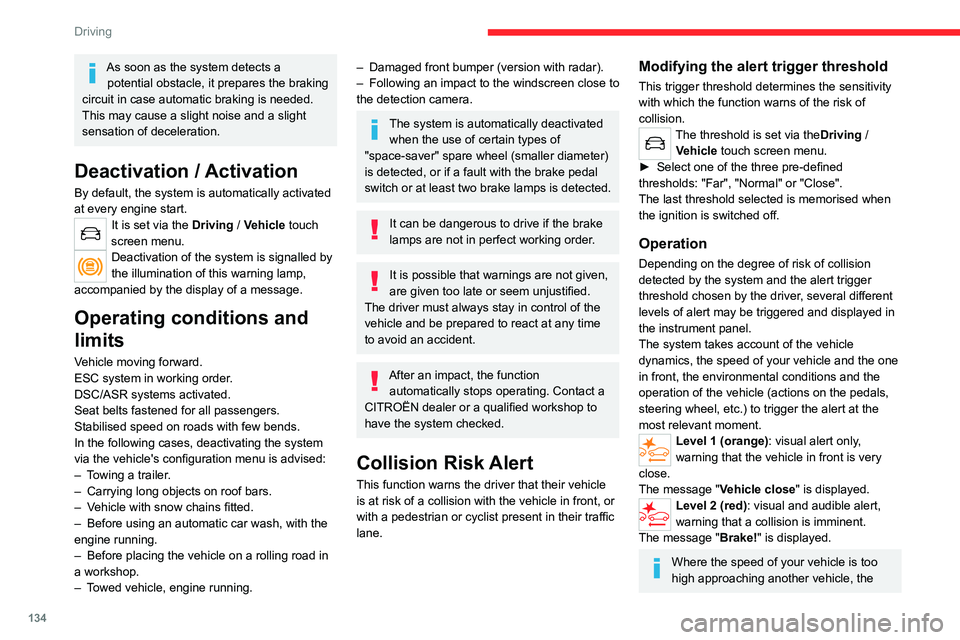
As soon as the system detects a potential obstacle, it prepares the braking
circuit in case automatic braking is needed.
This may cause a slight noise and a slight
sensation of deceleration.
Deactivation / Activation
By default, the system is automatically activated
at every engine start.
It is set via the Driving / Vehicle touch
screen menu.
Deactivation of the system is signalled by
the illumination of this warning lamp,
accompanied by the display of a message.
Operating conditions and
limits
Vehicle moving forward.
ESC system in working order.
DSC/ASR systems activated.
Seat belts fastened for all passengers.
Stabilised speed on roads with few bends.
In the following cases, deactivating the system
via the vehicle's configuration menu is advised:
–
T
owing a trailer.
–
Carrying long objects on roof bars.
–
V
ehicle with snow chains fitted.
–
Before using an automatic car wash, with the
engine running.
–
Before placing the vehicle on a rolling road in
a workshop.
–
T
owed vehicle, engine running.
– Damaged front bumper (version with radar).
– Following an impact to the windscreen close to
the detection camera.
The system is automatically deactivated when the use of certain types of
"space-saver" spare wheel (smaller diameter)
is detected, or if a fault with the brake pedal
switch or at least two brake lamps is detected.
It can be dangerous to drive if the brake
lamps are not in perfect working order.
It is possible that warnings are not given,
are given too late or seem unjustified.
The driver must always stay in control of the
vehicle and be prepared to react at any time
to avoid an accident.
After an impact, the function automatically stops operating. Contact a
CITROËN dealer or a qualified workshop to
have the system checked.
Collision Risk Alert
This function warns the driver that their vehicle
is at risk of a collision with the vehicle in front, or
with a pedestrian or cyclist present in their traffic
lane.
Modifying the alert trigger threshold
This trigger threshold determines the sensitivity
with which the function warns of the risk of
collision.
The threshold is set via the Driving /
Vehicle touch screen menu.
►
Select one of the three pre-defined
thresholds: "Far", "Normal" or "Close".
The last threshold selected is memorised when
the ignition is switched off.
Operation
Depending on the degree of risk of collision
detected by the system and the alert trigger
threshold chosen by the driver, several different
levels of alert may be triggered and displayed in
the instrument panel.
The system takes account of the vehicle
dynamics, the speed of your vehicle and the one
in front, the environmental conditions and the
operation of the vehicle (actions on the pedals,
steering wheel, etc.) to trigger the alert at the
most relevant moment.
Level 1 (orange): visual alert only,
warning that the vehicle in front is very
close.
The message
"Vehicle close" is displayed.
Level 2 (red): visual and audible alert,
warning that a collision is imminent.
The message "Brake! " is displayed.
Where the speed of your vehicle is too
high approaching another vehicle, the
Page 137 of 276

135
Driving
6first level of alert may not be displayed: the
level 2 alert may be displayed directly.
Important: the level 1 alert is not displayed
when there is a stationary obstacle or
when the "Near" trigger threshold has been
selected.
Intelligent emergency
braking assistance
If the driver brakes, but not sufficiently to avoid a
collision, this system will supplement the braking,
within the limits of the laws of physics.
This assistance will only be provided if the driver
presses the brake pedal.
Active Safety Brake
This function, also called automatic emergency
braking, intervenes following the alerts if the
driver does not react quickly enough and does
not operate the vehicle's brakes.
It aims to reduce the speed of impact or avoid a
collision where the driver fails to react.
Operation
The system operates subject to the following
conditions:
–
The vehicle's speed does not exceed 37 mph
(60 km/h) when a pedestrian is detected.
–
The vehicle's speed does not exceed 50 mph
(80 km/h) when a stationary vehicle or a cyclist
is detected.
– The vehicle's speed is above 6 mph (10 km/h)
(versions with camera and radar) or between
6 mph and 53 mph (10
km/h and 85 km/h)
(versions with camera only) when a moving
vehicle is detected.
This warning lamp flashes (for approximately 10 seconds) as soon as
the function applies the vehicle’s brakes.
With an automatic gearbox, in the event of
automatic emergency braking bringing the
vehicle to a complete stop, keep the brake
pedal pressed down to prevent the vehicle from
moving off again.
With a manual gearbox, in the event of automatic
emergency braking bringing the vehicle to a
complete stop, the engine may stall.
The driver can maintain control of the vehicle at any time by firmly turning the
steering wheel and/or firmly depressing the
accelerator pedal.
The brake pedal may vibrate slightly while the function is operating.
If the vehicle comes to a complete stop,
automatic braking is maintained for 1 to 2
seconds.
Malfunction
A fault in the system is signalled by the fixed illumination of this warning lamp,
Page 139 of 276

137
Driving
6The following situations may interfere with the operation of the system or
prevent it from working:
–
lane markings absent, worn, hidden (snow
,
mud) or multiple (roadworks);
–
close to the vehicle ahead (lane markings
not detected);
–
roads that are narrow
, winding, etc.
Active Lane Departure Warning System
Refer to the General recommendations on the
use of driving and manoeuvring aids .
Using a camera located at the top of the
windscreen to identify lane markings on the road
and at the edges of the road (depending on
version), the system corrects the trajectory of the
vehicle while alerting the driver if it detects a risk
of unintentionally crossing a line or hard shoulder
(depending on version).
This system is particularly useful on motorways
and main roads.
Conditions for operation
– Vehicle speed between 43 and 112 mph (70
and 180 km/h).
–
Road marked with a central dividing line.
–
Steering wheel held in both hands.
–
Direction indicators not activated.
–
ESC system activated and operational.
The system helps the driver only if there is a risk of the vehicle unintentionally
wandering from the lane it is being driven in. It
does not manage the safe driving distance,
vehicle speed or brakes.
The driver must hold the steering wheel with
both hands in a way that allows control to
be maintained in circumstances where the
system is not able to intervene (for example, if
the central dividing line disappears).
Operation
Once the system identifies a risk of the vehicle
involuntarily crossing one of the lane markings
detected, it makes the necessary trajectory
correction to return the vehicle to its initial path.
The driver will notice a turning movement of the
steering wheel.
This warning lamp flashes during trajectory correction.
The driver can prevent the correction by keeping a firm grip on the wheel (during
an avoiding manoeuvre, for example).
The correction is interrupted immediately if
the direction indicators are operated.
While the direction indicators are on and for
a few seconds after switching them off, the
system considers that any change of trajectory is
intentional and no correction is triggered during
this period.
However, with the Blind Spot Monitoring system
activated, if the driver starts changing lanes and
another vehicle is detected in the vehicle's blind
spot, the system will correct the trajectory even
though the direction indicators are on.
For more information on the Blind Spot
Monitoring , refer to the corresponding section.
If the system detects that the driver is not
holding the wheel firmly enough during
an automatic correction of trajectory, it
interrupts the correction. An alert is triggered
to encourage the driver to take back control of
the vehicle.
Page 149 of 276

147
Driving
6Zoom view
The camera records the vehicle's surroundings
during the manoeuvre in order to create a
view from above the front of the vehicle in its
near surroundings, allowing the vehicle to be
manoeuvred around obstacles nearby.
This view is available with AUTO mode or in the
view selection menu.
Obstacles may appear further away than
they actually are.
It is important to check the sides of the
vehicle during the manoeuvre, using the
mirrors.
The parking sensors also supplement the
information on the vehicle's surroundings.
180° view
The 180° view assists with exiting from a parking
space in forward gear, making it possible to
see the approach of vehicles, pedestrians and
cyclists.
This view is not recommended for carrying out a
complete manoeuvre.
It consists of 3 areas: left A, centre B and right
C.
This view is available only from the view
selection menu.
Park Assist
Refer to the General recommendations on the
use of driving and manoeuvring aids.
This system provides active parking assistance:
it detects a parking space then operates the
steering system to park in this space.
With
manual and automatic gearboxes, the
driver manages the accelerator, brakes and
forward and reverse gear engagement.
During phases of entry into and exit from a
parking space, the system provides visual and
audible information to the driver in order to make
the manoeuvres safe. Several forward and
reverse manoeuvres may be required.
At any time, the driver can take back control by
holding the steering wheel.
The Park Assist system provides assistance for
the following manoeuvres:
A. Entry into a "parallel" parking space
B. Exit from a "parallel" parking space
C. Entry into a "bay" parking space
The Park Assist system cannot operate
with the engine switched off.
When Park Assist is activated, it prevents
Stop & Start from going into STOP mode. In
STOP mode, activation of Park Assist restarts
the engine.
Page 174 of 276

172
Practical information
Driving with worn or damaged tyres reduces the
braking and road holding performance of the
vehicle. It is recommended to regularly check the
condition of the tyres (tread and sidewalls) and
wheel rims as well as the presence of the valves.
When the wear indicators no longer appear set
back from the tread, the depth of the grooves is
less than 1.6 mm; it is essential to replace the
tyres.
Using different size wheels and tyres from those
specified can affect the lifetime of tyres, wheel
rotation, ground clearance, the speedometer
reading and have an adverse effect on road
holding.
Fitting different tyres on the front and rear axles
can cause the ESC to mistime.
Shock absorbers
It is not easy for drivers to detect when
shock absorbers are worn. Nevertheless,
the shock absorbers have a major impact on
road-holding and braking performance.
For your safety and driving comfort, it is
important to have them regularly checked by a
CITROËN dealer or a qualified workshop.
Timing and accessory kits
Timing and accessory kits are used from the time the engine is started until it is
switched off. It is normal for them to wear over
time.
A faulty timing or accessory kit can damage
the engine, rendering it unusable. Observe the
Air filter
Depending on the environment and the
use of the vehicle (e.g. dusty atmosphere,
city driving), change it twice as often, if
necessary .
Oil filter
Change the oil filter each time the engine
oil is changed.
Particle filter (Diesel)
When the particle filter is
approaching saturation, this
warning lamp comes on temporarily,
accompanied by a message warning of the risk
of the filter clogging.
As soon as the traffic conditions permit,
regenerate the filter by driving at a speed of at
least 37
mph (60 km/h) until the warning lamp
goes off.
If the warning lamp stays on, this
indicates a low Diesel additive level.
For more information on Checking levels,
refer to the corresponding section.
Following prolonged operation of the
vehicle at very low speed or at idle, you
may, in exceptional circumstances, notice
water vapour coming from the exhaust while
accelerating. These emissions have no
impact on the vehicle’s behaviour and the
environment.
New vehicle
During the first few particle filter
regeneration operations, you may notice a
"burning" smell. This is perfectly normal.
Manual gearbox
The gearbox does not require any maintenance (no oil change).
Automatic gearbox
The gearbox does not require any maintenance (no oil change).
Brake pads
Brake wear depends on the style of
driving, particularly in the case of vehicles
used in town, over short distances. It may be
necessary to have the condition of the brakes
checked, even between vehicle services.
Unless there is a leak in the circuit, a drop in the
brake fluid level indicates that the brake pads
are worn.
After washing the vehicle, moisture, or in wintry conditions, ice can form on the
brake discs and pads: braking efficiency may
be reduced. Gently dab the brakes to dry and
defrost them.
Brake disc wear
For information on checking brake disc
wear, contact a CITROËN dealer or a
qualified workshop.
Electric parking brake
This system does not require any routine servicing. However, in the event of a
problem, do not hesitate to have the system
checked by a CITROËN dealer or a qualified
workshop.
For more information on the Electric
parking brake, refer to the
corresponding section.
Wheels and tyres
The inflation pressure of all tyres, including the spare wheel, must be
checked on "cold” tyres.
The pressures indicated on the tyre pressure
label are valid for "cold" tyres. If you have driven
for more than 10 minutes or more than 6 miles
(10 kilometres) at over 31 mph (50
km/h), add
0.3 bar (30 kPa) to the values indicated on the
label.
Under-inflation increases energy
consumption. Non-compliant tyre
pressure causes premature wear on tyres and
has an adverse effect on the vehicle's road
holding - risk of an accident!
Page 247 of 276

245
Alphabetical index
180° rear vision 146
A
ABS 78
Accelerated charging unit (Wallbox)
155
Accessories
75
Access to rear seats
45
Active Safety Brake
133–135
Active suspension
111
AdBlue®
18, 173
AdBlue® tank
174
Additive, Diesel
171–172
Adjusting headlamps
71
Adjusting head restraints
44–45
Adjusting seat
45–46
Adjusting the air distribution
52, 54–55
Adjusting the air flow
52, 54–55
Adjusting the date
25, 218, 240
Adjusting the height and reach of
the steering wheel
48
Adjusting the lumbar support
45
Adjusting the seat belt height
83
Adjusting the temperature
52, 54
Adjusting the time
25, 217, 241
Advanced Grip Control
80
Advice on care and maintenance
154, 175
Advice on driving
7, 97
Airbags
85–89
Airbags, curtain
87–88
Airbags, front
86–87, 89
Airbags, lateral
86–87
Air conditioning 51–53, 55–56
Air conditioning, automatic
54, 56
Air conditioning, dual-zone automatic
53
Air conditioning, manual
52, 54
Air intake
54–55
Air vents
51
Alarm
39–40
Android Auto connection
214, 232
Anti-lock braking system (ABS)
78
Antitheft / Immobiliser
31, 98
Apple CarPlay connection
214, 231
Applications
232
Armrest, front
61–62
Assistance call
76
Assistance, emergency braking
78, 135
Audible warning
76
Audio streaming (Bluetooth)
213, 236
B
Battery 165
Battery, 12 V
171, 194–198
Battery, ancillaries
197
Battery, charging
195, 197–198
Battery, remote control
33–34, 58
Blanking screen (snow shield)
166
Blind
42–43
Blind spot monitoring system, active
141
Blind spot sensors
140–141
BlueHDi
18, 21, 171, 178
Bluetooth (hands-free)
215, 237
Bluetooth (telephone)
215–216, 237–238
Bodywork 176
Bonnet
168–169
Boot
35–36, 38, 66
Brake discs
172
Brake lamps
187
Brakes
172
Braking
11 0
Braking assistance system
78
Braking, automatic emergency
133–135
Braking, dynamic emergency
103–104
Brightness
217
Bulbs
185
Bulbs (changing)
185–188
C
Cable, audio 235
Cable, Jack
235
Capacity, fuel tank
152
Care of the bodywork
176
Central locking
28, 30, 32
Changing a bulb
185–189
Changing a fuse
189–190, 193
Changing a wheel
179, 182
Changing a wiper blade
73
Changing the remote control battery
33
Charge level indicator (Rechargeable
hybrid)
20
Charger, induction
61
Charger, wireless
61
Charging cable
157