light Citroen DS3 2009.5 1.G User Guide
[x] Cancel search | Manufacturer: CITROEN, Model Year: 2009.5, Model line: DS3, Model: Citroen DS3 2009.5 1.GPages: 248, PDF Size: 7.09 MB
Page 30 of 248

Black panel
System allowing cer tain displays to be switched off for night driving. The instrument panel remains lit with only the vehicle speed and cruise control or speed limiter information, if in use. If there is an aler t or a change in a function or to a setting, the black panel mode is interrupted.
Activation
With the lighting on, press the left hand button of the instrument panel several times to progressively reduce the dashboard lighting level. Press the button again to reduce the lighting to the minimum level and switch off the interior mood lighting. Press the button again to activate the black panel.
Page 35 of 248

47Multifunction screens
Radio-CD
With the Audio system switched on, once the "Radio- CD" menu has been selected you can activate or deactivate the functions linked with use of the radio (RDS, REG), or the CD (introscan, shuffle, CD repeat). For fur ther details concerning the "Radio- CD" application, refer to the Audio system par t of the "Audio and Telematics" section.
Vehicle confi guration
Once the "Vehicle Configuration" menu has been selected, you can activate or deactivate the following equipment: - wiper linked with reverse gear (refer to the "Visibility" section), - "guide-me-home" lighting (refer to the "Visibility" section), - parking sensors (refer to the "Driving" section).
Options
Once the "Options" menu has been selected, you can star t diagnostics of the status of the equipment (active, not active, faulty).
Page 39 of 248

51Multifunction screens
"Personalisation-
Configuration" menu
Once this menu has been selected, you can gain access to the following functions: - define the vehicle parameters, - display configuration, - choice of language.
Defi ne the vehicle parameters
Once this menu has been selected, you can activate or deactivate the following equipment: - wiper linked to reverse gear (refer to the "Visibility" section), - "guide-me-home" lighting - parking sensors (refer to the "Driving" section).
Example: setting of the duration of the "guide-
me-home" lighting Press the " " or " " buttons, then the "OK" button to select the menu required.
Press the " " or " " buttons, then the "OK" button to select the "Guide-me-home headlamps" line.
Press the " " or " " buttons to set the value required (15, 30 or 60 seconds), then press the "OK" button to confirm.
Press the " " or " " buttons, then the "OK" button to select the "OK" box and confirm or press the "ESC" button to cancel.
Page 42 of 248
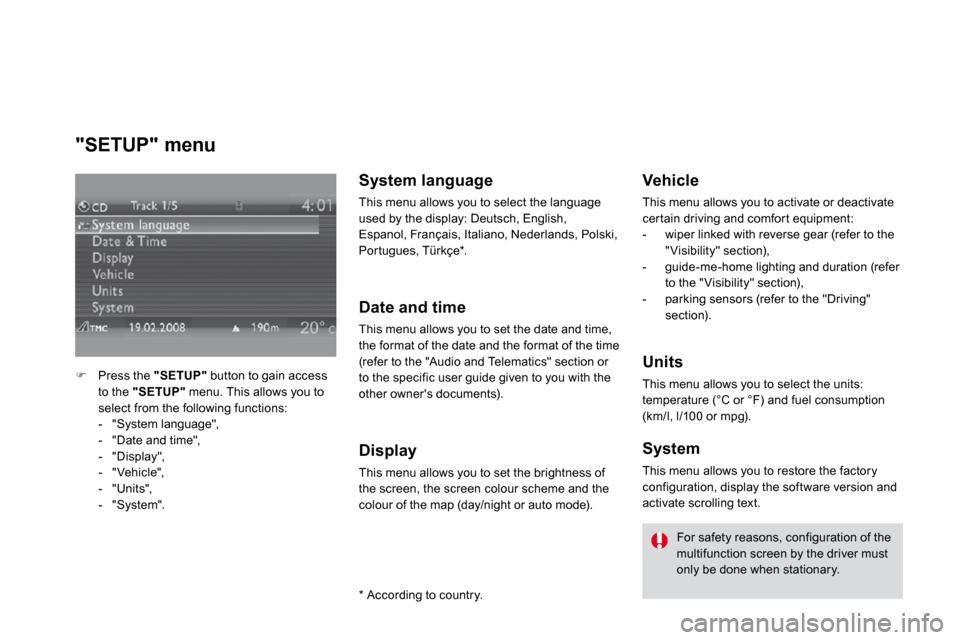
"SETUP" menu
Press the "SETUP" button to gain access to the "SETUP" menu. This allows you to select from the following functions: - "System language",
- "Date and time", - "Display", - "Vehicle", - "Units", - "System".
System language
This menu allows you to select the language used by the display: Deutsch, English, Espanol, Français, Italiano, Nederlands, Polski, Por tugues, Türkçe * .
Date and time
This menu allows you to set the date and time, the format of the date and the format of the time (refer to the "Audio and Telematics" section or to the specific user guide given to you with the other owner's documents).
Display
This menu allows you to set the brightness of the screen, the screen colour scheme and the colour of the map (day/night or auto mode).
* According to country.
Vehicle
This menu allows you to activate or deactivate cer tain driving and comfor t equipment: - wiper linked with reverse gear (refer to the "Visibility" section), - guide-me-home lighting and duration (refer to the "Visibility" section), - parking sensors (refer to the "Driving" section).
Units
This menu allows you to select the units: temperature (°C or °F) and fuel consumption (km/l, l/100 or mpg).
System
This menu allows you to restore the factory
configuration, display the software version and activate scrolling text.
For safety reasons, configuration of the multifunction screen by the driver must only be done when stationary.
Page 46 of 248

1. Temperature adjustment
Turn the dial from blue (cold) to red (hot) to adjust the temperature to your requirements.
2. Air fl ow adjustment
Turn the dial from position 1to position 5 to obtain a comfor table air flow.
If you place the air flow control in position 0 (deactivation of the
system), the temperature is no longer maintained at a comfor table level. However, a slight flow of air, due to the movement of the vehicle,
can still be felt.
3. Air distribution adjustment
Windscreen and side windows.
Windscreen, side windows and footwells.
Footwells.
Central and side vents.
The air distribution can be adapted by placing the dial in an intermediate position.
4. Air intake/Air recirculation
The intake of exterior air avoids the formation of mist on the windscreen and side windows. The recirculation of interior air insulates the passenger compar tment from exterior odours and smoke. Return to exterior air intake as soon as possible to prevent deterioration of the air quality and the formation of mist.
Manual control panel
Press the button to recirculate the interior air. The indicator lamp comes on to confirm this.
Press the button again to permit the intake of exterior air. The indicator lamp switches off to confirm this.
Page 47 of 248

Comfort
5. Air conditioning On/Off
The air conditioning is designed to operate effectively in all seasons, with the windows closed.
Electric control panel
Press the button to recirculate the interior air. This is confirmed by lighting of the indicator lamp.
Press the button again to allow fresh air into the passenger compartment. This is confirmed by the indicator lamp switching off.
It enables you to: - lower the temperature, in summer, - increase the effectiveness of the demisting in winter, above 3 °C.
Switching on
Press the "A /C" button, the associated green indicator lamp comes on. The air conditioning does not operate when the air flow adjustment control 2 is in position "0".
Switching off
Press the "A/C" button again, the associated green indicator lamp switches off.
Page 51 of 248

1. Temperature adjustment
Turn the dial from blue (cold) to red (hot) to adjust the temperature to your requirements.
2. Air fl ow adjustment
Turn the dial from position 1to position 5 to obtain a comfor table air flow.
If you place the air flow control in position 0 (deactivation of the
system), the temperature is no longer maintained at a comfor table level. However, a slight flow of air, due to the movement of the vehicle,
can still be felt.
3. Air distribution adjustment
Windscreen and side windows.
Windscreen, side windows and footwells.
Footwells.
Central and side vents.
The air distribution can be adapted by placing the dial in an intermediate position.
4. Air intake/Air recirculation
The intake of exterior air avoids the formation of mist on the windscreen and side windows. The recirculation of interior air insulates the passenger compar tment from exterior odours and smoke. Return to exterior air intake as soon as possible to prevent deterioration of the air quality and the formation of mist.
Manual control panel
Press the button to recirculate the interior air. The indicator lamp comes on to confirm this.
Press the button again to permit the intake of exterior air. The indicator lamp switches off to confirm this.
Page 52 of 248

Comfort
5. Air conditioning On/Off
The air conditioning is designed to operate effectively in all seasons, with the windows closed.
Electric control panel
Press the button to recirculate the interior air. This is confirmed by lighting of the indicator lamp.
Press the button again to allow fresh air into the passenger compartment. This is confirmed by the indicator lamp switching off.
It enables you to: - lower the temperature, in summer, - increase the effectiveness of the demisting in winter, above 3 °C.
Switching on
Press the "A /C" button, the associated green indicator lamp comes on. The air conditioning does not operate when the air flow adjustment control 2 is in position "0".
Switching off
Press the "A/C" button again, the associated green indicator lamp switches off.
Page 59 of 248
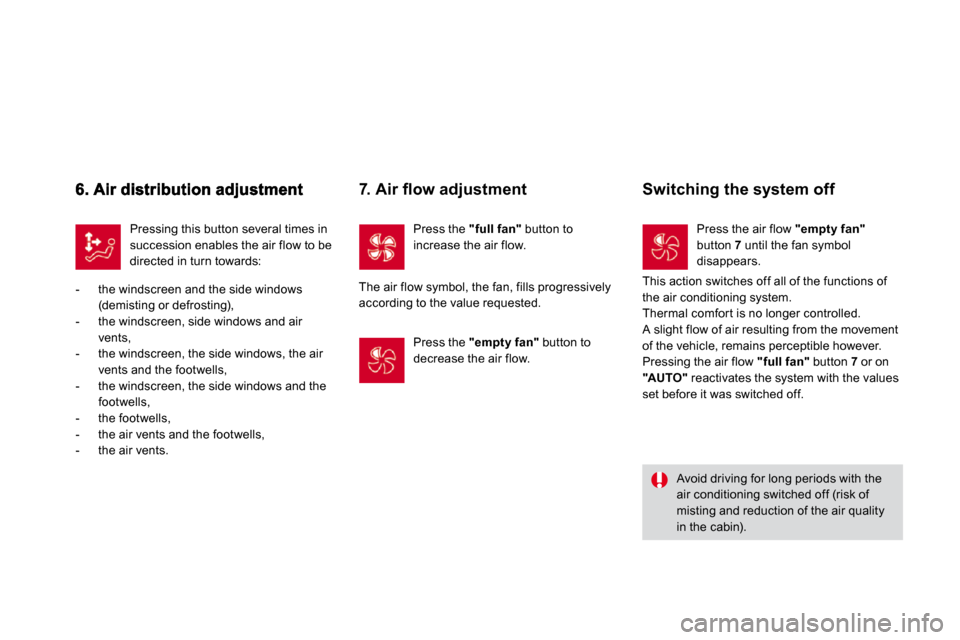
Pressing this button several times in succession enables the air flow to be directed in turn towards:
- the windscreen and the side windows (demisting or defrosting), - the windscreen, side windows and air vents, - the windscreen, the side windows, the air vents and the footwells, - the windscreen, the side windows and the footwells, - the footwells,
- the air vents and the footwells, - the air vents.
Avoid driving for long periods with the air conditioning switched off (risk of misting and reduction of the air quality in the cabin).
Press the "full fan" button to increase the air flow.
7. Air fl ow adjustment
The air flow symbol, the fan, fills progressively according to the value requested.
Press the "empty fan" button to decrease the air flow.
Switching the system off
Press the air flow "empty fan" button 7 until the fan symbol disappears.
This action switches off all of the functions of the air conditioning system. Thermal comfor t is no longer controlled. A slight flow of air resulting from the movement of the vehicle, remains perceptible however. Pressing the air flow "full fan" button 7 or on "AUTO" reactivates the system with the values set before it was switched off.
Page 66 of 248
75Comfort
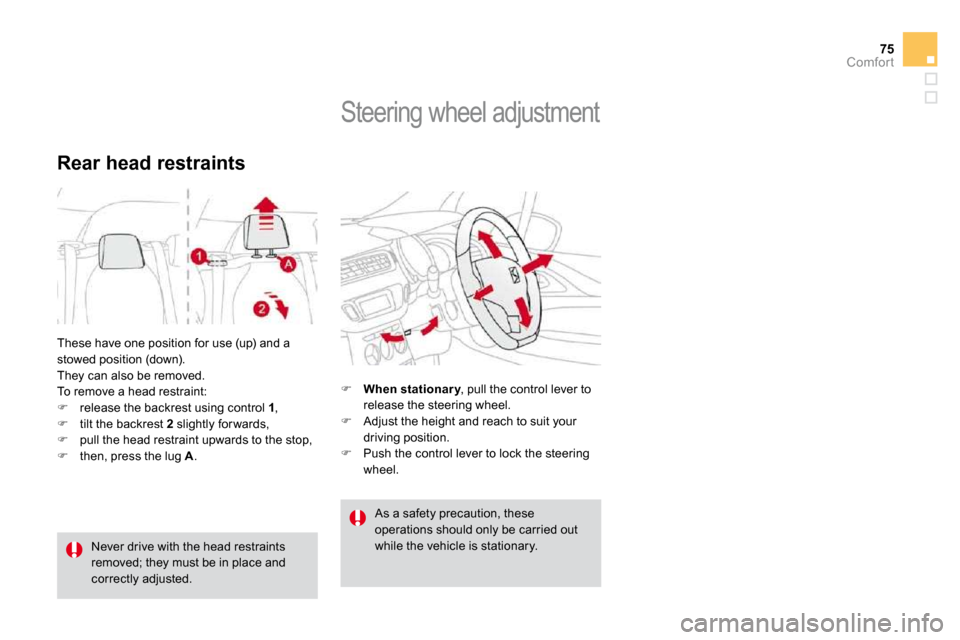
These have one position for use (up) and a stowed position (down). They can also be removed. To remove a head restraint: release the backrest using control 1 , tilt the backrest 2 slightly for wards,
pull the head restraint upwards to the stop, then, press the lug A .
Rear head restraints
Never drive with the head restraints removed; they must be in place and correctly adjusted.
Steering wheel adjustment
When stationar y , pull the control lever to When stationar yWhen stationar yrelease the steering wheel. Adjust the height and reach to suit your driving position. Push the control lever to lock the steering wheel.
As a safety precaution, these operations should only be carried out while the vehicle is stationary.