warning Citroen DS3 2014 1.G Owner's Guide
[x] Cancel search | Manufacturer: CITROEN, Model Year: 2014, Model line: DS3, Model: Citroen DS3 2014 1.GPages: 376, PDF Size: 12.55 MB
Page 39 of 376
37
DS3_en_Chap01_controle-de-marche_ed01-2014
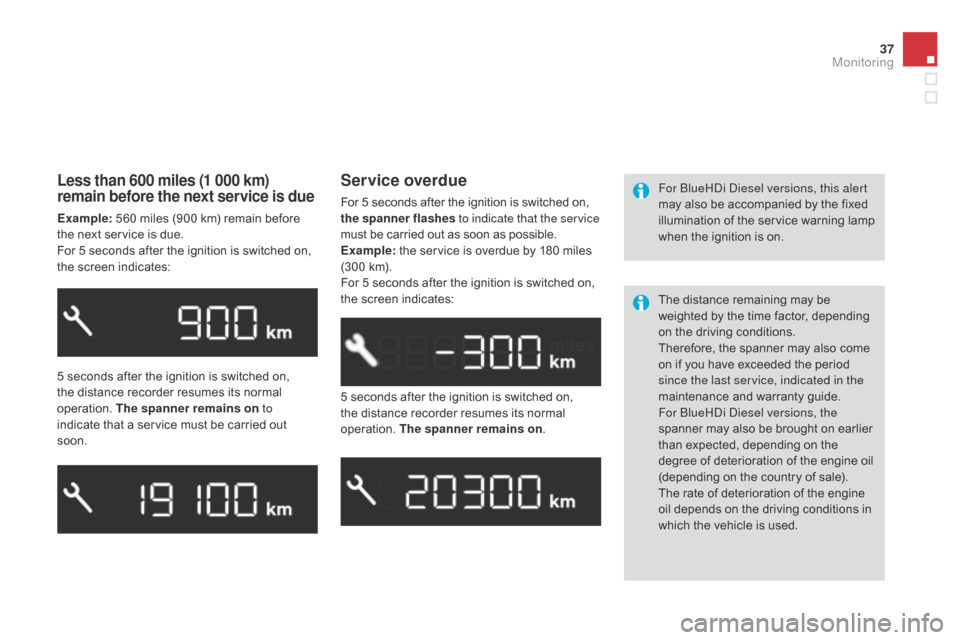
Less than 600 miles (1 000 km)
remain before the next service is due
Example: 560 miles (900 km) remain before t
he next service is due.
For
5 seconds after the ignition is switched on,
t
he screen indicates:
5
seconds after the ignition is switched on,
t
he distance recorder resumes its normal
ope
ration.
T
he spanner remains on to
indicate
that a service must be carried out
s
oon. 5
seconds after the ignition is switched on,
t
he distance recorder resumes its normal
ope
ration.
T
he spanner remains on.
Service overdue
For 5 seconds after the ignition is switched on, t
he spanner flashes to indicate that the service
must
be carried out as soon as possible.
Example:
the service is overdue by 180 miles
(
300 km).
For
5 seconds after the ignition is switched on,
t
he screen indicates: For
bl ueHDi Diesel versions, this alert
may also be accompanied by the fixed
i
llumination of the service warning lamp
w
hen the ignition is on.
The
distance remaining may be
w
eighted by the time factor, depending
o
n the driving conditions.
Therefore,
the spanner may also come
o
n if you have exceeded the period
s
ince the last service, indicated in the
maintenance
an
d
w
arranty
g
uide.
For
b
l
ueHDi Diesel versions, the
spanner
may also be brought on earlier
t
han expected, depending on the
d
egree of deterioration of the engine oil
(
depending on the country of sale).
The
rate of deterioration of the engine
o
il depends on the driving conditions in
w
hich the vehicle is used.
Monitoring
Page 54 of 376
DS3_en_Chap02_ecrans-multifonction_ed01-2014
With the Audio system switched on, once this menu has been selected you can activate
o
r deactivate the functions linked with use
o
f the radio (RDS, REG, RadioText), the CD
(
introscan, shuffle, CD repeat) or the MP3
player
(USB port / auxiliary socket).
For
more information on the "Audio functions"
a
pplication, refer to the "Audio system" section.
"Audio functions"
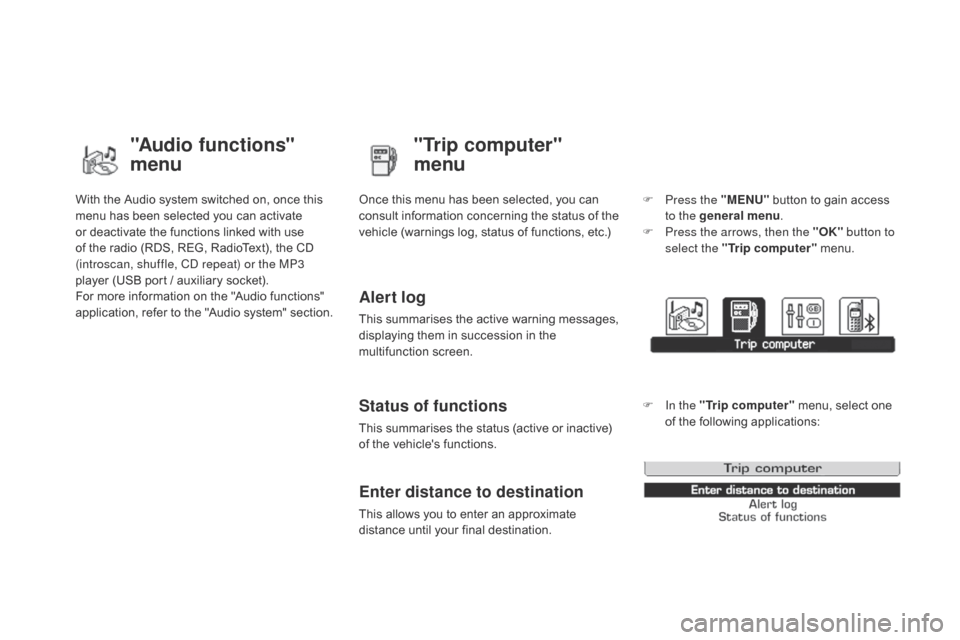
menu"Trip computer"
menu
Once this menu has been selected, you can c
onsult information concerning the status of the
v
ehicle (warnings log, status of functions, etc.)
Alert log
This summarises the active warning messages, displaying them in succession in the
m
ultifunction
s
creen.
Status of functions
This summarises the status (active or inactive) of the vehicle's functions.
Enter distance to destination
This allows you to enter an approximate distance until your final destination. F
P
ress the "MENU"
button to gain access
t
o the general menu
.
F
P
ress the arrows, then the "OK"
button to
select the " Trip computer " menu.
F
I
n the "
Trip computer " menu, select one
o
f the following applications:
Page 66 of 376
DS3_en_Chap03_ouvertures_ed01-2014
Following disconnection of the vehicle battery, replacement of the remote control battery or
i
n the event of a remote control malfunction,
y
ou can no longer unlock, lock or locate
y
our vehicle.
F
F
irst of all, use the key in the lock to unlock
o
r lock your vehicle.
F
T
hen, reinitialise the remote control.
If
the problem persists, contact a CITROËN
d
ealer as soon as possible.
Remote control problem
Reinitialisation
F Switch off the ignition.
F T urn the key to position 2 (Ignition).
F
P
ress the closed padlock immediately for a
f
ew seconds.
F
S
witch off the ignition and remove the key
f
rom the ignition switch.
The
remote control is fully operational again.
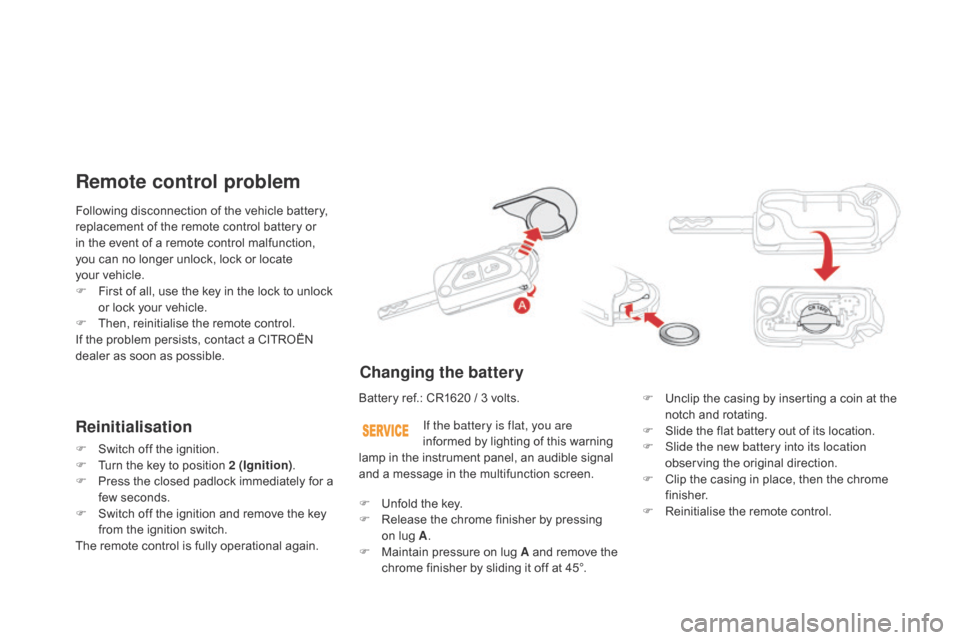
changing the battery
Battery ref.: CR1620 / 3 volts.F U nclip the casing by inserting a coin at the
n
otch and rotating.
F
S
lide the flat battery out of its location.
F
S
lide the new battery into its location
observing
the original direction.
F
C
lip the casing in place, then the chrome
f
inisher.
F
R
einitialise the remote control.
If the battery is flat, you are
informed
by lighting of this warning
l
amp in the instrument panel, an audible signal
a
nd a message in the multifunction screen.
F
U
nfold the key.
F
R
elease the chrome finisher by pressing
on
lug A.
F
M
aintain pressure on lug A and remove the
c
hrome finisher by sliding it off at 45°.
Page 70 of 376
DS3_en_Chap03_ouvertures_ed01-2014
Doors
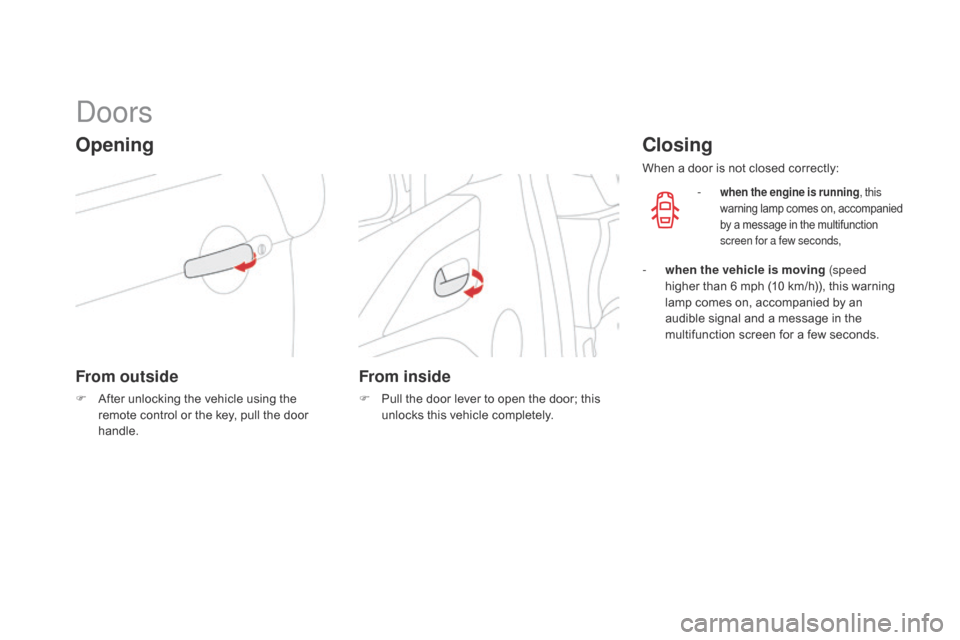
Opening
From outside
F After unlocking the vehicle using the r
emote control or the key, pull the door
han
dle.
From inside
F Pull the door lever to open the door; this u
nlocks this vehicle completely.
closing
When a door is not closed correctly:
-
when the engine is running , this
warning lam p c omes o n, a ccompanied b
y a message in the multifunction
s
creen for a few seconds,
- when the vehicle is moving (speed higher than 6 mph (10 km/h)), this warning
l
amp comes on, accompanied by an
a
udible signal and a message in the
m
ultifunction screen for a few seconds.
Page 73 of 376
71
DS3_en_Chap03_ouvertures_ed01-2014
boot
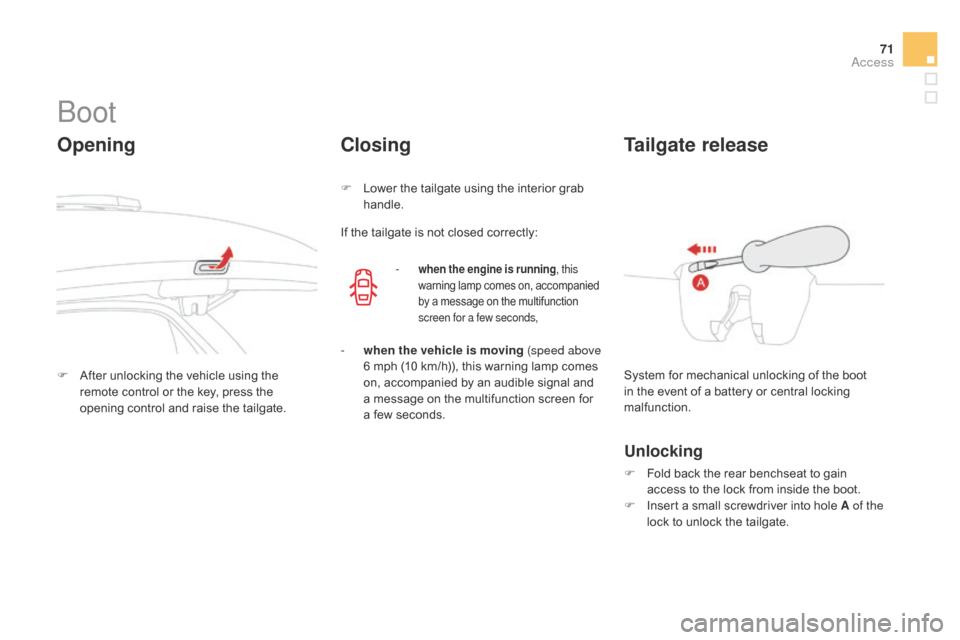
Opening
F After unlocking the vehicle using the r
emote control or the key, press the
o
pening control and raise the tailgate.
closing
F Lower the tailgate using the interior grab han
dle.
If
the tailgate is not closed correctly:
-
when the engine is running , this
warning lamp comes on, accompanied b
y a message on the multifunction
s
creen for a few seconds,
- when the vehicle is moving (speed above 6 mph (10 km/h)), this warning lamp comes
o
n, accompanied by an audible signal and
a
message on the multifunction screen for
a
few seconds. System
for mechanical unlocking of the boot
i
n the event of a battery or central locking
m
alfunction.
Tailgate release
Unlocking
F Fold back the rear benchseat to gain a
ccess to the lock from inside the boot.
F
I
nsert a small screwdriver into hole A of the
lock
to unlock the tailgate.
Access
Page 105 of 376
103
DS3_en_Chap05_amenagement_ed01
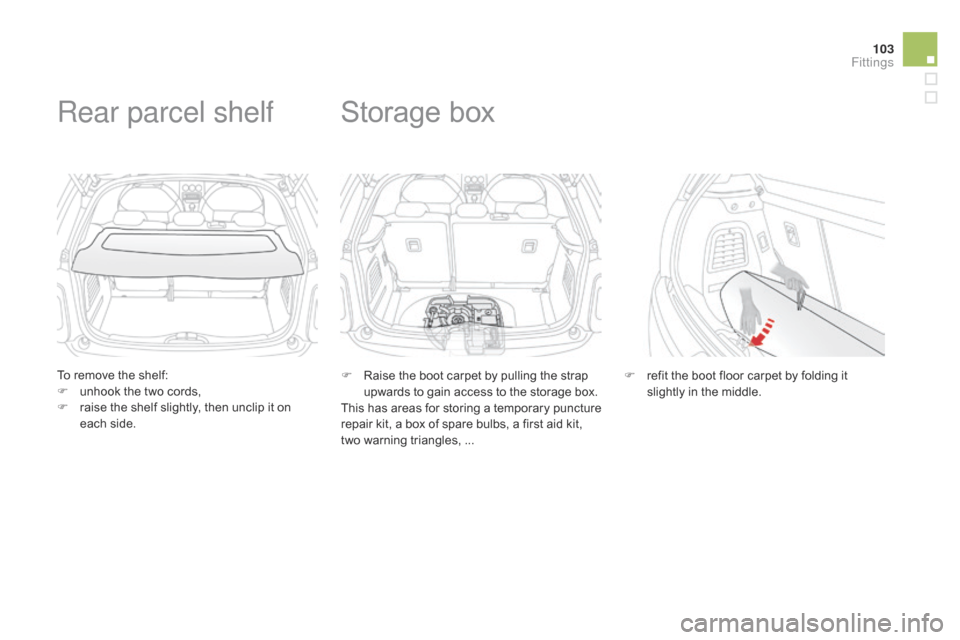
To remove the shelf:
F u nhook the two cords,
F
r
aise the shelf slightly, then unclip it on
e
ach side.
Rear parcel shelf
F Raise the boot carpet by pulling the strap u
pwards to gain access to the storage box.
This
has areas for storing a temporary puncture
r
epair kit, a box of spare bulbs, a first aid kit,
t
wo warning triangles, ...
Storage box
F refit the boot floor carpet by folding it s
lightly in the middle.
Fittings
Page 108 of 376
DS3_en_Chap06_conduite_ed01-2014
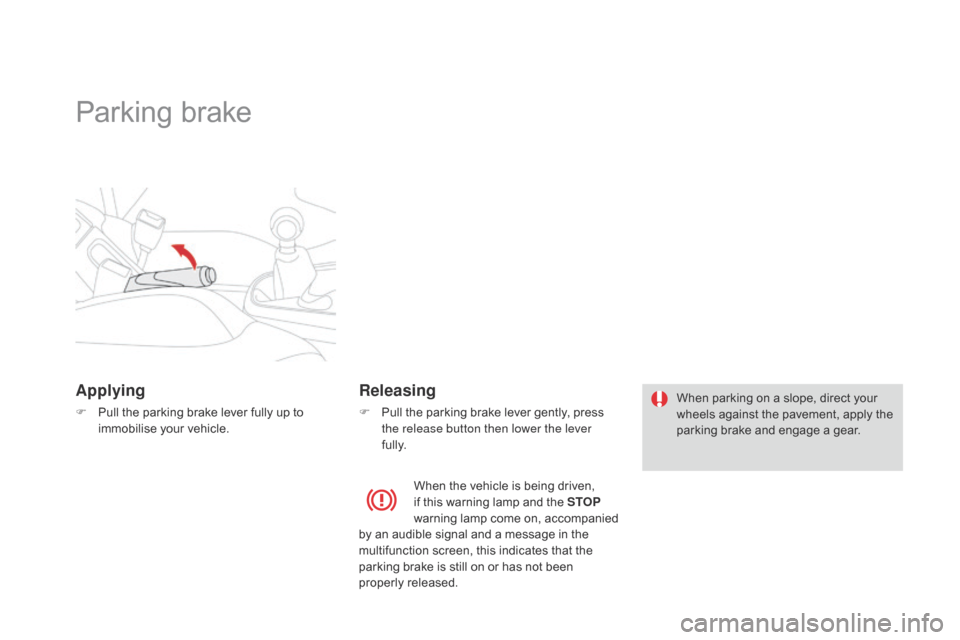
Parking brake
Applying
F Pull the parking brake lever fully up to i
mmobilise your vehicle.
Releasing
F Pull the parking brake lever gently, press t
he release button then lower the lever
fully. When
parking on a slope, direct your w
heels against the pavement, apply the
p
arking brake and engage a gear.
When
the vehicle is being driven,
i
f this warning lamp and the STOP
warning
lamp come on, accompanied
b
y an audible signal and a message in the
m
ultifunction screen, this indicates that the
p
arking brake is still on or has not been
p
roperly
r
eleased.
Page 111 of 376
109
DS3_en_Chap06_conduite_ed01-2014
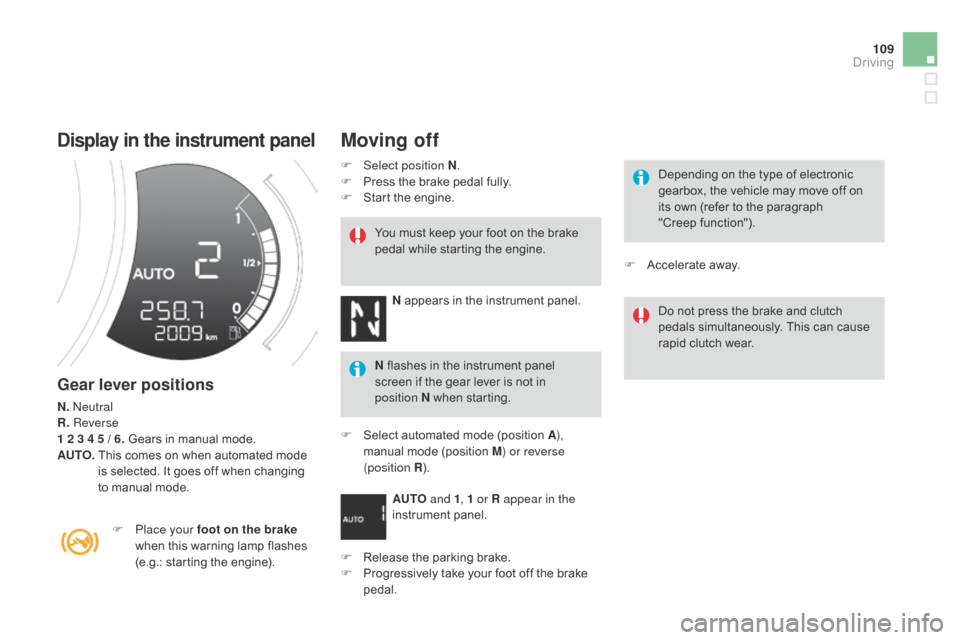
display in the instrument panel
Gear lever positions
N. Neutral
R. Reverse
1 2 3 4 5 / 6. Gears in manual mode.
AUTO.
T
his comes on when automated mode
i
s selected. It goes off when changing
t
o manual mode.
F
P
lace your foot on the brake
when
this warning lamp flashes
(
e.g.: starting the engine).You
must keep your foot on the brake
p
edal while starting the engine.
Moving off
F Select position N
.
F P ress the brake pedal fully.
F
S
tart the engine.
N
appears in the instrument panel.
N
flashes in the instrument panel
s
creen if the gear lever is not in
p
osition
N when starting.
F
S
elect automated mode (position A),
manual
mode (position M) or reverse
(position R ).
AUTO and 1, 1 or R appear in the
instrument
pan
el.
F
R
elease the parking brake.
F
P
rogressively take your foot off the brake
ped
al. Depending
on the type of electronic
g
earbox, the vehicle may move off on
i
ts own (refer to the paragraph
"Creep
function").
Do
not press the brake and clutch
p
edals simultaneously. This can cause
r
apid clutch wear.
F
A
ccelerate away.
driving
Page 113 of 376
111
DS3_en_Chap06_conduite_ed01-2014
The gear change requests are only carried out if the engine speed permits.
It is not necessary to release the accelerator
pedal
during gear changes.
When
braking or slowing down, the gearbox
c
hanges down automatically so that the vehicle
p
icks up in the right gear.
Under
full acceleration, the change up will
n
ot take place unless the driver operates the
g
ear lever or steering mounted control paddle
(
unless the engine is close to its maximum
s
peed).
Reverse
To engage reverse, the vehicle must be immobilised with your foot on the brake.
F
Sel
ect position R .
Stopping the vehicle
Before switching off the engine:
- c hange to position N to be in neutral,
or
-
l
eave the vehicle in gear; in this case the
v
ehicle cannot be moved.
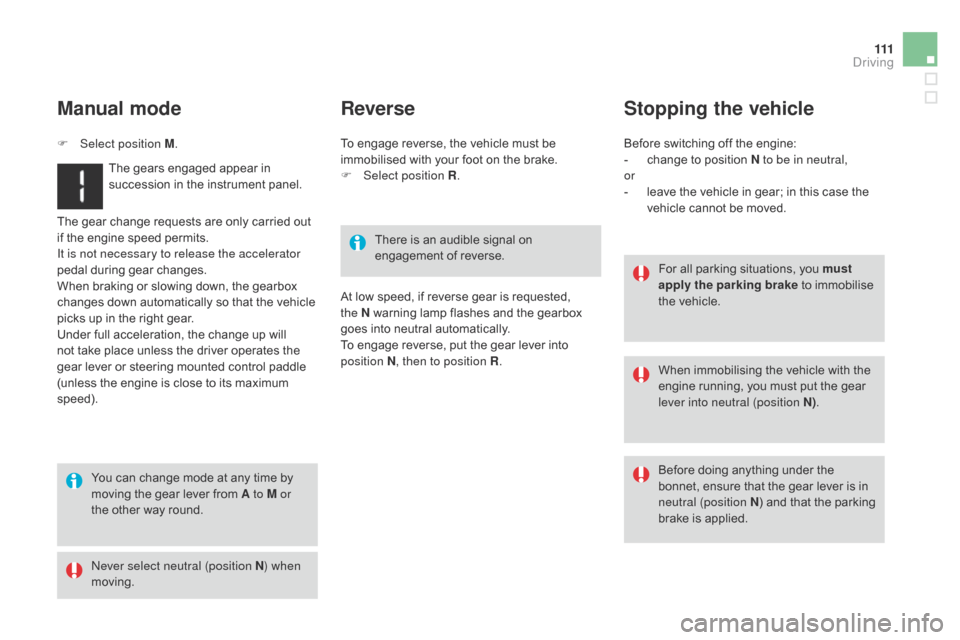
Manual mode
F Select position M.
The gears engaged appear in
s
uccession in the instrument panel.
You
can change mode at any time by
m
oving the gear lever from A to M or
the
other way round.
Never select neutral (position N ) when
moving. There
is an audible signal on
enga
gement
o
f
r
everse.For
all parking situations, you must
apply the parking brake
to immobilise
t
he vehicle.
When
immobilising the vehicle with the
e
ngine running, you must put the gear
l
ever into neutral (position N).
Before
doing anything under the
b
onnet, ensure that the gear lever is in
neu
tral (position N)
and that the parking
b
rake is applied.
At
low speed, if reverse gear is requested,
the N
warning lamp flashes and the gearbox
g
oes into neutral automatically.
To
engage reverse, put the gear lever into
p
osition N, then to position R .
driving
Page 114 of 376
DS3_en_Chap06_conduite_ed01-2014
Operating fault
With the ignition on, if this warning lamp comes on and AUTO flashes,
accompanied
by an audible signal and a
m
essage
in
the multifunction screen, this
i
ndicates
a
gearbox fault.
Have
it
checked by a CITROËN dealer or a
q
ualified
w
orkshop.
Reinitialisation
(5-speed electronic
gearbox)
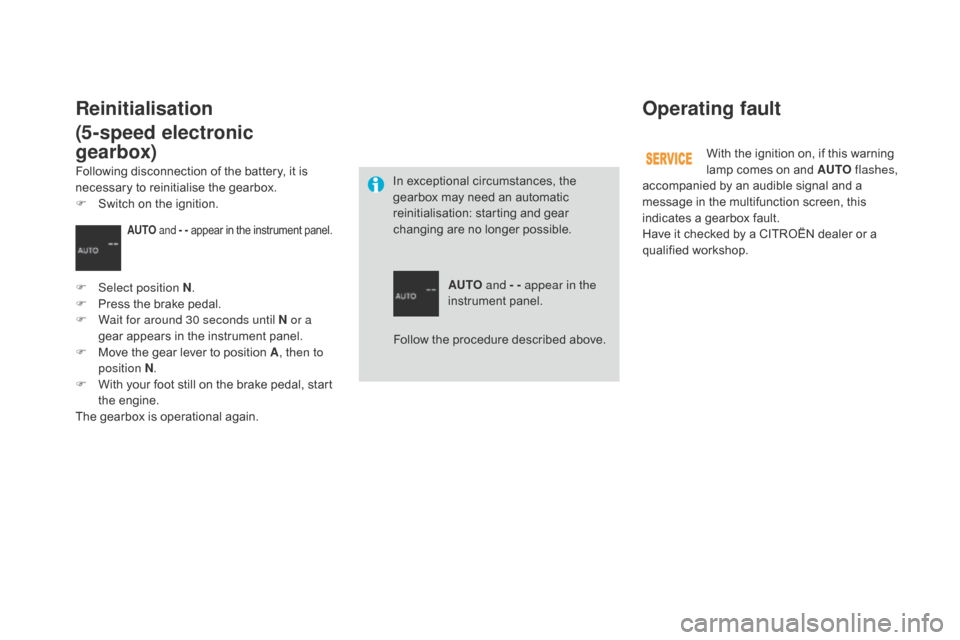
In exceptional circumstances, the g earbox may need an automatic
r
einitialisation: starting and gear
c
hanging are no longer possible.
AUTO and - - appear in the
instrument
pan
el.
AUTO and - - appear in the instrument panel.
F Select position N.
F P ress the brake pedal.
F
W
ait for around 30 seconds until N or a
gear
appears in the instrument panel.
F
M
ove the gear lever to position A, then to
position N .
F
W
ith your foot still on the brake pedal, start
t
he
eng
ine.
The
gearbox is operational again.
Following
disconnection of the battery, it is
n
ecessary to reinitialise the gearbox.
F
S
witch on the ignition.
Follow the procedure described above.