light Citroen DS3 2015 1.G User Guide
[x] Cancel search | Manufacturer: CITROEN, Model Year: 2015, Model line: DS3, Model: Citroen DS3 2015 1.GPages: 415, PDF Size: 11.95 MB
Page 49 of 415
47
DS3_en_Chap01_controle-de-marche_ed01-2015
"Personalisation-
Configuration" menu
Once this menu has been selected, you can gain access to the following functions:
-
d
efine the vehicle parameters,
-
d
isplay configuration,
-
c
hoice of language.
Define the vehicle parameters
Once this menu has been selected, you can activate or deactivate the following equipment:
-
w
iper linked to reverse gear (refer to the
"
Visibility"
s
ection),
-
g
uide-me-home lighting and duration (refer
t
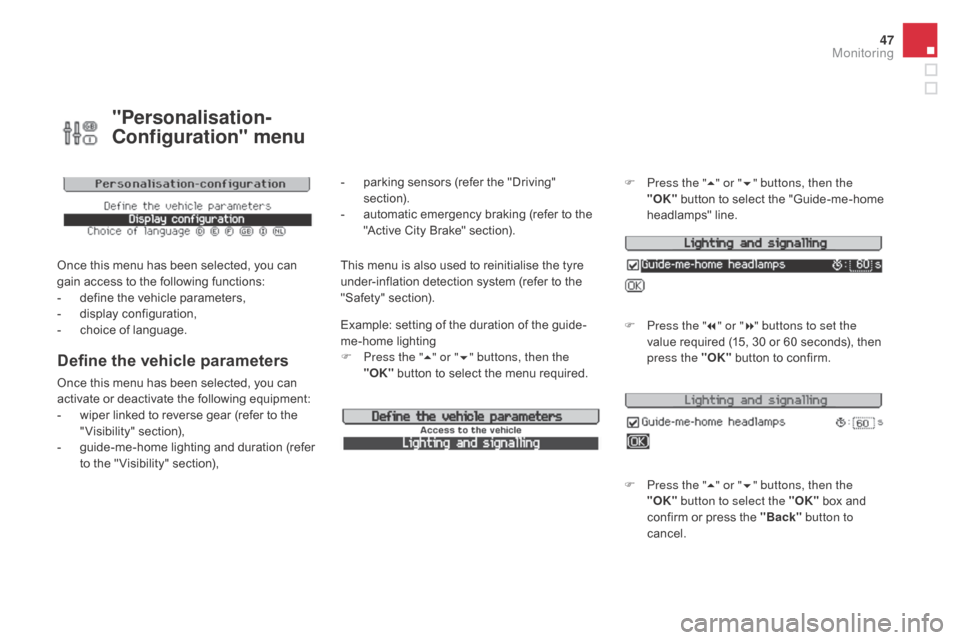
o the " Visibility" section), Example:
setting of the duration of the guide-
me-home
l
ighting
F
P
ress the "
5" or " 6" buttons, then the
"OK" button to select the menu required.F
P
ress the "
5" or " 6" buttons, then the
"OK"
button to select the "Guide-me-home
h
eadlamps"
l
ine.
F
P
ress the "
7" or " 8" buttons to set the
value required (15, 30 or 60 seconds), then
p
ress the "OK"
button to confirm.
F
P
ress the "5" or " 6" buttons, then the
"OK" button to select the "OK"
box and
c
onfirm or press the "Back" button to
cancel.
This menu is also used to reinitialise the tyre u nder-inflation detection system (refer to the
"
Safety"
s
ection).
-
p
arking sensors (refer the "Driving"
s
ection).
-
a
utomatic emergency braking (refer to the
"
Active City Brake" section).
Monitoring
Page 51 of 415
49
DS3_en_Chap01_controle-de-marche_ed01-2015
Touch screen tablet
This system gives access to:
- m enus for adjusting settings for vehicle
f
unctions and systems,
-
a
udio and display configuration menus,
-
a
udio system and telephone controls and
t
he display of associated information.
-
t
he display of alert messages,
-
t
he display of ambient temperature (a blue
s
now flake appears if there is a risk of ice),
-
t
he trip computer.
And,
depending on equipment, it allows:
-
t
he display of the visual parking sensors
i
nformation,
-
a
ccess to the controls for the navigation
s
ystem and Internet services, and the
d
isplay of associated information. After
a few moments with no action on
t
he secondary page, the primary page
i
s displayed automatically.
As
a safety measure, some functions
c
an only be viewed when stationary.
T
heir display is interrupted as soon as
the
vehicle moves off.general operation
Recommendations
It is necessary to press firmly, particularly for "flick" gestures (scrolling through lists, moving
t
he
m
ap...).
A
light wipe is not enough.
The
screen does not recognise pressing with
m
ore than one finger.
This
technology allows use at all temperatures
a
nd when wearing gloves.
Do
not use pointed objects on the touch screen
t
ablet.
Do not touch the touch screen tablet with wet
hands.
Uses a soft clean cloth to clean the touch
screen
t
ablet.
Principles
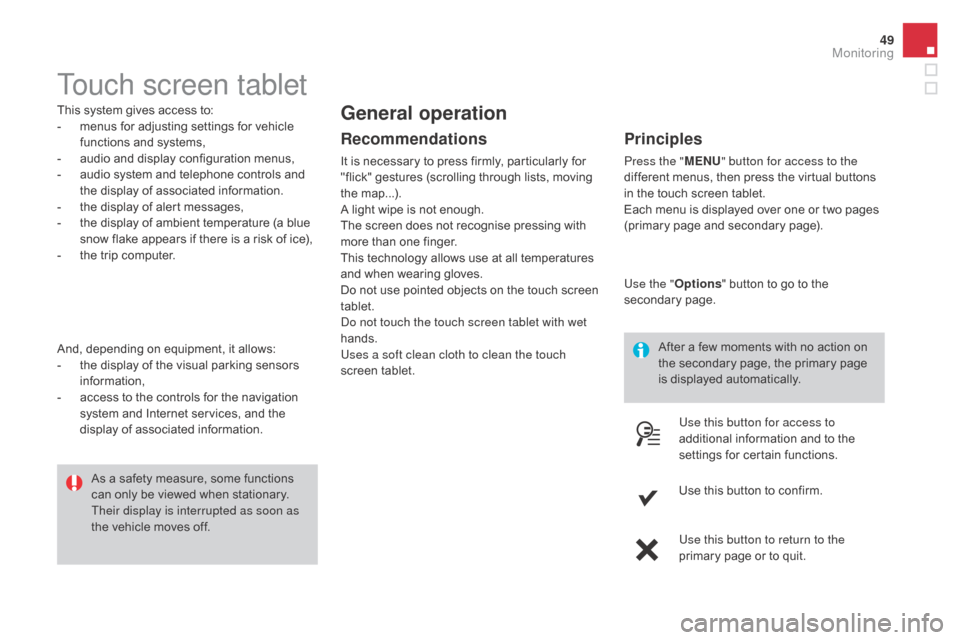
Press the " MEn U" button for access to the
different menus, then press the virtual buttons
i
n the touch screen tablet.
Each
menu is displayed over one or two pages
(
primary page and secondary page).
Use the " Options"
button to go to the
s
econdary
pag
e.
Use this button for access to
additional
information and to the
s
ettings for certain functions.
Use
this button to confirm.
Use this button to return to the
primary
page or to quit.
Monitoring
Page 53 of 415
51
DS3_en_Chap01_controle-de-marche_ed01-2015
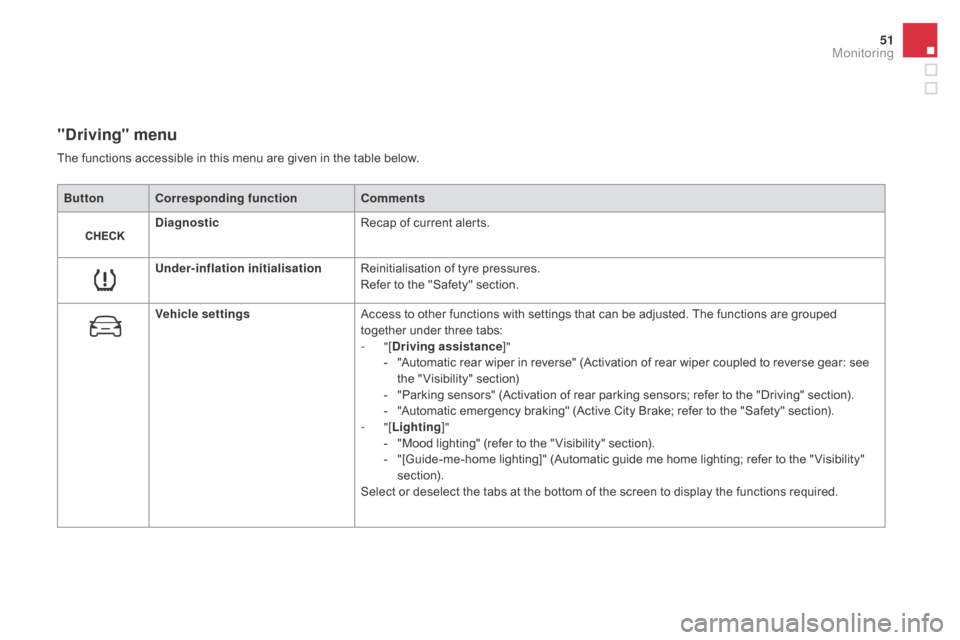
"driving" menu
ButtonCorresponding function Comments
di
agnostic Recap
of current alerts.
Under-inflation initialisation Reinitialisation
of tyre pressures.
Refer
to the "Safety" section.
Vehicle settings Access
to other functions with settings that can be adjusted. The functions are grouped
t
ogether under three tabs:
-
"[
dr
iving assistance]"
-
"
Automatic rear wiper in reverse" (Activation of rear wiper coupled to reverse gear: see
t
he " Visibility" section)
-
"
Parking sensors" (Activation of rear parking sensors; refer to the "Driving" section).
-
"
Automatic emergency braking" (Active City Brake; refer to the "Safety" section).
-
"[Lighting ]"
-
"
Mood lighting" (refer to the " Visibility" section).
-
"
[Guide-me-home lighting]" (Automatic guide me home lighting; refer to the " Visibility"
s
ection).
Select
or deselect the tabs at the bottom of the screen to display the functions required.
The
functions accessible in this menu are given in the table below.
Monitoring
Page 62 of 415

DS3_en_Chap02_ouvertures_ed01-2015
Remote control keySystem which permits central unlocking or locking of the vehicle using the door lock or from a distance. It is also used to locate and start the vehicle, as well as providing protection against theft.
Unlocking the vehicle
Unfolding the key
F First press this button to unfold the key.
Unlocking using the remote
control
Unlocking using the key
Locking the vehicle
Locking using the remote
control
Locking is confirmed by fixed lighting of the d
irection indicators for approximately
two
seconds.
According
to version, the door mirrors fold at
t
he same time.
F
P
ress
the
open
padlock
to
unlock
t
he
vehicle.
F
T
urn
the
key
to
the
left
in
the
driver's
door
l
ock
to
unlock
the
vehicle. F
P
ress the closed padlock to lock
t
he vehicle.
Unlocking
is
confirmed
by
rapid
flashing
of
t
he
direction
indicators
for
approximately
t
wo seconds.
According
to
version,
the
door
mirrors
unfold
at
t
he
same
time.
Locking using the key
F Turn the key to the right in the driver's door l
ock to lock the vehicle completely.
Page 63 of 415

61
DS3_en_Chap02_ouvertures_ed01-2015
If one of the doors or the boot is still
open, the central locking does not take
p
lace.
When
the vehicle is locked, if it is
u
nlocked inadvertently, it will relock
a
utomatically after thirty seconds
u
nless a door or the boot is open.
The
folding and unfolding of the door
m
irrors using the remote control can be
d
eactivated by a CITROËN dealer or a
qualified
w
orkshop.
Folding the key
F First press this button to fold the key.
If you do not press the button when
folding
the key, there is a risk of
d
amage to the mechanism. This
is indicated by lighting of the courtesy
l
amps and flashing of the direction indicators
f
or a few seconds.
Locating your vehicle
F Press
the closed padlock to l
ocate your locked vehicle in a
c
ar
par
k.
Access
Page 64 of 415

DS3_en_Chap02_ouvertures_ed01-2015
Following disconnection of the vehicle battery, replacement of the remote control battery or
i
n the event of a remote control malfunction,
y
ou can no longer unlock, lock or locate your
v
ehicle.
F
F
irst of all, use the key in the lock to unlock
o
r lock your vehicle.
F
T
hen, reinitialise the remote control.
If
the problem persists, contact a CITROËN
d
ealer as soon as possible.
Remote control problem
Reinitialisation
F Switch off the ignition.
F T urn the key to position 2 (Ignition).
F
P
ress the closed padlock immediately for a
f
ew seconds.
F
S
witch off the ignition and remove the key
f
rom the ignition switch.
The
remote control is fully operational again.
Changing the battery
Battery ref.: CR1620 / 3 volts.F U nclip the casing by inserting a coin at the
n
otch and rotating.
F
S
lide the flat battery out of its location.
F
S
lide the new battery into its location
observing
the original direction.
F
C
lip the casing in place, then the chrome
f
inisher.
F
R
einitialise the remote control.
If the battery is flat, you are
informed
by lighting of this warning
l
amp in the instrument panel, an audible signal
a
nd a message in the multifunction screen.
F
U
nfold the key.
F
R
elease the chrome finisher by pressing on
l
ug A.
F
M
aintain pressure on lug A and remove the
c
hrome finisher by sliding it off at 45°.
Page 80 of 415

DS3_en_Chap03_confort_ed01-2015
These have one position for use (up) and a stowed position (down).
They
can also be removed.
To
remove a head restraint:
F
r
elease the backrest using control 1,
F
t
ilt the backrest 2 slightly for wards,
F
p
ull the head restraint upwards to the stop,
F
t
hen, press the lug A.
Rear head restraints
Never drive with the head restraints
removed;
they must be in place and
c
orrectly
adj
usted.
Steering wheel ad justment
F When stationary , pull the control lever to
release the adjustment mechanism.
F
A
djust the height and reach to suit your
d
riving position.
F
P
ush the control lever to lock the
a
djustment
m
echanism.
As a safety precaution, these
operations should only be carried out
with
the vehicle stationary.
Page 86 of 415

DS3_en_Chap03_confort_ed01-2015
The heating / ventilation or air conditioning systems operates with the engine running, as well as in STOP mode with Stop & Start.
1. Temperature adjustment
F Turn the dial from blue (
cold) to red (hot) to adjust
t
he temperature to your
r
equirements.
2. Air flow adjustment
F Turn the dial from position 1
to position 5 to obtain a
comfortable
air flow.
F
I
f you place the air flow control
in position 0
(deactivation of the
s
ystem), the temperature is no
l
onger maintained at a comfortable
l
evel. However, a slight flow of air,
d
ue
t
o
t
he
m
ovement
o
f
t
he
v
ehicle,
c
an still be felt.
3. Air distribution adjustment
Windscreen and side windows.
W indscreen, side windows and
footwells.
Footwells.
Central
and side vents.
The air distribution can be
adapted
by placing the dial
i
n an intermediate position.
4. Air intake / Air recirculation
The intake of exterior air avoids the formation of mist on the windscreen and side windows.
The recirculation of interior air insulates the
passenger
compartment from exterior odours
a
nd smoke.
Return
to exterior air intake as soon as possible
t
o prevent deterioration of the air quality and
t
he formation of mist.
Manual control panel F
M
ove the manual control to
t
he left to be in the "recycling
i
nterior air" position.
F
M
ove the manual control to the
r
ight to return to the "fresh air
i
ntake" position.
Page 90 of 415

DS3_en_Chap03_confort_ed01-2015
6. Air distribution adjustment
Pressing this button several times in succession enables the air flow to be
directed
in turn towards:
-
t
he windscreen and the side windows
(demisting
or defrosting),
-
t
he windscreen, side windows and air
vents,
-
t
he windscreen, the side windows, the air
vents and the footwells,
-
t
he windscreen, the side windows and the
footwells,
-
t
he footwells,
-
t
he air vents and the footwells,
-
t
he
air vents.
Avoid driving for long periods with the air c onditioning switched off (risk of misting a
nd reduction of the air quality in the cabin).
Press the "full fan" button to
increase the air flow.
7. Air flow adjustment
The air flow symbol, the fan, fills progressively according to the value requested.
Press the "empty fan" button to
decrease
the air flow.
Switching the system off
Press the air flow "empty fan"
button 7 until the fan symbol
d
isappears.
This action switches off all of the functions of
the
air
conditioning system.
Thermal
comfort is no longer controlled. A
s
light
flow
of air resulting from the movement of
t
he
vehicle, remains perceptible however.
Pressing
the air flow "full fan" button 7 or
on "AUTO"
reactivates the system with the
v
alues
set before it was switched off.
Page 99 of 415
97
DS3_en_Chap03_confort_ed01-2015
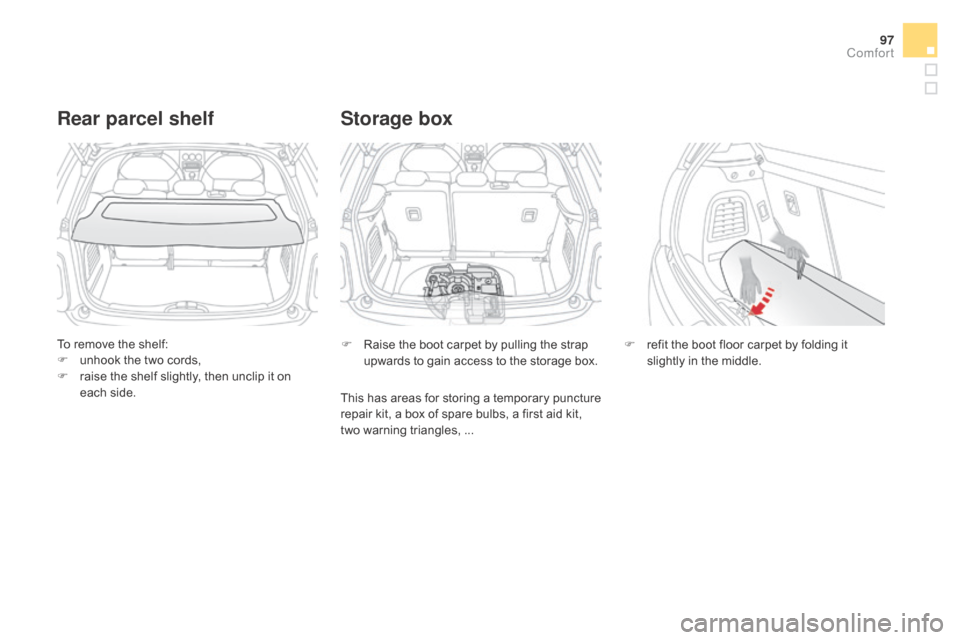
To remove the shelf:
F u nhook the two cords,
F
r
aise the shelf slightly, then unclip it on
e
ach side.
Rear parcel shelf
F Raise the boot carpet by pulling the strap u
pwards to gain access to the storage box.
Storage box
F refit the boot floor carpet by folding it s
lightly in the middle.
This
has
areas
for
storing
a
temporary
puncture
r
epair
kit,
a
box
of
spare
bulbs,
a
first
aid
kit,
t
wo
warning
triangles,
...
Comfort