USB Citroen DS3 2015 1.G Owner's Guide
[x] Cancel search | Manufacturer: CITROEN, Model Year: 2015, Model line: DS3, Model: Citroen DS3 2015 1.GPages: 415, PDF Size: 11.95 MB
Page 341 of 415
339
DS3_en_Chap11d_RD45_ed01-2015
Use only USB memory sticks formatted FAT32 (File Allocation Table).
It
is recommended that you use
g
enuine
A
pple
® USB cables for correct
operation.
*
I
n certain cases, play of the audio files must
b
e initiated from the keypad.
**
If the telephone supports the function.
Bluetooth® audio streaming
Streaming allows music files on the telephone to be played via the audio system.
Connect
the telephone: see the "Telephone "
section.
Select in the " Bluetooth:
Telephone - Audio"
menu
the telephone to be connected.
The
audio system connects to a newly paired
t
elephone
a
utomatically.
Control
of tracks to be played is via the buttons
o
n the audio system control panel and the
s
teering mounted controls**. The contextual
i
nformation can be displayed in the screen.
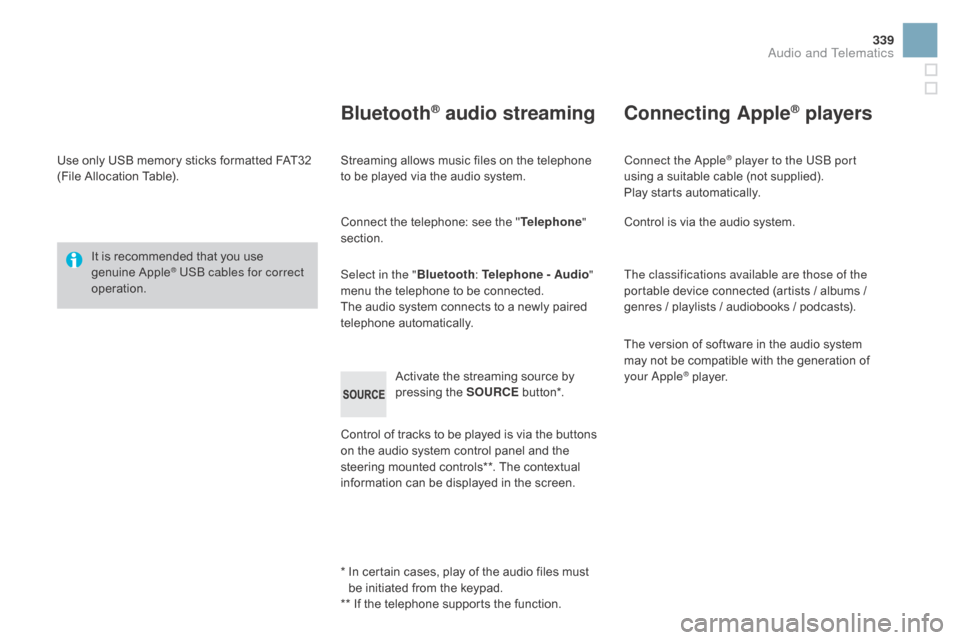
Activate
the streaming source by
p
ressing the SOURCE
b
ut to n*.
Connecting Apple® players
Connect the Apple® player to the USB port
using
a
suitable
cable (not supplied).
Play
starts
automatically.
Control
is
via
the
audio system.
The classifications available are those of the
portable
device
connected (artists / albums /
g
enres
/
playlists
/
audiobooks / podcasts).
The
version
of
software in the audio system
m
ay
not
be
compatible with the generation of
y
our Apple
® player.
Audio and Telematics
Page 345 of 415
343
DS3_en_Chap11d_RD45_ed01-2015
Screen C
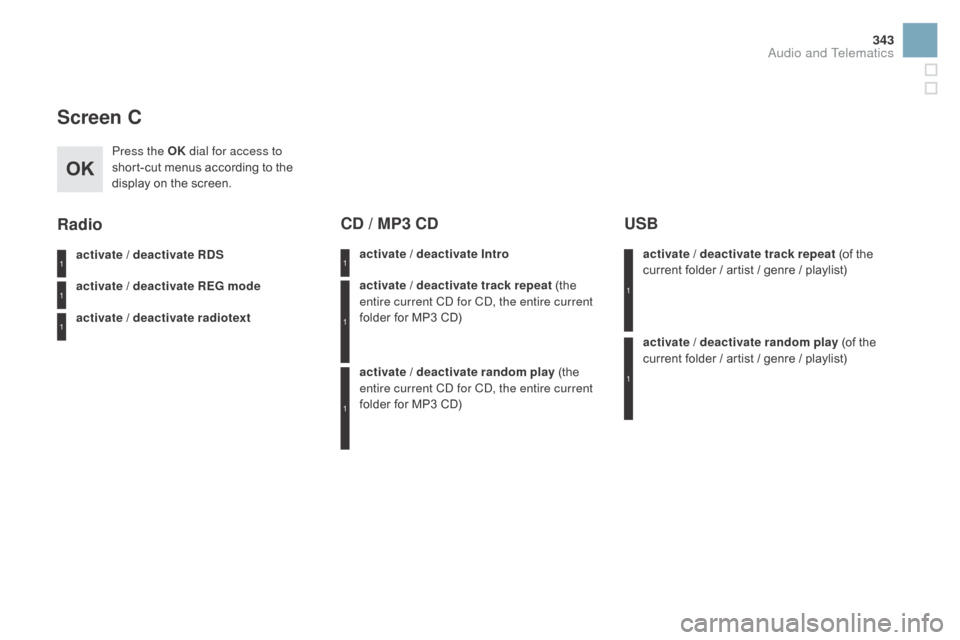
Press the OK dial for access to
short-cut menus according to the
d
isplay on the screen.
activate / deactivate R
dS
a
ctivate / deactivate RE
g
mode
activate / deactivate radiotext
Radio
activate / deactivate Intro
Cd / MP3 Cd
activate / deactivate track repeat (the e
ntire current CD for CD, the entire current
folder
for MP3 CD)
activate / deactivate random play
(the
e
ntire current CD for CD, the entire current
folder
for MP3 CD) activate / deactivate track repeat (of
the c
urrent folder / artist / genre / playlist)
USB
activate / deactivate random play (of the c
urrent folder / artist / genre / playlist)
1
1
1
1
1
1
1
1
Audio and Telematics
Page 350 of 415
DS3_en_Chap11d_RD45_ed01-2015
Media
QUESTIOnAnSWERSOLUTIOn
T
he
message "USB
p
eripheral error" is
displayed
on the screen.
The Bluetooth connection
is
cut. The
battery of the peripheral may not be sufficiently charged. Recharge the battery of the peripheral device.
The
USB memory stick is not recognised.
The
USB memory stick may be corrupt.Reformat
the USB memory stick.
The
CD is ejected
a
utomatically or is not
p
layed
by the player. The CD is inserted upside down, is unplayable, does not contain
any
audio data or contains an audio format which the player cannot
p
l ay.
The
CD is protected by an anti-pirating protection system which is
n
ot recognised by the audio equipment.-
C
heck that the CD is inserted in the player
t
he right way up.
-
C
heck the condition of the CD: the CD
c
annot be played if it is too damaged.
-
C
heck the content in the case of a recorded
C
D: consult the advice in the "Audio" section.
-
T
he audio equipment's CD player does not
p
lay DVDs.
-
D
ue to their quality level, certain writeable
C
Ds will not be played by the audio system.
The CD player sound is
p o o r. The
CD used is scratched or of poor quality.Insert
good quality CDs and store them in
sui
table
c
onditions.
The
audio equipment settings (bass, treble, ambiences) are
un
suitable. Set
the treble or bass level to 0, without selecting
an am
bience.
Page 360 of 415
DS3_en_Chap12_index-recherche_ed01-2015
Main beam ............................................13 0, 210
Maintenance ( advice) .............................. 14
, 232
Map
reading lamps
............................... 14
0, 215
Markings,
id
entification
................................. 2
62
Mat
.......
........................................................... 95
Menu
................... 2
74, 276, 280, 288, 290, 292, 302, 304, 306, 316, 318
Menu, screens A, C
...................................... 33
4
Menus
(audio)
.............................. 2
88, 290, 292
Menus
(Touch screen tablet)
................2
69, 273
MirrorLink
c
onnection
................................... 3
15
Mirror, rear view
.............................................. 80
M
irrors, door .................................................... 79
Misfuel prevention
...............................
..........18 6 Mountings
for ISOFIX seats
.................
17
8 , 18 0
MP3 CD
................
.........................................
338
Navigation ............................... ..............2 74 - 2 8 6
Number plate lamps ..............................21
2, 213
Oil
change
...............................
......................242
Oil
consumption
............................................ 2
42
Oil filter
...............
........................................... 246
Oil level .................................................... 39, 242
Opening
the bonnet
...................................... 23
9
Opening
the boot
..............................
........60, 69
Opening
the doors
.............................6
0, 66, 68
Opening
the fuel filler flap
.............................18
4
Operation
indicator lamps
........................2
2-34
Paint colour code ..........................................2 62
Paintwork, matt ............................................. 2
32
Parcel shelf, rear
............................................. 97
P
arking brake
........................................ 1
0 4, 247
Parking
sensors, rear.................................... 124
Particle
emission filter
..........................24
5, 246
Passenger
c
ompartment
f
ilter
......................24
6
Player, CD MP3
...............................
......337, 338 Port, USB
.......................................
9
4, 298, 336
Preheater, Diesel
..............................
..............
24
Priming the fuel system
................................
18
7
Protecting children
................
1
59, 162, 166 -180
Puncture
................
........................................
195
Radio
...............
.............................
294, 298, 334
RDS
................
...............................................
295
Rear
fo
glamp
......................................... 212, 213
Rear lamps, 3D
.............................................
2
13
Rear
s
creen
(
demisting)
..................................
90
R
echarging the battery
.................................
2
25
Reduction of electrical load
.......................... 2
26
Regeneration of the particle
emissions
f
ilter
............................................
24
6
Reinitialising the electric windows
..................
65
R
einitialising the remote control
.....................
62
R
emote control
..........................................
6
0, 63
Removing a wheel
..............................
..........
203
Removing the mat
...............................
............
95
Replacing
bu
lbs
..............................
......
20 8 -215
Replacing
f
uses
..............................
......
216-222
Replacing the air filter
...................................
24
6
Replacing the oil filter
...................................
24
6
Replacing
t
he
p
assenger
c
ompartment
f
ilter
....
24
6
Replacing wiper blades.........................
13 9, 2 27
Resetting the service indicator .......................
38
R esetting the trip recorder ..............................40
R
ev counter
...............................................1
8, 20
Reversing
c
amera
...............................
..........126
Reversing
lam
p
.....................................21
2, 213
Risk
areas (update)
.......................................28
5
Routine
checks
.....................................24
6, 247
Running
out of fuel (Diesel)
..........................18
7
Lamps,
warning
and
indicator
..................
2
2-34
Leather
(
care)
...............................
.................
233
LED
daytime
running
lamps
.................
1
3 4 , 2 11
Level, AdBlue
® additive ................................. 18 8
Level,
brake
fluid ........................................... 24
3
Levels
and
checks
..............................
..240 -245
Lighting
bulbs
(replacement)
................2
0 8 -215
Lighting
control stalk
..................................... 13
0
Lighting
dimmer
..............................
................41
Lighting,
guide-me home
...................... 13
3, 13 4
Lighting,
i
nterior
............................ 14
0, 141, 215
Loading
..............................
............................. 14
Load
reduction mode
.................................... 2
26
Localised Assistance Call
............................. 26
6
Locating
your
vehicle
...................................... 61
L
ocking
from
the inside
................................... 67
L
ow fuel level
..............................
..................18 4
LPG
.......
................................................256, 257
Luggage
retaining strap
.................................. 96
Page 361 of 415
359
DS3_en_Chap12_index-recherche_ed01-2015
Safety for children .................1 59, 162, 166 -180
Scented air freshener ..................................... 90
S
creen menu map
................2
74, 276, 280, 288,
290, 292, 302, 304, 306, 316, 318, 342, 343
Screen,
monochrome A
..........................42
, 342
Screen,
monochrome C
.........................45
, 343
Screenwash
..............................
....................137
Screenwash fluid level
..................................24
4
SCR
(Selective Catalytic
Reduction)
.................................................. 18
8
Seat
adjustment
...............................
.........72, 75
Seat belts
....................................... 15
7, 159, 174
Seats, rear
....................................................... 77
S
erial number, vehicle
..................................2
62
Service indicator
............................................. 36
S
ervice warning lamp
..................................... 2
7
Servicing
...............................
..........................14
Settings
(
Menus)
...............................
....302-309
Setting
the clock
................................ 4
4, 48, 53
Sidelamps
............................. 1
30, 210, 212, 213
Side repeater
..............................
..................2 11
Snow chains
.................................................. 2
07
Spare wheel
...............................
...................200
Speed
l
imiter
...............................
..................120
Speedometer
..............................
..............18, 20
Starting
the engine
....................................... 10
2
Steering
mounted controls,
audio
...............
.................................... 272, 333
Stop & Start
.............................. 5
7, 86, 116, 184, 223, 239, 246
Storage
................
...................................... 92, 93
Storage
b
ox
..................................................... 97
S
towing
r
ings
..............................
....................96
Sun visor
......................................................... 93
S
witching off the engine
...............................10
3
Synchronising
the remote
control
........................................................... 62
S
ystem
se
ttings
..................................... 3
02-309Table of weights ............................25 3, 257, 259
Tables of engines .........................25
0, 256, 258
Tables of fuses
.............................................. 2
16
Tank,
AdBlue
® additive ......................... 18 8, 192
Tank,
fuel
............................... ................18 4, 18 6
Technical data
....................................... 2
50-260
Telephone
............................................ 3
20, 340
Temperature
adj
ustment
........................... 8
4, 86
Temperature
control
for heated seats
............................................ 73
T
emperature,
c
oolant
...................................... 35
T
emporary
puncture repair kit
......................19
5
Third
brake
lamp
........................................... 2
14
Three flashes function (direction
i
ndicators)
................................... 14
4
TMC
(Traffic
info)
.......................................... 28
6
To o l s
................
.............................................. 200
Total distance recorder
................................... 40
T
ouch screen tablet
........................................ 49
T
ouch screen tablet ( M e nu s)
...............................
..........51, 269, 273
To w b a r
................
........................................... 230
Towed loads
.................................. 25
3, 257, 259
Towing
another vehicle
................................. 2
29
Traction
control (ASR)
.................................. 1
51
Traffic
information (TA)
......................... 2
87, 335
Traffic
information (TMC)
.............................. 28
6
Tr a i l e r
...............
............................................. 230
Trajectory
control systems
............................ 1
51
Trip
computer
...................................... 4
6, 54-57
Trip distance recorder
..................................... 40
T
yre pressures
..............................
........19 9, 262
Ty r e s
..............................................................
..14
Tyre under-inflation detection
...............
........32, 146, 148, 149, 199
Vanity mirror .................................................... 93
V ehicle c onfiguration .................. 4
2, 45, 51, 343
Ventilation
..............................
.......81, 82, 84, 88
Warning
lam
ps
.......................................... 2
2-34
Warning
lamp, SCR emissions control
s
ystem
................
........................................... 34
Washing
(
advice)........................................... 232
Wash-wipe, rear
...............................
.............137
Weights
...............
..........................253, 257, 259
Wi-Fi
network connection
.............................3
12
Window controls
............................................. 64
W
iper control stalk
.................................
13 6 -13 8
Wiper, rear ..................................................... 137
Wipers
....................................................
13 6 -13 9
Under-inflation
(
detection)
............................
14
6
Unlocking
..............................
..........................
60
Unlocking from the inside
...............................
67
U
pdate risk areas
..........................................
28
5
Updating the date
...............................
4
4, 48, 53
Updating the time
...............................
4
4, 48, 53
UREA
...............
.....................................
188, 189
USB player
.....................................
9
4, 298, 336
Alphabetical index
Page 409 of 415
Audio and Telematics 7
Additif-2_en_web_DS3_SMEGplus_Services_connectes_ed01-2015
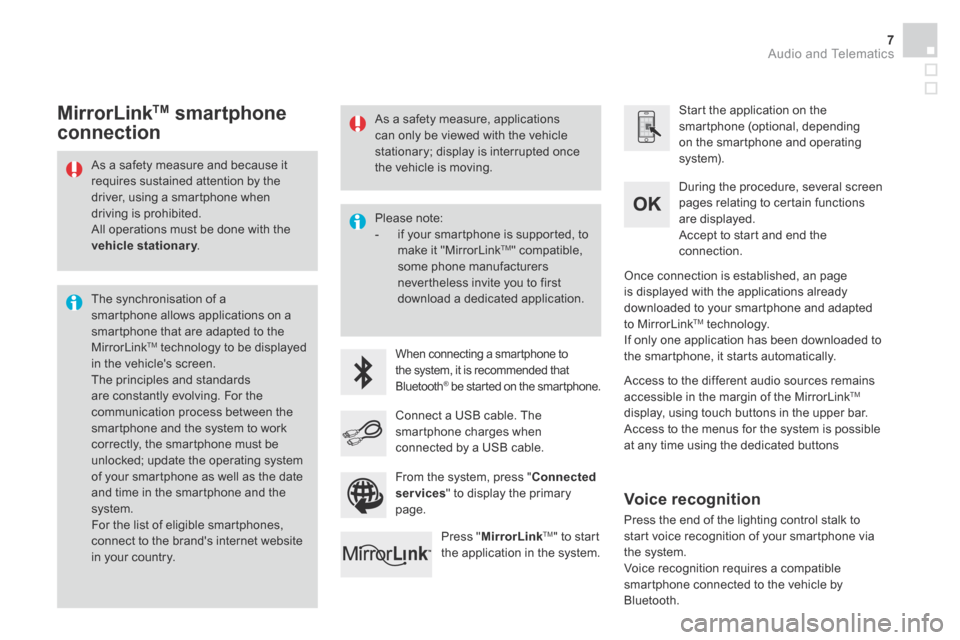
As a safety measure and because it requires sustained attention by the driver, using a smartphone when driving is prohibited. All operations must be done with the vehicle stationary . vehicle stationary . vehicle stationary
The synchronisation of a smartphone allows applications on a smartphone that are adapted to the MirrorLink TM technology to be displayed in the vehicle's screen. The principles and standards are constantly evolving. For the communication process between the smartphone and the system to work correctly, the smartphone must be unlocked; update the operating system of your smartphone as well as the date and time in the smartphone and the system. For the list of eligible smartphones,
connect to the brand's internet website in your country.
Please note: - if your smartphone is supported, to make it "MirrorLink TM " compatible, some phone manufacturers nevertheless invite you to first download a dedicated application.
When connecting a smartphone to the system, it is recommended that Bluetooth ® be started on the smartphone .® be started on the smartphone .®
Start the application on the smartphone (optional, depending on the smartphone and operating system).
During the procedure, several screen pages relating to certain functions are displayed.
Accept to start and end the connection.
Connect a USB cable. The smartphone charges when connected by a USB cable.
Press " MirrorLinkTM " to start the application in the system.
Once connection is established, an page is displayed with the applications already downloaded to your smartphone and adapted to MirrorLink TM technology. If only one application has been downloaded to the smartphone, it starts automatically.
MirrorLink TM smartphone
connection
Access to the different audio sources remains accessible in the margin of the MirrorLink TM
display, using touch buttons in the upper bar. Access to the menus for the system is possible at any time using the dedicated buttons
From the system, press " Connected services " to display the primary page.
As a safety measure, applications can only be viewed with the vehicle stationary; display is interrupted once the vehicle is moving.
Voice recognition
Press the end of the lighting control stalk to start voice recognition of your smartphone via the system. Voice recognition requires a compatible smartphone connected to the vehicle by Bluetooth.
Page 413 of 415

Audio and Telematics 11
Additif-2_en_web_DS3_SMEGplus_Services_connectes_ed01-2015
Press on " CarPlay " to display the CarPlay ® inter face. ® inter face. ®
Connect a USB cable. The smartphone charges when connected by a USB cable. Press the end of the lighting control stalk to start voice recognition of your smartphone via the system.
CarPlay ®CarPlay ®CarPlay smartphone ® smartphone ®
connection
From the system, press " Connected services " to display the primary
page.
Connect the USB cable. The smartphone is charged while connected by the USB cable.
Or
Voice recognition
As a safety measure, applications can only be viewed with the vehicle stationary; display is interrupted once the vehicle is moving.
The synchronisation of a smartphone allows applications on a smartphone that are adapted to the CarPlay ® technology to be displayed in ® technology to be displayed in ®
the vehicle's screen. As the principles and standards are constantly evolving, it is recommended that you update the operating system of your smartphone. For the list of eligible smartphones, connect to the brand's internet website in your country.
As a safety measure and because it requires sustained attention by the driver, using a smartphone when driving is prohibited. All operations must be done with the vehicle stationary . vehicle stationary . vehicle stationary
During the procedure, one or more screen pages relating to certain functions are displayed on connection.
On connecting the USB cable, the
" Telephone " function changes to " CarPlay " in the menu carrousel. Press on " CarPlay " to display the CarPlay ® inter face. ® inter face. ®