brake CITROEN DS3 CABRIO 2016 Handbook (in English)
[x] Cancel search | Manufacturer: CITROEN, Model Year: 2016, Model line: DS3 CABRIO, Model: CITROEN DS3 CABRIO 2016Pages: 450, PDF Size: 17.47 MB
Page 5 of 450
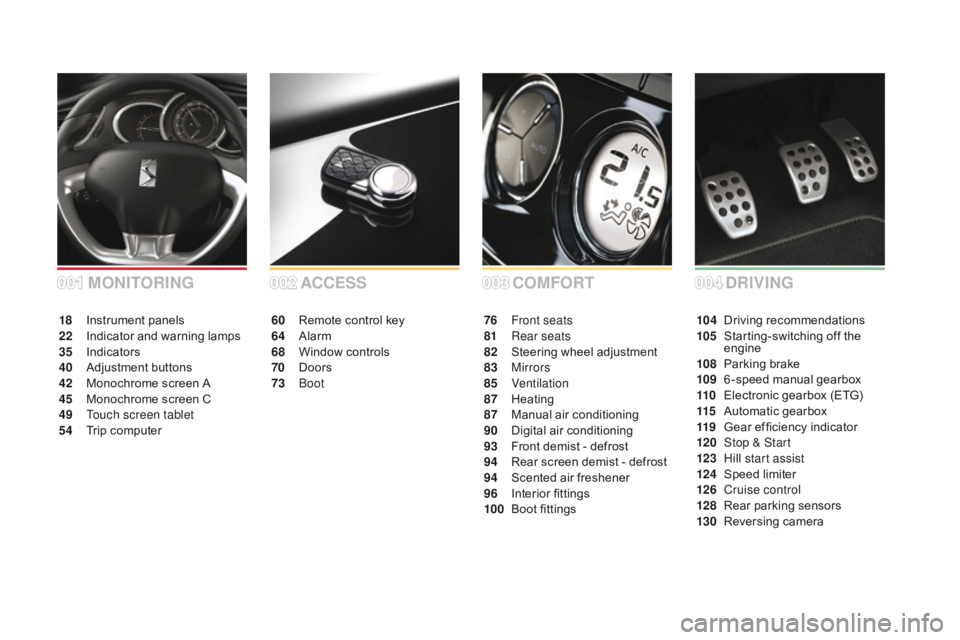
COMFORT
ACCESS
60 Remote control key
64 A larm
68
W
indow controls
70
D
oors
73
Boo
t 76 F
ront seats
81 R ear seats
82
S
teering wheel adjustment
83
Mirrors
85
Ventilation
87
H
eating
87
M
anual
a
ir
c
onditioning
90
D
igital
a
ir
c
onditioning
93
F
ront demist - defrost
94
R
ear screen demist - defrost
94
S
cented air freshener
96
I
nterior
fi
ttings
100
B
oot fittings
MOnITORIng
18 Instrument p anels
22 I ndicator and warning lamps
35
I
ndicators
40
Adj
ustment
b
uttons
42
M
onochrome screen A
45
M
onochrome screen C
49
T
ouch screen tablet
54
T
rip computer
004002003001dR IVIng
104 Driving recommendations
105 S tarting-switching off the
e
ngine
108
P
arking brake
109
6
-speed
m
anual
g
earbox
110
E
lectronic gearbox (ETG)
115
A
utomatic gearbox
119
G
ear ef ficiency indicator
120
St
op & Start
123
H
ill start assist
124
Spe
ed
l
imiter
126
C
ruise control
128
R
ear parking sensors
130
R
eversing
c
amera
Page 6 of 450
SAFETYPR ACTICAL
InF
ORMATIOnCHILd S AFETY
172 Child seats
175 D eactivating t he p assenger's f
ront airbag
182
I
SOFIX child seats
14 8 D
irection i
ndicators
14 8 H
azard w
arning lam
ps
14 9
Horn
14 9
E
mergency
or
assistance
c
all
15 0
U
nder-inflation
d
etection
15 4
B
raking
assistance
systems
155
T
rajectory
control
systems
157
A
ctive
City
Brake
161
F
ront seat belts
164
A
irbags 188 F
uel tank
190 M isfuel prevention (Diesel)
191
R
unning out of fuel (Diesel)
192
Ad
Blue
® additive and SCR s
ystem
(BlueHDi Diesel)
199
T
emporary puncture repair
k
it
204
C
hanging a wheel
2 11
S
now chains
212
C
hanging
a bu
lb
220
C
hanging
a f
use
227
Battery
230
E
nergy
economy mode
231
C
hanging a wiper blade
232
T
owing
the vehicle
234
T
owing
a trailer
236
A
dvice
on care and
m
aintenance
238
Accessories
13 4
L
ighting
c
ontrols
137
A
utomatic
illumination
of
h
eadlamps
138 L
ED
daytime
running
lamps
139 H
eadlamp adj
ustment
14 0
W
iper controls
14 4
C
ourtesy
lamp
14 5
I
nterior
m
ood
l
ighting
14 5
B
oot
lamp
008006007
VISIBILITY005
Page 10 of 450
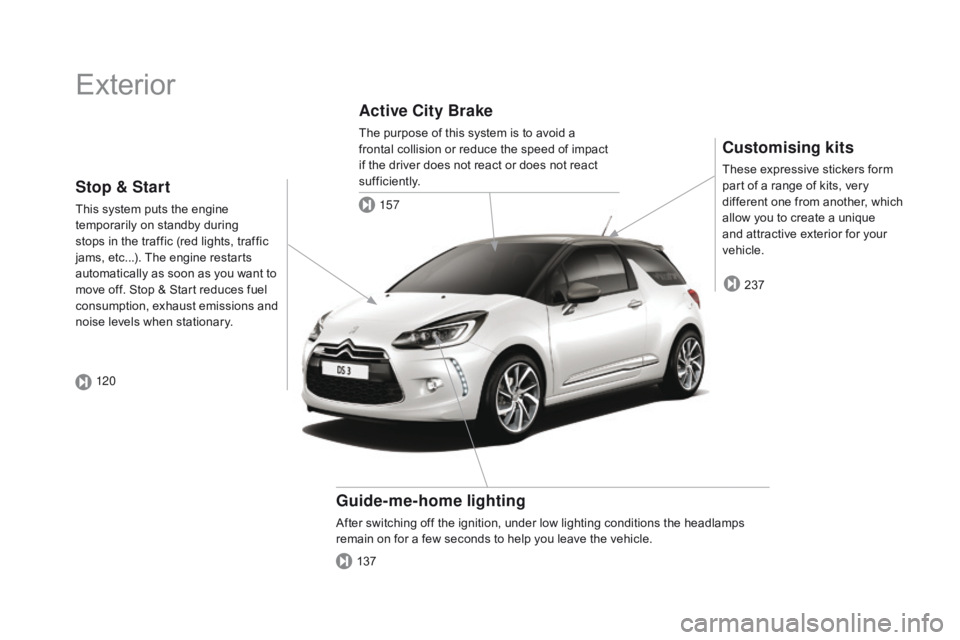
Exterior
Customising kits
These expressive stickers form part of a range of kits, very
d
ifferent one from another, which
a
llow you to create a unique
a
nd attractive exterior for your
v
ehicle.
guide-me-home lighting
After switching off the ignition, under low lighting conditions the headlamps remain on for a few seconds to help you leave the vehicle.
Active City Brake
The purpose of this system is to avoid a frontal collision or reduce the speed of impact
i
f the driver does not react or does not react
s
ufficiently.
237
137 157
Stop & Start
This system puts the engine t
emporarily on standby during
s
tops in the traffic (red lights, traffic
j
ams, etc...). The engine restarts
a
utomatically as soon as you want to
m
ove off. Stop & Start reduces fuel
c
onsumption, exhaust emissions and
n
oise levels when stationary.
120
Page 13 of 450
11
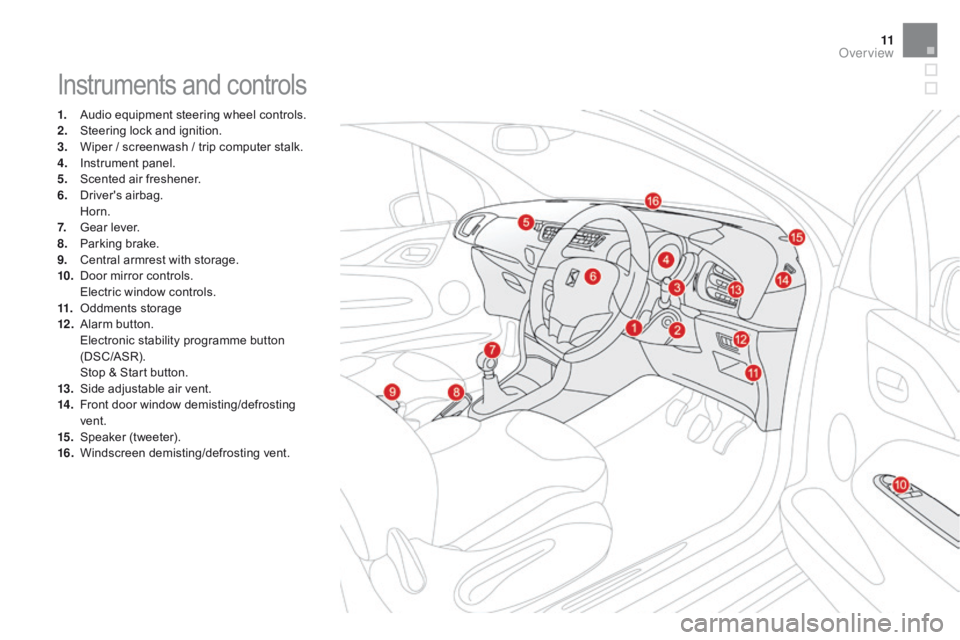
Instruments and controls
1. Audio equipment steering wheel controls.
2. S teering lock and ignition.
3.
W
iper / screenwash / trip computer stalk.
4.
I
nstrument panel.
5.
S
cented air freshener.
6.
D
river's
ai
rbag.
H
orn.
7.
G
ear lever.
8.
P
arking brake.
9.
C
entral armrest with storage.
10.
D
oor mirror controls.
E
lectric window controls.
11.
O
ddments storage
12 .
A
larm
bu
tton.
E
lectronic stability programme button
(
DSC/ASR).
S
top & Start button.
13.
S
ide adjustable air vent.
14 .
F
ront door window demisting/defrosting
ve
nt.
15.
S
peaker
(
tweeter).
16.
W
indscreen
d
emisting/defrosting
v
ent.
Over view
Page 16 of 450
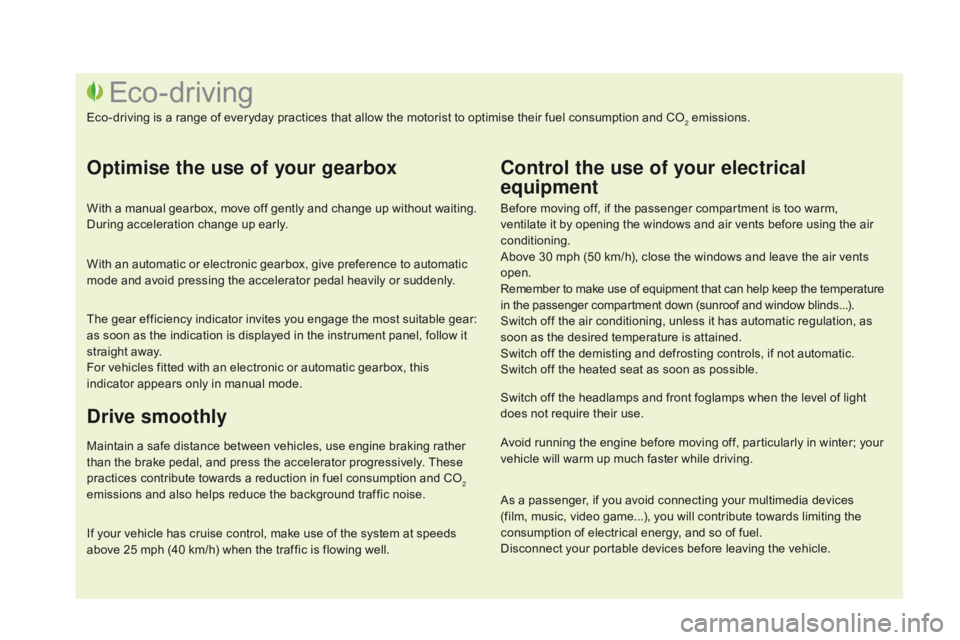
Before moving off, if the passenger compartment is too warm, ventilate it by opening the windows and air vents before using the air
c
onditioning.
Above
30 mph (50 km/h), close the windows and leave the air vents
ope
n.
Remember
to make use of equipment that can help keep the temperature
i
n the passenger compartment down (sunroof and window blinds...).
Switch
off the air conditioning, unless it has automatic regulation, as
s
oon as the desired temperature is attained.
Switch
off the demisting and defrosting controls, if not automatic.
Switch
off the heated seat as soon as possible.
Switch
off the headlamps and front foglamps when the level of light
d
oes not require their use.
Avoid
running the engine before moving off, particularly in winter; your
v
ehicle will warm up much faster while driving.
Eco-driving
Eco-driving is a range of everyday practices that allow the motorist to optimise their fuel consumption and CO2 emissions.
Optimise the use of your gearbox
With a manual gearbox, move off gently and change up without waiting. During acceleration change up early.
With
an automatic or electronic gearbox, give preference to automatic
m
ode and avoid pressing the accelerator pedal heavily or suddenly.
The
gear efficiency indicator invites you engage the most suitable gear:
a
s soon as the indication is displayed in the instrument panel, follow it
s
traight away.
For
vehicles fitted with an electronic or automatic gearbox, this
i
ndicator appears only in manual mode.
drive smoothly
Maintain a safe distance between vehicles, use engine braking rather than the brake pedal, and press the accelerator progressively. These
p
ractices contribute towards a reduction in fuel consumption and CO
2
emissions
and
also
helps
reduce
the
background
traffic
noise.
Control the use of your electrical
equipment
If your vehicle has cruise control, make use of the system at speeds a bove 25 mph (40 km/h) when the traffic is flowing well.As
a passenger, if you avoid connecting your multimedia devices
(
film, music, video game...), you will contribute towards limiting the c
onsumption of electrical energy, and so of fuel.
Disconnect your portable devices before leaving the vehicle.
Page 26 of 450
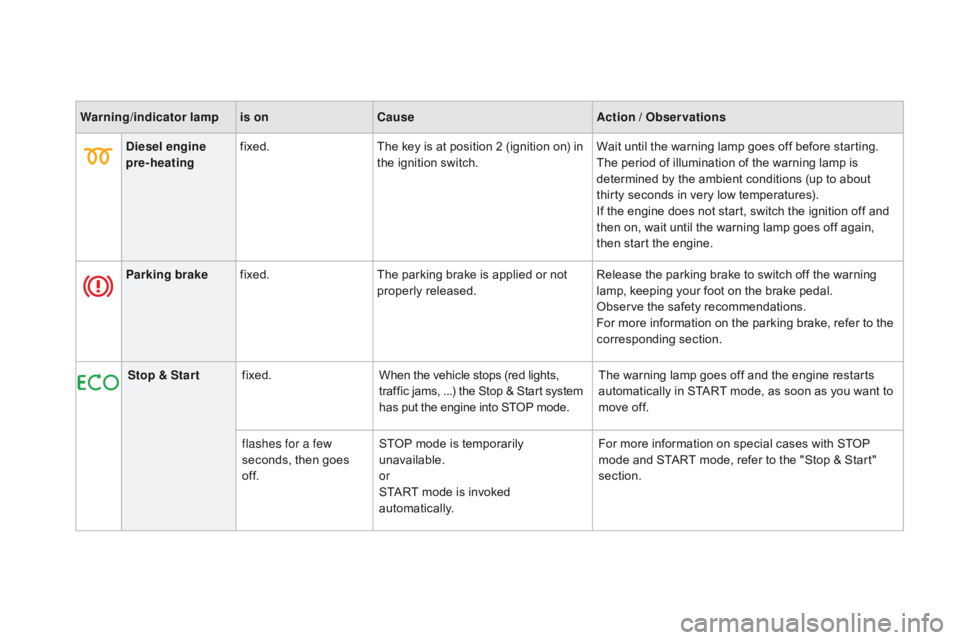
Warning/indicator lampis on Cause Action / Observations
di
esel engine
pre-heating fixed.
The
key is at position 2 (ignition on) in
t
he ignition switch.Wait
until the warning lamp goes off before starting.
The
period of illumination of the warning lamp is
d
etermined by the ambient conditions (up to about
t
hirty seconds in very low temperatures).
If
the engine does not start, switch the ignition off and
t
hen on, wait until the warning lamp goes off again,
t
hen start the engine.
Parking brake fixed. The
parking brake is applied or not
p
roperly
r
eleased.Release
the parking brake to switch off the warning
l
amp, keeping your foot on the brake pedal.
Observe
the safety recommendations.
For
more information on the parking brake, refer to the
c
orresponding
s
ection.
Stop & Star t fixed. When
the vehicle stops (red lights,
t
raffic jams, ...) the Stop & Start system
h
as put the engine into STOP mode.The
warning lamp goes off and the engine restarts
a
utomatically in START mode, as soon as you want to
m
ove off.
flashes for a few
seconds,
then goes
o
f f.STOP
mode is temporarily
u
navailable.
or
START
mode is invoked
au
tomatically.For
more information on special cases with STOP
m
ode and START mode, refer to the "Stop & Start"
s
ection.
Page 27 of 450
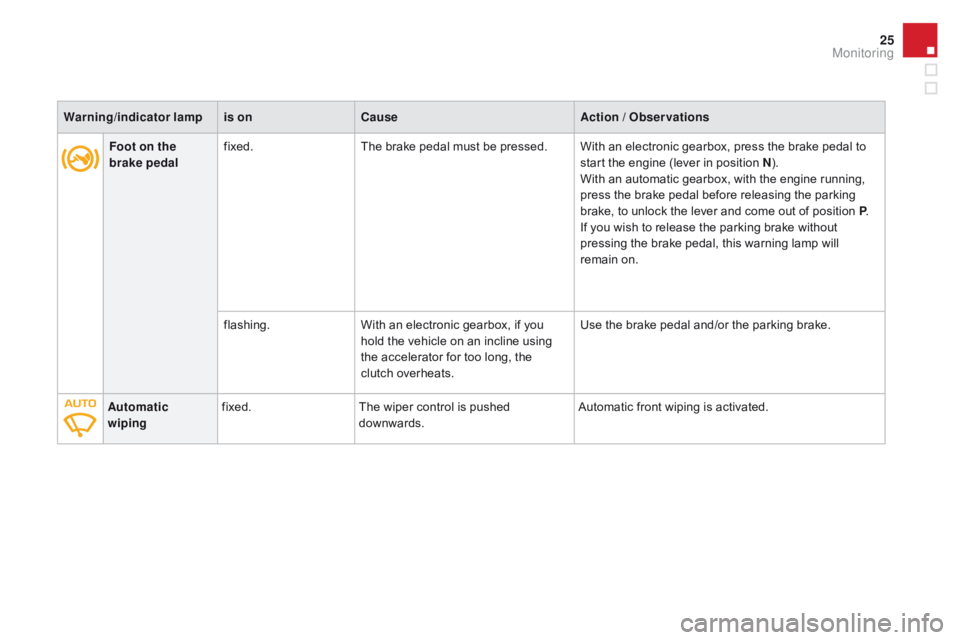
25
Foot on the
brake pedalfixed.
The brake pedal must be pressed. With an electronic gearbox, press the brake pedal to s
tart the engine (lever in position n) .
W
ith an automatic gearbox, with the engine running,
p
ress the brake pedal before releasing the parking
b
rake, to unlock the lever and come out of position P.
If
you wish to release the parking brake without
p
ressing the brake pedal, this warning lamp will
r
emain on.
flashing. With
an electronic gearbox, if you
h
old the vehicle on an incline using
t
he accelerator for too long, the
c
lutch overheats.Use
the brake pedal and/or the parking brake.
Automatic
wiping fixed.
The
wiper control is pushed
d
ownwards.Automatic
front wiping is activated.
Warning
/indicator lampis on Cause Action / Observations
Monitoring
Page 30 of 450
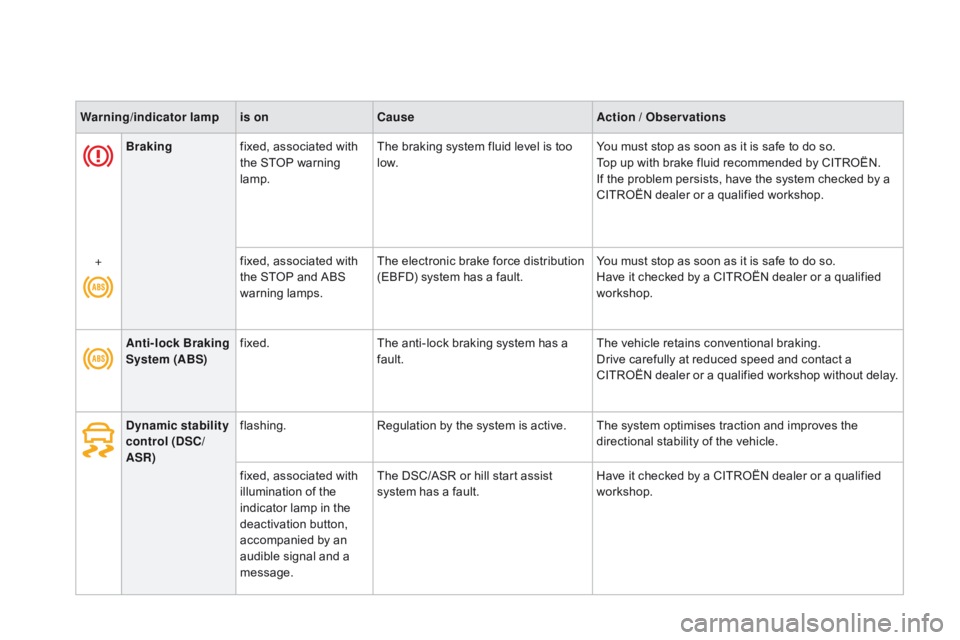
Brakingfixed, associated with t
he STOP warning
lam
p.The
braking system fluid level is too l
ow.You
must stop as soon as it is safe to do so.
Top up with brake fluid recommended by CITROËN.
If
the problem persists, have the system checked by a
C
ITROËN dealer or a qualified workshop.
+ fixed,
associated with
t
he STOP and ABS
w
arning
lam
ps.The
electronic brake force distribution
(
EBFD) system has a fault.You
must stop as soon as it is safe to do so.
Have
it checked by a CITROËN dealer or a qualified
w
orkshop.
Warning
/indicator lampis on Cause Action / Observations
Anti-lock Braking
System (ABS) fixed.
The
anti-lock braking system has a
f
ault.The
vehicle retains conventional braking.
Drive
carefully at reduced speed and contact a
C
ITROËN
d
ealer
o
r
a q
ualified
w
orkshop
w
ithout
d
elay.
dy
namic stability
control (
dS
C/
ASR) flashing.
Regulation
by the system is active. The system optimises traction and improves the
d
irectional stability of the vehicle.
fixed,
associated with
i
llumination of the
i
ndicator lamp in the
d
eactivation button,
a
ccompanied by an
a
udible signal and a
m
essage. The
DSC/ASR or hill start assist
s
ystem has a fault.Have
it checked by a CITROËN dealer or a qualified
w
orkshop.
Page 49 of 450

47
"Personalisation-
Configuration" menu
Once this menu has been selected, you can gain access to the following functions:
-
d
efine the vehicle parameters,
-
d
isplay configuration,
-
c
hoice of language.
Define the vehicle parameters
Once this menu has been selected, you can activate or deactivate the following equipment:
-
w
iper linked to reverse gear (refer to the
"
Visibility"
s
ection),
-
g
uide-me-home lighting and duration (refer
t
o the " Visibility" section), Example:
setting of the duration of the guide-
me-home
l
ighting
F
P
ress the "
5" or " 6" buttons, then the
"OK" button to select the menu required.F
P
ress the "
5" or " 6" buttons, then the
"OK"
button to select the "Guide-me-home
h
eadlamps"
l
ine.
F
P
ress the "
7" or " 8" buttons to set the
value required (15, 30 or 60 seconds), then
p
ress the "OK"
button to confirm.
F
P
ress the "5" or " 6" buttons, then the
"OK" button to select the "OK"
box and
c
onfirm or press the "Back" button to
cancel.
This menu is also used to reinitialise the tyre u nder-inflation detection system (refer to the
"
Safety"
s
ection).
-
p
arking sensors (refer the "Driving"
s
ection).
-
a
utomatic emergency braking (refer to the
"
Active City Brake" section).
Monitoring
Page 53 of 450
51
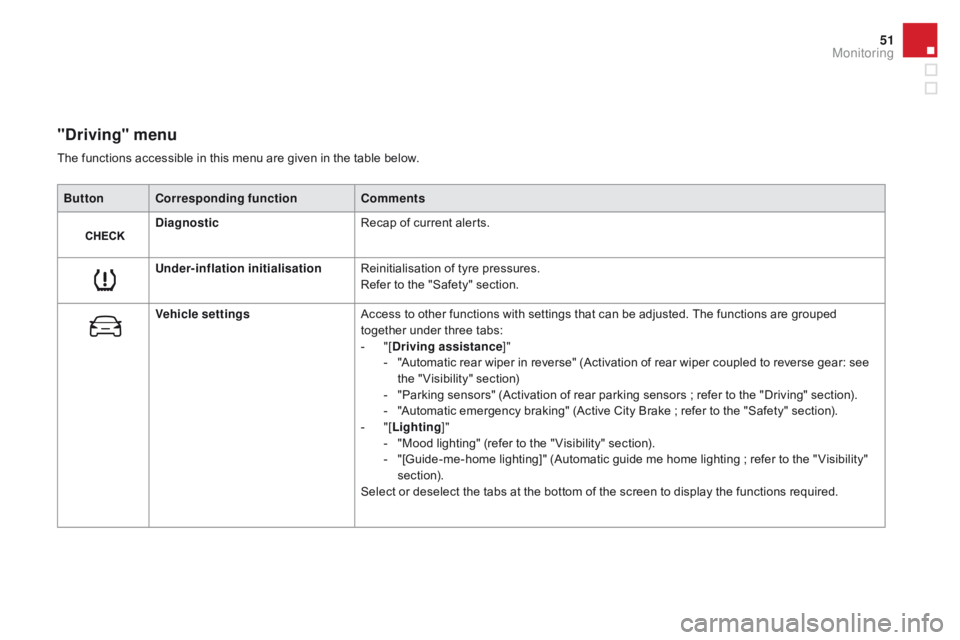
"driving" menu
ButtonCorresponding function Comments
di
agnostic Recap
of current alerts.
Under-inflation initialisation Reinitialisation
of tyre pressures.
Refer
to the "Safety" section.
Vehicle settings Access
to other functions with settings that can be adjusted. The functions are grouped
t
ogether under three tabs:
-
"
[
dr
iving assistance]"
-
"
Automatic rear wiper in reverse" (Activation of rear wiper coupled to reverse gear: see
t
he " Visibility" section)
-
"
Parking sensors" (Activation of rear parking sensors ; refer to the "Driving" section).
-
"
Automatic emergency braking" (Active City Brake ; refer to the "Safety" section).
-
"
[Lighting ]"
-
"
Mood lighting" (refer to the " Visibility" section).
-
"
[Guide-me-home lighting]" (Automatic guide me home lighting ; refer to the " Visibility"
s
ection).
Select
or deselect the tabs at the bottom of the screen to display the functions required.
The
functions accessible in this menu are given in the table below.
Monitoring