door CITROEN DS3 CROSSBACK 2020 Service Manual
[x] Cancel search | Manufacturer: CITROEN, Model Year: 2020, Model line: DS3 CROSSBACK, Model: CITROEN DS3 CROSSBACK 2020Pages: 244, PDF Size: 7.7 MB
Page 90 of 244
88
Driving06
► Fully depress the brake pedal.
► Press the Unlock button.
► While continuing to press the brake pedal
and the Unlock button, select another mode.
–
F
rom neutral N, at a speed below 3 mph
(5 km/h): ► Fully depress the brake pedal.
► While continuing to depress the brake pedal,
select another mode.
Engaging reverse gear
► Slow down until you come to a stop.
► Depress the brake pedal, then press the
Unlock button.
► While maintaining the presses, select mode R.
Permanent manual mode
Entering the mode:
With EAT8 without DS PARK PILOT button:
► With mode D initially selected.
► Press button M; the green indicator lamp in
the button comes on.
With EAT8 and DS PARK PILOT button:
► Press the DRIVE MODE control.
► Select "Manual" mode, which is displayed on
the instrument panel.
Exiting the mode:
► Push forwards once to return to D.
or
► Press button M; the indicator lamp in the
button goes off.
or
► Select another mode using the DRIVE MODE
control.
Switching off the ignition
To switch off the ignition, the vehicle must be
stationary.
Changing to free-wheeling
For more information on Changing to free-
wheeling, refer to the corresponding section.
If you open the driver's door while mode N
is engaged, an audible signal will sound. It
will stop when you close the driver's door
again.
Special aspects of automatic mode
The gearbox selects the gear that offers optimum
performance, taking account of the outside
temperature, the road profile, the vehicle load and
the driving style.
For maximum acceleration, press the accelerator
fully down (kick-down). The gearbox changes
down automatically or holds the selected gear
until the maximum engine speed is reached.
Steering mounted controls allow the driver to
temporarily select a gear, if the vehicle speed and
engine speed conditions permit.
Special aspects of manual mode
The change from one gear to another takes place
only if the road speed and engine speed permit.
Starting the vehicle
From mode P:
► Fully depress the brake pedal.
► Start the engine.
► Maintaining pressure on the brake pedal,
press the Unlock button.
► Push once or twice rearwards to select
the automatic mode D, or forwards to engage
reverse R.
From neutral N:
► Fully depress the brake pedal.
► Start the engine.
► Maintaining pressure on the brake pedal,
push rearwards to select the automatic mode D,
or forwards, while pressing the Unlock button to
engage reverse R.
Then, from D or R:
► Release the brake pedal.
► Accelerate gradually to automatically release
the electric parking brake.
The vehicle moves off immediately.
With an automatic gearbox, never try to
start the engine by pushing the vehicle.
Stopping the vehicle
Whatever the state of the gearbox, when the
ignition is switched off, mode P is engaged
automatically and immediately.
However, in mode N, mode P will be engaged after
a delay of 5 seconds (allowing for the process of
putting the vehicle into free-wheeling mode).
Check that mode P has been engaged and
that the electric parking brake was applied
automatically; if not, apply it manually.
The corresponding indicator lamps in the
selector and the electric parking brake
control lever must be on, as well as those in the
instrument panel.
Operating faults
Gearbox malfunction
This warning lamp comes on, accompanied
by an audible signal and the display of a
message.
Visit a dealer or a qualified workshop.
Do not drive faster than 62 mph (100 km/h),
keeping to the speed limit.
The gearbox switches to back-up mode: mode D
is locked in third gear, the steering-mounted
control paddles are inoperative, mode M is no
longer available. You may feel a significant jolt on
engaging reverse gear. This will not damage the
gearbox.
Selector malfunction
Minor malfunction
This warning lamp comes on, accompanied
by the display of a message and an audible
signal.
Drive cautiously and visit a dealer or a qualified
workshop.
In certain cases, the selector indicator lamps may
no longer come on, but the gearbox state is still
displayed on the instrument panel.
Page 92 of 244
90
Driving06
B. Unlock buttonTo unlock the selector and come out of P or
change to R, with the foot on the brake pedal.
Press and hold this button before pushing the
selector.
C. Selector state indicators (R, N, D/B)
► Move the selector by pushing it forwards (N or
R) or backwards (N or D/B ) once or twice, passing
the point of resistance if necessary.
The push selector returns to its initial position
when released.
For example, to change from P to R, either push
forwards twice without passing the point of
resistance or push just once, passing the point of
resistance:
–
In the first c
ase, the selector goes from P to N,
then from N to R.
–
In the sec
ond case, the selector goes directly
from P to R.
Regenerative braking
The regenerative braking function emulates
engine braking, slowing the vehicle with no
need to depress the brake pedal. The vehicle
slows more quickly when the driver releases the
accelerator pedal.
When the accelerator pedal is released,
mechanical energy is recovered and used to
partially recharge the battery.
► While in mode D/B , pushing the pulse selector
backwards activates/deactivates the function.
The D on the instrument panel is replaced with
a B.
The state of the function is not saved when the
ignition is switched off.
If the battery is almost fully charged, the
braking effect when the accelerator pedal
is released may be limited.
Driving modes
The number and type of driving modes available
depend on the vehicle’s engine and equipment.
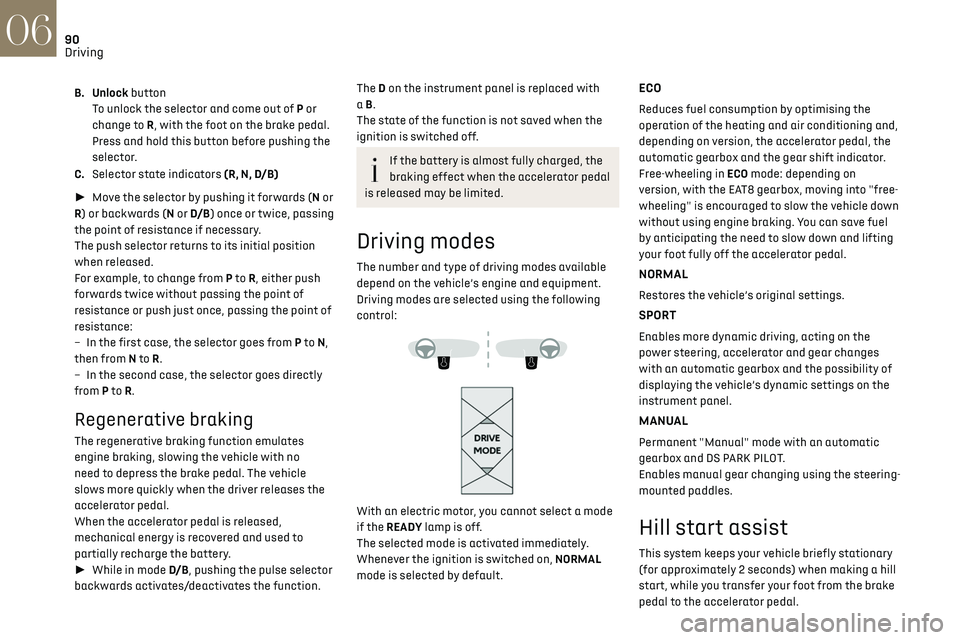
Driving modes are selected using the following
control:
With an electric motor, you cannot select a mode
if the READY lamp is off.
The selected mode is activated immediately.
Whenever the ignition is switched on, NORMAL
mode is selected by default.
ECO
Reduces fuel consumption by optimising the
operation of the heating and air conditioning and,
depending on version, the accelerator pedal, the
automatic gearbox and the gear shift indicator.
Free-wheeling in ECO mode: depending on
version, with the EAT8 gearbox, moving into "free-
wheeling" is encouraged to slow the vehicle down
without using engine braking. You can save fuel
by anticipating the need to slow down and lifting
your foot fully off the accelerator pedal.
NORMAL
Restores the vehicle’s original settings.
SPORT
Enables more dynamic driving, acting on the
power steering, accelerator and gear changes
with an automatic gearbox and the possibility of
displaying the vehicle’s dynamic settings on the
instrument panel.
MANUAL
Permanent "Manual" mode with an automatic
gearbox and DS PARK PILOT.
Enables manual gear changing using the steering-
mounted paddles.
Hill start assist
This system keeps your vehicle briefly stationary
(for approximately 2 seconds) when making a hill
start, while you transfer your foot from the brake
pedal to the accelerator pedal.
This system is only active when:
– The vehicle is completely stationary, with your
foot on the brake pedal.
– Certain slope conditions are met.
– The driver’s door is closed.
Do not leave the vehicle while it is being
held temporarily by hill start assist.
If someone needs to get out of the vehicle with
the engine running, apply the parking brake
manually. After that, ensure that the parking
brake indicator lamp and the indicator lamp P
in the electric parking brake control lever are
on fixed.
The hill start assist function cannot be
deactivated. However, use of the parking
brake to immobilise the vehicle interrupts its
operation.
Operation
Page 93 of 244

91
Driving06
This system is only active when:
–
The v ehicle is completely stationary, with your
foot on the brake pedal.
–
Cert
ain slope conditions are met.
–
The driv
er’s door is closed.
Do not leave the vehicle while it is being
held temporarily by hill start assist.
If someone needs to get out of the vehicle with
the engine running, apply the parking brake
manually. After that, ensure that the parking
brake indicator lamp and the indicator lamp P
in the electric parking brake control lever are
on fixed.
The hill start assist function cannot be
deactivated. However, use of the parking
brake to immobilise the vehicle interrupts its
operation.
Operation
On an ascending slope, with the vehicle
stationary, the vehicle is held for a short time
when you release the brake pedal:
–
pro
vided you are in first gear or neutral with a
manual gearbox.
–
pro
vided you are in mode D or M with an
automatic gearbox.
–
pro
vided you are in mode D or B with a drive
selector.
On a descending slope, with the vehicle stationary
and reverse gear engaged, the vehicle is held for a
short time when you release the brake pedal.
Malfunction
These warning lamps come on in
the event of a malfunction.
Contact a dealer or a qualified workshop to have
the system checked.
Gear shift indicator
(Depending on engine.)
System which reduces fuel consumption by
recommending the most appropriate gear.
Operation
Depending on the driving situation and the
vehicle's equipment, the system may advise
skipping one or more gears.
Gear engagement recommendations are only
optional. In fact, the configuration of the road,
the traffic density and safety remain determining
factors when choosing the best gear. Therefore,
the driver remains responsible for deciding
whether or not to follow the system’s advice.
This function cannot be deactivated.
With an automatic gearbox, the system is
only active in manual operation.
The information appears in the instrument
panel in the form of an arrow and the
recommended gear.
The system adapts its gear shift
recommendation according to the driving
conditions (slope, load, etc.) and the driver’s
requirements (power, acceleration, braking,
etc.).
The system never suggests:
–
engaging first gear
,
–
engaging re
verse.
Page 94 of 244
92
Driving06
Stop & Start
The Stop & Start function puts the engine
temporarily into standby - STOP mode - during
phases when the vehicle is stopped (red lights,
queues, etc.). The engine restarts automatically
- START mode - as soon as the driver wishes to
move off again.
Primarily designed for urban use, the function
is intended to reduce fuel consumption and
exhaust emissions as well as the noise level when
stationary.
The function does not affect the functionalities of
the vehicle, in particular the braking.
Deactivation/Reactivation
The function is activated by default when the
ignition is switched on.
It is set via the Driving / Vehicle touch
screen menu.
A message in the instrument panel confirms the
change of status.
When the function is deactivated, if the engine
was in standby, it restarts immediately.
Associated indicator lamps
Function activated.
Function deactivated or malfunction.
Opening the bonnet
Before doing anything under the bonnet,
deactivate the Stop & Start system to avoid
any risk of injury caused by the engine
restarting automatically.
Driving on flooded roads
Before entering into a flooded area, it is
strongly recommended that you deactivate the
Stop & Start system.
For more information on Driving
recommendations, particularly on flooded
roads, refer to the corresponding section.
Operation
Main conditions for operation
– The driver’s door must be closed.
– The driv er's seat belt must be fastened.
–
The st
ate of charge of the battery must be
sufficient.
–
The t
emperature of the engine must be within
its nominal operating range.
–
The outside t
emperature must be between 0°C
and 35°C.
Putting the engine into standby (STOP
mode)
The engine automatically goes into standby
as soon as the driver indicates the intention of
stopping.
– With a manual gearbox: with the gear lever in
neutral and the clutch pedal released.
–
With an
automatic gearbox: with the brake
pedal depressed until the vehicle stops or the gear
selector in position N, with the vehicle stopped.
Time counter
A time counter adds up the time spent in standby
during the journey. It is reset to zero every time
the ignition is switched on.
Special cases:
The engine will not go into standby if all of the
conditions for operation are not met and in the
following cases.
–
St
eep slope (ascending or descending).
–
Needed t
o maintain a comfortable temperature
in the passenger compartment.
–
Demisting activ
e.
In these cases, this indicator lamp flashes
for a few seconds, then goes off.
After the engine has restarted, STOP
mode is not available until the vehicle has
reached a speed of 5 mph (8 km/h).
During parking manoeuvres, STOP mode is
not available for a few seconds after
coming out of reverse gear or turning the
steering wheel.
Restarting the engine (START mode)
The engine automatically restarts as soon as the
driver indicates the intention of moving off again.
► With a manual gearbox: with the clutch pedal
fully depressed.
► With an automatic gearbox:
• With the selector in position D or M: with the
brake pedal released.
• With the selector in position N and the brake
pedal released: with the selector at D or M.
• With the selector in position P and the brake
pedal depressed: with the selector at R, N, D
or M.
• Reverse gear engaged.
Special cases
The engine restarts automatically if all the
operating conditions are met again and in the
following cases.
– With a manual gearbox: vehicle speed exceeds
2.5 mph (4 km/h),
– With an automatic gearbox, in mode N, vehicle
speed exceeds 0.6 mph (1 km/h).
In these cases, this indicator lamp flashes
for a few seconds, then goes off.
Malfunctions
In the event of a malfunction, this warning
lamp flashes for a few moments, then
remains on, accompanied by an onscreen
message.
Have the vehicle checked by a dealer or a qualified
workshop.
Page 97 of 244
95
Driving06
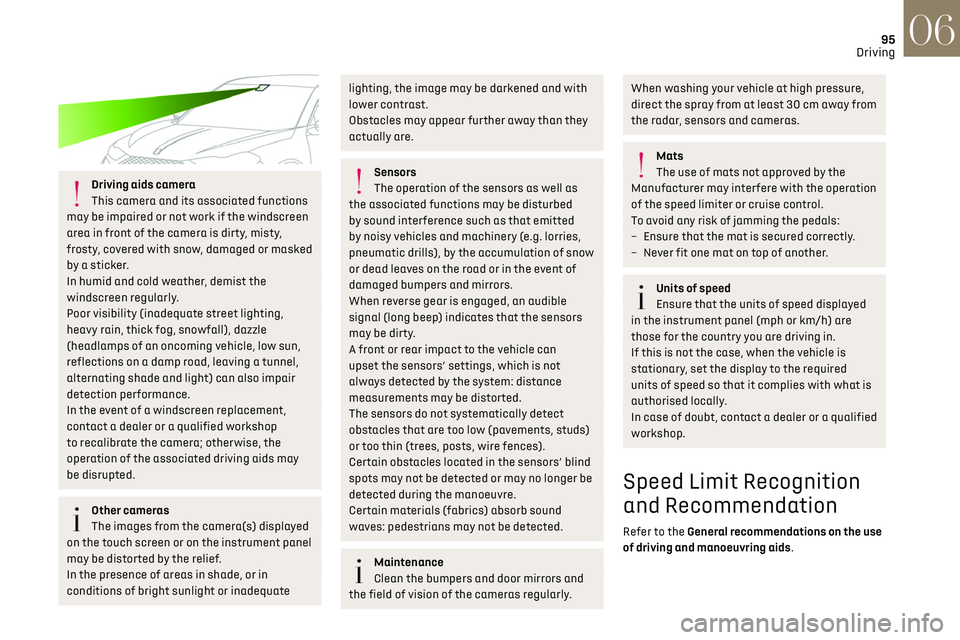
Driving aids camera
This camera and its associated functions
may be impaired or not work if the windscreen
area in front of the camera is dirty, misty,
frosty, covered with snow, damaged or masked
by a sticker.
In humid and cold weather, demist the
windscreen regularly.
Poor visibility (inadequate street lighting,
heavy rain, thick fog, snowfall), dazzle
(headlamps of an oncoming vehicle, low sun,
reflections on a damp road, leaving a tunnel,
alternating shade and light) can also impair
detection performance.
In the event of a windscreen replacement,
contact a dealer or a qualified workshop
to recalibrate the camera; otherwise, the
operation of the associated driving aids may
be disrupted.
Other cameras
The images from the camera(s) displayed
on the touch screen or on the instrument panel
may be distorted by the relief.
In the presence of areas in shade, or in
conditions of bright sunlight or inadequate
lighting, the image may be darkened and with
lower contrast.
Obstacles may appear further away than they
actually are.
Sensors
The operation of the sensors as well as
the associated functions may be disturbed
by sound interference such as that emitted
by noisy vehicles and machinery (e.g. lorries,
pneumatic drills), by the accumulation of snow
or dead leaves on the road or in the event of
damaged bumpers and mirrors.
When reverse gear is engaged, an audible
signal (long beep) indicates that the sensors
may be dirty.
A front or rear impact to the vehicle can
upset the sensors’ settings, which is not
always detected by the system: distance
measurements may be distorted.
The sensors do not systematically detect
obstacles that are too low (pavements, studs)
or too thin (trees, posts, wire fences).
Certain obstacles located in the sensors’ blind
spots may not be detected or may no longer be
detected during the manoeuvre.
Certain materials (fabrics) absorb sound
waves: pedestrians may not be detected.
Maintenance
Clean the bumpers and door mirrors and
the field of vision of the cameras regularly.
When washing your vehicle at high pressure,
direct the spray from at least 30 cm away from
the radar, sensors and cameras.
Mats
The use of mats not approved by the
Manufacturer may interfere with the operation
of the speed limiter or cruise control.
To avoid any risk of jamming the pedals:
–
Ensure tha
t the mat is secured correctly.
–
Ne
ver fit one mat on top of another.
Units of speed
Ensure that the units of speed displayed
in the instrument panel (mph or km/h) are
those for the country you are driving in.
If this is not the case, when the vehicle is
stationary, set the display to the required
units of speed so that it complies with what is
authorised locally.
In case of doubt, contact a dealer or a qualified
workshop.
Speed Limit Recognition
and Recommendation
Refer to the General recommendations on the use
of driving and manoeuvring aids.
Page 107 of 244

105
Driving06
Deactivating the system
► Turn the thumbwheel 1 upwards to the OFF
position.
Information displayed on the
instrument panel
7. Vehicle detected by the system (full symbol)
8. Cruise control active (colour not grey)
9. Speed setting value
10. Speed suggested by the Speed Limit
Recognition and Recommendation
11. Vehicle held stationary (versions with
automatic gearbox or drive selector)
12.Inter-vehicle distance setting
13. Position of the vehicle detected by the
system
Messages and alerts
To benefit from the following information on the
instrument panel, select the DRIVING or Driving
aids display mode.
The display of these messages or alerts is
not sequential.
"Cruise control paused" or "Cruise control
suspended" following a brief acceleration
by the driver.
"Cruise control active", no vehicle
detected.
"Cruise control paused", vehicle detected.
"Cruise control active", vehicle detected.
"Take back control" (orange).
► Brake or accelerate, depending on the context.
"Take back control" (red).
► Take back control of the vehicle immediately:
the system cannot manage the current driving
situation.
"Activation not possible, conditions
unsuitable". The system refuses to
activate cruise control, as the necessary
conditions are not fulfilled.
Stop & Go function
"To move off again, press the
accelerator pedal or press
the II button” (button 4).
The system has brought the vehicle to a complete
stop.
Within 3 seconds, the vehicle gradually and
automatically begins moving again.
After 3 seconds, the driver must accelerate or
press button 4 to move off again.
While the vehicle is immobilised, the
following recommendations apply:
–
Do no
t open doors.
–
Do no
t drop off or pick up passengers.
–
Do no
t engage reverse gear.
When moving off again, watch out for
cyclists, pedestrians and animals, as they
may not be detected properly.
Operating limits
Cruise control operates by day and night, in fog or
moderate rainfall.
Certain situations cannot be managed by the
system and require driver intervention.
Elements not detected by the system:
–
Pede
strians, some cyclists, animals.
–
St
ationary vehicles (traffic jam, breakdown,
etc.).
Page 115 of 244

113
Driving06
Deactivation / Activation
► Press this button to deactivate / reactivate
the system at any time.
Deactivation is signalled by the lighting of
the indicator lamp in the button and this
warning lamp in the instrument panel.
The system is automatically reactivated every
time the ignition is switched on.
Malfunction
In the event of a system
malfunction, these warning lamps
come on on the instrument panel, accompanied
by an onscreen message and an audible signal.
Have the system checked by a dealer or a
qualified workshop.
Blind Spot Detection
Refer to the General recommendations on the use
of driving and manoeuvring aids.
This system includes sensors, placed on the
sides of the bumpers, and warns the driver of the
potentially dangerous presence of another vehicle
(car, truck, motorcycle) in the blind spot areas of
their vehicle (areas hidden from the driver's field
of vision).
The warning is given by a fixed warning lamp that
appears in the door mirror on the side in question:
–
immedia
tely, when being overtaken;
–
a
fter a delay of about one second, when
overtaking a vehicle slowly.
Activation / Deactivation
It is set via the Driving / Vehicle touch
screen menu.
When starting the vehicle, the warning lamp
comes on in each mirror to indicate that the
system is activated.
The state of the system stays in the memory when
switching off the ignition.
The system is automatically deactivated
when towing with a towing device
approved by the Manufacturer.
Conditions for operation
– All vehicles are moving in the same direction
and in adjacent lanes.
–
The speed o
f your vehicle must be between
7 and 87 mph (12 and 140 km/h) (versions without
Park Assist or DS PARK PILOT) or between 19 and
87 mph (30 and 140 km/h) (versions with Park
Assist or DS PARK PILOT).
–
When o
vertaking a vehicle, the speed
difference is less than 6 mph (10 km/h).
–
When o
vertaken by a vehicle, the speed
difference is less than 16 mph (25 km/h).
–
Tra
ffic is flowing normally.
–
Ov
ertaking a vehicle over a certain period of
time and the vehicle being overtaken remains in
the blind spot.
–
Y
ou are driving on a straight or slightly curved
road.
–
Y
our vehicle is not pulling a trailer, a caravan,
etc.
Page 116 of 244

114
Driving06
Operating limits
No alert is triggered in the following conditions:
– In the pre sence of non-moving objects (parked
vehicles, barriers, street lamps, road signs, etc.).
–
O
ncoming traffic.
–
D
riving on a winding road or a sharp corner.
–
When o
vertaking or being overtaken by a very
long vehicle (lorry, bus, etc.) that is detected
in the rear blind spot but is also present in the
driver’s front field of vision.
–
When o
vertaking quickly.
–
In v
ery heavy traffic: vehicles detected in
front and behind are confused with a lorry or a
stationary object.
–
If the Park As
sist or DS PARK PILOT function is
activated.
Malfunction
If the event of malfunction, this warning
lamp comes on in the instrument panel,
accompanied by the display of a message.
Contact a dealer or a qualified workshop to have
the system checked.
The system may suffer temporary
interference in certain weather conditions
(rain, hail, etc.).
In particular, driving on a wet surface or
moving from a dry area to a wet area can
cause false alerts (for example, the presence
of a fog of water droplets in the blind spot
angle is interpreted as a vehicle).
In bad or wintry weather, ensure that the
sensors are not covered by mud, ice or snow.
Take care not to cover the warning zone in
the door mirrors or the detection zones on the
front and rear bumpers with adhesive labels
or other objects; they may hamper correct
operation of the system.
Active Blind Spot
Detection
In addition to the fixed warning lamp in the door
mirror on the side in question, a correction of
trajectory will be felt if you attempt to cross
a lane marking with the direction indicator
activated, to help you avoid a collision.
This system is the combination of the Active
Lane Departure Warning System and Blind Spot
Detection.
These two functions must be activated and in
operation.
The speed of the vehicle must be between 40 and
87 mph (65 and 140 km/h).
These functions are especially suitable for driving
on motorways and main roads.
For more information on the Active Lane
Departure Warning System and Blind Spot
Detection, refer to the corresponding sections.
Active Safety Brake with
Collision Risk Alert and
Intelligent emergency
braking assistance
Refer to the General recommendations on the use
of driving and manoeuvring aids.
This system:
– warns the driver that their vehicle is at risk of
collision with the vehicle in front, a pedestrian or,
depending on version, a cyclist.
– reduces the vehicle's speed to avoid a collision
or limit its severity.
The system also takes motorcyclists and
animals into account; however, animals
below 0.5 m tall and objects on the road are
not necessarily detected.
This system is comprised of three functions:
– Collision Risk Alert.
– Intelligent emergency braking assistance.
– Active Safety Brake (automatic emergency
braking).
Page 124 of 244

122
Driving06
For ''parallel'' parking, the space must at
a minimum be equal to the length of your
vehicle plus 0.60 m.
For ''bay'' parking, the width of the space must
be equal to the width of your vehicle plus 0.70
m.
If the parking sensors function has been
deactivated in the Driving/Vehicle menu
of the touch screen, it will be automatically
reactivated when the system is activated.
When the system finds an available space, "OK" is
displayed on the parking view, accompanied by an
audible signal.
Preparing for the manoeuvre
► Move very slowly until the request to stop
the vehicle is displayed: "Stop the vehicle“,
accompanied by the “STOP” sign and an audible
signal. Once the vehicle has stopped, an instructions
page is displayed on the screen.
►
To prepare for the manoeuvre, follow the
instructions.
The start of the manoeuvre is indicated by the
"Manoeuvre under way" onscreen message and
an accompanying audible signal.
Reversing is indicated by this message: “Release
the steering wheel, reverse”.
The Reversing camera and the parking sensors
are automatically activated to help you monitor
the area immediately surrounding your vehicle
during the manoeuvre.
During the manoeuvre
The system controls the vehicle’s steering. It
gives instructions on the manoeuvring direction
when starting "parallel" entry and exit parking
manoeuvres, and for all "bay" entry manoeuvres.
There instructions are displayed as a symbol
accompanied by a message:
"Reverse".
“Go forwards".
The manoeuvring status is indicated by these
symbols:
Manoeuvre in progress (green).
Manoeuvre cancelled or finished (red) (the
arrows indicate that the driver must
resume control of the vehicle).
The maximum speeds during manoeuvres are
indicated by these symbols:
75 mph or 7 km/h, for parking space entry.
53 mph or 5 km/h, for parking space exit.
During manoeuvring phases, the steering
wheel performs rapid turns: do not hold
the steering wheel or put your hands between
the spokes of the steering wheel. Watch out
for any objects that could interfere with the
manoeuvre (loose clothing, scarf, tie, etc.).
Risk of injury!
It is the driver's responsibility to constantly
monitor the traffic, especially vehicles coming
towards you.
The driver should check that no objects or
people are obstructing the vehicle’s path.
The images from the camera(s) displayed
on the touch screen may be distorted by
the terrain.
In shady areas, or in inadequate sunlight
or lighting conditions, the image may be
darkened and with lower contrast
The manoeuvre can be permanently interrupted at
any time, either by the driver or automatically by
the system.
Interruption by the driver:
–
t
aking over control of the steering.
– activating the direction indicator lamps on the
opposite side to that of the manoeuvre.
– unfastening the driver's seat belt.
– switching off the ignition.
Interruption by the system:
– vehicle exceeding the speed limit of 5 mph
(7 km/h) during parking space entry manoeuvres,
or 3 mph (5 km/h) during parking space exit
manoeuvres.
– activation of anti-slip regulation on a slippery
road.
– opening of a door or the boot.
– engine stall.
– system malfunction.
– after 10 manoeuvres to enter or exit a parallel
parking space and after 7 manoeuvres to enter a
parking bay.
Interrupting the manoeuvre automatically
deactivates the function.
The manoeuvre symbol is displayed in red,
accompanied by the "Manoeuvre cancelled"
message on the touch screen.
A message prompts the driver to take back
control of the vehicle.
The function is deactivated after a few
seconds; this warning lamp goes off and
the function returns to the initial display.
End of the parking space entry or exit
manoeuvre
The vehicle stops as soon as the manoeuvre is
completed.
Page 125 of 244
123
Driving06
– activating the direction indicator lamps on the
opposite side to that of the manoeuvre.
–
un
fastening the driver's seat belt.
–
s
witching off the ignition.
Interruption by the system:
–
v
ehicle exceeding the speed limit of 5 mph
(7 km/h) during parking space entry manoeuvres,
or 3 mph (5 km/h) during parking space exit
manoeuvres.
–
activ
ation of anti-slip regulation on a slippery
road.
–
opening o
f a door or the boot.
–
engine st
all.
–
s
ystem malfunction.
–
a
fter 10 manoeuvres to enter or exit a parallel
parking space and after 7 manoeuvres to enter a
parking bay.
Interrupting the manoeuvre automatically
deactivates the function.
The manoeuvre symbol is displayed in red,
accompanied by the "Manoeuvre cancelled"
message on the touch screen.
A message prompts the driver to take back
control of the vehicle.
The function is deactivated after a few
seconds; this warning lamp goes off and
the function returns to the initial display.
End of the parking space entry or exit
manoeuvre
The vehicle stops as soon as the manoeuvre is
completed. The manoeuvring symbol is displayed in red
accompanied by the message “Manoeuvre
completed” on the touch screen.
Deactivation of the function is confirmed
by this indicator lamp going off,
accompanied by an audible signal.
If entering a parking space, the driver may be
required to complete the manoeuvre.
Operating limits
– The system may suggest an inappropriate
parking space (parking prohibited, work in
progress with damaged road surface, location
alongside a ditch, etc.).
–
The s
ystem may indicate that a space has
been found but will not offer it because of a fixed
obstacle on the opposite side of the manoeuvre,
which would not allow the vehicle to follow a
trajectory required for parking.
–
The s
ystem may indicate that a space has been
found but the manoeuvre will not be triggered,
because the width of the lane is insufficient.
–
The s
ystem is not designed for performing the
parking manoeuvre on a sharp bend.
–
The s
ystem does not detect spaces that
are much larger than the vehicle itself or that
are delimited by obstacles that are too low
(pavements, studs, etc.) or too thin (trees, posts,
wire fences, etc.).
–
If the boo
t is heavily loaded, the tilt of the
vehicle towards the rear may interfere with the
distance measurements.
Do not use the function under the
following exterior conditions:
–
Alongside a so
ft shoulder (e.g. ditch) or quay
or on the edge of a drop.
–
When the road surfac
e is slippery (e.g. ice).
If any of the following malfunctions
occurs, do not use the system:
–
If a tyre is under-in
flated.
–
If one o
f the bumpers is damaged.
–
If one o
f the cameras is faulty.
If the vehicle has undergone any of the
following modifications, do not use the
function:
–
When c
arrying an object extending beyond
the dimensions of the vehicle (ladder on the
roof bars, bicycle carrier on the tailgate, etc.).
–
With a non-appro
ved towball in place.
–
With sno
w chains fitted.
–
When driving on a small-diamet
er or "space-
saver" type spare wheel.
–
When the wheels fitt
ed are a different size
from the original ones.
–
A
fter modifying one or both bumpers (added
protection).
–
If the sensors ha
ve been repainted other
than by the dealer network.
–
With sensors no
t approved for the vehicle.