ad blue CITROEN DS4 2010 User Guide
[x] Cancel search | Manufacturer: CITROEN, Model Year: 2010, Model line: DS4, Model: CITROEN DS4 2010Pages: 421, PDF Size: 8.05 MB
Page 37 of 421

35
A few seconds after the ignition is switched
on, the distance recorder resumes its normal
operation. The spanner remains on .The spanner comes on if you have
exceeded the specified time interval
since the last service, as indicated in
the manufacturer's service schedule.
For BlueHDi Diesel versions,
the
spanner may also come on before
the normal service point, according to
the level of deterioration of the engine
oil, which depends on the driving
conditions in which the vehicle is used.
Service overdue
For a few seconds after the ignition is switched on,
the spanner flashes to indicate that the service
must be carried out as soon as possible.
Example: the service is overdue by 180 miles
(300 km).
For a few seconds after the ignition is switched
on, the screen indicates:
Less than 600 miles (1 000 km) remain
before the next service is due
Example: 560 miles (900 km) remain before
the next service is due.
For a few seconds after the ignition is switched
on, the screen indicates:
A few seconds after the ignition is switched
on, the distance recorder resumes its normal
operation. The spanner remains on to
indicate that a service must be carried out
soon.
For BlueHDi Diesel versions, this alert is also
accompanied by the fixed illumination of the
Service warning lamp when the ignition is
switched on.
01
Instruments
Page 39 of 421

37
The engine start prevention system
required by regulations is activated
automatically once the AdBlue
® tank
is empty.
AdBlue® fluid range indicators
Once the AdBlue® tank is on reserve or after
detection of a fault with the SCR emissions
control system, when the ignition is switched
on an indicator displays an estimate of the
distance that can be covered, the range, before
engine starting is prevented.
In the event of simultaneous system fault and
low AdBlue
® level, the shortest range figure is
the one displayed.
In the event of the risk of non-starting related to a lack of AdBlue®
Range greater than 1 500 miles (2 400 km)
When the ignition is switched on, no
information on range is displayed automatically
in the instrument panel.
With the type 2 instrument panel,
pressing this button temporarily
displays the driving range.
Above 3 000 miles (5 000 km), the value is not
specified.
Type 1 instrument panel
Remaining range between 350 and 1 500 miles (600 and 2 400 km)
When switching on the ignition, the UREA
warning lamp comes on, accompanied by an
audible signal and the temporary display in
the instrument panel of "NO START IN" and
a distance, indicating the remaining range
expressed in miles or kilometres before
engine starting is prevented (e.g. "NO START
IN 900
miles" means that starting will be
prevented in 900 miles).
When driving, the message is displayed every
190 miles (300 km) until the AdBlue tank has
been topped up.
The reserve level has been reached; it is
recommended that the tank be topped up as
soon as possible.
It is recommended that no more than 10 litres
of AdBlue
® are added.
For more information on AdBlue® and the SCR
system, and in particular on topping up, refer
to the corresponding section.
01
Instruments
Page 40 of 421

38
When switching on the ignition, the SERVICE
warning lamp comes on and the UREA warning
lamp flashes, accompanied by an audible signal
and the temporary display in the instrument
panel of "NO START IN" and a distance,
indicating the remaining range expressed in
miles or kilometres before engine starting is
prevented (e.g. "NO START IN 180 miles"
means that starting will be prevented
in 180 miles).
When driving, the message is displayed every
30 seconds until the AdBlue tank has been
topped up.
It is essential to top up the tank as soon
as possible before it is completely empty;
other wise, the engine may no longer start.
For more information on AdBlue
® and the SCR
system, and in particular on topping up, refer
to the corresponding section.
Remaining range between 0 and 350 miles (0 and 600 km)
When switching on the ignition, the SERVICE
warning lamp comes on and the UREA
warning lamp flashes, accompanied by an
audible signal and the temporary display in the
instrument panel of "NO START IN" and 0 km
or miles ("NO START IN 0 miles" means that
starting is prevented).
The AdBlue tank is empty: the system required
by regulations prevents engine starting. Breakdown related to a lack of AdBlue
®
To be able to start the engine, it is
essential to add at least 3.8 litres of
AdBlue
® to the tank.
For more information on AdBlue® and
the SCR system , and in particular on
topping up, refer to the corresponding
section.
01
Instruments
Page 41 of 421
39
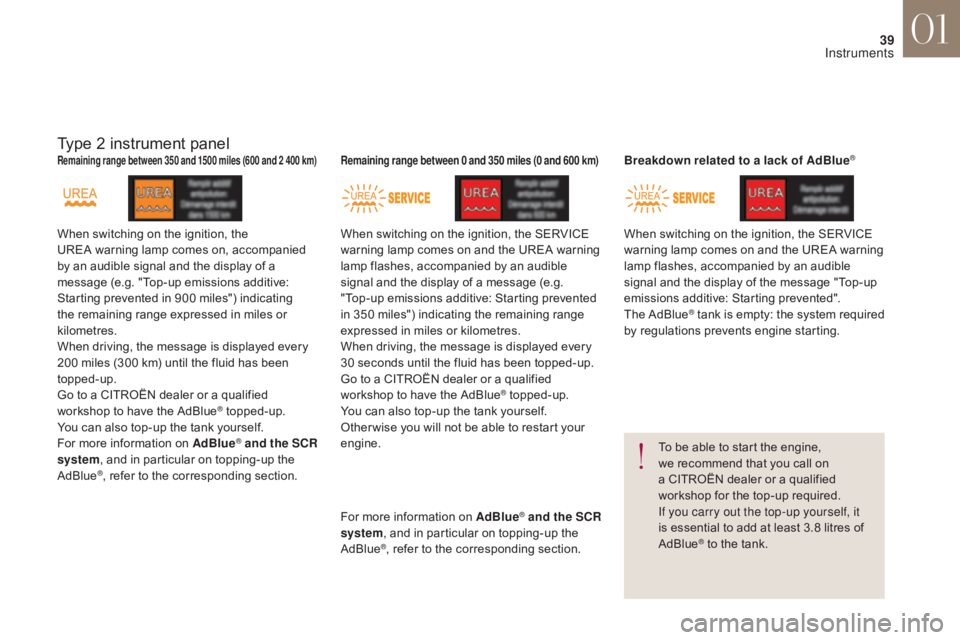
Type 2 instrument panel
When switching on the ignition, the
UREA warning lamp comes on, accompanied
by an audible signal and the display of a
message (e.g. "Top-up emissions additive:
Starting prevented in 900 miles") indicating
the remaining range expressed in miles or
kilometres.
When driving, the message is displayed every
200 miles (300 km) until the fluid has been
topped-up.
Go to a CITROËN dealer or a qualified
workshop to have the AdBlue
® topped-up.
You can also top-up the tank yourself.
For more information on AdBlue
® and the SCR
system, and in particular on topping-up the
AdBlue
®, refer to the corresponding section.
Remaining range between 350 and 1500 miles (600 and 2 400 km)
When switching on the ignition, the SERVICE
warning lamp comes on and the UREA warning
lamp flashes, accompanied by an audible
signal and the display of a message (e.g.
"Top-up emissions additive: Starting prevented
in 350 miles") indicating the remaining range
expressed in miles or kilometres.
When driving, the message is displayed every
30 seconds until the fluid has been topped-up.
Go to a CITROËN dealer or a qualified
workshop to have the AdBlue
® topped-up.
You can also top-up the tank yourself.
Other wise you will not be able to restart your
engine. When switching on the ignition, the SERVICE
warning lamp comes on and the UREA warning
lamp flashes, accompanied by an audible
signal and the display of the message "Top-up
emissions additive: Starting prevented".
The AdBlue
® tank is empty: the system required
by regulations prevents engine starting.
To be able to start the engine,
we recommend that you call on
a CITROËN dealer or a qualified
workshop for the top-up required.
If you carry out the top-up yourself, it
is essential to add at least 3.8 litres of
AdBlue
® to the tank.
Remaining range between 0 and 350 miles (0 and 600 km)Breakdown related to a lack of AdBlue®
For more information on AdBlue® and the SCR
system, and in particular on topping-up the
AdBlue
®, refer to the corresponding section.
01
Instruments
Page 45 of 421
43
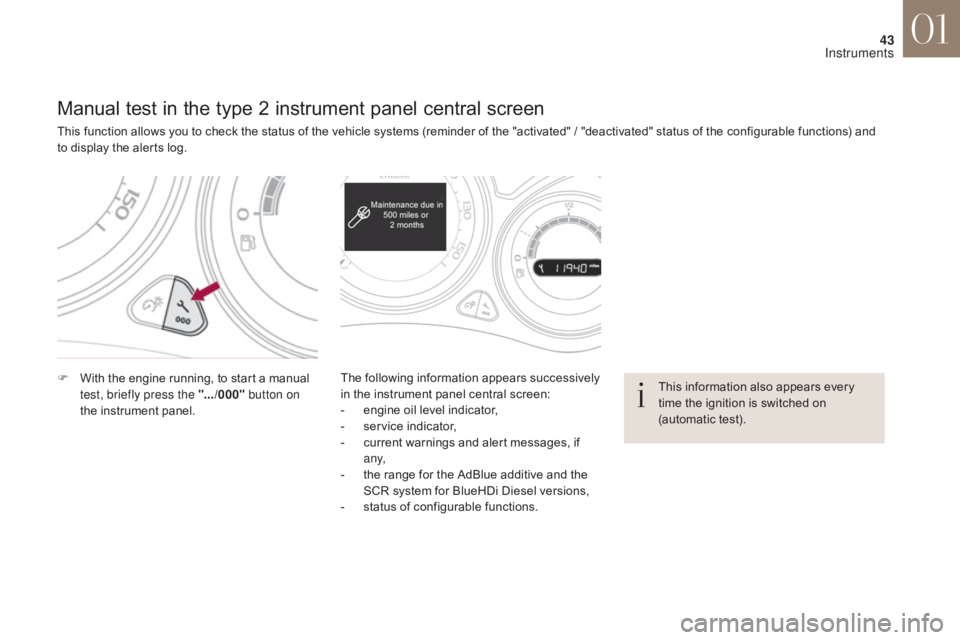
Manual test in the type 2 instrument panel central screen
This function allows you to check the status of the vehicle systems (reminder of the "activated" / "deactivated" status of the configurable functions) and
to display the alerts log.
F
W
ith the engine running, to start a manual
test, briefly press the ".../000" button on
the instrument panel. The following information appears successively
in the instrument panel central screen:
-
e
ngine oil level indicator,
-
s
ervice indicator,
-
c
urrent warnings and alert messages, if
a ny,
-
t
he range for the AdBlue additive and the
SCR system for BlueHDi Diesel versions,
-
s
tatus of configurable functions.This information also appears every
time the ignition is switched on
(automatic test).
01
Instruments
Page 48 of 421

46
When driving at night, it allows certain
instrument panel displays to be switched off so
as to reduce visual fatigue for the the driver.
The essential driving information, such as
the vehicle speed, warning lamps, automatic
gearbox gear selected, cruise control or speed
limiter information, remains on in the instrument
panel.
Black panel (comfortable night
driving display)
F With the vehicle lighting on, press this button again to
activate the function.
F
P
ress this button again to
deactivate the function. In the instrument panel, you can change the
colour of its dials independently from that of the
display screens.
There are five colour variants, from white to
blue.
Customising the instrument
panel colours
Touch screen tablet
You can returns to the current display
at any time by pressing the black
screen or one of the menu buttons.
In automatic illumination of headlamps
mode, the "Black panel" function is
automatically deactivated once the
ambient light level attains an adequate
level.
F
P
ress the appropriate button as many
times as needed to obtain the desired
c o l o u r.
A.
F
or the dials.
B.
F
or the display screens.
01
Instruments
Page 49 of 421

47
Monochrome screen C
This displays the following information:
- t ime,
-
d
ate,
-
a
mbient temperature (this flashes if there is
a risk of ice),
-
p
arking sensor information,
-
c
urrent audio source,
-
t
elephone or Bluetooth system information,
-
t
rip computer,
-
a
lert messages,
-
s
ettings menus for the screen and the
vehicle equipment.
Displays in the screen
From the control panel of your audio system,
you can press:
F
button A to chooses between the display
of audio information in full screen or the
shared display of audio and trip computer
information,
F
the "MENU" button for access to the main
menu ,
F
t
he "5" or " 6" buttons to scroll through the
items on the screen,
F
t
he "7" or " 8" buttons to change a setting
value,
F
the "OK" button to confirm,
or
F
the "Back" button to abandon the
operation in progress.
Controls
F Press the "MENU" button for access to the
main menu :
-
"
Multimedia",
-
"
Telephone",
-
"
Trip computer",
-
"
Bluetooth connection",
-
"
Personalisation-configuration",
F
P
ress the " 7" or " 8" button to select the
menu required, then confirm by pressing
the "OK" button.
Main menu
01
Instruments
Page 50 of 421

48
With the audio system switched on, this
menu allows you to activate or deactivate the
functions associated with use of the radio
(RDS, DAB / FM auto tracking, RadioText
(TXT) display) or to choose the media play
mode (Normal, Random, Random all, Repeat).
For more information on the "Multimedia"
menu, refer to the Audio and telematics
section.
"Multimedia" menu "Trip computer" menu
This menu allows you to view information on
the status of the vehicle.
Warning log
This summarises the status and warning
messages for systems (active, not active or
faulty), displaying them in succession in the
multifunction screen.
F
P
ress the "MENU" button for access to the
main menu.
F
P
ress the arrows, then the "OK" button to
select the " Trip computer " menu.
F
I
n the " Trip computer " menu, select the
" Warning log" line and confirm.
"Telephone" menu
With the audio system switched on, this menu
allows you to make a call or view the various
telephone directories.
For more information on the "Telephone" menu,
refer to the Audio and telematics section.
"Bluetooth connection"
menu
With the audio system on, this menu allows
a Bluetooth device (telephone, media player)
to be connected or disconnected and the
connection mode to be defined (hands-free,
playing audio files).
For more information on the "Bluetooth
connection" menu, refer to the Audio and
telematics section.
01
Instruments
Page 53 of 421
51
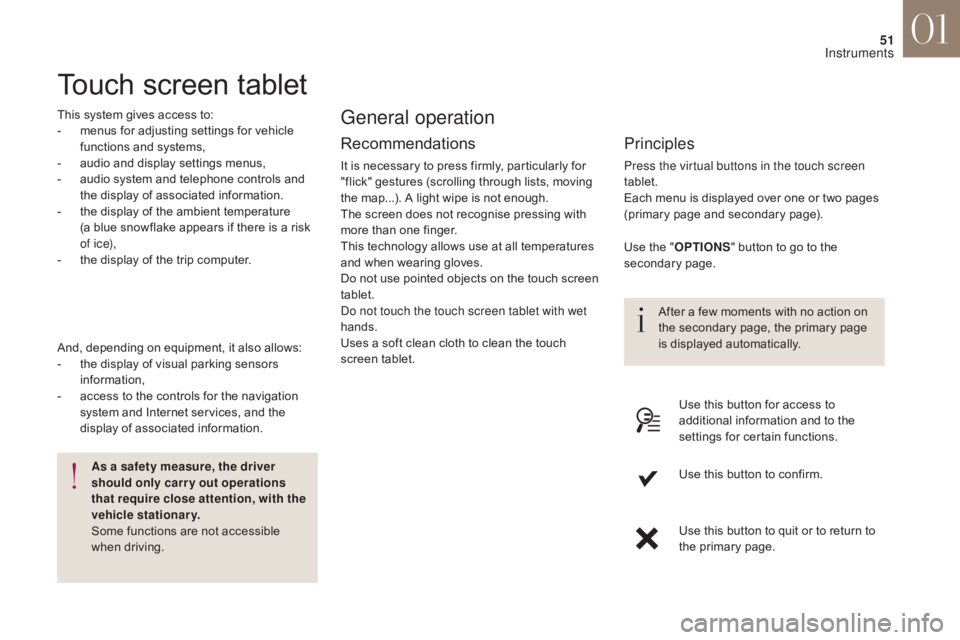
Touch screen tablet
This system gives access to:
- m enus for adjusting settings for vehicle
functions and systems,
-
a
udio and display settings menus,
-
a
udio system and telephone controls and
the display of associated information.
-
t
he display of the ambient temperature
(a blue snowflake appears if there is a risk
of i c e),
-
t
he display of the trip computer.
Recommendations
It is necessary to press firmly, particularly for
"flick" gestures (scrolling through lists, moving
the map...). A light wipe is not enough.
The screen does not recognise pressing with
more than one finger.
This technology allows use at all temperatures
and when wearing gloves.
Do not use pointed objects on the touch screen
tablet.
Do not touch the touch screen tablet with wet
hands.
Uses a soft clean cloth to clean the touch
screen tablet.
General operation
Principles
Press the virtual buttons in the touch screen
tablet.
Each menu is displayed over one or two pages
(primary page and secondary page).
As a safety measure, the driver
should only carr y out operations
that require close attention, with the
vehicle stationary.
Some functions are not accessible
when driving.
And, depending on equipment, it also allows:
-
t
he display of visual parking sensors
information,
-
a
ccess to the controls for the navigation
system and Internet services, and the
display of associated information. After a few moments with no action on
the secondary page, the primary page
is displayed automatically.
Use the "
O
PTIONS
" b
utton to go to the
secondary page.
Use this button for access to
additional information and to the
settings for certain functions.
Use this button to confirm.
Use this button to quit or to return to
the primary page.
01
Instruments
Page 54 of 421
52
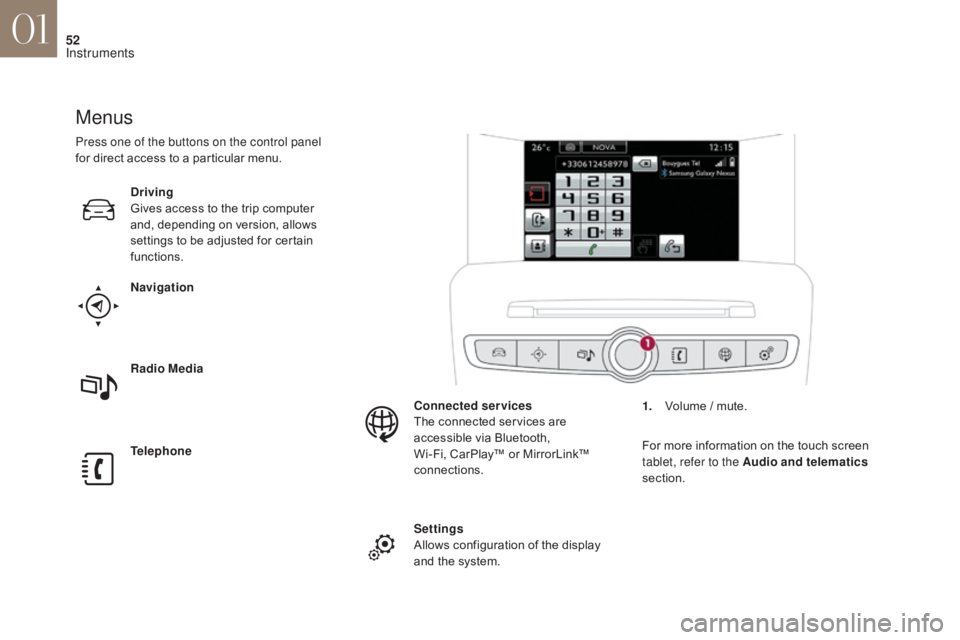
Menus
Navigation
Telephone Radio Media Driving
Gives access to the trip computer
and, depending on version, allows
settings to be adjusted for certain
functions.Settings
Allows configuration of the display
and the system. Connected services
The connected services are
accessible via Bluetooth,
Wi-Fi, CarPlay™ or MirrorLink™
connections.
Press one of the buttons on the control panel
for direct access to a particular menu.
1.
V
olume / mute.
For more information on the touch screen
tablet, refer to the Audio and telematics
section.
01
Instruments