fuel CITROEN DS4 2010 User Guide
[x] Cancel search | Manufacturer: CITROEN, Model Year: 2010, Model line: DS4, Model: CITROEN DS4 2010Pages: 421, PDF Size: 8.05 MB
Page 56 of 421
54
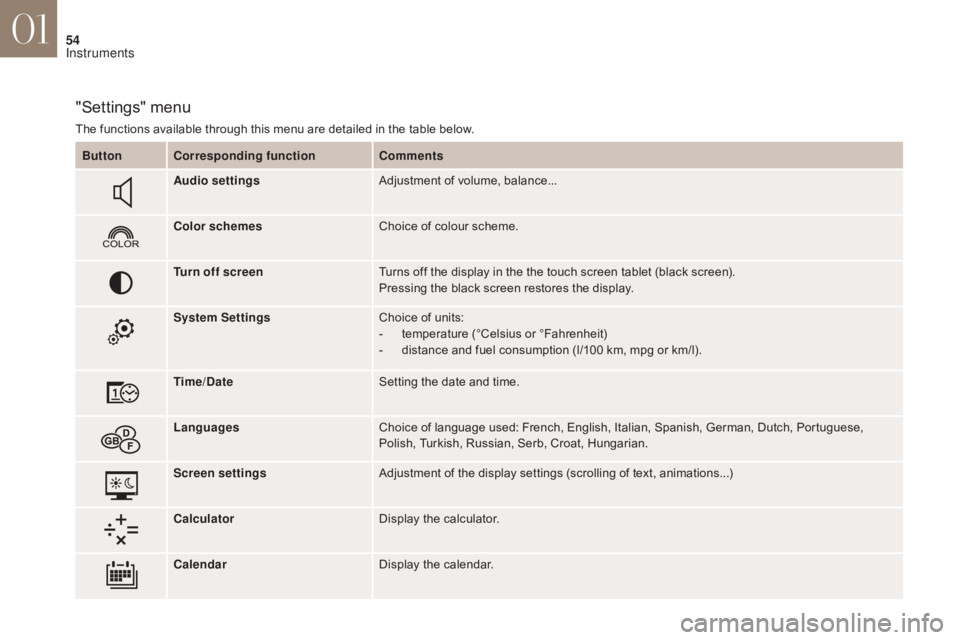
"Settings" menu
The functions available through this menu are detailed in the table below.Button Corresponding function Comments
Audio settings Adjustment of volume, balance...
Color schemes Choice of colour scheme.
Turn off screen Turns off the display in the the touch screen tablet (black screen).
Pressing the black screen restores the display.
System Settings Choice of units:
-
t
emperature (°Celsius or °Fahrenheit)
-
d
istance and fuel consumption (l/100 km, mpg or km/l).
Time/Date Setting the date and time.
Languages Choice of language used: French, English, Italian, Spanish, German, Dutch, Portuguese,
Polish, Turkish, Russian, Serb, Croat, Hungarian.
Screen settings Adjustment of the display settings (scrolling of text, animations...)
Calculator Display the calculator.
Calendar Display the calendar.
01
Instruments
Page 58 of 421
56
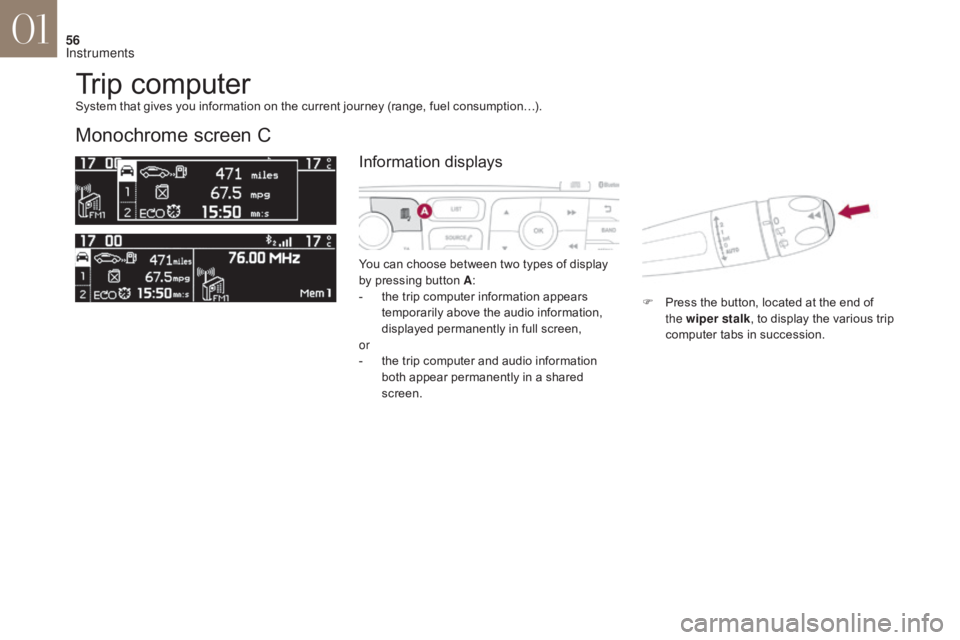
Trip computer
Monochrome screen C
You can choose between two types of display
by pressing button A:
-
t
he trip computer information appears
temporarily above the audio information,
displayed permanently in full screen,
or
-
t
he trip computer and audio information
both appear permanently in a shared
screen. F
P
ress the button, located at the end of
the wiper stalk , to display the various trip
computer tabs in succession.
System that gives you information on the current journey (range, fuel consumption…).
Information displays
01
Instruments
Page 59 of 421
57
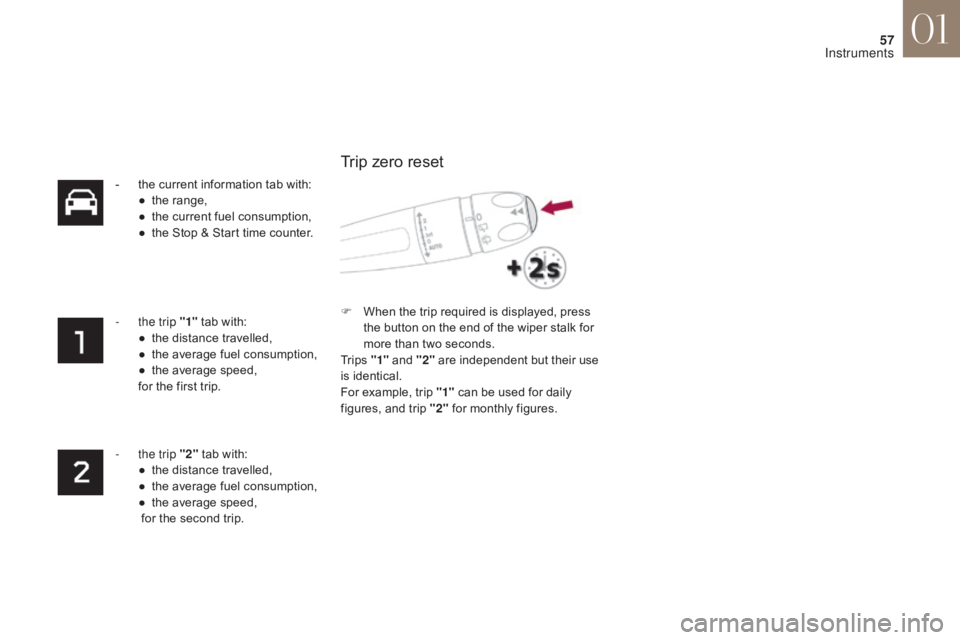
- the current information tab with:● t he range,
●
t
he current fuel consumption,
●
t
he Stop & Start time counter.
-
t
he trip "1" tab with:
●
t
he distance travelled,
●
t
he average fuel consumption,
●
t
he average speed,
for the first trip.
-
t
he trip "2" tab with:
●
t
he distance travelled,
●
t
he average fuel consumption,
●
t
he average speed,
for the second trip. F
W
hen the trip required is displayed, press
the button on the end of the wiper stalk for
more than two seconds.
Tr i p s "1" and "2" are independent but their use
is identical.
For example, trip "1" can be used for daily
figures, and trip "2" for monthly figures.
Trip zero reset
01
Instruments
Page 60 of 421
58
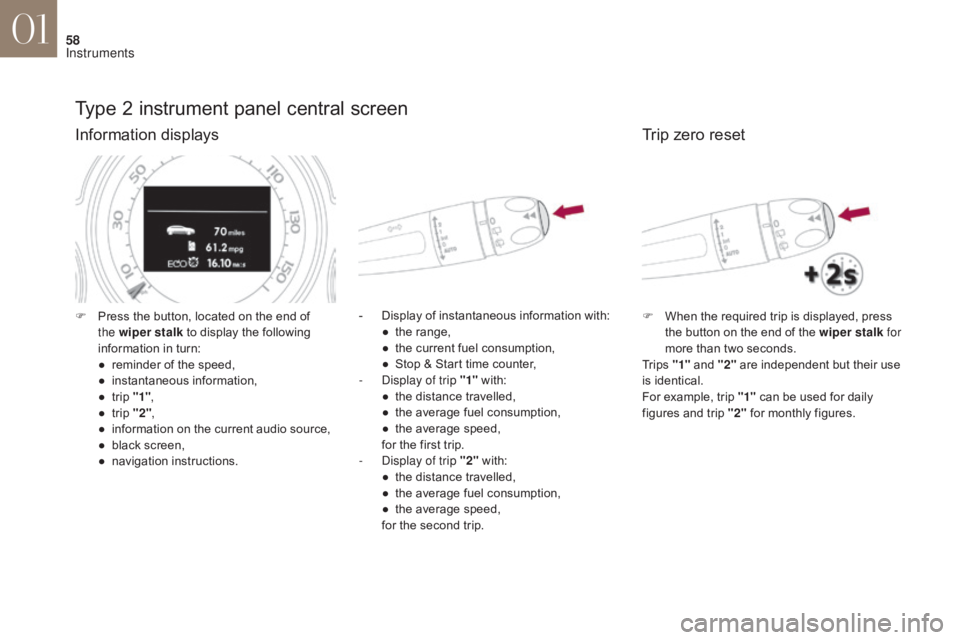
Type 2 instrument panel central screen
Information displays
- Display of instantaneous information with:● t he range,
●
t
he current fuel consumption,
●
S
top & Start time counter,
-
D
isplay of trip "1" with:
●
t
he distance travelled,
●
t
he average fuel consumption,
●
t
he average speed,
for the first trip.
-
D
isplay of trip "2" with:
●
t
he distance travelled,
●
t
he average fuel consumption,
●
t
he average speed,
for the second trip.
F
P
ress the button, located on the end of
the wiper stalk to display the following
information in turn:
●
r
eminder of the speed,
●
in
stantaneous information,
●
t
rip "1" ,
●
t
rip "2" ,
●
i
nformation on the current audio source,
●
b
lack screen,
●
n
avigation instructions.
Trip zero reset
F When the required trip is displayed, press the button on the end of the wiper stalk for
more than two seconds.
Tr i p s "1" and "2" are independent but their use
is identical.
For example, trip "1" can be used for daily
figures and trip "2" for monthly figures.
01
Instruments
Page 61 of 421

59
Touch screen tablet
Display of information
Permanent display:Temporary display in a new window:
F
P
ress the end of the wiper control stalk for
access to the information and display the
different tabs.
The current instantaneous fuel consumption tab with:- the range,
- t he current fuel consumption,
-
t
he Stop & Start time counter.
The trip "1" tab with:
-
t
he distance travelled.
-
t
he average fuel consumption,
-
t
he average speed,
f
or the first trip.
The trip "2" tab with:
-
t
he distance travelled.
-
t
he average fuel consumption,
-
t
he average speed,
f
or the second trip.
Trip reset
F Select the " Driving" menu.
The trip computer information is displayed in
the primary page of the menu.
F
P
ress one of the buttons to display the
desired tab. F
W
hen the desired trip is
displayed, press the reset button
or press and hold the end of the
wiper control stalk.
Tr i p s "1" and "2" are independent but their use
is identical.
For example, trip "1" can be used for daily
figures, and trip "2" for monthly figures.
1.
"
Instantaneous ".
2.
" T
r i p 1
".
3.
"
Tr i p 2 ".
4.
" 0
0.0 / Reset
".
01
Instruments
Page 62 of 421
60
A few definitions…
This value may vary following a change
in the style of driving or the relief,
resulting in a significant change in the
current fuel consumption.
If dashes are displayed continuously
while driving in place of the digits,
contact a CITROËN dealer or a
qualified workshop.This function is only displayed from
20
mph (30 km/h).
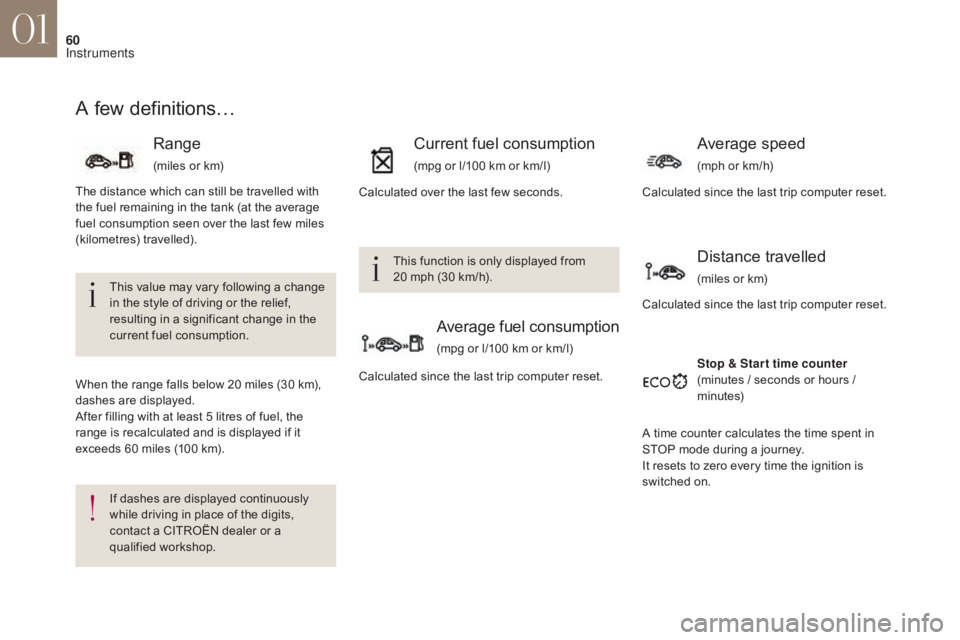
Range
(miles or km)
When the range falls below 20 miles (30 km),
dashes are displayed.
After filling with at least 5 litres of fuel, the
range is recalculated and is displayed if it
exceeds 60 miles (100 km).
Current fuel consumption
(mpg or l/100 km or km/l)
Average fuel consumption
(mpg or l/100 km or km/l)
Average speed
(mph or km/h)
Stop & Star t time counter
(minutes / seconds or hours /
minutes)
Calculated since the last trip computer reset.
Calculated over the last few seconds.
The distance which can still be travelled with
the fuel remaining in the tank (at the average
fuel consumption seen over the last few miles
(kilometres) travelled).
Calculated since the last trip computer reset.
Distance travelled
(miles or km)
Calculated since the last trip computer reset.
A time counter calculates the time spent in
STOP mode during a journey.
It resets to zero every time the ignition is
switched on.
01
Instruments
Page 97 of 421
95
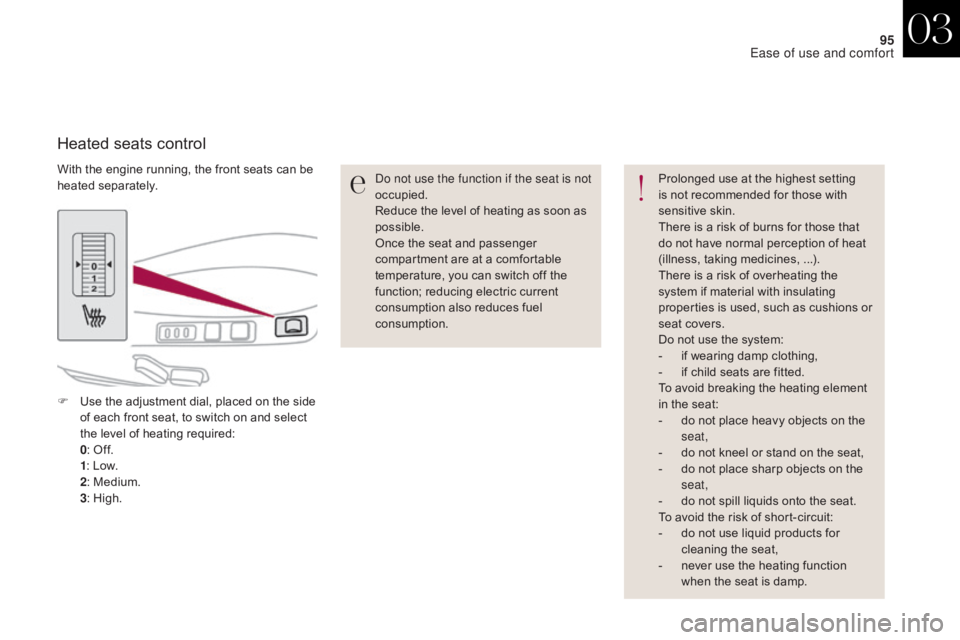
With the engine running, the front seats can be
heated separately.
Heated seats control
Do not use the function if the seat is not
occupied.
Reduce the level of heating as soon as
possible.
Once the seat and passenger
compartment are at a comfortable
temperature, you can switch off the
function; reducing electric current
consumption also reduces fuel
consumption.Prolonged use at the highest setting
is not recommended for those with
sensitive skin.
There is a risk of burns for those that
do not have normal perception of heat
(illness, taking medicines,
...).
There is a risk of overheating the
system if material with insulating
properties is used, such as cushions or
seat covers.
Do not use the system:
-
i
f wearing damp clothing,
-
i
f child seats are fitted.
To avoid breaking the heating element
in the seat:
-
d
o not place heavy objects on the
seat,
-
d
o not kneel or stand on the seat,
-
d
o not place sharp objects on the
seat,
-
d
o not spill liquids onto the seat.
To avoid the risk of short-circuit:
-
d
o not use liquid products for
cleaning the seat,
-
n
ever use the heating function
when the seat is damp.
F
U
se the adjustment dial, placed on the side
of each front seat, to switch on and select
the level of heating required:
0 : O
ff.
1 : L
ow.
2 : M
edium.
3 : H
igh.
03
Ease of use and comfort
Page 113 of 421
111
Rear screen demist - defrost
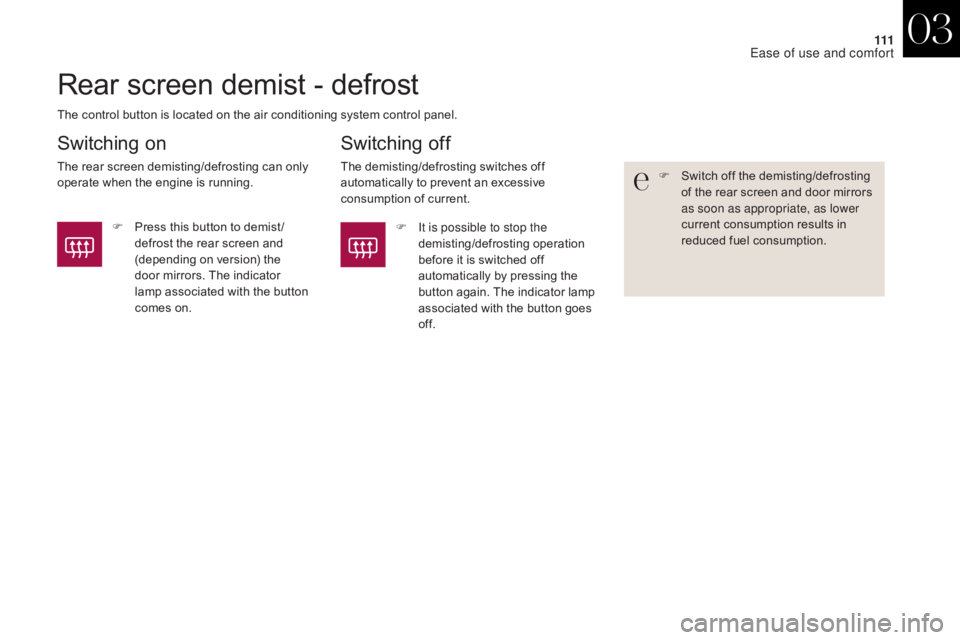
The control button is located on the air conditioning system control panel.
Switching on
The rear screen demisting/defrosting can only
operate when the engine is running.
Switching off
The demisting/defrosting switches off
automatically to prevent an excessive
consumption of current.F
S witch off the demisting/defrosting
of the rear screen and door mirrors
as soon as appropriate, as lower
current consumption results in
reduced fuel consumption.
F
P
ress this button to demist /
defrost the rear screen and
(depending on version) the
door mirrors. The indicator
lamp associated with the button
comes on. F
I
t is possible to stop the
demisting/defrosting operation
before it is switched off
automatically by pressing the
button again. The indicator lamp
associated with the button goes
of f.
03
Ease of use and comfort
Page 203 of 421

201
Invalid value during manual
operation
This symbol is displayed if a gear
is not engaged correctly (selector
between two positions).
Stopping the vehicle
Before switching off the engine, put the selector
in position P or N to place the gearbox in
neutral.
In both cases, apply the parking brake to
immobilise the vehicle, unless it is programmed
to automatic mode.If the selector is not in position P ,
when the driver's door is opened or
approximately 45 seconds after the
ignition is switched off, there is an
audible signal and a message appears.
F
R
eturn the selector to position P ;
the audible signal stops and the
message disappears.
Operating fault
When the ignition is on, a message appears
in the instrument panel screen to indicate a
gearbox fault.
In this case, the gearbox switches to back-up
mode and is locked in 3rd gear. You may feel
a substantial knock when changing from P
to R and from N to R . This will not cause any
damage to the gearbox.
Do not exceed 60 mph (100 km/h), local speed
restrictions permitting.
Have it checked by a CITROËN dealer or a
qualified workshop. You risk damaging the gearbox:
-
i
f you press the accelerator and
brake pedals at the same time,
-
i
f you force the selector from
position P to another position when
the battery is flat.
To reduce fuel consumption when
stationary for long periods with the
engine running (traffic jam...), position
the gear selector at N and apply the
parking brake, unless it is programmed
in automatic mode.
06
Driving
Page 205 of 421

203
Gear efficiency indicator*
On vehicle fitted with a manual
gearbox, the arrow may be
accompanied by the gear
recommended.
With an automatic gearbox, the system
is only active in manual mode.
* Depending on engine.
System which reduces fuel consumption by recommending the most appropriate gear.
Operation
Depending on the driving situation and your
vehicle's equipment, the system may advise
you to skip one (or more) gear(s). You can
follow this instruction without engaging the
intermediate gears.
The gear engagement recommendations must
not be considered compulsory. Indeed, the
configuration of the road, the amount of traffic
and safety remain determining factors when
choosing the best gear. Therefore, the driver
remains responsible for deciding whether or not
to follow the advice given by the system.
This function cannot be deactivated.
Example:
-
Y
ou are in third gear.
-
Y
ou press the accelerator pedal.
The information appears in the instrument
panel in the form of an arrow.
The system adapts its gear change
recommendation according to the
driving conditions (slope, load, etc.)
and the demands of the driver (power,
acceleration, braking, etc.).
The system never suggests:
-
e
ngaging first gear,
-
enga
ging reverse gear,
-
c
hanging down.
-
T
he system may suggest that you engage
a higher gear.
06
Driving