light Citroen DS4 2016 1.G User Guide
[x] Cancel search | Manufacturer: CITROEN, Model Year: 2016, Model line: DS4, Model: Citroen DS4 2016 1.GPages: 436, PDF Size: 10.28 MB
Page 44 of 436
DS4_en_Chap01_controle-de-marche_ed03-2015
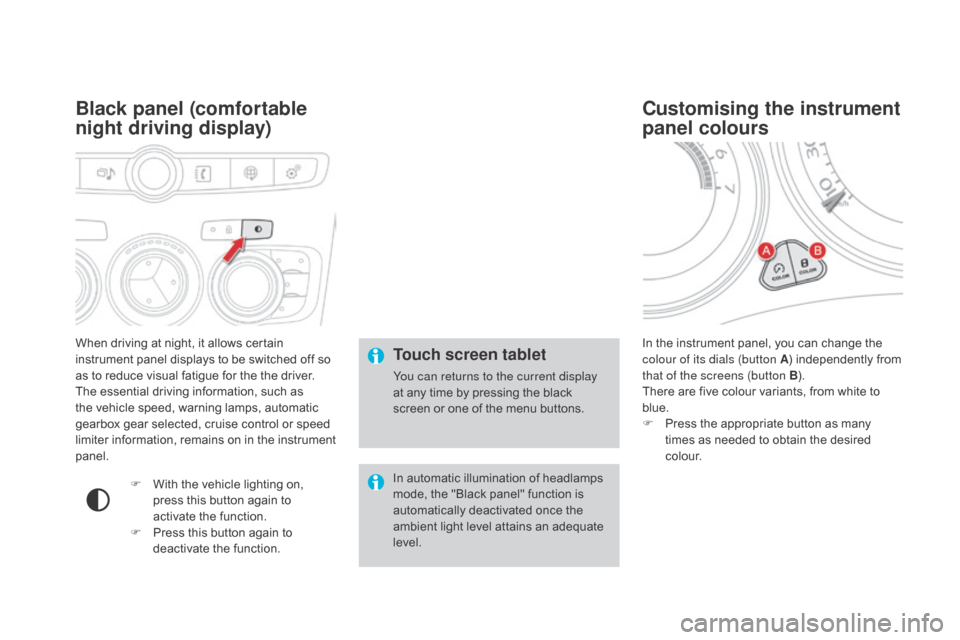
When driving at night, it allows certain
instrument panel displays to be switched off so
as to reduce visual fatigue for the the driver.
The essential driving information, such as
the vehicle speed, warning lamps, automatic
gearbox gear selected, cruise control or speed
limiter information, remains on in the instrument
panel.
Black panel (comfortable
night driving display)
F With the vehicle lighting on, press this button again to
activate the function.
F
P
ress this button again to
deactivate the function. In the instrument panel, you can change the
colour of its dials (button A
) independently from
that of the screens (button B ).
There are five colour variants, from white to
blue.
F
P
ress the appropriate button as many
times as needed to obtain the desired
c o l o u r.
Customising the instrument
panel colours
Touch screen tablet
You can returns to the current display
at any time by pressing the black
screen or one of the menu buttons.
In automatic illumination of headlamps
mode, the "Black panel" function is
automatically deactivated once the
ambient light level attains an adequate
level.
Page 47 of 436
45
DS4_en_Chap01_controle-de-marche_ed03-2015
Define the vehicle parameters
- "Driving assistance":● " Parking brake automatic" (Automatic
electric parking brake; see the "Driving"
section),
●
"
Rear wipe in reverse gear" (Rear
wiper coupled to reverse gear; see the
"Visibility" section),
●
"
Speeds memorised" (Memorising
speeds; see the "Driving" section).
-
"
Vehicle lighting" (see the " Visibility"
section):
●
"
Directional headlamps" (Main /
additional directional lighting),
-
"
Interior lighting" (see the " Visibility"
section):
●
"
Follow-me-home headlamps"
(Automatic operation of headlamps after
switching off the ignition),
●
"
Welcome lighting" (Exterior and interior
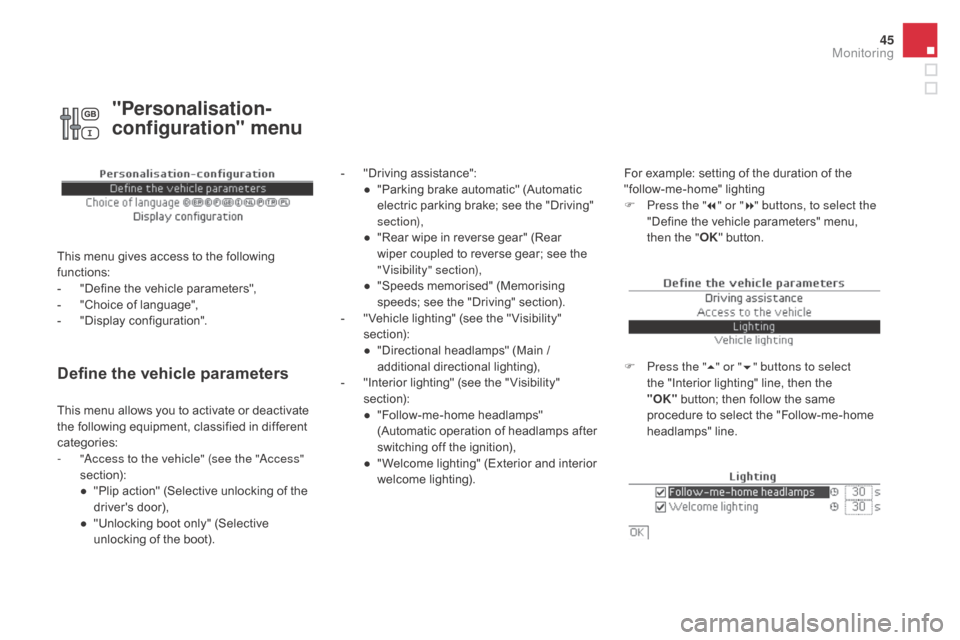
welcome lighting). For example: setting of the duration of the
"follow-me-home" lighting
F
P
ress the "7" or " 8" buttons, to select the
"Define the vehicle parameters" menu,
then the " OK" button.
F
P
ress the "5" or " 6" buttons to select
the "Interior lighting" line, then the
"OK"
button; then follow the same
procedure to select the "Follow-me-home
headlamps" line.
This menu allows you to activate or deactivate
the following equipment, classified in different
categories:
-
"
Access to the vehicle" (see the "Access"
section):
●
"
Plip action" (Selective unlocking of the
driver's door),
●
"
Unlocking boot only" (Selective
unlocking of the boot).
"Personalisation-
configuration" menu
This menu gives access to the following
functions:
-
"
Define the vehicle parameters",
-
"
Choice of language",
-
"
Display configuration".
Monitoring
Page 49 of 436
47
DS4_en_Chap01_controle-de-marche_ed03-2015
Touch screen tablet
This system gives access to:
- m enus for adjusting settings for vehicle
functions and systems,
-
a
udio and display settings menus,
-
a
udio system and telephone controls and
the display of associated information,
-
t
he display of the ambient temperature
(a blue snowflake appears if there is a risk
of i c e),
-
t
he display of the trip computer.
Recommendations
It is necessary to press firmly, particularly for
"flick" gestures (scrolling through lists, moving
the map...). A light wipe is not enough.
The screen does not recognise pressing with
more than one finger.
This technology allows use at all temperatures
and when wearing gloves.
Do not use pointed objects on the touch screen
tablet.
Do not touch the touch screen tablet with wet
hands.
Uses a soft clean cloth to clean the touch
screen tablet.
General operation
Principles
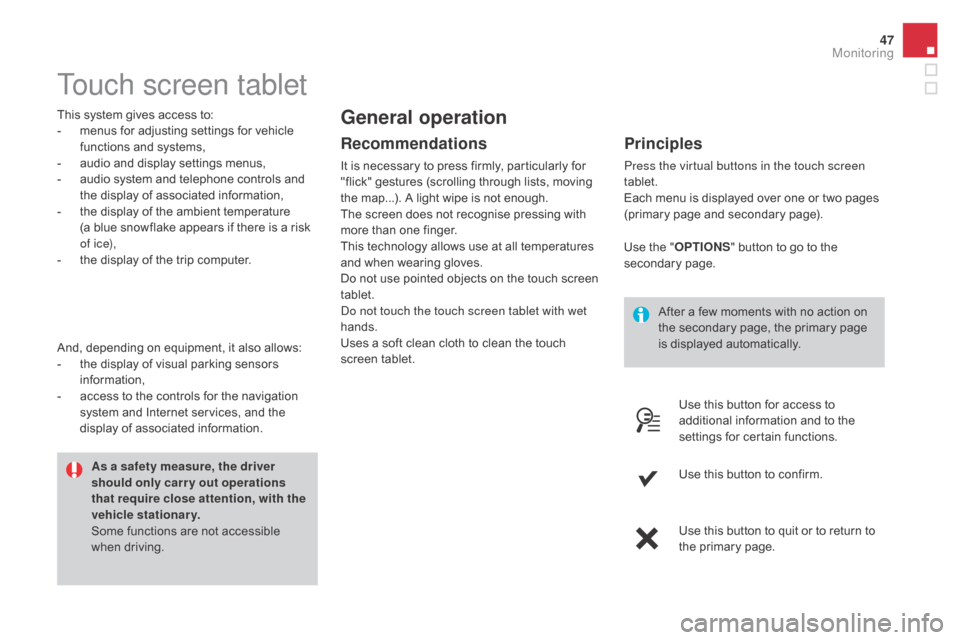
Press the virtual buttons in the touch screen
tablet.
Each menu is displayed over one or two pages
(primary page and secondary page).
As a safety measure, the driver
should only carr y out operations
that require close attention, with the
vehicle stationary.
Some functions are not accessible
when driving.
And, depending on equipment, it also allows:
-
t
he display of visual parking sensors
information,
-
a
ccess to the controls for the navigation
system and Internet services, and the
display of associated information. After a few moments with no action on
the secondary page, the primary page
is displayed automatically.
Use the "
O
PTIONS
" b
utton to go to the
secondary page.
Use this button for access to
additional information and to the
settings for certain functions.
Use this button to confirm.
Use this button to quit or to return to
the primary page.
Monitoring
Page 51 of 436
49
DS4_en_Chap01_controle-de-marche_ed03-2015
"driving" menu
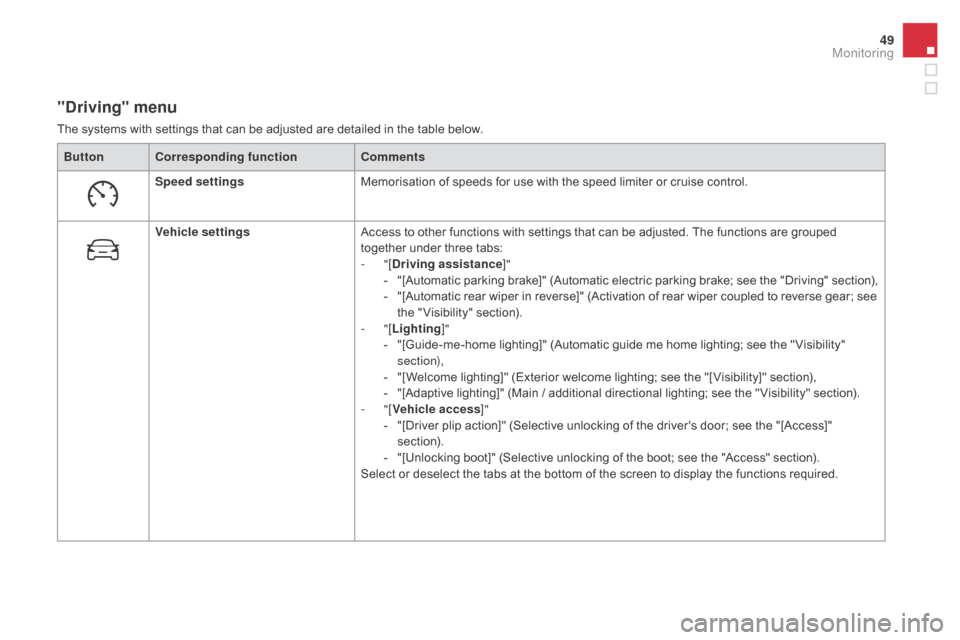
The systems with settings that can be adjusted are detailed in the table below.Button Corresponding function Comments
Speed settings Memorisation of speeds for use with the speed limiter or cruise control.
Vehicle settings Access to other functions with settings that can be adjusted. The functions are grouped
together under three tabs:
-
"[
dr
iving assistance]"
-
"
[Automatic parking brake]" (Automatic electric parking brake; see the "Driving" section),
-
"
[Automatic rear wiper in reverse]" (Activation of rear wiper coupled to reverse gear; see
the " Visibility" section).
-
"[Lighting ]"
-
"
[Guide-me-home lighting]" (Automatic guide me home lighting; see the " Visibility"
section),
-
"
[Welcome lighting]" (Exterior welcome lighting; see the "[ Visibility]" section),
-
"
[Adaptive lighting]" (Main / additional directional lighting; see the " Visibility" section).
-
"[Vehicle access ]"
-
"
[Driver plip action]" (Selective unlocking of the driver's door; see the "[Access]"
section).
-
"
[Unlocking boot]" (Selective unlocking of the boot; see the "Access" section).
Select or deselect the tabs at the bottom of the screen to display the functions required.
Monitoring
Page 63 of 436
61
DS4_en_Chap02_ouvertures_ed03-2015
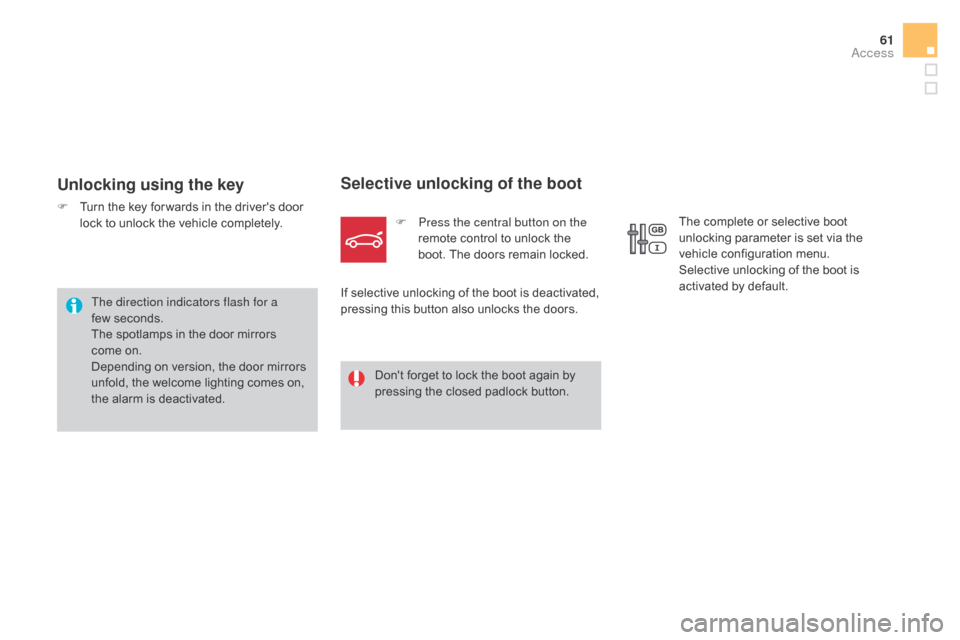
Unlocking using the key
F Turn the key for wards in the driver's door lock to unlock the vehicle completely.
Selective unlocking of the boot
F Press the central button on the remote control to unlock the
boot. The doors remain locked.
If selective unlocking of the boot is deactivated,
pressing this button also unlocks the doors.
Don't forget to lock the boot again by
pressing the closed padlock button.
The direction indicators flash for a
few
seconds.
The spotlamps in the door mirrors
come on.
Depending on version, the door mirrors
unfold, the welcome lighting comes on,
the alarm is deactivated. The complete or selective boot
unlocking parameter is set via the
vehicle configuration menu.
Selective unlocking of the boot is
activated by default.
Access
Page 65 of 436

63
DS4_en_Chap02_ouvertures_ed03-2015
F Press the closed padlock on the remote control.
This will switch on the courtesy lamps and
the direction indicators will flash for around
ten
se
conds.
Locating your vehicle
This function allows you to identify
your vehicle from a distance,
particularly in poor light. Your vehicle
must be locked.
Folding the key
F Press this button before folding the key. If you do not press the button, there is a
risk of damaging the remote control.
Access
Page 68 of 436
DS4_en_Chap02_ouvertures_ed03-2015
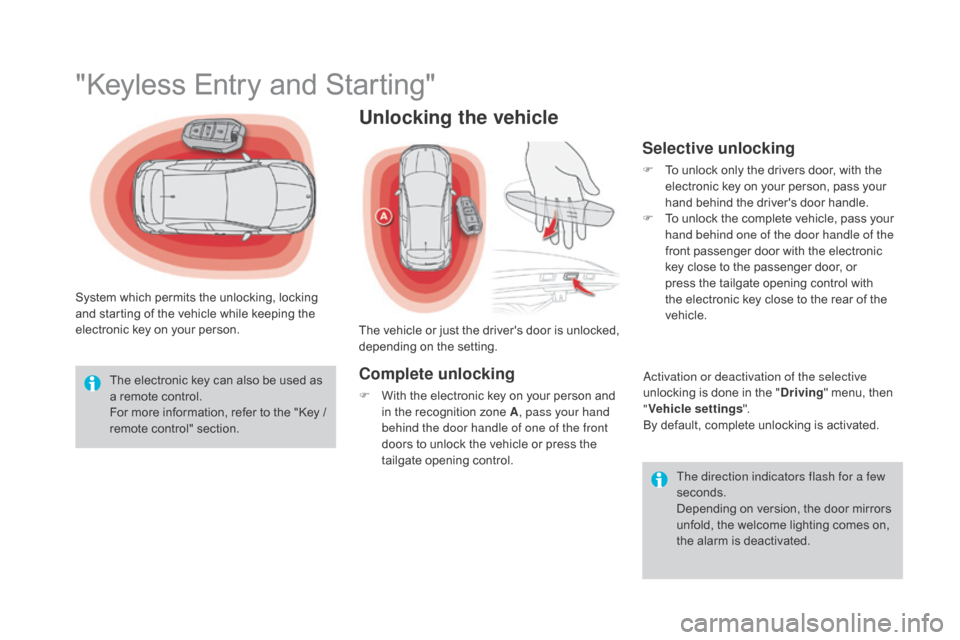
"Keyless Entry and Starting"
System which permits the unlocking, locking
and starting of the vehicle while keeping the
electronic key on your person.The electronic key can also be used as
a remote control.
For more information, refer to the "Key /
remote control" section. The direction indicators flash for a few
seconds.
Depending on version, the door mirrors
unfold, the welcome lighting comes on,
the alarm is deactivated.
Unlocking the vehicle
The vehicle or just the driver's door is unlocked,
depending on the setting.
Complete unlocking
F With the electronic key on your person and in the recognition zone A , pass your hand
behind the door handle of one of the front
doors to unlock the vehicle or press the
tailgate opening control.
Selective unlocking
F To unlock only the drivers door, with the electronic key on your person, pass your
hand behind the driver's door handle.
F
T
o unlock the complete vehicle, pass your
hand behind one of the door handle of the
front passenger door with the electronic
key close to the passenger door, or
press the tailgate opening control with
the electronic key close to the rear of the
vehicle.
Activation or deactivation of the selective
unlocking is done in the "
dr
iving" menu, then
" Vehicle settings ".
By default, complete unlocking is activated.
Page 70 of 436
DS4_en_Chap02_ouvertures_ed03-2015
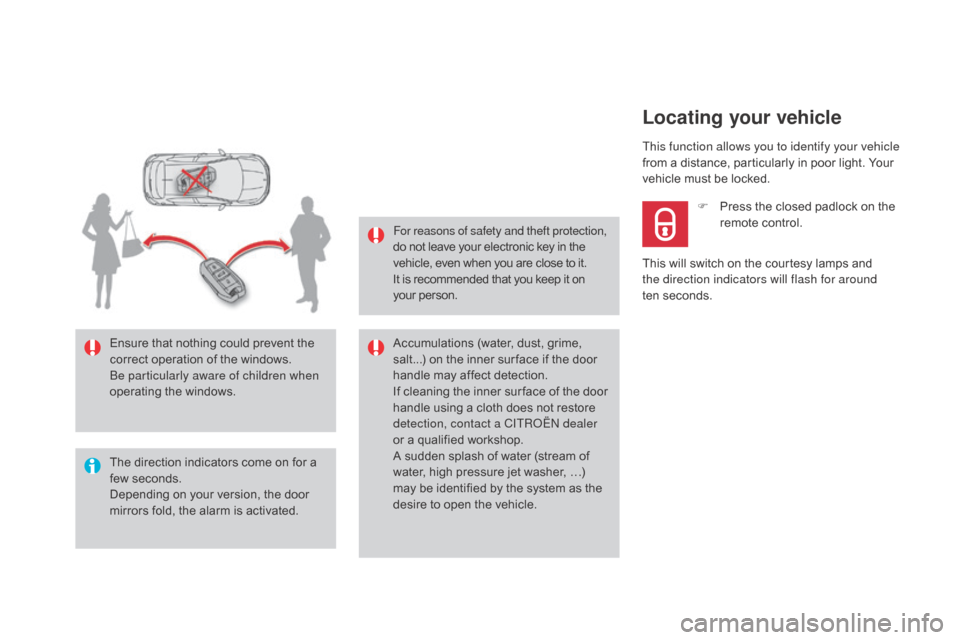
The direction indicators come on for a
few seconds.
Depending on your version, the door
mirrors fold, the alarm is activated. Ensure that nothing could prevent the
correct operation of the windows.
Be particularly aware of children when
operating the windows.For reasons of safety and theft protection,
do not leave your electronic key in the
vehicle, even when you are close to it.
It is recommended that you keep it on
your person.
Accumulations (water, dust, grime,
salt...) on the inner sur face if the door
handle may affect detection.
If cleaning the inner sur face of the door
handle using a cloth does not restore
detection, contact a CITROËN dealer
or a qualified workshop.
A sudden splash of water (stream of
water, high pressure jet washer, …)
may be identified by the system as the
desire to open the vehicle.This function allows you to identify your vehicle
from a distance, particularly in poor light. Your
vehicle must be locked.
Locating your vehicle
F Press the closed padlock on the
remote control.
This will switch on the courtesy lamps and
the direction indicators will flash for around
ten
se
conds.
Page 94 of 436
DS4_en_Chap03_confort_ed03-2015
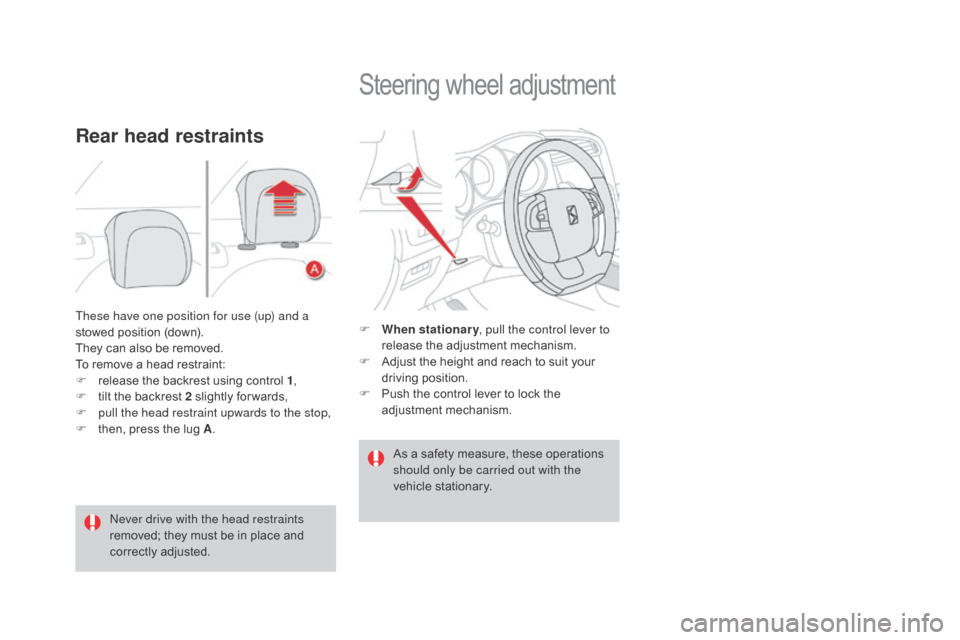
These have one position for use (up) and a
stowed position (down).
They can also be removed.
To remove a head restraint:
F
r
elease the backrest using control 1 ,
F
t
ilt the backrest 2 slightly for wards,
F
p
ull the head restraint upwards to the stop,
F
t
hen, press the lug A .
Rear head restraints
Never drive with the head restraints
removed; they must be in place and
correctly adjusted.
Steering wheel adjustment
F When stationary , pull the control lever to
release the adjustment mechanism.
F
A
djust the height and reach to suit your
driving position.
F
P
ush the control lever to lock the
adjustment mechanism.
As a safety measure, these operations
should only be carried out with the
vehicle stationary.
Page 97 of 436
95
DS4_en_Chap03_confort_ed03-2015
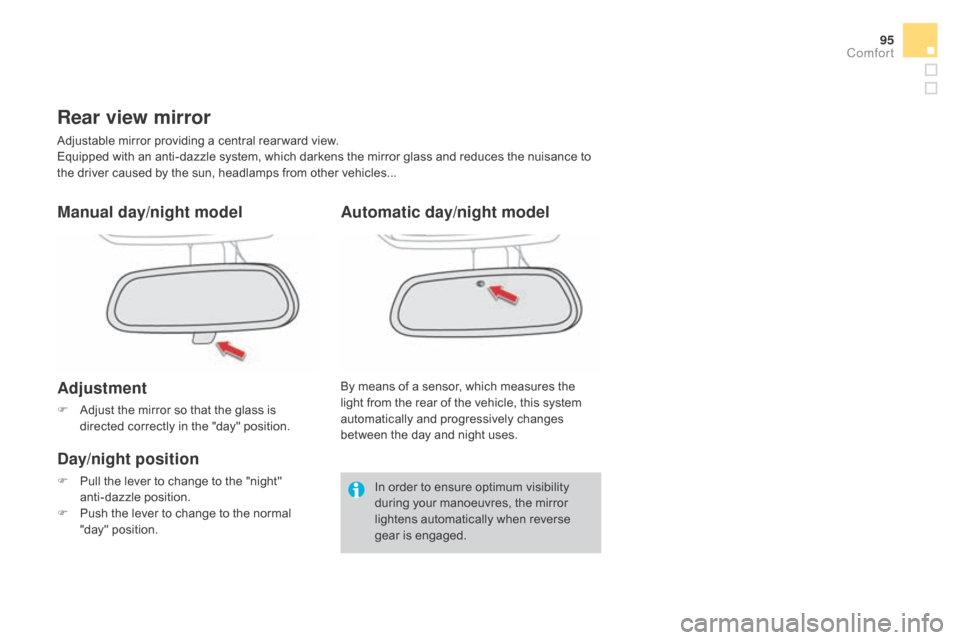
Rear view mirror
Adjustable mirror providing a central rear ward view.
Equipped with an anti-dazzle system, which darkens the mirror glass and reduces the nuisance to
the driver caused by the sun, headlamps from other vehicles...
Manual day/night model
Adjustment
F Adjust the mirror so that the glass is directed correctly in the "day" position.
day/night position
F Pull the lever to change to the "night" anti-dazzle position.
F
P
ush the lever to change to the normal
"day" position. By means of a sensor, which measures the
light from the rear of the vehicle, this system
automatically and progressively changes
between the day and night uses.
Automatic day/night model
In order to ensure optimum visibility
during your manoeuvres, the mirror
lightens automatically when reverse
gear is engaged.
Comfort