stalk Citroen DS4 2017 1.G Owner's Manual
[x] Cancel search | Manufacturer: CITROEN, Model Year: 2017, Model line: DS4, Model: Citroen DS4 2017 1.GPages: 421, PDF Size: 8.79 MB
Page 18 of 421
16
DS4_en_Chap01_instruments-de-bord_ed01-2016
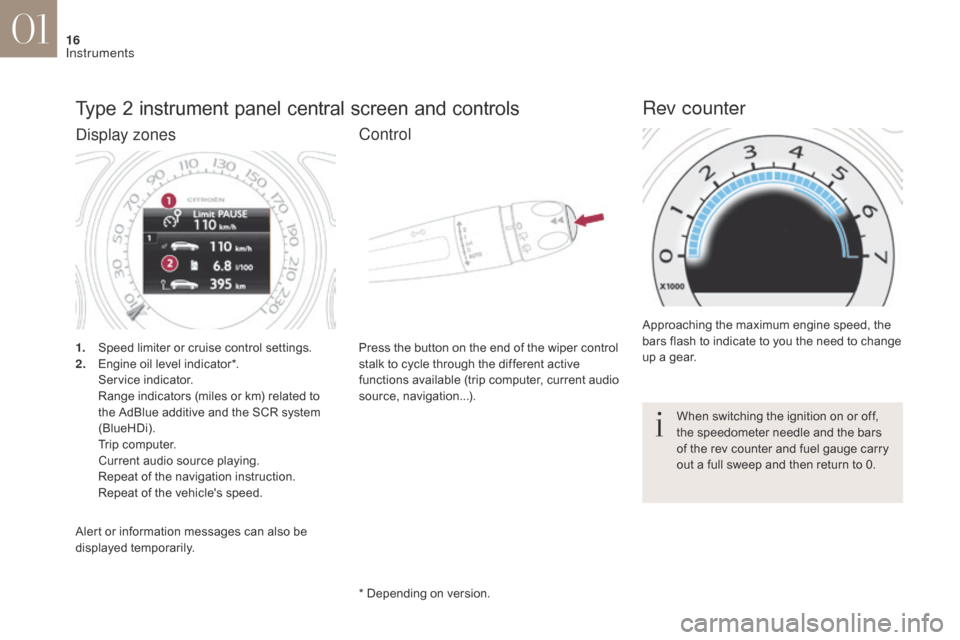
Type 2 instrument panel central screen and controls
1. Speed limiter or cruise control settings.
2. Engine oil level indicator*.
S
ervice indicator.
R
ange indicators (miles or km) related to
the AdBlue additive and the SCR system
(BlueHDi).
T
rip computer.
C
urrent audio source playing.
R
epeat of the navigation instruction.
R
epeat of the vehicle's speed. Press the button on the end of the wiper control
stalk to cycle through the different active
functions available (trip computer, current audio
source, navigation...).
Approaching the maximum engine speed, the
bars flash to indicate to you the need to change
up a gear.
Rev counter
* Depending on version.
Alert or information messages can also be
displayed temporarily. When switching the ignition on or off,
the speedometer needle and the bars
of the rev counter and fuel gauge carry
out a full sweep and then return to 0.
Display zones
Control
01
Instruments
Page 29 of 421
27
DS4_en_Chap01_instruments-de-bord_ed01-2016
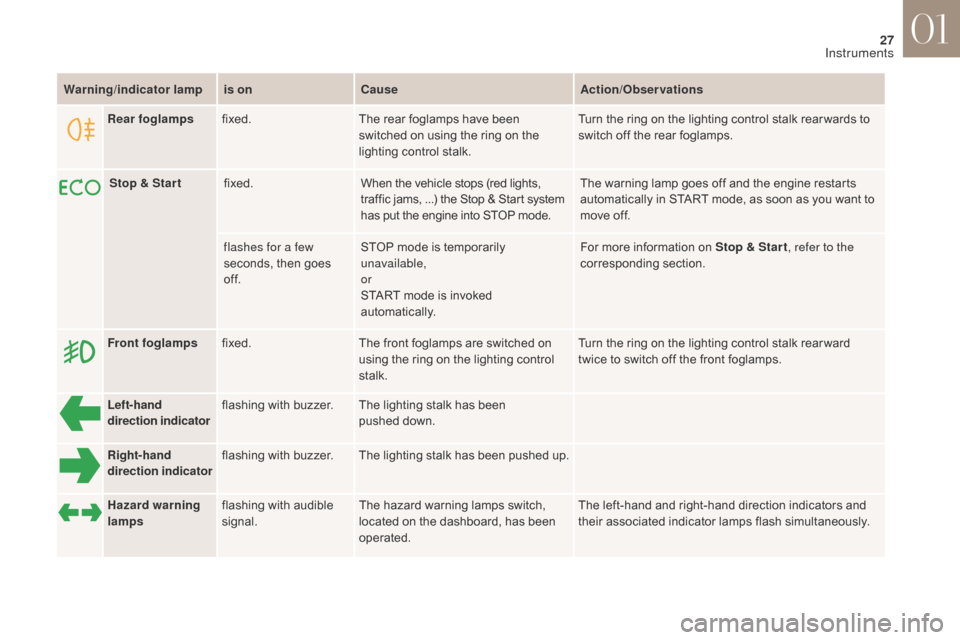
Warning/indicator lampis on Cause Action/Observations
Left-hand
direction indicato rflashing with buzzer.
The lighting stalk has been
pushed
down.
Right-hand
direction indicator flashing with buzzer.
The lighting stalk has been pushed
u
p.
Front foglamps
fixed. The front foglamps are switched on
using the ring on the lighting control
stalk. Turn the ring on the lighting control stalk rear ward
twice to switch off the front foglamps.
Rear foglamps
fixed. The rear foglamps have been
switched on using the ring on the
lighting control stalk. Turn the ring on the lighting control stalk rear wards to
switch off the rear foglamps.
Hazard warning
lamps flashing with audible
signal. The hazard warning lamps switch,
located on the dashboard, has been
operated. The left-hand and right-hand direction indicators and
their associated indicator lamps flash simultaneously.
Stop & Star t
fixed. When the vehicle stops (red lights,
traffic jams,
...) the Stop & Start system
has put the engine into STOP mode. The warning lamp goes off and the engine restarts
automatically in START mode, as soon as you want to
move off.
flashes for a few
seconds, then goes
of f. STOP mode is temporarily
unavailable,
or
START mode is invoked
automatically. For more information on Stop & Star t
, refer to the
corresponding section.
01
Instruments
Page 30 of 421
28
DS4_en_Chap01_instruments-de-bord_ed01-2016
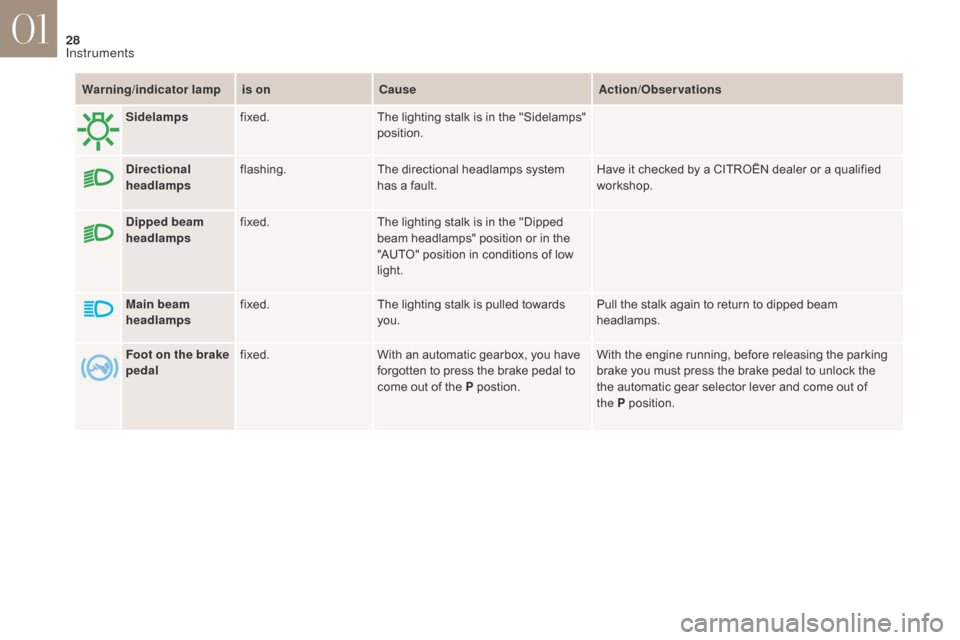
Warning/indicator lampis on Cause Action/Observations
Dipped beam
headlamps fixed.
The lighting stalk is in the "Dipped
beam headlamps" position or in the
"AUTO" position in conditions of low
light.
Main beam
headlamps fixed.
The lighting stalk is pulled towards
you. Pull the stalk again to return to dipped beam
headlamps.
Sidelamps
fixed. The lighting stalk is in the "Sidelamps"
position.
Directional
headlamps flashing.
The directional headlamps system
has a fault. Have it checked by a CITROËN dealer or a qualified
workshop.
Foot on the brake
pedal fixed.
With an automatic gearbox, you have
forgotten to press the brake pedal to
come out of the P postion. With the engine running, before releasing the parking
brake you must press the brake pedal to unlock the
the automatic gear selector lever and come out of
the
P
p
osition.
01
Instruments
Page 32 of 421
30
DS4_en_Chap01_instruments-de-bord_ed01-2016
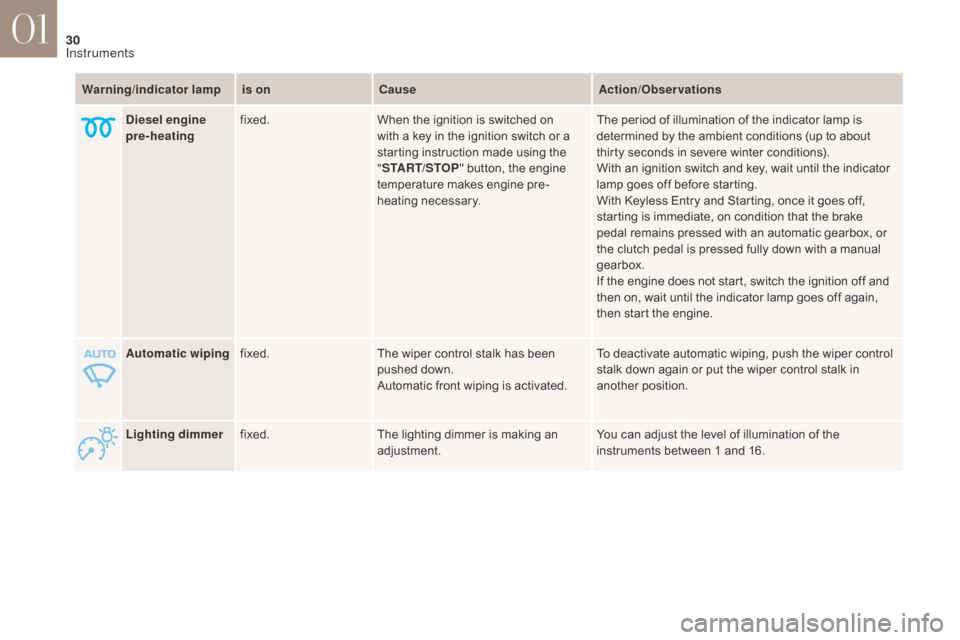
Lighting dimmerfixed. The lighting dimmer is making an
adjustment. You can adjust the level of illumination of the
instruments between 1 and 16.
Automatic wiping
fixed. The wiper control stalk has been
pushed down.
Automatic front wiping is activated. To deactivate automatic wiping, push the wiper control
stalk down again or put the wiper control stalk in
another position.
Warning
/indicator lampis on Cause Action/Observations
Diesel engine
pre-heating fixed.
When the ignition is switched on
with a key in the ignition switch or a
starting instruction made using the
"START/STOP " button, the engine
temperature makes engine pre-
heating necessary. The period of illumination of the indicator lamp is
determined by the ambient conditions (up to about
thirty seconds in severe winter conditions).
With an ignition switch and key, wait until the indicator
lamp goes off before starting.
With Keyless Entry and Starting, once it goes off,
starting is immediate, on condition that the brake
pedal remains pressed with an automatic gearbox, or
the clutch pedal is pressed fully down with a manual
gearbox.
If the engine does not start, switch the ignition off and
then on, wait until the indicator lamp goes off again,
then start the engine.
01
Instruments
Page 58 of 421
56
DS4_en_Chap01_instruments-de-bord_ed01-2016
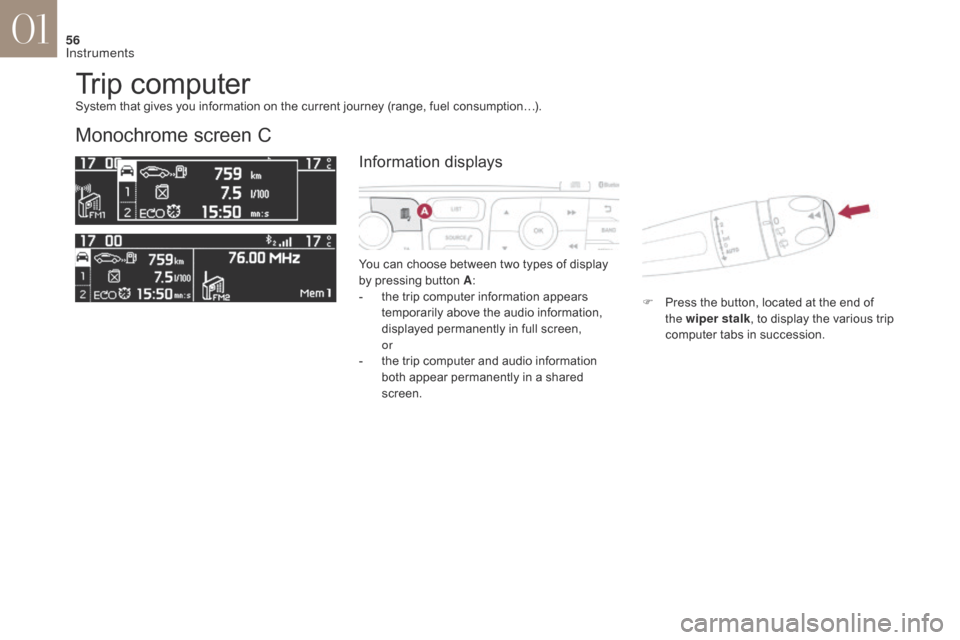
Trip computer
Monochrome screen C
You can choose between two types of display
by pressing button A:
-
t
he trip computer information appears
temporarily above the audio information,
displayed permanently in full screen,
or
-
t
he trip computer and audio information
both appear permanently in a shared
screen. F
P
ress the button, located at the end of
the wiper stalk , to display the various trip
computer tabs in succession.
System that gives you information on the current journey (range, fuel consumption…).
Information displays
01
Instruments
Page 59 of 421
57
DS4_en_Chap01_instruments-de-bord_ed01-2016
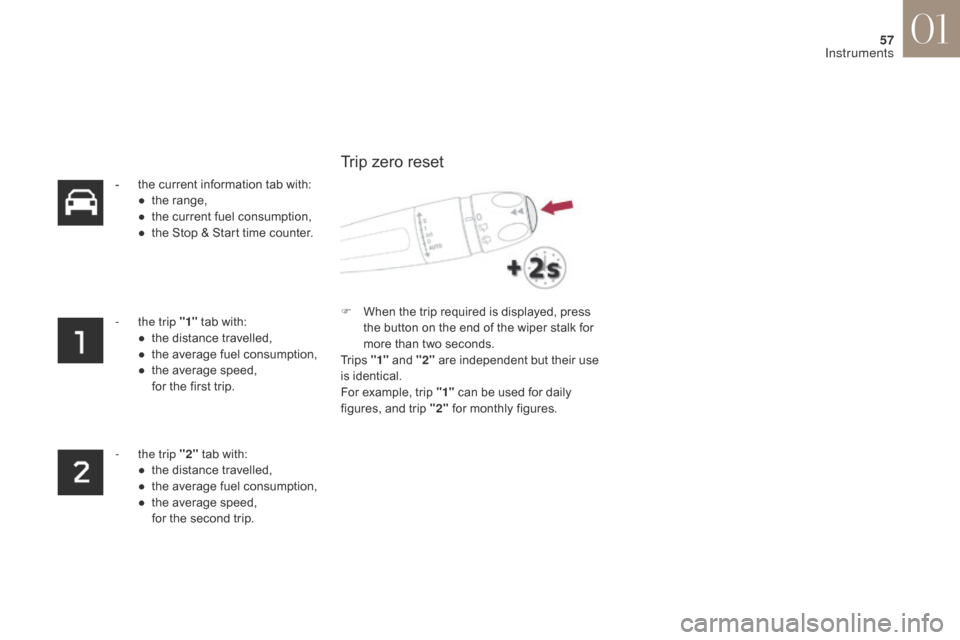
- the current information tab with:● t he range,
●
t
he current fuel consumption,
●
t
he Stop & Start time counter.
-
t
he trip "1" tab with:
●
t
he distance travelled,
●
t
he average fuel consumption,
●
t
he average speed,
f
or the first trip.
-
t
he trip "2" tab with:
●
t
he distance travelled,
●
t
he average fuel consumption,
●
t
he average speed,
f
or the second trip. F
W
hen the trip required is displayed, press
the button on the end of the wiper stalk for
more than two seconds.
Tr i p s "1" and "2" are independent but their use
is identical.
For example, trip "1" can be used for daily
figures, and trip "2" for monthly figures.
Trip zero reset
01
Instruments
Page 60 of 421
58
DS4_en_Chap01_instruments-de-bord_ed01-2016
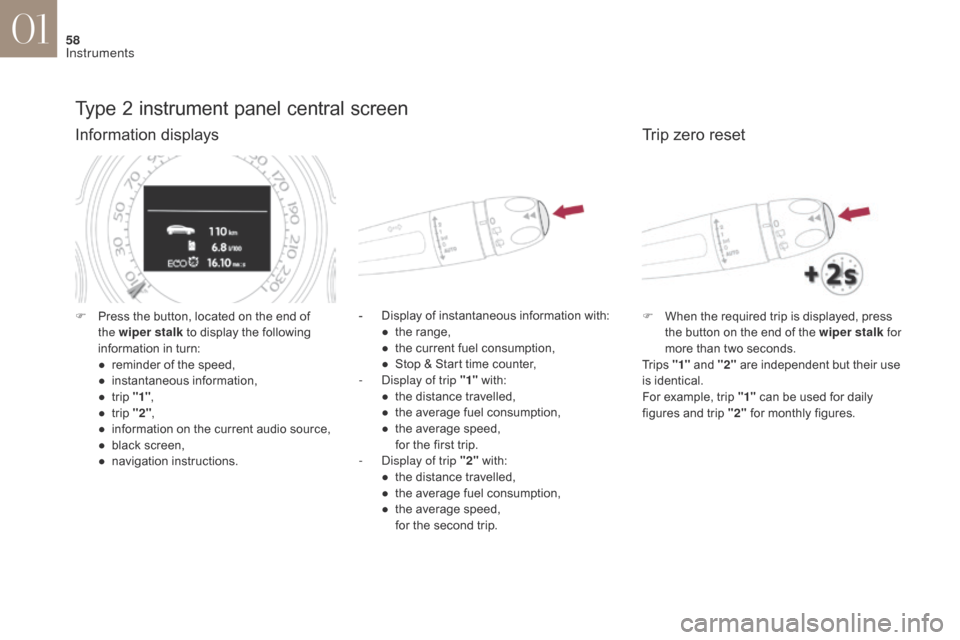
Type 2 instrument panel central screen
Information displays
- Display of instantaneous information with:● t he range,
●
t
he current fuel consumption,
●
S
top & Start time counter,
-
D
isplay of trip "1" with:
●
t
he distance travelled,
●
t
he average fuel consumption,
●
t
he average speed,
f
or the first trip.
-
D
isplay of trip "2" with:
●
t
he distance travelled,
●
t
he average fuel consumption,
●
t
he average speed,
f
or the second trip.
F
P
ress the button, located on the end of
the wiper stalk to display the following
information in turn:
●
r
eminder of the speed,
●
in
stantaneous information,
●
t
rip "1" ,
●
t
rip "2" ,
●
i
nformation on the current audio source,
●
b
lack screen,
●
n
avigation instructions.
Trip zero reset
F When the required trip is displayed, press the button on the end of the wiper stalk for
more than two seconds.
Tr i p s "1" and "2" are independent but their use
is identical.
For example, trip "1" can be used for daily
figures and trip "2" for monthly figures.
01
Instruments
Page 61 of 421
59
DS4_en_Chap01_instruments-de-bord_ed01-2016
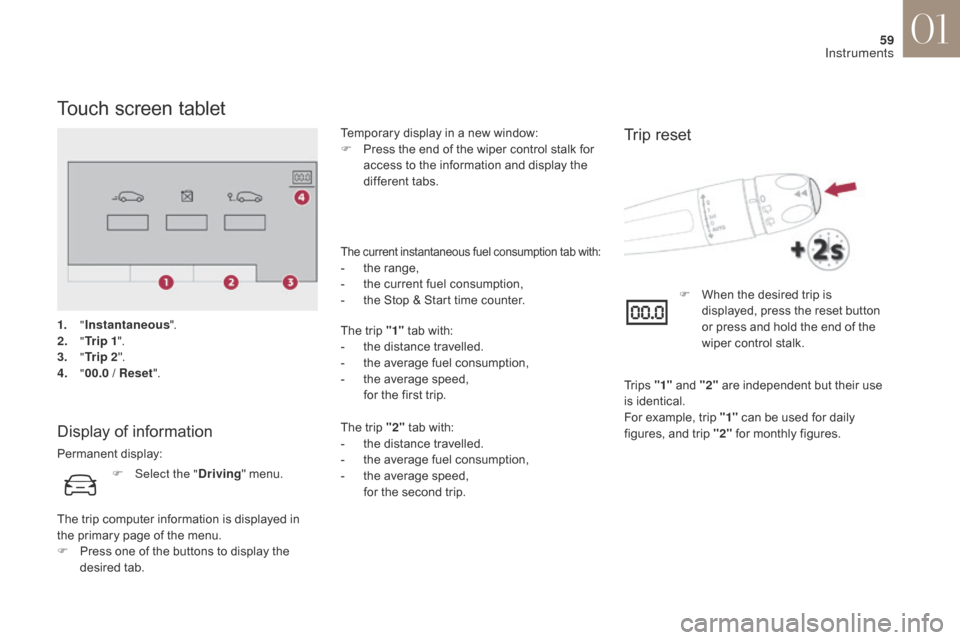
Touch screen tablet
Display of information
Permanent display:Temporary display in a new window:
F
P
ress the end of the wiper control stalk for
access to the information and display the
different tabs.
The current instantaneous fuel consumption tab with:- the range,
- t he current fuel consumption,
-
t
he Stop & Start time counter.
The trip "1" tab with:
-
t
he distance travelled.
-
t
he average fuel consumption,
-
t
he average speed,
f
or the first trip.
The trip "2" tab with:
-
t
he distance travelled.
-
t
he average fuel consumption,
-
t
he average speed,
f
or the second trip.
Trip reset
F Select the " Driving" menu.
The trip computer information is displayed in
the primary page of the menu.
F
P
ress one of the buttons to display the
desired tab. F
W
hen the desired trip is
displayed, press the reset button
or press and hold the end of the
wiper control stalk.
Tr i p s "1" and "2" are independent but their use
is identical.
For example, trip "1" can be used for daily
figures, and trip "2" for monthly figures.
1.
"
Instantaneous ".
2.
" T
r i p 1
".
3.
"
Tr i p 2 ".
4.
" 0
0.0 / Reset
".
01
Instruments
Page 130 of 421
128
DS4_en_Chap04_eclairage-et-visibilite_ed01-2016
Lighting controlSystem for selection and control of the various front and rear lamps providing the vehicle's lighting.
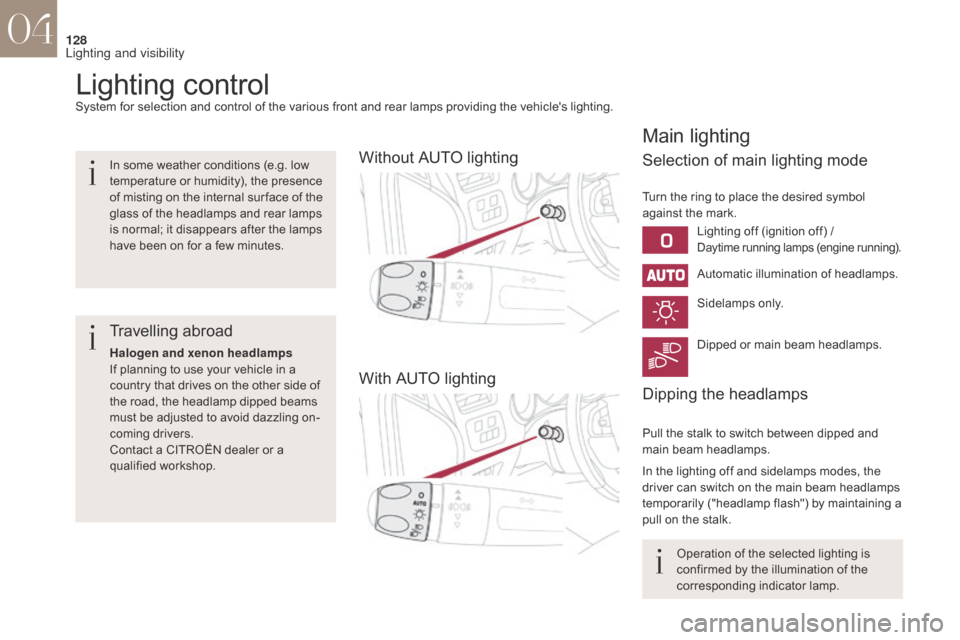
Without AUTO lighting
With AUTO lighting
Main lighting
Selection of main lighting mode
Automatic illumination of headlamps.
Dipping the headlamps
Turn the ring to place the desired symbol
against the mark.Sidelamps only.
Dipped or main beam headlamps.
Pull the stalk to switch between dipped and
main beam headlamps.
In the lighting off and sidelamps modes, the
driver can switch on the main beam headlamps
temporarily ("headlamp flash") by maintaining a
pull on the stalk.
In some weather conditions (e.g. low
temperature or humidity), the presence
of misting on the internal sur face of the
glass of the headlamps and rear lamps
is normal; it disappears after the lamps
have been on for a few minutes.
Travelling abroad
Halogen and xenon headlamps
If planning to use your vehicle in a
country that drives on the other side of
the road, the headlamp dipped beams
must be adjusted to avoid dazzling on-
coming drivers.
Contact a CITROËN dealer or a
qualified workshop.
Lighting off (ignition off) /
Daytime running lamps (engine running).
Operation of the selected lighting is
confirmed by the illumination of the
corresponding indicator lamp.
04
Lighting and visibility
Page 132 of 421
130
DS4_en_Chap04_eclairage-et-visibilite_ed01-2016
Switching off the lighting
when switching off the ignition
When the ignition is switched off, all
of the lamps switch off immediately,
except for the dipped beam headlamps
if automatic guide-me-home lighting is
activated.
Switching on the lighting
when switching on the ignition
To reactivate the lighting control stalk,
turn the ring A to position "0" - lighting
off, then to the position of your choice.
When the driver's door is opened,
a
temporary audible signal warns you
that the vehicle's lighting is on.
They switch off automatically after a
period which depends on the state of
charge of the battery (entry to energy
economy mode).
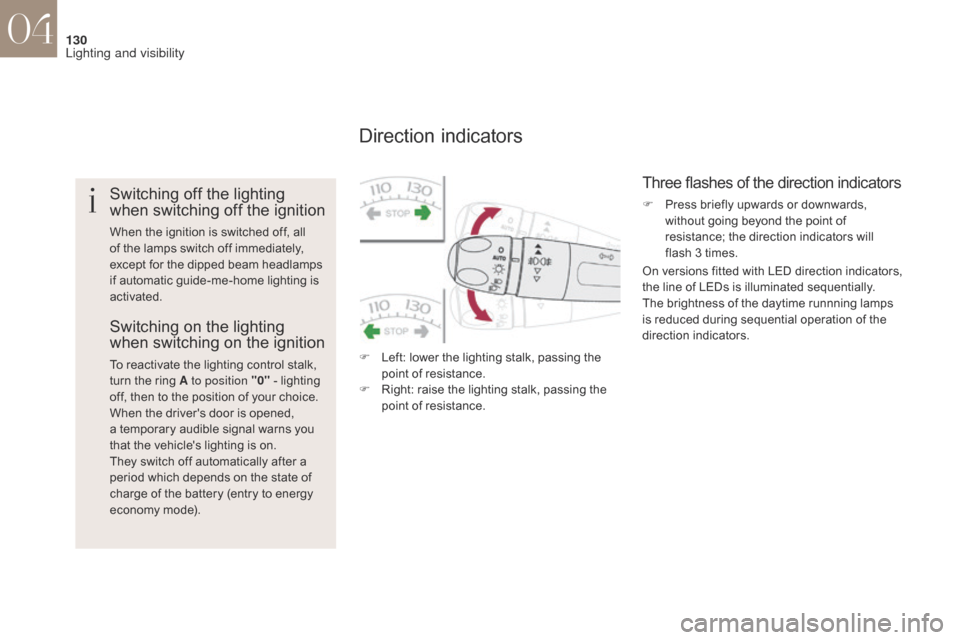
Direction indicators
F Left: lower the lighting stalk, passing the point of resistance.
F
R
ight: raise the lighting stalk, passing the
point of resistance.
Three flashes of the direction indicators
F Press briefly upwards or downwards, without going beyond the point of
resistance; the direction indicators will
flash 3 times.
On versions fitted with LED direction indicators,
the line of LEDs is illuminated sequentially.
The brightness of the daytime runnning lamps
is reduced during sequential operation of the
direction indicators.
04
Lighting and visibility