stalk Citroen DS4 2017 1.G User Guide
[x] Cancel search | Manufacturer: CITROEN, Model Year: 2017, Model line: DS4, Model: Citroen DS4 2017 1.GPages: 421, PDF Size: 8.79 MB
Page 133 of 421
131
DS4_en_Chap04_eclairage-et-visibilite_ed01-2016
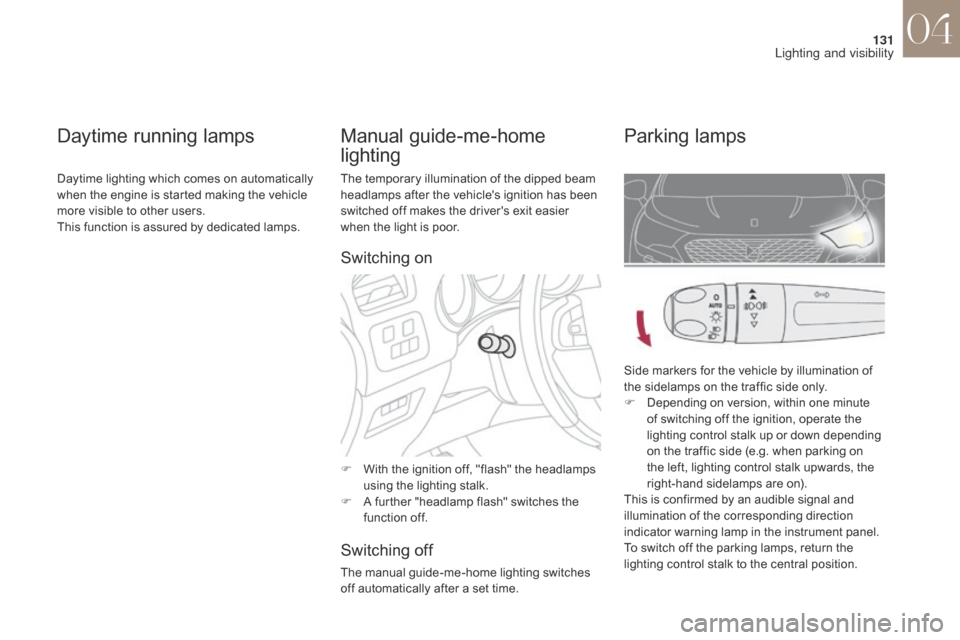
The temporary illumination of the dipped beam
headlamps after the vehicle's ignition has been
switched off makes the driver's exit easier
when the light is poor.
F
W
ith the ignition off, "flash" the headlamps
using the lighting stalk.
F
A f
urther "headlamp flash" switches the
function off.
Switching off
The manual guide-me-home lighting switches
off automatically after a set time.
Manual guide-me-home
lighting Parking lamps
Side markers for the vehicle by illumination of
the sidelamps on the traffic side only.
F
D
epending on version, within one minute
of switching off the ignition, operate the
lighting control stalk up or down depending
on the traffic side (e.g. when parking on
the left, lighting control stalk upwards, the
right-hand sidelamps are on).
This is confirmed by an audible signal and
illumination of the corresponding direction
indicator warning lamp in the instrument panel.
To switch off the parking lamps, return the
lighting control stalk to the central position.
Daytime running lamps
Daytime lighting which comes on automatically
when the engine is started making the vehicle
more visible to other users.
This function is assured by dedicated lamps.
Switching on
04
Lighting and visibility
Page 134 of 421
132
DS4_en_Chap04_eclairage-et-visibilite_ed01-2016
When a low level of ambient light is detected
by a sunshine sensor, the number plate
lamps,
s
idelamps and dipped beam headlamps
are switched on automatically, without any
action on the part of the driver. They can also
come on if rain is detected, at the same time as
automatic operation of the windscreen wipers.
As soon as the ambient light returns to a
sufficient level or after the windscreen wipers
are switched off, the lamps are switched off
automatically.
Activation Deactivation
F Turn the ring to another position.
Deactivation of the function is accompanied
by the display of a message in the screen.
Automatic guide-me-home
lighting
Operating fault
In the event of a malfunction of the
sunshine sensor, the lighting comes
on, this warning lamp is displayed
in the instrument panel and/or a
message appears in the screen,
accompanied by an audible signal.
In fog or snow, the sunshine sensor
may detect sufficient light. In this
case, the lighting will not come on
automatically.
Do not cover the sunshine sensor,
coupled with the rain sensor and
located in the centre of the windscreen
behind the rear view mirror; the
associated functions would no longer
be controlled.
When the automatic illumination of headlamps
function is activated (lighting control stalk in the
"
AUTO " position), under low ambient light the
dipped beam headlamps remain on when the
ignition is switched off.
Programming
Activation or deactivation, as well
as the duration of the guide-me-
home lighting, is set in the vehicle
configuration menu.
Contact a CITROËN dealer or a qualified
workshop.
Automatic illumination of headlamps
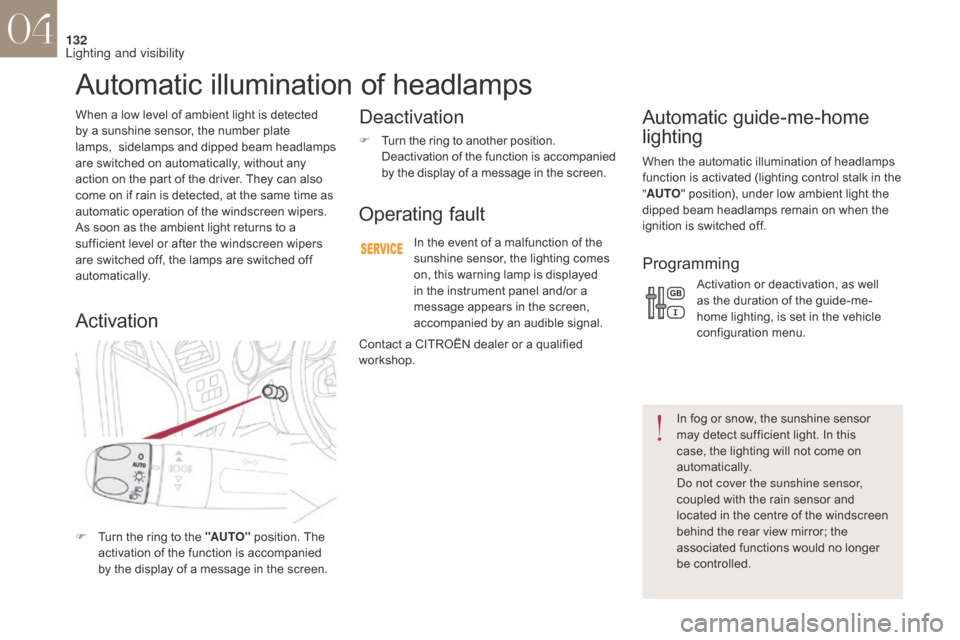
F Turn the ring to the "AUTO" position. The
activation of the function is accompanied
by the display of a message in the screen.
04
Lighting and visibility
Page 139 of 421
137
DS4_en_Chap04_eclairage-et-visibilite_ed01-2016
System for selection and control of the various
front and rear wiping modes for the elimination
of rain and cleaning the screens.
The vehicle's front and rear wipers are
designed to improve the driver's visibility
according to the climatic conditions.
Wiper control
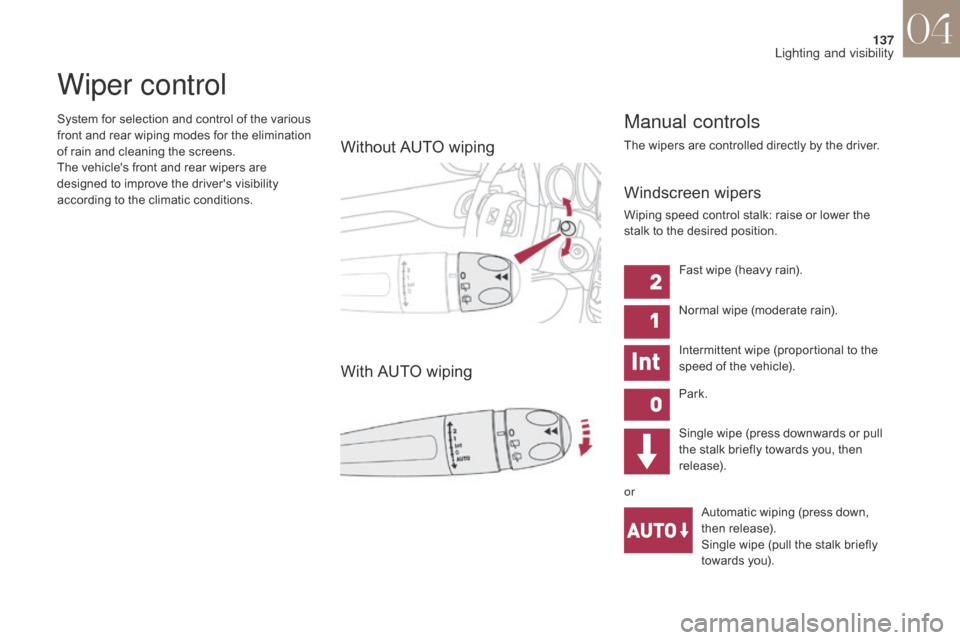
Without AUTO wiping
With AUTO wiping
Manual controls
The wipers are controlled directly by the driver.
Windscreen wipers
Wiping speed control stalk: raise or lower the
stalk to the desired position.Single wipe (press downwards or pull
the stalk briefly towards you, then
release).Automatic wiping (press down,
then release).
Single wipe (pull the stalk briefly
towards you).
Fast wipe (heavy rain).
Normal wipe (moderate rain).
Intermittent wipe (proportional to the
speed of the vehicle).
Park.
or
04
Lighting and visibility
Page 140 of 421
138
DS4_en_Chap04_eclairage-et-visibilite_ed01-2016
Automatic rain sensitive windscreen wipers
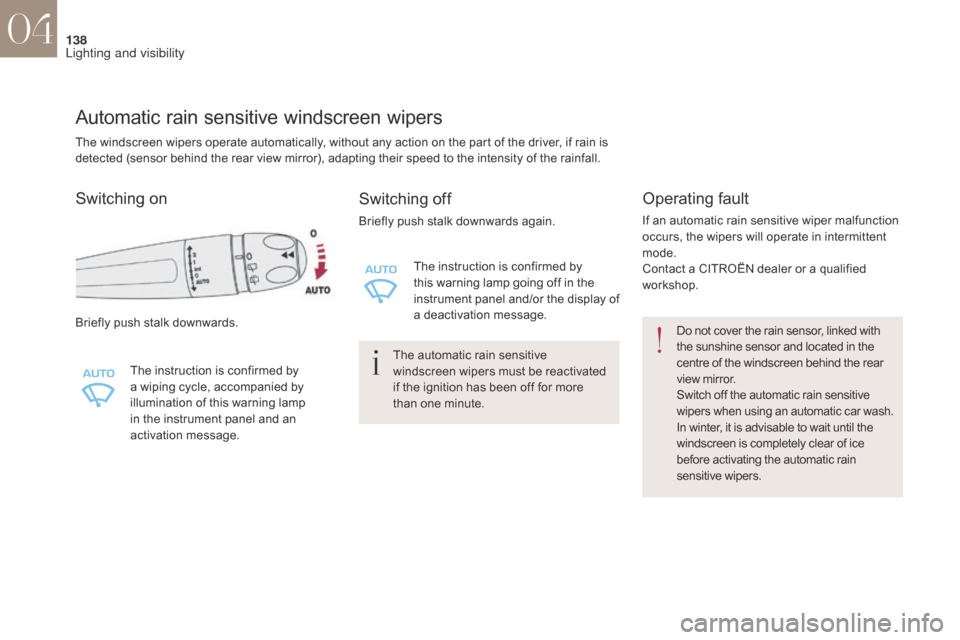
Briefly push stalk downwards.The instruction is confirmed by
a wiping cycle, accompanied by
illumination of this warning lamp
in the instrument panel and an
activation message.
Switching off
Briefly push stalk downwards again.The instruction is confirmed by
this warning lamp going off in the
instrument panel and/or the display of
a deactivation message.
The automatic rain sensitive
windscreen wipers must be reactivated
if the ignition has been off for more
than one minute.
Operating fault
If an automatic rain sensitive wiper malfunction
occurs, the wipers will operate in intermittent
mode.
Contact a CITROËN dealer or a qualified
workshop.
Do not cover the rain sensor, linked with
the sunshine sensor and located in the
centre of the windscreen behind the rear
view mirror.
Switch off the automatic rain sensitive
wipers when using an automatic car wash.
In winter, it is advisable to wait until the
windscreen is completely clear of ice
before activating the automatic rain
sensitive wipers.
Switching on
The windscreen wipers operate automatically, without any action on the part of the driver, if rain is
detected (sensor behind the rear view mirror), adapting their speed to the intensity of the rainfall.
04
Lighting and visibility
Page 141 of 421
139
DS4_en_Chap04_eclairage-et-visibilite_ed01-2016
Windscreen and headlamp wash
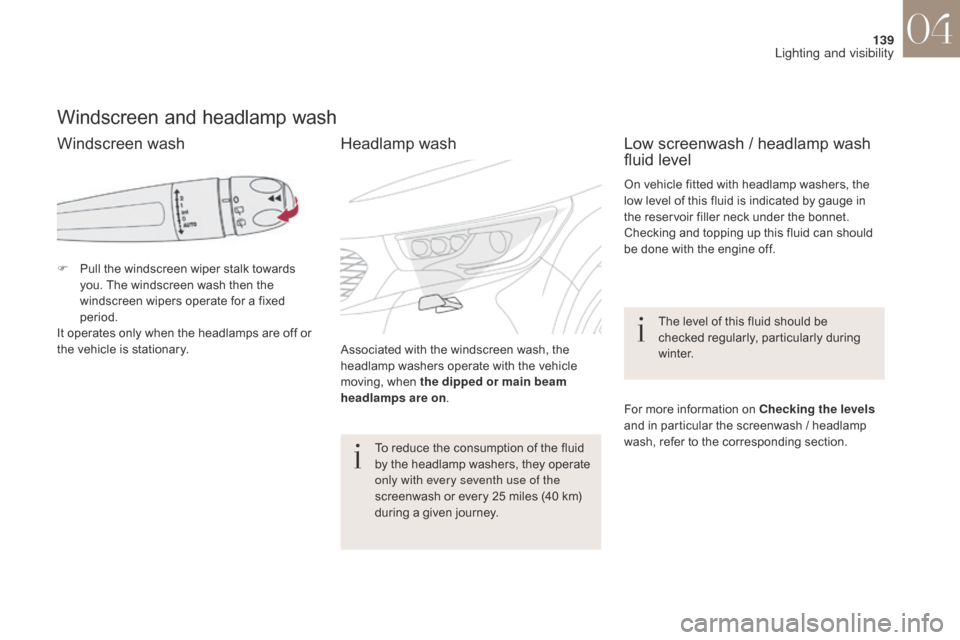
F Pull the windscreen wiper stalk towards you. The windscreen wash then the
windscreen wipers operate for a fixed
period.
It operates only when the headlamps are off or
the vehicle is stationary.
Low screenwash / headlamp wash
fluid level
On vehicle fitted with headlamp washers, the
low level of this fluid is indicated by gauge in
the reservoir filler neck under the bonnet.
Checking and topping up this fluid can should
be done with the engine off.
The level of this fluid should be
checked regularly, particularly during
w i n t e r.
For more information on Checking the levels
and in particular the screenwash / headlamp
wash, refer to the corresponding section.
Associated with the windscreen wash, the
headlamp washers operate with the vehicle
moving, when the dipped or main beam
headlamps are on
.
To reduce the consumption of the fluid
by the headlamp washers, they operate
only with every seventh use of the
screenwash or every 25 miles (40 km)
during a given journey.
Windscreen wash Headlamp wash
04
Lighting and visibility
Page 142 of 421
140
DS4_en_Chap04_eclairage-et-visibilite_ed01-2016
To maintain the effectiveness of the flat
wiper blades, it is advisable to:
-
h
andle them with care,
-
c
lean them regularly using soapy
water,
-
a
void using them to retain
cardboard on the windscreen,
-
r
eplace them at the first signs of
w e a r.
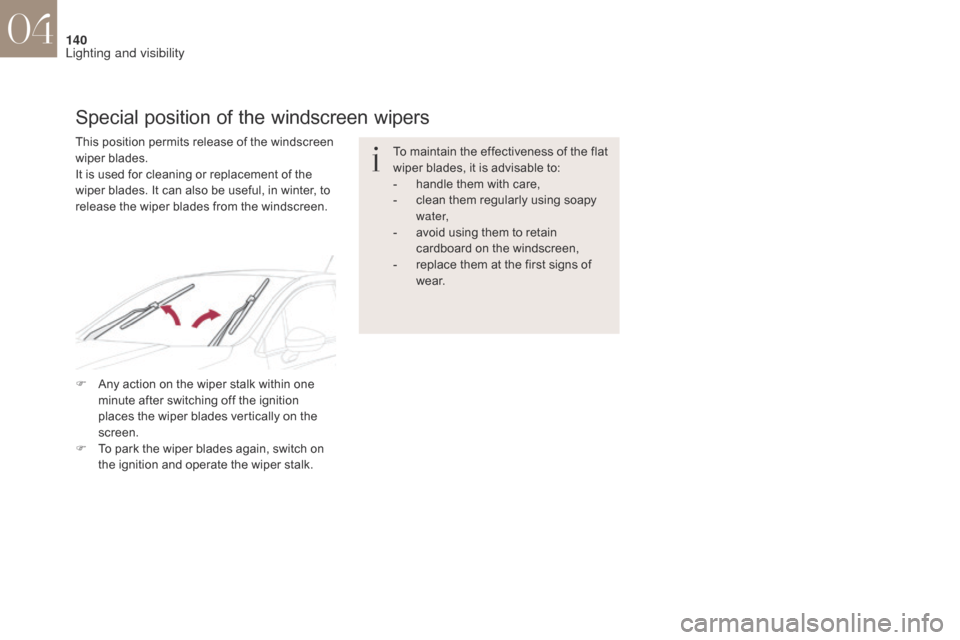
This position permits release of the windscreen
wiper blades.
It is used for cleaning or replacement of the
wiper blades. It can also be useful, in winter, to
release the wiper blades from the windscreen.
Special position of the windscreen wipers
F Any action on the wiper stalk within one
minute after switching off the ignition
places the wiper blades vertically on the
screen.
F
T
o park the wiper blades again, switch on
the ignition and operate the wiper stalk.
04
Lighting and visibility
Page 243 of 421
241
DS4_en_Chap07_info-pratiques_ed01-2016
Changing a wiper blade
Before removing a front wiper
blade
F Within one minute after switching off the ignition, operate the wiper stalk to
position the wiper blades vertically on the
windscreen.
Removing
F Raise the corresponding wiper arm.
F U nclip the wiper blade and remove it.
Fitting
F Put the corresponding new wiper blade in place and clip it.
F
F
old down the wiper arm carefully.
After fitting a front wiper blade
F Switch on the ignition.
F O perate the wiper stalk again to park the
wiper blades.
07
Practical information
Page 357 of 421
355
DS4_en_Chap10b_SMEGplus_ed01-2016
As a safety measure and because it
requires sustained attention by the
driver, using a smartphone when
driving is prohibited.
All operations must be done with the
vehicle stationary.
The synchronisation of a
smartphone allows applications on a
smartphone that are adapted to the
MirrorLink
TM technology to be displayed
i
n the vehicle's screen.
The principles and standards
are constantly evolving. For the
communication process between the
smartphone and the system to work
correctly, the smartphone must be
unlocked; update the operating system
of your smartphone as well as the date
and time in the smartphone and the
system.
For the list of eligible smartphones,
connect to the brand's internet website
in your country. Please note:
-
i
f your smartphone is supported, to
make it "MirrorLink
TM" compatible,
some phone manufacturers
nevertheless invite you to first
download a dedicated application.
When connecting a smartphone to
the system, it is recommended that
Bluetooth
® be started on the smartphone
Start the application on the
smartphone (optional, depending
on the smartphone and operating
syste m).
Access to the different audio sources remains
accessible in the margin of the MirrorLink
TM
display, using touch buttons in the upper bar.
Access to the menus for the system is possible
at any time using the dedicated buttons During the procedure, several screen
pages relating to certain functions
are displayed.
Accept to start and end the
connection.
Connect a USB cable. The
smartphone charges when
connected by a USB cable. Press on " MirrorLink
TM" to
start the application in the
system. Once connection is established, an page
is displayed with the applications already
downloaded to your smartphone and adapted
to MirrorLink
TM technology.
If only one application has been downloaded to
the smartphone, it starts automatically.
MirrorLinkTM smartphone connection
Press the end of the lighting control stalk to
start voice recognition of your smartphone via
the system.
Voice recognition requires a compatible
smartphone connected to the vehicle by
Bluetooth
®.
Voice recognition
As a safety measure, applications
can only be viewed with the vehicle
stationary; display is interrupted once
the vehicle is moving.
From the system, press on
"Connected services " to display the
primary page.
Audio and Telematics
Page 361 of 421
359
DS4_en_Chap10b_SMEGplus_ed01-2016
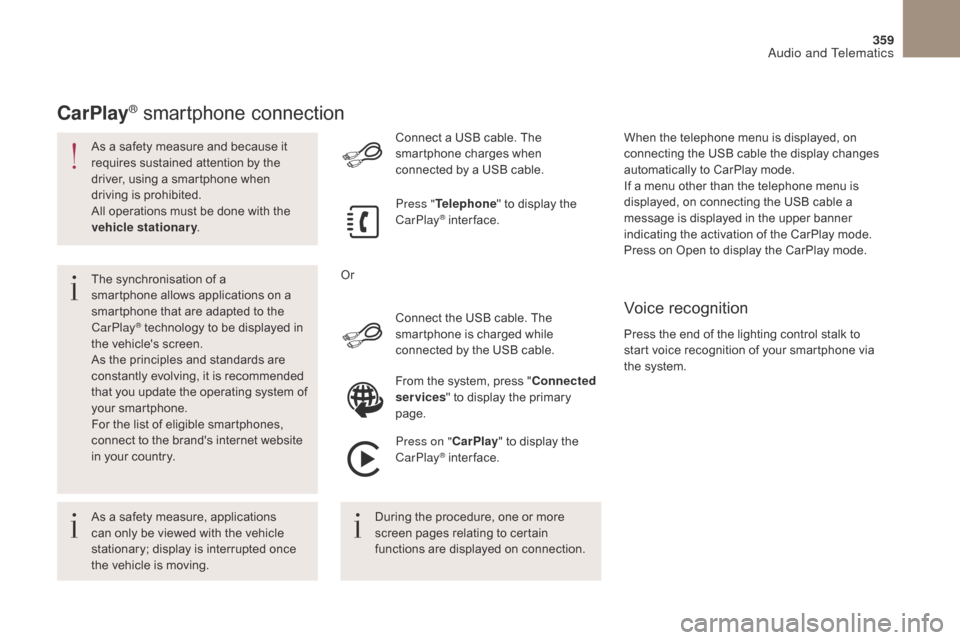
As a safety measure and because it
requires sustained attention by the
driver, using a smartphone when
driving is prohibited.
All operations must be done with the
vehicle stationary.
The synchronisation of a
smartphone allows applications on a
smartphone that are adapted to the
CarPlay
® technology to be displayed in
t
he vehicle's screen.
As the principles and standards are
constantly evolving, it is recommended
that you update the operating system of
your smartphone.
For the list of eligible smartphones,
connect to the brand's internet website
in your country. Connect the USB cable. The
smartphone is charged while
connected by the USB cable. Connect a USB cable. The
smartphone charges when
connected by a USB cable.
Press "
Telephone " to display the
CarPlay
® inter face.
Press on " CarPlay" to display the
CarPlay
® inter face.
CarPlay® smartphone connection
Press the end of the lighting control stalk to
start voice recognition of your smartphone via
the system. When the telephone menu is displayed, on
connecting the USB cable the display changes
automatically to CarPlay mode.
If a menu other than the telephone menu is
displayed, on connecting the USB cable a
message is displayed in the upper banner
indicating the activation of the CarPlay mode.
Press on Open to display the CarPlay mode.
Voice recognition
As a safety measure, applications
can only be viewed with the vehicle
stationary; display is interrupted once
the vehicle is moving. During the procedure, one or more
screen pages relating to certain
functions are displayed on connection.From the system, press "
Connected
services " to display the primary
page.
Or
Audio and Telematics
Page 408 of 421
406
Alphabetical index
DS4_en_Chap11_index-alpha_ed01-2016
A
ABS and EBFD systems ...............................15 4
Accessories .............................. ............ 148, 191
Accessory position
....................................... 19
1
AdBlue
® ............................... ...... 24, 37, 253, 254
Adjusting headlamps .................................... 13
4
Adjusting head restraints
................................ 94
A
djusting seat
........................................... 9
2, 93
Adjusting the date
..................................... 4
7, 55
Adjusting the height and reach of the steering wheel
.................................... 99
A
djusting the seat belt height
...............15
7, 15 8
Adjusting the time
..................................... 4
7, 55
Advice on driving
..............................
....18 4, 185
Airbags
...............
..................................... 23, 161
Airbags, curtain
..................................... 16
4, 165
Airbags, front......................................... 162, 165
Airbags, lateral
...................................... 16
4, 165
Air conditioning
...............................
................10
Air conditioning, automatic
...................10
3, 10 6
Air conditioning, manual
....................... 10
3, 104
Alarm
............................................................... 83
A
nti-lock braking system (ABS)
....................15
4
Anti-pinch
........................................................ 87
A
nti-theft
..............................
.........................18 6
Armrest, front
......................................... 11
6 , 117
Armrest, rear
................................................. 12
1
Assistance call
...............................
.......150, 152
Audible warning
............................................ 14
9
Audio streaming (Bluetooth)
......................... 3
42, 345, 388, 391
Audio system
...............................
............ 47, 377
Auxiliary
........................................................ 3
42Back-up key.....................................................
74
Battery
...............................
............ 250, 292-295
Battery, charging ............................... ............
294
Battery, remote control ........................6 9, 75 -77
Black panel ...................................................... 46
Blanking screen (snow shield)
......................2
32
Blind
.............................................................. 11
4
Blind spot sensors
........................................2
10
Blue HDi
...............
...........................................43
BlueHDi
...............................
.................... 37, 253
Bluetooth (hands-free)
................. 3
64, 365, 390
Bluetooth (telephone)
............................3
64, 365
Bonnet
...............
............................................242
Boot
........
.........................................................81
Bottle holder
...............................
...................115
Brake discs
............................................ 2
51, 252
Brake lamps
...............................
...................285
Brakes
................................................... 2
51, 252
Braking assistance system
...........................15
4
Braking, dynamic emergency
....................... 19
3
Bulbs (changing)
...............................
.... 279, 285
Cable, audio
..................................................3
42
Cable, jack
..............................
......................342
Capacity, fuel tank
..............................
..........227
CarPlay connection ....................................... 359
CD
..............................
...........................342, 385
CD, MP3
....................................... 3
42, 385, 386
Central locking
.............................. 6
5, 71, 72, 78
Centre console
.............................................. 11
5
Changing a bulb
.................................... 2
79, 285
Changing a fuse
............................................ 28
8
Changing a wheel
...............................
..........271 Changing a wiper blade
........................ 1
40, 241
Changing the remote control battery ............................................... 6 9, 75, 76
CHECK ................ ...................................... 15, 43
Checking the engine oil level
..........................33
C
hecking the levels
........................24
5 -247, 249
Checking tyre pressures (using the kit)
..............................
........ 260, 267
Checks
...............
................... 243, 244, 250 -252
Checks, routine
.....................................2
50-252
Child lock
...............................
................180, 181
Children
...............................
...........173 , 175 -178
Children (safety)
...............................
.....180, 181
Child seats
.............1
60, 166, 167, 171-173, 179
Child seats, conventional
..............................17
2
Child seats, ISOFIX
...............................17
5 -178
Cigar lighter
...............................
....................112
Citroën Localised Emergency Call
.......15
0, 152
Closing the boot
...............................
......... 65, 81
Closing the doors
.......................... 6
5, 71, 72, 80
Configuration, vehicle
......................... 1
6, 47, 53
Connection, Bluetooth
..........................3
64, 365
Connection, MirrorLink
.........................3
54, 356
Control, electric windows
................................ 87
C
ontrol, emergency boot release
...................8
2
Control, emergency door
.......................... 6
8, 74
Control, heated seats
......................................95
C
ontrols, steering mounted
.................. 3
16, 379
Control stalk, lighting
............................ 1
28, 131
Control stalk, wipers
...................... 1
37, 138, 141
Courtesy lamps
..................................... 1
33, 142
Cruise control
........................................ 21
3, 218
Cup holder
...............................
......................115
C B