instrument panel CITROEN DS4 2018 User Guide
[x] Cancel search | Manufacturer: CITROEN, Model Year: 2018, Model line: DS4, Model: CITROEN DS4 2018Pages: 296, PDF Size: 9.91 MB
Page 35 of 296
33
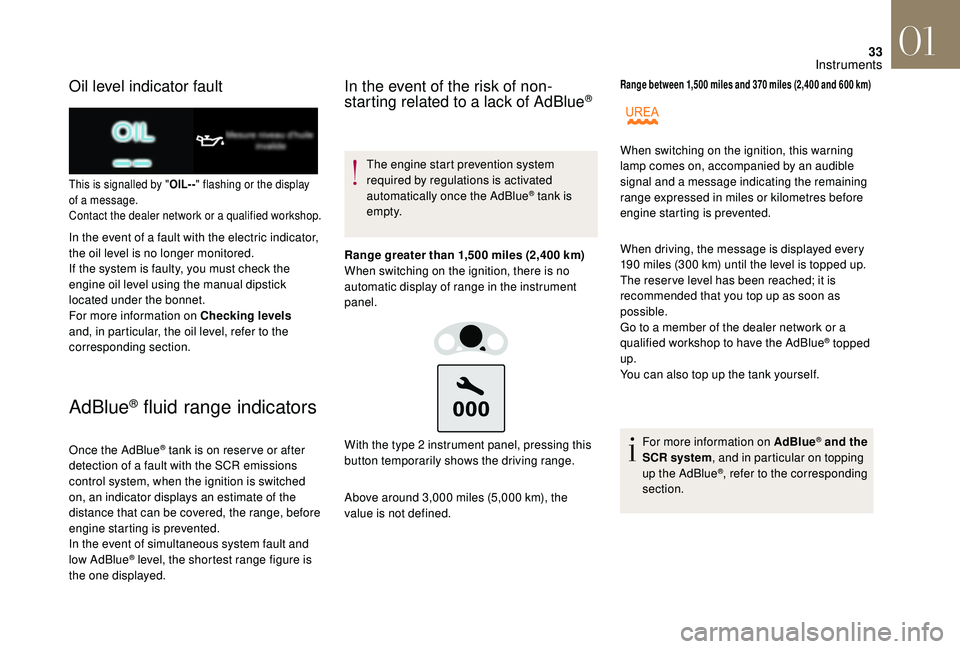
Oil level indicator fault
This is signalled by "OIL- -" flashing or the display
of a message.
Contact the dealer network or a qualified workshop.
In the event of a fault with the electric indicator,
the oil level is no longer monitored.
If the system is faulty, you must check the
engine oil level using the manual dipstick
located under the bonnet.
For more information on Checking levels
and, in particular, the oil level, refer to the
corresponding section.
AdBlue® fluid range indicators
Once the AdBlue® tank is on reser ve or after
detection of a fault with the SCR emissions
control system, when the ignition is switched
on, an indicator displays an estimate of the
distance that can be covered, the range, before
engine starting is prevented.
In the event of simultaneous system fault and
low AdBlue
® level, the shortest range figure is
the one displayed.
In the event of the risk of non-
starting related to a lack of AdBlue®
The engine start prevention system
required by regulations is activated
automatically once the AdBlue
® tank is
e m pt y.
Range greater than 1,500 miles (2,400 km)
When switching on the ignition, there is no
automatic display of range in the instrument
panel.
Above around 3,000 miles (5,000 km), the
value is not defined. With the type 2 instrument panel, pressing this
button temporarily shows the driving range.
Range between 1,500 miles and 370 miles (2,400 and 600 km)
When driving, the message is displayed every
190 miles (300 km) until the level is topped up.
The reser ve level has been reached; it is
recommended that you top up as soon as
possible.
Go to a member of the dealer network or a
qualified workshop to have the AdBlue
® topped
up.
You can also top up the tank yourself.
For more information on AdBlue
® and the
SCR system , and in particular on topping
up the AdBlue
®, refer to the corresponding
section.
When switching on the ignition, this warning
lamp comes on, accompanied by an audible
signal and a message indicating the remaining
range expressed in miles or kilometres before
engine starting is prevented.
01
Instruments
Page 36 of 296
34
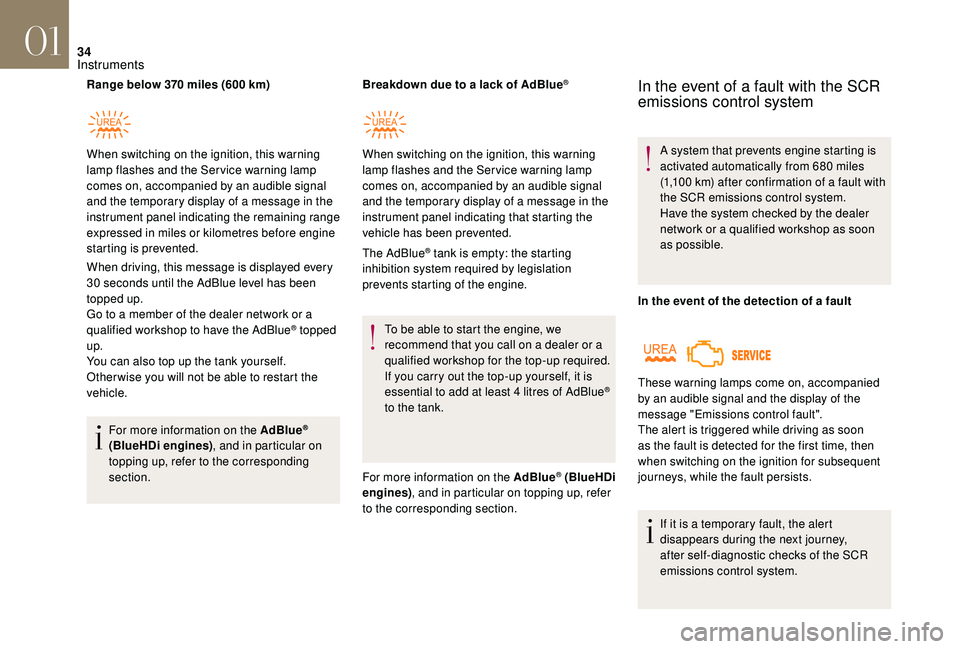
Range below 370 miles (600 km)
When driving, this message is displayed every
30 seconds until the AdBlue level has been
topped up.
Go to a member of the dealer network or a
qualified workshop to have the AdBlue
® topped
up.
You can also top up the tank yourself.
Other wise you will not be able to restart the
vehicle.
For more information on the AdBlue
®
(BlueHDi engines) , and in particular on
topping up, refer to the corresponding
section. Breakdown due to a lack of AdBlue
®
The AdBlue® tank is empty: the starting
inhibition system required by legislation
prevents starting of the engine.
To be able to start the engine, we
recommend that you call on a dealer or a
qualified workshop for the top-up required.
If you carry out the top-up yourself, it is
essential to add at least 4 litres of AdBlue
®
to the tank.
For more information on the AdBlue
® (BlueHDi
engines) , and in particular on topping up, refer
to the corresponding section.
When switching on the ignition, this warning
lamp flashes and the Service warning lamp
comes on, accompanied by an audible signal
and the temporary display of a message in the
instrument panel indicating the remaining range
expressed in miles or kilometres before engine
starting is prevented.
When switching on the ignition, this warning
lamp flashes and the Service warning lamp
comes on, accompanied by an audible signal
and the temporary display of a message in the
instrument panel indicating that starting the
vehicle has been prevented.
In the event of a fault with the SCR
emissions control system
A system that prevents engine starting is
activated automatically from 680 miles
(1,100 km) after confirmation of a fault with
the SCR emissions control system.
Have the system checked by the dealer
network or a qualified workshop as soon
as possible.
In the event of the detection of a fault
If it is a temporary fault, the alert
disappears during the next journey,
after self-diagnostic checks of the SCR
emissions control system.
These warning lamps come on, accompanied
by an audible signal and the display of the
message "Emissions control fault".
The alert is triggered while driving as soon
as the fault is detected for the first time, then
when switching on the ignition for subsequent
journeys, while the fault persists.
01
Instruments
Page 37 of 296
35
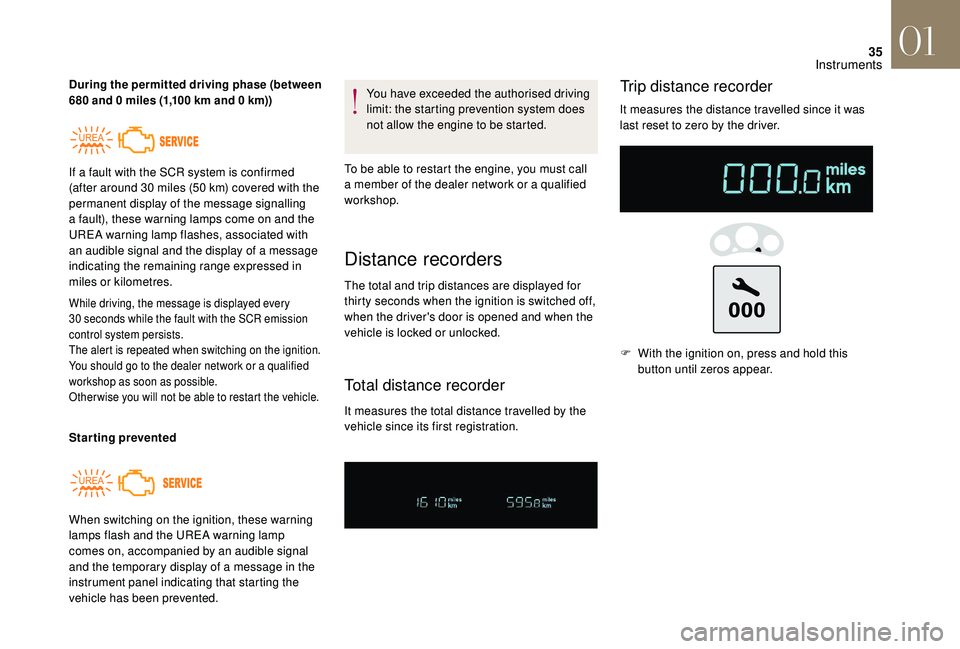
During the permitted driving phase (between
680 and 0 miles (1,100 km and 0 km))
While driving, the message is displayed every
30 seconds while the fault with the SCR emission
control system persists.
The alert is repeated when switching on the ignition.
You should go to the dealer network or a qualified
workshop as soon as possible.
Other wise you will not be able to restart the vehicle.
Starting prevented You have exceeded the authorised driving
limit: the starting prevention system does
not allow the engine to be started.
To be able to restart the engine, you must call
a member of the dealer network or a qualified
workshop.
When switching on the ignition, these warning
lamps flash and the UREA warning lamp
comes on, accompanied by an audible signal
and the temporary display of a message in the
instrument panel indicating that starting the
vehicle has been prevented. If a fault with the SCR system is confirmed
(after around 30 miles (50 km) covered with the
permanent display of the message signalling
a fault), these warning lamps come on and the
UREA warning lamp flashes, associated with
an audible signal and the display of a message
indicating the remaining range expressed in
miles or kilometres.
Distance recorders
The total and trip distances are displayed for
thirty seconds when the ignition is switched off,
when the driver's door is opened and when the
vehicle is locked or unlocked.
Total distance recorder
It measures the total distance travelled by the
vehicle since its first registration.
Trip distance recorder
It measures the distance travelled since it was
last reset to zero by the driver. F
W
ith the ignition on, press and hold this
button until zeros appear.
01
Instruments
Page 38 of 296
36
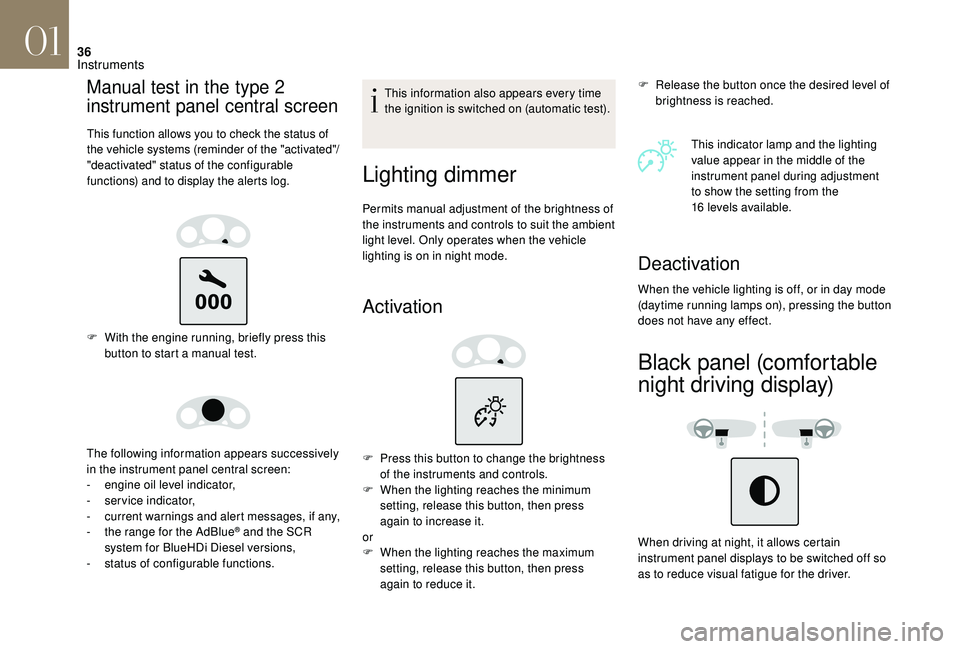
Manual test in the type 2
instrument panel central screen
This function allows you to check the status of
the vehicle systems (reminder of the "activated"/
"deactivated" status of the configurable
functions) and to display the alerts log.
F With the engine running, briefly press this button to start a manual test.
The following information appears successively
in the instrument panel central screen:
-
e
ngine oil level indicator,
-
ser
vice indicator,
-
c
urrent warnings and alert messages, if any,
-
t
he range for the AdBlue
® and the SCR
system for BlueHDi Diesel versions,
-
s
tatus of configurable functions. This information also appears every time
the ignition is switched on (automatic test).
Lighting dimmer
Permits manual adjustment of the brightness of
the instruments and controls to suit the ambient
light level. Only operates when the vehicle
lighting is on in night mode.
Activation
F Release the button once the desired level of
brightness is reached.
This indicator lamp and the lighting
value appear in the middle of the
instrument panel during adjustment
to show the setting from the
16
levels available.
F
P
ress this button to change the brightness
of the instruments and controls.
F
W
hen the lighting reaches the minimum
setting, release this button, then press
again to increase it.
or
F
W
hen the lighting reaches the maximum
setting, release this button, then press
again to reduce it.
Deactivation
When the vehicle lighting is off, or in day mode
(daytime running lamps on), pressing the button
does not have any effect.
Black panel (comfortable
night driving display)
When driving at night, it allows certain
instrument panel displays to be switched off so
as to reduce visual fatigue for the driver.
01
Instruments
Page 39 of 296
37
Monochrome screen C
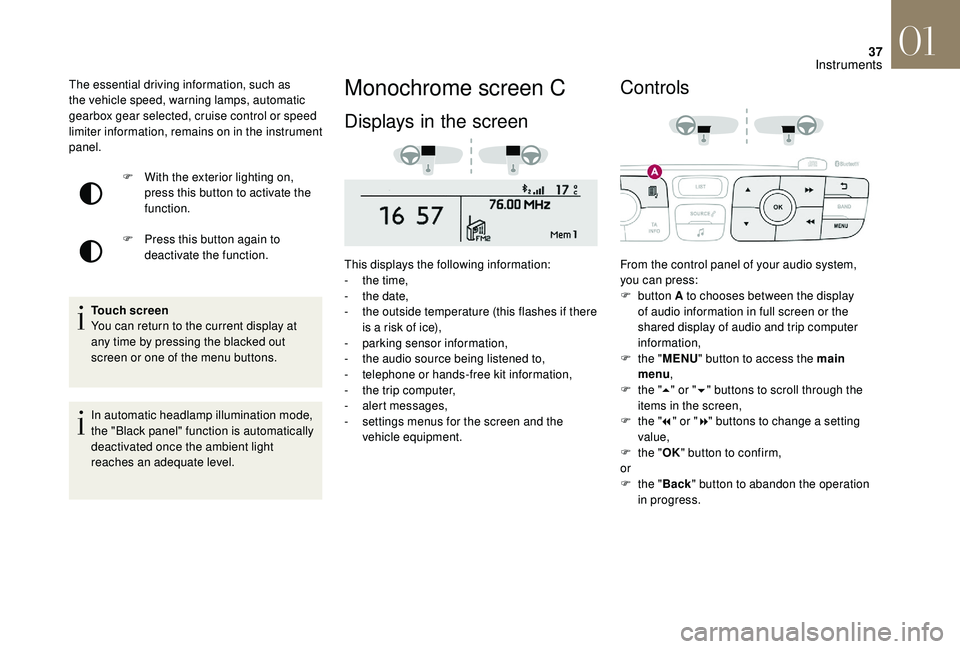
Displays in the screen
This displays the following information:
- t he time,
-
t
he date,
-
t
he outside temperature (this flashes if there
is a risk of ice),
-
par
king sensor information,
-
t
he audio source being listened to,
-
t
elephone or hands-free kit information,
-
t
he trip computer,
-
a
lert messages,
-
s
ettings menus for the screen and the
vehicle equipment.
Controls
From the control panel of your audio system,
you can press:
F
button A to chooses between the display
of audio information in full screen or the
shared display of audio and trip computer
information,
F
t
he "MENU " button to access the main
menu ,
F
t
he "5" or " 6" buttons to scroll through the
items in the screen,
F
t
he "7" or " 8" buttons to change a setting
value,
F
t
he "OK" button to confirm,
or
F
t
he "Back " button to abandon the operation
in progress.
F
W
ith the exterior lighting on,
press this button to activate the
function.
F
P
ress this button again to
deactivate the function.
The essential driving information, such as
the vehicle speed, warning lamps, automatic
gearbox gear selected, cruise control or speed
limiter information, remains on in the instrument
panel.
Touch screen
You can return to the current display at
any time by pressing the blacked out
screen or one of the menu buttons.
In automatic headlamp illumination mode,
the "Black panel" function is automatically
deactivated once the ambient light
reaches an adequate level.
01
Instruments
Page 44 of 296
42
or
-
t he trip computer and audio source
information both appear permanently in a
shared screen.
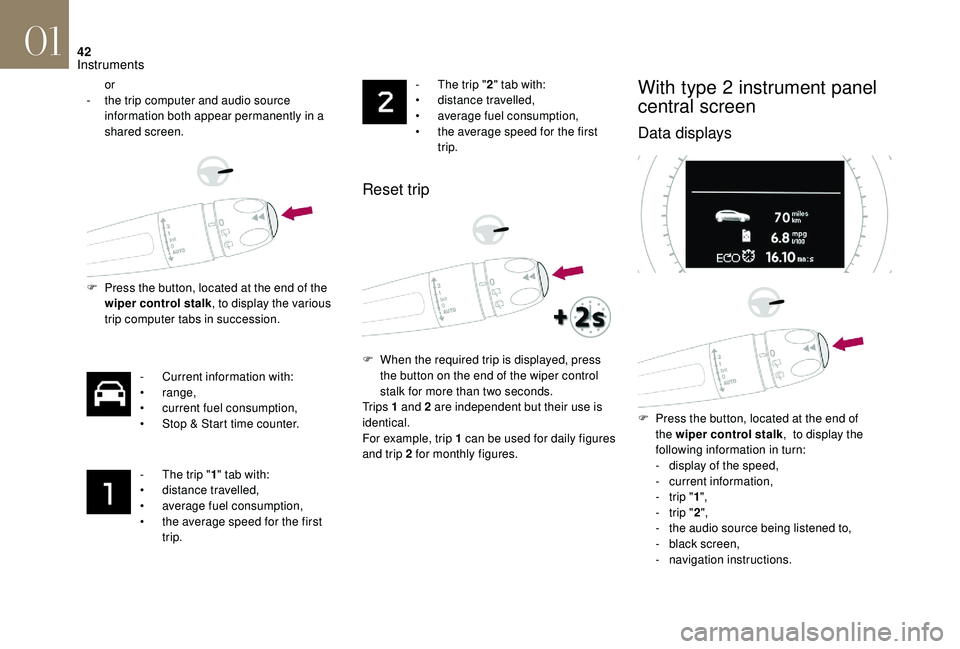
F
P
ress the button, located at the end of the
wiper control stalk , to display the various
trip computer tabs in succession.
-
C
urrent information with:
•
range,
•
c
urrent fuel consumption,
•
S
top & Start time counter.
-
T
he trip "1" tab with:
•
d
istance travelled,
•
a
verage fuel consumption,
•
t
he average speed for the first
trip. -
T he trip "
2" tab with:
• d istance travelled,
•
a
verage fuel consumption,
•
t
he average speed for the first
trip.
Reset trip
F When the required trip is displayed, press the button on the end of the wiper control
stalk for more than two seconds.
Tr i p s 1 and 2 are independent but their use is
identical.
For example, trip 1 can be used for daily figures
and trip 2 for monthly figures.
With type 2 instrument panel
central screen
Data displays
F Press the button, located at the end of the wiper control stalk , to display the
following information in turn:
-
d
isplay of the speed,
-
c
urrent information,
-
t
rip "1",
-
t
rip "2",
-
t
he audio source being listened to,
-
b
lack screen,
-
n
avigation instructions.
01
Instruments
Page 58 of 296
56
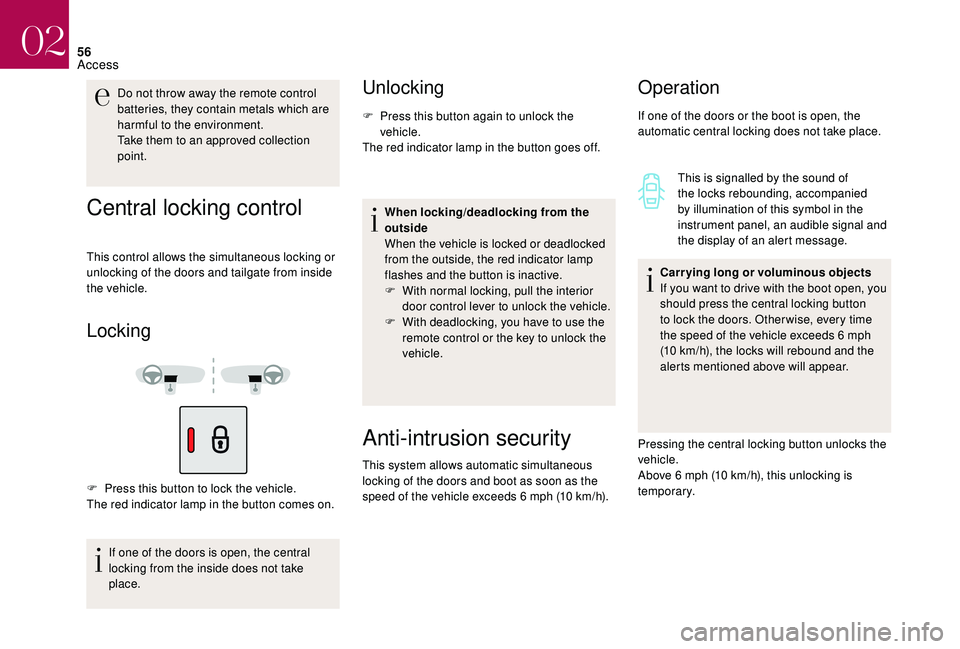
Central locking control
This control allows the simultaneous locking or
unlocking of the doors and tailgate from inside
the vehicle.
Locking
F Press this button to lock the vehicle.
The red indicator lamp in the button comes on.If one of the doors is open, the central
locking from the inside does not take
place.
Unlocking
F Press this button again to unlock the vehicle.
The red indicator lamp in the button goes off.
When locking/deadlocking from the
outside
When the vehicle is locked or deadlocked
from the outside, the red indicator lamp
flashes and the button is inactive.
F
W
ith normal locking, pull the interior
door control lever to unlock the vehicle.
F
W
ith deadlocking, you have to use the
remote control or the key to unlock the
vehicle.
Do not throw away the remote control
batteries, they contain metals which are
harmful to the environment.
Take them to an approved collection
point.
Anti-intrusion security
This system allows automatic simultaneous
locking of the doors and boot as soon as the
speed of the vehicle exceeds 6 mph (10 km/h).
Operation
If one of the doors or the boot is open, the
automatic central locking does not take place.
This is signalled by the sound of
the locks rebounding, accompanied
by illumination of this symbol in the
instrument panel, an audible signal and
the display of an alert message.
Carrying long or voluminous objects
If you want to drive with the boot open, you
should press the central locking button
to lock the doors. Other wise, every time
the speed of the vehicle exceeds 6
mph
(10 km/h), the locks will rebound and the
alerts mentioned above will appear.
Pressing the central locking button unlocks the
vehicle.
Above 6 mph (10 km/h), this unlocking is
te m p o r a r y.
02
Access
Page 66 of 296
64
Front seats
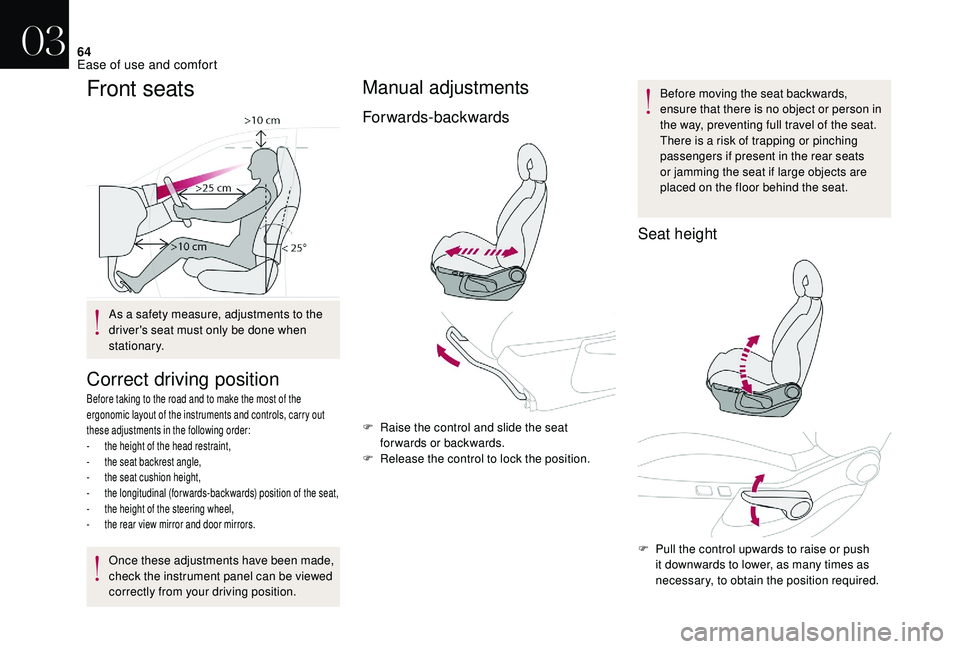
Correct driving position
Before taking to the road and to make the most of the
ergonomic layout of the instruments and controls, carry out
these adjustments in the following order:
-
t
he height of the head restraint,
-
t
he seat backrest angle,
-
t
he seat cushion height,
-
t
he longitudinal (forwards-backwards) position of the seat,
-
t
he height of the steering wheel,
-
t
he rear view mirror and door mirrors.
Once these adjustments have been made,
check the instrument panel can be viewed
correctly from your driving position.
Manual adjustments
Forwards-backwards
F Raise the control and slide the seat forwards or backwards.
F
R
elease the control to lock the position. Before moving the seat backwards,
ensure that there is no object or person in
the way, preventing full travel of the seat.
There is a risk of trapping or pinching
passengers if present in the rear seats
or jamming the seat if large objects are
placed on the floor behind the seat.
Seat height
F Pull the control upwards to raise or push
it downwards to lower, as many times as
necessary, to obtain the position required.
As a safety measure, adjustments to the
driver's seat must only be done when
stationary.
03
Ease of use and comfort
Page 86 of 296
84
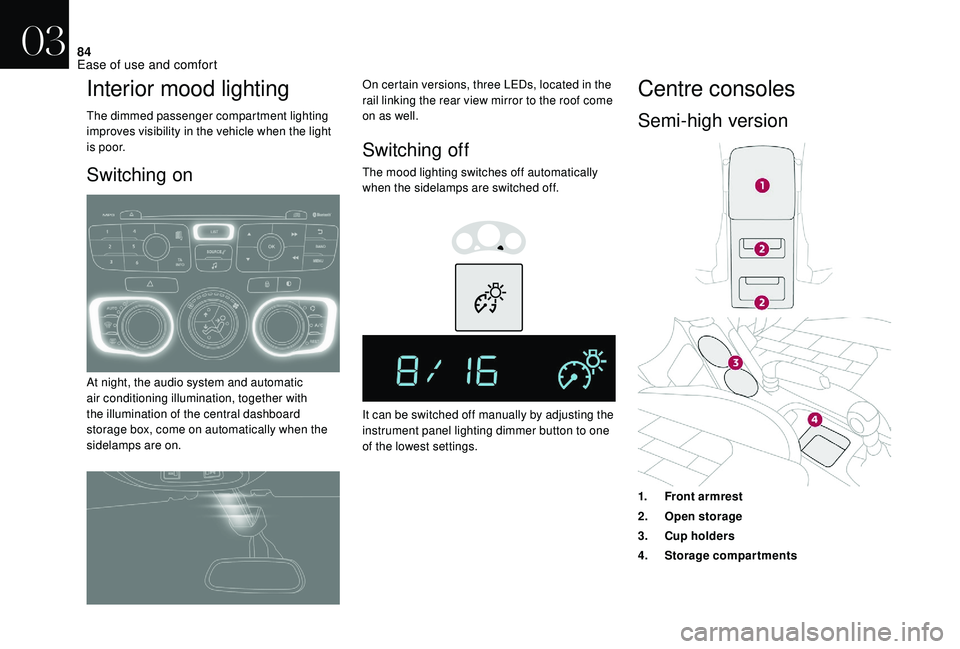
Interior mood lighting
The dimmed passenger compartment lighting
improves visibility in the vehicle when the light
i s p o o r.
Switching on
At night, the audio system and automatic
air conditioning illumination, together with
the illumination of the central dashboard
storage box, come on automatically when the
sidelamps are on.On certain versions, three LEDs, located in the
rail linking the rear view mirror to the roof come
on as well.
Switching off
The mood lighting switches off automatically
when the sidelamps are switched off.
It can be switched off manually by adjusting the
instrument panel lighting dimmer button to one
of the lowest settings.
Centre consoles
Semi-high version
1.
Front armrest
2. Open storage
3. Cup holders
4. Storage compartments
03
Ease of use and comfort
Page 95 of 296
93
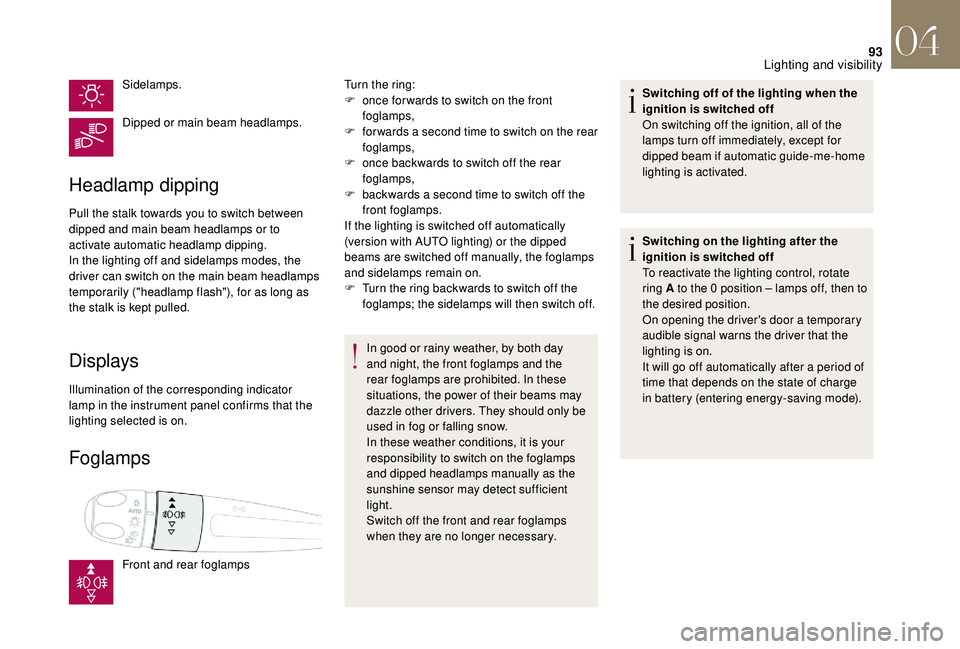
Sidelamps.
Dipped or main beam headlamps.
Headlamp dipping
Pull the stalk towards you to switch between
dipped and main beam headlamps or to
activate automatic headlamp dipping.
In the lighting off and sidelamps modes, the
driver can switch on the main beam headlamps
temporarily ("headlamp flash"), for as long as
the stalk is kept pulled.
Displays
Illumination of the corresponding indicator
lamp in the instrument panel confirms that the
lighting selected is on.
Foglamps
Front and rear foglampsTurn the ring:
F
o
nce for wards to switch on the front
foglamps,
F
f
or wards a second time to switch on the rear
foglamps,
F
o
nce backwards to switch off the rear
foglamps,
F
b
ackwards a second time to switch off the
front foglamps.
If the lighting is switched off automatically
(version with AUTO lighting) or the dipped
beams are switched off manually, the foglamps
and sidelamps remain on.
F
T
urn the ring backwards to switch off the
foglamps; the sidelamps will then switch off.
In good or rainy weather, by both day
and night, the front foglamps and the
rear foglamps are prohibited. In these
situations, the power of their beams may
dazzle other drivers. They should only be
used in fog or falling snow.
In these weather conditions, it is your
responsibility to switch on the foglamps
and dipped headlamps manually as the
sunshine sensor may detect sufficient
light.
Switch off the front and rear foglamps
when they are no longer necessary. Switching off of the lighting when the
ignition is switched off
On switching off the ignition, all of the
lamps turn off immediately, except for
dipped beam if automatic guide-me-home
lighting is activated.
Switching on the lighting after the
ignition is switched off
To reactivate the lighting control, rotate
ring A to the 0 position – lamps off, then to
the desired position.
On opening the driver's door a temporary
audible signal warns the driver that the
lighting is on.
It will go off automatically after a period of
time that depends on the state of charge
in battery (entering energy-saving mode).
04
Lighting and visibility