mirror CITROEN DS4 2018 Owner's Manual
[x] Cancel search | Manufacturer: CITROEN, Model Year: 2018, Model line: DS4, Model: CITROEN DS4 2018Pages: 296, PDF Size: 9.91 MB
Page 160 of 296
158
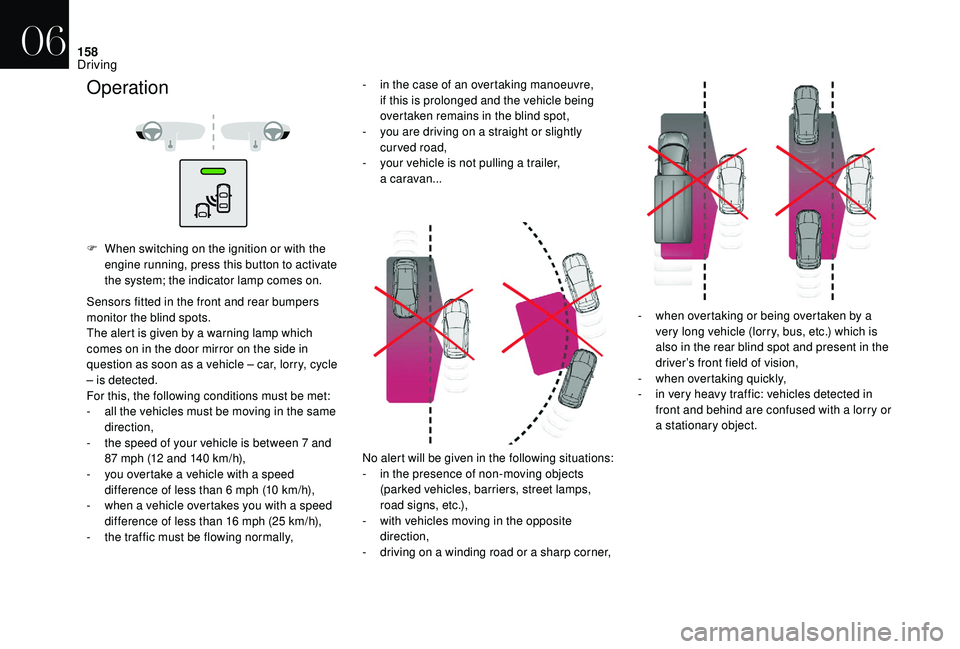
F When switching on the ignition or with the engine running, press this button to activate
the system; the indicator lamp comes on.
Sensors fitted in the front and rear bumpers
monitor the blind spots.
The alert is given by a warning lamp which
comes on in the door mirror on the side in
question as soon as a vehicle – car, lorry, cycle
– is detected.
For this, the following conditions must be met:
-
a
ll the vehicles must be moving in the same
direction,
-
t
he speed of your vehicle is between 7 and
87 mph (12 and 140 km/h),
-
y
ou overtake a vehicle with a speed
difference of less than 6 mph (10 km/h),
-
w
hen a vehicle overtakes you with a speed
difference of less than 16 mph (25 km/h),
-
t
he traffic must be flowing normally, No alert will be given in the following situations:
-
i
n the presence of non-moving objects
(parked vehicles, barriers, street lamps,
road signs, etc.),
-
w
ith vehicles moving in the opposite
direction,
-
d
riving on a winding road or a sharp corner,-
w
hen overtaking or being overtaken by a
very long vehicle (lorry, bus, etc.) which is
also in the rear blind spot and present in the
driver’s front field of vision,
-
w
hen overtaking quickly,
-
i
n very heavy traffic: vehicles detected in
front and behind are confused with a lorry or
a stationary object.
Operation- in the case of an overtaking manoeuvre, if this is prolonged and the vehicle being
overtaken remains in the blind spot,
-
y
ou are driving on a straight or slightly
curved road,
-
y
our vehicle is not pulling a trailer,
a
caravan...
06
Driving
Page 161 of 296
159
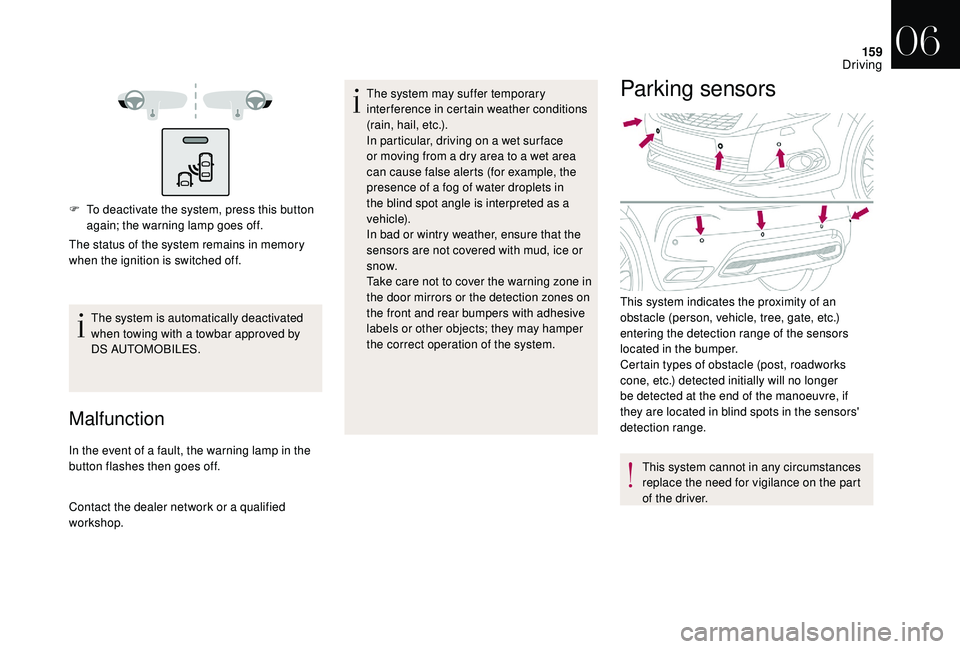
F To deactivate the system, press this button again; the warning lamp goes off.
The status of the system remains in memory
when the ignition is switched off.
The system is automatically deactivated
when towing with a towbar approved by
DS AUTOMOBILES.
Malfunction
In the event of a fault, the warning lamp in the
button flashes then goes off.
Contact the dealer network or a qualified
workshop. The system may suffer temporary
interference in certain weather conditions
(rain, hail, etc.).
In particular, driving on a wet sur face
or moving from a dry area to a wet area
can cause false alerts (for example, the
presence of a fog of water droplets in
the blind spot angle is interpreted as a
vehicle).
In bad or wintry weather, ensure that the
sensors are not covered with mud, ice or
snow.
Take care not to cover the warning zone in
the door mirrors or the detection zones on
the front and rear bumpers with adhesive
labels or other objects; they may hamper
the correct operation of the system.
Parking sensors
This system cannot in any circumstances
replace the need for vigilance on the part
of the driver.
This system indicates the proximity of an
obstacle (person, vehicle, tree, gate, etc.)
entering the detection range of the sensors
located in the bumper.
Certain types of obstacle (post, roadworks
cone, etc.) detected initially will no longer
be detected at the end of the manoeuvre, if
they are located in blind spots in the sensors'
detection range.
06
Driving
Page 204 of 296
202
Integrated direction indicator side
repeaters
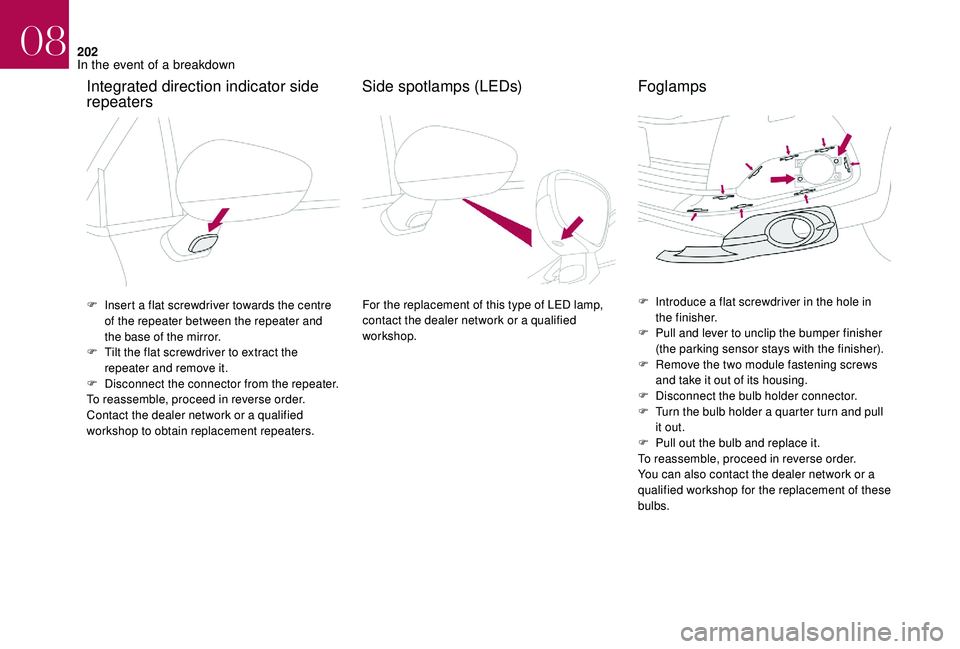
F Insert a flat screwdriver towards the centre of the repeater between the repeater and
the base of the mirror.
F
T
ilt the flat screwdriver to extract the
repeater and remove it.
F
D
isconnect the connector from the repeater.
To reassemble, proceed in reverse order.
Contact the dealer network or a qualified
workshop to obtain replacement repeaters.
Side spotlamps (LEDs)
For the replacement of this type of LED lamp,
contact the dealer network or a qualified
workshop. F
I ntroduce a flat screwdriver in the hole in
the finisher.
F
P
ull and lever to unclip the bumper finisher
(the parking sensor stays with the finisher).
F
R
emove the two module fastening screws
and take it out of its housing.
F
D
isconnect the bulb holder connector.
F
T
urn the bulb holder a quarter turn and pull
it out.
F
P
ull out the bulb and replace it.
To reassemble, proceed in reverse order.
You can also contact the dealer network or a
qualified workshop for the replacement of these
bulbs.
Foglamps
08
In the event of a breakdown
Page 228 of 296
4
12:13
18,5 21,5
23 °C
FM/87.5 MHz
87.5MHz
12:13
18,5 21,5
23 °C
12:13
18,5 21,5
23 °C
12:13
18,5 21,5
23 °C
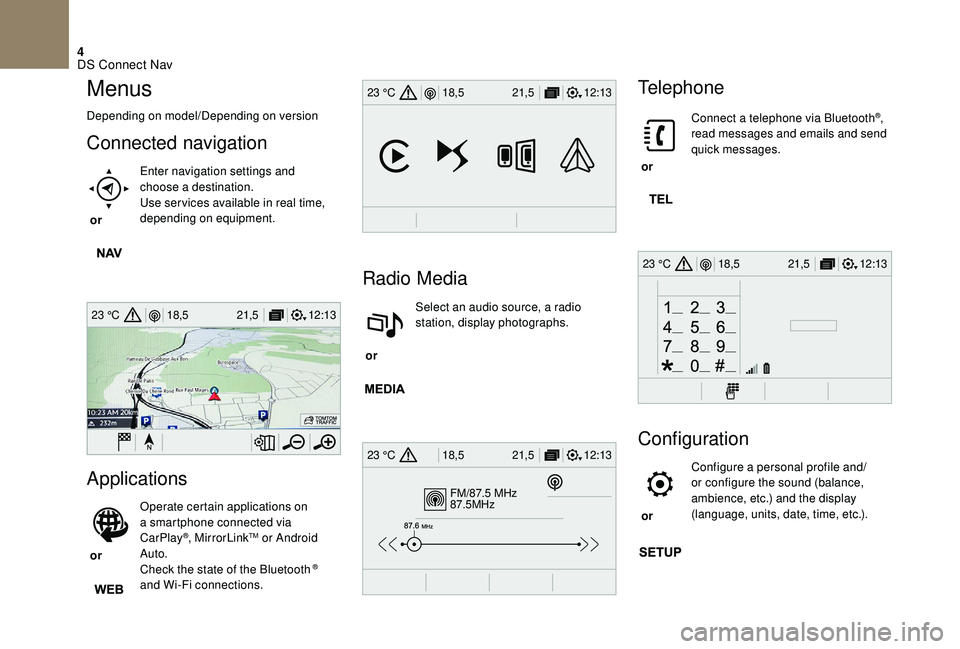
Menus
Depending on model/Depending on version
Connected navigation
or Enter navigation settings and
choose a destination.
Use ser vices available in real time,
depending on equipment.
Applications
or Operate certain applications on
a smartphone connected via
CarPlay
®, MirrorLinkTM or Android
Auto.
Check the state of the Bluetooth
®
and Wi-Fi connections.
Radio Media
or Select an audio source, a radio
station, display photographs.
Telephone
or Connect a telephone via Bluetooth
®,
read messages and emails and send
quick messages.
Configuration
or Configure a personal profile and/
or configure the sound (balance,
ambience, etc.) and the display
(language, units, date, time, etc.).
DS Connect Nav
Page 239 of 296
15
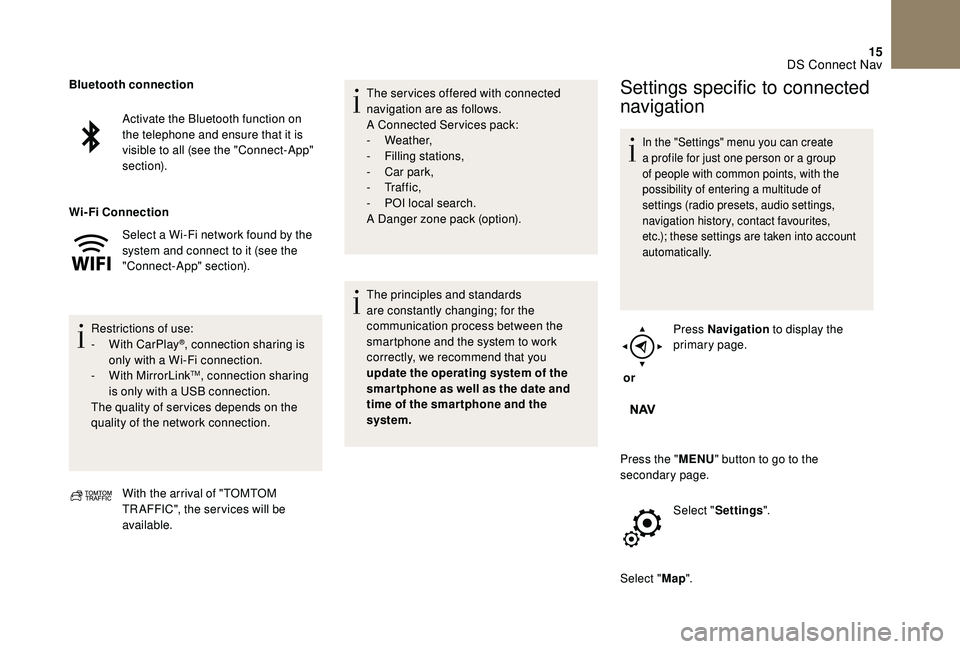
Activate the Bluetooth function on
the telephone and ensure that it is
visible to all (see the "Connect-App"
section).
Select a Wi-Fi network found by the
system and connect to it (see the
"Connect-App" section).
Restrictions of use:
-
W
ith CarPlay
®, connection sharing is
only with a Wi-Fi connection.
-
W
ith MirrorLink
TM, connection sharing
is only with a USB connection.
The quality of ser vices depends on the
quality of the network connection.
Bluetooth connection
Wi-Fi
Connection
With the arrival of "TOMTOM
TR AFFIC", the ser vices will be
available. The ser vices offered with connected
navigation are as follows.
A Connected Services pack:
-
Weather,
-
F
illing stations,
-
C
ar park,
-
Tr a f f i c ,
-
P
OI local search.
A Danger zone pack (option).
The principles and standards
are constantly changing; for the
communication process between the
smartphone and the system to work
correctly, we recommend that you
update the operating system of the
smar tphone as well as the date and
time of the smar tphone and the
system.
Settings specific to connected
navigation
In the "Settings" menu you can create
a profile for just one person or a group
of people with common points, with the
possibility of entering a multitude of
settings (radio presets, audio settings,
navigation history, contact favourites,
etc.); these settings are taken into account
automatically.
or Press Navigation
to display the
primary page.
Press the " MENU" button to go to the
secondary page.
Select "Settings ".
Select " Map".
DS Connect Nav
Page 242 of 296
18
Connectivity
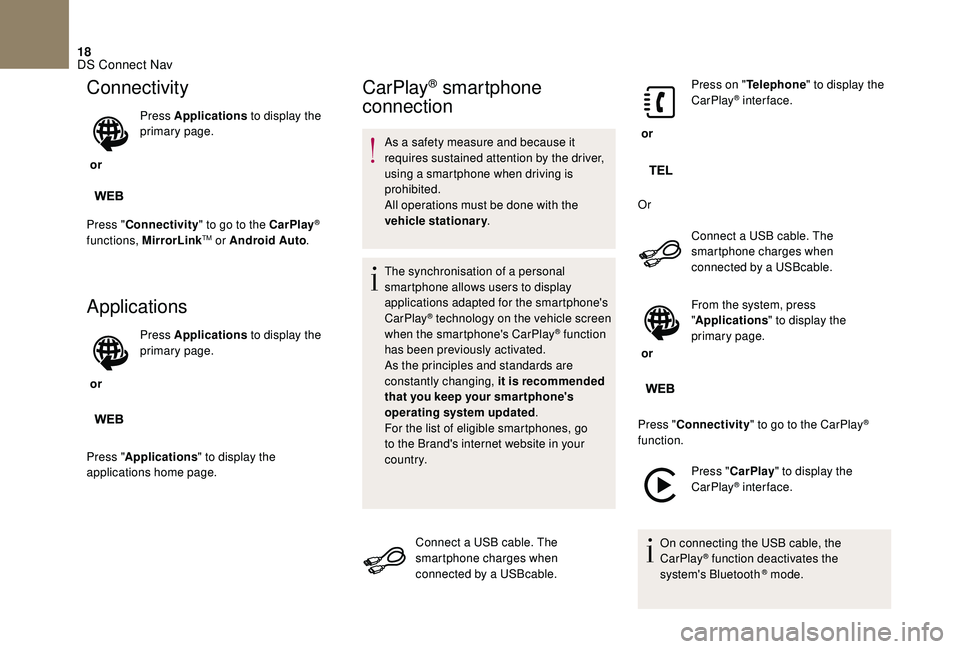
or Press Applications
to display the
primary page.
Press " Connectivity " to go to the CarPlay
®
functions, MirrorLinkTM or Android Auto .
Applications
or Press Applications
to display the
primary page.
Press " Applications " to display the
applications home page.
CarPlay® smartphone
connection
As a safety measure and because it
requires sustained attention by the driver,
using a smartphone when driving is
prohibited.
All operations must be done with the
vehicle stationary .
The synchronisation of a personal
smartphone allows users to display
applications adapted for the smartphone's
CarPlay
® technology on the vehicle screen
when the smartphone's CarPlay® function
has been previously activated.
As the principles and standards are
constantly changing, it is recommended
that you keep your smar tphone's
operating system updated .
For the list of eligible smartphones, go
to the Brand's internet website in your
c o u nt r y.
Connect a USB cable. The
smartphone charges when
connected by a USBcable. or
Press on "
Telephone " to display the
CarPlay
® inter face.
Or Connect a USB cable. The
smartphone charges when
connected by a USBcable.
or From the system, press
"
Applications " to display the
primary page.
Press " Connectivity " to go to the CarPlay
®
function.
Press "CarPlay " to display the
CarPlay
® inter face.
On connecting the USB cable, the
CarPlay
® function deactivates the
system's Bluetooth ® mode.
DS Connect Nav
Page 243 of 296
19
MirrorLinkTM smartphone
connection
As a safety measure and because it
requires sustained attention by the driver,
using a smartphone when driving is
prohibited.
All operations must be done with the
vehicle stationary .
The synchronisation of a personal
smartphone allows users to display
applications adapted for the smartphone's
MirrorLink
TM technology on the vehicle
sc
reen.
The principles and standards
are constantly changing, for the
communication process between the
smartphone and the system to operate,
it is essential that the smartphone is
unlocked; update the operating system
of the smar tphone as well as the date
and time of the smar tphone and the
system .
For the list of eligible smartphones, go
to the Brand's internet website in your
c o u nt r y. As a safety measure, applications can
only be viewed with the vehicle stationary;
display is interrupted once the vehicle is
moving.
The "
MirrorLink
TM" function requires
the use of a compatible smartphone and
applications.
When connecting a smartphone
to the system, it is recommended
that "Bluetooth
®" be started on the
smartphone.
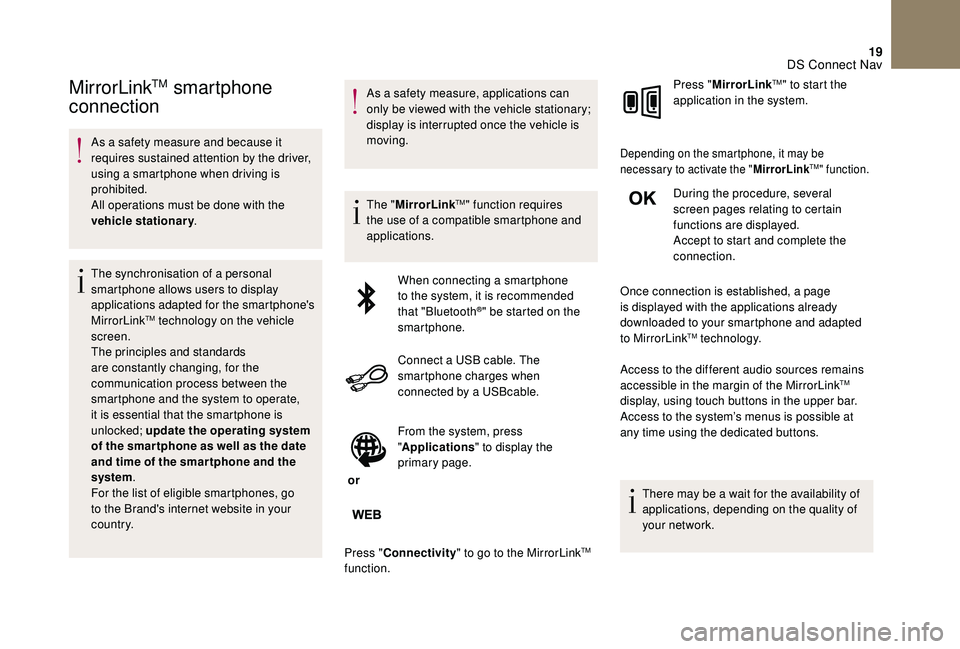
Connect a USB cable. The
smartphone charges when
connected by a USBcable.
or From the system, press
"
Applications " to display the
primary page.
Press " Connectivity " to go to the MirrorLink
TM
function. Press "
MirrorLink
TM" to start the
application in the system.
Depending on the smartphone, it may be
necessary to activate the " MirrorLinkTM" function.
During the procedure, several
screen pages relating to certain
functions are displayed.
Accept to start and complete the
connection.
Once connection is established, a page
is displayed with the applications already
downloaded to your smartphone and adapted
to MirrorLink
TM technology.
Access to the different audio sources remains
accessible in the margin of the MirrorLink
TM
display, using touch buttons in the upper bar.
Access to the system’s menus is possible at
any time using the dedicated buttons.
There may be a wait for the availability of
applications, depending on the quality of
your network.
DS Connect Nav
Page 289 of 296
223
ABS ...............................................................108
Accessories .......................................... 103, 13 8
Accessory position
....................................... 13 8
AdBlue
® ........................................... 20, 183 -185
Additive, AdBlue .............................................. 20
Adjusting headlamps
...................................... 96
Adjusting head restraints
................................ 66
Adjusting seats
.......................................... 64-66
Adjusting the date
......................... 37- 3 9, 45, 36
Adjusting the height and reach of the steering wheel
.................................... 70
Adjusting the seat belt height
................ 11
0 -111
Adjusting the time
......................... 37- 3 9, 45, 36
Advice on care and maintenance
.................18 6
Advice on driving
................................... 132-13 3
Airbags
...............................
.............19, 113 , 11 8
Airbags, curtain
...................................... 114 -115
Airbags, front ................................... 113 -115, 11 9
Airbags, lateral
....................................... 114 -115
Air conditioning, automatic
........................74 -7 8
Air conditioning, manual
...................... 7
2-73, 78
Alarm
......................................................... 57- 5 9
Anti-lock braking system (ABS)
....................108
Anti-pinch
.................................................. 61
- 62
Anti-slip regulation (ASR)
............................. 108
Anti-theft
....................................................... 13 4
Armrest, front
............................................ 85-86
Armrest, rear
...............................
....................88
ASR
........
....................................................... 108
Assistance call
...............................
........104 -107
Assistance, emergency braking
...................108
Audio streaming (Bluetooth)
.......................27, 7
Auxiliary
.................................................... 26-27
B
Back-up key..................................................... 53
Battery .................................... 181, 209 , 211-212
Battery, charging
.................................... 210 -211Battery, remote control
.......................
50, 54-56
Black panel ................................................ 36 -37
Blanking screen (snow shield)
......................
170
Blind
..............................
..................................
80
Blind spot sensors
.................................
157-159
BlueHDi
............................................
34, 36 , 183
Bluetooth (hands-free)
.......................... 2
8-29
, 9
Bluetooth (telephone)
................................ 28
-30
Bonnet
....................................................
17 7-178
Boot
.....................................................
60 - 61, 90
Brake discs
....................................................
183
Brake lamps
...............................
...................
203
Brakes
...........................................................
183
Bulbs (changing)
...................................
198, 203
C
Cable, audio .................................................... 26
Cable, jack ...................................................... 26
Capacity, fuel tank
................................. 166 -167
CarPlay connection ......................................... 18
CD
.......................................................... 26-27, 7
CD, MP3
............................................. 26-27, 7- 8
Central locking
.............................. 48
, 51- 5 2, 56
Centre console
................................................ 84
Changing a bulb
.................................... 19
8, 203
Changing a fuse
.................................... 20
5-208
Changing a wheel
.................................. 19
2-193
Changing a wiper blade
........................ 10
0, 176
Changing the remote control battery
........50, 54
CHECK
................
............................................ 36
Checking levels
...................................... 179 -18 0
Checking the engine oil level
....................32-33
Checking tyre pressures (using the kit) ...18 9, 191Checks ........................................... 178, 181-183
Checks, routine ...................................... 181-183
Child lock
................................................ 12 9 -13 0
Children
.......................................... 123, 125 -127
Children (safety)
..................................... 12 9 -13 0
A
Child seats ..............11 2, 11 6 -117 , 12 2-123 , 128
Child seats, conventional ..............................12 2
Child seats, ISOFIX
...............................124 -127
Cigar lighter
..................................................... 82
Cleaning (advice)
.......................................... 18 6
Closing the boot
.................................. 48
, 60 - 61
Closing the doors
.....................48, 51- 5 2, 59-60
Configuration, vehicle
..................... 11
-12, 37- 41
Connection, Bluetooth
........................ 21,
28-30
Connection, MirrorLink
...................................19
Connection, Wi-Fi network
.............................22
Control, electric windows
..........................61- 62
Control, emergency boot release
...................61
Control, emergency door
.............. 49
-50, 53-54
Control, heated seats
...................................... 68
Controls, steering mounted
...........................2-3
Control stalk, lighting
.........................23, 92 , 94
Control stalk, wipers
................................9
8 -101
Courtesy lamps
................................... 83, 95-96
Cruise control
.......................... 15 0 -151, 15 3 -15 5
Cup holder
....................................................... 84
D
DAB (Digital Audio
Broadcasting) – Digital radio ....................25, 5
Date (setting)
................................. 37- 3 9, 45, 36
Daytime running lamps
...................94, 198 , 201
Deactivating the passenger airbag
..................................... 113 -114, 11 8 -11 9
Deadlocking
.............................................. 48, 52
Demisting/defrosting
.................................79-80
Diesel
.............................................................. 26
Dimensions .............................. .....................221
Dipstick
................
.......................32-33, 179 -18 0
Direction indicators
..........23, 94 , 198 , 200 , 203
Display screen, instrument panel
......1 0 -11 , 14 6
Display screen, multifunction (with audio system)
.................................. 3
7- 3 9
Alphabetical index
Page 291 of 296
225
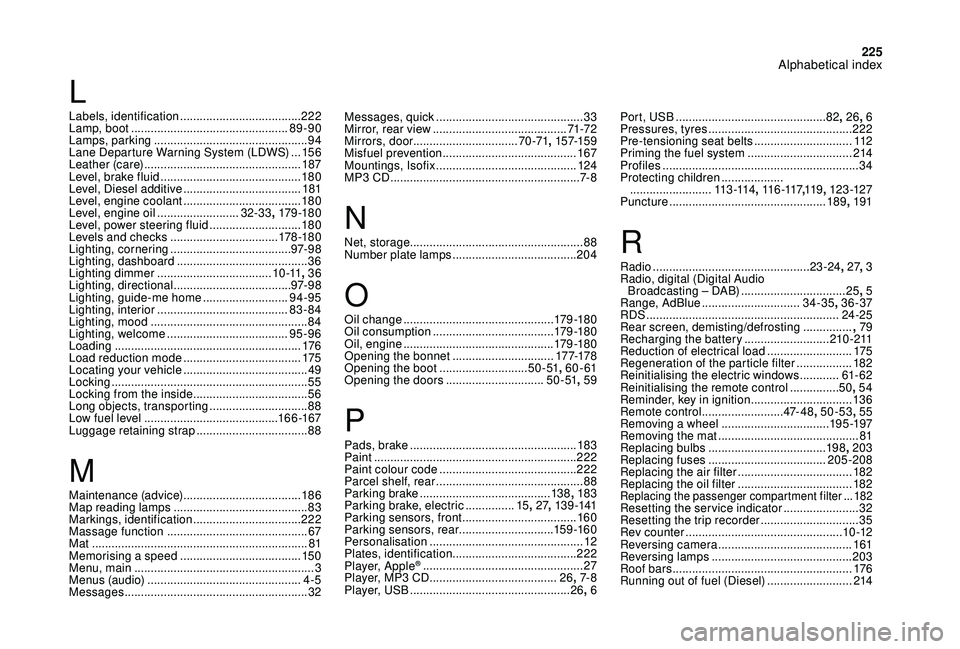
Messages, quick .............................................33
M irror, rear view ......................................... 71-72
Mirrors, door ................................ 70 -71, 157-159
Misfuel prevention
......................................... 167
Mountings, Isofix
........................................... 124
MP3 CD
.......................................................... 7- 8
N
Net, storage..................................................... 88
Number plate lamps ...................................... 204
O
Oil change .............................................. 17 9 -18 0
Oil consumption ..................................... 179 -18 0
Oil, engine
.............................................. 179 -18 0
Opening the bonnet
...............................17 7-178
Opening the boot
...........................5 0 - 51, 60 - 61
Opening the doors
..............................5 0 - 51, 59
P
Pads, brake ................................................... 183
Paint .............................................................. 222
Paint colour code
.......................................... 222
Parcel shelf, rear
............................................. 88
Parking brake
........................................ 13 8, 183
Parking brake, electric
............... 15,
27, 13 9 -141
Parking sensors, front
...................................160
Parking sensors, rear .............................15 9 -16 0
Personalisation
............................................... 12
Plates, identification ...................................... 222
Player, Apple
® ................................................. 2 7
Player, MP3 CD ............................... ........26, 7- 8
Player, USB
................................................. 26, 6 Port, USB
..............................................82
, 26, 6
Pressures, tyres
............................................
222
Pre-tensioning seat belts
..............................
112
Priming the fuel system ................................
214
Profiles
............................................................
34
Protecting children
...................
.........................
113 -114, 11 6 -117 ,11 9 , 123 -127
Puncture
................................................
189, 191
R
Radio ................................................ 23 -24, 27, 3
Radio, digital (Digital Audio Broadcasting – DAB)
................................25, 5
Range, AdBlue
.............................. 34-35, 36 -37
RDS
................
........................................... 24-25
Rear screen, demisting/defrosting
............... ,
79
Recharging the battery
..........................210 -211
Reduction of electrical load
..........................175
Regeneration of the particle filter
.................182
Reinitialising the electric windows
............ 61
- 62
Reinitialising the remote control
............... 50,
54
Reminder, key in ignition
...............................13
6
Remote control
.........................47- 4 8, 50-53 , 55
Removing a wheel
................................. 195 -197
Removing the mat
........................................... 81
Replacing bulbs
.................................... 19
8, 203
Replacing fuses
.................................... 205-208
Replacing the air filter
................................... 18
2
Replacing the oil filter
................................... 18
2
Replacing the passenger compartment filter ...182Resetting the service indicator .......................32
Resetting the trip recorder ..............................35
Rev counter
................................................ 10 -12
Reversing camera
...............................
..........161
Reversing lamps
..............................
.............203
Roof bars
....................................................... 176
Running out of fuel (Diesel)
..........................214
L
Labels, identification ..................................... 222
Lamp, boot ................................................ 89-90
Lamps, parking
............................................... 94
Lane Departure Warning System (LDWS)
...15 6
Leather (care)
................................................ 187
Level, brake fluid
........................................... 18 0
Level, Diesel additive
.................................... 181
Level, engine coolant
.................................... 18 0
Level, engine oil
.........................32-33, 179 -18 0
Level, power steering fluid
............................18 0
Levels and checks
..............................
...178 -18 0
Lighting, cornering
..................................... 97- 9 8
Lighting, dashboard
........................................ 36
Lighting dimmer
................................... 1 0 -11, 36
Lighting, directional
.................................... 97- 9 8
Lighting, guide-me home
..........................94-95
Lighting, interior
...............................
.........83-84
Lighting, mood
................................................ 84
Lighting, welcome
..................................... 95-96
Loading
......................................................... 176
Load reduction mode
.................................... 175
Locating your vehicle
...................................... 49
Locking
...............................
.............................55
Locking from the inside
...................................56
Long objects, transporting
..............................88
Low fuel level
......................................... 16
6 -167
Luggage retaining strap
.................................. 88
M
Maintenance (advice) .................................... 18 6
Map reading lamps ......................................... 83
M
arkings, identification
.................................222
Massage function
........................................... 67
Mat
.................................................................. 81
Memorising a speed
..................................... 15
0
Menu, main
....................................................... 3
M
enus (audio)
............................................... 4-5
Messages
........................................................ 32
Alphabetical index