instrument panel CITROEN DS5 2017 User Guide
[x] Cancel search | Manufacturer: CITROEN, Model Year: 2017, Model line: DS5, Model: CITROEN DS5 2017Pages: 403, PDF Size: 15.62 MB
Page 35 of 403
33
DS5_en_Chap01_controle-de-marche_ed01-2015
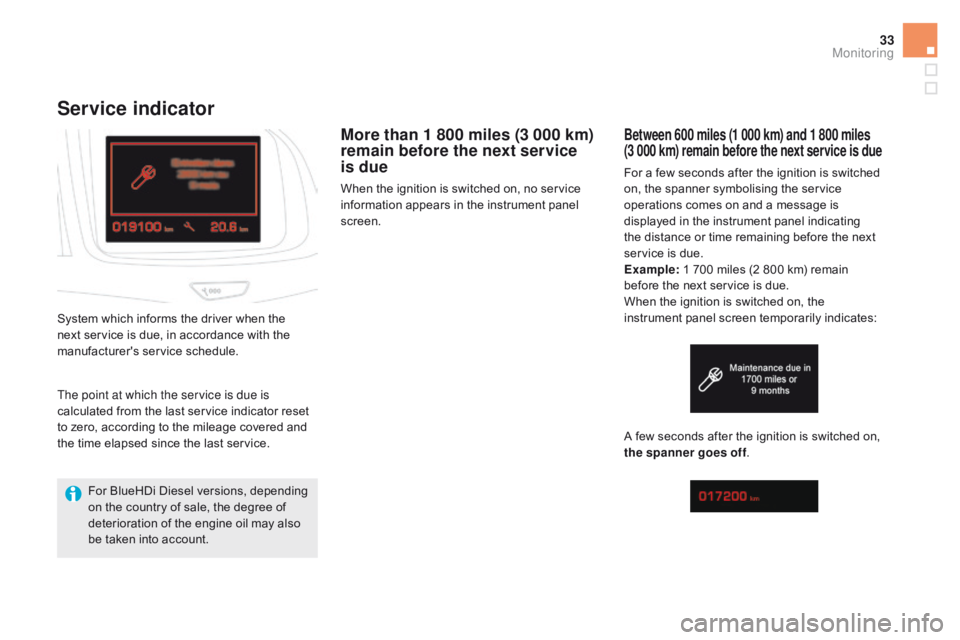
Service indicator
More than 1 800 miles (3 000 km)
remain before the next service
is due
When the ignition is switched on, no service
information appears in the instrument panel
screen.
System which informs the driver when the
next service is due, in accordance with the
manufacturer's service schedule.
Between 600 miles (1 000 km) and 1 800 miles
(3 000 km) remain before the next service is due
For a few seconds after the ignition is switched
on, the spanner symbolising the service
operations comes on and a message is
displayed in the instrument panel indicating
the distance or time remaining before the next
service is due.
Example: 1 700 miles (2 800 km) remain
before the next service is due.
When the ignition is switched on, the
instrument panel screen temporarily indicates:
A few seconds after the ignition is switched on,
the spanner goes off .
The point at which the service is due is
calculated from the last service indicator reset
to zero, according to the mileage covered and
the time elapsed since the last service.
For BlueHDi Diesel versions, depending
on the country of sale, the degree of
deterioration of the engine oil may also
be taken into account.
Monitoring
Page 36 of 403
DS5_en_Chap01_controle-de-marche_ed01-2015
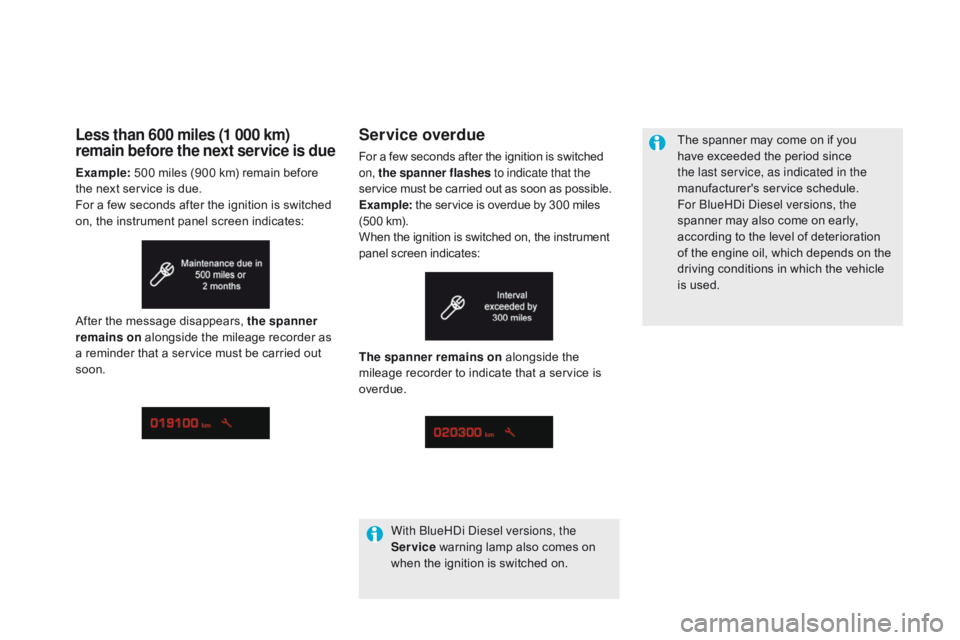
Service overdue
For a few seconds after the ignition is switched
on, the spanner flashes to indicate that the
service must be carried out as soon as possible.
Example: the service is overdue by 300 miles
(500 km).
When the ignition is switched on, the instrument
panel screen indicates: The spanner may come on if you
have exceeded the period since
the last service, as indicated in the
manufacturer's service schedule.
For BlueHDi Diesel versions, the
spanner may also come on early,
according to the level of deterioration
of the engine oil, which depends on the
driving conditions in which the vehicle
is used.
The spanner remains on alongside the
mileage recorder to indicate that a service is
overdue.
With BlueHDi Diesel versions, the
Service warning lamp also comes on
when the ignition is switched on.
Less than 600 miles (1 000 km)
remain before the next service is due
Example: 500 miles (900 km) remain before
the next service is due.
For a few seconds after the ignition is switched
on, the instrument panel screen indicates:
After the message disappears, the spanner
remains on alongside the mileage recorder as
a reminder that a service must be carried out
soon.
Page 38 of 403
DS5_en_Chap01_controle-de-marche_ed01-2015
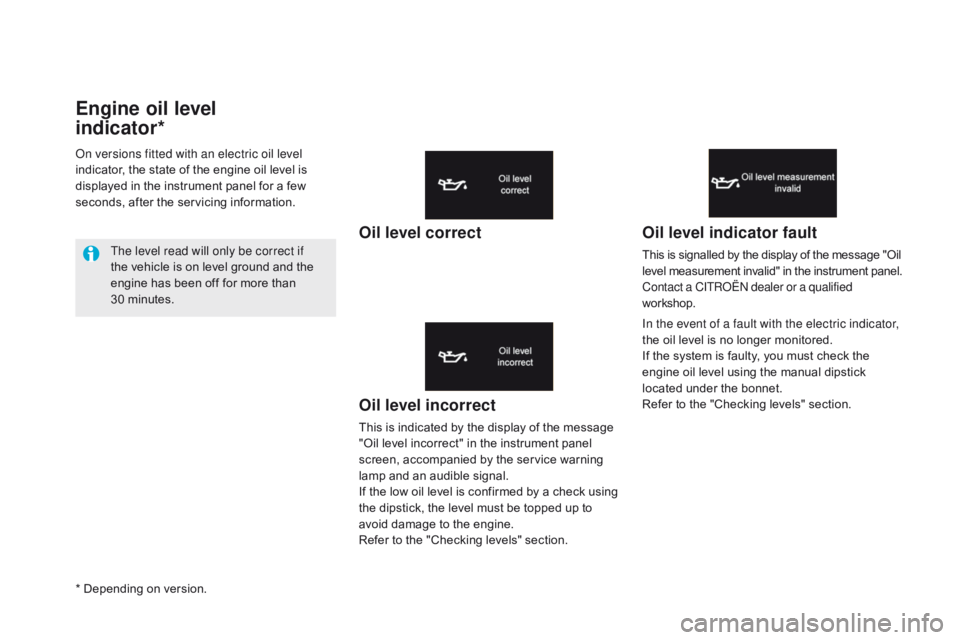
Engine oil level
indicator*
Oil level incorrect
This is indicated by the display of the message
"Oil level incorrect" in the instrument panel
screen, accompanied by the service warning
lamp and an audible signal.
If the low oil level is confirmed by a check using
the dipstick, the level must be topped up to
avoid damage to the engine.
Refer to the "Checking levels" section.
Oil level indicator fault
This is signalled by the display of the message "Oil
level measurement invalid" in the instrument panel.
Contact a CITROËN dealer or a qualified
workshop.
In the event of a fault with the electric indicator,
the oil level is no longer monitored.
If the system is faulty, you must check the
engine oil level using the manual dipstick
located under the bonnet.
Refer to the "Checking levels" section.
On versions fitted with an electric oil level
indicator, the state of the engine oil level is
displayed in the instrument panel for a few
seconds, after the servicing information.
The level read will only be correct if
the vehicle is on level ground and the
engine has been off for more than
30 minutes.
Oil level correct
* Depending on version.
Page 40 of 403
DS5_en_Chap01_controle-de-marche_ed01-2015
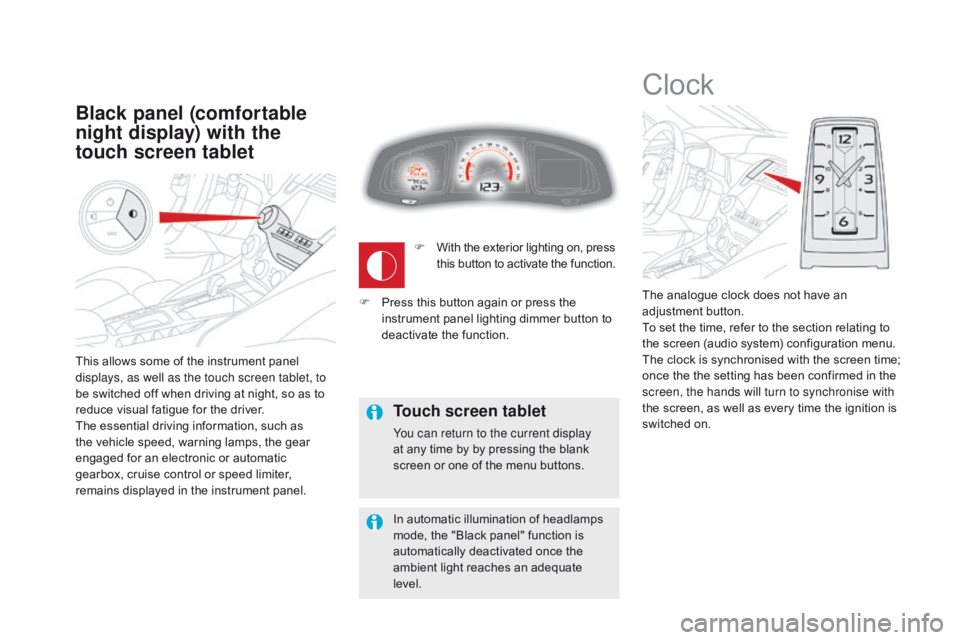
This allows some of the instrument panel
displays, as well as the touch screen tablet, to
be switched off when driving at night, so as to
reduce visual fatigue for the driver.
The essential driving information, such as
the vehicle speed, warning lamps, the gear
engaged for an electronic or automatic
gearbox, cruise control or speed limiter,
remains displayed in the instrument panel.
Black panel (comfortable
night display) with the
touch screen tablet
Clock
The analogue clock does not have an
adjustment button.
To set the time, refer to the section relating to
the screen (audio system) configuration menu.
The clock is synchronised with the screen time;
once the the setting has been confirmed in the
screen, the hands will turn to synchronise with
the screen, as well as every time the ignition is
switched on.
F
W
ith the exterior lighting on, press
this button to activate the function.
Touch screen tablet
You can return to the current display
at any time by by pressing the blank
screen or one of the menu buttons.
In automatic illumination of headlamps
mode, the "Black panel" function is
automatically deactivated once the
ambient light reaches an adequate
level.
F
P
ress this button again or press the
instrument panel lighting dimmer button to
deactivate the function.
Page 50 of 403
DS5_en_Chap01_controle-de-marche_ed01-2015
Trip computer
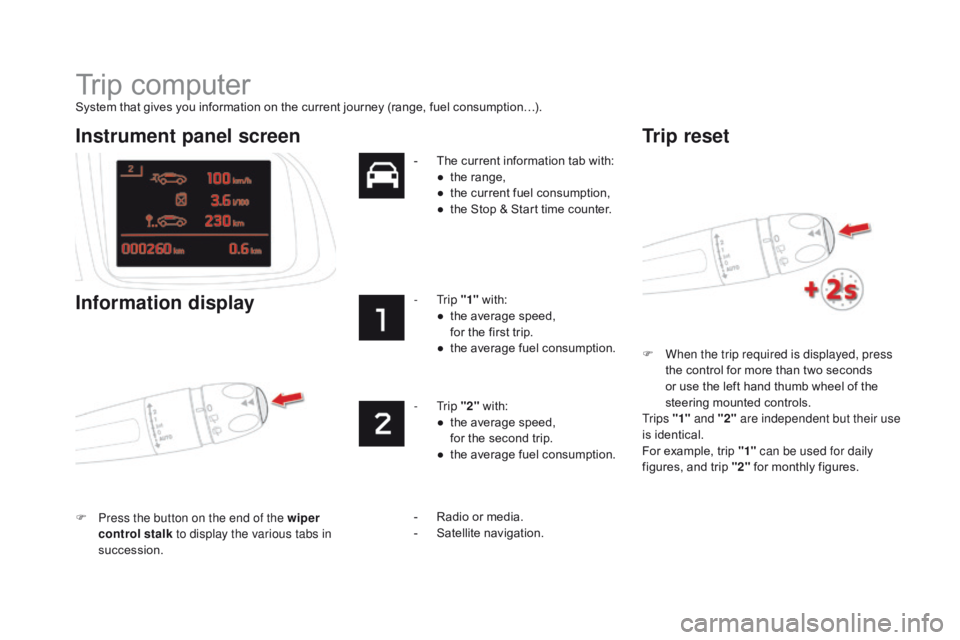
System that gives you information on the current journey (range, fuel consumption…).F
W
hen the trip required is displayed, press
the control for more than two seconds
or use the left hand thumb wheel of the
steering mounted controls.
Tr i p s "1" and "2" are independent but their use
is identical.
For example, trip "1" can be used for daily
figures, and trip "2" for monthly figures.
Instrument panel screen
Information display
F Press the button on the end of the wiper
control stalk to display the various tabs in
succession. -
T
he current information tab with:
●
t
he range,
●
t
he current fuel consumption,
●
t
he Stop & Start time counter.
- Trip
"1" with:
●
t
he average speed,
f
or the first trip.
●
t
he average fuel consumption.
- Trip
"2" with:
●
t
he average speed,
f
or the second trip.
●
t
he average fuel consumption.
Trip reset
- Radio or media.
- S
atellite navigation.
Page 61 of 403
59
DS5_en_Chap02_ouvertures_ed01-2015
Do not throw the remote control
batteries away, they contain metals
which are harmful to the environment.
Take them to an approved collection
point.
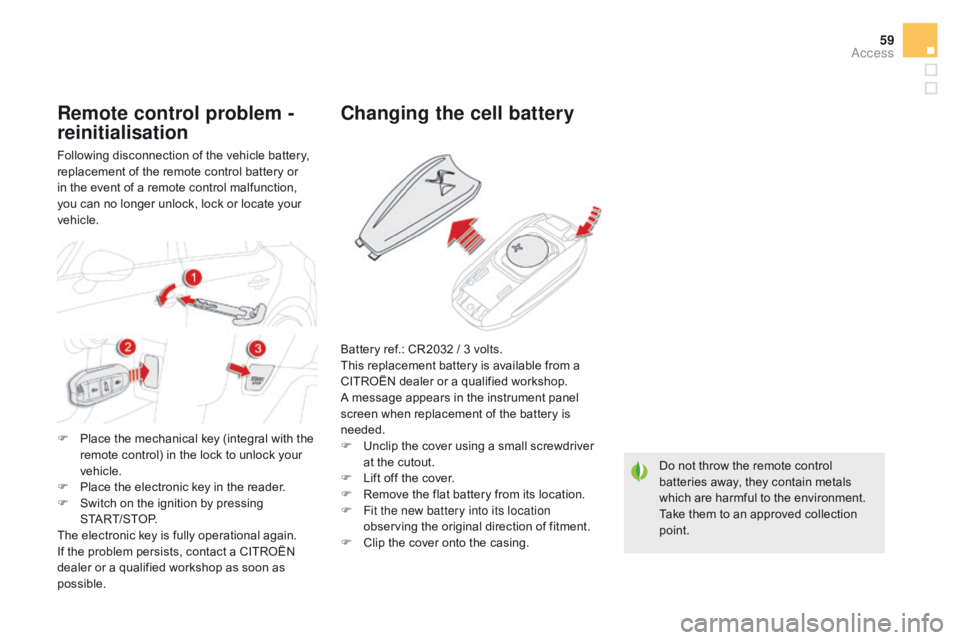
changing the cell battery
Battery ref.: CR2032 / 3 volts.
This replacement battery is available from a
CITROËN dealer or a qualified workshop.
A message appears in the instrument panel
screen when replacement of the battery is
needed.
F
U
nclip the cover using a small screwdriver
at the cutout.
F
L
ift off the cover.
F
R
emove the flat battery from its location.
F
F
it the new battery into its location
observing the original direction of fitment.
F
C
lip the cover onto the casing.
Remote control problem -
reinitialisation
Following disconnection of the vehicle battery,
replacement of the remote control battery or
in the event of a remote control malfunction,
you can no longer unlock, lock or locate your
vehicle.
F
P
lace the mechanical key (integral with the
remote control) in the lock to unlock your
vehicle.
F
P
lace the electronic key in the reader.
F
S
witch on the ignition by pressing
START/STOP.
The electronic key is fully operational again.
If the problem persists, contact a CITROËN
dealer or a qualified workshop as soon as
possible.
Access
Page 63 of 403
61
DS5_en_Chap02_ouvertures_ed01-2015
Central locking
Driving with the doors locked may make
access to the passenger compartment
by the emergency services more
difficult in an emergency. If one of the doors or the boot is
open, automatic central locking does
not complete: the sound of the locks
rebounding can be heard.
Transporting long or voluminous
objects
If you want to drive with the boot open
but the vehicle's side doors locked,
press the central locking control button
to lock the doors.
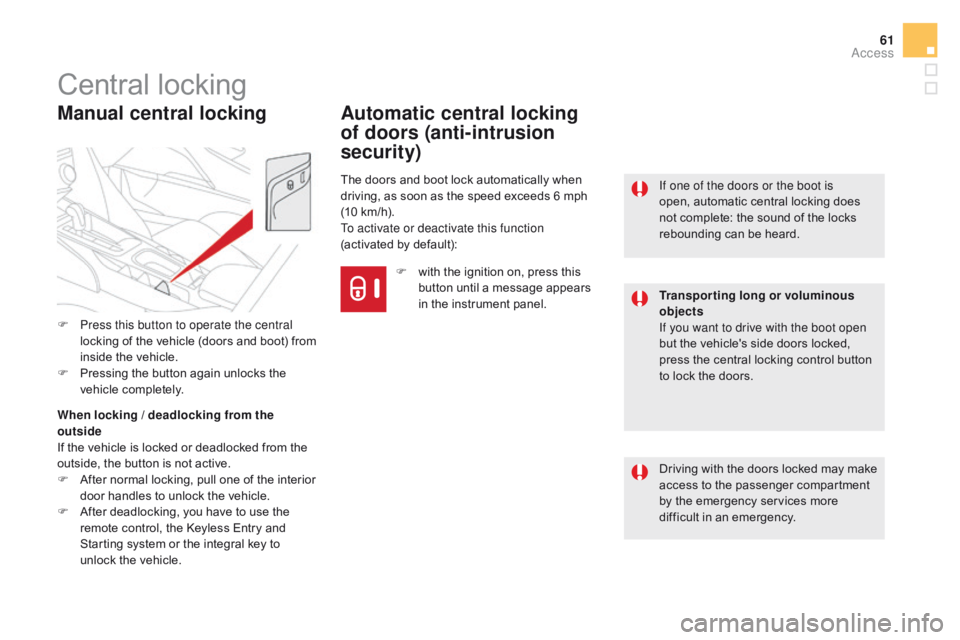
Manual central locking
F Press this button to operate the central locking of the vehicle (doors and boot) from
inside the vehicle.
F
P
ressing the button again unlocks the
vehicle completely.
When locking / deadlocking from the
outside
If the vehicle is locked or deadlocked from the
outside, the button is not active.
F
A
fter normal locking, pull one of the interior
door handles to unlock the vehicle.
F
A
fter deadlocking, you have to use the
remote control, the Keyless Entry and
Starting system or the integral key to
unlock the vehicle.
Automatic central locking
of doors (anti-intrusion
security)
The doors and boot lock automatically when
driving, as soon as the speed exceeds 6 mph
(10 km/h).
To activate or deactivate this function
(activated by default):
F
w
ith the ignition on, press this
button until a message appears
in the instrument panel.
Access
Page 64 of 403
DS5_en_Chap02_ouvertures_ed01-2015
Boot
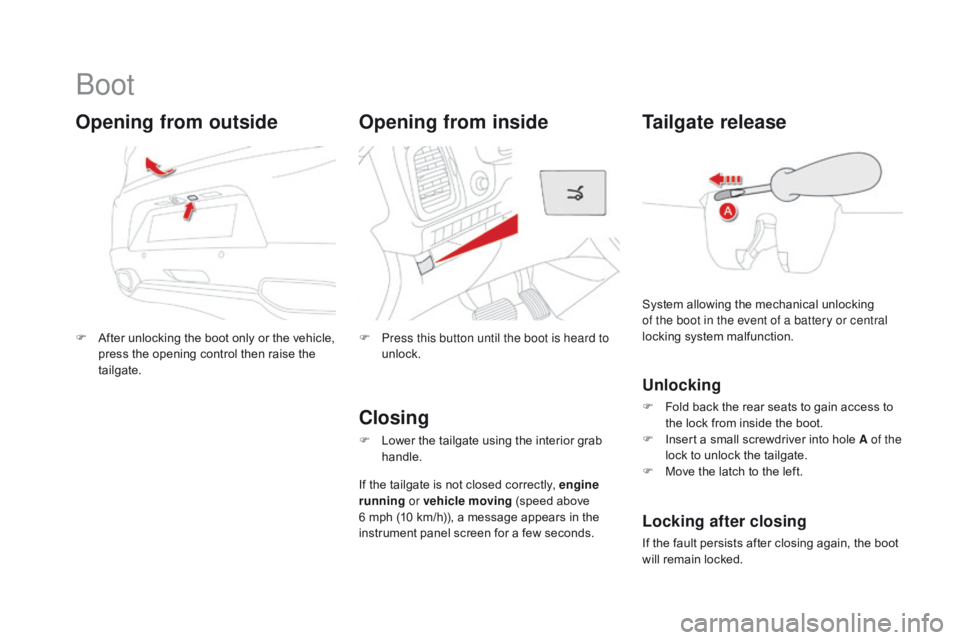
F After unlocking the boot only or the vehicle, press the opening control then raise the
tailgate.
Opening from outside
F Press this button until the boot is heard to unlock.
Tailgate release
Unlocking
F Fold back the rear seats to gain access to the lock from inside the boot.
F
I
nsert a small screwdriver into hole A of the
lock to unlock the tailgate.
F
M
ove the latch to the left.
System allowing the mechanical unlocking
of the boot in the event of a battery or central
locking system malfunction.
Locking after closing
If the fault persists after closing again, the boot
will remain locked.
closing
F Lower the tailgate using the interior grab
handle.
If the tailgate is not closed correctly, engine
running or vehicle moving
(speed above
6 mph (10 km/h)), a message appears in the
instrument panel screen for a few seconds.
Opening from inside
Page 101 of 403
99
DS5_en_Chap04_conduite_ed01-2015
Starting-switching off the engine
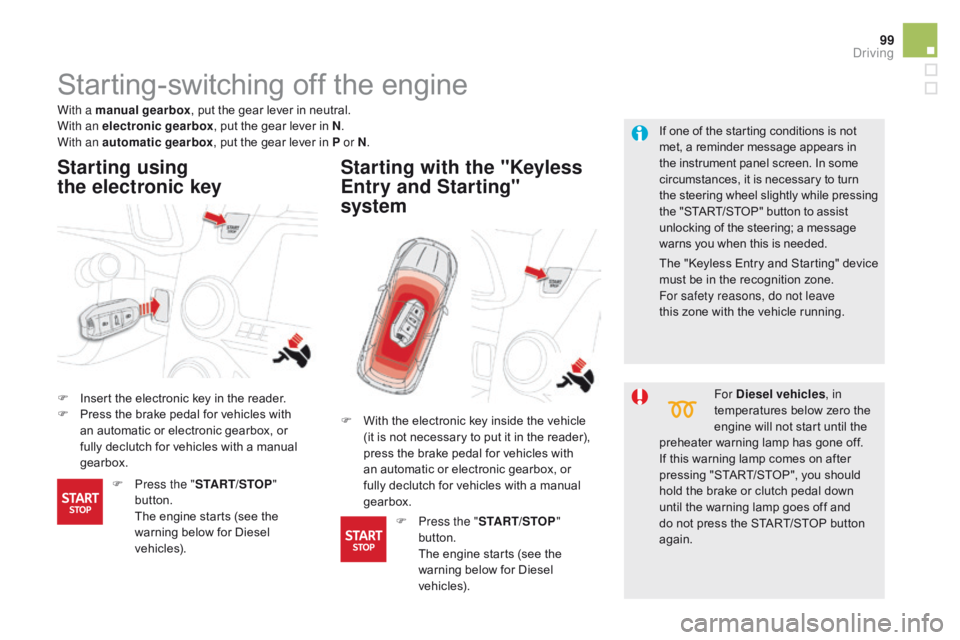
F Insert the electronic key in the reader.
F P ress the brake pedal for vehicles with
an automatic or electronic gearbox, or
fully declutch for vehicles with a manual
gearbox.
Starting using
the electronic key Starting with the "Keyless
Entry and Starting"
system
If one of the starting conditions is not
met, a reminder message appears in
the instrument panel screen. In some
circumstances, it is necessary to turn
the steering wheel slightly while pressing
the "START/STOP" button to assist
unlocking of the steering; a message
warns you when this is needed.
With a manual gearbox
, put the gear lever in neutral.
With an electronic gearbox , put the gear lever in N.
With an automatic gearbox , put the gear lever in P or N.
For
d iesel vehicles, in
temperatures below zero the
engine will not start until the
preheater warning lamp has gone off.
If this warning lamp comes on after
pressing "START/STOP", you should
hold the brake or clutch pedal down
until the warning lamp goes off and
do not press the START/STOP button
again.
F
W
ith the electronic key inside the vehicle
(it is not necessary to put it in the reader),
press the brake pedal for vehicles with
an automatic or electronic gearbox, or
fully declutch for vehicles with a manual
gearbox.
F
P
ress the " START/STOP "
button.
T
he engine starts (see the
warning below for Diesel
vehicles). F
P
ress the " START/STOP "
button.
T
he engine starts (see the
warning below for Diesel
vehicles). The "Keyless Entry and Starting" device
must be in the recognition zone.
For safety reasons, do not leave
this
zone with the vehicle running.
driving
Page 102 of 403
DS5_en_Chap04_conduite_ed01-2015
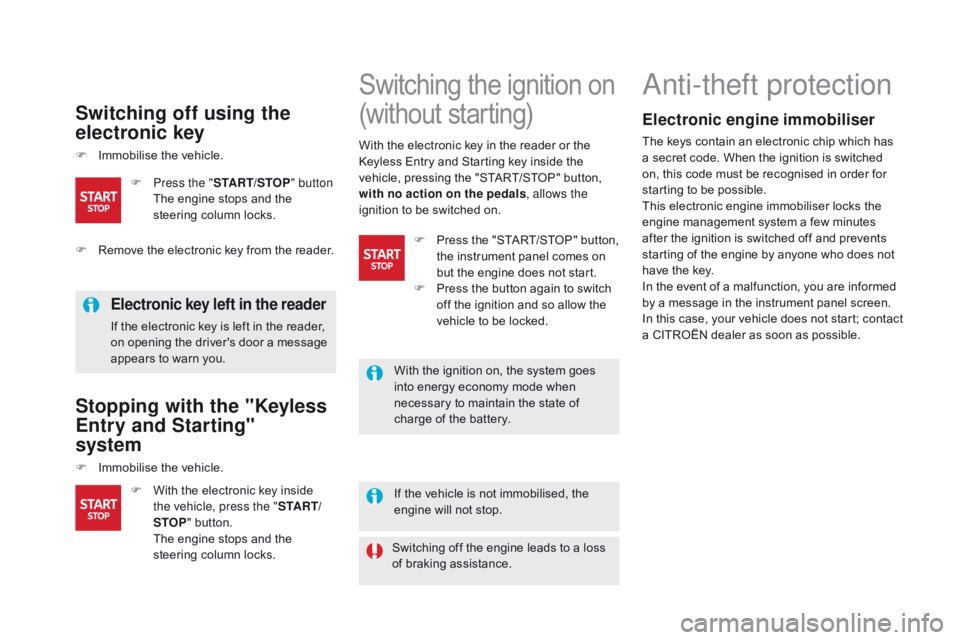
Switching off using the
electronic key
F Immobilise the vehicle.
Electronic key left in the reader
If the electronic key is left in the reader,
on opening the driver's door a message
appears to warn you.
Stopping with the "Keyless
Entry and Starting"
system
F Immobilise the vehicle.If the vehicle is not immobilised, the
engine will not stop.
Switching the ignition on
(without starting)
F With the electronic key inside the vehicle, press the " S TA R T/
STOP " button.
T
he engine stops and the
steering column locks.
F
P
ress the "
START/STOP " button
T
he engine stops and the
steering column locks.
Anti-theft protection
Electronic engine immobiliser
The keys contain an electronic chip which has
a secret code. When the ignition is switched
on, this code must be recognised in order for
starting to be possible.
This electronic engine immobiliser locks the
engine management system a few minutes
after the ignition is switched off and prevents
starting of the engine by anyone who does not
have the key.
In the event of a malfunction, you are informed
by a message in the instrument panel screen.
In this case, your vehicle does not start; contact
a CITROËN dealer as soon as possible.
With the electronic key in the reader or the
Keyless Entry and Starting key inside the
vehicle, pressing the "START/STOP" button,
with no action on the pedals
, allows the
ignition to be switched on.
F
R
emove the electronic key from the reader. F
P
ress the "START/STOP" button,
the instrument panel comes on
but the engine does not start.
F
P
ress the button again to switch
off the ignition and so allow the
vehicle to be locked.
With the ignition on, the system goes
into energy economy mode when
necessary to maintain the state of
charge of the battery.
Switching off the engine leads to a loss
of braking assistance.