brake Citroen DS5 HYBRID4 2014 1.G Owner's Guide
[x] Cancel search | Manufacturer: CITROEN, Model Year: 2014, Model line: DS5 HYBRID4, Model: Citroen DS5 HYBRID4 2014 1.GPages: 380, PDF Size: 13.62 MB
Page 139 of 380

137Driving
DS5-HYBRID_EN_CHAP04_CONDUITE_ED02-2013
SituationsConsequences
To apply the electric parking brake: immobilise the vehicle and switch off the ignition. pull the control for at least 5 seconds or until application is complete. switch on the ignition and check that the electric parking brake warning lamps come on. The application is slower than during normal operation. To release the electric parking brake: switch on the ignition. pull the control lever and hold it for approximately 3 seconds then release it. If the braking warning lamp is flashing or if the warning lamps do not come on with the ignition on, these procedures will not work. Place the vehicle on level ground and have it checked by a CITROËN dealer or a qualified workshop.
and possibly
flashing
Display of the message " Parking brake fault " and of the following warning lamps: - Only the automatic application on switching off the engine and automatic release on acceleration functions are available. - The manual application/release of the electric parking brake and the emergency braking are not available.
and possibly
flashing
Display of the message "Battery charge fault". - You must stop as soon as it is safe to do so. Switch off and immobilise your vehicle (if necessary, place the a chock under a wheel). - Apply the electric parking brake before switching off the engine.
Page 140 of 380

DS5-HYBRID_EN_CHAP04_CONDUITE_ED02-2013
Special situations
In the event of a malfunction of the parking brake in the on position or a battery failure, manual release remains possible. To ensure correct operation, and so your safety, the number of successive applications and releases of the parking brake is limited to eight cycles. If used excessively, you are alerted by the message "parking brake faulty" and a flashing warning lamp.
In some circumstances (engine start...), the parking brake may adjust the level of application itself. This is normal operation. To move your vehicle a few centimetres without starting the engine, with the ignition on, press the brake pedal and release the parking brake by pulling then releasingthe control lever A . Complete release of the parking brake is indicated by the warning lamps in the control lever A and in the instrument panel going off and by the display of the message "Parking brake off ".
Page 141 of 380

139Driving
DS5-HYBRID_EN_CHAP04_CONDUITE_ED02-2013
Hill start assist
System which keeps your vehicle immobilised temporarily (approximately 2 seconds) when starting on a gradient, the time it takes to move your foot from the brake pedal to the accelerator pedal. This function is only active when: - the vehicle is completely stationary, with your foot on the brake pedal, - in particular conditions on a slope, - with the driver’s door closed. The hill start assist function cannot be deactivated.
On an ascending slope, with the vehicle stationar y, the vehicle is held for a brief moment when you release the brake pedal,if the gear selector is in position A or M .
On a descending slope, with the vehicle stationary and reverse gear engaged, the vehicle is held for a brief moment when you release the brake pedal.
Do not exit the vehicle while it is being held in the hill start assist phase. If you need to exit the vehicle with the hybrid system active, apply the parking brake manually then ensure that the parking brake warning lamp and the warning lamp P on the lever (of the electric brake) are permanently on.
Operating fault
If a malfunction of the system occurs, these warning lamps come on. Contact a CITROËN dealer or a qualified workshop to have the system checked.
Page 142 of 380

DS5-HYBRID_EN_CHAP04_CONDUITE_ED02-2013
Electronic gearbox
Six-speed electronic gearbox which offers a choice between the comfort of fully automatic operation or the pleasure of manual gear changing. There are two driving modes: - automated mode for automatic control of the gears by the gearbox, - manual mode for sequential gear changing by the driver.
R. Reverse With your foot on the brake, lift the selector and push forwards. N. Neutral. With your foot on the brake, select this position to start. A. Automated mode. Move the selector backwards to select this mode. M. Manual mode with sequential gear changing. Lift the selector then move it backwards to select this mode, then use the steering mounted control paddles to change gear.
Gear selector
+. Change up paddle to the right of the steering wheel. Press the back of the "+" steering mounted paddle to change up a gear. -. Change down paddle to the left of the steering wheel. Press the back of the "-" steering mounted paddle to change down a gear.
Steering mounted control paddles
The steering mounted paddles cannot be used to select neutral or to engage or disengage reverse gear.
This gearbox provides additional functions: - hill start assist, - creep function (the vehicle moves on its own on releasing the brake pedal) in automated mode or in reverse.
In automated mode, it remains possible to change gear manually by using the steering mounted control paddles as desired, when overtaking, for example.
Page 143 of 380

141Driving
DS5-HYBRID_EN_CHAP04_CONDUITE_ED02-2013
Engagement of reverse gear is accompanied by an audible signal. If you leave the vehicle, place the gear
selector in position N and then you must stop the hybrid system by switching off the ignition ( Ready lamp off).
If the engine does not start:
Displays in the instrument panel
N Neutral R Reverse 1, 2, 3, 4, 5, 6 Gears in manual mode A This comes on when automated mode is selected. It goes off on changing to manual mode.
Place your foot on the brakewhen a message appears in the instrument panel screen.
Moving off
A and 1 or R appear in the instrument panel screen.
Automatic mode
A appears in the instrument panel screen. A appears in the instrument panel screen. A
The gearbox is then operating in auto-active mode, without any action on the part of the driver. It continuously selects the most suitable gear, depending on the:
- style of driving, - profile of the road.
For optimum acceleration, for example when overtaking another vehicle, press the accelerator pedal firmly past the point of resistance.
To start the engine, place the gear selector in position N . Press the brake pedal down fully. Start the hybrid system.
After starting the vehicle, select position Afor enter automatic mode.
Select a drive mode (position M or A ) or A ) or Areverse (position R ). R ). R Release the parking brake by pulling the control lever, if automatic operation has been deactivated. Progressively release the brake pedal. If the parking brake is released, the vehicle moves off. If the parking brake is applied and automatic mode is activated, accelerate progressively.
- If N is flashing in the instrument panel, move the gear selector to position A A Athen to position N .
- If the message "Foot on brake" is displayed, press the brake pedal f i r m l y.
Page 144 of 380

DS5-HYBRID_EN_CHAP04_CONDUITE_ED02-2013
Manual gear changing
When the vehicle has moved off, select position M to change to manual mode. Operate the + or - steering mounted control paddles.
A disappears and the gears engaged appear successively in the instrument panel screen.
When braking or slowing down, the gearbox changes down automatically to permit acceleration in the correct gear.
This selective gear change mode enables you to overtake, for example, while still remaining in automatic mode. Operate the + or - steering mounted control paddle. The gearbox engages the gear requested if the engine speed permits. A is still displayed in the instrument panel. After a few moments without any action on
the controls, the gearbox resumes automatic control of the gears.
Manual mode
At very low speed, if reverse gear is requested, this will only be taken into account when the vehicle is immobilised (foot on the brake). A warning lamp appears in the instrument panel screen.
On sharp acceleration in manual mode,
the gearbox will not change up unless the driver acts on the gear lever or the steering mounted paddles. Never select neutral N while the vehicle is moving. Only engage reverse gear R when the vehicle is immobilised with the brake pedal pressed.
The gear change commands are only carried out if the engine speed permits. The internal combustion engine is still running. It is not necessary to release the accelerator during gear changes.
Page 145 of 380

143Driving
DS5-HYBRID_EN_CHAP04_CONDUITE_ED02-2013
When immobilising the vehicle, with the hybrid system active, you must place the gear selector in neutral N . Before carrying out any work in the engine compartment, check that the gear selector is in neutral N and that the parking brake is applied.
Stopping the vehicle
Before switching off the engine, you can choose to: - move to position N to engage neutral, - leave the gear engaged; in this case, it will not be possible to move the vehicle. In both cases, you should apply the parking brake to immobilise the vehicle.
Operating fault
Never leave children unsupervised in the vehicle with the hybrid system active.
For your safety, this function will only be activated if you press the brake pedal when engaging forward drive or reverse. This function is deactivated if the driver's door is opened. To reactivate it, close the door and then press the brake or accelerator pedal.
Creep function (moving
without the accelerator)
This function facilitates manoeuvring of the vehicle at low speed (when parking, in traffic jams, …). With the hybrid system active and the parking brake released, if position A , M or R is selected, the vehicle moves as soon as you take your foot off the brake pedal (even without any action on the accelerator).
You must press the brake pedal when starting the engine. Whatever the circumstances, you must manually apply the parking brake when
parking, unless the parking brake is programmed in automatic mode.
With the ignition on, the flashing of this warning lamp, accompanied by an audible signal and a message in the instrument panel screen, indicates a malfunction of the gearbox. Have it checked by a CITROËN dealer or a qualified workshop.
Page 147 of 380
145Driving
DS5-HYBRID_EN_CHAP04_CONDUITE_ED02-2013
The alert is maintained until the tyre or tyres concerned is reinflated, repaired or replaced. The spare wheel (space-saver type or a steel rim) does not have a sensor.
The loss of pressure detected does not
always lead to visible deformation of the tyre. Do not rely on just a visual check.
This alert is also displayed when one or more wheels is not fitted with a sensor (for example, a space-saver or steel spare wheel).
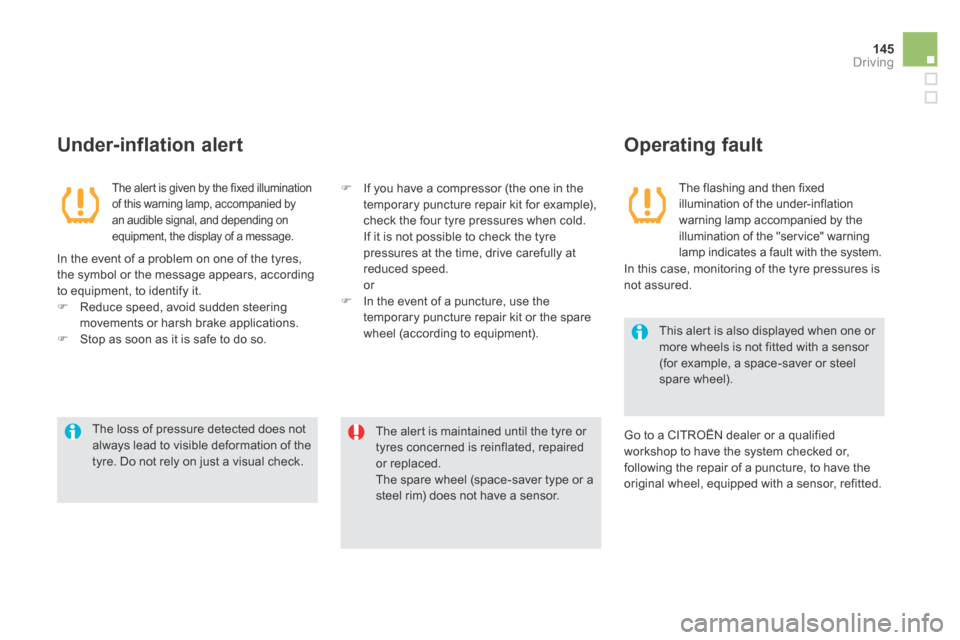
The alert is given by the fixed illumination of this warning lamp, accompanied by an audible signal, and depending on equipment, the display of a message.
The flashing and then fixed illumination of the under-inflation warning lamp accompanied by the illumination of the "service" warning lamp indicates a fault with the system.
Under-inflation alert Operating fault
In the event of a problem on one of the tyres, the symbol or the message appears, according to equipment, to identify it. Reduce speed, avoid sudden steering movements or harsh brake applications. Stop as soon as it is safe to do so.
Go to a CITROËN dealer or a qualified workshop to have the system checked or, following the repair of a puncture, to have the original wheel, equipped with a sensor, refitted.
In this case, monitoring of the tyre pressures is not assured.
If you have a compressor (the one in the temporary puncture repair kit for example), check the four tyre pressures when cold. If it is not possible to check the tyre pressures at the time, drive carefully at reduced speed. or In the event of a puncture, use the temporary puncture repair kit or the spare wheel (according to equipment).
Page 154 of 380

DS5-HYBRID_EN_CHAP04_CONDUITE_ED02-2013
The cruise control system cannot, in any circumstances, replace the need to respect speed limits, nor can it replace the need for vigilance and responsibility on the part of the driver. You are advised to keep your feet near the pedals
at all times.
Cruise control
The functions of this system are grouped together on the steering mounted controls. 1. Cruise control mode selection dial. 2. Speed programming / value decrease button. 3. Speed programming / value increase
button. 4. Cruise control off / resume button. 5. Stored speeds display button.
Steering mounted controls
The programmed information is grouped together in the instrument panel screen. 6. Cruise control off / resume indication. 7. Cruise control mode selection indication. 8. Programmed speed value. 9. Selecting a stored speed.
Displays in the instrument panel System which automatically maintains the speed of the vehicle at the value programmed by the driver, without any action on the accelerator pedal.
This information also appears in the head-up display. For more information, refer to the "Head-up display" section.
Operation
The cruise control is switched on manually: it requires a minimum vehicle speed of 25 mph (40 km/h) and the engagement of second gear with sequential gear changing (position M ). The cruise control is switched off manually or switched off manually or switched offby pressing the brake pedal or on triggering of the "electronic stability programme" system for safety reasons. It is possible to exceed the programmed speed temporarily by pressing the accelerator pedal. To return to the programmed speed, simply release the accelerator pedal. Switching off the ignition cancels any programmed speed value.
For more information on the list of memorised speeds, refer to the "Memorising speeds" section.
Page 200 of 380

A set of the following Electronic Stability systems: - anti-lock braking system (ABS) and electronic brake force distribution (EBFD), - emergency braking assistance, - wheel anti-slip regulation (ASR) or traction control, - dynamic stability control (DSC).
Electronic stability control (ESC)
Definitions
Anti-lock braking system (ABS) and electronic brake force distribution (EBFD)
This system improves the stability and manoeuvrability of your vehicle when braking and provides improved control in corners, in particular on poor or slippery road sur faces. The ABS prevents wheel lock in the event of emergency braking. The electronic brake force distribution system manages the braking pressure wheel by wheel.
Emergency braking assistance
In an emergency, this system enables you to reach the optimum braking pressure more quickly and therefore reduce the stopping distance. It is triggered in relation to the speed at which the brake pedal is pressed. This is felt by a reduction in the resistance of the pedal and an increase in the effectiveness of the braking.
Anti-slip regulation (ASR)
The ASR system (also known as Traction Control) optimises traction in order to avoid wheel slip by acting on the brakes of the driving wheels and on the engine. It also improves the directional stability of the vehicle on acceleration.
Dynamic stability control (DSC)
If there is a difference between the path followed by the vehicle and that required by the driver, the DSC monitors each wheel and automatically acts on the brake of one or more wheels and on the engine to return the vehicle to the required path, within the limits of the laws of physics.