change time Citroen DS5 RHD 2014 1.G User Guide
[x] Cancel search | Manufacturer: CITROEN, Model Year: 2014, Model line: DS5 RHD, Model: Citroen DS5 RHD 2014 1.GPages: 400, PDF Size: 37.32 MB
Page 248 of 400
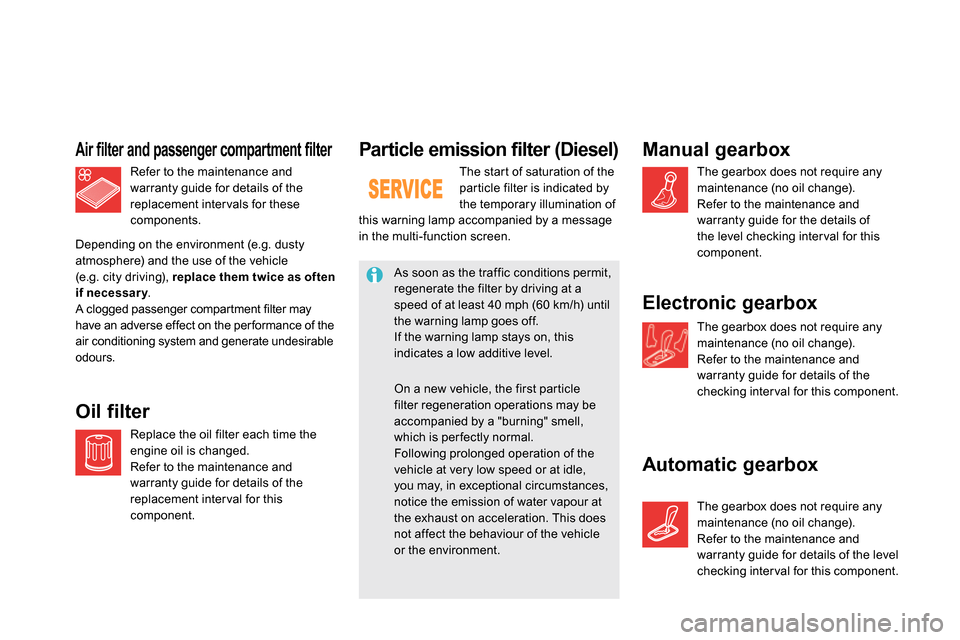
Particle emission filter (Diesel)
The start of saturation of the
par ticle filter is indicated by
the temporary illumination of
this warning lamp accompanied by a message
in the multi-function screen.
As soon as the traffic conditions permit,
regenerate the filter by driving at a
speed of at least 40 mph (60 km/h) until
the warning lamp goes off.
If the warning lamp stays on, this
indicates a low additive level.
On a new vehicle, the first particle
filter regeneration operations may be
accompanied by a "burning" smell,
which is per fectly normal.
Following prolonged operation of the
vehicle at very low speed or at idle,
you may, in exceptional circumstances,
notice the emission of water vapour at
the exhaust on acceleration. This does
not affect the behaviour of the vehicle
or the environment.
Refer to the maintenance and
warranty guide for details of the
replacement inter vals for these
components.
Air filter and passenger compartment filter
Replace the oil filter each time the
engine oil is changed.
Refer to the maintenance and
warranty guide for details of the
replacement inter val for this
component.
Oil filter
Depending on the environment (e.g. dusty
atmosphere) and the use of the vehicle
(e.g. city driving), replace them twice as often
if necessary
.
A clogged passenger compartment filter may
have an adverse effect on the per formance of the
air conditioning system and generate undesirable
odours.
Manual gearbox
The gearbox does not require any
maintenance (no oil change).
Refer to the maintenance and
warranty guide for the details of
the level checking inter val for this
component.
Electronic gearbox
The gearbox does not require any
maintenance (no oil change).
Refer to the maintenance and
warranty guide for details of the
checking inter val for this component.
Automatic gearbox
The gearbox does not require any
maintenance (no oil change).
Refer to the maintenance and
warranty guide for details of the level
checking inter val for this component.
Page 305 of 400
08
303
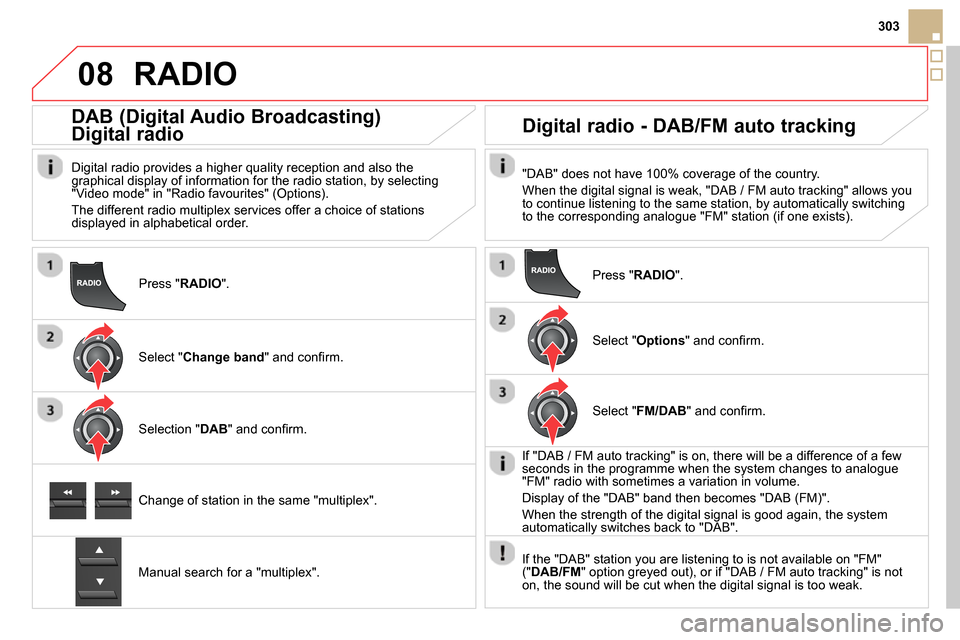
Press " RADIO
".
DAB (Digital Audio Broadcasting)
Digital radio
Digital radio provides a higher quality reception and also the
graphical display of information for the radio station, by selecting
"Video mode" in "Radio favourites" (Options).
The different radio multiplex services offer a choice of stations
displayed in alphabetical order.
Select " Change band
" and confi rm.
Selection " DAB
" and confi rm.
Digital radio - DAB/FM auto tracking
"DAB" does not have 100% coverage of the country.
When the digital signal is weak, "DAB / FM auto tracking" allows you
to continue listening to the same station, by automatically switching
to the corresponding analogue "FM" station (if one exists).
Change of station in the same "multiplex".
Manual search for a "multiplex".
Press " RADIO
".
Select " Options
" and confi rm.
Select " FM/DAB
" and confi rm.
If "DAB / FM auto tracking" is on, there will be a difference of a few
seconds in the programme when the system changes to analogue
"FM" radio with sometimes a variation in volume.
Display of the "DAB" band then becomes "DAB (FM)".
When the strength of the digital signal is good again, the system
automatically switches back to "DAB".
If the "DAB" station you are listening to is not available on "FM"
(" DAB/FM
" option greyed out), or if "DAB / FM auto tracking" is not
on, the sound will be cut when the digital signal is too weak.
RADIO
Page 308 of 400
09
SRC/
MUSIC MEDIA PLAYERS
Sources
Insert the CD in the player, insert the USB memory
stick in the USB player or connect the USB
peripheral to the USB port using a suitable cable
(not supplied)
The system builds playlists (in temporary memory),
an operation which can take from a few seconds to
several minutes at the fi rst connection.
Reduce the number of non-music fi les and the
number of folders to reduce the waiting time.
The playlists are updated every time the ignition is
switched off or connection of a USB memory stick.
However, the system memorises these lists and
if they are not modifi ed, the loading time will be
shorter.
Play starts automatically after a period which
depends on the capacity of the USB memory stick.
Selection of source
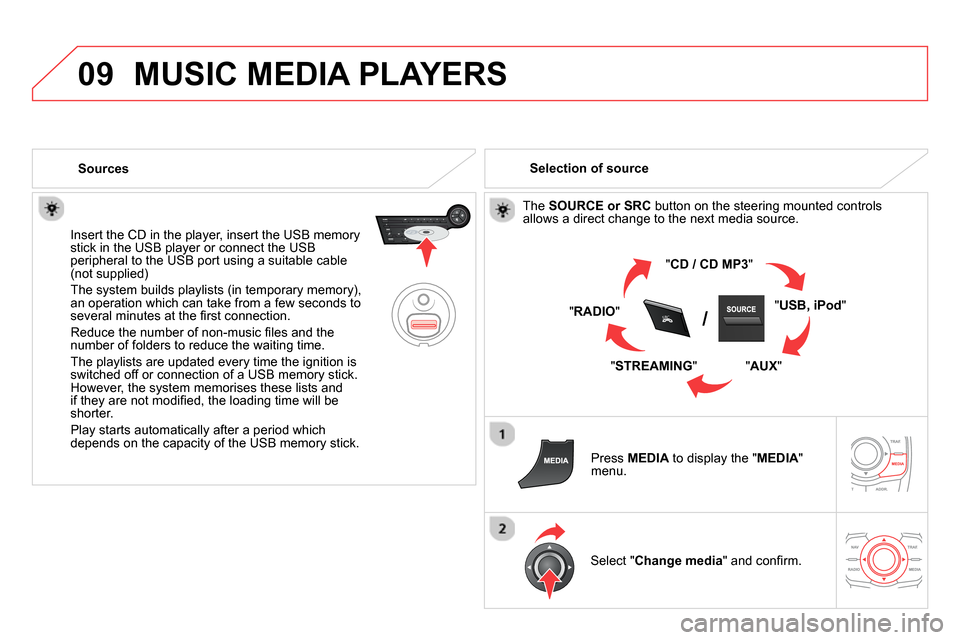
The SOURCE or SRC
button on the steering mounted controls
allows a direct change to the next media source.
" CD / CD MP3
"
" USB, iPod
"
" AUX
"
" STREAMING
" " RADIO
"
Press MEDIA
to display the " MEDIA
"
menu.
Select " Change media
" and confi rm.
Page 329 of 400
04
327
AUDIO
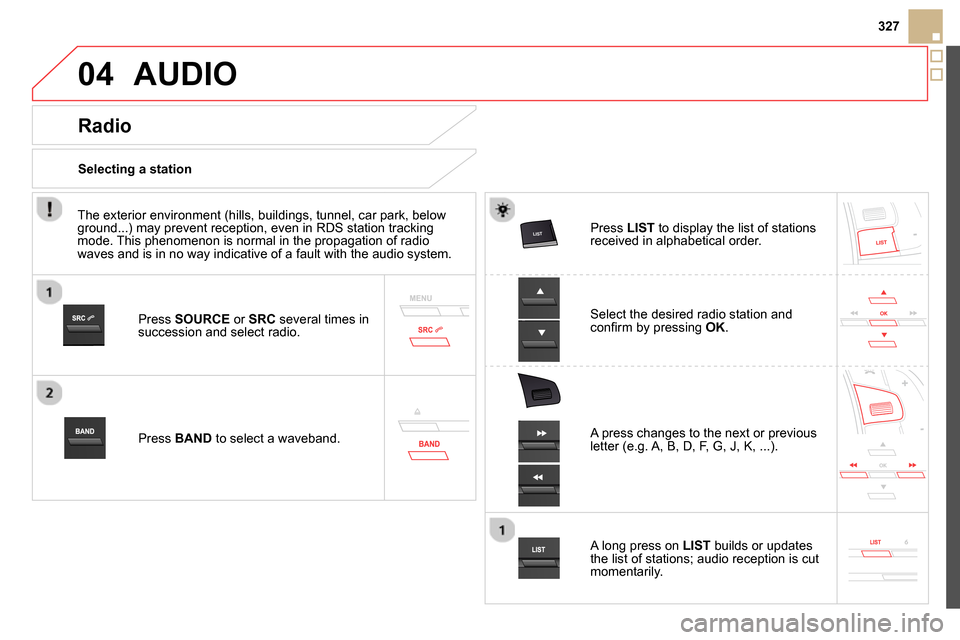
Press SOURCE
or SRC
several times in
succession and select radio.
Press BAND
to select a waveband.
Press LIST
to display the list of stations
received in alphabetical order.
A press changes to the next or previous
letter (e.g. A, B, D, F, G, J, K, ...).
Radio
Select the desired radio station and
confi rm by pressing OK
.
Selecting a station
A long press on LIST
builds or updates
the list of stations; audio reception is cut
momentarily.
The exterior environment (hills, buildings, tunnel, car park, below
ground...) may prevent reception, even in RDS station tracking
mode. This phenomenon is normal in the propagation of radio
waves and is in no way indicative of a fault with the audio system.