service Citroen DS5 RHD 2016 1.G Workshop Manual
[x] Cancel search | Manufacturer: CITROEN, Model Year: 2016, Model line: DS5 RHD, Model: Citroen DS5 RHD 2016 1.GPages: 512, PDF Size: 60.28 MB
Page 405 of 512
3 Audio and Telematics
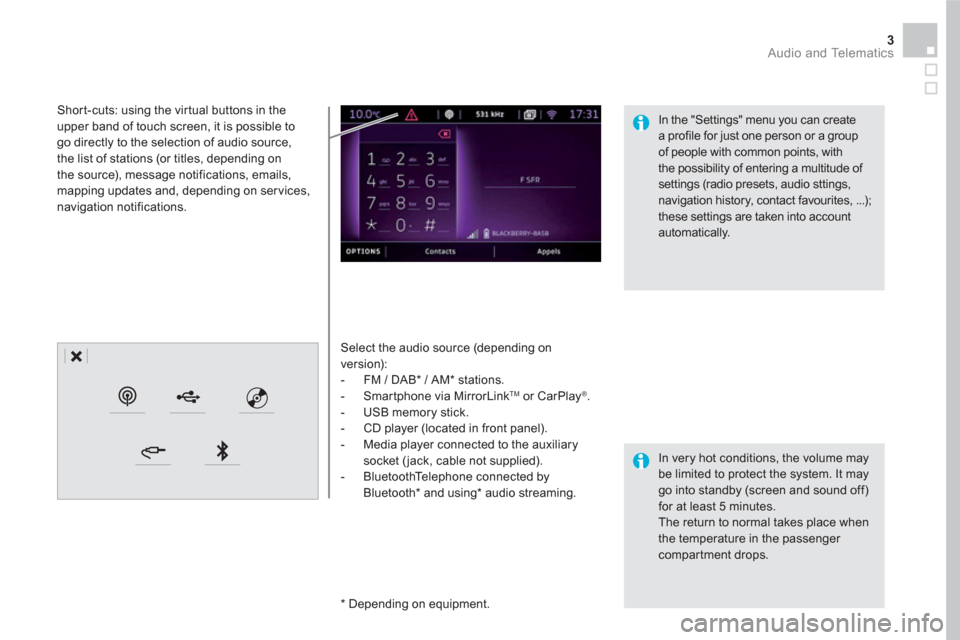
Select the audio source (depending on
version):
- FM / DAB * / AM * stations.
- Smartphone via MirrorLink
TM
or CarPlay ®
.
- USB memory stick.
- CD player (located in front panel).
- Media player connected to the auxiliary
socket ( jack, cable not supplied).
- BluetoothTelephone connected by
Bluetooth * and using*
audio streaming.
* Depending on equipment.
Short-cuts: using the virtual buttons in the
upper band of touch screen, it is possible to
go directly to the selection of audio source,
the list of stations (or titles, depending on
the source), message notifications, emails,
mapping updates and, depending on services,
navigation notifications.
In very hot conditions, the volume may
be limited to protect the system. It may
go into standby (screen and sound off)
for at least 5 minutes.
The return to normal takes place when
the temperature in the passenger
compartment drops.
In the "Settings" menu you can create
a profile for just one person or a group
of people with common points, with
the possibility of entering a multitude of
settings (radio presets, audio sttings,
navigation history, contact favourites, ...);
these settings are taken into account
automatically.
Page 431 of 512
29 Audio and Telematics
As a safety measure and because it
requires sustained attention by the
driver, using a smartphone when
driving is prohibited.
All operations must be done with the
vehicle stationary
.
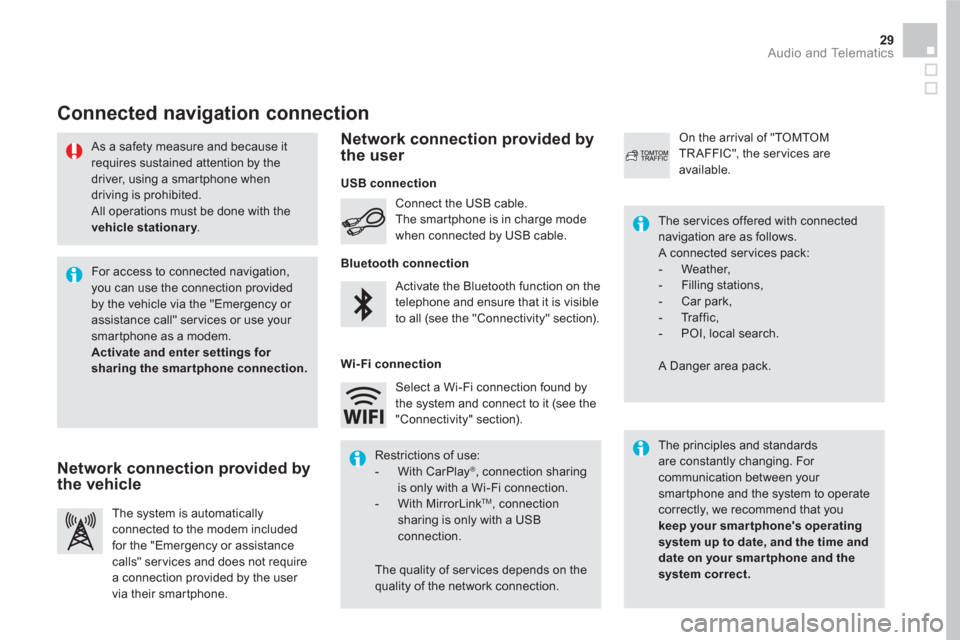
Connected navigation connection
The principles and standards
are constantly changing. For
communication between your
smartphone and the system to operate
correctly, we recommend that you
keep your smar tphone's operating
system up to date, and the time and
date on your smar tphone and the
system correct.
The ser vices offered with connected
navigation are as follows.
A connected ser vices pack:
- Weather,
- Filling stations,
- Car park,
- Tr a f f i c ,
- POI, local search.
A Danger area pack. Activate the Bluetooth function on the
telephone and ensure that it is visible
to all (see the "Connectivity" section). Connect the USB cable.
The smartphone is in charge mode
when connected by USB cable.
The system is automatically
connected to the modem included
for the "Emergency or assistance
calls" ser vices and does not require
a connection provided by the user
via their smartphone.
On the arrival of "TOMTOM
TR AFFIC", the ser vices are
available.
For access to connected navigation,
you can use the connection provided
by the vehicle via the "Emergency or
assistance call" services or use your
smartphone as a modem.
Activate and enter settings for
sharing the smar tphone connection.
Restrictions of use:
- With CarPlay
®
, connection sharing
is only with a Wi-Fi connection.
- With MirrorLink
TM
, connection
sharing is only with a USB
connection.
The quality of ser vices depends on the
quality of the network connection. Select a Wi-Fi connection found by
the system and connect to it (see the
"Connectivity" section).
USB connection
Network connection provided by
the vehicle
Network connection provided by
the user
Bluetooth connection
Wi-Fi connection
Page 471 of 512
1
69 Audio and Telematics
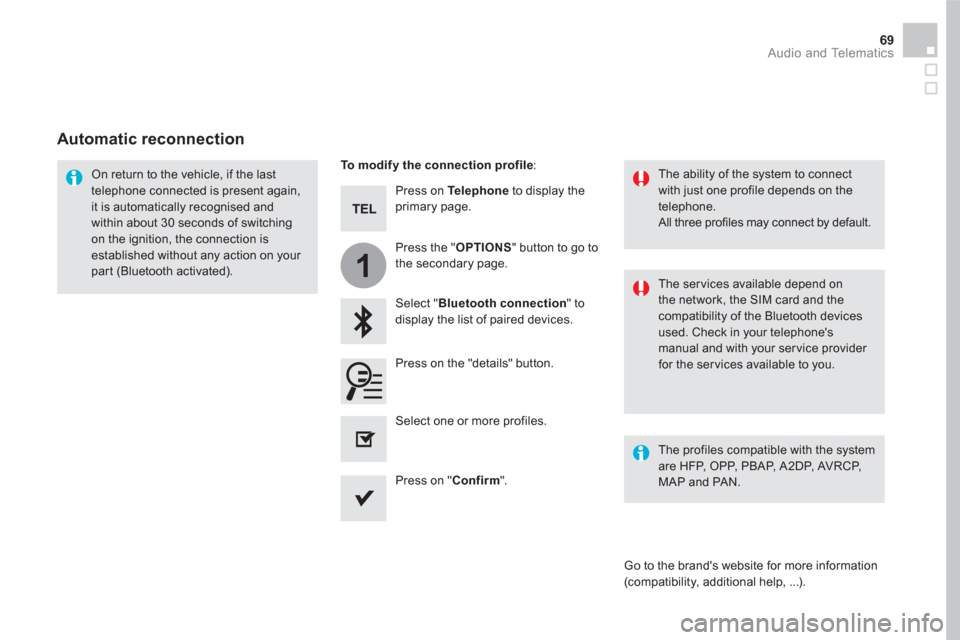
Press on Te l e p h o n e
to display the
primary page.
Select " Bluetooth connection
" to
display the list of paired devices.
On return to the vehicle, if the last
telephone connected is present again,
it is automatically recognised and
within about 30 seconds of switching
on the ignition, the connection is
established without any action on your
part (Bluetooth activated).
The ser vices available depend on
the network, the SIM card and the
compatibility of the Bluetooth devices
used. Check in your telephone's
manual and with your service provider
for the services available to you.
The ability of the system to connect
with just one profile depends on the
telephone.
All three profiles may connect by default.
Go to the brand's website for more information
(compatibility, additional help, ...).
To modify the connection profile
:
Automatic reconnection
Press on the "details" button.
Press the " OPTIONS
" button to go to
the secondary page.
Press on " Confirm
".
Select one or more profiles.
The profiles compatible with the system
are HFP, OPP, PBAP, A 2DP, AVRCP,
MAP and PAN.
Page 474 of 512
2
12
13
14
1
The access to " Messages
" depends on
the compatibility of the smartphone and
the integral system.
Depending on the smartphone, access
to your messages or email may be
slow.
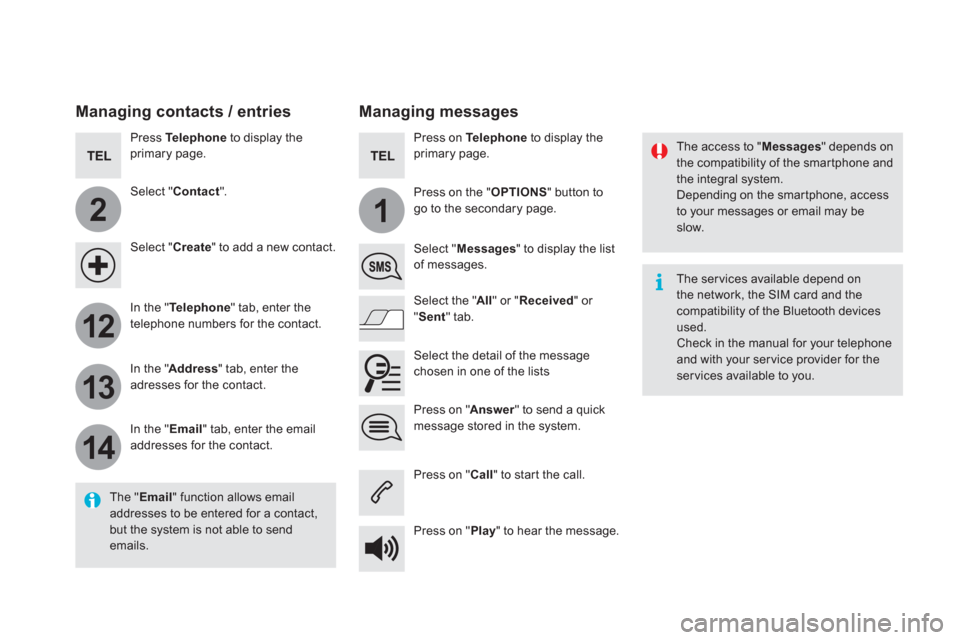
Managing messages
The " Email
" function allows email
addresses to be entered for a contact,
but the system is not able to send
emails.
Managing contacts / entries
Press Te l e p h o n e
to display the
primary page.
Select " Contact
".
Select " Create
" to add a new contact.
In the " Te l e p h o n e
" tab, enter the
telephone numbers for the contact.
In the " Address
" tab, enter the
adresses for the contact.
In the " Email
" tab, enter the email
addresses for the contact.
Press on " Answer
" to send a quick
message stored in the system.
Press on Te l e p h o n e
to display the
primary page.
Press on the " OPTIONS
" button to
go to the secondary page.
Select " Messages
" to display the list
of messages.
Select the " All
" or " Received
" or
" Sent
" tab.
Select the detail of the message
chosen in one of the lists
Press on " Call
" to start the call.
Press on " Play
" to hear the message.
The ser vices available depend on
the network, the SIM card and the
compatibility of the Bluetooth devices
used.
Check in the manual for your telephone
and with your ser vice provider for the
services available to you.
Page 491 of 512
89 Audio and Telematics
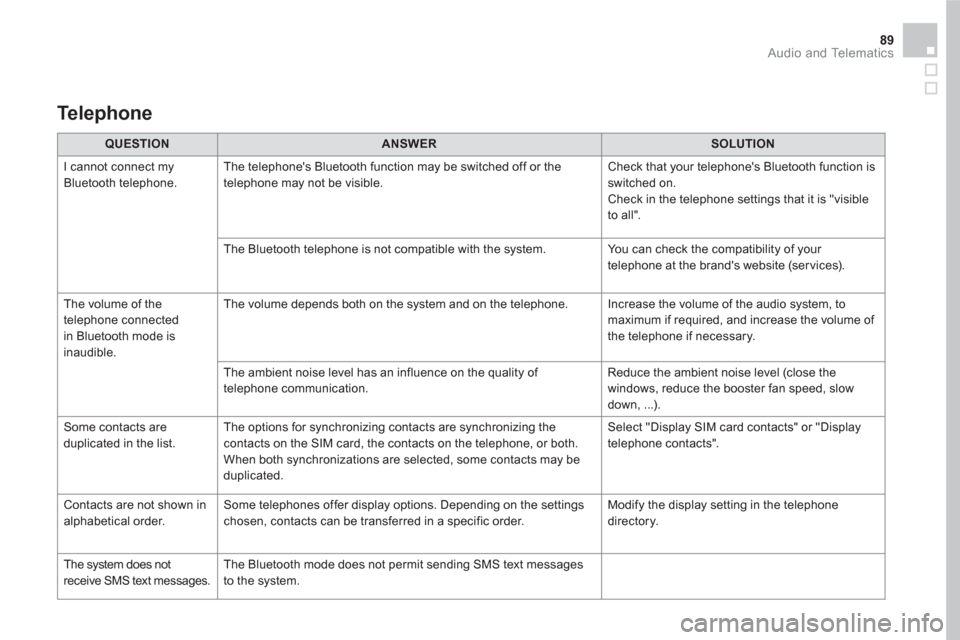
QUESTION
ANSWER
SOLUTION
I cannot connect my
Bluetooth telephone. The telephone's Bluetooth function may be switched off or the
telephone may not be visible. Check that your telephone's Bluetooth function is
switched on.
Check in the telephone settings that it is "visible
to all".
The Bluetooth telephone is not compatible with the system. You can check the compatibility of your
telephone at the brand's website (services).
The volume of the
telephone connected
in Bluetooth mode is
inaudible. The volume depends both on the system and on the telephone. Increase the volume of the audio system, to
maximum if required, and increase the volume of
the telephone if necessary.
The ambient noise level has an influence on the quality of
telephone communication. Reduce the ambient noise level (close the
windows, reduce the booster fan speed, slow
down, ...).
Some contacts are
duplicated in the list. The options for synchronizing contacts are synchronizing the
contacts on the SIM card, the contacts on the telephone, or both.
When both synchronizations are selected, some contacts may be
duplicated. Select "Display SIM card contacts" or "Display
telephone contacts".
Contacts are not shown in
alphabetical order. Some telephones offer display options. Depending on the settings
chosen, contacts can be transferred in a specific order. Modify the display setting in the telephone
directory.
The system does not
receive SMS text messages. The Bluetooth mode does not permit sending SMS text messages
to the system.
Te l e p h o n e
Page 510 of 512
11 Audio and Telematics
DS5_Additif_en_Chap11b_BTA_ed03-2015
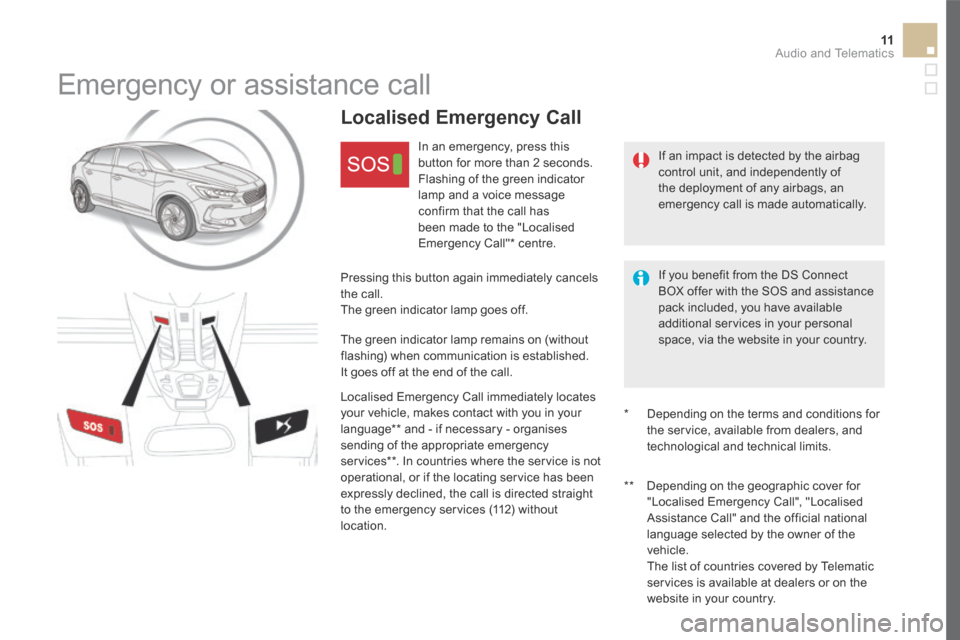
Emergency or assistance call
If an impact is detected by the airbag control unit, and independently of the deployment of any airbags, an emergency call is made automatically.
Localised Emergency Call
In an emergency, press this button for more than 2 seconds. Flashing of the green indicator lamp and a voice message confirm that the call has
been made to the "Localised Emergency Call" * centre.
Pressing this button again immediately cancels the call. The green indicator lamp goes off.
The green indicator lamp remains on (without flashing) when communication is established. It goes off at the end of the call.
Localised Emergency Call immediately locates your vehicle, makes contact with you in your language ** and - if necessary - organises
sending of the appropriate emergency services ** . In countries where the service is not operational, or if the locating service has been expressly declined, the call is directed straight to the emergency services (112) without location.
* Depending on the terms and conditions for the service, available from dealers, and technological and technical limits.
If you benefit from the DS Connect BOX offer with the SOS and assistance pack included, you have available additional services in your personal space, via the website in your country.
** Depending on the geographic cover for "Localised Emergency Call", "Localised Assistance Call" and the official national
language selected by the owner of the vehicle. The list of countries covered by Telematic services is available at dealers or on the website in your country.
Page 511 of 512
12Audio and Telematics
DS5_Additif_en_Chap11b_BTA_ed03-2015
* Depending on the geographic cover for "Localised Emergency Call", "Localised Assistance Call" and the official national language selected by the owner of the vehicle. The list of countries covered by Telematic services is available at dealers or on the website in your country.
Localised Assistance Call
If you purchased your vehicle outside the Brand's dealer network, we suggest that you have a dealer check and, if desired, modify the configuration of these services. In a multi-lingual country, configuration is possible in the official national language of your choice.
For technical reasons, particularly to improve the quality of Telematic services to customers, the manufacturer reserves the right to carry out updates to the vehicle's on-board telematic system.
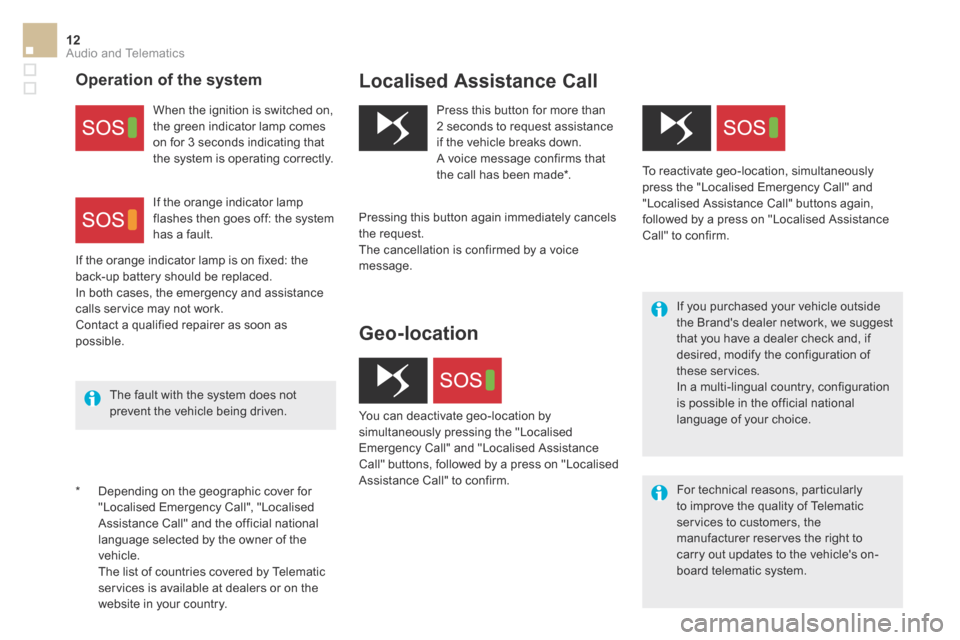
Press this button for more than 2 seconds to request assistance if the vehicle breaks down. A voice message confirms that the call has been made * .
Pressing this button again immediately cancels
the request. The cancellation is confirmed by a voice message.
Operation of the system
When the ignition is switched on, the green indicator lamp comes on for 3 seconds indicating that the system is operating correctly.
If the orange indicator lamp is on fixed: the back-up battery should be replaced. In both cases, the emergency and assistance calls service may not work. Contact a qualified repairer as soon as possible.
If the orange indicator lamp flashes then goes off: the system
has a fault.
The fault with the system does not prevent the vehicle being driven.
Geo-location
You can deactivate geo-location by simultaneously pressing the "Localised Emergency Call" and "Localised Assistance Call" buttons, followed by a press on "Localised Assistance Call" to confirm.
To reactivate geo-location, simultaneously press the "Localised Emergency Call" and "Localised Assistance Call" buttons again, followed by a press on "Localised Assistance Call" to confirm.