battery CITROEN E-MEHARI 2022 User Guide
[x] Cancel search | Manufacturer: CITROEN, Model Year: 2022, Model line: E-MEHARI, Model: CITROEN E-MEHARI 2022Pages: 84, PDF Size: 3.48 MB
Page 51 of 84
49
Use the hazard warning lamps only to
signal unusual action on your part and
only if your vehicle presents a safety
risk to other drivers: an emergency stop
because of a
vehicle failure, the need to
drive abnormally slowly, etc...
While the hazard warning lamps are on,
your E-MEHARI's direction indicators can
no longer be used to indicate changes of
direction.
Horns and audible
warnings
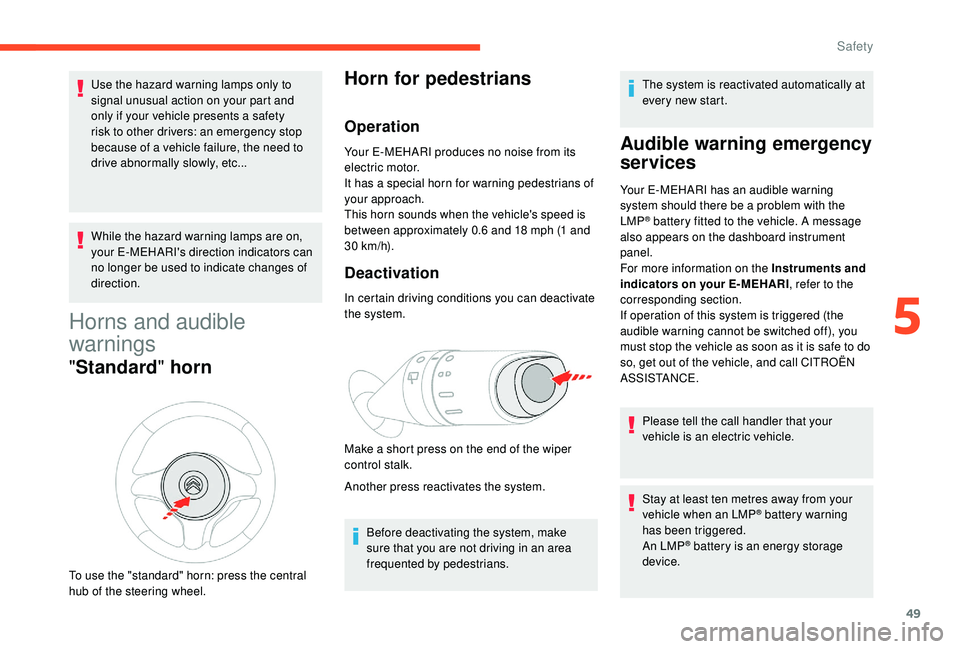
" Standard " horn
To use the "standard" horn: press the central
hub of the steering wheel.
Horn for pedestrians
Operation
Your E-MEHARI produces no noise from its
electric motor.
It has a
special horn for warning pedestrians of
your approach.
This horn sounds when the vehicle's speed is
between approximately 0.6
and 18 mph (1 and
30
km/h).
Deactivation
In certain driving conditions you can deactivate
the system.
Make a
short press on the end of the wiper
control stalk.
Another press reactivates the system.
Before deactivating the system, make
sure that you are not driving in an area
frequented by pedestrians. The system is reactivated automatically at
every new start.
Audible warning emergency
services
Your E-MEHARI has an audible warning
system should there be a
problem with the
LMP
® battery fitted to the vehicle. A message
also appears on the dashboard instrument
panel.
For more information on the Instruments and
indicators on your E-MEHARI , refer to the
corresponding section.
If operation of this system is triggered (the
audible warning cannot be switched off), you
must stop the vehicle as soon as it is safe to do
so, get out of the vehicle, and call CITROËN
ASSISTANCE.
Please tell the call handler that your
vehicle is an electric vehicle.
Stay at least ten metres away from your
vehicle when an LMP
® battery warning
has been triggered.
An LMP
® battery is an energy storage
device.
5
Safety
Page 53 of 84
51
The following actions may increase the
risk of losing control of the vehicle if
the tyres are not properly inflated:
-
s
udden harsh application of the
brakes,
-
r
eleasing the accelerator pedal
suddenly,
-
t
urning the steering wheel too quickly.
Note: The vehicle generally moves
towards or pulls in the direction of the
under-inflated tyre.
Never drive under the influence of alcohol
or drugs.
The presence of alcohol or drugs in your
bloodstream reduces coordination, slows
reaction and impairs judgement.
Driving after taking alcohol or drugs
increases the risk of being involved in
an accident causing injuries, suffered by
yourself or inflicted on others.
Note also that, in the event of an accident,
there is a
risk that the alcohol or drugs
will increase the severity of the injuries
suffered.
Never take medicines that might affect
your ability to drive and control the vehicle
before setting off. Never leave the starting switch in the
"MAR" position for a
long period when the
vehicle is not being used.
This can reduce the range of the vehicle.
When you stop your vehicle on a
rising
slope, do not hold the vehicle by pressing
the accelerator.
Always use the brake pedal for this.
Starting/Switching off the
vehicle
The starting switch is located on the right-hand
side under the steering wheel. Before moving off, check that the position
of the drive selector agrees with your
intention.
The drive direction is indicated on the
drive selector by illumination of the green
ring.
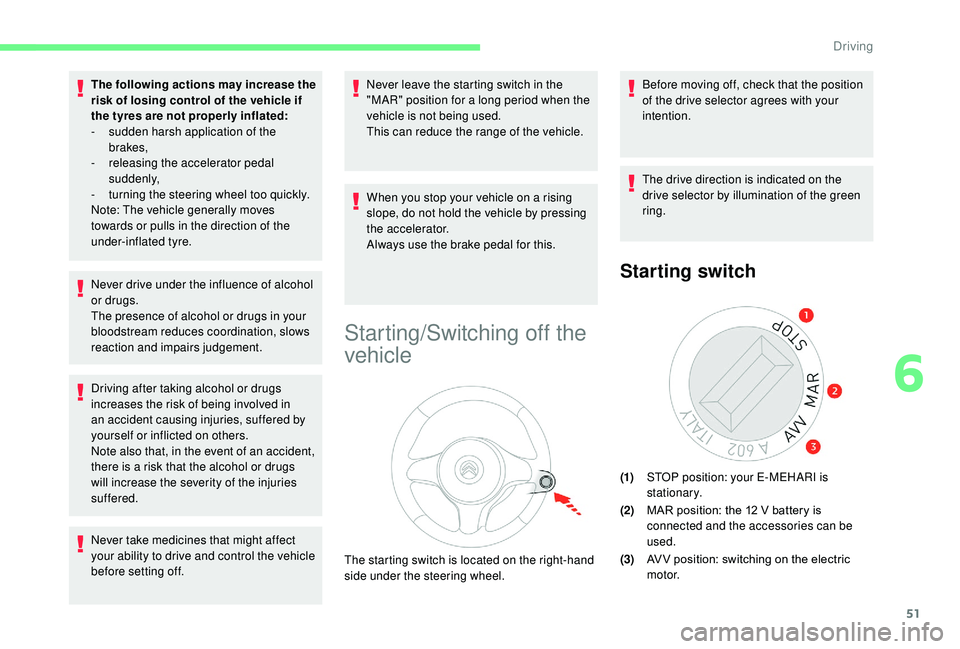
Starting switch
(1)
STOP position: your E-MEHARI is
stationary.
(2) MAR position: the 12
V battery is
connected and the accessories can be
used.
(3) AV V position: switching on the electric
motor.
6
Driving
Page 59 of 84
57
Maintaining and servicing
your E-MEHARI
The maintenance and servicing of your vehicle
must be carried out by a CITROËN authorised
repairer or a
qualified professional and in line
with the principles stated in the Maintenance
and Warranty Guide.
Washing precautions
Never wash the charging socket, the
traction battery or under the bonnet using
a
high pressure jet wash: risk of damage
to the electrical system.
Never wash the vehicle while it is
charging: risk of electric shock that could
cause death.
Cleaning the vehicle by the regular use
of a
high pressure car wash with rotating
brushes is not recommended.
Not recommended for care
of the bodywork
- Degreasing or cleaning the mechanical components under the body, parts with
hinges, exterior plastic panels using a
high
pressure jet wash or spraying products not
intended for this purpose, such as solvents.
-
W
ashing the vehicle in direct sunlight.
-
R
emoving mud or stains without first
soaking with water.
Recommended for care of
the bodywork
- Washing your E-MEHARI regularly using car shampoo specifically created for the
care of vehicles with plastic body parts
(never with abrasive products).
-
R
insing and thoroughly hosing off as
soon as possible resinous deposits from
trees, fallout from industrial pollution and
bird droppings which produce a
chemical
reaction with the bodywork causing rapid
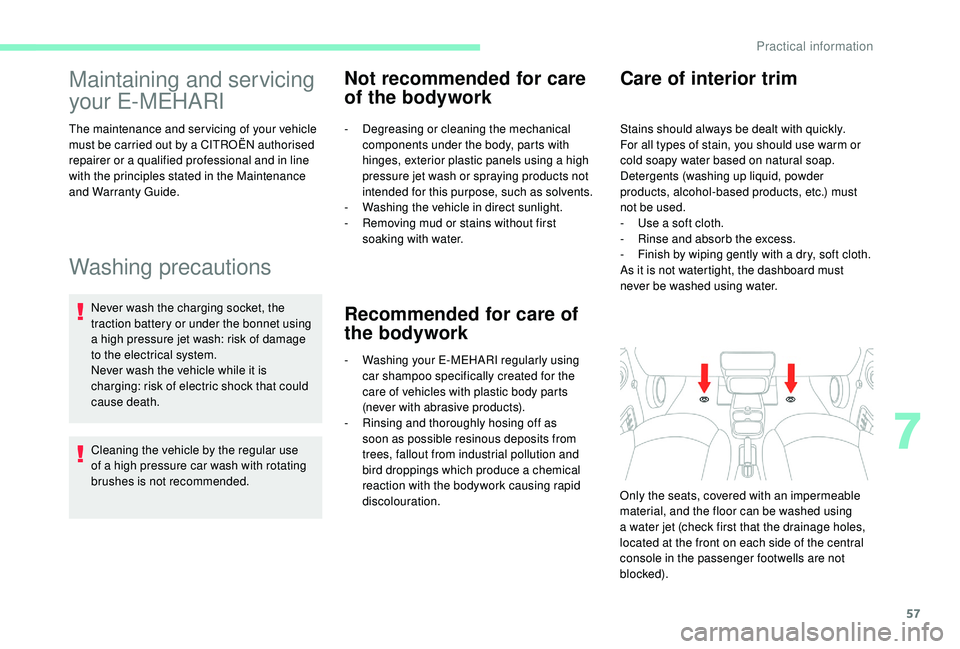
discolouration. Only the seats, covered with an impermeable
material, and the floor can be washed using
a
water jet (check first that the drainage holes,
located at the front on each side of the central
console in the passenger footwells are not
blocked).
Care of interior trim
Stains should always be dealt with quickly.
For all types of stain, you should use warm or
cold soapy water based on natural soap.
Detergents (washing up liquid, powder
products, alcohol-based products, etc.) must
not be used.
-
U
se a soft cloth.
-
R
inse and absorb the excess.
-
F
inish by wiping gently with a dry, soft cloth.
As it is not watertight, the dashboard must
never be washed using water.
7
Practical information
Page 60 of 84
58
Charging your E-MEHARI
General information
Your E-MEHARI is an electric vehicle that
uses electric current at high voltage.
Failing to obser ve the correct handling
instructions can cause serious or fatal
injuries.
Ensure that you read and follow the
charging procedures recommended by
CITROËN.
To charge your E-MEHARI, you must use one
of the following:
-
A
charging cable including a
CCID unit
with a
domestic 230 V socket and a Type
2
connector.
-
A w
all box or a compatible public charging
point together with a
charging cable with
a
Type 2 connector.
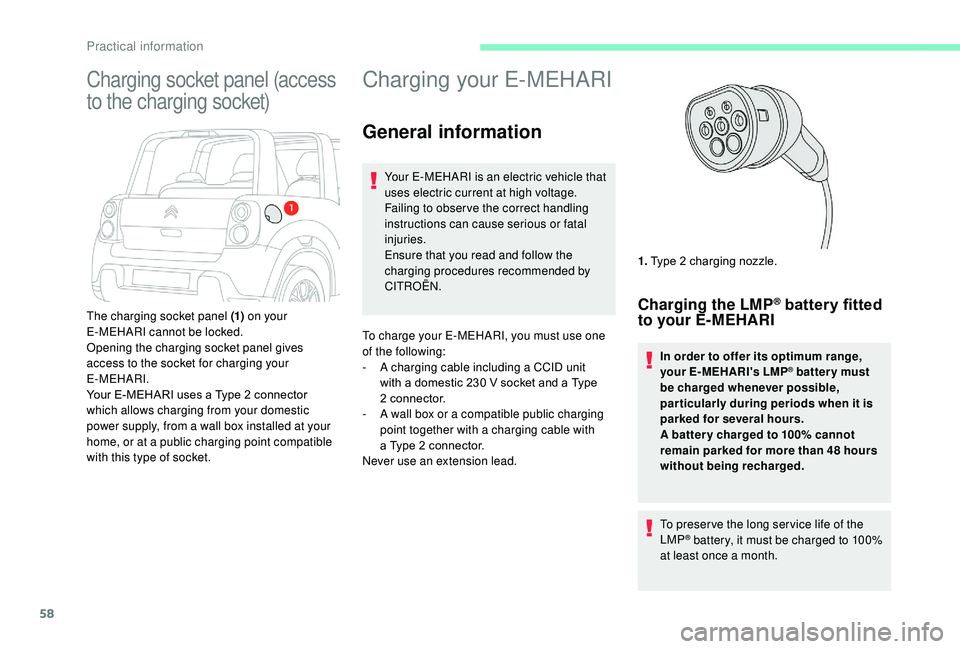
Never use an extension lead. 1.
Type 2
charging nozzle.
Charging the LMP® battery fitted
to your E-MEHARI
In order to offer its optimum range,
your E-MEHARI's LMP® batter y must
be charged whenever possible,
par ticularly during periods when it is
parked for several hours.
A batter y charged to 100% cannot
remain parked for more than 48
hours
without being recharged.
To preser ve the long ser vice life of the
LMP
® battery, it must be charged to 100%
at least once a month.
Charging socket panel (access
to the charging socket)
The charging socket panel (1) on your
E-MEHARI cannot be locked.
Opening the charging socket panel gives
access to the socket for charging your
E-MEHARI.
Your E-MEHARI uses a
Type 2 connector
which allows charging from your domestic
power supply, from a
wall box installed at your
home, or at a
public charging point compatible
with this type of socket.
Practical information
Page 61 of 84
59
A hibernation mode is available to reduce
energy consumption from the battery to
a
minimum.
In this way you can park your E-MEHARI, not
connected and therefore with no consumption
of electrical energy, for several weeks or even
several months.
If the LMP
® battery is completely discharged,
the 12
V battery could be damaged and require
replacement.
At a public or private
c harging point
You can charge your E-MEHARI at a public or
p rivate charging point, provided that you have
a
suitable cable for the type of charging point.
At home
Using a 16 A power point
If you have a 16 A charging power point or have
h ad one installed by an electrician, you can use
it to charge your E-MEHARI.
Using an ordinary domestic power point (230 V/16 A 10 A consumed)
Your E-MEHARI is supplied with a charging cable that has CCID electronic protection, allowing you
t o charge your E-MEHARI from any 230 V/16 A domestic power point that can support a continuous
current of 10
A.
Using this solution, the charging time is longer than if charged from a
16 A power point.
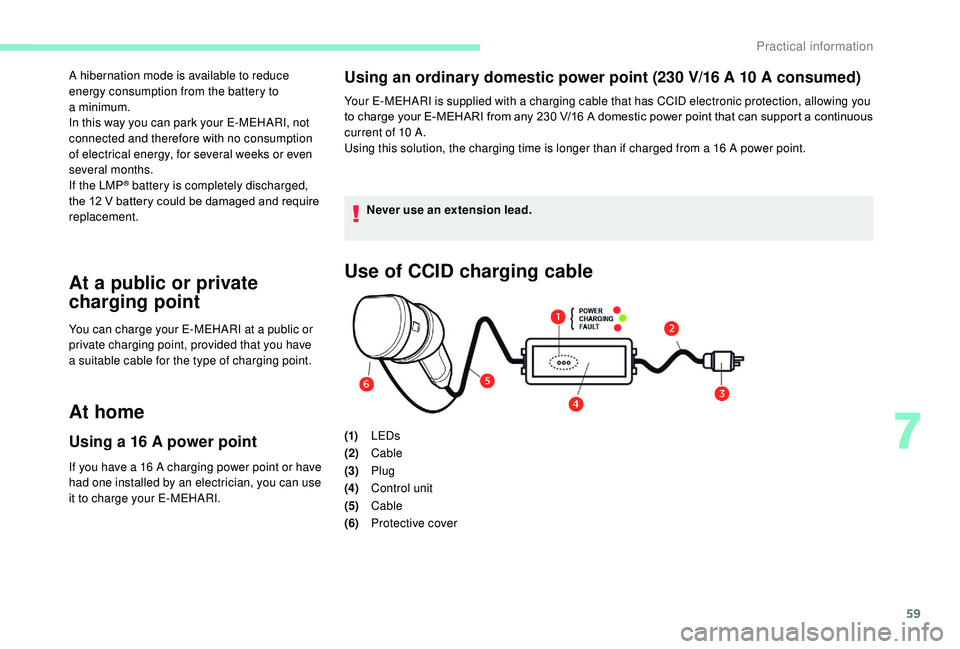
Use of CCID charging cable
(1)LEDs
(2) Cable
(3) Plug
(4) Control unit
(5) Cable
(6) Protective cover
Never use an extension lead.
7
Practical information
Page 64 of 84
62
Stopping the charge
The charging nozzle will only disconnect if
your E-MEHARI is unlocked using the personal
RFID key ring.
1.Press the charging shut-off button in
the charging socket panel, wait until the
charging nozzle is unlocked then pull it
out. If you do not remove the charging
nozzle within the next 10
seconds, the
vehicle star ts charging again. You will
then have to star t the operation again.
2. Refit the protective cover on the charging
nozzle.
3. Disconnect the plug from the power point.
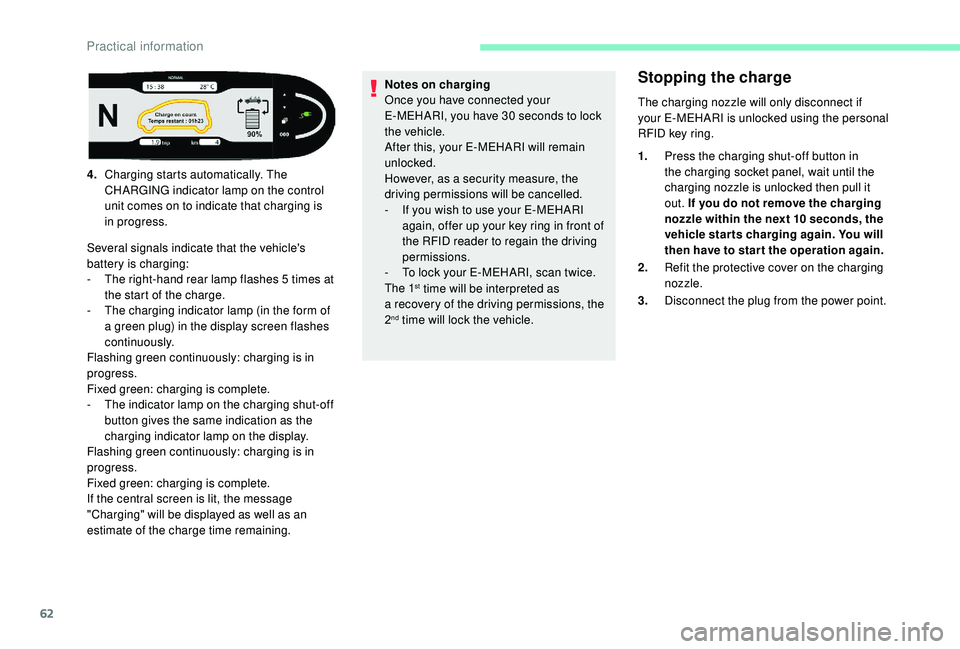
4.
Charging starts automatically. The
CHARGING indicator lamp on the control
unit comes on to indicate that charging is
in progress.
Several signals indicate that the vehicle's
battery is charging:
-
T
he right-hand rear lamp flashes 5
times at
the start of the charge.
-
T
he charging indicator lamp (in the form of
a
green plug) in the display screen flashes
continuously.
Flashing green continuously: charging is in
progress.
Fixed green: charging is complete.
-
T
he indicator lamp on the charging shut-off
button gives the same indication as the
charging indicator lamp on the display.
Flashing green continuously: charging is in
progress.
Fixed green: charging is complete.
If the central screen is lit, the message
"Charging" will be displayed as well as an
estimate of the charge time remaining. Notes on charging
Once you have connected your
E-MEHARI, you have 30
seconds to lock
the vehicle.
After this, your E-MEHARI will remain
unlocked.
However, as a
security measure, the
driving permissions will be cancelled.
-
I
f you wish to use your E-MEHARI
again, offer up your key ring in front of
the RFID reader to regain the driving
permissions.
-
T
o lock your E-MEHARI, scan twice.
The 1
st time will be interpreted as
a
recovery of the driving permissions, the
2
nd time will lock the vehicle.
Practical information
Page 65 of 84
63
Indications given by the LEDs on the control unit
POWER LEDCHARGING
LEDFA U LT L E D
Description
On for ½ sec. On for ½ sec. On for ½ sec. All of the LEDs come on for ½ second to verify that they work, when the charging cable is
plugged into the power point.
On OffOffThe charging cable is plugged into the power
point. If the Type 2
connector is in the vehicle's
charging socket, the charge has finished.
On OnOffThe vehicle's battery is charging.
On OffOn/flashingFault with the charging cable. Stop using
the charging cable immediately and
contact CITROËN ASSISTANCE.
Off OffOffNo electrical power supply is detected at the
power point by the charging cable. Check
the circuit breaker for the power point. If the
power point electrical supply is correct and
all the LEDs do not light up for half a
second
to verify that they are working properly,
the charging cable may be damaged. Stop
using it immediately and contact CITROËN
ASSISTANCE.
Comparison of charging times
Charging type Estimated charging
time (0-100%)
Charging point: 16
A8
to 9 hours
230 V/16 A
power point 10 A
consumed 13 hour s
When charging the vehicle, particularly
at the roadside, be especially careful of
children when handling the cable and the
charging point.
The cable reel can operate sharply and
cause injury.
Children could trap their fingers in the
charging point closing mechanism.
7
Practical information
Page 66 of 84
64
Under the bonnet
The underbonnet of the vehicle is
a dangerous area that could cause
serious injuries.
Under the bonnet of your E-MEHARI there
are the vehicle's drive train and the reser voirs
containing the fluids needed for the correct
operation of your E-MEHARI (brake fluid,
coolant and screenwash fluid).
The drive train is directly powered by the
LMP
® battery fitted to your E-MEHARI.
Never try to do anything to the high
voltage components of your vehicle.
Incorrect handling of these components
could cause an electric shock and serious
or fatal injuries.
Always keep children well away from
the underbonnet and never leave them
unsupervised.
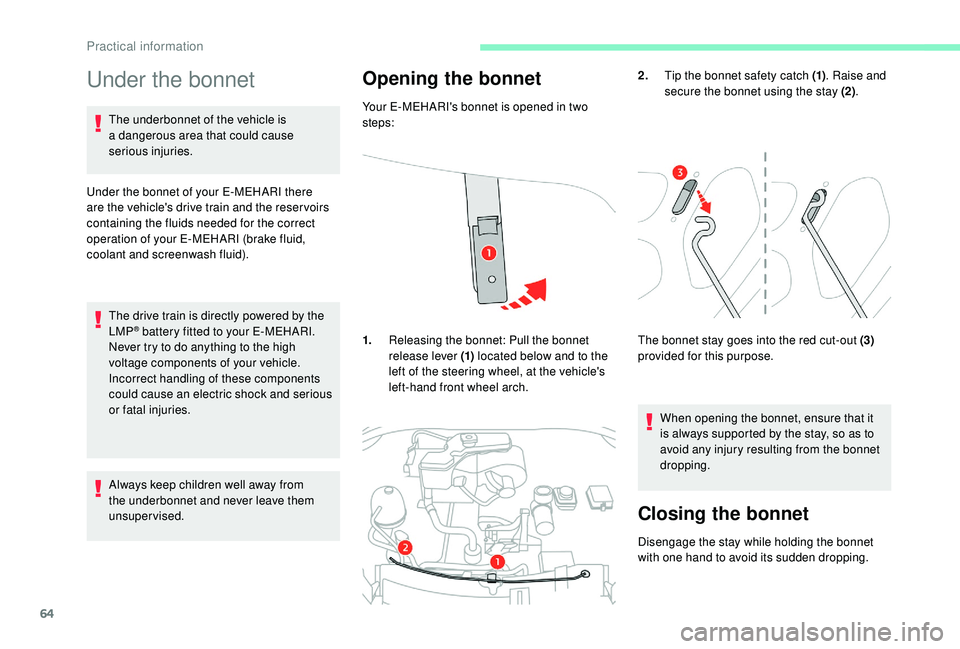
Opening the bonnet
Your E-MEHARI's bonnet is opened in two
steps:
1. Releasing the bonnet: Pull the bonnet
release lever (1) located below and to the
left of the steering wheel, at the vehicle's
left-hand front wheel arch. 2.
Tip the bonnet safety catch (1) . Raise and
secure the bonnet using the stay (2) .
The bonnet stay goes into the red cut-out (3)
provided for this purpose.
When opening the bonnet, ensure that it
is always supported by the stay, so as to
avoid any injury resulting from the bonnet
dropping.
Closing the bonnet
Disengage the stay while holding the bonnet
with one hand to avoid its sudden dropping.
Practical information
Page 68 of 84
66
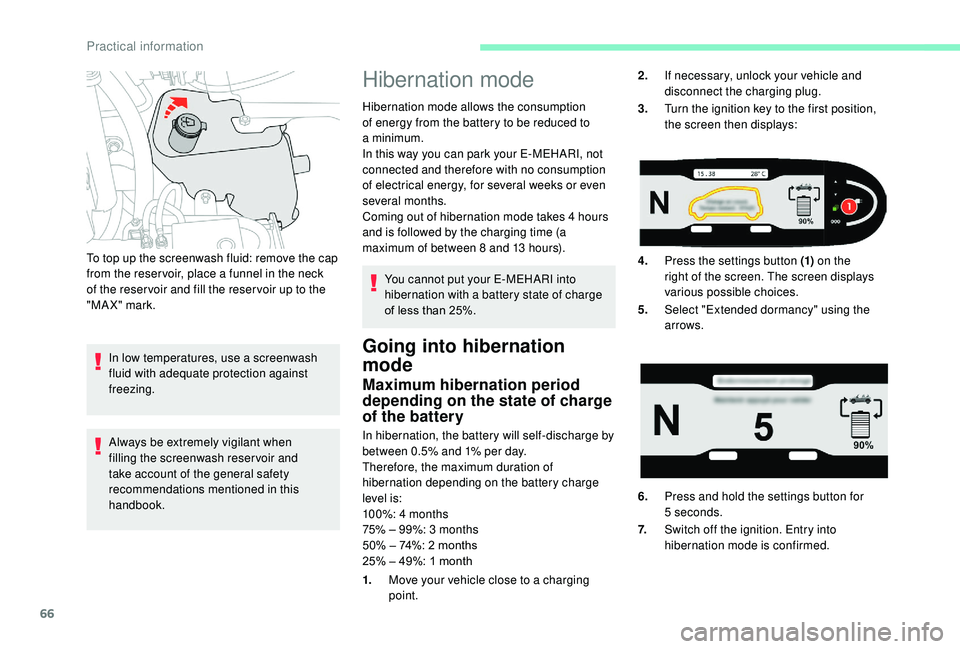
To top up the screenwash fluid: remove the cap
from the reser voir, place a funnel in the neck
of the reser voir and fill the reser voir up to the
"MAX" mark.
In low temperatures, use a
screenwash
fluid with adequate protection against
freezing.
Always be extremely vigilant when
filling the screenwash reservoir and
take account of the general safety
recommendations mentioned in this
handbook.
Hibernation mode
Hibernation mode allows the consumption
of energy from the battery to be reduced to
a
minimum.
In this way you can park your E-MEHARI, not
connected and therefore with no consumption
of electrical energy, for several weeks or even
several months.
Coming out of hibernation mode takes 4
hours
and is followed by the charging time (a
maximum of between 8
and 13 hours).
You cannot put your E-MEHARI into
hibernation with a
battery state of charge
of less than 25%.
Going into hibernation
mode
Maximum hibernation period
depending on the state of charge
of the battery
In hibernation, the battery will self-discharge by
between 0.5% and 1% per day.
Therefore, the maximum duration of
hibernation depending on the battery charge
level is:
100%: 4
months
75% – 99%: 3
months
50% – 74%: 2
months
25% – 49%: 1
month 2.
If necessary, unlock your vehicle and
disconnect the charging plug.
3. Turn the ignition key to the first position,
the screen then displays:
4. Press the settings button (1) on the
right of the screen. The screen displays
various possible choices.
5. Select "Extended dormancy" using the
arrows.
6. Press and hold the settings button for
5
seconds.
7. Switch off the ignition. Entry into
hibernation mode is confirmed.
1. Move your vehicle close to a
charging
point.
Practical information
Page 69 of 84
67
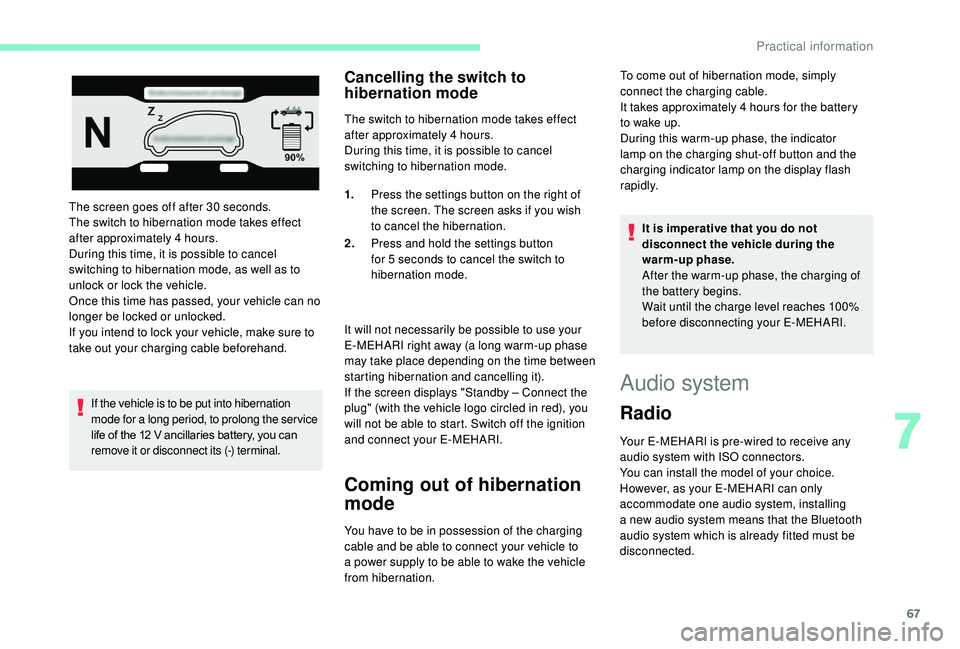
The screen goes off after 30 seconds.
T he switch to hibernation mode takes effect
after approximately 4
hours.
During this time, it is possible to cancel
switching to hibernation mode, as well as to
unlock or lock the vehicle.
Once this time has passed, your vehicle can no
longer be locked or unlocked.
If you intend to lock your vehicle, make sure to
take out your charging cable beforehand.
If the vehicle is to be put into hibernation
mode for a
long period, to prolong the ser vice
life of the 12
V ancillaries battery, you can
remove it or disconnect its (-) terminal.
Cancelling the switch to
hibernation mode
The switch to hibernation mode takes effect
after approximately 4 hours.
During this time, it is possible to cancel
switching to hibernation mode.
It will not necessarily be possible to use your
E-MEHARI right away (a long warm-up phase
may take place depending on the time between
starting hibernation and cancelling it).
If the screen displays "Standby – Connect the
plug" (with the vehicle logo circled in red), you
will not be able to start. Switch off the ignition
and connect your E-MEHARI.
Coming out of hibernation
mode
You have to be in possession of the charging
cable and be able to connect your vehicle to
a
power supply to be able to wake the vehicle
from hibernation. 1.
Press the settings button on the right of
the screen. The screen asks if you wish
to cancel the hibernation.
2. Press and hold the settings button
for 5 seconds to cancel the switch to
hibernation mode. It is imperative that you do not
disconnect the vehicle during the
warm-up phase.
After the warm-up phase, the charging of
the battery begins.
Wait until the charge level reaches 100%
before disconnecting your E-MEHARI.
Audio system
Radio
Your E-MEHARI is pre-wired to receive any
audio system with ISO connectors.
You can install the model of your choice.
However, as your E-MEHARI can only
accommodate one audio system, installing
a
new audio system means that the Bluetooth
audio system which is already fitted must be
disconnected. To come out of hibernation mode, simply
connect the charging cable.
It takes approximately 4
hours for the battery
to wake up.
During this warm-up phase, the indicator
lamp on the charging shut-off button and the
charging indicator lamp on the display flash
rapidly.
7
Practical information