steering wheel Citroen GRAND C4 PICASSO 2017 2.G User Guide
[x] Cancel search | Manufacturer: CITROEN, Model Year: 2017, Model line: GRAND C4 PICASSO, Model: Citroen GRAND C4 PICASSO 2017 2.GPages: 527, PDF Size: 12.91 MB
Page 145 of 527
143
C4-Picasso-II_en_Chap04_conduite_ed02-2016
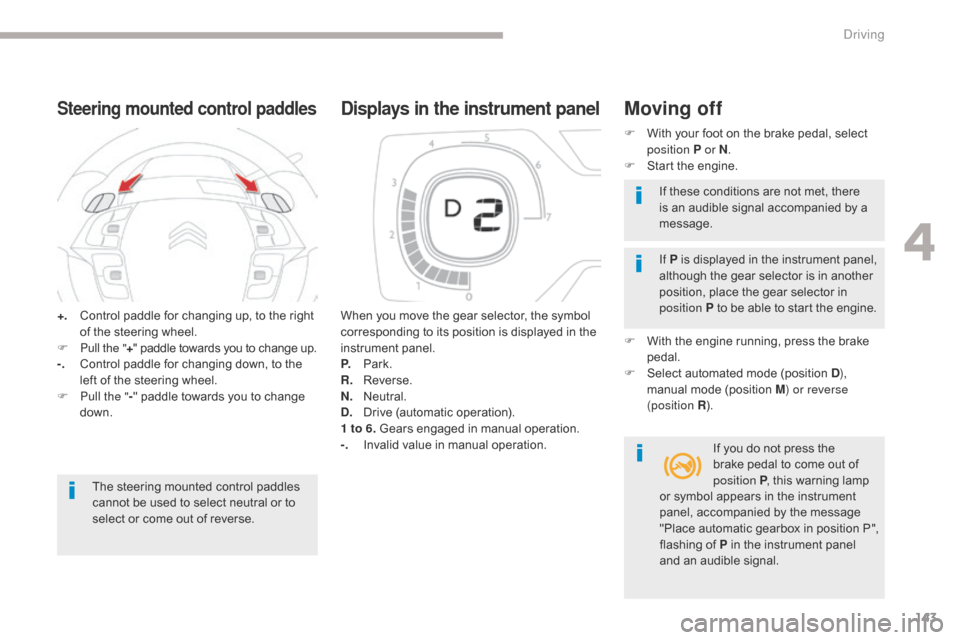
+. Control paddle for changing up, to the right of the steering wheel.
F
P
ull the " +" paddle towards you to change up.
-.
C
ontrol paddle for changing down, to the
left of the steering wheel.
F
P
ull the " -" paddle towards you to change
down.
Steering mounted control paddles
The steering mounted control paddles
cannot be used to select neutral or to
select or come out of reverse. When you move the gear selector, the symbol
corresponding to its position is displayed in the
instrument panel.
P.
Pa
rk.
R.
R
everse.
N.
N
eutral.
D.
D
rive (automatic operation).
1 to 6. Gears engaged in manual operation.
-.
I
nvalid value in manual operation.
Displays in the instrument panelMoving off
F With your foot on the brake pedal, select
position P or N .
F
S
tart the engine.
If P is displayed in the instrument panel,
although the gear selector is in another
position, place the gear selector in
position P to be able to start the engine.
F
W
ith the engine running, press the brake
pedal.
F
S
elect automated mode (position D ),
manual mode (position M) or reverse
(position R ).
If you do not press the
brake pedal to come out of
position P , this warning lamp
If these conditions are not met, there
is an audible signal accompanied by a
message.
or symbol appears in the instrument
panel, accompanied by the message
"Place automatic gearbox in position
P",
flashing of P in the instrument panel
and an audible signal.
4
Driving
Page 156 of 527
154
C4-Picasso-II_en_Chap04_conduite_ed02-2016
Memorising the speed setting
This memorisation is in addition to the display
of Speed limit recognition .
The driver can choose to adapt the speed
setting to the speed limit suggested, by
pressing the memorisation button at the speed
limiter controls, with the standard cruise
control, the dynamic cruise control or the
dynamic cruise control with Stop function.
This speed setting then replaces the previous
speed setting for the speed limiter and/or cruise
control. For more information on the Speed
limiter , Cruise control , Dynamic
cruise control or Dynamic cruise
control with Stop function , refer to
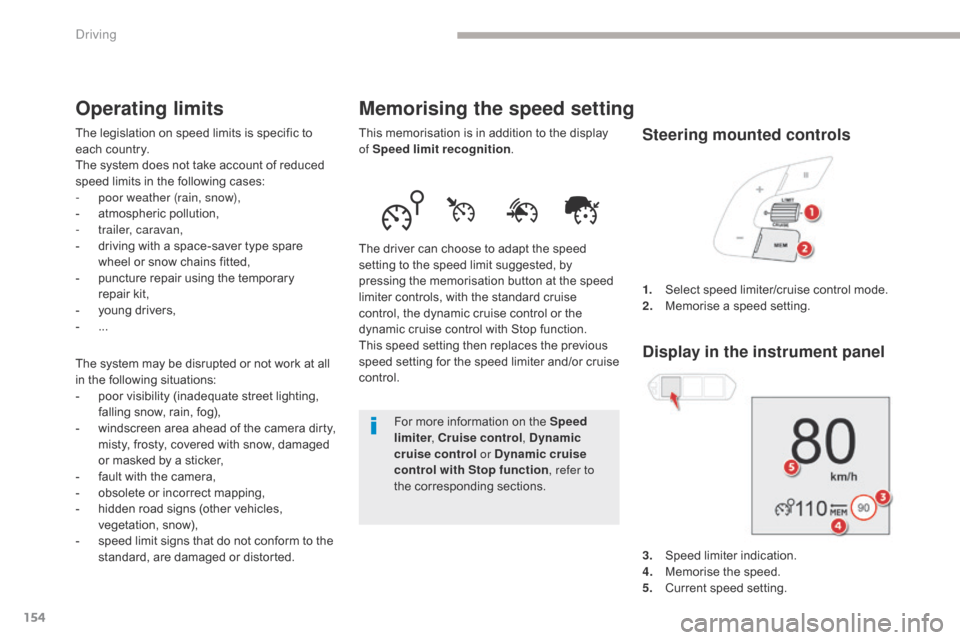
the corresponding sections. 1.
S
elect speed limiter/cruise control mode.
2.
M
emorise a speed setting.
Operating limits
The legislation on speed limits is specific to
each country.
The system does not take account of reduced
speed limits in the following cases:
-
p
oor weather (rain, snow),
-
a
tmospheric pollution,
-
t
railer, caravan,
-
d
riving with a space-saver type spare
wheel or snow chains fitted,
-
p
uncture repair using the temporary
repair
k
it,
-
y
oung drivers,
-
...
T
he system may be disrupted or not work at all
in the following situations:
-
p
oor visibility (inadequate street lighting,
falling snow, rain, fog),
-
w
indscreen area ahead of the camera dirty,
misty, frosty, covered with snow, damaged
or masked by a sticker,
-
f
ault with the camera,
-
o
bsolete or incorrect mapping,
-
h
idden road signs (other vehicles,
vegetation, snow),
-
s
peed limit signs that do not conform to the
standard, are damaged or distorted. 3.
S
peed limiter indication.
4.
M
emorise the speed.
5.
C
urrent speed setting.Steering mounted controls
Display in the instrument panel
Driving
Page 166 of 527
164
C4-Picasso-II_en_Chap04_conduite_ed02-2016
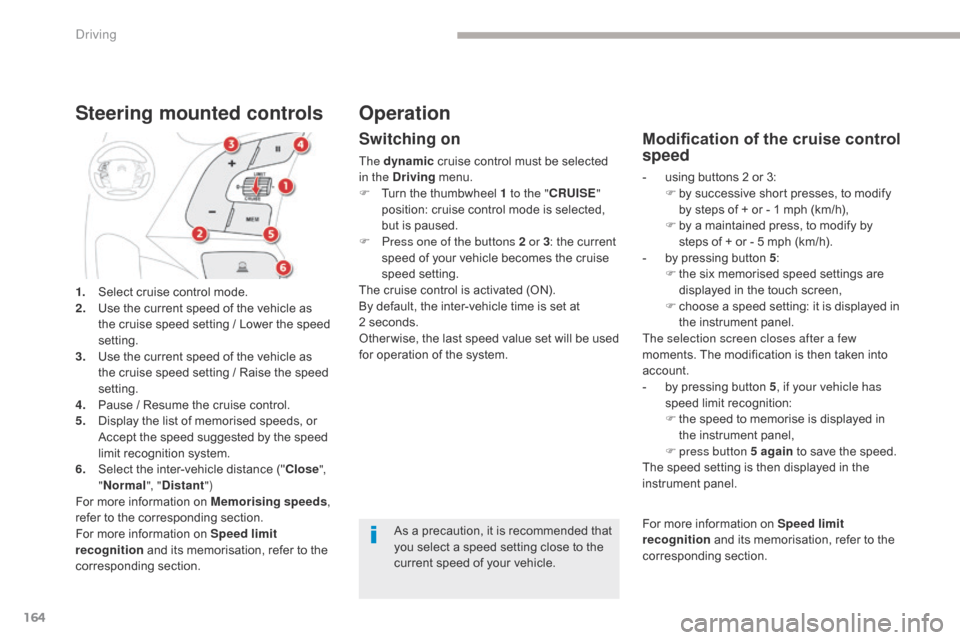
1. Select cruise control mode.
2. Use the current speed of the vehicle as
the cruise speed setting / Lower the speed
setting.
3.
U
se the current speed of the vehicle as
the cruise speed setting / Raise the speed
setting.
4.
P
ause / Resume the cruise control.
5.
D
isplay the list of memorised speeds, or
A
ccept the speed suggested by the speed
limit recognition system.
6.
S
elect the inter-vehicle distance (" Close",
" Normal ", "Distant ")
For more information on Memorising speeds ,
refer to the corresponding section.
For more information on Speed limit
recognition and its memorisation, refer to the
corresponding section.
Steering mounted controls
Switching on
The dynamic cruise control must be selected
in the Driving menu.
F
T
urn the thumbwheel 1 to the " CRUISE"
position: cruise control mode is selected,
but is paused.
F
P
ress one of the buttons 2 or 3 : the current
speed of your vehicle becomes the cruise
speed setting.
The cruise control is activated (ON).
By default, the inter-vehicle time is set at
2
seconds.
Other wise, the last speed value set will be used
for operation of the system.
Modification of the cruise control
speed
- using buttons 2 or 3: F b y successive short presses, to modify
by steps of + or - 1 mph (km/h),
F
b
y a maintained press, to modify by
steps of + or - 5 mph (km/h).
-
b
y pressing button 5 :
F
t
he six memorised speed settings are
displayed in the touch screen,
F
c
hoose a speed setting: it is displayed in
the instrument panel.
The selection screen closes after a few
moments. The modification is then taken into
account.
-
b
y pressing button 5 , if your vehicle has
speed limit recognition:
F
t
he speed to memorise is displayed in
the instrument panel,
F
press button 5 again to save the speed.
The speed setting is then displayed in the
instrument panel.
As a precaution, it is recommended that
you select a speed setting close to the
current speed of your vehicle.
Operation
For more information on Speed limit
recognition and its memorisation, refer to the
corresponding section.
Driving
Page 182 of 527
180
C4-Picasso-II_en_Chap04_conduite_ed02-2016
Active Safety Brake
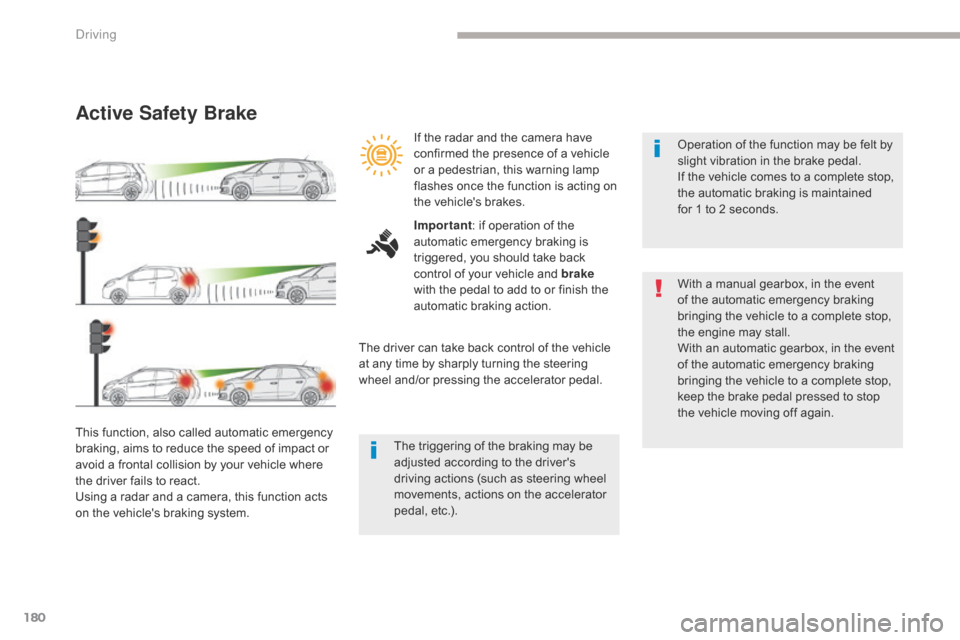
This function, also called automatic emergency
braking, aims to reduce the speed of impact or
avoid a frontal collision by your vehicle where
the driver fails to react.
Using a radar and a camera, this function acts
on the vehicle's braking system.Operation of the function may be felt by
slight vibration in the brake pedal.
If the vehicle comes to a complete stop,
the automatic braking is maintained
for
1 to 2 seconds.
With a manual gearbox, in the event
of the automatic emergency braking
bringing the vehicle to a complete stop,
the engine may stall.
With an automatic gearbox, in the event
of the automatic emergency braking
bringing the vehicle to a complete stop,
keep the brake pedal pressed to stop
the vehicle moving off again.
If the radar and the camera have
confirmed the presence of a vehicle
or a pedestrian, this warning lamp
flashes once the function is acting on
the vehicle's brakes.
Important
: if operation of the
automatic emergency braking is
triggered, you should take back
control of your vehicle and brake
with the pedal to add to or finish the
automatic braking action.
The driver can take back control of the vehicle
at any time by sharply turning the steering
wheel and/or pressing the accelerator pedal.
The triggering of the braking may be
adjusted according to the driver's
driving actions (such as steering wheel
movements, actions on the accelerator
pedal, etc.).
Driving
Page 185 of 527
183
C4-Picasso-II_en_Chap04_conduite_ed02-2016
Assisted Lane Departure Warning System
Using a camera placed at the top of the windscreen to identify lane markings on the ground, this system corrects the trajectory of the vehicle while
alerting the driver if it detects a risk of involuntary crossing of a line.
This system is particularly useful on motor ways and main roads.This system is a driving aid which cannot,
in any circumstances, replace the need
for vigilance on the part of the driver.
The driver remains responsible for the
vehicle in all circumstances. The system
helps the driver only when there is a risk
of the vehicle involuntarily wandering
from the lane it is being driven on. It does
not manage the safe driving distance, the
speed of the vehicle or the brakes.
The driver must hold the steering wheel in
a way that allows control to be taken back
in circumstances where the system is not
able to intervene (where there are no lane
markings, for example).
It is necessary to observe the driving
regulations and take a break every two
hours.
Operation
Conditions for operation
The speed of the vehicle must be between 40
and 112 mph (65 and 180 km/h).
The carriageway must have at least one lane
marking (solid or broken) on the ground.
The driver must hold the wheel with both
hands.
The change of trajectory is not accompanied by
operation of the direction indicators.
The ESC system must be activated. Once the system identifies a risk of the vehicle
involuntarily crossing one of the lane markings
detected, it makes the correction to the
trajectory necessary to return the vehicle to its
initial path.
The driver will then notice a turning movement
of the steering wheel.
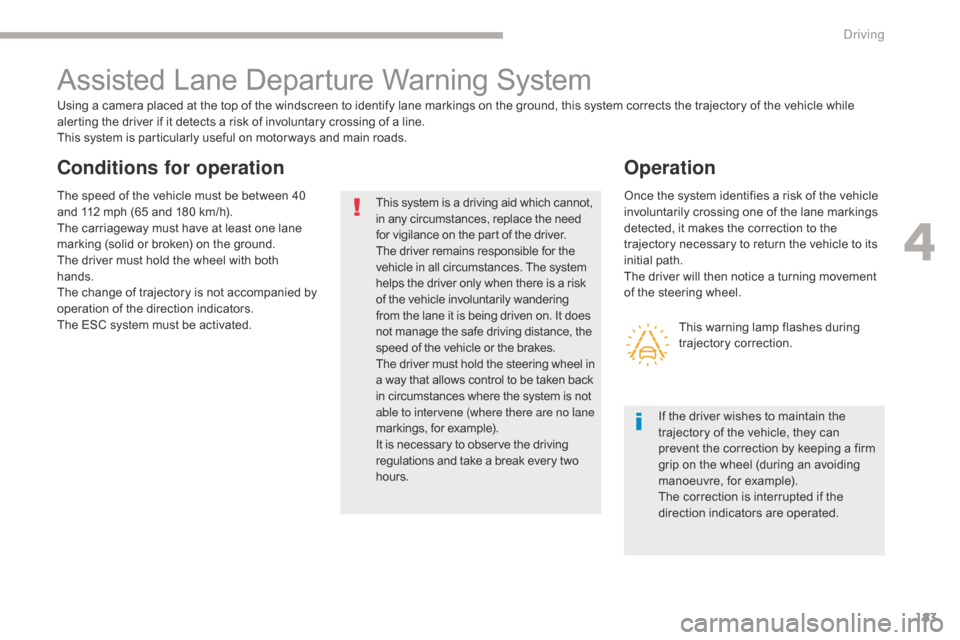
This warning lamp flashes during
trajectory correction.
If the driver wishes to maintain the
trajectory of the vehicle, they can
prevent the correction by keeping a firm
grip on the wheel (during an avoiding
manoeuvre, for example).
The correction is interrupted if the
direction indicators are operated.
4
Driving
Page 197 of 527
195
C4-Picasso-II_en_Chap04_conduite_ed02-2016
360 Vision
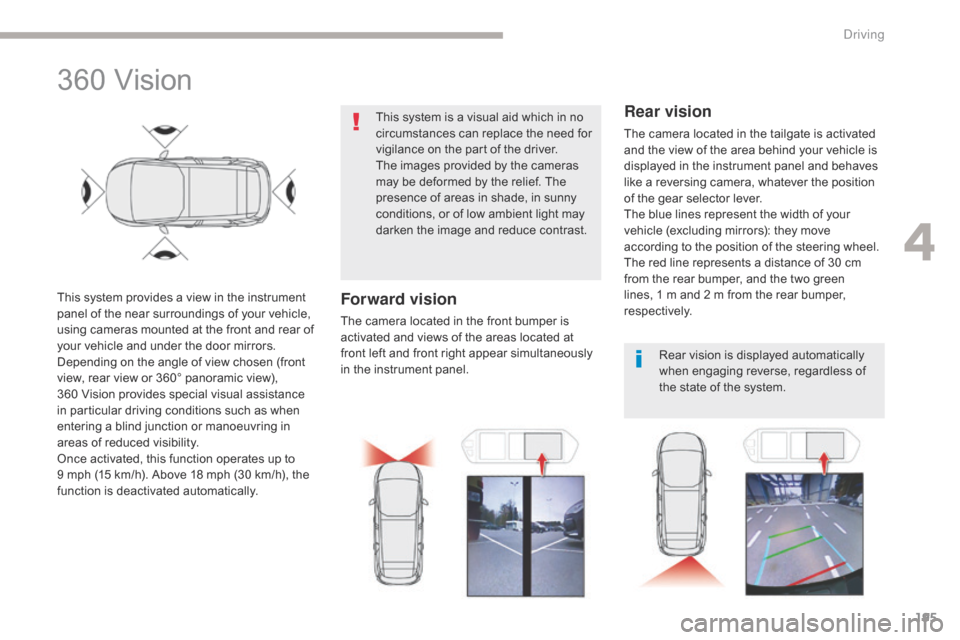
This system provides a view in the instrument
panel of the near surroundings of your vehicle,
using cameras mounted at the front and rear of
your vehicle and under the door mirrors.
Depending on the angle of view chosen (front
view, rear view or 360° panoramic view),
360 Vision provides special visual assistance
in particular driving conditions such as when
entering a blind junction or manoeuvring in
areas of reduced visibility.
Once activated, this function operates up to
9
mph (15 km/h). Above 18 mph (30 km/h), the
function is deactivated automatically. This system is a visual aid which in no
circumstances can replace the need for
vigilance on the part of the driver.
The images provided by the cameras
may be deformed by the relief. The
presence of areas in shade, in sunny
conditions, or of low ambient light may
darken the image and reduce contrast.Forward vision
The camera located in the front bumper is
activated and views of the areas located at
front left and front right appear simultaneously
in the instrument panel.
Rear vision
The camera located in the tailgate is activated
and the view of the area behind your vehicle is
displayed in the instrument panel and behaves
like a reversing camera, whatever the position
of the gear selector lever.
The blue lines represent the width of your
vehicle (excluding mirrors): they move
according to the position of the steering wheel.
The red line represents a distance of 30 cm
from the rear bumper, and the two green
lines, 1 m and 2 m from the rear bumper,
respectively.
Rear vision is displayed automatically
when engaging reverse, regardless of
the state of the system.
4
Driving
Page 199 of 527
197
C4-Picasso-II_en_Chap04_conduite_ed02-2016
Park Assist
This system provides active assistance with
parking. It detects a parking space then
operates the steering to park in the space.
It operates the steering while the driver
manages the accelerator, brakes, gears and
clutch (manual gearbox). During phases of
entry into and exit from a parking space, the
system provides visual and audible information
to the driver in order to make the manoeuvres
safe. It may be necessary to move for wards
and backwards more than once.During a manoeuvre, the steering
wheel turns quickly: do not hold the
steering wheel, do not place your
hands between the spokes of the
steering wheel and take care with
loose and bulky clothing (scarves, ties,
handbags...) - Risk of injury!
When Park Assist is activated, it
prevents a change to STOP mode of
Stop & Start. In STOP mode, activation
of Park Assist restarts the engine.
This manoeuvring assistance system
cannot, in any circumstances, replace
the need for vigilance on the part of the
driver.
The driver must remain in control of their
vehicle ensuring that the space remains
clear throughout the manoeuvre.
In some circumstances, the sensors may
not detect small obstacles located in
their blind spots.
The driver can take control at any time by
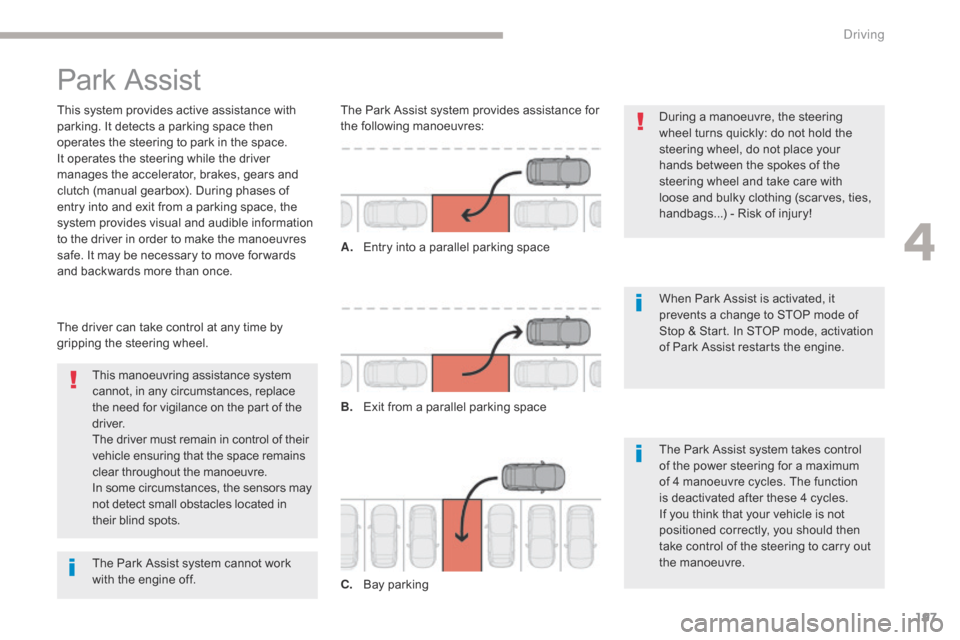
gripping the steering wheel. The Park Assist system provides assistance for
the following manoeuvres:
A.
E
ntry into a parallel parking space
B.
E
xit from a parallel parking space
C.
B
ay parkingThe Park Assist system takes control
of the power steering for a maximum
of 4 manoeuvre cycles. The function
is deactivated after these 4 cycles.
If you think that your vehicle is not
positioned correctly, you should then
take control of the steering to carry out
the manoeuvre.
The Park Assist system cannot work
with the engine off.
4
Driving
Page 200 of 527
198
C4-Picasso-II_en_Chap04_conduite_ed02-2016
The sequence of manoeuvres and the
driving instructions are displayed in the
instrument panel.You should always check the
surroundings of your vehicle before
starting a manoeuvre.
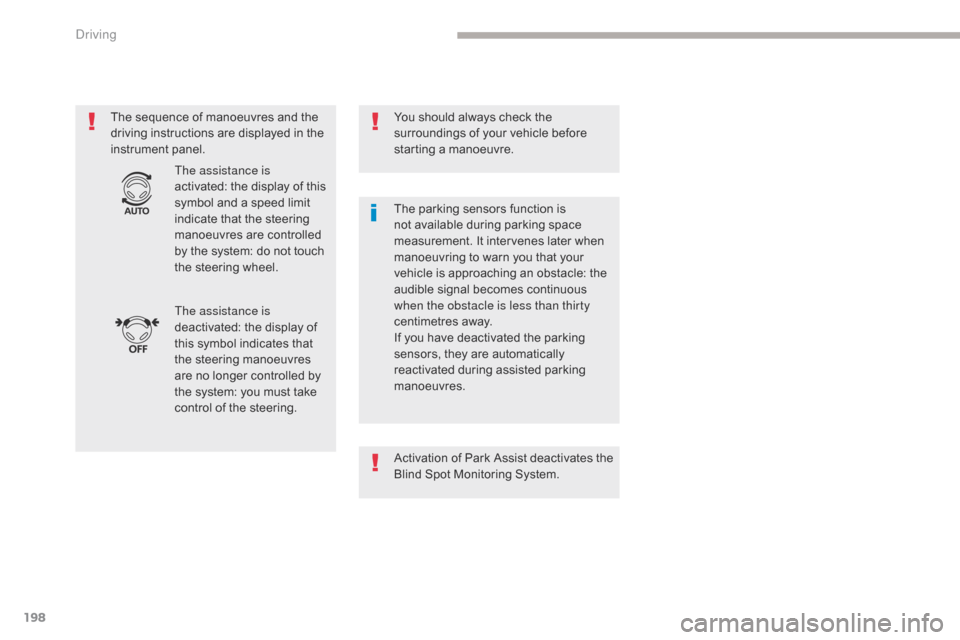
The assistance is
deactivated: the display of
this symbol indicates that
the steering manoeuvres
are no longer controlled by
the system: you must take
control of the steering. The assistance is
activated: the display of this
symbol and a speed limit
indicate that the steering
manoeuvres are controlled
by the system: do not touch
the steering wheel. The parking sensors function is
not available during parking space
measurement. It intervenes later when
manoeuvring to warn you that your
vehicle is approaching an obstacle: the
audible signal becomes continuous
when the obstacle is less than thirty
centimetres away.
If you have deactivated the parking
sensors, they are automatically
reactivated during assisted parking
manoeuvres.
Activation of Park Assist deactivates the
Blind Spot Monitoring System.
Driving
Page 202 of 527

200
C4-Picasso-II_en_Chap04_conduite_ed02-2016
F Move for wards slowly until a message is displayed, accompanied by an audible
signal, asking you to engage reverse gear.
F
S
elect reverse, release the steering wheel
and start moving without exceeding 4 mph
(7 km/h). F
T he assisted parking manoeuvre is in
progress.
W
ithout exceeding 4 mph (7 km/h), move
for wards and backwards, aided by the
warnings from the "Parking sensors"
system, until the indication of the end of the
manoeuvre. F
A t the end of the manoeuvre, the operating
indicator lamp goes out in the instrument
panel, accompanied by a message and an
audible signal.
T
he assistance is deactivated: you can
take over control.
D
Page 203 of 527
201
C4-Picasso-II_en_Chap04_conduite_ed02-2016
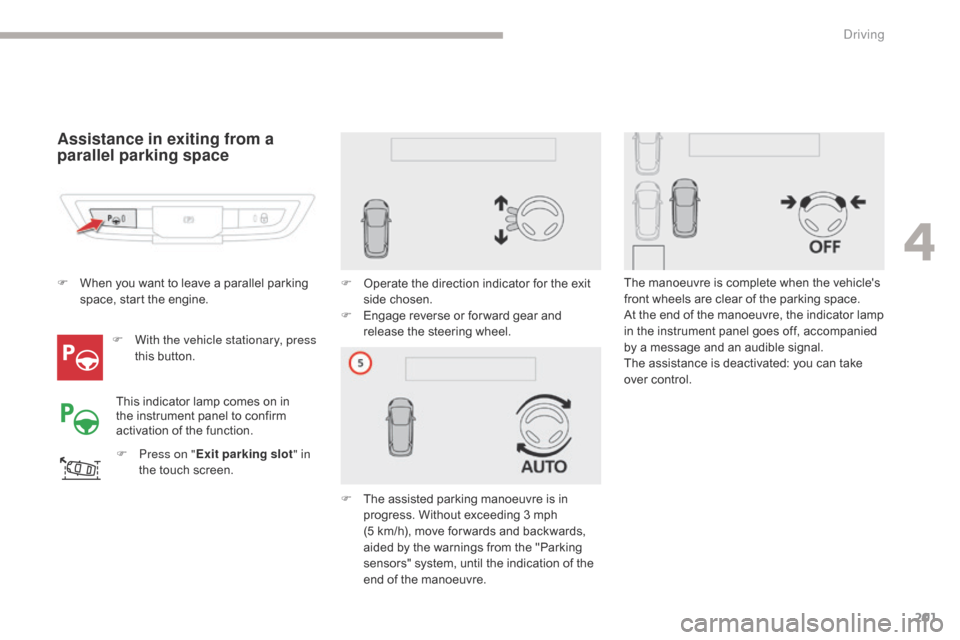
Assistance in exiting from a
parallel parking space
F With the vehicle stationary, press this button.
F
P
ress on " Exit parking slot " in
the touch screen. F
O
perate the direction indicator for the exit
side chosen.
F
E
ngage reverse or for ward gear and
release the steering wheel.
F
T
he assisted parking manoeuvre is in
progress. Without exceeding 3 mph
(5
km/h), move for wards and backwards,
aided by the warnings from the "Parking
sensors" system, until the indication of the
end of the manoeuvre.
F
W
hen you want to leave a parallel parking
space, start the engine.
This indicator lamp comes on in
the instrument panel to confirm
activation of the function. The manoeuvre is complete when the vehicle's
front wheels are clear of the parking space.
At the end of the manoeuvre, the indicator lamp
in the instrument panel goes off, accompanied
by a message and an audible signal.
The assistance is deactivated: you can take
over control.
4
Driving