phone Citroen GRAND C4 PICASSO RHD 2013 1.G User Guide
[x] Cancel search | Manufacturer: CITROEN, Model Year: 2013, Model line: GRAND C4 PICASSO RHD, Model: Citroen GRAND C4 PICASSO RHD 2013 1.GPages: 420, PDF Size: 9.66 MB
Page 300 of 420
298
Practical information
Exiting economy mode
These functions are reactivated automaticallynext time the vehicle is driven.) In order to restore the use of these
functions immediately, star t the engine and let it run:
-
for less than ten minutes, to use the
equipment for approximately five minutes,
- for more than ten minutes, to use the
equipment for up to approximatel
ythirty minutes.
Let the engine run for the duration specified toensure that the battery charge is sufficient.
Do not repeatedly and continuously restar t theengine in order to charge the battery.
A flat battery prevents the engine from star ting (refer to the "Battery" section).
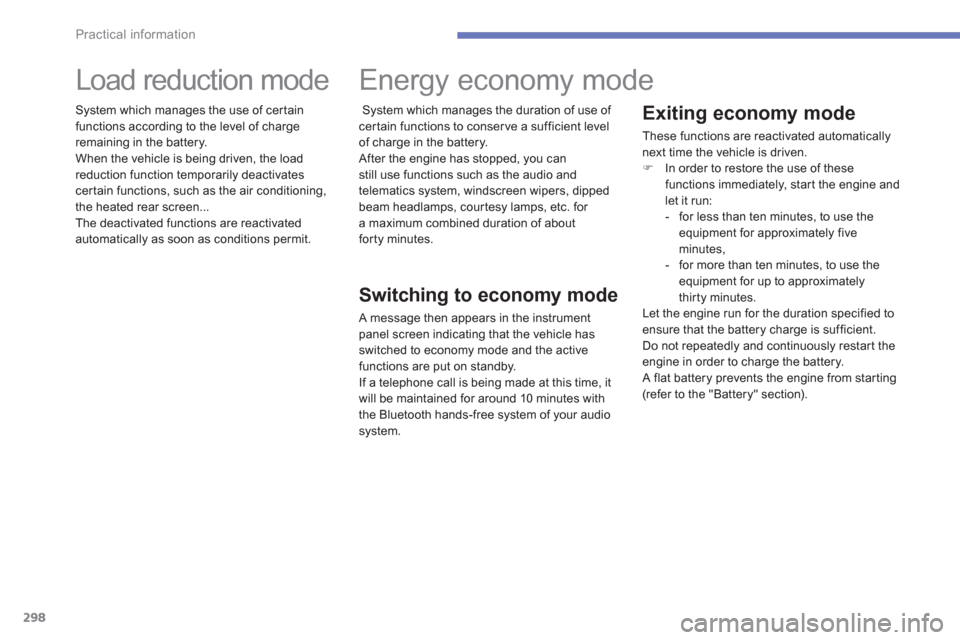
Load reduction mode
System which manages the use of cer tain
functions according to the level of chargeremaining in the battery.
When the vehicle is bein
g driven, the loadreduction function temporarily deactivates certain functions, such as the air conditioning,
the heated rear screen...
The deactivated functions are reactivated automatically as soon as conditions permit.
Energy economy mode
Switching to economy mode
A message then appears in the instrument
panel screen indicating that the vehicle has
switched to economy mode and the activefunctions are put on standby.
If a telephone call is being made at this time, it
will be maintained for around 10 minutes with
the Bluetooth hands-free s
ystem of your audio
s
ystem.
S
ystem which manages the duration of use of certain functions to conserve a sufficient level
of charge in the battery.
After the en
gine has stopped, you canstill use functions such as the audio and
telematics system, windscreen wipers, dippedbeam headlamps, cour tesy lamps, etc. for a maximum combined duration of about forty minutes.
Page 310 of 420
308
Practical information
The fitting of electrical equipment or accessories which are not recommended by CITROËN may resultin a failure of your vehicle's electronicsystem and excessive electricalconsumption.
Please note this precaution. You are advised to contact a CITROËNrepresentative to be shown the range of recommended equipment and accessories.
Installation of radiocommunicationtransmitters
Before installing any after-market radio communication transmitter, you cancontact a CITROËN dealer for thespecification of transmitters which canbe fitted (frequency, maximum power,aerial position, specific installation requirements), in line with the VehicleElectromagnetic Compatibility Directive(2004/104/EC).
Depending on the legislation in forcein the country, it may be compulsory to have a high visibility safety vest, warning triangle, breathalyzers and spare bulbs and fuses available in thevehicle.
"Multimedia":
Speakers, Hi-Fi module, Bluetooth hands-freesystem, head-up display screen, por tablesatellite navigation system, semi-integralsuppor t bracket for por table navigation system,
driving assistance systems, reversing camera, por table video screen, por table video carrier,
telephone carrier, two-screen video pack,
por table video player, CD player, solar USB charger, 230 V/50 Hz socket, 230 V/12 Vadaptor, iPhone/iPad charger, Wi-Fi on board...
B
y visiting a CITROËN dealer you can also
obtain cleaning and maintenance products (interior and exterior) - including ecologicalproducts in the "TECHNATURE" range, products for topping up (screenwash...), paint
touch-up pens and aerosols for the exact colour
of
your vehicle, refills (sealant car tridge for the
temporary puncture repair kit...), ...
Page 339 of 420
337
operate in your vehicle.
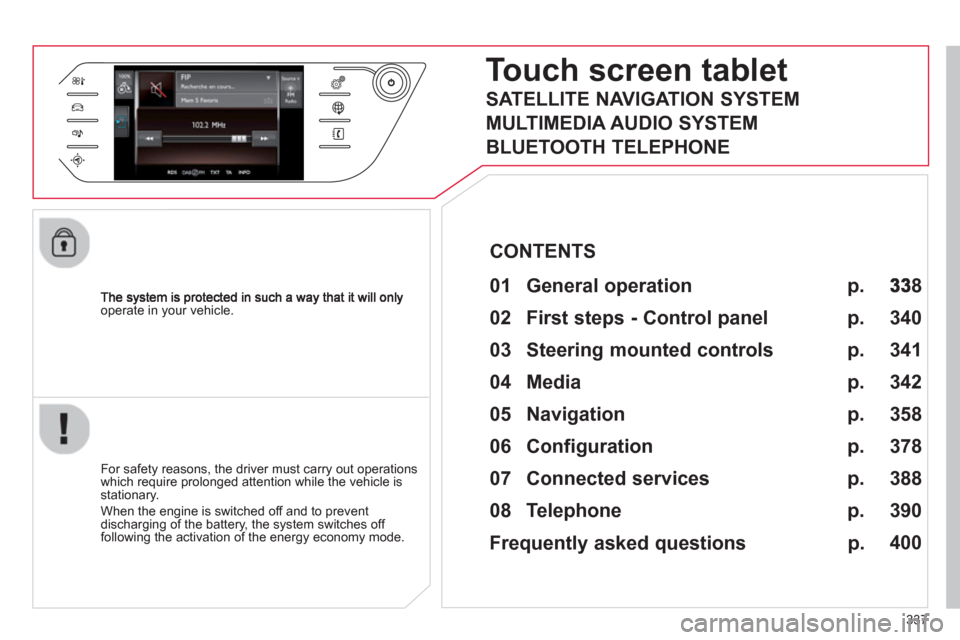
Touch screen tablet
01 General operation
For safety reasons, the driver must carry out operations
which require prolonged attention while the vehicle is stationary.
When the en
gine is switched off and to prevent
discharging of the battery, the system switches off following the activation of the energy economy mode.
CONTENTS
02 First steps - Control panel
04 Media
05 Navigation
06 Configuration
07 Connected services
08 Telephone p.
p.
p.
p.
p.
p.
p.
Frequently asked questions p.
SATELLITE NAVIGATION SYSTEM
MULTIMEDIA AUDIO SYSTEM
BLUETOOTH TELEPHONE
8
340
358
342
378
388
390
400
03 Steering mounted controls p. 341
Page 340 of 420
01
338
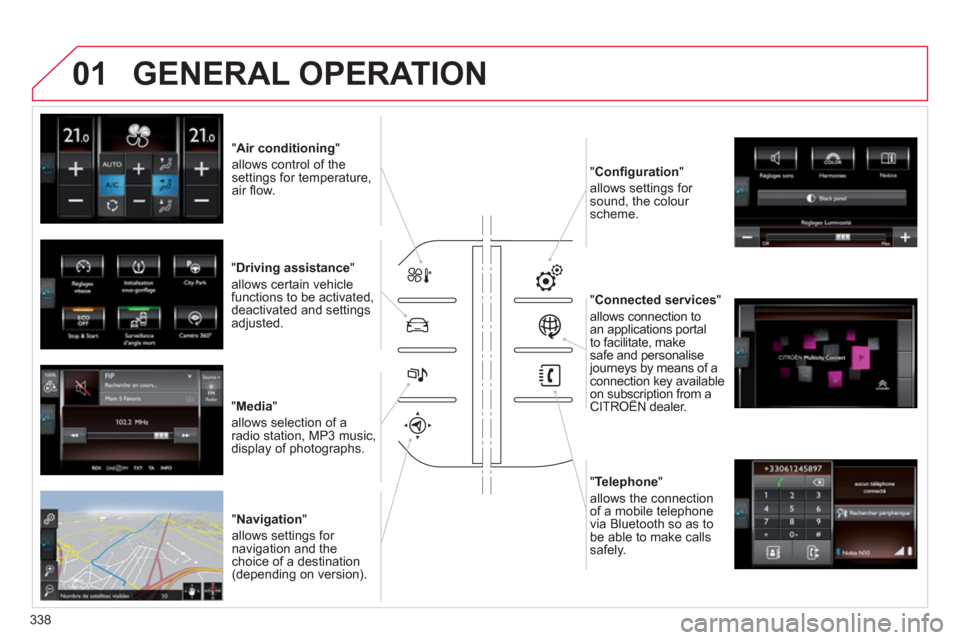
" Air conditioning"
allows control of thesettings for temperature,air fl ow.
" Driving assistance "
allows certain vehicle functions to be activated,
deactivated and settings
adjusted.
"Media"
allows selection of a radio station, MP3 music,
display of photographs.
" Navi
gation"
allows settin
gs for navigation and thechoice of a destination (depending on version). "Confi
guration"
allows settings for
sound, the colour scheme.
"Connected service
s"
allows connection to an applications portal
to facilitate, make
safe and personalisejourneys by means of aconnection key availableon subscription from aCITROËN dealer. p
"Telephone "
allows the connection
of a mobile telephone
v
ia Bluetooth so as to be able to make calls
safely.
GENERAL OPERATION
Page 342 of 420
340
02
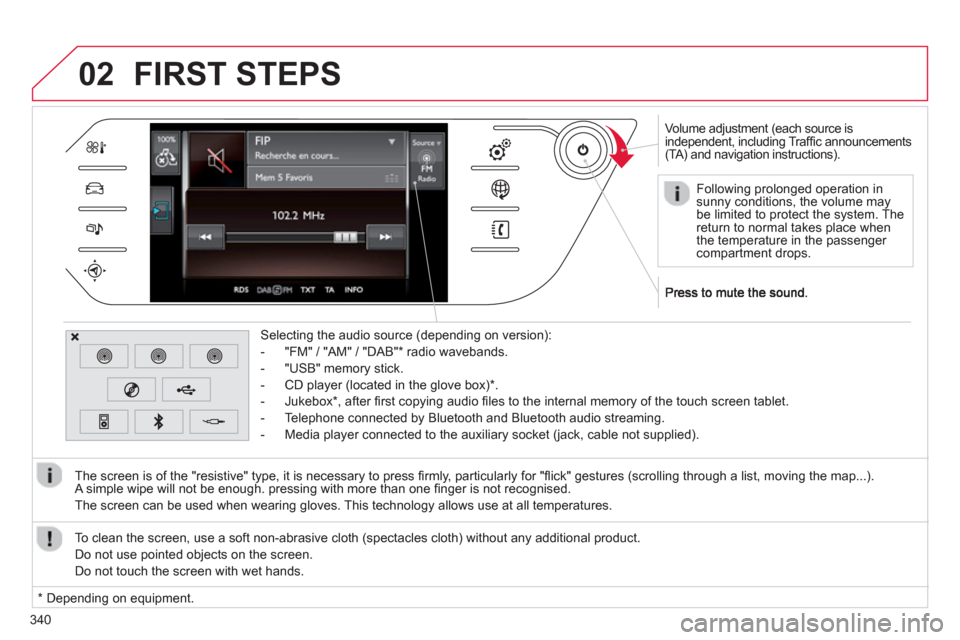
Volume adjustment (each source is
independent, including Traffi c announcements(TA) and navigation instructions).
Selectin
g the audio source (depending on version):
- "FM"
/ "AM" / "DAB" * radio wavebands.
- "USB" memor
y stick.
-
CD player (located in the glove box) *
.
- Jukebox
*
, after fi rst copying audio fi les to the internal memory of the touch screen tablet.
- Telephone connected by Bluetooth and Bluetooth audio streaming.
- Media pla
yer connected to the auxiliary socket (jack, cable not supplied).
The screen is of the "resistive" t
ype, it is necessary to press fi rmly, particularly for "fl ick" gestures (scrolling through a list, moving the map...).
A simple wipe will not be enough. pressing with more than one fi nger is not recognised.
The screen can be used when wearin
g gloves. This technology allows use at all temperatures.
FIRST STEPS
*
Depending on equipment. To clean the screen, use a so
ft non-abrasive cloth (spectacles cloth) without any additional product.
Do not use pointed ob
jects on the screen.
D
o not touch the screen with wet hands.
Following prolonged operation in
sunny conditions, the volume may be limited to protect the system. Thereturn to normal takes place when
the temperature in the passenger compartment drops.
Page 343 of 420
341
03STEERING MOUNTED CONTROLS
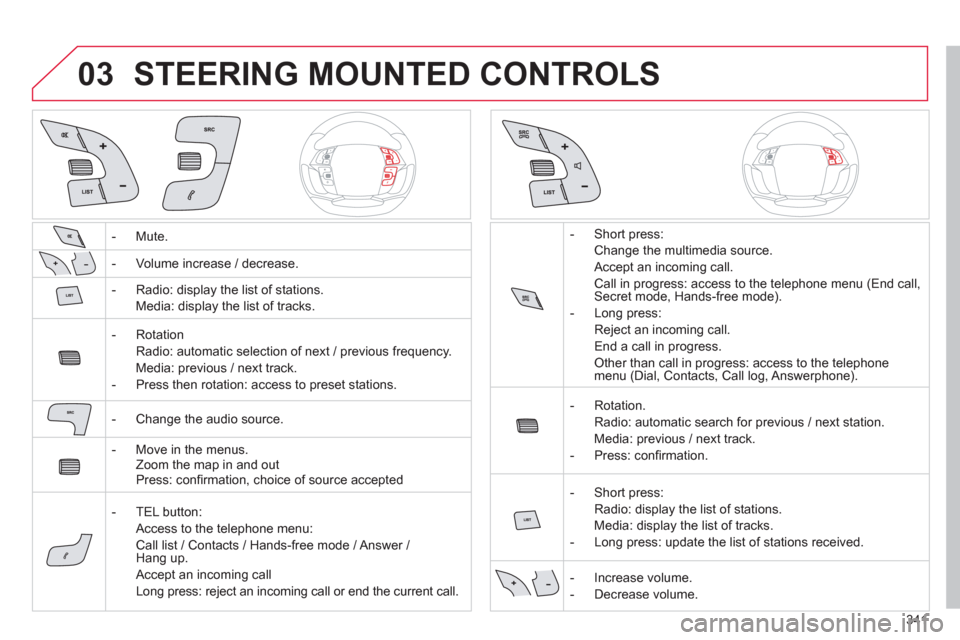
- Mute.
- Volume increase
/ decrease.
- Radio: displa
y the list of stations.
Media: displa
y the list of tracks.
- R
otation
Radio: automatic selection of next / previous frequenc
y.
Media: previous
/ next track.
-
Press then rotation: access to preset stations.
-
Change the audio source.
- M
ove in the menus.
Zoom the map in and out
Press: con
fi rmation, choice of source accepted
- TEL
button:
Access to the telephone menu:
Call list / Contacts / Hands-free mode / Answer / Hang up.
Accept an incomin
g call
Long press: reject an incoming call or end the current call. - Short press:
Change the multimedia source.
Accept an incoming call.
Call in progress: access to the telephone menu (End call, Secret mode, Hands-free mode).
- Lon
g press:
Re
ject an incoming call.
End a call in pro
gress.
Other than call in progress: access to the telephonemenu (Dial, Contacts, Call log, Answerphone).
-
Rotation.
Radio: automatic search
for previous / next station.
Media: previous
/ next track.
- Pr
ess: confi rmation.
- Short
press:
Radio: displa
y the list of stations.
Media: displa
y the list of tracks.
- Lon
g press: update the list of stations received.
- In
crease volume.
- D
ecrease volume.
Page 357 of 420
355
04
Audio streaming
Streaming allows audio fi les on your telephone to be played via the
vehicle's speakers.
Connect the tele
phone : see the "Telephone " section, then"Bluetooth".
Choose the " Audio " or " All" profi le.
I
f play does not start automatically, it may be necessary to start the audio playback from the telephone.
Control is from the peripheral device or b
y using the audio system buttons.
Once connected in streaming mode, the telephone is considered tobe a media source.
It is recommended that
you activate " Repeat" on the Bluetooth
peripheral.
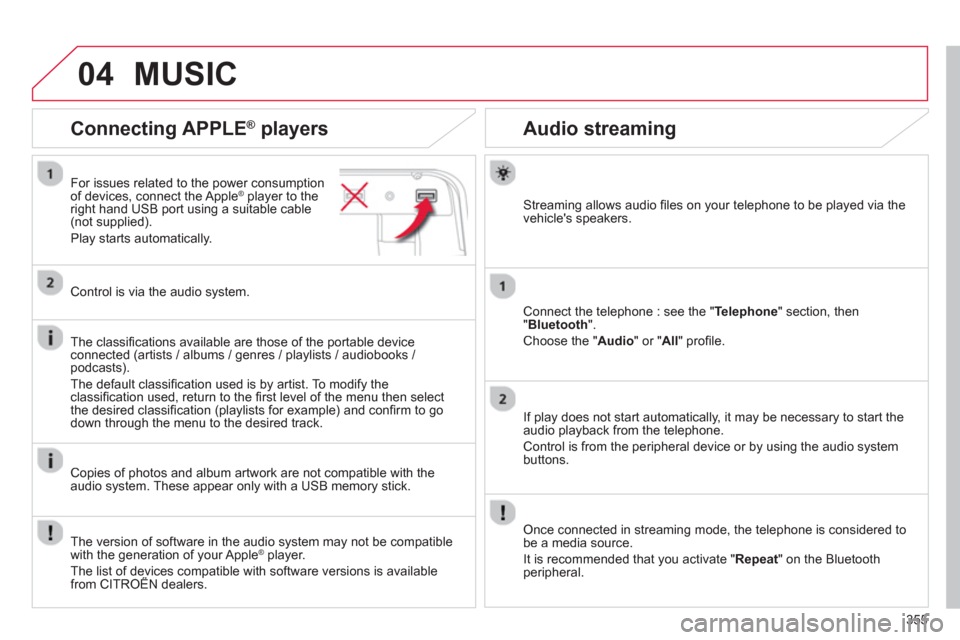
Connecting APPLE ®
players
For issues related to the power consumption
of devices, connect the Apple® player to the®
right hand USB port using a suitable cable (not supplied).
Pla
y starts automatically.
Control is via the audio system.
The classi
fi cations available are those of the portable deviceconnected (artists / albums / genres / playlists / audiobooks / podcasts).
The default classifi cation used is b
y artist. To modify theclassifi cation used, return to the fi rst level of the menu then select
the desired classifi cation (playlists for example) and confi rm to godown through the menu to the desired track.
Copies of photos and album artwork are not compatible with the
audio system. These appear only with a USB memory stick.
MUSIC
The version of software in the audio system may not be compatible
with the generation of your Apple ®player.
The list of devices compatible with software versions is availablefrom CITROËN dealers.
p
Page 362 of 420

360
05
To use the telephone functions,refer to the "Communications"section.
For managing contacts and
their addresses, refer to the " Communications
" section.
NAVIGATION
Search for a point of interesttNavigation
Enter addressEnter destination
Contacts
Point of interest displayed on the map
Level 1Level 2Level 3
"Navigation"
Secondary page
Search for a point of interestt
Page 367 of 420

365
05
Towards a recent destination
Towards a contact
Navigation towards a contact imported from a telephone is only
possible if the address entered is compatible with the system.
Select " Enter destination".
Select an address from the list offered.
Select "Enter destination ".
Select "Contacts".
Select a destination from the contacts in the listoffered.
Select "Navigate to".
Select the criteria then "Confi rm " to start guidance.
Select " Navigate to".
Select the criteria then "Confi rm " or press
"Show route on map
" to start guidance.
Pr
ess on Navigation
to display the primary
page then go to the secondary page.
Press on Navigation
to display the primary
page then go to the secondary page.
NAVIGATION - GUIDANCE
Page 381 of 420

379379
Level 1Level 2Level 3Comments
Confi guration
Audio settings
Audio settings
Ambience Choose the sound ambience.
Balance Set the position of the sound in the vehicle using the Arkamys system.
Sound effects Choose the volume or activate the link to vehiclespeed.
Voice Choose the volume for the voice and announcementof street names.
Rin
gtones Choose the telephone ringtone and volume.
Confi rm
Save the settings.
Confi guration
Color
Choice of colour scheme
Confi rm After choosing the colour scheme, save the setting.
Confi guration
Interactive help
Consult the Interactive help.