carplay Citroen JUMPY 2016 2.G Owner's Manual
[x] Cancel search | Manufacturer: CITROEN, Model Year: 2016, Model line: JUMPY, Model: Citroen JUMPY 2016 2.GPages: 595, PDF Size: 12.47 MB
Page 345 of 595
343
12:13
23 °C531 kHz
Jumpy_en_Chap10b_NAC-1_ed01-2016
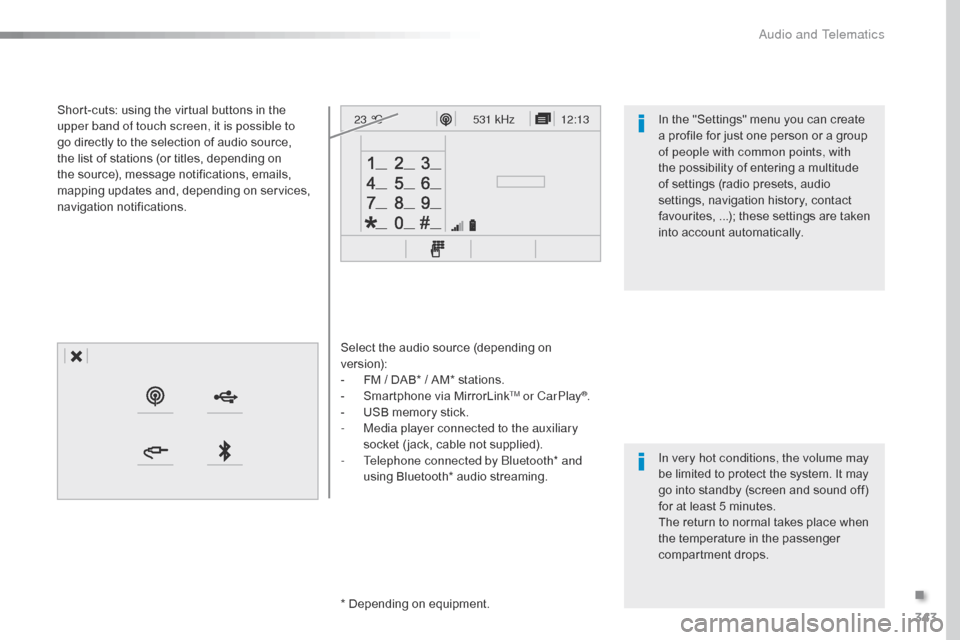
Select the audio source (depending on
version):
-
F
M / DAB* / AM* stations.
-
S
martphone via MirrorLink
TM or CarPlay®.
-
U
SB memory stick.
-
M
edia player connected to the auxiliary
socket ( jack, cable not supplied).
-
T
elephone connected by Bluetooth* and
using Bluetooth* audio streaming.
* Depending on equipment.
Short-cuts: using the virtual buttons in the
upper band of touch screen, it is possible to
go directly to the selection of audio source,
the list of stations (or titles, depending on
the source), message notifications, emails,
mapping updates and, depending on services,
navigation notifications.
In very hot conditions, the volume may
be limited to protect the system. It may
go into standby (screen and sound off)
for at least 5 minutes.
The return to normal takes place when
the temperature in the passenger
compartment drops. In the "Settings" menu you can create
a profile for just one person or a group
of people with common points, with
the possibility of entering a multitude
of settings (radio presets, audio
settings, navigation history, contact
favourites, ...); these settings are taken
into account automatically.
.
Audio and Telematics
Page 347 of 595
345
12:13
23 °C12:13
23 °C531 kHz
FM/87.5 MHz
87.5MHz 12:13
23 °C 87.5 MHz
12:13
23 °C531 kHz12:13
23 °C
Jumpy_en_Chap10b_NAC-1_ed01-2016
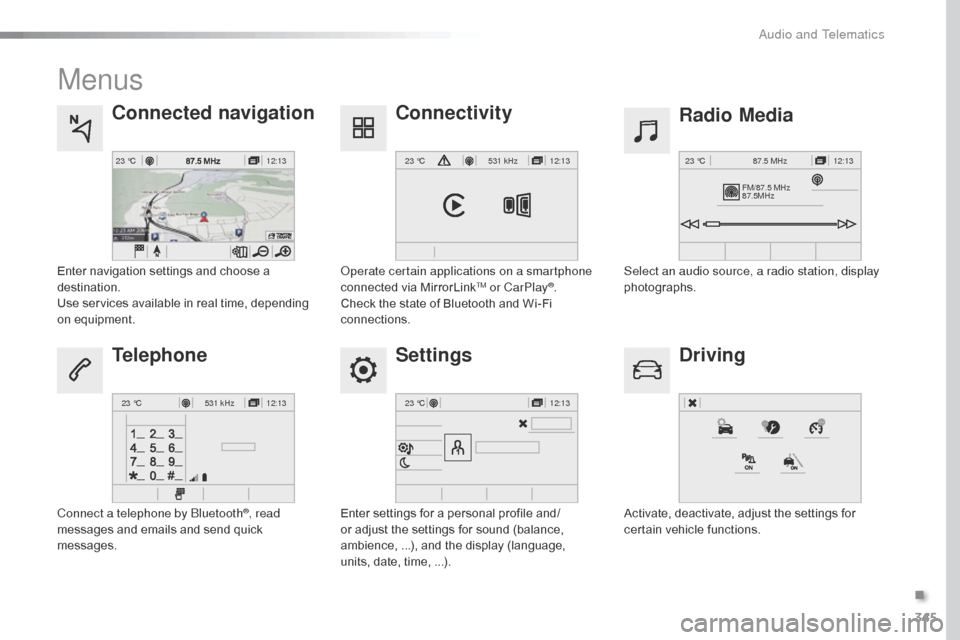
Menus
Settings Radio Media
Connected navigation
Driving
Connectivity
Telephone
Enter settings for a personal profile and/
or adjust the settings for sound (balance,
ambience, ...), and the display (language,
units, date, time, ...). Select an audio source, a radio station, display
photographs.
Enter navigation settings and choose a
destination.
Use services available in real time, depending
on equipment.
Activate, deactivate, adjust the settings for
certain vehicle functions.
Operate certain applications on a smartphone
connected via MirrorLink
TM or CarPlay®.
Check the state of Bluetooth and Wi-Fi
connections.
Connect a telephone by Bluetooth
®, read
messages and emails and send quick
messages.
.
Audio and Telematics
Page 371 of 595
369
Jumpy_en_Chap10b_NAC-1_ed01-2016
As a safety measure and because it
requires sustained attention by the
driver, using a smartphone when
driving is prohibited.
All operations must be done with the
vehicle stationary.
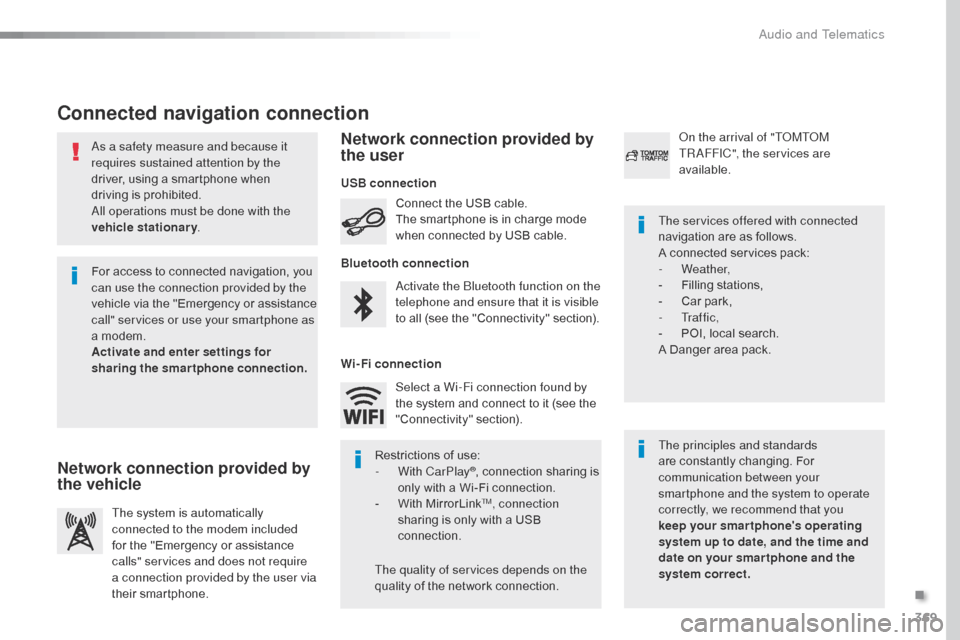
Connected navigation connection
The principles and standards
are constantly changing. For
communication between your
smartphone and the system to operate
correctly, we recommend that you
keep your smar tphone's operating
system up to date, and the time and
date on your smar tphone and the
system correct. The services offered with connected
navigation are as follows.
A connected services pack:
-
Weather,
-
F
illing stations,
-
C
ar park,
-
Tr a f f i c ,
-
P
OI, local search.
A Danger area pack.
Activate the Bluetooth function on the
telephone and ensure that it is visible
to all (see the "Connectivity" section). Connect the USB cable.
The smartphone is in charge mode
when connected by USB cable.
The system is automatically
connected to the modem included
for the "Emergency or assistance
calls" services and does not require
a connection provided by the user via
their smartphone. On the arrival of "TOMTOM
TR AFFIC", the services are
available.
For access to connected navigation, you
can use the connection provided by the
vehicle via the "Emergency or assistance
call" services or use your smartphone as
a modem.
Activate and enter settings for
sharing the smartphone connection. Restrictions of use:
-
W
ith CarPlay
®, connection sharing is
only with a Wi-Fi connection.
-
W
ith MirrorLink
TM, connection
sharing is only with a USB
connection.
The quality of services depends on the
quality of the network connection. Select a Wi-Fi connection found by
the system and connect to it (see the
"Connectivity" section).
USB connection
Network connection provided by
the vehicle Network connection provided by
the user
Bluetooth connection
Wi-Fi connection
.
Audio and Telematics
Page 388 of 595

386
12:13
23 °C531 kHz
Jumpy_en_Chap10b_NAC-1_ed01-2016
CarPlay® smartphone connection
Audio and Telematics
Page 389 of 595
387
Jumpy_en_Chap10b_NAC-1_ed01-2016
As a safety measure and because it
requires the sustained attention of
the driver, using a smartphone when
driving is prohibited.
Operation must be with the vehicle
stationary.
The synchronisation of a
smartphone allows applications on a
smartphone that are adapted to the
CarPlay
® technology to be displayed
i
n the vehicle's screen, having first
activated the CarPlay
® function in your
smartphone.
As the principles and standards
are constantly changing, it is
recommended that you keep your
smartphone's operating system
updated .
For the list of eligible smartphones, go
to the brand's internet website in your
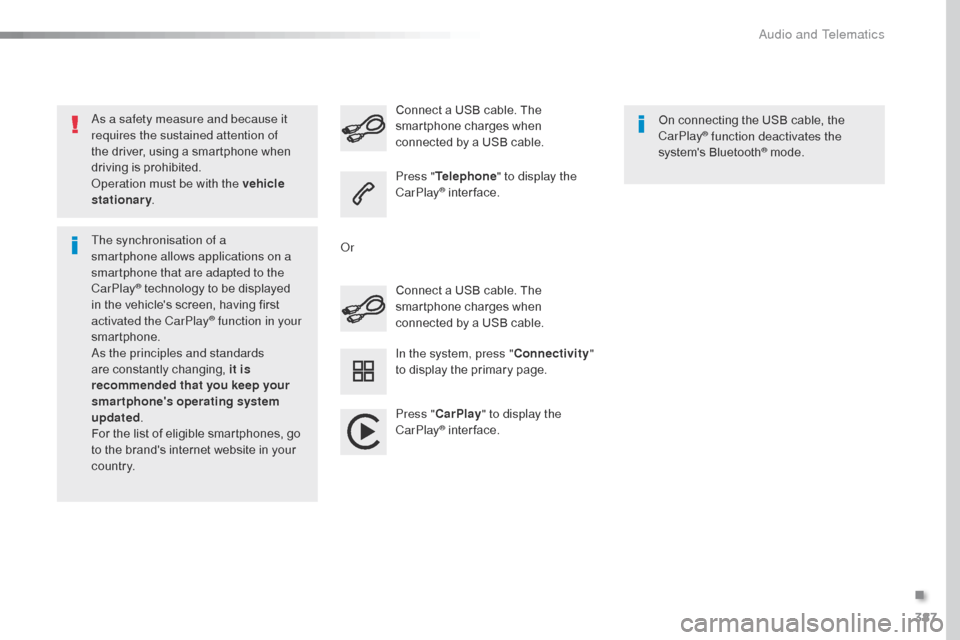
c o unt r y. Connect a USB cable. The
smartphone charges when
connected by a USB cable. Connect a USB cable. The
smartphone charges when
connected by a USB cable.
Press "
Telephone " to display the
CarPlay
® inter face.
Press " CarPlay " to display the
CarPlay
® inter face. On connecting the USB cable, the
CarPlay
® function deactivates the
system's Bluetooth® mode.
In the system, press " Connectivity"
to display the primary page.
Or
.
Audio and Telematics
Page 433 of 595
431
12:13
23 °C531 kHz
Jumpy_en_Chap10c_RCC-1_ed01-2016
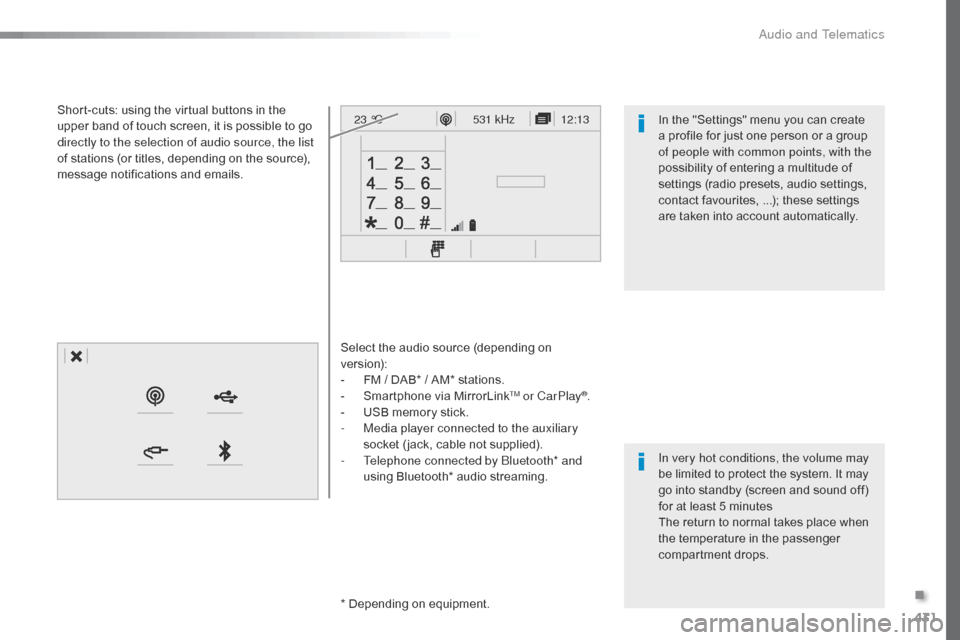
Select the audio source (depending on
version):
-
F
M / DAB* / AM* stations.
-
S
martphone via MirrorLink
TM or CarPlay®.
-
U
SB memory stick.
-
M
edia player connected to the auxiliary
socket ( jack, cable not supplied).
-
T
elephone connected by Bluetooth* and
using Bluetooth* audio streaming.
*
Depending on equipment.
Short-cuts: using the virtual buttons in the
upper band of touch screen, it is possible to go
directly to the selection of audio source, the list
of stations (or titles, depending on the source),
message notifications and emails.
In very hot conditions, the volume may
be limited to protect the system. It may
go into standby (screen and sound off)
for at least 5 minutes
The return to normal takes place when
the temperature in the passenger
compartment drops. In the "Settings" menu you can create
a profile for just one person or a group
of people with common points, with the
possibility of entering a multitude of
settings (radio presets, audio settings,
contact favourites, ...); these settings
are taken into account automatically.
.
Audio and Telematics
Page 435 of 595

433
12:13
23 °C531 kHz
FM/87.5 MHz
87.5MHz 12:13
23 °C 87.5 MHz
12:13
23 °C531 kHz
12:13
23 °C
Jumpy_en_Chap10c_RCC-1_ed01-2016
Menus
Settings Radio Media
Driving
Connectivity
Telephone
Enter settings for a personal profile and/
or adjust the settings for sound (balance,
ambience, ...), and the display (language, units,
date, time, ...).Select an audio source, a radio station, display
photographs.
Activate, deactivate, adjust the settings for
certain vehicle functions.
Operate certain applications on a smartphone
connected via MirrorLink
TM or CarPlay®.
Check the state of Bluetooth and Wi-Fi
connections. Connect a telephone by Bluetooth
®, read
messages and emails and send quick
messages.
.
Audio and Telematics
Page 444 of 595

442
12:13
23 °C531 kHz
Jumpy_en_Chap10c_RCC-1_ed01-2016
CarPlay® smartphone connection
Audio and Telematics
Page 445 of 595
443
Jumpy_en_Chap10c_RCC-1_ed01-2016
As a safety measure and because it
requires the sustained attention of
the driver, using a smartphone when
driving is prohibited.
Operation must be with the vehicle
stationary.
The synchronisation of a
smartphone allows applications on a
smartphone that are adapted to the
CarPlay
® technology to be displayed
i
n the vehicle's screen, having first
activated the CarPlay
® function in your
smartphone.
As the principles and standards
are constantly changing, it is
recommended that you keep your
smartphone's operating system
updated .
For the list of eligible smartphones, go
to the brand's internet website in your
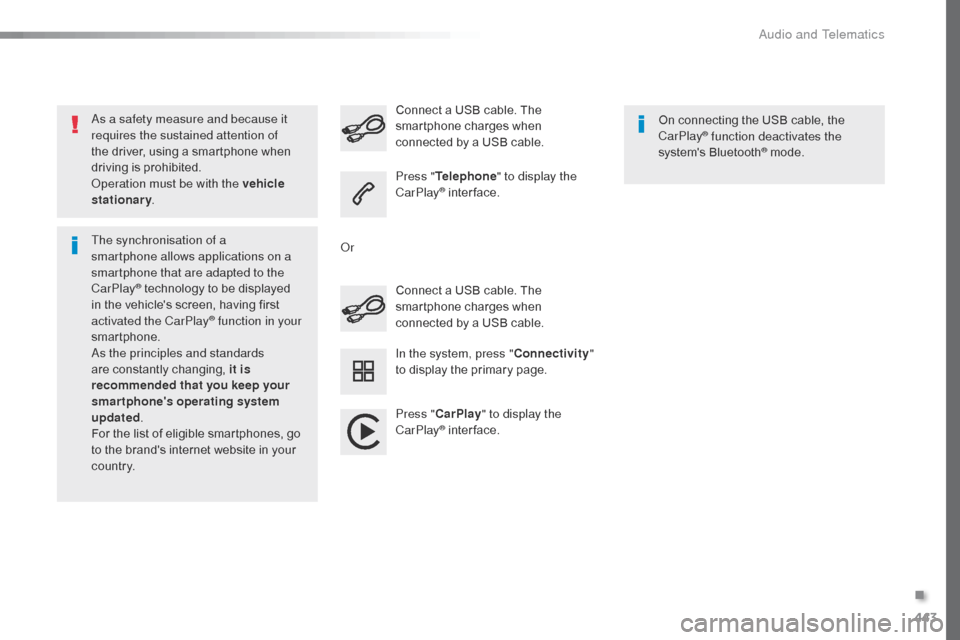
c o unt r y. Connect a USB cable. The
smartphone charges when
connected by a USB cable. Connect a USB cable. The
smartphone charges when
connected by a USB cable.
Press "
Telephone " to display the
CarPlay
® inter face.
Press " CarPlay " to display the
CarPlay
® inter face. On connecting the USB cable, the
CarPlay
® function deactivates the
system's Bluetooth® mode.
In the system, press " Connectivity"
to display the primary page.
Or
.
Audio and Telematics
Page 508 of 595
506
Jumpy_en_Chap11_index-alpha_ed01-2016
180° rear vision .............................................259
ABS
........
....................................................... 161
Access, AdBlue tank
..................................... 28
5
Accessories
..............................
.... 203, 271, 272
Access to the spare wheel
............................2
97
Active Safety Brake........................ 23, 243, 246
AdBlue
® ............................... . 26, 35 -37, 283 -285
Additive, AdBlue ................... 2 6, 35 -37, 283 -285
Additive, Diesel
...............................
......280, 281
Adjusting headlamp beam height
.................15
5
Adjusting headlamps
.................................... 15
5
Adjusting head restraints
......................10
3, 104
Adjusting seat
.........................................9
9, 102
Adjusting the air distribution
.........................12
8
Adjusting the air flow
..................................... 12
8
Adjusting the date
...........................4
6, 420, 476
Adjusting the height and reach of the steering wheel
...............................
.........99
Adjusting the lumbar support
........................10
0
Adjusting the seat belt height
.......................16
6
Adjusting the temperature
............................12
8
Adjusting the time
........................... 4
6, 421, 477
Advice on driving
..............................
....19 6 -198
Airbags
...............
............................. 24, 170, 177
Airbags, curtain
............................................. 17
3
Airbags, front......................................... 171, 173
Airbags, lateral
...................................... 17
2 , 173
Air conditioning
............... 1
2, 127, 129, 130, 137
Air conditioning, automatic
...........................13
5
Air conditioning, digital
......................... 13
2, 13 6Air conditioning, dual-zone automatic
..........
12
8
Air conditioning, manual
....... 1
26, 132, 135, 136
Air intake
...............
................ 125, 126, 128, 131
Alarm
............................................................... 95
A
larm, volumetric
............................................
95
A
nti-lock braking system (ABS)
....................
16
1
Anti-theft
..............................
............. 52, 67, 205
Area, loading
...............................
........ 47, 55, 73
Armrest, front
................................................
10
3
ASR
............................................................... 16
1
Assistance call
...............................
.......160, 338
Assistance, emergency braking
........... 1
61, 247
Audio streaming (Bluetooth)
........ 3
98, 454, 495
Audio system
...........................8
9, 150 -152, 158,
226, 245, 247, 250, 256, 264, 483
Auxiliary ............................................... 3 98, 454
A
C
B
Boot .................................................................
94
Boot lid ............... .................64, 65, 94, 313, 314
Brake discs
.................................................... 28
2
Brake lamps
........................... 31
0, 311, 313 - 315
Brakes
...............................................1
8, 22, 282
Braking, automatic emergency
............................ 2
3, 243, 245 -247
Bulbs (changing)
...................3
03, 304, 310, 313
Bulbs (changing, type)
..................................3
03
Cable, audio
......................................... 3
98, 454
Cable, jack
..............................
............. 398, 454
Capacity, fuel tank
..............................
..........265
Cap, fuel filler
................................................ 26
5
CarPlay connection .............................. 386, 442
CD
..............................
.................. 398, 454, 494
CD, MP3
....................................... 3
98, 454, 494
Central locking
..........................................5
9, 64
Changing a bulb
..... 3
03, 304, 310, 311, 313 -315
Changing a bulb (boot lid))............................ 313
Changing a bulb (side-hinged doors)
.................................... 3
10
Changing a fuse
............................ 3
16, 317, 320
Changing a wheel
...............................
..........296
Changing a wiper blade
........................ 1
59, 274
Changing the remote control battery
........5
4, 70
Checking the engine oil level
..........................34
C
hecking the levels
...............................2
78-280
Checking tyre pressures (using the kit)
..............................
................290
Battery
...............................
.....270, 281, 321-325
Battery capacity
...............................
............. 325
Battery, charging
...............................
............ 323
Battery, remote control
............... 5
4, 70, 71, 139
Bench seat, one-piece, fixed
........................ 11
0
Blind spot monitoring system
......... 2
9, 252, 254
Blinds, side
.................................................... 12
3
BlueHDi
...............................
......31, 35, 208, 283
Bluetooth (hands-free)
............... 4
06, 407, 462, 463, 497
Bluetooth (telephone)
............ 4
06 - 408, 462- 464
Bonnet
...............
............................................ 276
Alphabetical index