safety CITROEN JUMPY 2018 Owners Manual
[x] Cancel search | Manufacturer: CITROEN, Model Year: 2018, Model line: JUMPY, Model: CITROEN JUMPY 2018Pages: 324, PDF Size: 10.05 MB
Page 3 of 324
Welcome
This document contains the key information and recommendations you
will need to be able to explore your vehicle in complete safety. We strongly
recommend familiarising yourself with it, as well as the Maintenance and
Warranty Guide.
003C
00470052004600580050004800510057
country in which it was sold.
The descriptions and illustrations are for guidance only.
0024005800570052005000520045004C004F004800560003
004800540058004C00530050004800510057
If ownership of your vehicle is transferred, please ensure this Han is
passed on to the new owner.
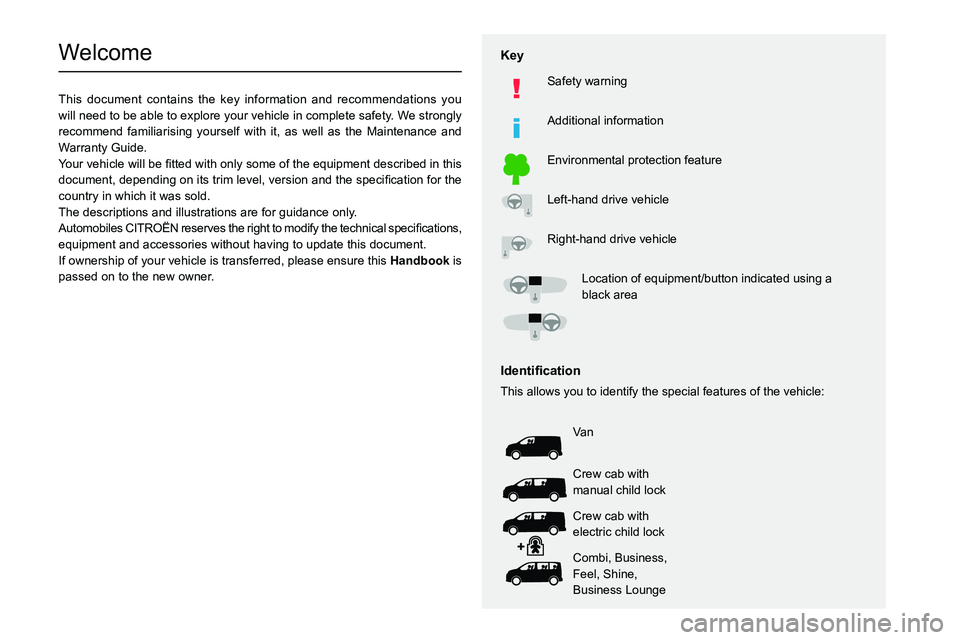
Key
Safety warning
Additional information
Environmental protection feature
Left-hand drive vehicle
Right-hand drive vehicle002F0052004600440057004C005200510003005200490003004800540058004C0053005000480051005700120045005800570057005200510003004C00510047004C00460044005700480047000300580056004C0051004A000300440003
black area
002C0047004800510057004C00BF004600440057004C00520051
This allows you to identify the special features of the vehicle:
Va n
Crew cab with
manual child lock
Crew cab with
electric child lock
Combi, Business,
Feel, Shine,
Business Lounge
Page 4 of 324
2
Contents
■
OverviewOverview 4
Labels 5
■
Eco-driving
1Dashboard instrumentsInstrument Panel 9
Warning and indicator lamps 11
Indicators 16
Distance recorders 21
Lighting dimmer 22
Trip computer 22
Touch screen 24
Additional remotely operable functions (Electric) 26
Setting the date and time 26
2AccessElectronic key with remote control function and
built-in key 28
Unlocking/Complete or selective unlocking 30
Back-up procedures 34
Central locking 37
Electric sliding side door(s) 38
General recommendations for the sliding
side doors
39
Hands-free sliding side door(s) 42
Side-hinged rear doors 43
Tailgate 44
Tailgate rear screen 44
Alarm 45
Electric windows 47
3Ease of use and comfortCorrect driving position 48
Front seats 48
2-seat front bench seat 50
Steering wheel adjustment 52
Mirrors 52
Moduwork 53
Precautions for the seats and bench seats 57
Fixed one-piece bench seat 57
Fixed rear seat and bench seat 59
Rear seat and bench seat on rails 61
Individual rear seat(s) on rails 63
Crew cab, fixed 65
Crew cab, folding 67
Interior fittings 68
Loading area fittings 71
Seating area fittings 72
Panoramic sunroof 74
Retractable sliding table 74
Heating and Ventilation 77
Heating 78
Manual air conditioning 78
Dual-zone automatic air conditioning 79
Front demisting - defrosting 81
Demisting/de-icing the rear screen and/or
the door mirrors
82
Rear heating - air conditioning 82
Additional heating/ventilation system 83
Temperature pre-conditioning (Electric) 85
Courtesy lamp(s) 86
4Lighting and visibilityLighting control stalk 88
Direction indicators 89
Daytime running lamps/Sidelamps 89
Automatic illumination of headlamps 89
Guide-me-home and welcome lighting 90
Automatic headlamp dipping 90
Headlamp beam height adjustment 92
Interior ambient lighting 92
Wiper control stalk 92
Automatic wipers 93
Changing a wiper blade 95
5SafetyGeneral safety recommendations 96
Hazard warning lamps 96
Emergency or assistance 97
Horn 99
Pedestrian horn (Electric) 99
Electronic stability control (ESC) 99
Advanced Grip Control 101
Seat belts 102
Airbags 106
Child seats 108
Deactivating the front passenger airbag 11 0
ISOFIX and i-Size child seats 11 8
i-Size child seats 130
Manual child lock 132
Electric child lock 133
Child lock on rear windows 133
6DrivingDriving recommendations 134
Starting/switching off the engine 136
Manual parking brake 140
Electric parking brake 140
Hill start assist 142
6-speed manual gearbox 143
Page 5 of 324
3
Contents
Gear shift indicator 144
Automatic gearbox 144
Drive selector (Electric) 147
Driving modes (Electric) 148
Stop & Start 149
Tyre under-inflation detection 150
Driving and manoeuvring aids - General
recommendations
152
Head-up display 153
Memorising speeds 154
Road signs recognition 155
Speed limiter 157
Cruise control - Specific recommendations 159
Cruise control 159
Adaptive cruise control 162
Active Safety Brake with Collision Risk Alert and
Intelligent emergency braking assistance
165
Lane departure warning system 168
Distraction detection 169
Blind spot monitoring 170
Parking sensors 171
Top Rear Vision 173
7Practical informationCompatibility of fuels 177
Refuelling 177
Diesel misfuel prevention 178
Charging system (Electric) 179
Charging the traction battery (Electric) 186
Energy economy mode 190
Snow chains 190
Towing device 191
Roof bars/Roof rack 191
Bonnet 192
Engine compartment 193
Checking levels 194
Checks 196
AdBlue® (BlueHDi) 198
Free-wheeling 200
Advice on care and maintenance 202
8In the event of a breakdownWarning triangle 204
Running out of fuel (Diesel) 204
Tool box 205
Temporary puncture repair kit 206
Spare wheel 209
Changing a bulb 213
Fuses 218
12
V battery
/ Accessory battery 218
Towing the vehicle 222
9Technical dataEngine technical data and towed loads 225
Diesel engines 226
Electric motor 231
Dimensions 233
Identification markings 235
10Bluetooth® audio systemFirst steps 237
Steering mounted controls 238
Menus 238
Radio 239
DAB (Digital Audio Broadcasting) radio 240
Media 241
Telephone 243
Frequently asked questions 246
11MyCitroën PlayFirst steps 249
Steering mounted controls 250
Menus 251
Applications 252
Radio 252
DAB (Digital Audio Broadcasting) radio 254
Media 254
Telephone 256
Settings 259
Frequently asked questions 260
12MyCitroën DriveFirst steps 262
Steering mounted controls 263
Menus 263
Voice commands 265
Navigation 268
Connected navigation 271
Applications 273
Radio 276
DAB (Digital Audio Broadcasting) radio 277
Media 277
Telephone 279
Settings 281
Frequently asked questions 283
13Event data recorders
■
Alphabetical index
■
Appendix
Page 8 of 324
6
Overview
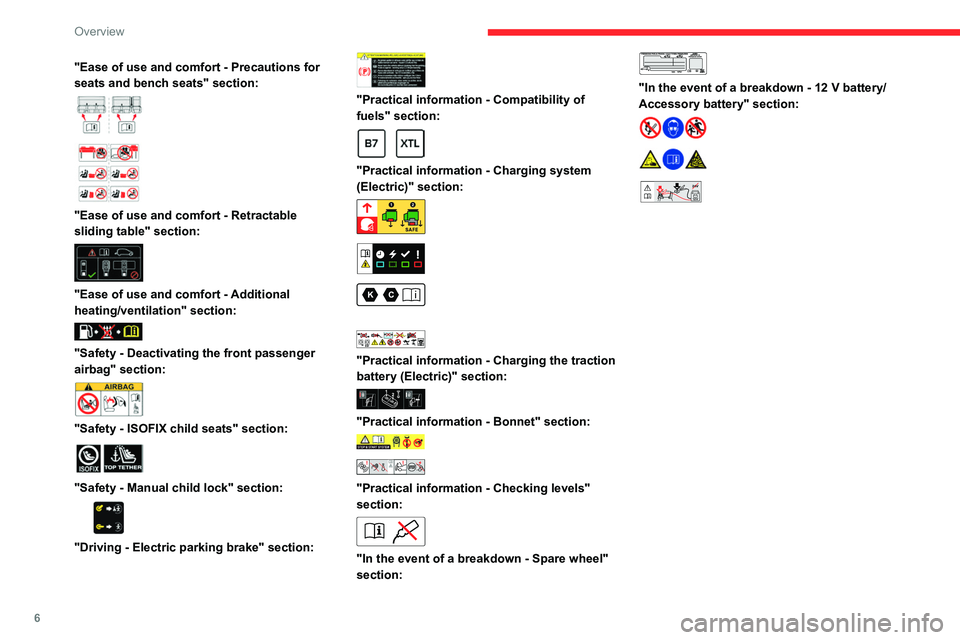
"Ease of use and comfort - Precautions for
seats and bench seats" section:
"Ease of use and comfort - Retractable
sliding table" section:
"Ease of use and comfort - Additional
heating/ventilation" section:
"Safety - Deactivating the front passenger
airbag" section:
"Safety - ISOFIX child seats" section:
"Safety - Manual child lock" section:
"Driving - Electric parking brake" section:
"Practical information - Compatibility of
fuels" section:
"Practical information - Charging system
(Electric)" section:
"Practical information - Charging the traction
battery (Electric)" section:
"Practical information - Bonnet" section:
"Practical information - Checking levels"
section:
"In the event of a breakdown - Spare wheel"
section:
"In the event of a breakdown - 12 V battery/
Accessory battery" section:
24V12V
Page 16 of 324
14
Dashboard instruments
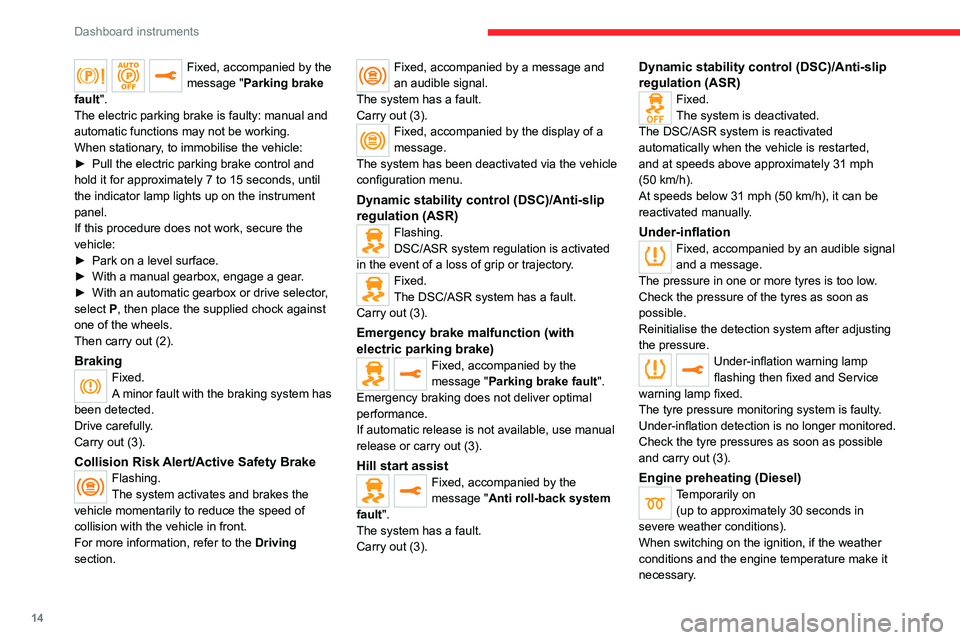
Fixed, accompanied by the
message "Parking brake
fault".
The electric parking brake is faulty: manual and
automatic functions may not be working.
When stationary, to immobilise the vehicle:
►
Pull the electric parking brake control and
hold it for approximately 7 to 15 seconds, until
the indicator lamp lights up on the instrument
panel.
If this procedure does not work, secure the
vehicle:
►
Park on a level surface.
►
With a manual gearbox, engage a gear
.
►
With an automatic gearbox or drive selector
,
select
P, then place the supplied chock against
one of the wheels.
Then carry out (2).
BrakingFixed.
A minor fault with the braking system has
been detected.
Drive carefully.
Carry out (3).
Collision Risk Alert/Active Safety BrakeFlashing.
The system activates and brakes the
vehicle momentarily to reduce the speed of
collision with the vehicle in front.
For more information, refer to the Driving
section.
Fixed, accompanied by a message and
an audible signal.
The system has a fault.
Carry out (3).
Fixed, accompanied by the display of a
message.
The system has been deactivated via the vehicle
configuration menu.
Dynamic stability control (DSC)/Anti-slip
regulation (ASR)
Flashing.
DSC/ASR system regulation is activated
in the event of a loss of grip or trajectory.
Fixed.
The DSC/ASR system has a fault.
Carry out (3).
Emergency brake malfunction (with
electric parking brake)
Fixed, accompanied by the
message "Parking brake fault".
Emergency braking does not deliver optimal
performance.
If automatic release is not available, use manual
release or carry out (3).
Hill start assistFixed, accompanied by the
message "Anti roll-back system
fault".
The system has a fault.
Carry out (3).
Dynamic stability control (DSC)/Anti-slip
regulation (ASR)
Fixed.
The system is deactivated.
The DSC/ASR system is reactivated
automatically when the vehicle is restarted,
and at speeds above approximately 31 mph
(50
km/h).
At speeds below 31
mph (50 km/h), it can be
reactivated manually.
Under-inflationFixed, accompanied by an audible signal
and a message.
The pressure in one or more tyres is too low.
Check the pressure of the tyres as soon as
possible.
Reinitialise the detection system after adjusting
the pressure.
Under-inflation warning lamp
flashing then fixed and Service
warning lamp fixed.
The tyre pressure monitoring system is faulty.
Under-inflation detection is no longer monitored.
Check the tyre pressures as soon as possible
and carry out (3).
Engine preheating (Diesel)Temporarily on (up to approximately 30 seconds in
severe weather conditions).
When switching on the ignition, if the weather
conditions and the engine temperature make it
necessary.
Page 26 of 324
24
Dashboard instruments
Contact a CITROËN dealer or a qualified
workshop.
Current consumption
(mpg or l/100 km or km/l)
(miles/kWh or kWh/100 km or km/kWh) (Electric)
/Calculated during the last few
seconds.
This function is only displayed at speeds above
19 mph (30
km/h) (Diesel).
Average consumption
(mpg or l/100 km or km/l)
(miles/kWh or kWh/100 km or km/kWh) (Electric)
/Calculated since the last trip
computer reset.
Average speed
(mph or km/h)Calculated since the last trip computer
reset.
Distance travelled
(miles or km)Calculated since the last trip computer
reset.
Stop & Start time counter
(minutes/seconds or hours/minutes)
If your vehicle is fitted with the Stop & Start
function, a time counter calculates the time spent
in STOP mode during a journey.
The time counter is reset each time the ignition is
switched on.
Touch screen
This system gives access to the following elements:
–
Permanent display of the time and outside
temperature (a blue warning lamp appears if
there is a risk of ice).
–
V
ehicle functions and equipment setting
menus.
–
Audio system and telephone controls and
display of related information.
–
Display of visual manoeuvring aid functions
–
Internet services and display of
related
information.
–
Navigation system controls and
display
of related information (depending on
version).
For safety reasons, always stop the
vehicle before performing operations
that require sustained attention.
Some functions are not accessible while
driving.
Recommendations
This screen uses capacitive sensing technology.
– Do not use pointed objects on the touch
screen.
–
Do not touch the touch screen with wet hands.
– Use a soft, clean cloth to clean the touch
screen.
Principles
► Use the buttons on each side of the touch
screen to access the menus, then press the
buttons that appear on the touch screen.
Some menus may display across two pages:
press the "
OPTIONS" button to access the
second page.
After a few moments with no action on the second page, the first page is
displayed automatically.
To deactivate/activate a function, select " OFF"
or "ON".
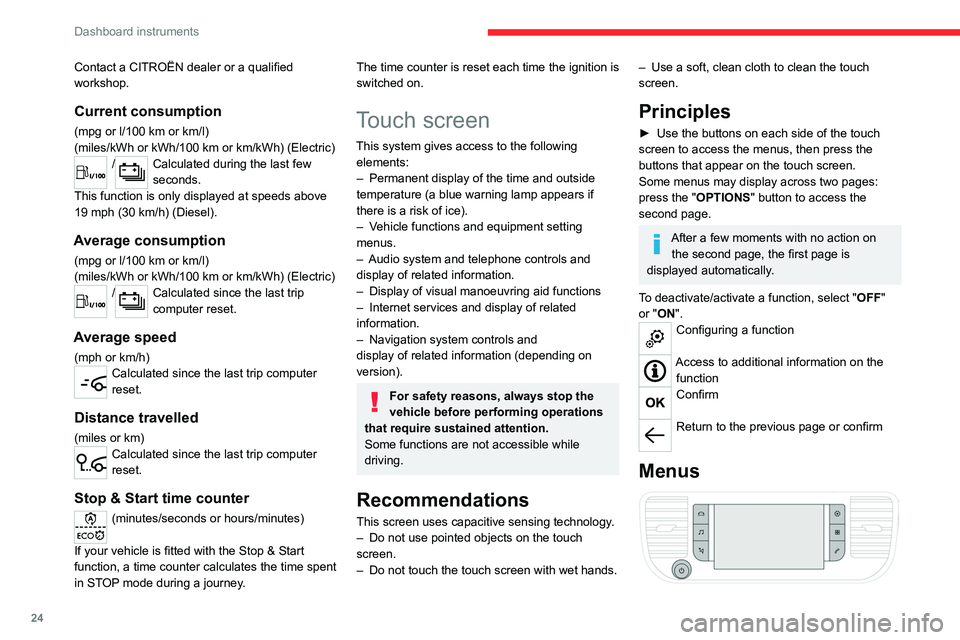
Configuring a function
Access to additional information on the function
Confirm
Return to the previous page or confirm
Menus
Page 30 of 324

28
Access
Electronic key with
remote control function
and built-in key
Advice
If one of the doors or the boot is still open
or if the electronic key for the Keyless
Entry and Start
system has been left inside
the vehicle, central locking will not take place.
However
, if the vehicle is fitted with an alarm,
it will be activated after 45
seconds.
If the vehicle is unlocked but the doors or
boot are not subsequently opened, the
vehicle will automatically lock itself again after
about 30
seconds. If the vehicle is fitted with
an alarm, it will be reactivated automatically.
Automatic door mirror folding and unfolding can be deactivated by a
CITROËN dealer or a qualified workshop.
As a safety measure, never leave the vehicle, even for a short time, without
taking the Keyless Entry and Start system’s
electronic key with you.
Be aware of the risk of theft of the vehicle if
the key is present in one of the defined areas
while the vehicle is unlocked.
If a door is not properly closed (except the
right-hand door with side-hinged rear
doors):
–
when the vehicle is stationary and engine
running, this warning lamp comes on,
accompanied by a warning message for a few
seconds,
–
when the vehicle is moving (at speeds above
6 mph (10 km/h)), this warning lamp comes on,
accompanied by an audible signal and a warning
message for a few seconds.
Remote control key
This allows the central locking or unlocking of the
vehicle using the door lock or from a distance.
It also allows the vehicle to be located, the fuel
filler cap and charging flap to be opened and
closed and the engine to be started or switched
off, as well as providing protection against theft.
The remote control buttons are not active with the ignition switched on.
Unfolding / Folding the key
► Press this button to unfold or fold the key .
The remote control may be damaged if
you do not press the button.
Keyless Entry and Start
This allows the central locking or unlocking of the
vehicle from a distance.
It is also used to locate and start the vehicle, as
well as providing protection against theft.
Integral key
This is used to lock and unlock the vehicle when
the remote control cannot operate:
–
cell battery flat, vehicle battery discharged or
disconnected, etc.
–
vehicle located in an area with strong
electromagnetic signals.
Page 31 of 324
29
Access
2
► Keep this button 1 pulled while removing
key 2 from the housing.
If the alarm is activated, the audible
signal triggered on opening a door with
the key (integral with the remote control) will
stop when the ignition is switched on.
Once the built-in key is ejected, always
keep it with you to be able to carry out
the corresponding back-up procedures.
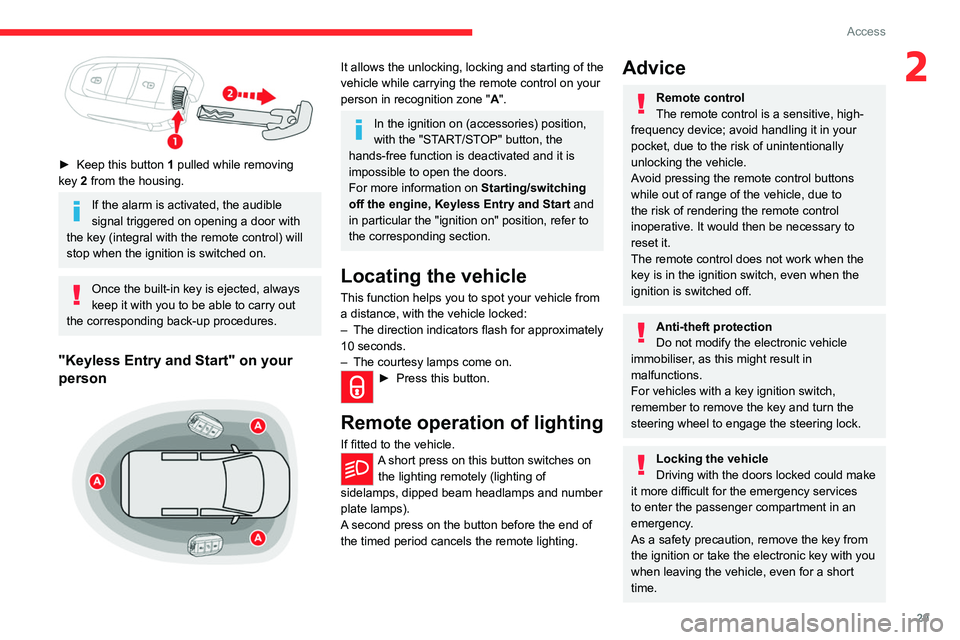
"Keyless Entry and Start" on your
person
It allows the unlocking, locking and starting of the
vehicle while carrying the remote control on your
person in recognition zone " A".
In the ignition on (accessories) position,
with the "START/STOP" button, the
hands-free function is deactivated and it is
impossible to open the doors.
For more information on Starting/switching
off the engine,
Keyless Entry and Start and
in particular the "ignition on" position, refer to
the corresponding section.
Locating the vehicle
This function helps you to spot your vehicle from
a distance, with the vehicle locked:
–
The direction indicators flash for approximately
10 seconds.
–
The courtesy lamps come on.
► Press this button.
Remote operation of lighting
If fitted to the vehicle.A short press on this button switches on
the lighting remotely (lighting of
sidelamps, dipped beam headlamps and number
plate lamps).
A second press on the button before the end of
the timed period cancels the remote lighting.
Advice
Remote control
The remote control is a sensitive, high-
frequency device; avoid handling it in your
pocket, due to the risk of unintentionally
unlocking the vehicle.
Avoid pressing the remote control buttons
while out of range of the vehicle, due to
the risk of rendering the remote control
inoperative. It would then be necessary to
reset it.
The remote control does not work
when the
key is in the ignition switch, even when the
ignition is switched off.
Anti-theft protection
Do not modify the electronic vehicle
immobiliser, as this might result in
malfunctions.
For vehicles with a key ignition switch,
remember to remove the key and turn the
steering wheel to engage the steering lock.
Locking the vehicle
Driving with the doors locked could make
it more difficult for the emergency services
to enter the passenger compartment in an
emergency.
As a safety precaution, remove the key from
the ignition or take the electronic key with you
when leaving the vehicle, even for a short
time.
Page 35 of 324
33
Access
2Locking
With the key
► To lock the vehicle fully, turn the key in the
front left-hand door lock towards the rear of the
vehicle.
If your vehicle has an alarm, it will not be
activated.
With the remote control
► To lock the vehicle completely, press
this button.
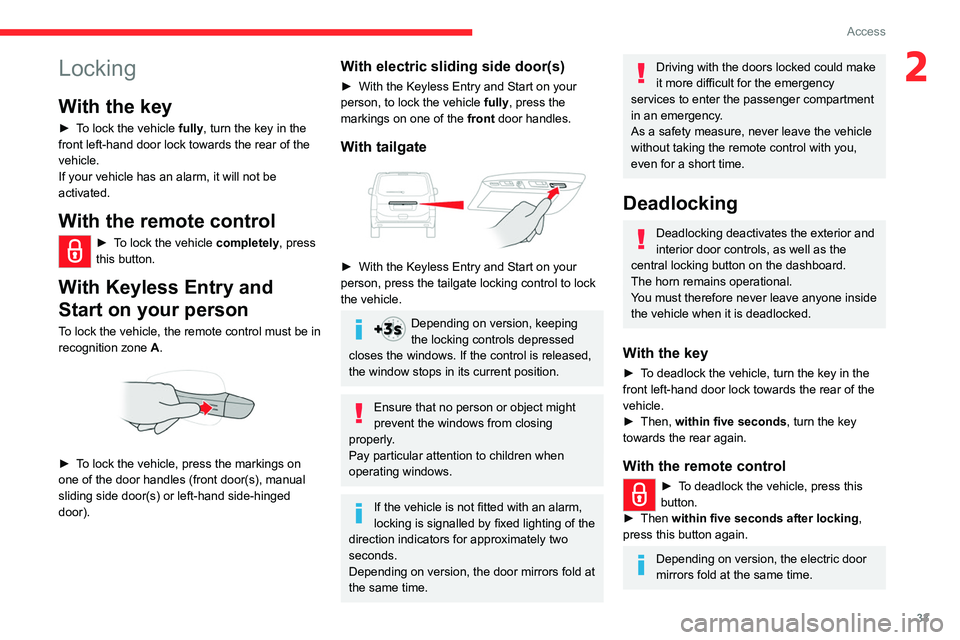
With Keyless Entry and
Start on your person
To lock the vehicle, the remote control must be in
recognition zone A.
► To lock the vehicle, press the markings on
one of the door handles (front door(s), manual
sliding side door(s) or left-hand side-hinged
door).
With electric sliding side door(s)
► With the Keyless Entry and Start on your
person, to lock the vehicle fully , press the
markings on one of the front
door handles.
With tailgate
► With the Keyless Entry and Start on your
person, press the tailgate locking control to lock
the vehicle.
Depending on version, keeping
the locking controls depressed
closes the windows. If the control is released,
the window stops in its current position.
Ensure that no person or object might
prevent the windows from closing
properly.
Pay particular attention to children when
operating windows.
If the vehicle is not fitted with an alarm,
locking is signalled by fixed lighting of the
direction indicators for approximately two
seconds.
Depending on version, the door mirrors fold at
the same time.
Driving with the doors locked could make
it more difficult for the emergency
services to enter the passenger compartment
in an emergency.
As a safety measure, never leave the vehicle
without taking the remote control with you,
even for a short time.
Deadlocking
Deadlocking deactivates the exterior and
interior door controls, as well as the
central locking button on the dashboard.
The horn remains operational.
You must therefore never leave anyone inside
the vehicle when it is deadlocked.
With the key
► To deadlock the vehicle, turn the key in the
front left-hand door lock towards the rear of the
vehicle.
►
Then,
within five seconds , turn the key
towards the rear again.
With the remote control
► To deadlock the vehicle, press this
button.
►
Then
within five seconds after locking ,
press this button again.
Depending on version, the electric door
mirrors fold at the same time.
Page 41 of 324
39
Access
2opening a door, press the button corresponding
to the door you wish to open.
►
With selective unlocking activated, to unlock
only the
loading area and start opening a door,
press the button corresponding to the door you
wish to open.
►
In both cases, pressing the button again
reverses the direction of the door's movement.
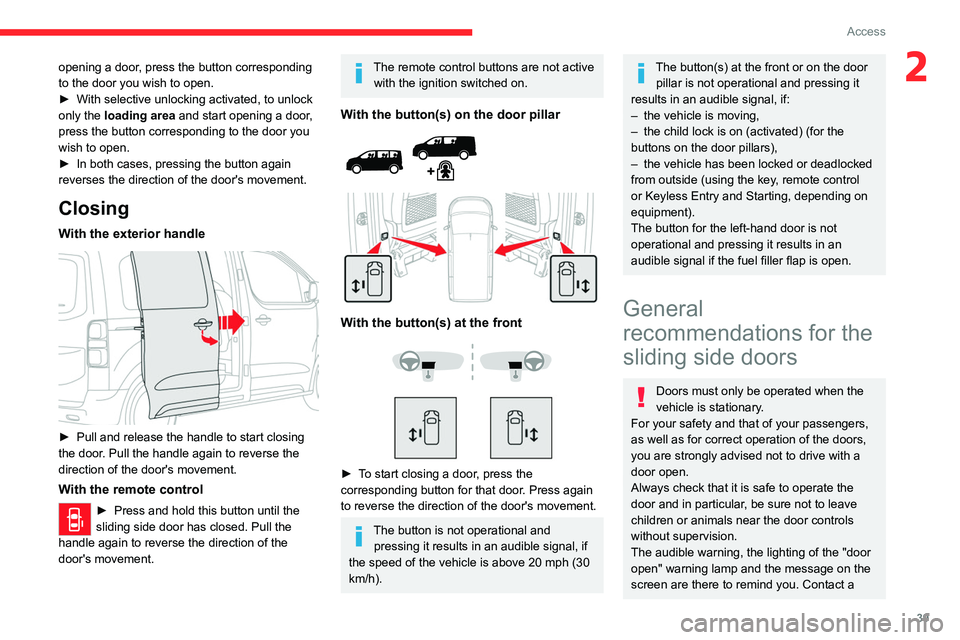
Closing
With the exterior handle
► Pull and release the handle to start closing
the door . Pull the handle again to reverse the
direction of the door's movement.
With the remote control
► Press and hold this button until the
sliding side door has closed. Pull the
handle again to reverse the direction of the
door's movement.
The remote control buttons are not active with the ignition switched on.
With the button(s) on the door pillar
With the button(s) at the front
► To start closing a door, press the
corresponding button for that door. Press again
to reverse the direction of the door's movement.
The button is not operational and pressing it results in an audible signal, if
the speed of the vehicle is above 20 mph (30
km/h).
The button(s) at the front or on the door pillar is not operational and pressing it
results in an audible signal, if:
–
the vehicle is moving,
–
the child lock is on (activated) (for the
buttons on the door pillars),
–
the vehicle has been locked or deadlocked
from outside (using the key
, remote control
or Keyless Entry and Starting, depending on
equipment).
The button for the left-hand door is not
operational and pressing it results in an
audible signal if the fuel filler flap is open.
General
recommendations for the
sliding side doors
Doors must only be operated when the
vehicle is stationary.
For your safety and that of your passengers,
as well as for correct operation of the doors,
you are strongly advised not to drive with a
door open.
Always check that it is safe to operate the
door and in particular, be sure not to leave
children or animals near the door controls
without supervision.
The audible warning, the lighting of the "door
open" warning lamp and the message on the
screen are there to remind you. Contact a