towing ete CITROEN JUMPY 2021 Owners Manual
[x] Cancel search | Manufacturer: CITROEN, Model Year: 2021, Model line: JUMPY, Model: CITROEN JUMPY 2021Pages: 324, PDF Size: 10.05 MB
Page 5 of 324
3
Contents
Gear shift indicator 144
Automatic gearbox 144
Drive selector (Electric) 147
Driving modes (Electric) 148
Stop & Start 149
Tyre under-inflation detection 150
Driving and manoeuvring aids - General
recommendations
152
Head-up display 153
Memorising speeds 154
Road signs recognition 155
Speed limiter 157
Cruise control - Specific recommendations 159
Cruise control 159
Adaptive cruise control 162
Active Safety Brake with Collision Risk Alert and
Intelligent emergency braking assistance
165
Lane departure warning system 168
Distraction detection 169
Blind spot monitoring 170
Parking sensors 171
Top Rear Vision 173
7Practical informationCompatibility of fuels 177
Refuelling 177
Diesel misfuel prevention 178
Charging system (Electric) 179
Charging the traction battery (Electric) 186
Energy economy mode 190
Snow chains 190
Towing device 191
Roof bars/Roof rack 191
Bonnet 192
Engine compartment 193
Checking levels 194
Checks 196
AdBlue® (BlueHDi) 198
Free-wheeling 200
Advice on care and maintenance 202
8In the event of a breakdownWarning triangle 204
Running out of fuel (Diesel) 204
Tool box 205
Temporary puncture repair kit 206
Spare wheel 209
Changing a bulb 213
Fuses 218
12
V battery
/ Accessory battery 218
Towing the vehicle 222
9Technical dataEngine technical data and towed loads 225
Diesel engines 226
Electric motor 231
Dimensions 233
Identification markings 235
10Bluetooth® audio systemFirst steps 237
Steering mounted controls 238
Menus 238
Radio 239
DAB (Digital Audio Broadcasting) radio 240
Media 241
Telephone 243
Frequently asked questions 246
11MyCitroën PlayFirst steps 249
Steering mounted controls 250
Menus 251
Applications 252
Radio 252
DAB (Digital Audio Broadcasting) radio 254
Media 254
Telephone 256
Settings 259
Frequently asked questions 260
12MyCitroën DriveFirst steps 262
Steering mounted controls 263
Menus 263
Voice commands 265
Navigation 268
Connected navigation 271
Applications 273
Radio 276
DAB (Digital Audio Broadcasting) radio 277
Media 277
Telephone 279
Settings 281
Frequently asked questions 283
13Event data recorders
■
Alphabetical index
■
Appendix
Page 80 of 324
78
Ease of use and comfort
When towing a large load on a steep gradient
in high temperatures, switching off the air
conditioning increases the available engine
power, enhancing the towing capacity.
Avoid driving for too long with the ventilation off or with prolonged operation
of interior air recirculation. Risk of misting and
deterioration of the air quality!
If the interior temperature is very high
after the vehicle has stood for a long
time in the sunshine, air the passenger
compartment for a few moments.
Put the air flow control at a setting high
enough to quickly change the air in the
passenger compartment.
Condensation created by the air
conditioning results in a discharge of
water underneath the vehicle. This is perfectly
normal.
Servicing the ventilation and air
conditioning system
►
Ensure that the passenger compartment
filter is in good condition and have the filter
elements replaced regularly
.
We recommend using a composite passenger
compartment filter. Its specific active additive
helps protect against polluting gases and bad
smells.
► To ensure correct operation of the
air conditioning system, have it checked
according to the recommendations in the
Manufacturer’s service schedule.
Contains R134A fluorinated
greenhouse gases
Depending on version and country of sale, the
air conditioning system may contain R134A
fluorinated greenhouse gases. Gas capacity
0.5
kg (+/- 0.025 kg), GWP index 1430 (CO
2 equivalent: 0.715 t).
Stop & Start
The heating and air conditioning systems
only work when the engine is running.
Temporarily deactivate the Stop & Start
system to maintain a comfortable temperature
in the passenger compartment.
For more information on Stop & Start, refer
to the corresponding section.
ECO driving mode
Selecting this mode reduces electrical
energy consumption, but restricts the
performance of the heating and air
conditioning systems, although it does not
deactivate them.
Heating
Manual air conditioning
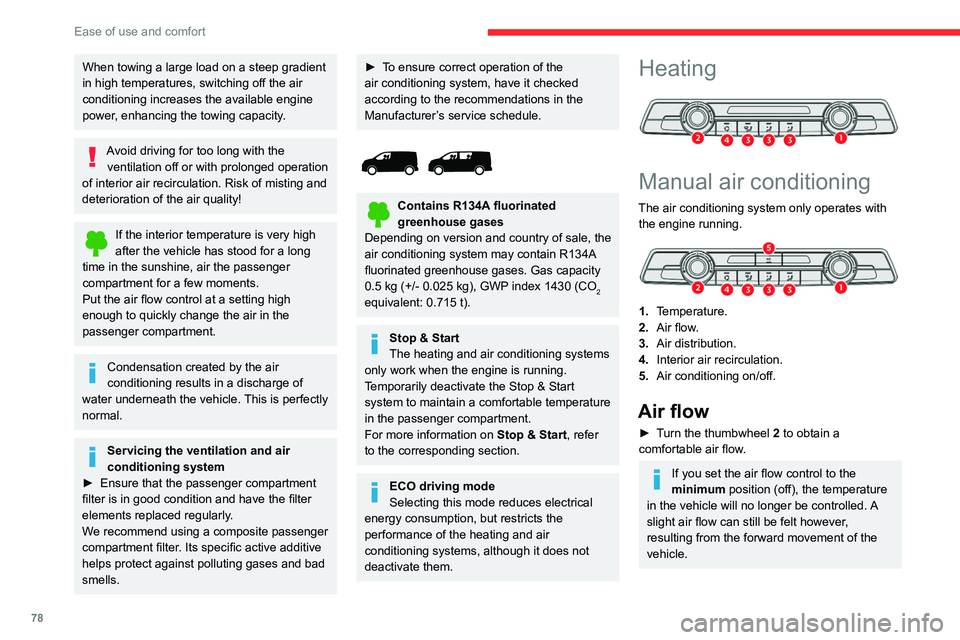
The air conditioning system only operates with the engine running.
1. Temperature.
2. Air flow.
3. Air distribution.
4. Interior air recirculation.
5. Air conditioning on/off.
Air flow
► Turn the thumbwheel 2 to obtain a
comfortable air flow.
If you set the air flow control to the
minimum position (off), the temperature
in the vehicle will no longer be controlled. A
slight air flow can still be felt however,
resulting from the forward movement of the
vehicle.
Page 103 of 324
101
Safety
5or all-season tyres is recommended. All four
wheels must be fitted with tyres approved for
your vehicle.
All tyre specifications are listed on the
tyre/paint label. For more information
on Identification markings, refer to the
corresponding section.
Intelligent traction control
("Snow motion")
(Depending on version)
The intelligent traction control system helps
improve grip when driving on snow.
This system detects situations of poor surface
grip that could make it difficult to move off
or make progress on deep fresh snow or
compacted snow.
In these situations, the system limits the amount
of wheel spin to provide the best traction and
trajectory control for the vehicle.
The use of winter tyres is strongly recommended on slippery surfaces.
Trailer stability assist (TSA)
When towing, this system reduces the risk of the
vehicle or trailer snaking.
Operation
The system is activated automatically when the
ignition is switched on.
The electronic stability control system (ESC)
must not have any faults.
The vehicle speed must be between 37 and 99
mph (60 and 160
km/h).
If the system detects that the trailer is
snaking, it applies the brakes to stabilise
the trailer and reduces engine power, if
necessary, to slow the vehicle (indicated by the
flashing of this warning lamp on the instrument
panel and the brake lamps coming on).
For information on weights and towed loads,
refer to the Engine technical data and towed
loads section or your vehicle’s registration
certificate.
To ensure safe driving with a Towing device,
refer to the corresponding section.
Malfunction
If a fault occurs, this warning lamp lights
up on the instrument panel, accompanied
by a message and an audible signal.
To continue towing a trailer, reduce speed and
drive carefully!
Have it checked by a CITROËN dealer or a
qualified workshop.
The trailer stability control system provides an extra safety feature under
normal driving conditions, when following the
recommendations for use of trailers and
current legislation in force in your country. It
must not encourage the driver to take extra
risks, such as using a trailer in unsuitable
conditions of operation (e.g. excessive load,
exceeded nose weight, worn or under-inflated
tyres, faulty braking system) or driving at
excessive speed.
In certain cases, the system may not detect
trailer snaking, particularly with a light trailer
.
When driving on slippery or poor surfaces, the
system may not be able to prevent sudden
trailer snaking.
Advanced Grip Control
(Depending on version)
A special, patented traction control system,
which improves driveability on snow, mud and
sand.
This system, optimised for operation in a range
of conditions, enables you to manoeuvre in most
slippery conditions (encountered during normal
passenger car use).
When combined with all-season Peak Mountain
Snow Flake tyres, this system offers a
compromise between safety, grip and driveability.
The accelerator pedal should be pressed
sufficiently to allow the system to harness the
power of the engine. Operation at high engine
speeds is completely normal.
A five-position selector knob allows you to
choose the setting best suited to the driving
conditions encountered.
Page 144 of 324

142
Driving
Parking the vehicle with the brake
released
In very cold conditions (ice), applying the
parking brake is not recommended.
To immobilise the vehicle, engage a gear or
place the chocks against one of the wheels.
With an automatic gearbox or drive
selector, mode P is automatically
selected when the ignition is switched off. The
wheels are blocked.
For more information on Free-wheeling, refer
to the corresponding section.
With an automatic gearbox or a drive
selector, if you open the driver's
door
while mode N is engaged, an audible
signal will sound and mode P will be
engaged. The audible signal stops when the
driver's door is closed.
Deactivating automatic
operation
In some situations, for example when it is
extremely cold or when towing (e.g. caravan,
breakdown), it may be necessary to deactivate
automatic operation of the system.
► Start the engine.
► Use the control to apply the parking brake, if
it is released.
►
T
ake your foot fully off the brake pedal.
►
Keep the control pushed in the release
direction for 10 to a maximum of
15 seconds.
►
Release the control.
►
Depress and hold the brake pedal.
►
Pull the control in the application direction for
2
seconds.
This indicator lamp on the instrument panel comes on to confirm deactivation of
the automatic functions.
►
Release the control and the brake pedal.
From this point onwards, only the manual
functions, using the control, allow the parking
brake to be applied and released.
►
Follow this procedure again to reactivate
automatic operation (confirmed by the indicator
lamp on the instrument panel going out).
Emergency braking
If depressing the brake pedal fails to provide
effective braking or in exceptional circumstances
(e.g.
driver unwell, assisted driving), the vehicle
can be braked by sustained pulling on the
electric parking brake control. Braking continues
for as long as the control is kept pulled, and
ceases when the control is released.
The ABS and DSC systems stabilise the vehicle
during emergency braking.
If emergency braking malfunctions, the message
"Parking brake fault" will be displayed on the
instrument panel.
If the ABS and DSC systems
malfunction, indicated by lighting
one or both warning lamps on the instrument
panel, the vehicle’s stability is no longer ensured.
►
In this case, ensure the vehicle's stability by
successive and repeated "pull-release" actions
on the electric parking brake control until the
vehicle comes to a complete stop.
Hill start assist
This system keeps the vehicle briefly stationary
(for approximately 2 seconds) when making a hill
start, while you transfer your foot from the brake
pedal to the accelerator pedal.
The system is only active when:
–
The vehicle is completely stationary
, with your
foot on the brake pedal.
–
Certain slope conditions are met.
–
The driver
’s door is closed.
Page 158 of 324
156
Driving
Head-up display
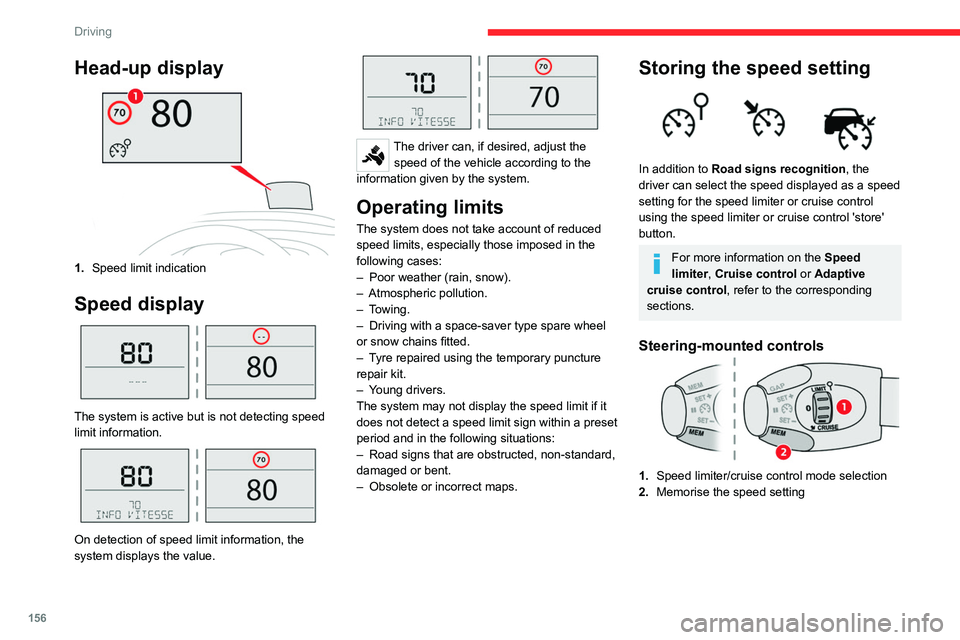
1.Speed limit indication
Speed display
The system is active but is not detecting speed
limit information.
On detection of speed limit information, the
system displays the value.
The driver can, if desired, adjust the
speed of the vehicle according to the
information given by the system.
Operating limits
The system does not take account of reduced
speed limits, especially those imposed in the
following cases:
–
Poor weather (rain, snow).
–
Atmospheric pollution.
–
Towing.
–
Driving with a space-saver type spare wheel
or snow chains fitted.
–
T
yre repaired using the temporary puncture
repair kit.
–
Y
oung drivers.
The system may not display the speed limit if it
does not detect a speed limit sign within a preset
period and in the following situations:
–
Road signs that are obstructed, non-standard,
damaged or bent.
–
Obsolete or incorrect maps.
Storing the speed setting
In addition to Road signs recognition , the
driver can select the speed displayed as a speed
setting for the speed limiter or cruise control
using the speed limiter or cruise control 'store'
button.
For more information on the Speed
limiter, Cruise control or Adaptive
cruise control, refer to the corresponding
sections.
Steering-mounted controls
1. Speed limiter/cruise control mode selection
2. Memorise the speed setting
Page 172 of 324

170
Driving
This system is particularly suited to fast roads
(speed higher than 43 mph (70 km/h)).
At a first alert level, the driver is warned by the
message "Be vigilant!", accompanied by an
audible signal.
After three first-level alerts, the system triggers
a further alert with the message " Dangerous
driving: take a break", accompanied by a more
pronounced audible signal.
In certain driving conditions (poor road
surface or strong winds), the system may
give alerts independent of the driver's level of
vigilance.
The following situations may interfere with the operation of the system or
prevent it from working:
–
lane markings absent, worn, hidden (snow
,
mud) or multiple (roadworks);
–
close to the vehicle ahead (lane markings
not detected);
–
roads that are narrow
, winding, etc.
Blind spot monitoring
For more information, refer to the
General recommendations on the use
of driving and manoeuvring aids .
This system warns the driver of a potential
danger posed by the presence of another vehicle
(car, lorry, motorcycle) in the vehicle's blind
spots (areas hidden from the driver's field of
vision) using sensors located on the sides of the
bumpers.
A warning lamp appears in the door mirror on the
side in question:
–
fixed
, immediately, when being overtaken;
–
flashing , after a delay of about one second,
when overtaking a vehicle slowly
, and when the
direction indicator is used.
Operation
Sensors fitted in the front and rear bumpers
monitor the blind spots. The alert is given by an orange warning lamp
coming on in the relevant door mirror, as soon as
a vehicle - car, lorry, bicycle - is detected.
The following conditions must be met for this:
–
all vehicles are moving in the same direction
and in adjacent lanes,
–
the speed of your vehicle must be between 7
and 87 mph (12 and 140
km/h),
–
you overtake a vehicle with a speed difference
of less than 6 mph (10
km/h),
–
a vehicle overtakes you with a speed
difference of less than 16 mph (25
km/h),
–
the traffic is flowing normally
,
–
overtaking a vehicle over a certain period of
time where the vehicle being overtaken remains
in the blind spot,
–
you are driving on a straight or slightly curved
road,
–
your vehicle is not towing a trailer
, a caravan,
etc.
Page 173 of 324

171
Driving
6
No alert will be given in the following situations:
– in the presence of non-moving objects (parked
vehicles, safety barriers, street lamps, road
signs, etc.), –
with vehicles moving in the opposite direction,
–
driving on a winding road or sharp bends,
–
when overtaking or being overtaken by a very
long vehicle (lorry
, bus, etc.) which is both in the
rear blind spot and present in the driver’s front
field of vision,
–
when overtaking quickly
,
–
in very heavy traffic: vehicles detected in
front and behind are confused with a lorry or a
stationary object.
Activation/Deactivation
With audio system
► To activate or deactivate the system, press
this button.
The indicator lamp is on when the system is
activated.
With touch screen
The settings are changed via the vehicle configuration menu.
The system is automatically deactivated when towing with a towing device
approved by CITROËN.
Malfunction
Depending on the vehicle’s equipment:
In the event of a fault, this or these warning
lamp(s) flash(es).
or
The warning lamp in this button flashes and a message appears, accompanied by
an audible signal.
Contact a CITROËN dealer or a qualified
workshop.
Parking sensors
For more information, refer to the
General recommendations on the use
of driving and manoeuvring aids .
Page 174 of 324
172
Driving
This system detects and signals the proximity of
obstacles (e.g. pedestrian, vehicle, tree, barrier)
using sensors located in the bumper.
Rear parking sensors
► Engage reverse gear to start the system
(confirmed by an audible signal).
The system is switched off when reverse gear is
disengaged.
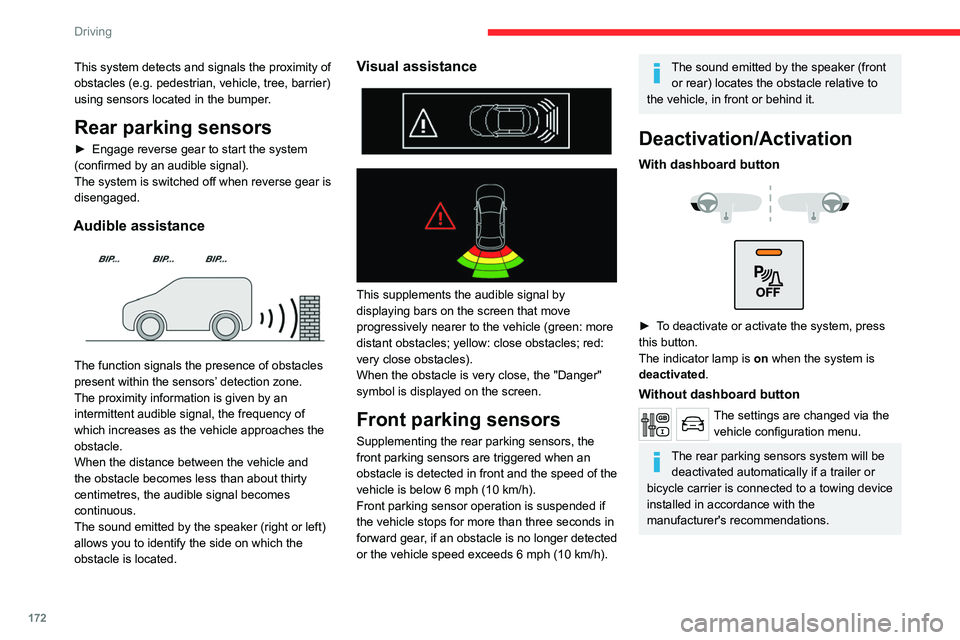
Audible assistance
The function signals the presence of obstacles
present within the sensors’ detection zone.
The proximity information is given by an
intermittent audible signal, the frequency of
which increases as the vehicle approaches the
obstacle.
When the distance between the vehicle and
the obstacle becomes less than about thirty
centimetres, the audible signal becomes
continuous.
The sound emitted by the speaker (right or left)
allows you to identify the side on which the
obstacle is located.
Visual assistance
This supplements the audible signal by
displaying bars on the screen that move
progressively nearer to the vehicle (green: more
distant obstacles; yellow: close obstacles; red:
very close obstacles).
When the obstacle is very close, the "Danger"
symbol is displayed on the screen.
Front parking sensors
Supplementing the rear parking sensors, the
front parking sensors are triggered when an
obstacle is detected in front and the speed of the
vehicle is below 6 mph (10 km/h).
Front parking sensor operation is suspended if
the vehicle stops for more than three seconds in
forward gear, if an obstacle is no longer detected
or the vehicle speed exceeds 6
mph (10 km/h).
The sound emitted by the speaker (front or rear) locates the obstacle relative to
the vehicle, in front or behind it.
Deactivation/Activation
With dashboard button
► To deactivate or activate the system, press
this button.
The indicator lamp is on when the system is
deactivated.
Without dashboard button
The settings are changed via the vehicle configuration menu.
The rear parking sensors system will be deactivated automatically if a trailer or
bicycle carrier is connected to a towing device
installed in accordance with the
manufacturer's recommendations.
Page 202 of 324
200
Practical information
be excluded: do not inhale the fluid. Ammonia
vapours have an irritant effect on mucous
membranes (eyes, nose and throat).
Store AdBlue® out of the reach of
children, in its original container.
Procedure
Before starting the top-up procedure, ensure that
the vehicle is parked on a flat and level surface.
In wintry conditions, ensure that the temperature
of the vehicle is above -11°C. Otherwise the
AdBlue
® may be frozen and so cannot be poured
into the tank. Park the vehicle in a warmer area
for a few hours to allow the top-up to be carried
out.
Never pour the AdBlue® into the Diesel
fuel tank.
If any AdBlue® is splashed, or if there are
any spillages on the bodywork, rinse
immediately with cold water or wipe with a
damp cloth.
If the fluid has crystallised, clean it off using a
sponge and hot water.
Important: in the event of a top-up after
a breakdown because of a lack of
AdBlue, it is essential to wait around 5
minutes before switching on the ignition,
without opening the driver’s door,
unlocking the vehicle, inserting the key
into the ignition switch, or bringing the
key for the "Keyless Entry and Start"
system into the passenger compartment.
Switch on the ignition, then wait for 10
seconds before starting the engine.
►
Switch off the ignition and remove the key
from the switch to switch off the engine.
or
►
With Keyless Entry and Start, press the
"
START/STOP" button to switch off the engine.
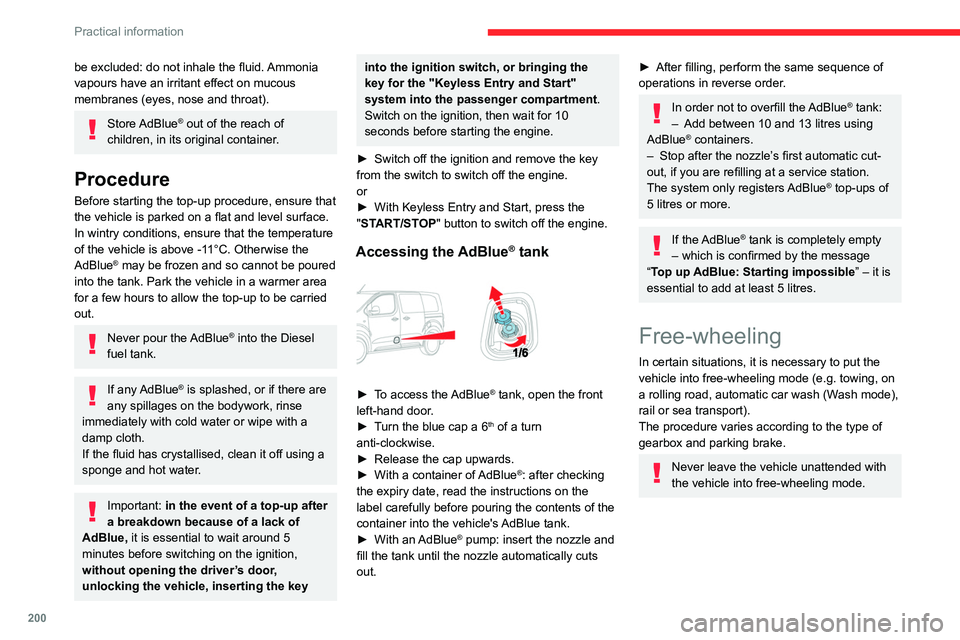
Accessing the AdBlue® tank
► To access the AdBlue® tank, open the front
left-hand door.
►
T
urn the blue cap a 6
th of a turn
anti-clockwise.
►
Release the cap upwards.
►
With a container of
AdBlue
®: after checking
the expiry date, read the instructions on the
label carefully before pouring the contents of the
container into the vehicle's AdBlue tank.
►
With an
AdBlue® pump: insert the nozzle and
fill the tank until the nozzle automatically cuts
out.
► After filling, perform the same sequence of
operations in reverse order .
In order not to overfill the AdBlue® tank:
–
Add between 10 and 13 litres using
AdBlue® containers.
–
Stop after the nozzle’ s first automatic cut-
out, if you are refilling at a service station.
The system only registers AdBlue
® top-ups of
5
litres or more.
If the AdBlue® tank is completely empty
– which is confirmed by the message
“Top up
AdBlue: Starting impossible ” – it is
essential to add at least 5 litres.
Free-wheeling
In certain situations, it is necessary to put the
vehicle into free-wheeling mode (e.g. towing, on
a rolling road, automatic car wash (Wash mode),
rail or sea transport).
The procedure varies according to the type of
gearbox and parking brake.
Never leave the vehicle unattended with
the vehicle into free-wheeling mode.
Page 297 of 324

295
Alphabetical index
Removing the mat 68
Replacing bulbs
213–214, 216, 218
Replacing fuses
218
Replacing the air filter
197
Replacing the oil filter
197
Replacing the passenger compartment
filter
197
Reservoir, screenwash
196
Resetting the trip recorder
21–22
Reversing camera
153, 173, 175
Reversing lamp
216, 218
Roof bars
191–192
Roof rack
191
Running out of fuel (Diesel)
204
S
Safety, children 106, 108–110, 112, 120–121,
127, 130, 130–131
Saturation of the particle filter (Diesel)
197
Screen, instrument panel
22
Screen menu map
256
Screen, multifunction (with audio system)
238
Screenwash
93
Screenwash, front
93
Screenwash, rear
94
SCR (Selective Catalytic Reduction)
19, 198
Seat and bench seat, rear, fixed
57, 59–61
Seat and bench seat, rear, on rails
57, 61–63
Seat angle
48
Seat belts
102–105, 111
Seat belts, rear
104
Seat, bench front, 2-seat 50, 104
Seat, rear bench
57
Seats, electric
49–50
Seats, front
48–50
Seats, heated
51
Seat(s), individual, rear, on rails
63–65, 104
Seats, rear
57–63, 109
Selector, gear
144
Sensors (warnings)
153
Serial number, vehicle
235
Service indicator
16
Servicing
16, 196, 198
Settings, equipment
24–25
Settings, system
259, 282
Sidelamps
88, 214–216, 218
Side repeater
216
Silent vehicle warning sound (Electric)
99, 135
Sliding side door, electric
33–34, 38–41
Sliding side door, hands-free
42–43
Sliding side window
73
Smartphone
26
Snow chains
151, 190–191, 211
Snow chains, link
191, 211
Socket, 12 V accessory
69
Socket, 220 V
70
Socket, auxiliary
242, 255, 277
Socket, Jack
242, 277
Speed limiter
154–159
Speed limit recognition
155–156, 158, 160, 164–166
Speedometer
153
Sport mode
149
Stability control (ESC)
99, 101–102Starting a Diesel engine 177
Starting the engine
136, 138
Starting the vehicle
137, 139, 143–147
Starting using another battery
139, 219
Station, radio
239, 252–253, 276
Stay, bonnet
193
Steering mounted controls,
audio
238, 250, 263
Steering wheel, adjustment
52
Stickers, customising ~ Stickers,
expressive
203
Stopping the vehicle
138–139, 144–147
Stop & Start
24, 78, 149–150,
177, 192, 197, 222
Storage
50, 56–57, 65–68
Storage compartments
68–69
Storage wells
65–67, 69
Stowing rings
71
Sunshine sensor
77
Super-fast charging (Electric)
188–189, 231
Suspension
198
Switching off the engine
136, 138
Synchronising the remote control
36
T
Table of weights 226
Table position
49
Table, retractable sliding
74–76
Tables, aircraft
69
Tables of engines
231
Table top, working
56–57