wheel Citroen NEMO 2011 1.G Owner's Guide
[x] Cancel search | Manufacturer: CITROEN, Model Year: 2011, Model line: NEMO, Model: Citroen NEMO 2011 1.GPages: 180, PDF Size: 9.06 MB
Page 61 of 180
59
2
Dimensions
TECHNICAL DATA
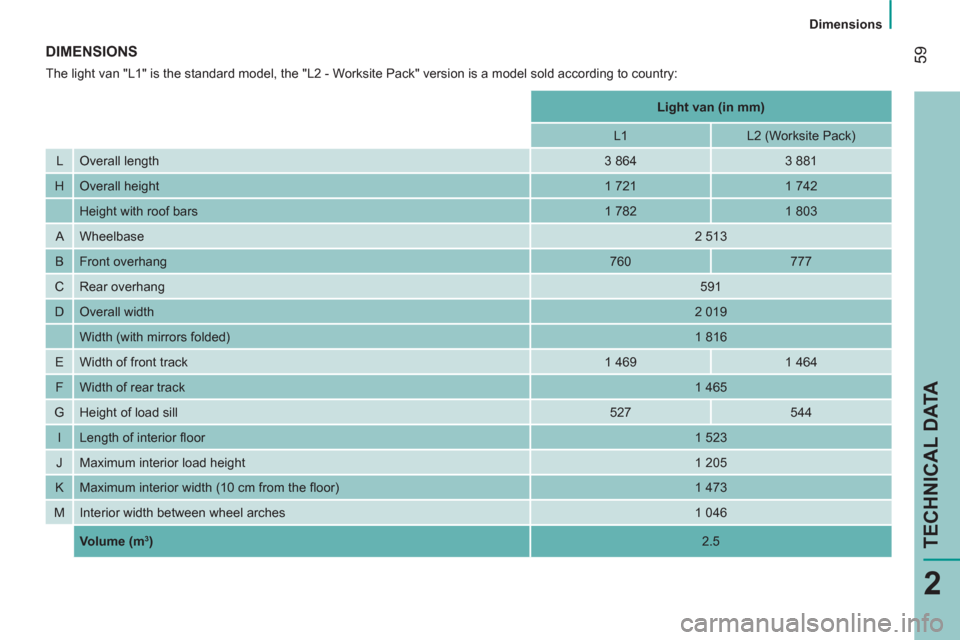
DIMENSIONS
The light van "L1" is the standard model, the "L2 - Worksite Pack" version is a model sold according to country:
Light van (in mm)
L1
L2 (Worksite Pack)
L Overall length
3 864
3 881
H Overall height
1 721
1 742
Height with roof bars
1 782
1 803
A Wheelbase
2 513
B Front overhang
760
777
C Rear overhang
591
D Overall width
2 019
Width (with mirrors folded)
1 816
E Width of front track
1 469
1 464
F Width of rear track
1 465
G Height of load sill
527
544
I Length of interior fl oor
1 523
J Maximum interior load height
1 205
K Maximum interior width (10 cm from the fl oor)
1 473
M Interior width between wheel arches
1 046
Volume
(m
3 )
2.5
Page 63 of 180
61
2
Dimensions
TECHNICAL DATA
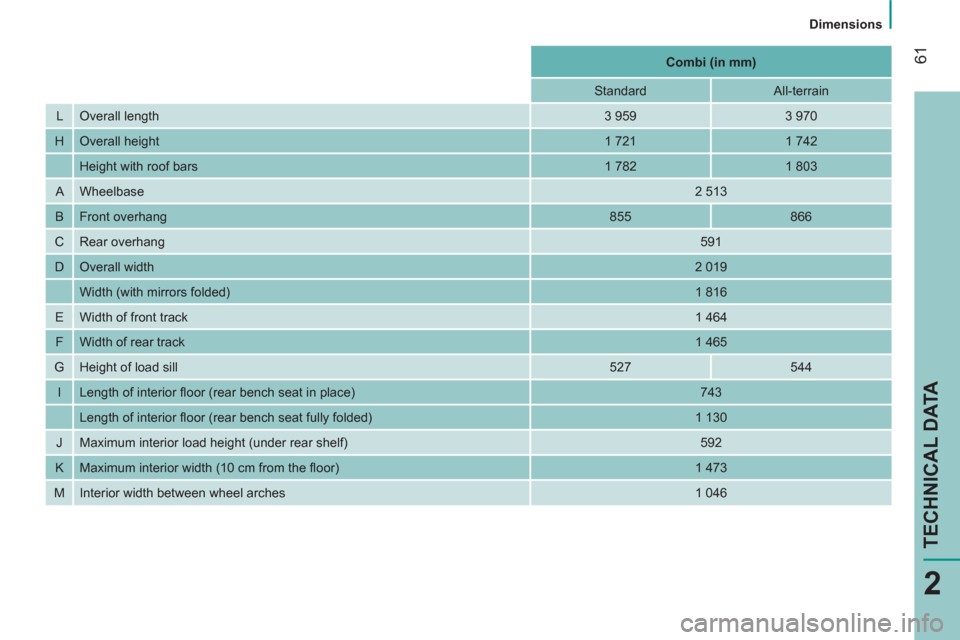
Combi (in mm)
Standard
All-terrain
L Overall length
3 959
3 970
H Overall height
1 721
1 742
Height with roof bars
1 782
1 803
A Wheelbase
2 513
B Front overhang
855
866
C Rear overhang
591
D Overall width
2 019
Width (with mirrors folded)
1 816
E Width of front track
1 464
F Width of rear track
1 465
G Height of load sill
527
544
I Length of interior fl oor (rear bench seat in place)
743
Length of interior fl oor (rear bench seat fully folded)
1 130
J Maximum interior load height (under rear shelf)
592
K Maximum interior width (10 cm from the fl oor)
1 473
M Interior width between wheel arches
1 046
Page 65 of 180
63
2
Dimensions
TECHNICAL DATA
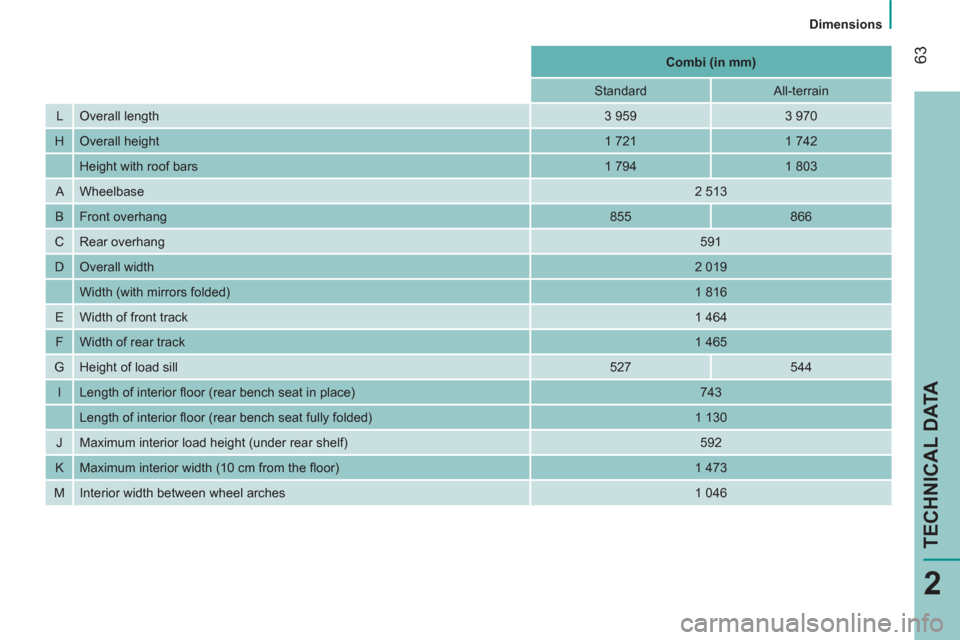
Combi (in mm)
Standard
All-terrain
L Overall length
3 959
3 970
H Overall height
1 721
1 742
Height with roof bars
1 794
1 803
A Wheelbase
2 513
B Front overhang
855
866
C Rear overhang
591
D Overall width
2 019
Width (with mirrors folded)
1 816
E Width of front track
1 464
F Width of rear track
1 465
G Height of load sill
527
544
I Length of interior fl oor (rear bench seat in place)
743
Length of interior fl oor (rear bench seat fully folded)
1 130
J Maximum interior load height (under rear shelf)
592
K Maximum interior width (10 cm from the fl oor)
1 473
M Interior width between wheel arches
1 046
Page 71 of 180

69
3
TECHNOLOGY on BOARD
Menu
Level 2
screen
:
Menu…
Press…
Sub-menu…
Press…
Select…
Confirm
and exit
Enables you to…
1
Speed Beep ON Increase
Activate/deactivate the audible
signal indicating exceeding of the
programmed speed and select the
speed value. Decrease
OFF
2
Activate Trip B ON Activate
Display a second trip, "Trip B".
OFF Deactivate The control panel located beside the
steering wheel provides access to screen
menus allowing personalisation of some of
your systems. Eight languages are available: Italian,
English, German, French, Spanish,
Portuguese, Dutch and Turkish.
As a safety precaution, the menus can only be
accessed when the ignition is off (engine off).
Refer to the corresponding line of the
configuration - personalisation table on the
following pages.
This button enables
you to:
- access the menus and
sub-menus,
This button enables you to:
- scroll up through a menu,
- increase a value.
This button enables you to:
- scroll down through a menu,
- decrease a value.
- confirm your selections within a menu,
- exit from the menus.
A long press enables you to return to the
home screen.
Page 79 of 180
77
TECHNOLOGY on BOARD
Bluetooth hands-free system
3
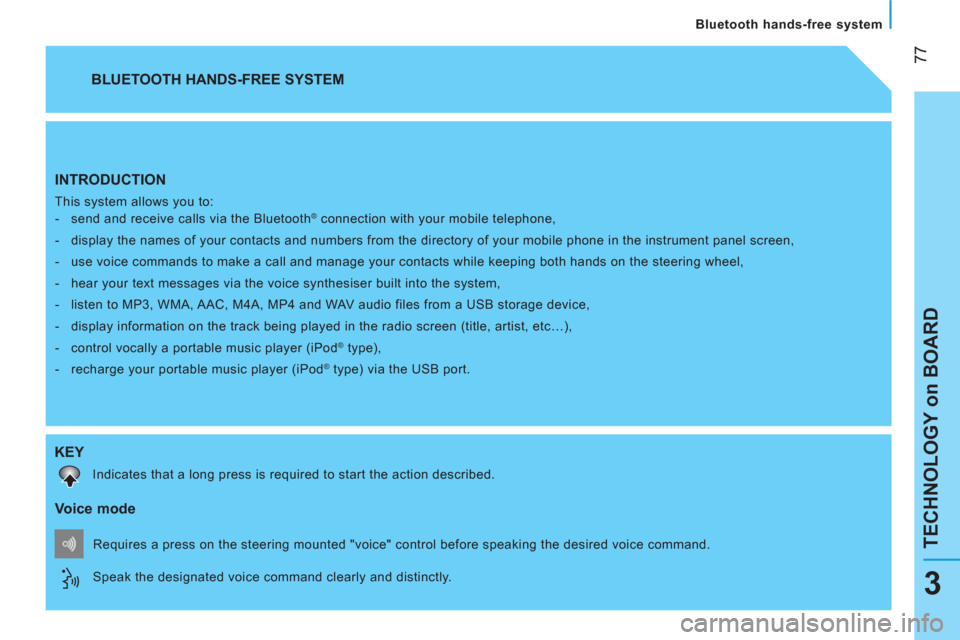
INTRODUCTION
This system allows you to:
- send and receive calls via the Bluetooth® connection with your mobile telephone,
- display the names of your contacts and numbers from the directory of your mobile phone in the instrument panel screen,
- use voice commands to make a call and manage your contacts while keeping both hands on the steering wheel,
- hear your text messages via the voice synthesiser built into the system,
- listen to MP3, WMA, AAC, M4A, MP4 and WAV audio files from a USB storage device,
- display information on the track being played in the radio screen (title, artist, etc…),
- control vocally a portable music player (iPod
® type),
- recharge your portable music player (iPod
® type) via the USB port.
BLUETOOTH HANDS-FREE SYSTEM
KEY
Indicates that a long press is required to start the action described.
Voice mode
Speak the designated voice command clearly and distinctly. Requires a press on the steering mounted "voice" control before speaking the desired voice command.
Page 115 of 180
11 3
5
SAFETY
Driving safely
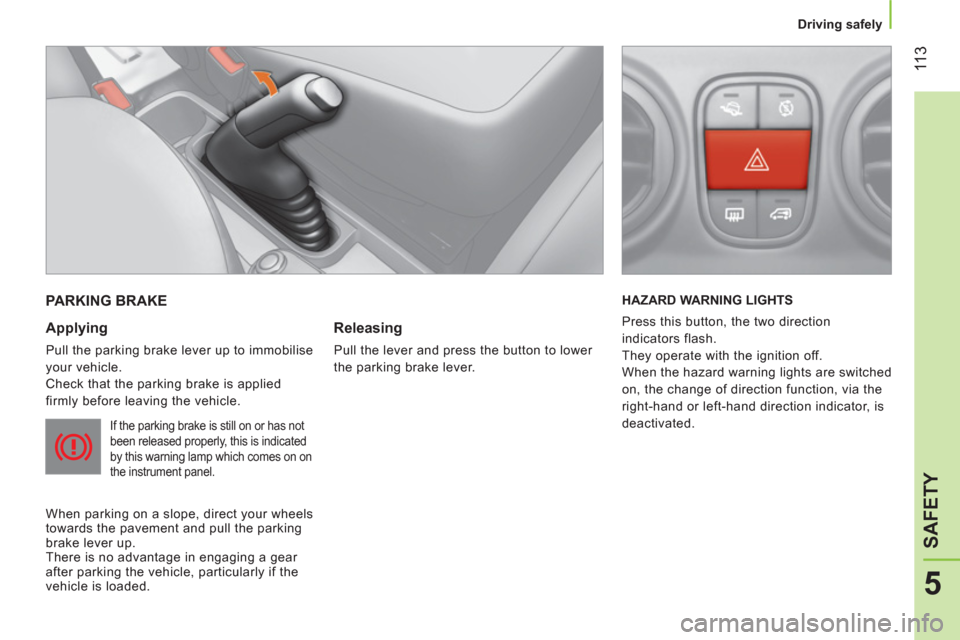
PARKING BRAKE
Applying
Pull the parking brake lever up to immobilise
your vehicle.
Check that the parking brake is applied
firmly before leaving the vehicle.
If the parking brake is still on or has not
been released properly, this is indicated
by this warning lamp which comes on on
the instrument panel.
When parking on a slope, direct your wheels
towards the pavement and pull the parking
brake lever up.
There is no advantage in engaging a gear
after parking the vehicle, particularly if the
vehicle is loaded.
Releasing
Pull the lever and press the button to lower
the parking brake lever. HAZARD WARNING LIGHTS
Press this button, the two direction
indicators flash.
They operate with the ignition off.
When the hazard warning lights are switched
on, the change of direction function, via the
right-hand or left-hand direction indicator, is
deactivated.
Page 116 of 180
11 4
Driving safely
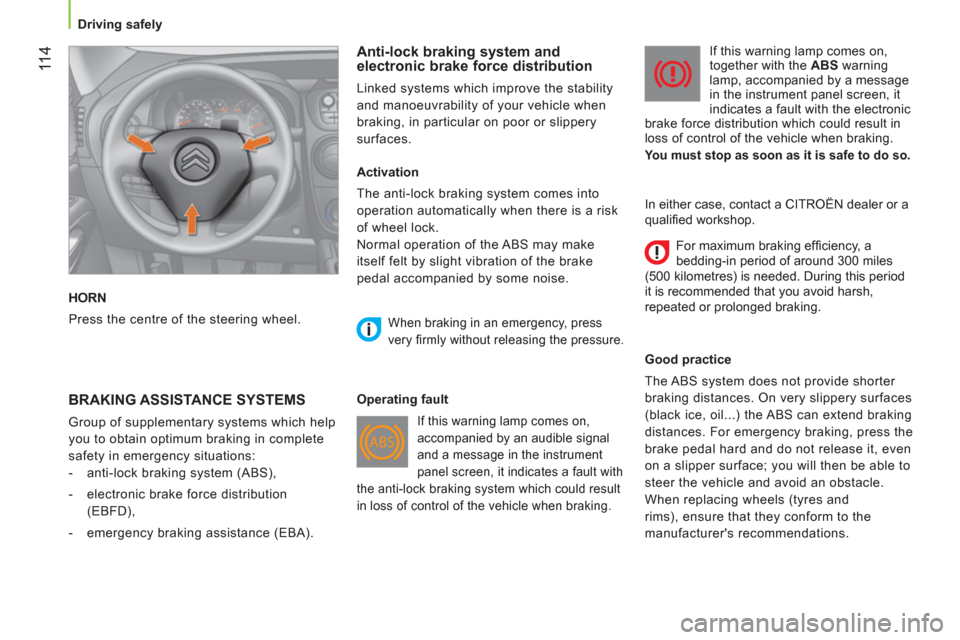
HORN
Press the centre of the steering wheel.
Anti-lock braking system and
electronic brake force distribution
Linked systems which improve the stability
and manoeuvrability of your vehicle when
braking, in particular on poor or slippery
surfaces.
BRAKING ASSISTANCE SYSTEMS
Group of supplementary systems which help
you to obtain optimum braking in complete
safety in emergency situations:
- anti-lock braking system (ABS),
- electronic brake force distribution
(EBFD),
- emergency braking assistance (EBA).
Activation
The anti-lock braking system comes into
operation automatically when there is a risk
of wheel lock.
Normal operation of the ABS may make
itself felt by slight vibration of the brake
pedal accompanied by some noise.
When braking in an emergency, press
very fi rmly without releasing the pressure.
Operating fault
If this warning lamp comes on,
accompanied by an audible signal
and a message in the instrument
panel screen, it indicates a fault with
the anti-lock braking system which could result
in loss of control of the vehicle when braking.
If this warning lamp comes on,
together with the ABS
warning
lamp, accompanied by a message
in the instrument panel screen, it
indicates a fault with the electronic
brake force distribution which could result in
loss of control of the vehicle when braking.
You must stop as soon as it is safe to do so.
Good practice
The ABS system does not provide shorter
braking distances. On very slippery surfaces
(black ice, oil...) the ABS can extend braking
distances. For emergency braking, press the
brake pedal hard and do not release it, even
on a slipper surface; you will then be able to
steer the vehicle and avoid an obstacle.
When replacing wheels (tyres and
rims), ensure that they conform to the
manufacturer's recommendations.
In either case, contact a CITROËN dealer or a
qualifi ed workshop.
For maximum braking effi ciency, a
bedding-in period of around 300 miles
(500 kilometres) is needed. During this period
it is recommended that you avoid harsh,
repeated or prolonged braking.
Page 117 of 180
11 5
5
SAFETY
Driving safely
Emergency braking assistance *
System which, in an emergency, enables
you to reach the optimum braking pressure
more quickly, thus reducing the stopping
distance. The emergency braking assistance
is an integral part of the ESP system.
Activation
It is brought into play by the speed at which
the brake pedal is pressed.
The effect of this is a reduction in the
resistance of the pedal and an increase in
braking efficiency.
When braking in an emergency, press firmly
without releasing the pressure.
Good practice
This system cannot be deactivated by the
driver.
*
Depending on country of sale.
TRAJECTORY CONTROL SYSTEMS
Electronic stability programme (ESP)
The electronic stability programme acts on
the brake of one or more wheels and on the
engine to keep the vehicle on the trajectory
required by the driver, within the limits of the
laws of physics.
Activation
The ESP system is activated automatically
each time the vehicle is started and cannot
be deactivated.
It comes into operation in the event of a grip
or trajectory problem.
Illumination of this warning lamp
and the warning lamp in the
"ASR OFF"
button, accompanied
by a message in the instrument
panel screen, indicates a fault with the ESP
system, which is deactivated automatically.
Have it checked by a CITROËN dealer or a
qualified workshop.
Anti-slip regulation (ASR) and engine
control (MSR)
Anti-slip regulation (also known as traction
control) optimises traction, avoiding wheel
spin by acting on the brakes of the driving
wheels and the engine.
Engine control is an integral part of the ASR
system and intervenes when a sudden gear
change is made or of one of the driving
wheels looses grip, by reducing engine torque
to avoid loss of stability of the vehicle.
Activation
These systems are activated automatically
every time the vehicle is started.
In the event of a problem od adhesion or
trajectory, these systems come into play.
Deactivation
In exceptional conditions (starting a vehicle
which is bogged down, stuck in snow,
on soft ground...), it may be advisable to
deactivate the ASR system, so that the
wheels can spin freely and regain grip.
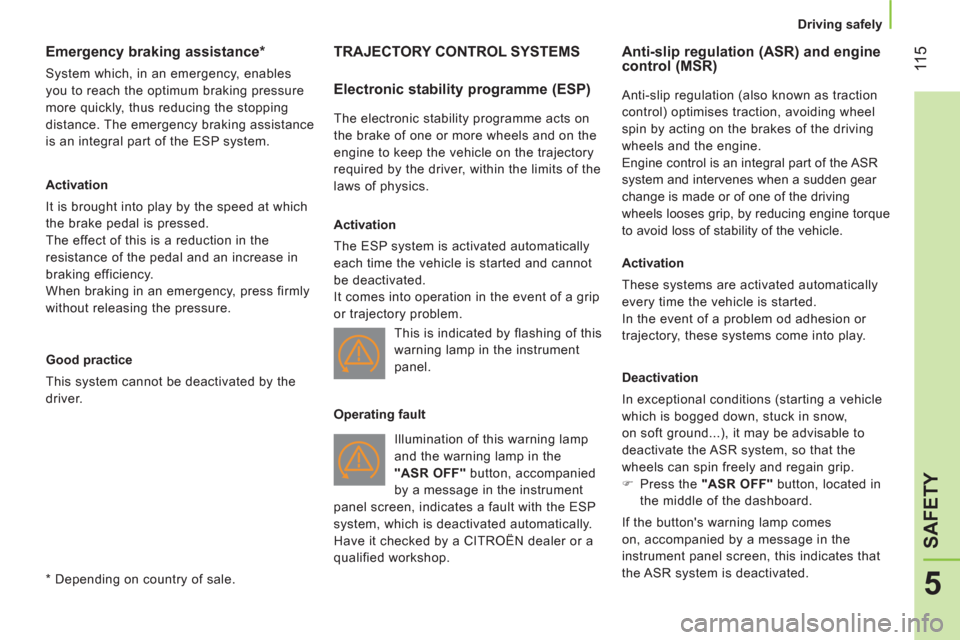
)
Press the "ASR OFF"
button, located in
the middle of the dashboard.
If the button's warning lamp comes
on, accompanied by a message in the
instrument panel screen, this indicates that
the ASR system is deactivated. This is indicated by flashing of this
warning lamp in the instrument
panel.
Operating fault
Page 118 of 180

11 6
Driving safely
Reactivation
The ASR system is reactivated automatically
every time the ignition is switched back on.
)
Press the "ASR OFF"
button again to
reactivate it manually.
Operating fault
If this warning lamp comes on,
accompanied by a message in
the instrument panel screen, this
indicates a fault with the ASR
system, which is deactivated automatically.
Have it checked by a CITROËN dealer or a
qualified workshop.
Good practice
The ASR system offers exceptional safety
in normal driving, but this should not
encourage the driver to take extra risks or
drive at high speed.
The correct functioning of this system
depends on observation of the
manufacturer's recommendations regarding
the wheels (tyres and rims), the braking
components, the electronic components and
assembly and repair procedures.
After an impact, have these systems
checked by a CITROËN dealer or a qualified
workshop.
Page 119 of 180
11 7
5
SAFETY
Driving safely
Intelligent Traction Control
System to improve traction on slippery
surfaces (snow, black ice, mud...).
This system checks for situations of difficult
surface adhesion that could make it difficult
to move off or make progress.
In these situations, Intelligent Traction
Control
takes over from the ASR
system,
by transferring drive to the wheel with the
best grip on the ground to provide the best
traction and trajectory control.
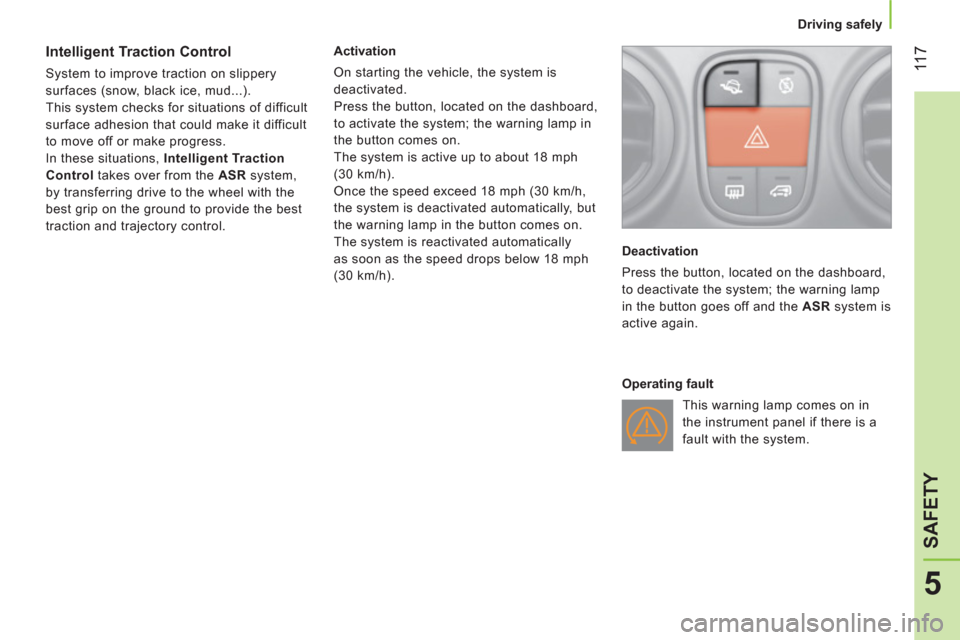
Activation
On starting the vehicle, the system is
deactivated.
Press the button, located on the dashboard,
to activate the system; the warning lamp in
the button comes on.
The system is active up to about 18 mph
(30 km/h).
Once the speed exceed 18 mph (30 km/h,
the system is deactivated automatically, but
the warning lamp in the button comes on.
The system is reactivated automatically
as soon as the speed drops below 18 mph
(30 km/h).
Deactivation
Press the button, located on the dashboard,
to deactivate the system; the warning lamp
in the button goes off and the ASR
system is
active again.
Operating fault
This warning lamp comes on in
the instrument panel if there is a
fault with the system.