bulb DODGE AVENGER 2008 User Guide
[x] Cancel search | Manufacturer: DODGE, Model Year: 2008, Model line: AVENGER, Model: DODGE AVENGER 2008Pages: 467, PDF Size: 7.16 MB
Page 413 of 467
CAUTION!² When installing the Totally Integrated Power
Module cover, it is important to ensure the cover is
properly positioned and fully latched. Failure to
do so may allow water to get into the Totally
Integrated Power Module, and possibly result in
an electrical system failure.
² When replacing a blown fuse, it is important to
use only a fuse having the correct amperage rating.
The use of a fuse with a rating other than indicated
may result in a dangerous electrical system over-
load. If a properly rated fuse continues to blow, it
indicates a problem in the circuit that must be
corrected. VEHICLE STORAGE
If you will not be using your vehicle for more than 21 days,
you may want to take steps to preserve your battery.
² Disengage the mini-fuse in the Power Distribution
Center labeled IOD (Ignition Off-Draw).
² Disconnect the negative cable from the battery.
REPLACEMENT BULBS
All the inside bulbs are brass or glass wedge base.
Aluminum base bulbs are not approved and should not
be used for replacement.
LIGHT BULBS Ð Interior Bulb Number
Front Courtesy/Reading Lights .......... 578/W5W
Center Courtesy/Reading Lights ......... 578/W5W
Visor Vanity Lights ..................... A6220
Glove Box Light ......................... 194
Shift Indicator Light ................. JKLE14140
Rear Compartment (Trunk) Light ............. 579 MAINTAINING YOUR VEHICLE 411
7
Page 414 of 467
NOTE: For lighted switches, see your authorized dealer
for replacement instructions.
LIGHTS BULBS Ð Outside Bulb No.
Low Beam Headlight ..................... 9006
High Beam Headlight ..................... 9005
Front Park/Turn Signal/Side Marker Light . . . 3157AK
Front Fog Light ..................... 9145//H10
Center High Mounted Stop Light
(CHMSL) ........................ W16W (921)
Rear Tail/Stop ......................... 3157K
Decklid Tail Light ....................... T3.25
Rear Turn Signal ...................... 3157AK
Backup Light .......................... 3157K
License Light ........................... 168 BULB REPLACEMENT
Headlight Bulb Replacement
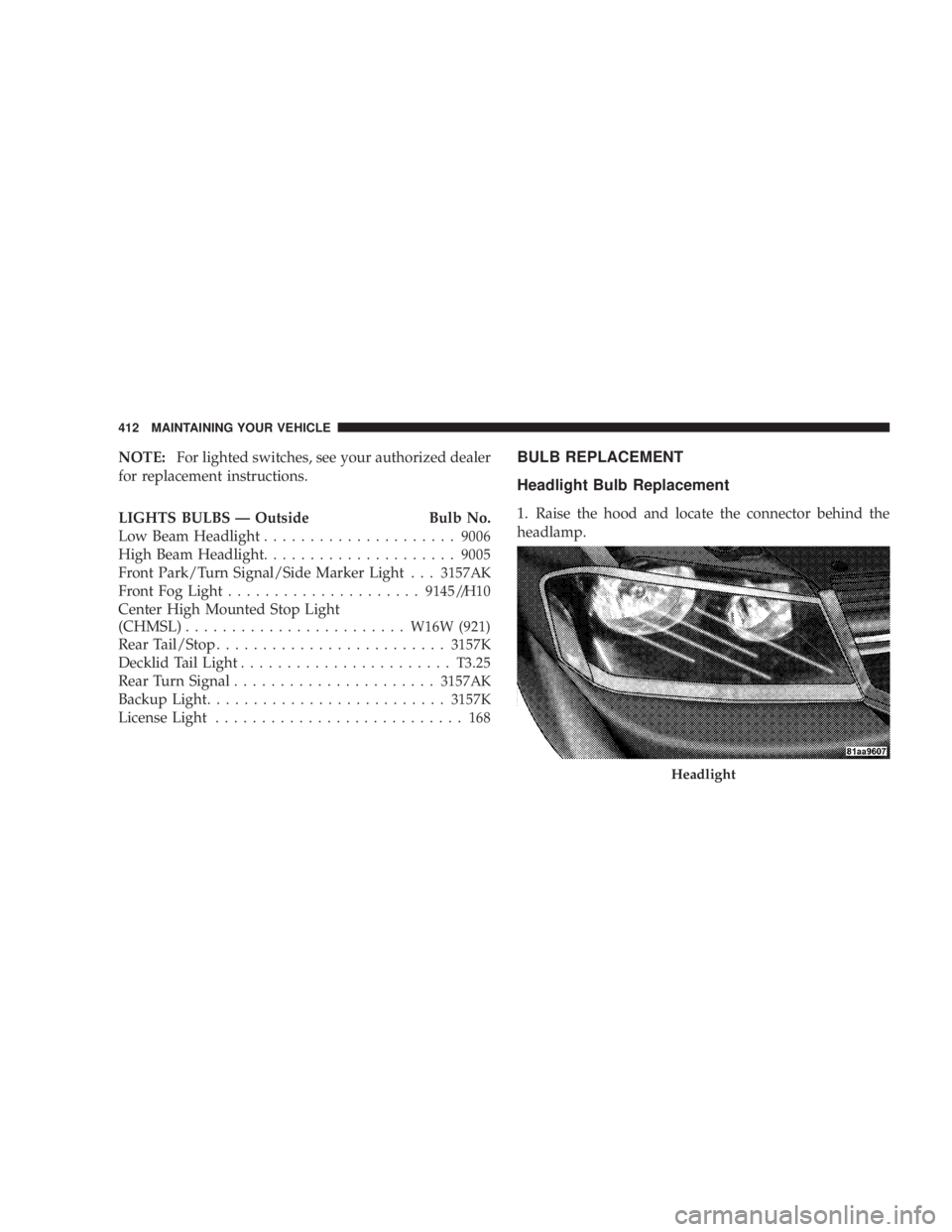
1. Raise the hood and locate the connector behind the
headlamp.
Headlight412 MAINTAINING YOUR VEHICLE
Page 415 of 467
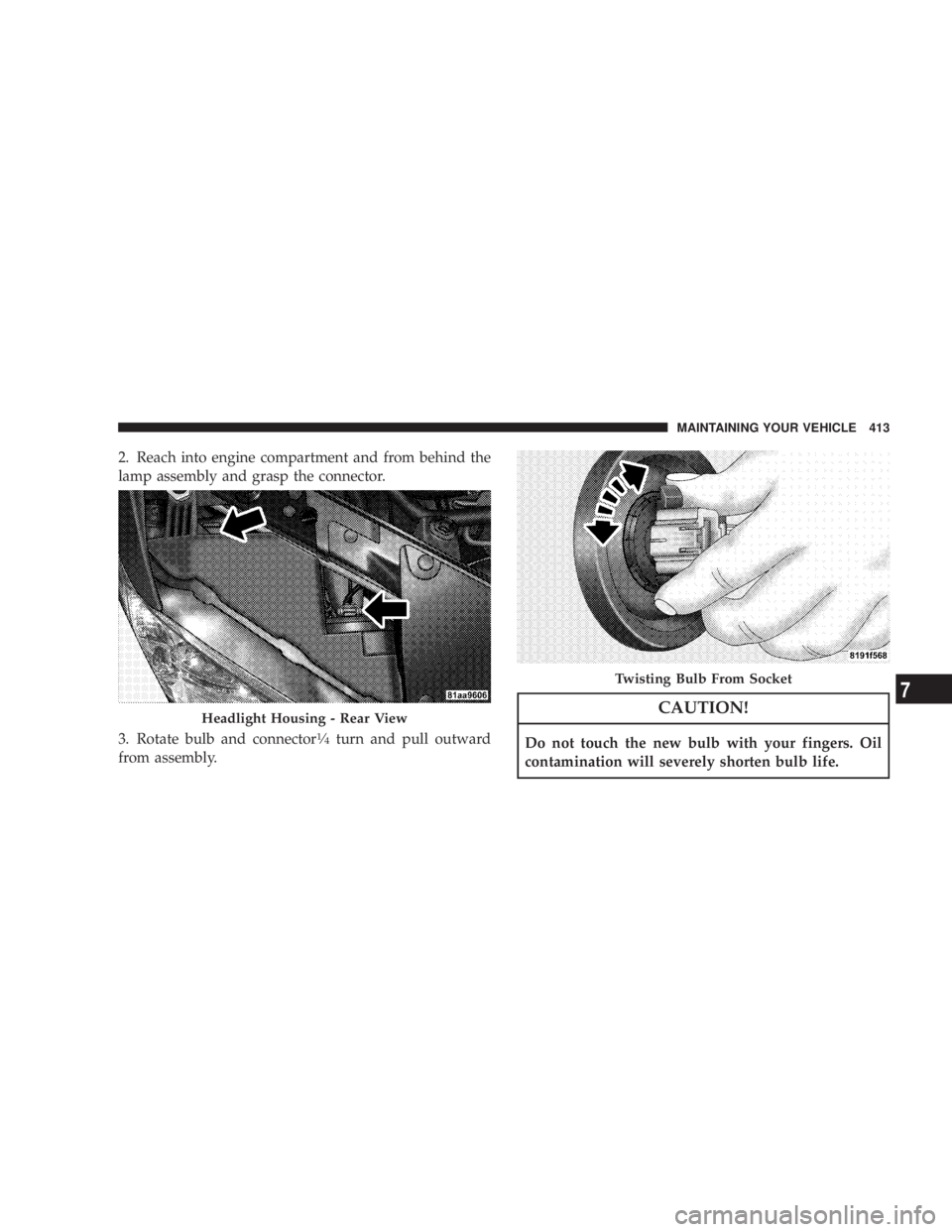
2. Reach into engine compartment and from behind the
lamp assembly and grasp the connector.
3. Rotate bulb and connector 1
¤ 4
turn and pull outward
from assembly. CAUTION!Do not touch the new bulb with your fingers. Oil
contamination will severely shorten bulb life.Headlight Housing - Rear View Twisting Bulb From Socket MAINTAINING YOUR VEHICLE 413
7
Page 416 of 467
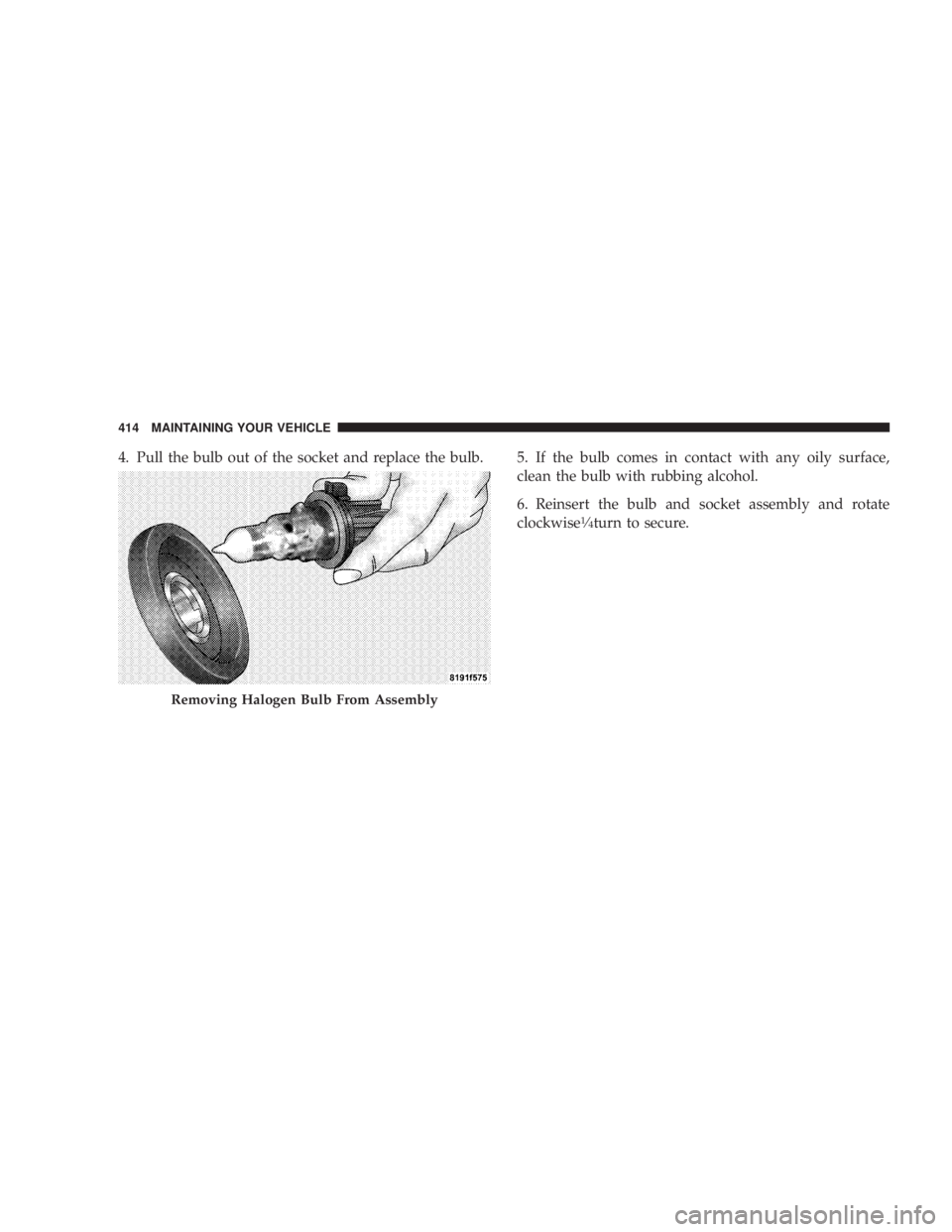
4. Pull the bulb out of the socket and replace the bulb. 5. If the bulb comes in contact with any oily surface,
clean the bulb with rubbing alcohol.
6. Reinsert the bulb and socket assembly and rotate
clockwise 1
¤ 4
turn to secure.
Removing Halogen Bulb From Assembly414 MAINTAINING YOUR VEHICLE
Page 417 of 467
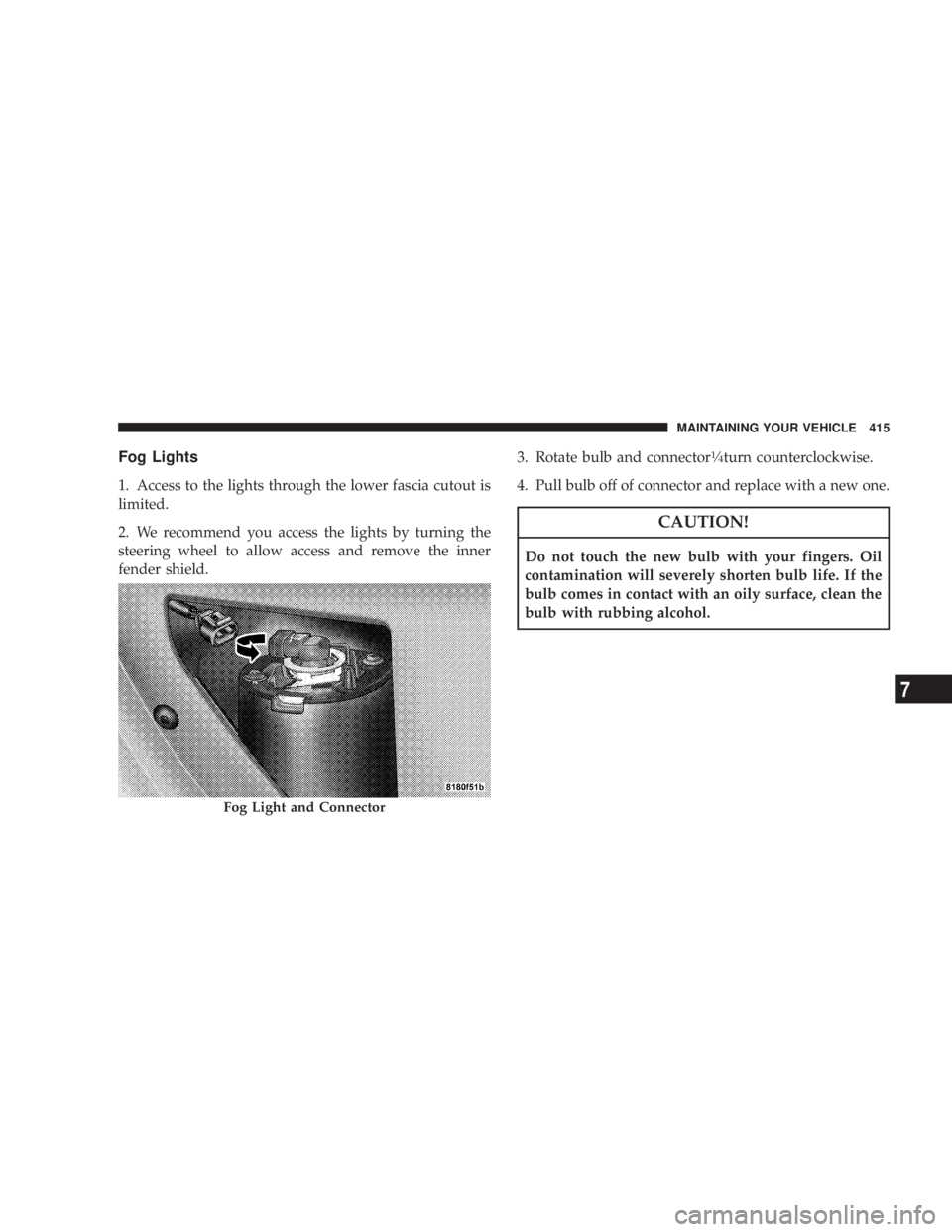
Fog Lights
1. Access to the lights through the lower fascia cutout is
limited.
2. We recommend you access the lights by turning the
steering wheel to allow access and remove the inner
fender shield. 3. Rotate bulb and connector 1
¤ 4
turn counterclockwise.
4. Pull bulb off of connector and replace with a new one.
CAUTION!Do not touch the new bulb with your fingers. Oil
contamination will severely shorten bulb life. If the
bulb comes in contact with an oily surface, clean the
bulb with rubbing alcohol.
Fog Light and Connector MAINTAINING YOUR VEHICLE 415
7
Page 418 of 467
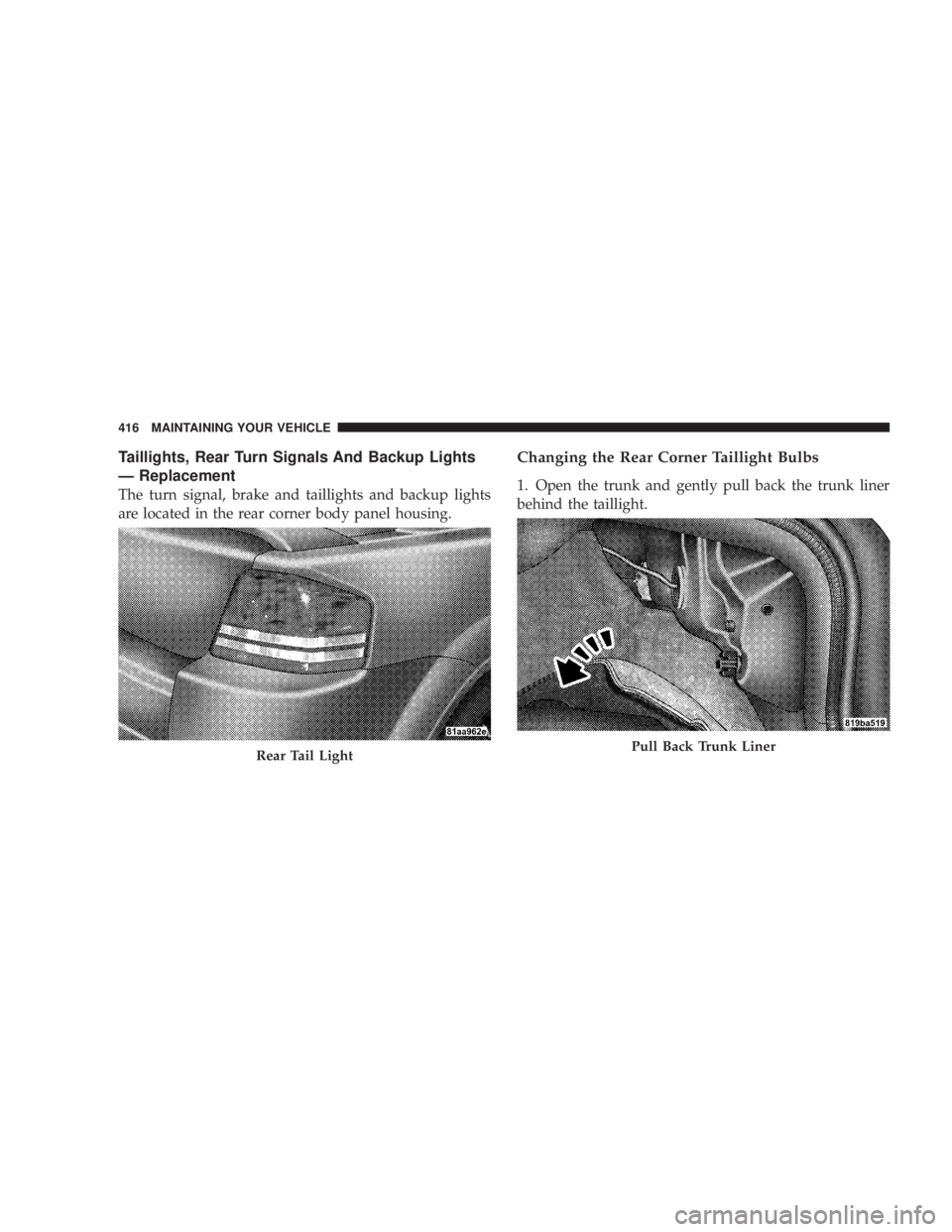
Taillights, Rear Turn Signals And Backup Lights
Ð Replacement
The turn signal, brake and taillights and backup lights
are located in the rear corner body panel housing. Changing the Rear Corner Taillight Bulbs
1. Open the trunk and gently pull back the trunk liner
behind the taillight.
Rear Tail Light Pull Back Trunk Liner416 MAINTAINING YOUR VEHICLE
Page 419 of 467
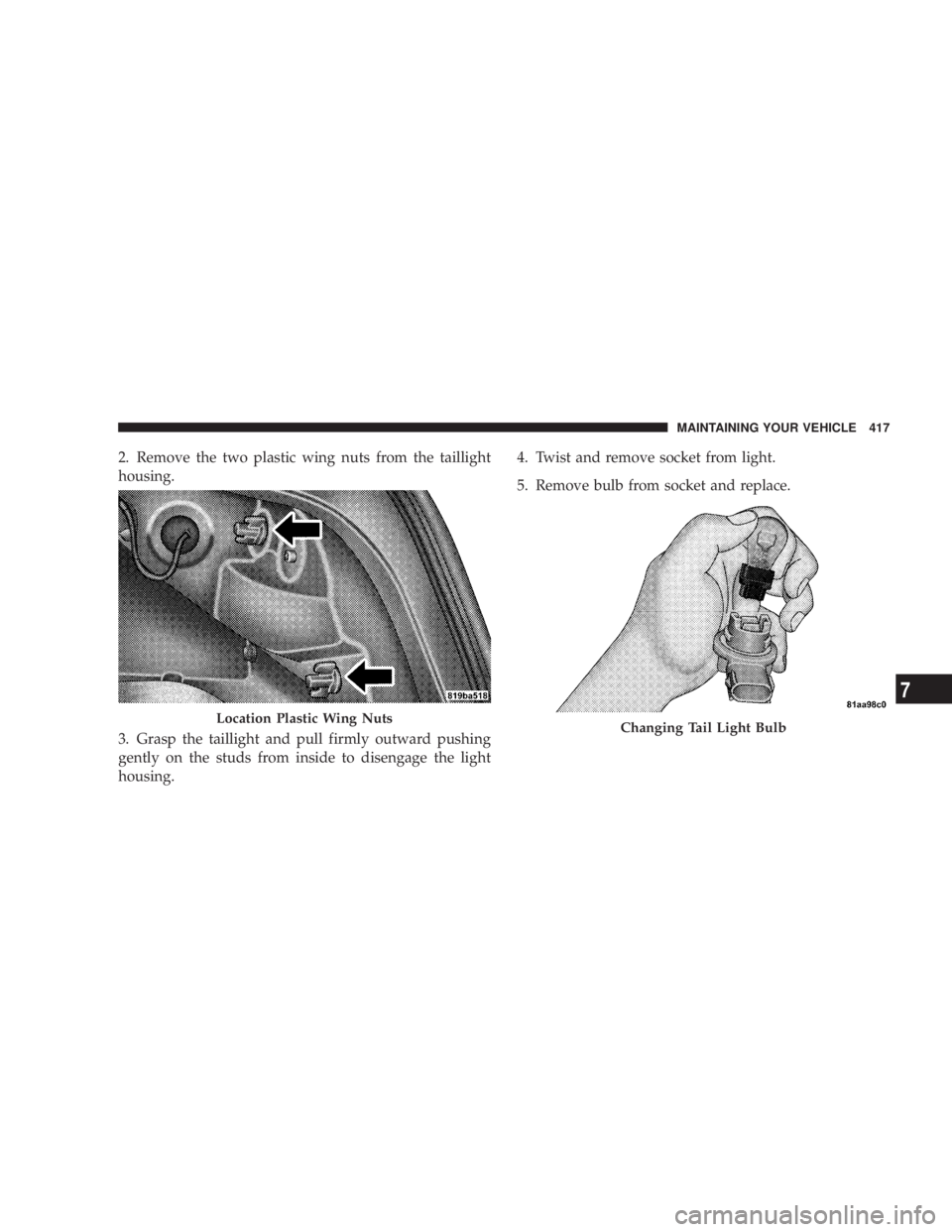
2. Remove the two plastic wing nuts from the taillight
housing.
3. Grasp the taillight and pull firmly outward pushing
gently on the studs from inside to disengage the light
housing. 4. Twist and remove socket from light.
5. Remove bulb from socket and replace.
Location Plastic Wing Nuts
Changing Tail Light Bulb MAINTAINING YOUR VEHICLE 417
7
Page 420 of 467
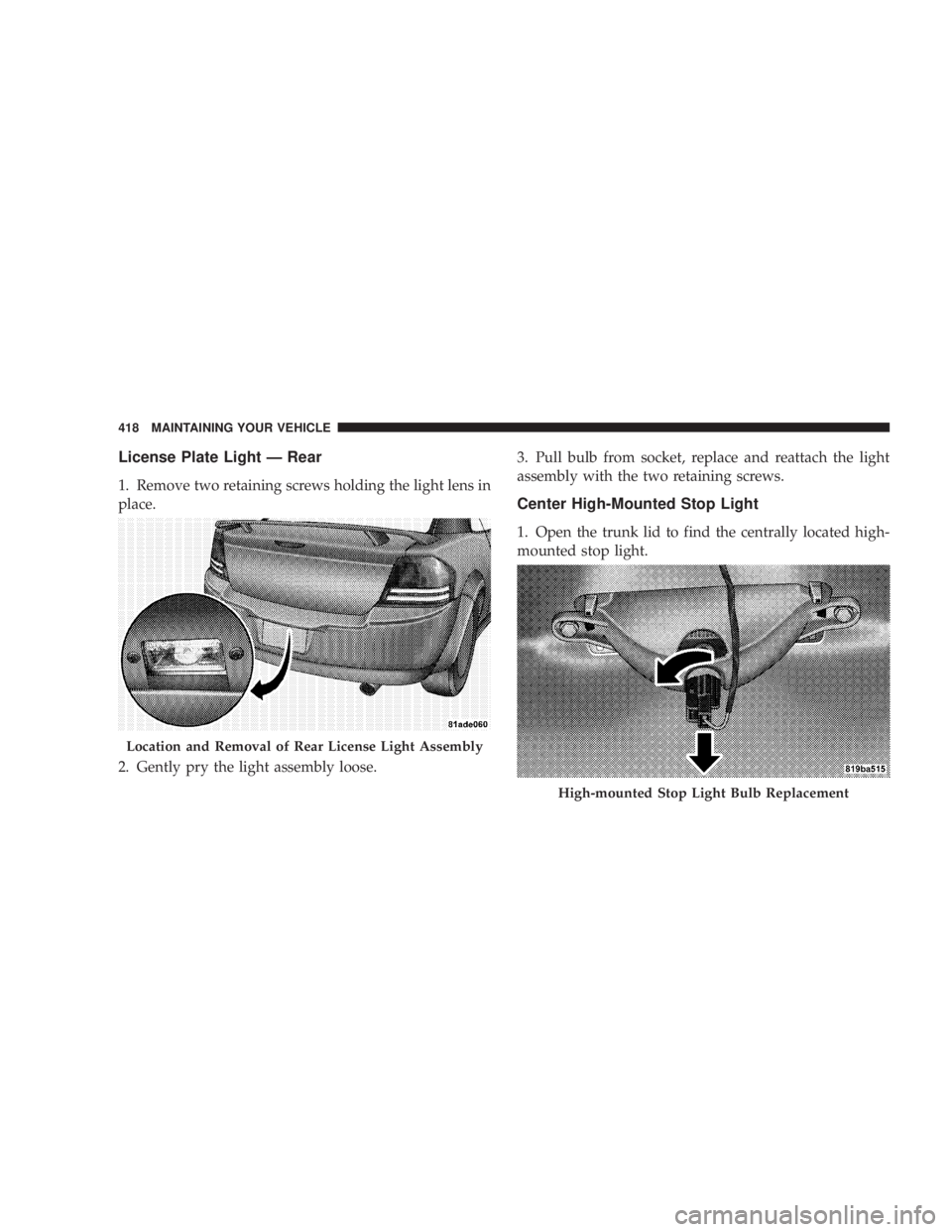
License Plate Light Ð Rear
1. Remove two retaining screws holding the light lens in
place.
2. Gently pry the light assembly loose. 3. Pull bulb from socket, replace and reattach the light
assembly with the two retaining screws.
Center High-Mounted Stop Light
1. Open the trunk lid to find the centrally located high-
mounted stop light.
Location and Removal of Rear License Light Assembly
High-mounted Stop Light Bulb Replacement418 MAINTAINING YOUR VEHICLE
Page 421 of 467
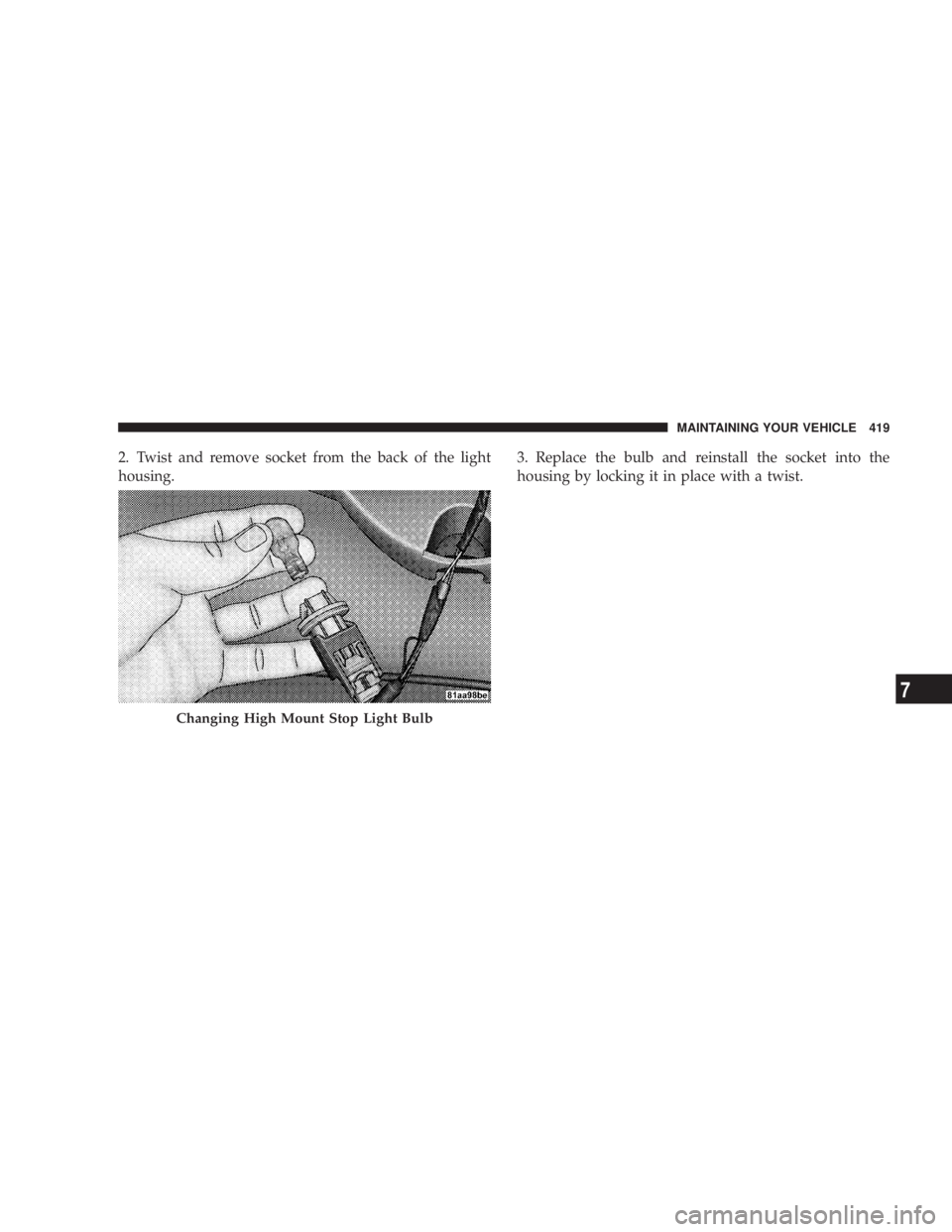
2. Twist and remove socket from the back of the light
housing. 3. Replace the bulb and reinstall the socket into the
housing by locking it in place with a twist.
Changing High Mount Stop Light Bulb MAINTAINING YOUR VEHICLE 419
7
Page 447 of 467
Automatic Door Locks ..................... 32
Automatic Oil Change Indicator ........ 173,184,426
Automatic Temperature Control (ATC) ......... 246
Automatic Transaxle .............. 12,261,267,397
Adding Fluid ................... 397,398,424
Filter ............................... 399
Fluid and Filter Changes ................. 399
Fluid Level Check ................... 397,398
Interlock System ....................... 269
Reset Mode .......................... 273
Selection Of Lubricant ................... 424
Shifting ............................. 270
Special Additives ...................... 399
Autostick ............................. 274
Ball Joints ............................. 385
Battery ............................... 381
Gas Caution .......................... 381
Keyless Transmitter Replacement (RKE) ....... 26 Location ............................ 381
Bearings .............................. 400
Belts, Drive ............................ 378
Beverage Cooler ........................ 161
Body Mechanism Lubrication ............... 386
B-Pillar Location ........................ 295
Brake Assist System ...................... 282
Brake, Parking .......................... 276
Brake System ........................ 278,394
Anti-Lock (ABS) ....................... 279
Fluid Check ....................... 396,424
Hoses .............................. 395
Master Cylinder ....................... 396
Parking ............................. 276
Warning Light ........................ 179
Brakes ............................. 278,394
Brake/Transmission Interlock ............... 269
Break-In Recommendations, New Vehicle ........ 78
Bulb Replacement ..................... 41 1,412 INDEX 445
10