lights DODGE AVENGER 2008 User Guide
[x] Cancel search | Manufacturer: DODGE, Model Year: 2008, Model line: AVENGER, Model: DODGE AVENGER 2008Pages: 467, PDF Size: 7.16 MB
Page 90 of 467
Outside Mirror Ð Passenger's Side
Adjust the convex outside mirror so you can just see the
side of your vehicle in the part of the mirror closest to the
vehicle.
WARNING!Vehicles and other objects seen in the right side
convex mirror will look smaller and farther away
than they really are. Relying too much on your right
side mirror could cause you to collide with another
vehicle or other object. Use your inside mirror when
judging the size or distance of a vehicle seen in this
convex mirror. ILLUMINATED VANITY MIRRORS Ð IF EQUIPPED
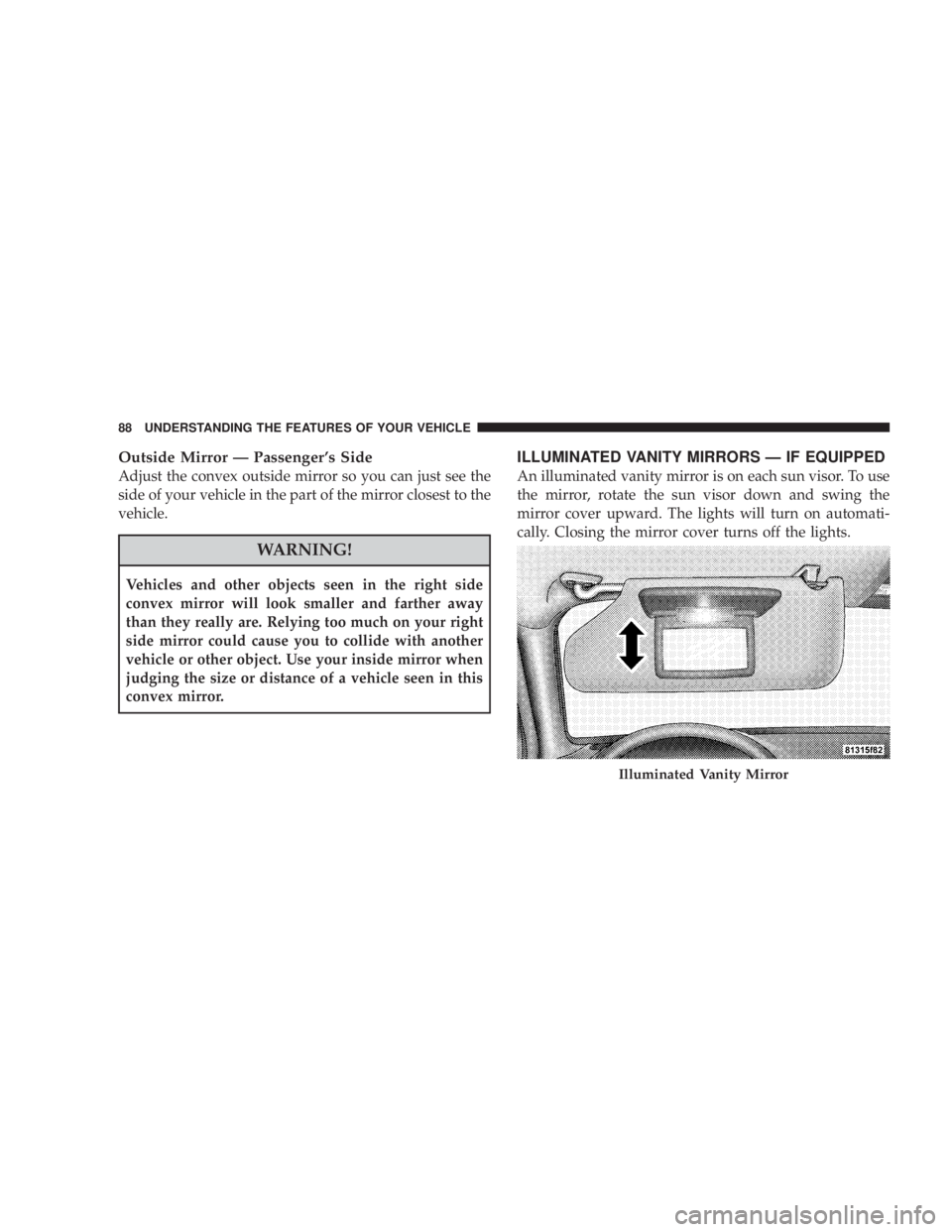
An illuminated vanity mirror is on each sun visor. To use
the mirror, rotate the sun visor down and swing the
mirror cover upward. The lights will turn on automati-
cally. Closing the mirror cover turns off the lights.
Illuminated Vanity Mirror88 UNDERSTANDING THE FEATURES OF YOUR VEHICLE
Page 126 of 467
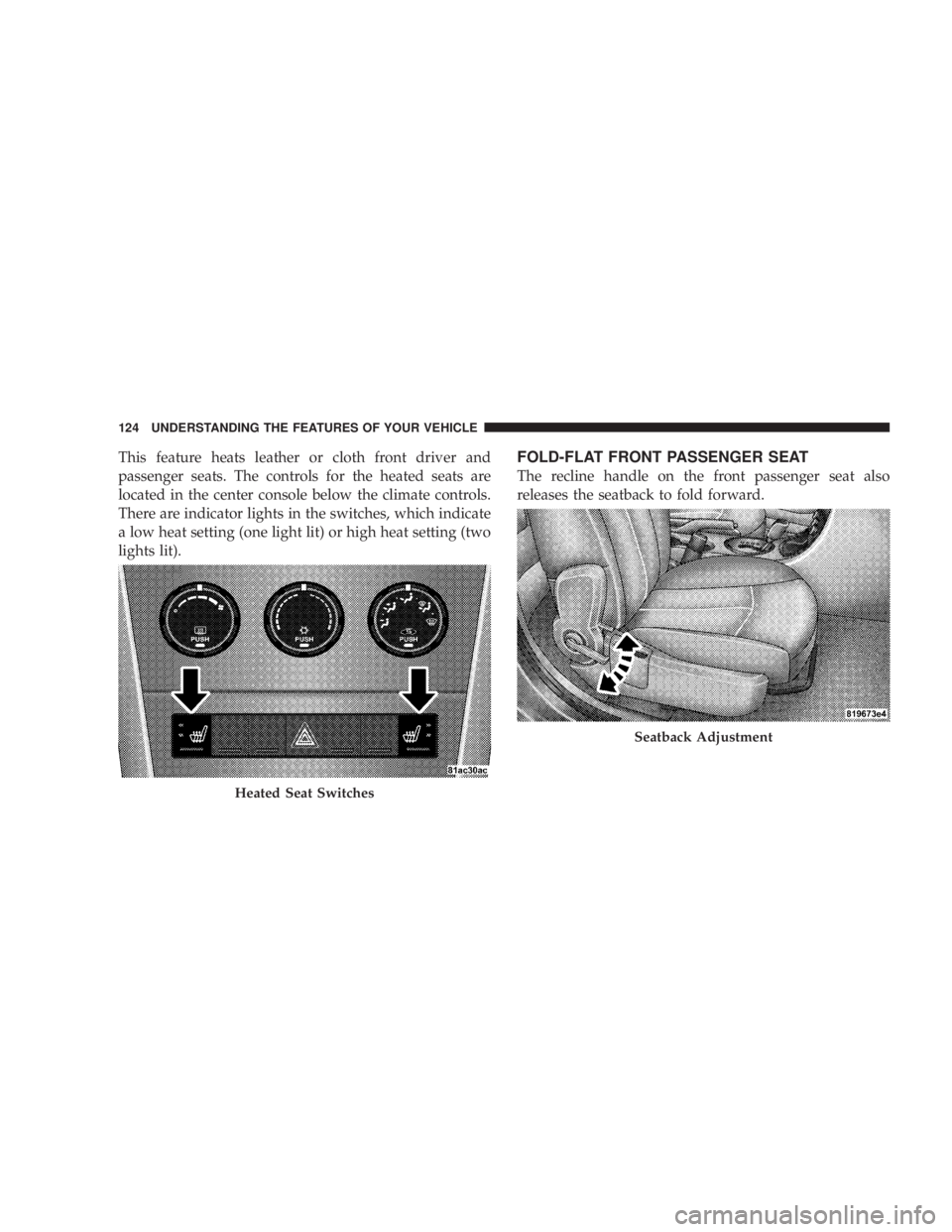
This feature heats leather or cloth front driver and
passenger seats. The controls for the heated seats are
located in the center console below the climate controls.
There are indicator lights in the switches, which indicate
a low heat setting (one light lit) or high heat setting (two
lights lit). FOLD-FLAT FRONT PASSENGER SEAT
The recline handle on the front passenger seat also
releases the seatback to fold forward.
Heated Seat Switches Seatback Adjustment124 UNDERSTANDING THE FEATURES OF YOUR VEHICLE
Page 131 of 467
WARNING!If the hood is not fully latched it could fly up when
the vehicle is moving and block your forward vision.
You could have a collision. Be sure all hood latches
are fully latched before driving.
LIGHTS
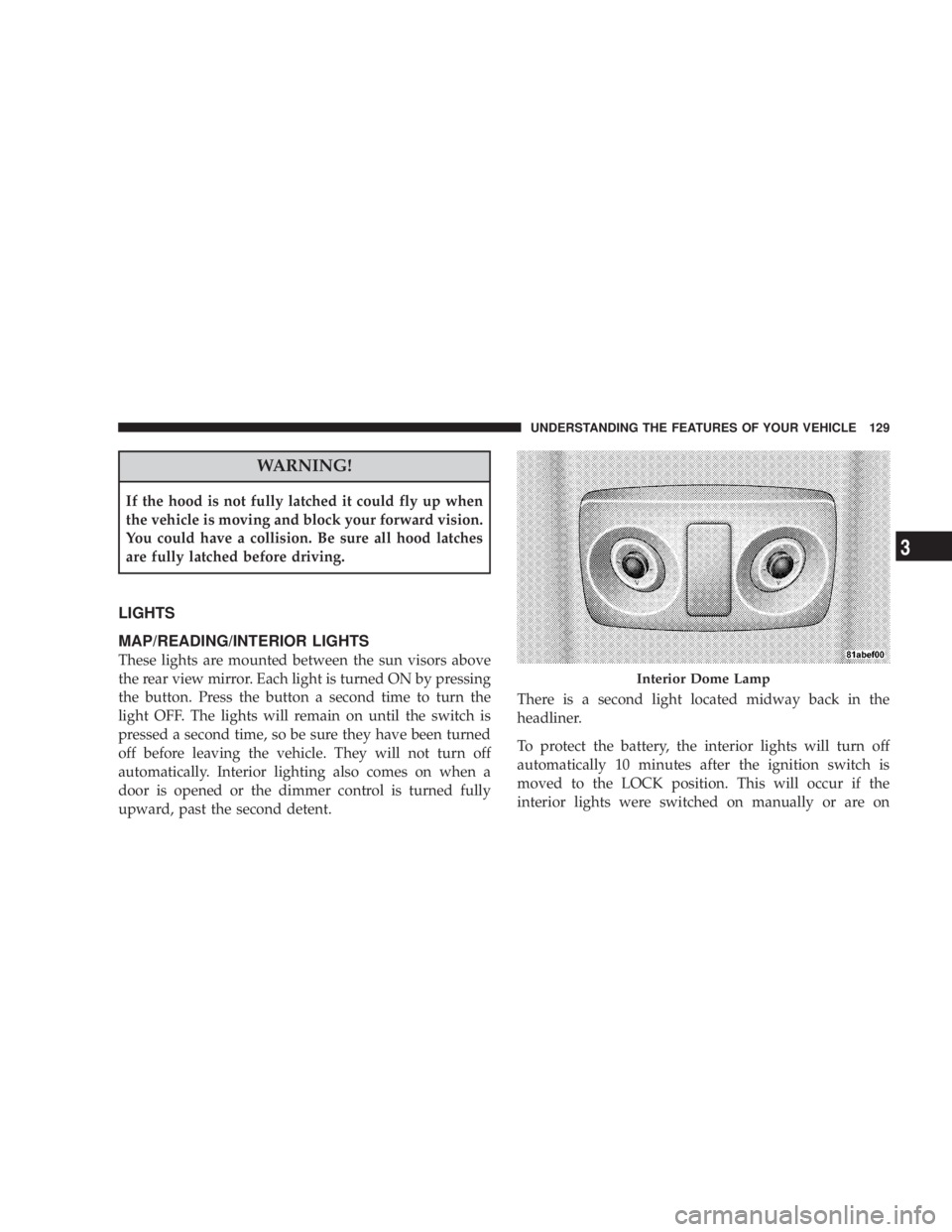
MAP/READING/INTERIOR LIGHTS
These lights are mounted between the sun visors above
the rear view mirror. Each light is turned ON by pressing
the button. Press the button a second time to turn the
light OFF. The lights will remain on until the switch is
pressed a second time, so be sure they have been turned
off before leaving the vehicle. They will not turn off
automatically. Interior lighting also comes on when a
door is opened or the dimmer control is turned fully
upward, past the second detent. There is a second light located midway back in the
headliner.
To protect the battery, the interior lights will turn off
automatically 10 minutes after the ignition switch is
moved to the LOCK position. This will occur if the
interior lights were switched on manually or are on Interior Dome LampUNDERSTANDING THE FEATURES OF YOUR VEHICLE 129
3
Page 132 of 467
because a door is open. This includes the glove box light,
but not the trunk light. To restore interior light operation,
either turn the ignition switch ON or cycle the light
switch.
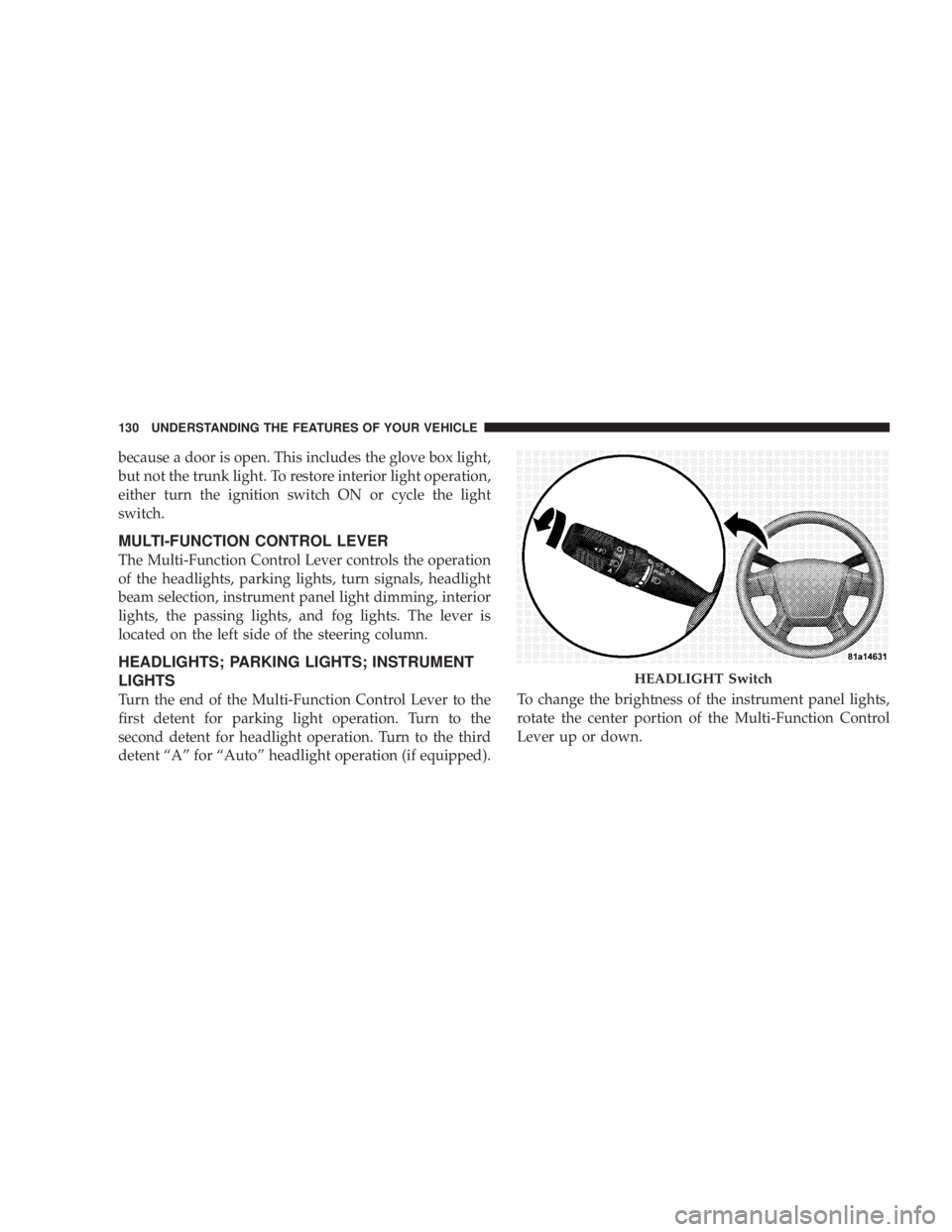
MULTI-FUNCTION CONTROL LEVER
The Multi-Function Control Lever controls the operation
of the headlights, parking lights, turn signals, headlight
beam selection, instrument panel light dimming, interior
lights, the passing lights, and fog lights. The lever is
located on the left side of the steering column.
HEADLIGHTS; PARKING LIGHTS; INSTRUMENT
LIGHTS
Turn the end of the Multi-Function Control Lever to the
first detent for parking light operation. Turn to the
second detent for headlight operation. Turn to the third
detent ªAº for ªAutoº headlight operation (if equipped). To change the brightness of the instrument panel lights,
rotate the center portion of the Multi-Function Control
Lever up or down. HEADLIGHT Switch130 UNDERSTANDING THE FEATURES OF YOUR VEHICLE
Page 133 of 467
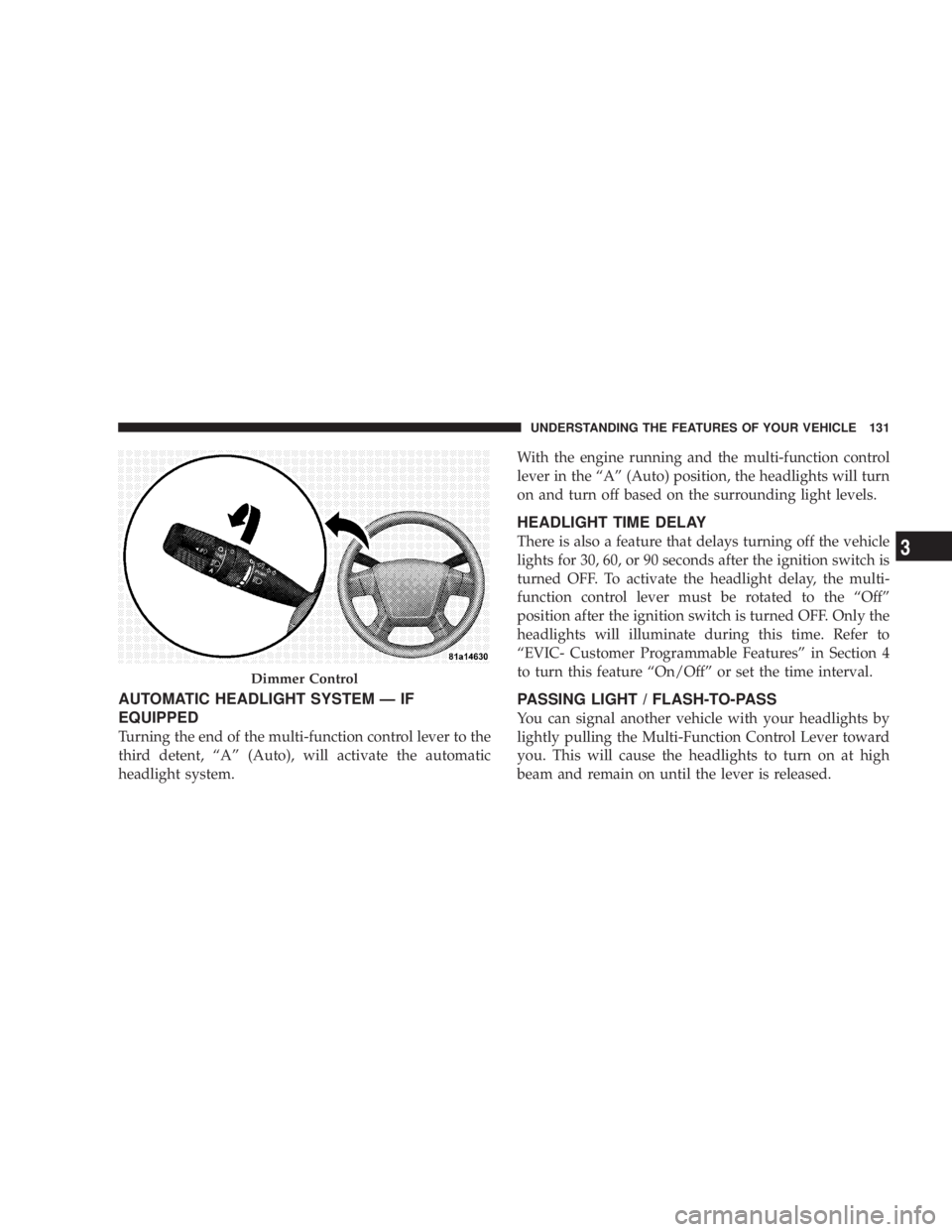
AUTOMATIC HEADLIGHT SYSTEM Ð IF
EQUIPPED
Turning the end of the multi-function control lever to the
third detent, ªAº (Auto), will activate the automatic
headlight system. With the engine running and the multi-function control
lever in the ªAº (Auto) position, the headlights will turn
on and turn off based on the surrounding light levels.
HEADLIGHT TIME DELAY
There is also a feature that delays turning off the vehicle
lights for 30, 60, or 90 seconds after the ignition switch is
turned OFF. To activate the headlight delay, the multi-
function control lever must be rotated to the ªOffº
position after the ignition switch is turned OFF. Only the
headlights will illuminate during this time. Refer to
ªEVIC- Customer Programmable Featuresº in Section 4
to turn this feature ªOn/Offº or set the time interval.
PASSING LIGHT / FLASH-TO-PASS
You can signal another vehicle with your headlights by
lightly pulling the Multi-Function Control Lever toward
you. This will cause the headlights to turn on at high
beam and remain on until the lever is released.Dimmer Control UNDERSTANDING THE FEATURES OF YOUR VEHICLE 131
3
Page 134 of 467
NOTE: If the Multi-Function Control Lever is held in
the flash to pass position for more than 15 seconds, the
high beams will shut off. If this occurs, wait 30 seconds
for the next flash to pass operation.
DAYTIME RUNNING LIGHTS (DRL) Ð IF
EQUIPPED
The high beam lights will come on as Daytime Running
Lights (DRL) at DRL intensity (lower), whenever the
ignition is on, the engine is running, the headlight switch
is off, the parking brake is off, the turn signal is off, and
the gearshift lever is in any position except park.
NOTE: On this vehicle, the daytime running light will
automatically turn off when the turn signal is in opera-
tion and automatically turn back on when the turn signal
is not operating. LIGHTS ON REMINDER
If the headlights or parking lights are on after the ignition
is turned OFF, a chime will sound to alert the driver
when the driver's door is opened.
FOG LIGHTS Ð IF EQUIPPED
The front fog light switch is on the Multi-Function
Control Lever. To activate the front fog lights, turn
on the parking lights or the low beam headlights
and pull out the end of the control lever.132 UNDERSTANDING THE FEATURES OF YOUR VEHICLE
Page 135 of 467
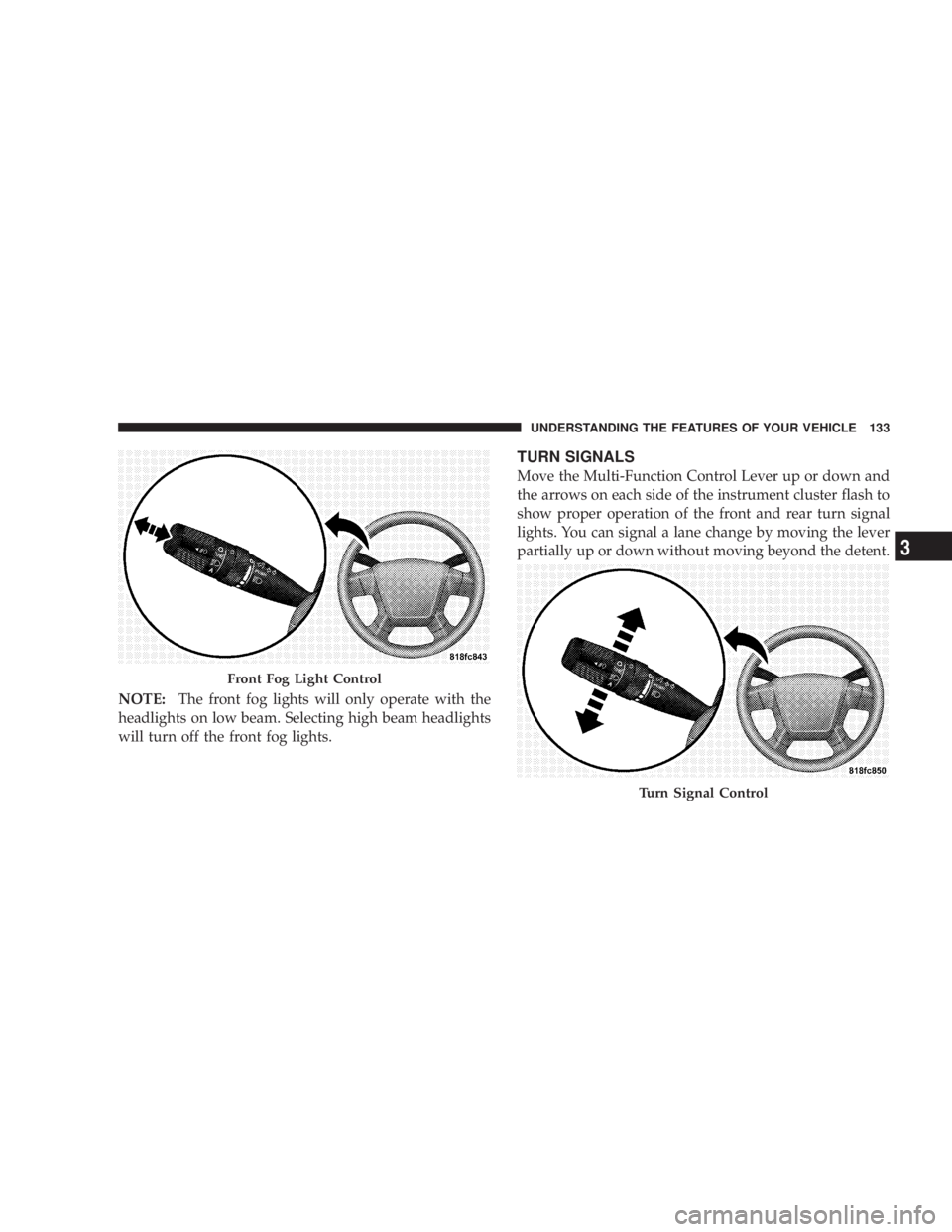
NOTE: The front fog lights will only operate with the
headlights on low beam. Selecting high beam headlights
will turn off the front fog lights. TURN SIGNALS
Move the Multi-Function Control Lever up or down and
the arrows on each side of the instrument cluster flash to
show proper operation of the front and rear turn signal
lights. You can signal a lane change by moving the lever
partially up or down without moving beyond the detent.
Front Fog Light Control
Turn Signal ControlUNDERSTANDING THE FEATURES OF YOUR VEHICLE 133
3
Page 136 of 467
If either light remains on and does not flash, or there is a
very fast flash rate, check for a defective outside light
bulb. If an indicator fails to light when the lever is
moved, it would suggest that the fuse or indicator bulb is
defective.
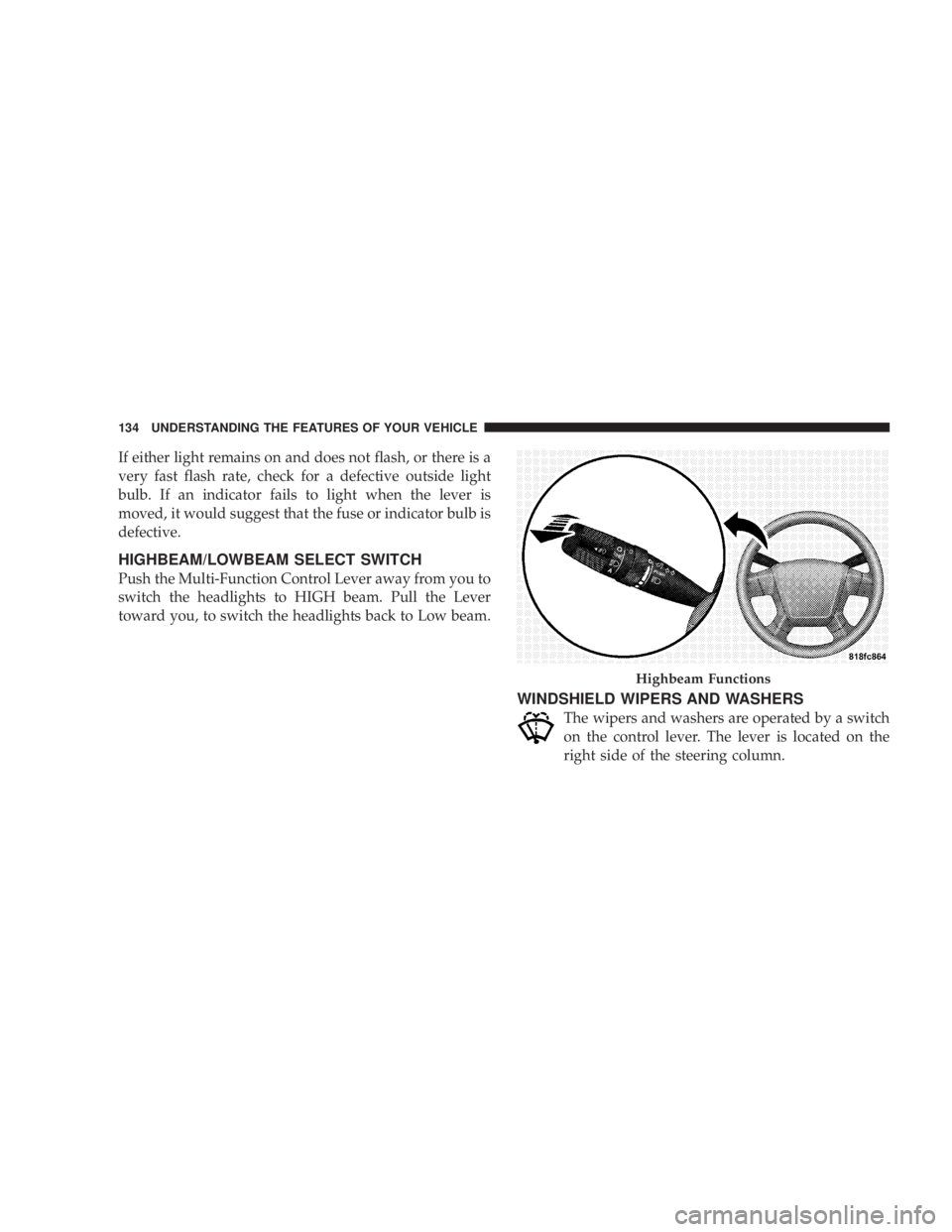
HIGHBEAM/LOWBEAM SELECT SWITCH
Push the Multi-Function Control Lever away from you to
switch the headlights to HIGH beam. Pull the Lever
toward you, to switch the headlights back to Low beam.
WINDSHIELD WIPERS AND WASHERS
The wipers and washers are operated by a switch
on the control lever. The lever is located on the
right side of the steering column. Highbeam Functions134 UNDERSTANDING THE FEATURES OF YOUR VEHICLE
Page 139 of 467
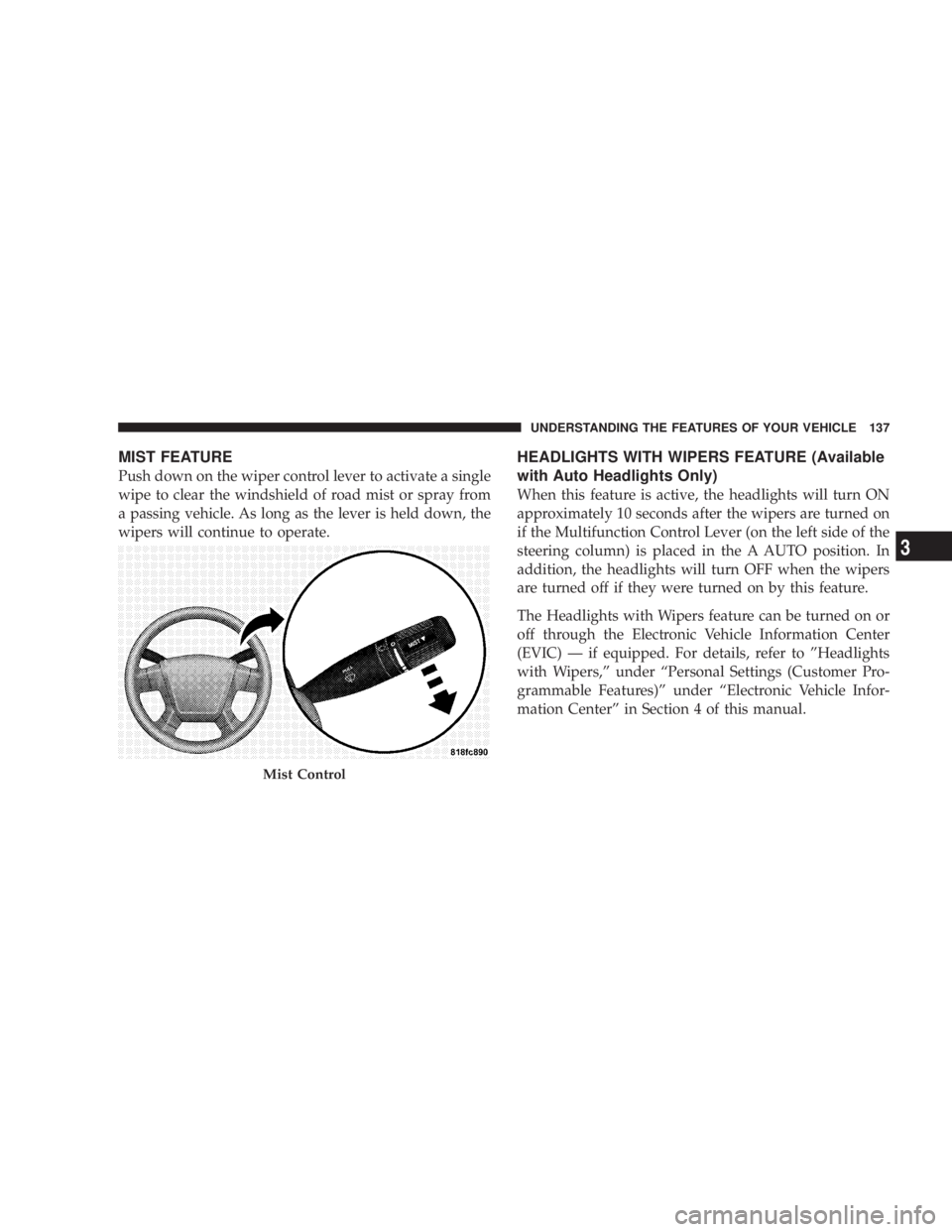
MIST FEATURE
Push down on the wiper control lever to activate a single
wipe to clear the windshield of road mist or spray from
a passing vehicle. As long as the lever is held down, the
wipers will continue to operate. HEADLIGHTS WITH WIPERS FEATURE (Available
with Auto Headlights Only)
When this feature is active, the headlights will turn ON
approximately 10 seconds after the wipers are turned on
if the Multifunction Control Lever (on the left side of the
steering column) is placed in the A AUTO position. In
addition, the headlights will turn OFF when the wipers
are turned off if they were turned on by this feature.
The Headlights with Wipers feature can be turned on or
off through the Electronic Vehicle Information Center
(EVIC) Ð if equipped. For details, refer to ºHeadlights
with Wipers,º under ªPersonal Settings (Customer Pro-
grammable Features)º under ªElectronic Vehicle Infor-
mation Centerº in Section 4 of this manual.
Mist Control UNDERSTANDING THE FEATURES OF YOUR VEHICLE 137
3
Page 156 of 467
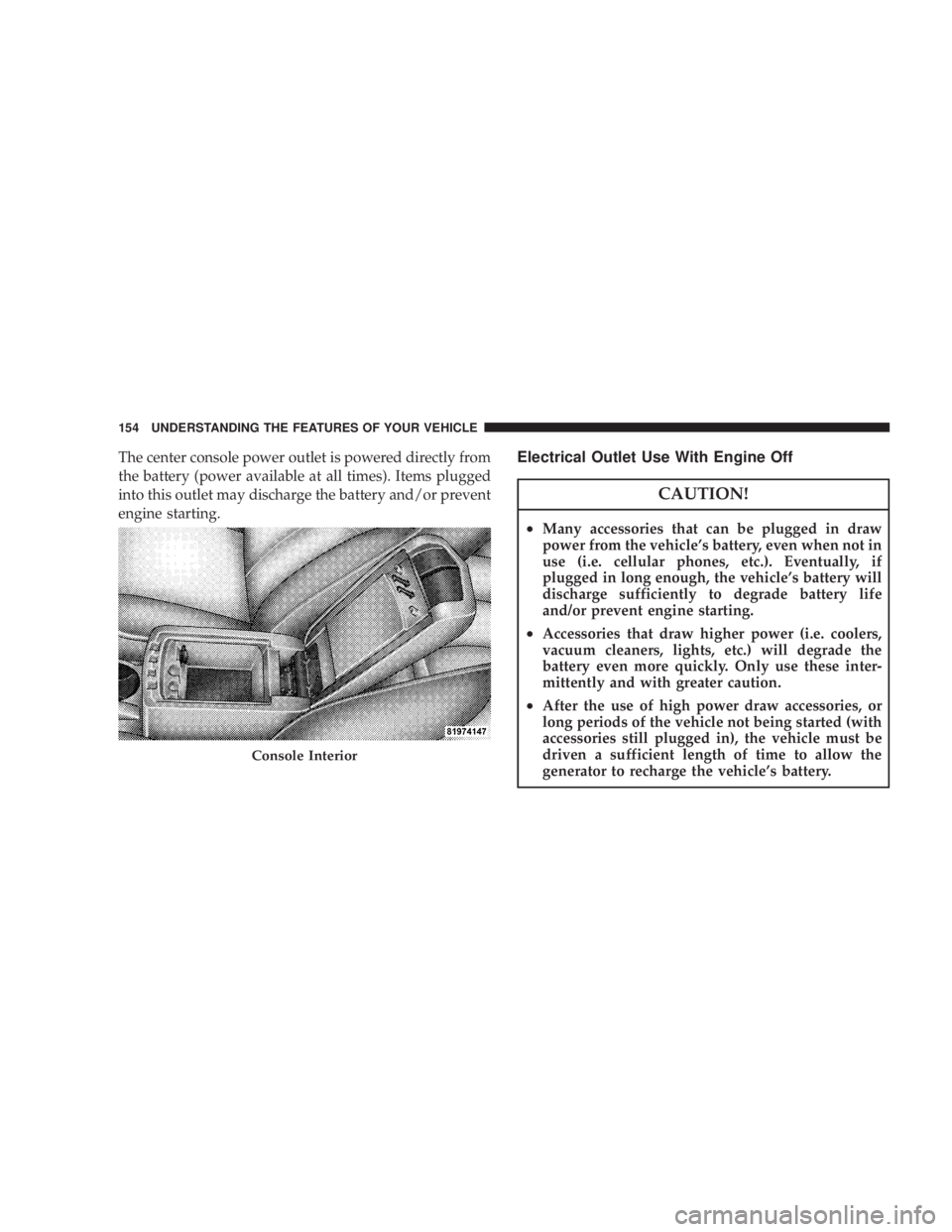
The center console power outlet is powered directly from
the battery (power available at all times). Items plugged
into this outlet may discharge the battery and/or prevent
engine starting. Electrical Outlet Use With Engine Off
CAUTION!² Many accessories that can be plugged in draw
power from the vehicle's battery, even when not in
use (i.e. cellular phones, etc.). Eventually, if
plugged in long enough, the vehicle's battery will
discharge sufficiently to degrade battery life
and/or prevent engine starting.
² Accessories that draw higher power (i.e. coolers,
vacuum cleaners, lights, etc.) will degrade the
battery even more quickly. Only use these inter-
mittently and with greater caution.
² After the use of high power draw accessories, or
long periods of the vehicle not being started (with
accessories still plugged in), the vehicle must be
driven a sufficient length of time to allow the
generator to recharge the vehicle's battery.Console Interior154 UNDERSTANDING THE FEATURES OF YOUR VEHICLE