steering wheel DODGE AVENGER 2008 User Guide
[x] Cancel search | Manufacturer: DODGE, Model Year: 2008, Model line: AVENGER, Model: DODGE AVENGER 2008Pages: 467, PDF Size: 7.16 MB
Page 142 of 467
ELECTRONIC SPEED CONTROL Ð IF EQUIPPED
When engaged, this device takes over the accelerator
operation at speeds greater than 25 mph (40 km/h).
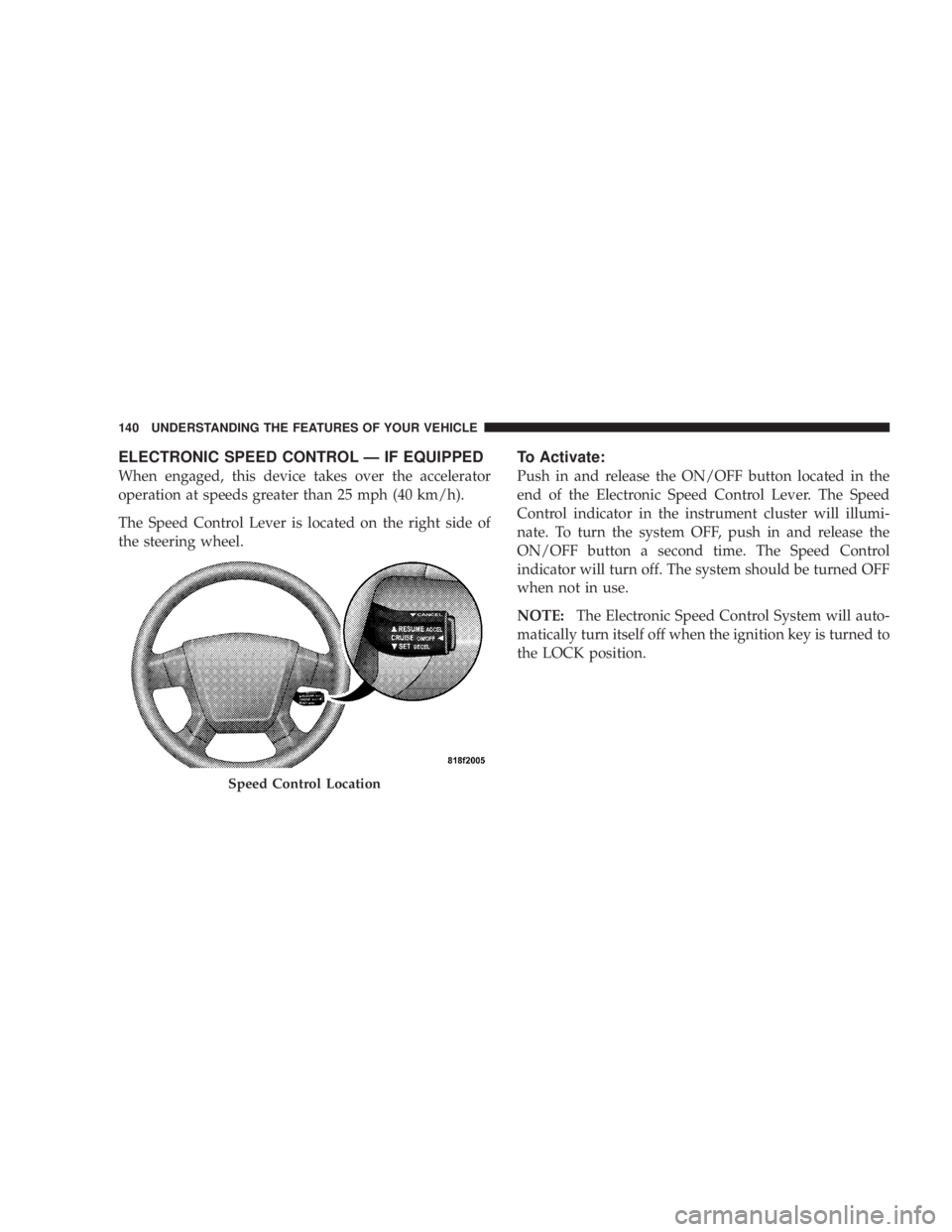
The Speed Control Lever is located on the right side of
the steering wheel. To Activate:
Push in and release the ON/OFF button located in the
end of the Electronic Speed Control Lever. The Speed
Control indicator in the instrument cluster will illumi-
nate. To turn the system OFF, push in and release the
ON/OFF button a second time. The Speed Control
indicator will turn off. The system should be turned OFF
when not in use.
NOTE: The Electronic Speed Control System will auto-
matically turn itself off when the ignition key is turned to
the LOCK position.
Speed Control Location140 UNDERSTANDING THE FEATURES OF YOUR VEHICLE
Page 181 of 467
could lead to immediate loss of power or severe catalytic
converter damage. The vehicle should be serviced as
soon as possible if this occurs.
26. Anti-Lock Warning Light (ABS)
This light monitors the ABS. This light will
come on when the ignition key is turned to the
ON position and may stay on for as long as
four seconds.
If the ABS light remains on or comes on during driving,
it indicates that the Anti-Lock portion of the brake system
is not functioning and that service is required, however,
the conventional brake system will continue to operate
normally provided that the BRAKE warning light is not
on.
If the ABS light is on, the brake system should be serviced
as soon as possible to restore the benefit of Anti-Lock
Brakes. The ABS warning light should be checked frequently to
assure that it is operating properly. Turn the ignition key
to the on position, but do not start the vehicle. The light
should come on. If the light does not come on, have the
system checked by an authorized dealer.
27. High Beam Indicator
This light shows that the headlights are on high
beam. Push the turn signal lever away from the
steering wheel to switch the headlights from high or low
beam.
28. Brake System Warning Light
This light monitors various brake functions,
including brake fluid level and parking brake
application. If the brake light turns on, it may
indicate that the parking brake is applied, that
the brake fluid level is low, or that there is a problem with
the anti-lock brake system (if equipped). UNDERSTANDING YOUR INSTRUMENT PANEL 179
4
Page 194 of 467
NOTE: The radio, steering wheel radio controls (if
equipped), and six-disc CD/DVD changer (if equipped)
will remain active for up to 10 minutes after the ignition
switch has been turned OFF. Opening a vehicle front
door will cancel this feature.
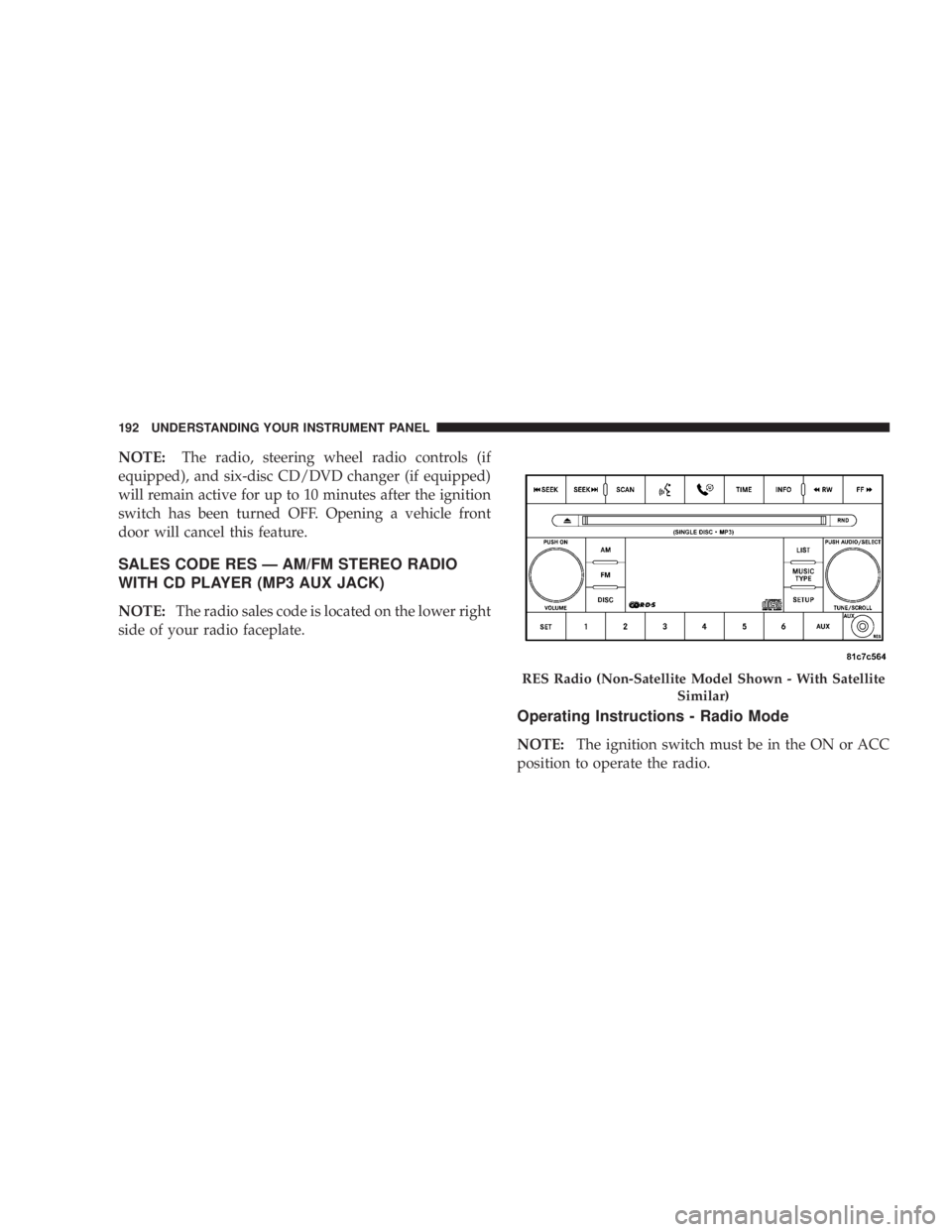
SALES CODE RES Ð AM/FM STEREO RADIO
WITH CD PLAYER (MP3 AUX JACK)
NOTE: The radio sales code is located on the lower right
side of your radio faceplate.
Operating Instructions - Radio Mode
NOTE: The ignition switch must be in the ON or ACC
position to operate the radio. RES Radio (Non-Satellite Model Shown - With Satellite
Similar)192 UNDERSTANDING YOUR INSTRUMENT PANEL
Page 238 of 467
You may add a second channel to each pushbutton by
repeating the above procedure with this exception: Press
the SET button twice and SET 2 will show in the display
window. Each button can be set for SET 1 and SET 2. This
allows a total of 12 Satellite channels to be stored into
pushbutton memory. The channels stored in SET 2
memory can be selected by pressing the pushbutton
twice.
Every time a preset button is used, a corresponding
button number will display.
Button s1-6
These buttons tune the radio to the channels that you
commit to pushbutton memory (12 Satellite stations). Operating Instructions - Hands-Free Phone (If
Equipped)
Refer to ªHands-Free Communication (UConnect t )º in
Section 3.
Operating Instructions - Video Entertainment
System (VES T ) (If Equipped)
Refer to separate ªVideo Entertainment System (VES t )
Guide.º
REMOTE SOUND SYSTEM CONTROLS Ð IF
EQUIPPED
The remote sound system controls are located on the rear
surface of the steering wheel. The left- and right-hand
controls are rocker-type switches with a push-button in
the center of each switch. Reach behind the steering
wheel to access the switches.236 UNDERSTANDING YOUR INSTRUMENT PANEL
Page 260 of 467
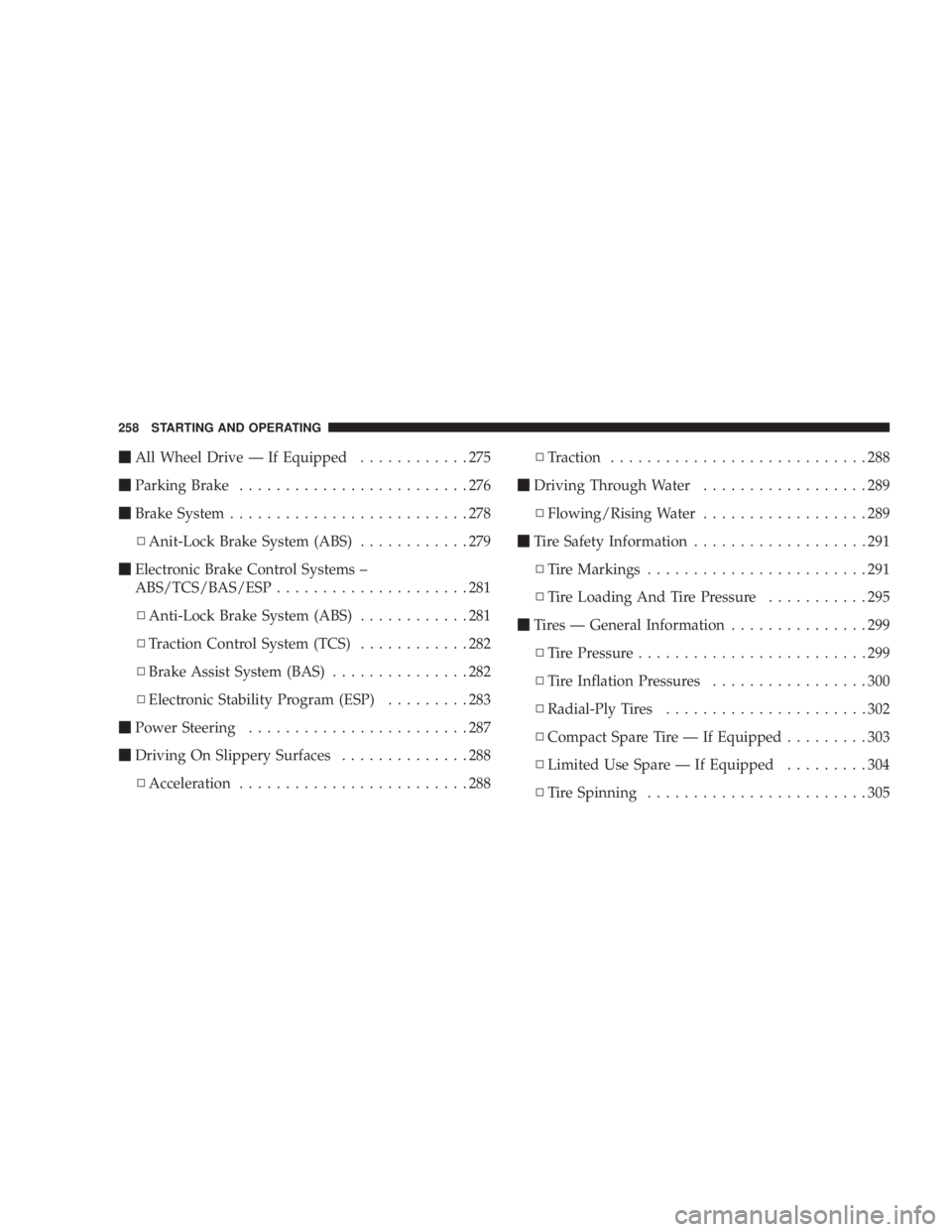
m All Wheel Drive Ð If Equipped ............275
m Parking Brake .........................276
m Brake System ..........................278
N Anit-Lock Brake System (ABS) ............279
m Electronic Brake Control Systems ±
ABS/TCS/BAS/ESP .....................281
N Anti-Lock Brake System (ABS) ............281
N Traction Control System (TCS) ............282
N Brake Assist System (BAS) ...............282
N Electronic Stability Program (ESP) .........283
m Power Steering ........................287
m Driving On Slippery Surfaces ..............288
N Acceleration .........................288 N Traction ............................288
m Driving Through Water ..................289
N Flowing/Rising Water ..................289
m Tire Safety Information ...................291
N Tire Markings ........................291
N Tire Loading And Tire Pressure ...........295
m Tires Ð General Information ...............299
N Tire Pressure .........................299
N Tire Inflation Pressures .................300
N Radial-Ply Tires ......................302
N Compact Spare Tire Ð If Equipped .........303
N Limited Use Spare Ð If Equipped .........304
N Tire Spinning ........................305258 STARTING AND OPERATING
Page 281 of 467
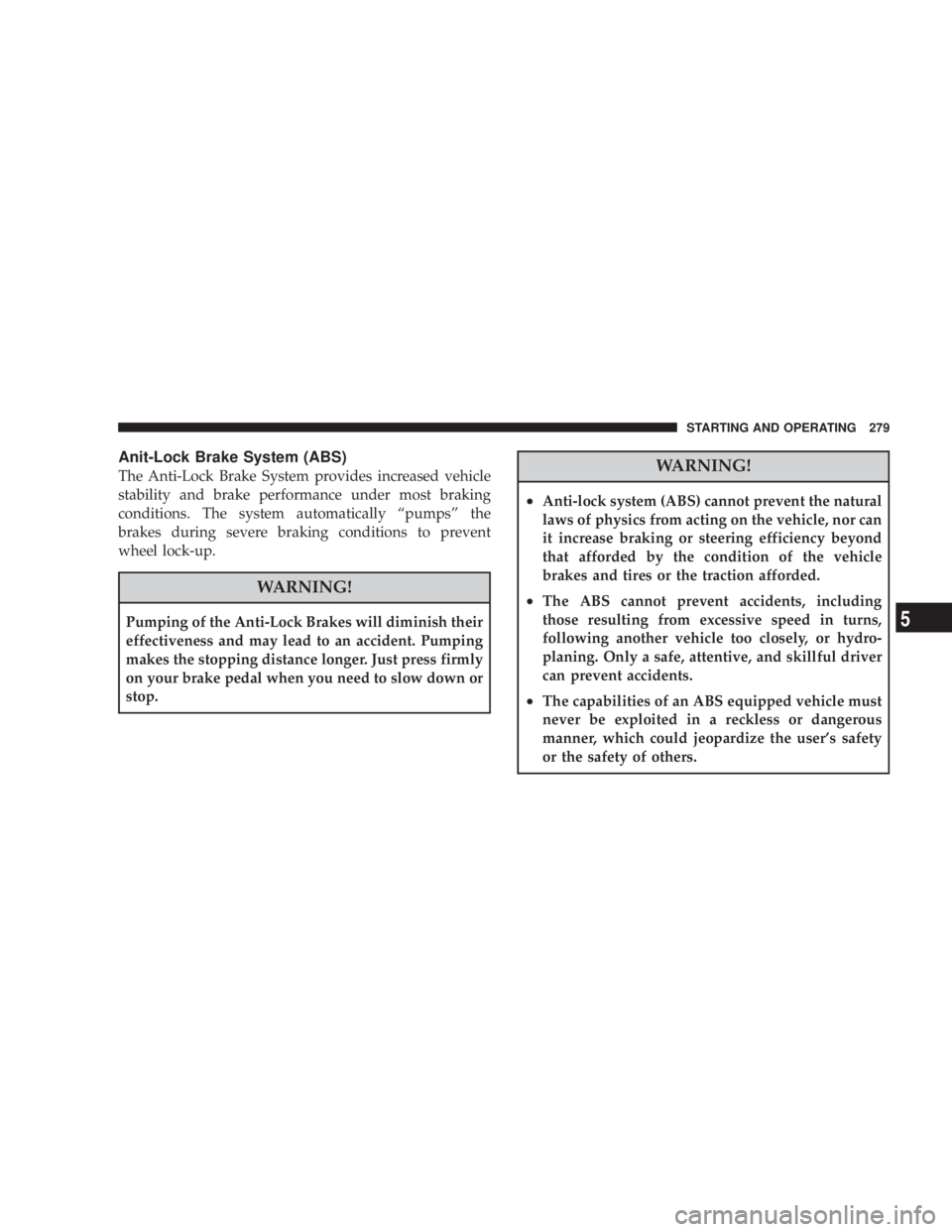
Anit-Lock Brake System (ABS)
The Anti-Lock Brake System provides increased vehicle
stability and brake performance under most braking
conditions. The system automatically ªpumpsº the
brakes during severe braking conditions to prevent
wheel lock-up.
WARNING!Pumping of the Anti-Lock Brakes will diminish their
effectiveness and may lead to an accident. Pumping
makes the stopping distance longer. Just press firmly
on your brake pedal when you need to slow down or
stop. WARNING!² Anti-lock system (ABS) cannot prevent the natural
laws of physics from acting on the vehicle, nor can
it increase braking or steering efficiency beyond
that afforded by the condition of the vehicle
brakes and tires or the traction afforded.
² The ABS cannot prevent accidents, including
those resulting from excessive speed in turns,
following another vehicle too closely, or hydro-
planing. Only a safe, attentive, and skillful driver
can prevent accidents.
² The capabilities of an ABS equipped vehicle must
never be exploited in a reckless or dangerous
manner, which could jeopardize the user's safety
or the safety of others. STARTING AND OPERATING 279
5
Page 285 of 467
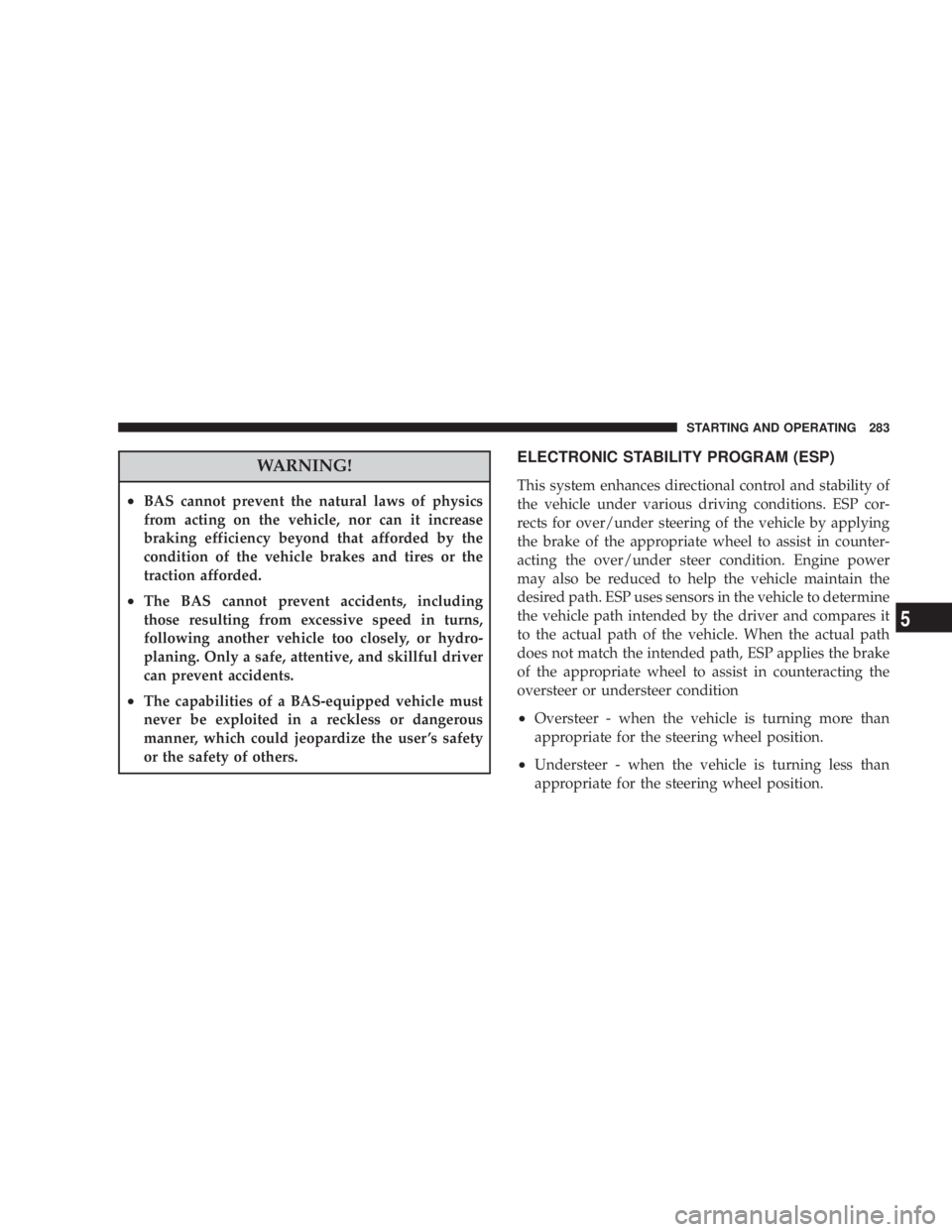
WARNING!² BAS cannot prevent the natural laws of physics
from acting on the vehicle, nor can it increase
braking efficiency beyond that afforded by the
condition of the vehicle brakes and tires or the
traction afforded.
² The BAS cannot prevent accidents, including
those resulting from excessive speed in turns,
following another vehicle too closely, or hydro-
planing. Only a safe, attentive, and skillful driver
can prevent accidents.
² The capabilities of a BAS-equipped vehicle must
never be exploited in a reckless or dangerous
manner, which could jeopardize the user 's safety
or the safety of others. ELECTRONIC STABILITY PROGRAM (ESP)
This system enhances directional control and stability of
the vehicle under various driving conditions. ESP cor-
rects for over/under steering of the vehicle by applying
the brake of the appropriate wheel to assist in counter-
acting the over/under steer condition. Engine power
may also be reduced to help the vehicle maintain the
desired path. ESP uses sensors in the vehicle to determine
the vehicle path intended by the driver and compares it
to the actual path of the vehicle. When the actual path
does not match the intended path, ESP applies the brake
of the appropriate wheel to assist in counteracting the
oversteer or understeer condition
² Oversteer - when the vehicle is turning more than
appropriate for the steering wheel position.
² Understeer - when the vehicle is turning less than
appropriate for the steering wheel position. STARTING AND OPERATING 283
5
Page 289 of 467
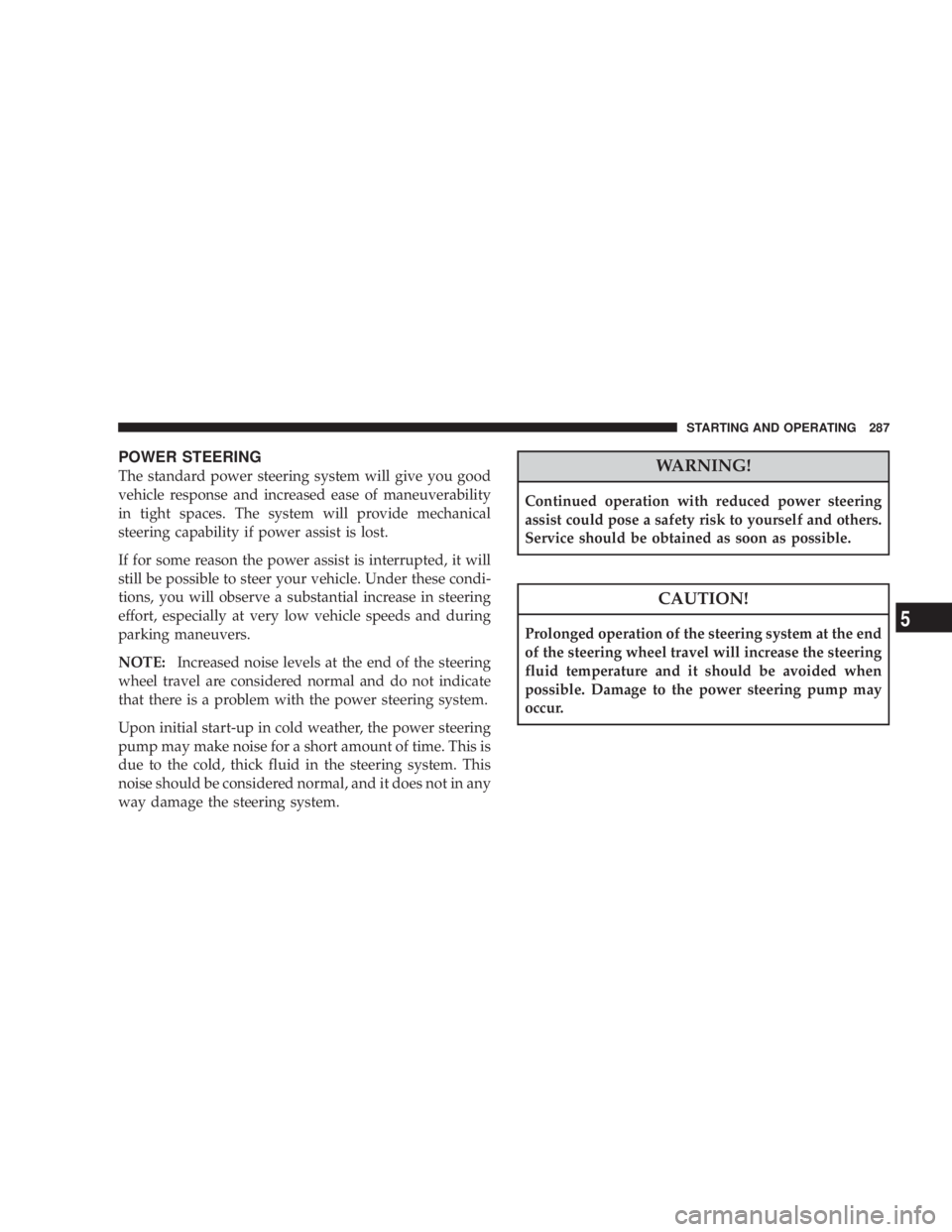
POWER STEERING
The standard power steering system will give you good
vehicle response and increased ease of maneuverability
in tight spaces. The system will provide mechanical
steering capability if power assist is lost.
If for some reason the power assist is interrupted, it will
still be possible to steer your vehicle. Under these condi-
tions, you will observe a substantial increase in steering
effort, especially at very low vehicle speeds and during
parking maneuvers.
NOTE: Increased noise levels at the end of the steering
wheel travel are considered normal and do not indicate
that there is a problem with the power steering system.
Upon initial start-up in cold weather, the power steering
pump may make noise for a short amount of time. This is
due to the cold, thick fluid in the steering system. This
noise should be considered normal, and it does not in any
way damage the steering system. WARNING!Continued operation with reduced power steering
assist could pose a safety risk to yourself and others.
Service should be obtained as soon as possible.
CAUTION!Prolonged operation of the steering system at the end
of the steering wheel travel will increase the steering
fluid temperature and it should be avoided when
possible. Damage to the power steering pump may
occur. STARTING AND OPERATING 287
5
Page 309 of 467
Keep dismounted tires in a cool, dry place with as little
exposure to light as possible. Protect tires from contact
with oil, grease, and gasoline.
Replacement Tires
The tires on your new vehicle provide a balance of many
characteristics. They should be inspected regularly for
wear and correct cold tire inflation pressure. The manu-
facturer strongly recommends that you use tires equiva-
lent to the originals in size, quality and performance
when replacement is needed (refer to the paragraph on
ªTread Wear Indicatorsº). Refer to the ªTire and Loading
Informationº placard for the size designation of your tire.
The service description and load identification will be
found on the original equipment tire. Failure to use
equivalent replacement tires may adversely affect the
safety, handling, and ride of your vehicle. We recommend
that you contact your original equipment or an autho-
rized tire dealer with any questions you may have on tire
specifications or capability. WARNING!Do not use a tire, wheel size or rating other than that
specified for your vehicle. Some combinations of
unapproved tires and wheels may change suspension
dimensions and performance characteristics, result-
ing in changes to steering, handling, and braking of
your vehicle. This can cause unpredictable handling
and stress to steering and suspension components.
You could lose control and have an accident resulting
in serious injury or death. Use only the tire and
wheel sizes with load ratings approved for your
vehicle. STARTING AND OPERATING 307
5
Page 342 of 467
WARNING!Improper towing can lead to an injury accident.
Follow these guidelines to make your trailer towing
as safe as possible:
Make certain that the load is secured in the trailer
and that it will not shift during travel. When traile-
ring cargo that is not fully secured, dynamic load
shifts can occur that may be difficult for the driver to
control. You could lose control of your vehicle and
have an accident.
² When hauling cargo, or towing a trailer, do not
overload your vehicle or trailer. Overloading can cause
a loss of control, poor performance, or damage to
brakes, axle, engine, transaxle, steering, suspension,
chassis structure, or tires. ² Safety chains must always be used between your
vehicle and trailer. Always connect the chains to the
frame or hook retainers of the vehicle hitch. Cross the
chains under the trailer tongue and allow enough
slack for turning corners.
² Vehicles with trailers should not be parked on a grade.
When parking, apply the parking brake on the tow
vehicle. Put the tow vehicle automatic transaxle in
PARK. Always, block or 9 chock 9 the trailer wheels.
² GCWR must not be exceeded.
² Total weight must be distributed between the tow
vehicle and the trailer such that the following four
ratings are not exceeded:
1. GVWR
2. GTW
3. GAWR340 STARTING AND OPERATING