phone DODGE AVENGER 2008 Owner's Manual
[x] Cancel search | Manufacturer: DODGE, Model Year: 2008, Model line: AVENGER, Model: DODGE AVENGER 2008Pages: 467, PDF Size: 7.16 MB
Page 108 of 467

² When prompted, say 9 List Phones. 9
² The UConnect t system will play the phone names of
all paired cellular phones in order from the highest to
the lowest priority. To ªselectº or ªdeleteº a paired
phone being announced, press the ªVoice Recogni-
tionº button and say ªSelectº or ªDelete.º Also, see the
next two sections for an alternate way to ªselectº or
ªdeleteº a paired phone.
Select Another Cellular Phone
This feature allows you to select and start using another
phone paired with the UConnect t system.
² Press the PHONE button to begin.
² After the 9 Ready 9 prompt and the following beep, say
9 Setup Select Phone 9 and follow the prompts.
² You can also press the ªVoice Recognitionº button at
any time while the list is being played, and then
choose the phone that you wish to select. ² The selected phone will be used for the next phone
call. If the selected phone is not available, the
UConnect t system will return to using the highest
priority phone present in or near (approximately
within 30 ft [9 m]) the vehicle.
Delete UConnect t Paired Cellular Phones
²
Press the PHONE button to begin.
² After the 9 Ready 9 prompt and the following beep, say
9 Setup Phone Pairing. 9
² At the next prompt, say 9 Delete 9 and follow the
prompts.
² You can also press the ªVoice Recognitionº button at
any time while the list is being played, and then
choose the phone you wish to delete.106 UNDERSTANDING THE FEATURES OF YOUR VEHICLE
Page 109 of 467
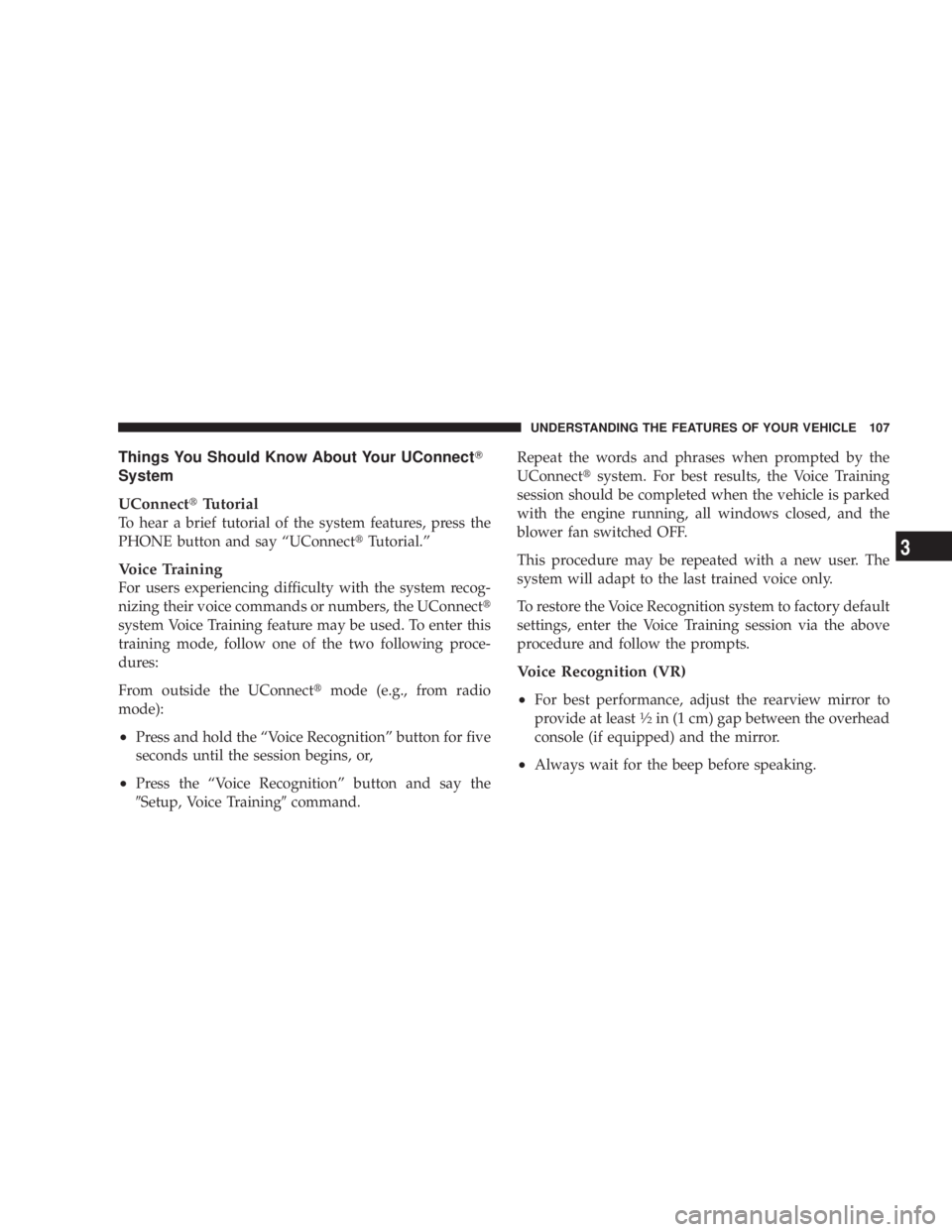
Things You Should Know About Your UConnect T
System
UConnect t Tutorial
To hear a brief tutorial of the system features, press the
PHONE button and say ªUConnect t Tutorial.º
Voice Training
For users experiencing difficulty with the system recog-
nizing their voice commands or numbers, the UConnect t
system Voice Training feature may be used. To enter this
training mode, follow one of the two following proce-
dures:
From outside the UConnect t mode (e.g., from radio
mode):
² Press and hold the ªVoice Recognitionº button for five
seconds until the session begins, or,
² Press the ªVoice Recognitionº button and say the
9 Setup, Voice Training 9 command. Repeat the words and phrases when prompted by the
UConnect t system. For best results, the Voice Training
session should be completed when the vehicle is parked
with the engine running, all windows closed, and the
blower fan switched OFF.
This procedure may be repeated with a new user. The
system will adapt to the last trained voice only.
To restore the Voice Recognition system to factory default
settings, enter the Voice Training session via the above
procedure and follow the prompts.
Voice Recognition (VR)
² For best performance, adjust the rearview mirror to
provide at least 1
¤ 2
in (1 cm) gap between the overhead
console (if equipped) and the mirror.
² Always wait for the beep before speaking. UNDERSTANDING THE FEATURES OF YOUR VEHICLE 107
3
Page 110 of 467
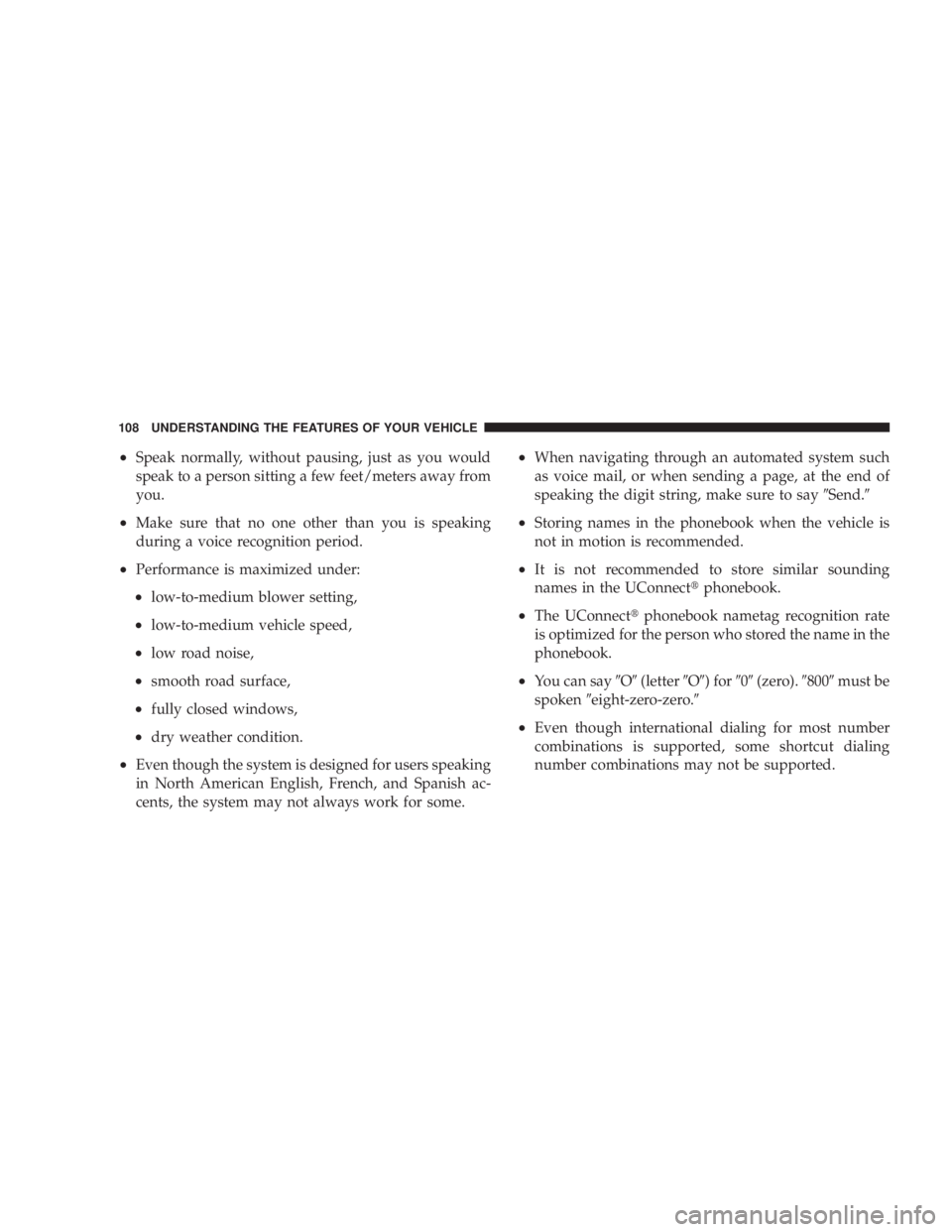
² Speak normally, without pausing, just as you would
speak to a person sitting a few feet/meters away from
you.
² Make sure that no one other than you is speaking
during a voice recognition period.
² Performance is maximized under:
² low-to-medium blower setting,
² low-to-medium vehicle speed,
² low road noise,
² smooth road surface,
² fully closed windows,
² dry weather condition.
² Even though the system is designed for users speaking
in North American English, French, and Spanish ac-
cents, the system may not always work for some. ² When navigating through an automated system such
as voice mail, or when sending a page, at the end of
speaking the digit string, make sure to say 9 Send. 9
² Storing names in the phonebook when the vehicle is
not in motion is recommended.
² It is not recommended to store similar sounding
names in the UConnect t phonebook.
² The UConnect t phonebook nametag recognition rate
is optimized for the person who stored the name in the
phonebook.
² You can say 9 O 9 (letter 9 O 9 ) for 9 0 9 (zero). 9 800 9 must be
spoken 9 eight-zero-zero. 9
² Even though international dialing for most number
combinations is supported, some shortcut dialing
number combinations may not be supported.108 UNDERSTANDING THE FEATURES OF YOUR VEHICLE
Page 111 of 467
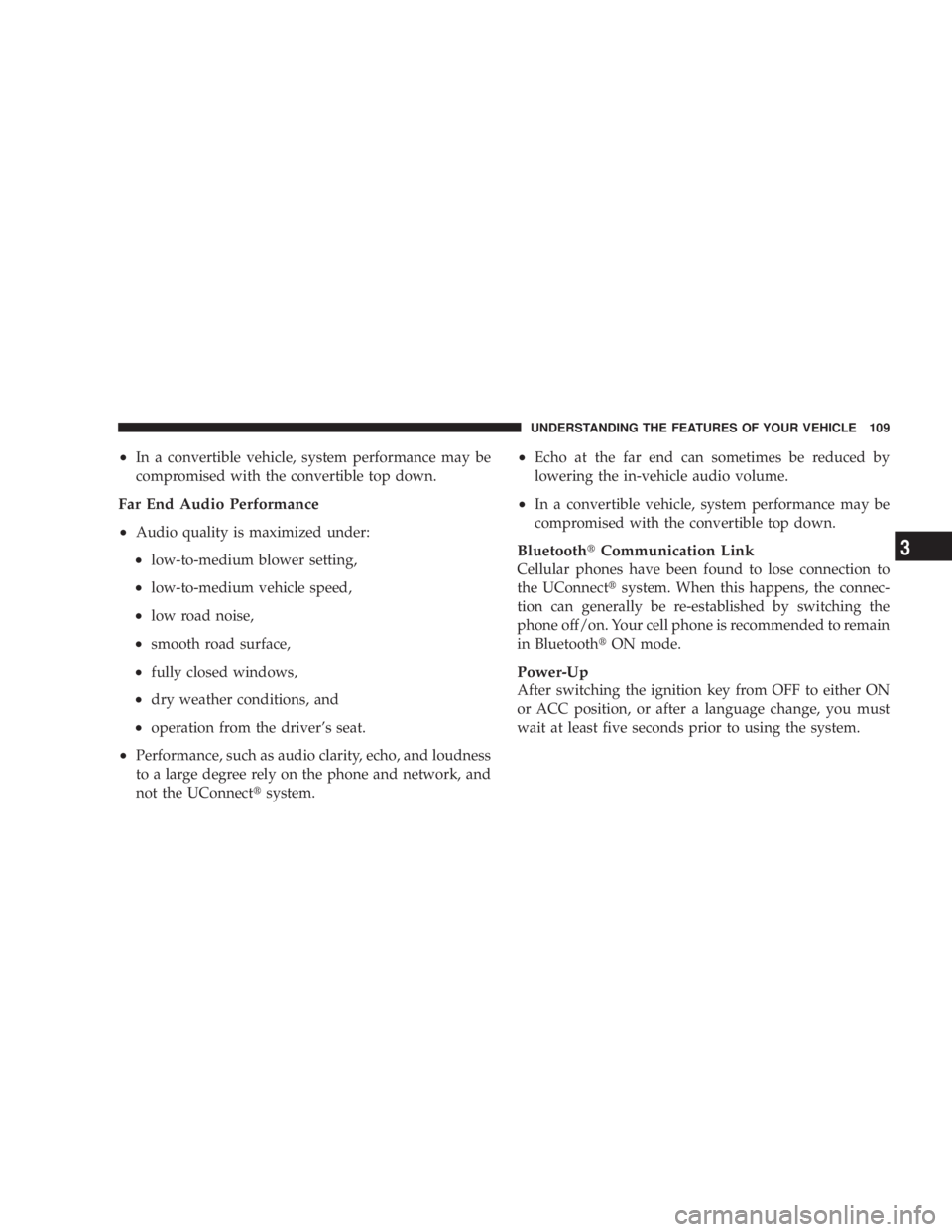
² In a convertible vehicle, system performance may be
compromised with the convertible top down.
Far End Audio Performance
² Audio quality is maximized under:
² low-to-medium blower setting,
² low-to-medium vehicle speed,
² low road noise,
² smooth road surface,
² fully closed windows,
² dry weather conditions, and
² operation from the driver's seat.
² Performance, such as audio clarity, echo, and loudness
to a large degree rely on the phone and network, and
not the UConnect t system. ² Echo at the far end can sometimes be reduced by
lowering the in-vehicle audio volume.
² In a convertible vehicle, system performance may be
compromised with the convertible top down.
Bluetooth t Communication Link
Cellular phones have been found to lose connection to
the UConnect t system. When this happens, the connec-
tion can generally be re-established by switching the
phone off/on. Your cell phone is recommended to remain
in Bluetooth t ON mode.
Power-Up
After switching the ignition key from OFF to either ON
or ACC position, or after a language change, you must
wait at least five seconds prior to using the system. UNDERSTANDING THE FEATURES OF YOUR VEHICLE 109
3
Page 116 of 467
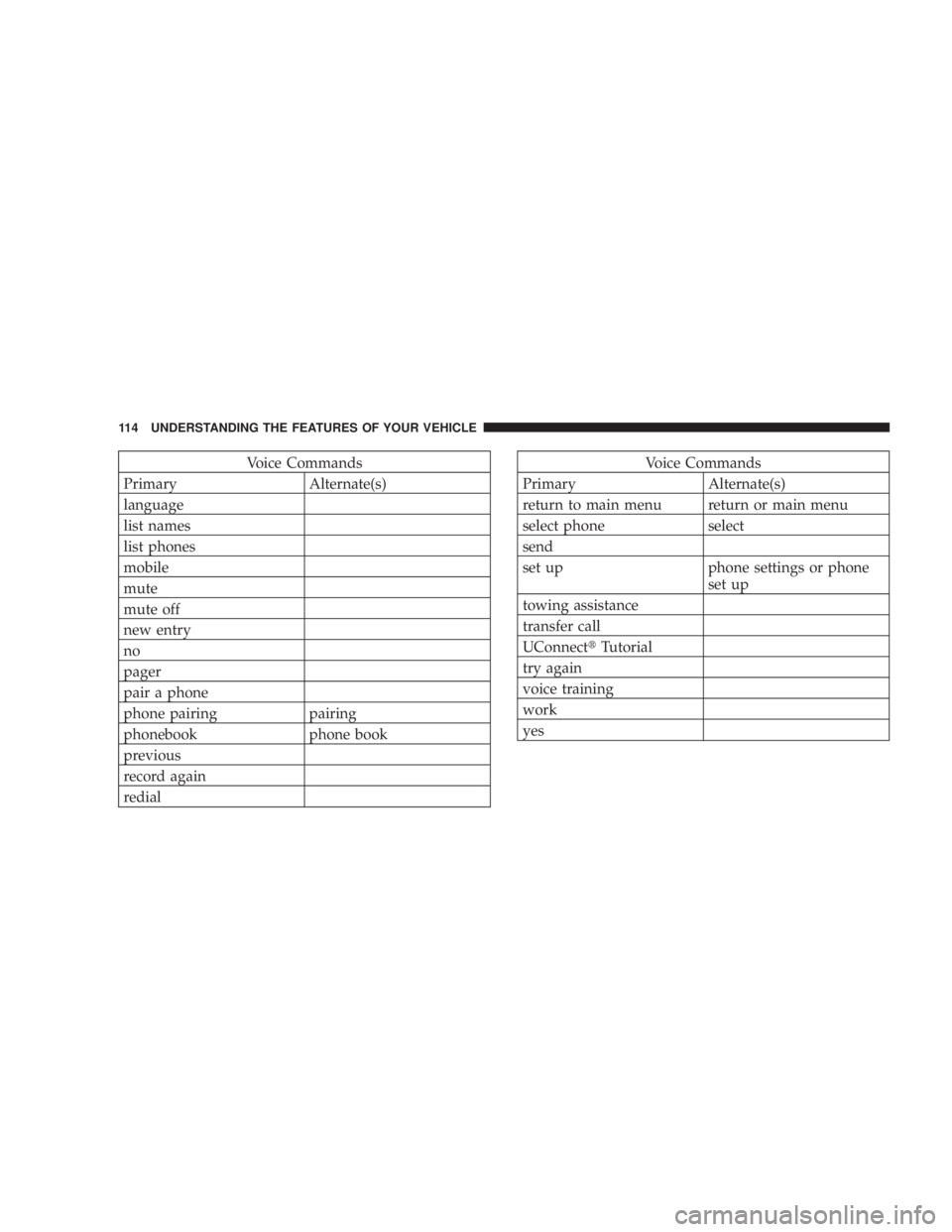
Voice Commands
Primary Alternate(s)
language
list names
list phones
mobile
mute
mute off
new entry
no
pager
pair a phone
phone pairing pairing
phonebook phone book
previous
record again
redial Voice Commands
Primary Alternate(s)
return to main menu return or main menu
select phone select
send
set up phone settings or phone
set up
towing assistance
transfer call
UConnect t Tutorial
try again
voice training
work
yes114 UNDERSTANDING THE FEATURES OF YOUR VEHICLE
Page 156 of 467
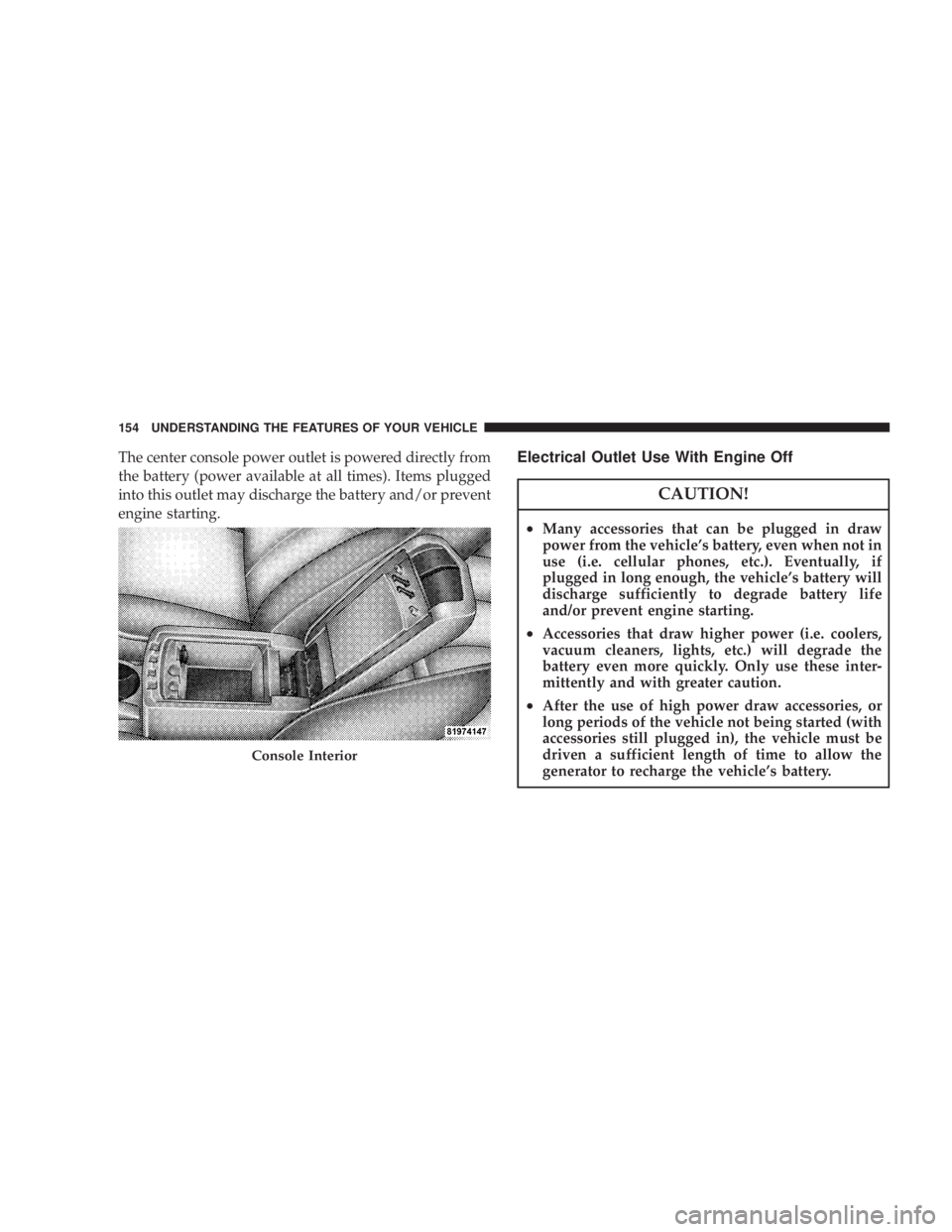
The center console power outlet is powered directly from
the battery (power available at all times). Items plugged
into this outlet may discharge the battery and/or prevent
engine starting. Electrical Outlet Use With Engine Off
CAUTION!² Many accessories that can be plugged in draw
power from the vehicle's battery, even when not in
use (i.e. cellular phones, etc.). Eventually, if
plugged in long enough, the vehicle's battery will
discharge sufficiently to degrade battery life
and/or prevent engine starting.
² Accessories that draw higher power (i.e. coolers,
vacuum cleaners, lights, etc.) will degrade the
battery even more quickly. Only use these inter-
mittently and with greater caution.
² After the use of high power draw accessories, or
long periods of the vehicle not being started (with
accessories still plugged in), the vehicle must be
driven a sufficient length of time to allow the
generator to recharge the vehicle's battery.Console Interior154 UNDERSTANDING THE FEATURES OF YOUR VEHICLE
Page 159 of 467
1. The left latch opens to the top storage area.
2. The lower bin can be accessed directly, without first
exposing the upper bin, by operating the right latch with
the armrest down.
3. The first storage bin can be used to hold smaller items.
4. The lower storage bin includes a molded-in coin
holder, room for CDs, DVDs, and a power outlet that
allows a cell phone to recharge while concealed.
NOTE: A notch in the side of the console base under the
armrest will also allow use of cell phone while still
plugged into the power outlet and with the armrest
latched down. NOTE: The power outlet located inside the console can
also energize the cigar lighter in the available Smoker's
Package.
VIDEO CONSOLE Ð IF EQUIPPED
The optional VESŸ(Video Entertainment System) in-
cludes the following components:
² The screen for a rear seat DVD player is stored under
the armrest.
² Remote Control UNDERSTANDING THE FEATURES OF YOUR VEHICLE 157
3
Page 167 of 467
m Universal Consumer Interface (UCI) Ð
If Equipped ...........................227
N Connecting The iPod t Device ............227
N Controlling The iPod t Using Radio Buttons . . . 228
N Play Mode ..........................228
N List Or Browse Mode ..................230
m Satellite Radio Ð If Equipped
(REN/REQ/RER/RES/REU Radios Only) .....231
N System Activation .....................231
N Electronic Serial Number/Sirius Identification
Number (ESN/SID) ....................232
N Selecting Satellite Mode .................233
N Satellite Antenna ......................233
N Reception Quality .....................233 N Operating Instructions - Satellite Mode ......233
N Operating Instructions - Hands-Free Phone
(If Equipped) ........................236
N Operating Instructions - Video Entertainment
System (VES t ) (If Equipped) .............236
m Remote Sound System Controls Ð If Equipped . . 236
N Operation With RES / REQ AM/FM Stereo
Radio With CD Player ..................237
N Operation With RER Multi-Media System ....238
m Video Entertainment System (VES) t Ð
If Equipped ...........................239
m Radio Operation And Cellular Phones ........241
m CD/DVD Maintenance ...................241
m Climate Controls .......................242 UNDERSTANDING YOUR INSTRUMENT PANEL 165
4
Page 189 of 467
4. Press and release the RESET button and the ªCALº
indicator will quit flashing.
5. Drive the vehicle slowly, completing one or more
circles (in an area free from large metal or metallic
objects) until the ªCALº indicator turns off. The compass
will now function normally.
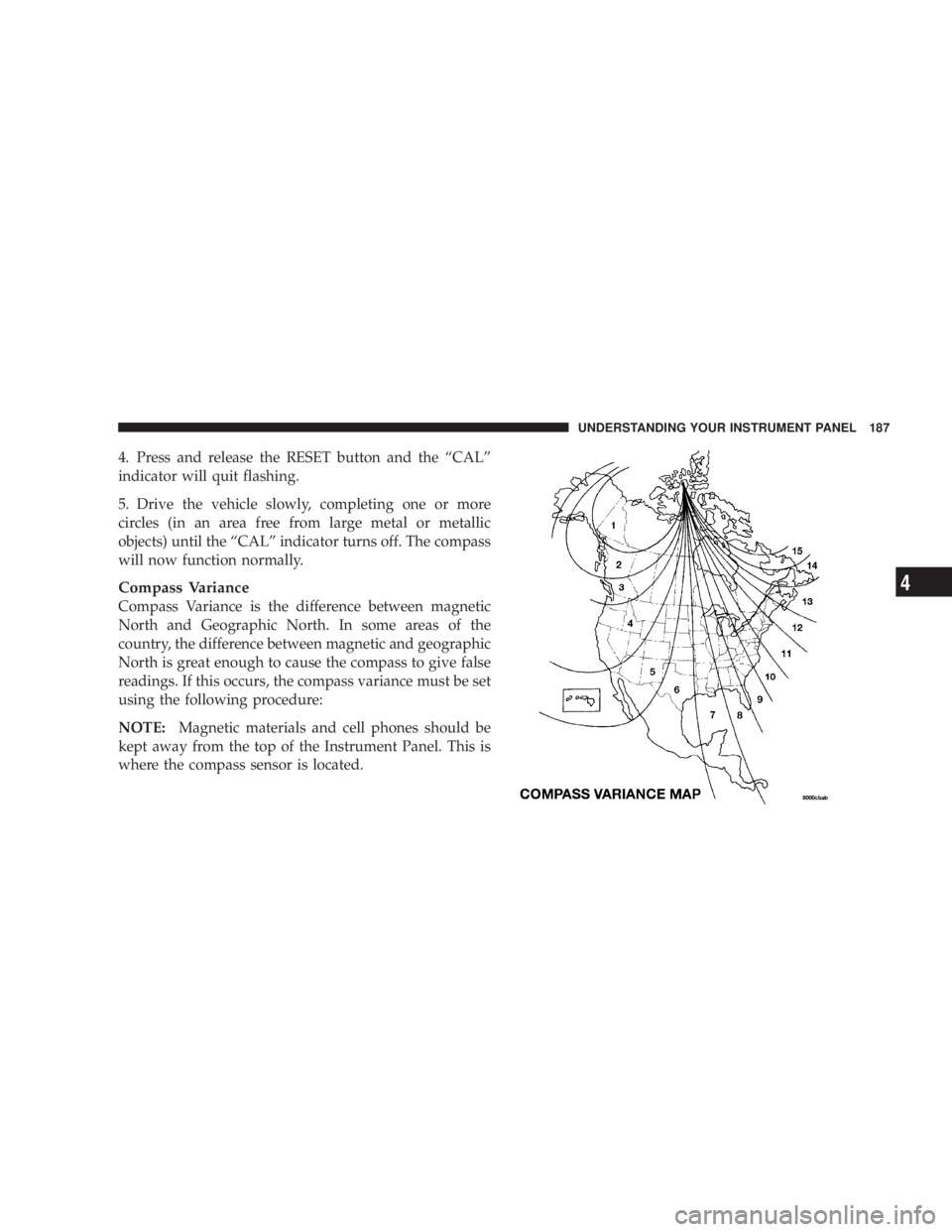
Compass Variance
Compass Variance is the difference between magnetic
North and Geographic North. In some areas of the
country, the difference between magnetic and geographic
North is great enough to cause the compass to give false
readings. If this occurs, the compass variance must be set
using the following procedure:
NOTE: Magnetic materials and cell phones should be
kept away from the top of the Instrument Panel. This is
where the compass sensor is located. UNDERSTANDING YOUR INSTRUMENT PANEL 187
4
Page 195 of 467
Power Switch/Volume Control (Rotary)
Push the On/Volume control knob to turn on the radio.
Push the On/Volume control knob a second time to turn
off the radio.
Electronic Volume Control
The electronic volume control turns continuously (360
degrees) in either direction without stopping. Turning the
On/Volume control knob to the right increases the vol-
ume and to the left decreases it.
When the audio system is turned on, the sound will be
set at the same volume level as last played.
SEEK Buttons
Press and release the SEEK buttons to search for the next
listenable station in AM/FM mode. Press the right switch
to seek up and the left switch to seek down. The radio
will remain tuned to the new station until you make
another selection. Holding either button will bypass
stations without stopping until you release it. SCAN Button
Pressing the SCAN button causes the tuner to search for
the next listenable station in AM or FM frequencies,
pausing for five seconds at each listenable station before
continuing to the next. To stop the search, press the
SCAN button a second time.
Voice Recognition System (Radio) Ð If Equipped
Refer to ªVoice Recognition System (VR)º in Section 3.
Voice Recognition Button (UConnect t Hands-Free
Phone) Ð If Equipped
Press this button to operate the Hands-Free Phone
(UConnect t ) feature (if equipped). Refer to ªHands-Free
Communication (UConnect t )º in Section 3.
If your vehicle is not equipped with or this feature is not
available on your vehicle, a ªNot Equipped With
UConnectº message will display on the radio screen. UNDERSTANDING YOUR INSTRUMENT PANEL 193
4