lock DODGE CALIBER 2006 1.G Workshop Manual
[x] Cancel search | Manufacturer: DODGE, Model Year: 2006, Model line: CALIBER, Model: DODGE CALIBER 2006 1.GPages: 322, PDF Size: 5.99 MB
Page 137 of 322
SEEK Button (Radio Mode)
Press and release the SEEK button to search for the next
listenable station in either AM/FM or Satellite (if
equipped) mode. Press the right side of the button to seek
up and the left side to seek down. The radio will remain
tuned to the new station until you make another selec-
tion. Holding the button will bypass stations without
stopping until you release it.
MUTE Button (Radio Mode)
Press the MUTE button to cancel the sound from the
speakers.9MUTE9will be displayed. Press the MUTE
button a second time and the sound from the speakers
will return. Rotating the volume control, turning the
radio ON/OFF, or turning OFF the ignition will also
return the sound from the speakers
NOTE:In Hands Free Phone (if equipped) mode, the
MUTE button mutes the microphone.
SCAN Button (Radio Mode)
Pressing the SCAN button causes the tuner to search for
the next listenable station, in either AM, FM or Satellite (ifequipped) frequencies, pausing for 5 seconds at each
listenable station before continuing to the next. To stop
the search, press SCAN a second time.
MSG or INFO Button (Radio Mode)
Press the MSG or INFO button for an RBDS station (one
with call letters displayed). The radio will return a Radio
Text message broadcast from an FM station (FM mode
only).
Time Button
Press the time button and the time of day will be
displayed for 5 seconds.
Clock Setting Procedure
1. Press and hold the time button until the hours blink.
2. Adjust the hours by turning the right side Tune /
Audio control.
3. After the hours are adjusted, press the right side Tune
/ Audio control to set the minutes. The minutes will
begin to blink.
4. Adjust the minutes using the right side Tune / Audio
control.
UNDERSTANDING YOUR INSTRUMENT PANEL 137
4
Page 138 of 322

5. To exit, press any button/knob or wait 5 seconds.
RW/FF (Radio Mode)
Pressing the rewind/fast forward button causes the tuner
to search for the next frequency in the direction of the
arrows. This feature operates in either AM, FM or Satel-
lite (if equipped) frequencies.
TUNE Control (Radio Mode)
Turn the right side rotary control clockwise to increase or
counter-clockwise to decrease the frequency.
AM/FM Button (Radio Mode)
Press the button to select AM or FM Modes.
Setting the Tone, Balance, and Fade
Press the rotary TUNE control and BASS will display.
Turn the TUNE control to the right or left to increase or
decrease the Bass tones.
Press the rotary TUNE control a second time and MID
will display. Turn the TUNE control to the right or left to
increase or decrease the Mid Range tones.Press the rotary TUNE control a third time and TREBLE
will display. Turn the TUNE control to the right or left to
increase or decrease the Treble tones.
Press the rotary TUNE control a fourth time and BAL-
ANCE will display. Turn the TUNE control to the right or
left to adjust the sound level from the right or left side
speakers.
Press the rotary TUNE control a fifth time and FADE will
display. Turn the TUNE control to the left or right to
adjust the sound level between the front and rear speak-
ers.
Press the rotary TUNE control again to exit setting tone,
balance and fade.
RND/PTY Button (Radio Mode)
Pressing this button once will turn on the PTY mode for
5 seconds. If no action is taken during the 5 second time
out the PTY icon will turn off. Pressing the PTY button or
turning the TUNE rotary knob within 5 seconds will
allow the program format type to be selected. Many radio
stations do not currently broadcast PTY information.
138 UNDERSTANDING YOUR INSTRUMENT PANEL
Page 140 of 322

SET/DIR Button (Radio Mode) Ð To Set the
Push-Button Memory
When you are receiving a station that you wish to
commit to push-button memory, press the SET/DIR
button. The symbol SET 1 will now show in the display
window. Select the button (1-6) you wish to lock onto this
station and press and release that button. If a button is
not selected within 5 seconds after pressing the SET/DIR
button, the station will continue to play but will not be
stored into push-button memory.
You may add a second station to each push-button by
repeating the above procedure with this exception: Press
the SET/DIR button twice and SET 2 will show in the
display window. Each button can be set for SET 1 and
SET 2 in both AM and FM. This allows a total of 12 AM,12
FM and 12 Satellite (if equipped) stations to be stored into
push-button memory. The stations stored in SET 2
memory can be selected by pressing the push-button
twice.
Every time a preset button is used a corresponding
button number will be displayed.
Buttons1-6(Radio Mode)
These buttons tune the Radio to the stations that you
commit to push-button memory {12AM, 12 FM, and 12
Satellite (if equipped) stations}.
Operation Instructions - (CD MODE for CD Audio
Play)
NOTE:
The ignition switch must be in the ON or ACC
position to operate the radio.
NOTE:Note: This Radio is capable of playing compact
discs (CD), recordable compact discs (CD-R), rewritable
compact discs (CD-RW) compact discs with MP3 tracks
and multisession compact discs with CD and MP3 tracks.
Inserting Compact Disc(s)
Gently insert one CD into the CD player with the CD
label facing up. The CD will automatically be pulled into
the CD Player and the CD icon will illuminate on the
radio display.
140 UNDERSTANDING YOUR INSTRUMENT PANEL
Page 148 of 322

Press the right side of the button to seek up and the left
side to seek down. The radio will remained tuned to the
new station until you make another selection. Holding
the button and will bypass stations without stopping
until you release it.
SCAN Button (Radio Mode)
Pressing the SCAN button causes the tuner to search for
the next station, in either AM, FM or Satellite (if
equipped) frequencies, pausing for 5 seconds (satellite
scan 8 seconds) at each listenable station before continu-
ing to the next. To stop the search, press SCAN a second
time.
Time Button
Press the time button and the time of day will display for
5 seconds.
Clock Setting Procedure
1. Press and hold the time button until the hours blink.
2. Adjust the hours by turning the right side Tune/
Audio control.3. After the hours are adjusted, press the right side
Tune/Audio control to set the minutes. The minutes will
begin to blink.
4. Adjust the minutes using the right side Tune/Audio
control.
5. To exit, press any button/knob or wait 5 seconds.
INFO Button (Radio Mode)
Press the INFO button for an RBDS station (one with call
letters displayed). The radio will return a Radio Text
message broadcast (if available) from an FM station (FM
mode only).
RW/FF (Radio Mode)
Pressing the rewind/fast forward button causes the tuner
to search for the next frequency in the direction of the
arrows. This feature operates in either AM, FM or Satel-
lite (if equipped) frequencies.
TUNE Control (Radio Mode)
Turn the right side rotary control to increase or decrease
the frequency.
148 UNDERSTANDING YOUR INSTRUMENT PANEL
Page 160 of 322

A CD or tape may remain in the radio while in the
Satellite radio mode.
Selecting a Channel
Press and release the SEEK or TUNE knob to search for
the next channel. Press the top of the button to search up
and the bottom of the button to search down. Holding the
TUNE button causes the radio to bypass channels until
the button is released.
Press and release the SCAN button (if equipped) to
automatically change channels every 7 seconds. The
radio will pause on each channel for 7 seconds before
moving on to the next channel. The word9SCAN9will
appear in the display between each channel change. Press
the SCAN button a second time to stop the search.
NOTE:Channels that may contain objectionable con-
tent can be blocked. Contact Sirius Customer Care at
888-539-7474 to discuss options for channel blocking or
unblocking. Please have your ESN/SID information
available.
Storing and Selecting Pre-Set Channels
In addition to the 12 AM and 12 FM pre-set stations, you
may also commit 12 satellite stations to push button
memory. These satellite channel pre-set stations will not
erase any AM or FM pre-set memory stations. Follow the
memory pre-set procedures that apply to your radio.
Using the PTY (Program Type) Button (if
equipped)
Follow the PTY button instructions that apply to your
radio.
PTY Button(SCAN(
When the desired program type is obtained, press the
9SCAN9button within five seconds. The radio will play 7
seconds of the selected channel before moving to the next
channel of the selected program type. Press the9SCAN9
button a second time to stop the search.
NOTE:Pressing the9SEEK9or9SCAN9button while
performing a music type scan will change the channel by
one and stop the search. Pressing a pre-set memory
button during a music type scan, will call up the memory
channel and stop the search.
160 UNDERSTANDING YOUR INSTRUMENT PANEL
Page 161 of 322
PTY Button(SEEK(
When the desired program is obtained, press the9SEEK9
button within five seconds. The channel will change to
the next channel that matches the program type selected.
Satellite Antenna
To ensure optimum reception, do not place items on the
roof around the rooftop antenna location. Metal objects
placed within the line of sight of the antenna will cause
decreased performance. Larger luggage items should be
placed as far forward as possible. Do not place items
directly on or above the antenna. The luggage rack (if
equipped), should also not be positioned directly above
the antenna.
Reception Quality
Satellite reception may be interrupted due to one of the
following reasons.
²The vehicle is parked in an underground parking
structure or under a physical obstacle.
²Dense tree coverage may interrupt reception in the
form of short audio mutes.
²Driving under wide bridges or along tall buildings can
cause intermittent reception.
²Placing objects over or too close to the antenna can
cause signal blockage.
REMOTE SOUND SYSTEM CONTROLS Ð IF
EQUIPPED
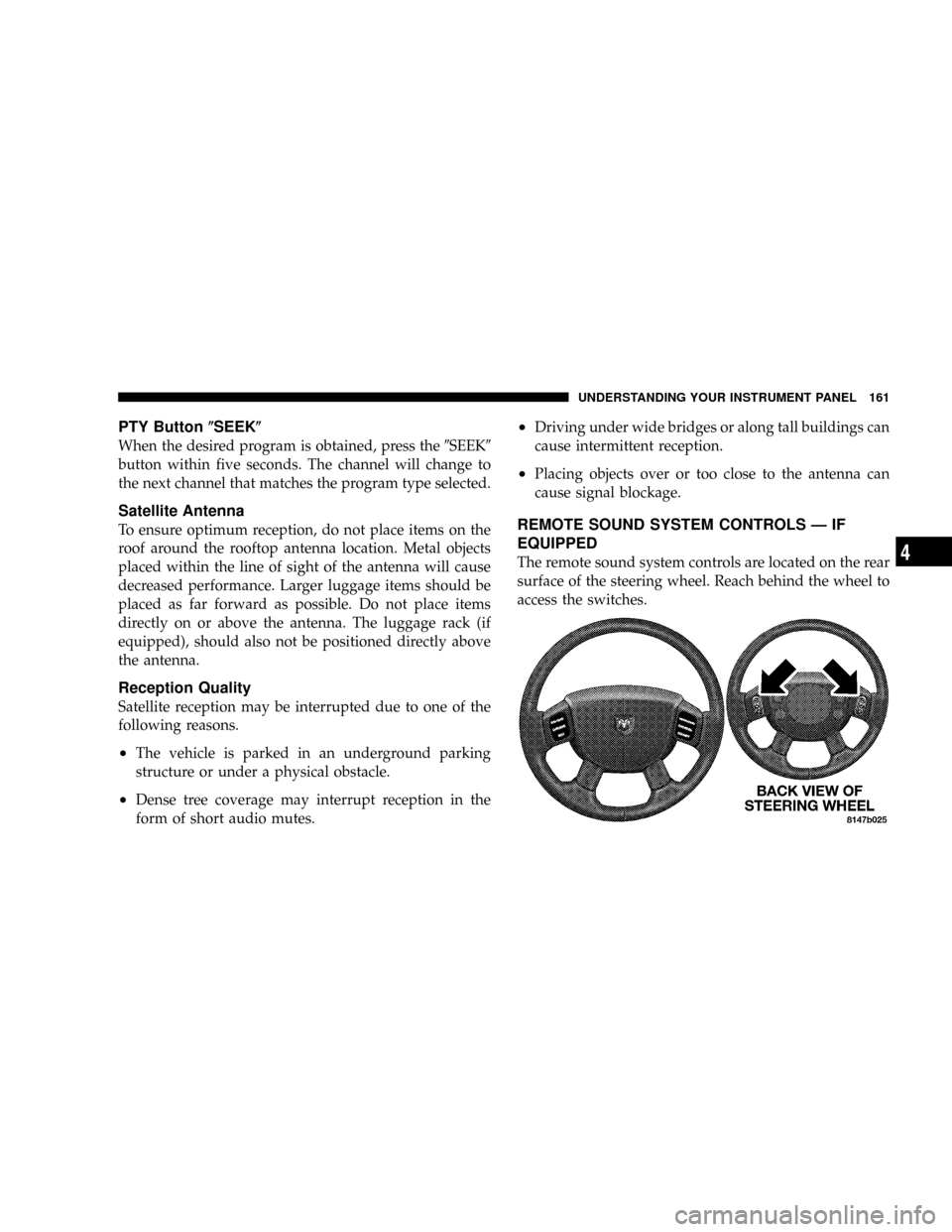
The remote sound system controls are located on the rear
surface of the steering wheel. Reach behind the wheel to
access the switches.
UNDERSTANDING YOUR INSTRUMENT PANEL 161
4
Page 167 of 322
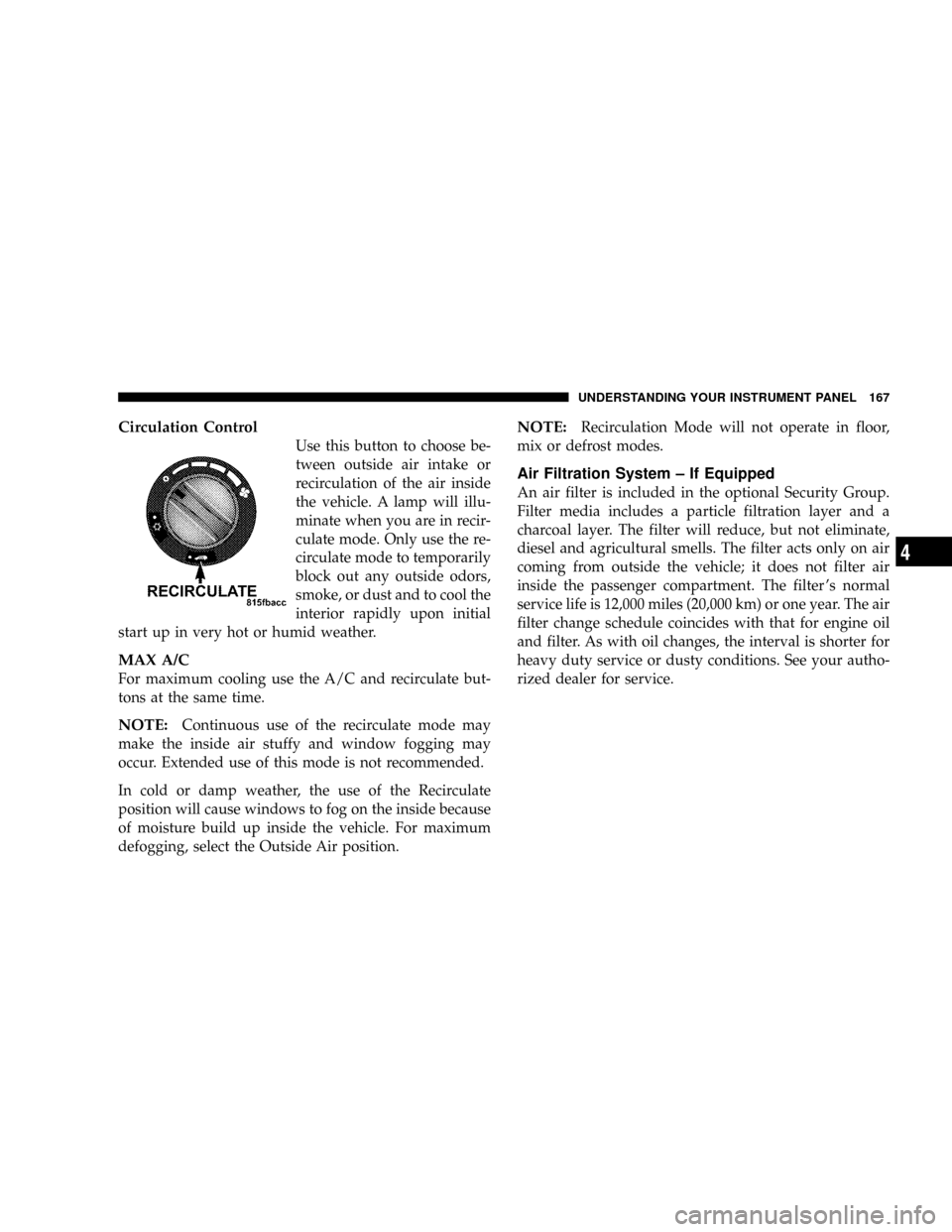
Circulation Control
Use this button to choose be-
tween outside air intake or
recirculation of the air inside
the vehicle. A lamp will illu-
minate when you are in recir-
culate mode. Only use the re-
circulate mode to temporarily
block out any outside odors,
smoke, or dust and to cool the
interior rapidly upon initial
start up in very hot or humid weather.
MAX A/C
For maximum cooling use the A/C and recirculate but-
tons at the same time.
NOTE:Continuous use of the recirculate mode may
make the inside air stuffy and window fogging may
occur. Extended use of this mode is not recommended.
In cold or damp weather, the use of the Recirculate
position will cause windows to fog on the inside because
of moisture build up inside the vehicle. For maximum
defogging, select the Outside Air position.
NOTE:Recirculation Mode will not operate in floor,
mix or defrost modes.
Air Filtration System ± If Equipped
An air filter is included in the optional Security Group.
Filter media includes a particle filtration layer and a
charcoal layer. The filter will reduce, but not eliminate,
diesel and agricultural smells. The filter acts only on air
coming from outside the vehicle; it does not filter air
inside the passenger compartment. The filter 's normal
service life is 12,000 miles (20,000 km) or one year. The air
filter change schedule coincides with that for engine oil
and filter. As with oil changes, the interval is shorter for
heavy duty service or dusty conditions. See your autho-
rized dealer for service.
UNDERSTANDING YOUR INSTRUMENT PANEL 167
4
Page 171 of 322
STARTING AND OPERATING
CONTENTS
mStarting Procedures....................174
NAutomatic Transaxle...................174
NManual Transaxle.....................174
NNormal Starting......................174
NExtremely Cold Weather
(Below220ÉF Or229ÉC)................175
NIf Engine Fails To Start.................175
NAfter Starting........................176
mAutomatic Transaxle Ð If Equipped........176
NBrake/Transmission Interlock System.......177
NAutomatic Transaxle Ignition Interlock
System.............................177NGear Ranges For Continuously Variable Automatic
Transaxle (Cvt).......................177
mAutoStick Ð If Equipped................179
NAutoStick Operation...................179
NAutoStick General Information............179
mManual Transaxle Operation..............180
NRecommended Shift Speeds..............181
NDownshifting........................182
mAll Wheel Drive System Ð If Equipped.....183
mParking Brake.........................183
mBrake System.........................185
5
Page 172 of 322

NAnti-Lock Brake System (ABS) Ð
If Equipped.........................186
mPower Steering........................188
mTire Safety Information..................189
NTire Markings........................189
NTire Identification Number (TIN)..........193
NTire Loading And Tire Pressure...........194
mTiresÐGeneral Information...............198
NTire Pressure.........................198
NTire Inflation Pressures.................199
NRadial-Ply Tires......................201
NCompact Spare Tire Ð If Equipped.........201
NLimited Use Spare Ð If Equipped.........202
NTire Spinning........................202
NTread Wear Indicators..................203
NLife Of Tire.........................204NReplacement Tires.....................204
NAlignment And Balance.................205
mTire Pressure Monitoring System (TPMS) -
Premium System Ð If Equipped
...........206
NTire Pressure Monitoring System (TPMS)
Operation...........................206
NGeneral Information...................209
mTire Chains...........................209
mSnow Tires...........................209
mTire Rotation Recommendations...........210
mFuel Requirements.....................211
NGasoline Engines.....................211
NReformulated Gasoline.................211
NGasoline/Oxygenate Blends..............211
NMMT In Gasoline.....................212
NMaterials Added To Fuel................212
172 STARTING AND OPERATING
Page 175 of 322
WARNING!
Do not attempt to push or tow your vehicle to get it
started. Vehicles equipped with an automatic trans-
axle cannot be started this way. Unburned fuel could
enter the catalytic converter and once the engine has
started, ignite and damage the converter and vehicle.
If the vehicle has a discharged battery, booster cables
may be used to obtain a start from another vehicle.
This type of start can be dangerous if done improp-
erly, so follow the procedure carefully. See section 6
of this manual for jump starting instructions.
Extremely Cold Weather (below220ÉF or229ÉC)
To insure reliable starting at these temperatures, use of an
externally powered electric engine block heater (available
from your dealer) is recommended.
If Engine Fails to Start
If the engine fails to start after you have followed the
ªNORMAL STARTINGº procedure, it may be flooded.
Push the accelerator pedal all the way to the floor and
hold it there. Crank the engine for no more than 15seconds. This should clear any excess fuel in case the
engine is flooded. Leave the ignition key in the ON
position, release the accelerator pedal and repeat the
ªNORMAL STARTINGº procedure.
WARNING!
Never pour fuel or other flammable liquid into the
throttle body air inlet opening in an attempt to start
the vehicle. This could result in flash fire causing
serious personal injury.
CAUTION!
To prevent damage to the starter, do not crank the
engine for more than 15 seconds at a time. Wait 10 to
15 seconds before trying again.
STARTING AND OPERATING 175
5