light DODGE CALIBER 2006 1.G Manual PDF
[x] Cancel search | Manufacturer: DODGE, Model Year: 2006, Model line: CALIBER, Model: DODGE CALIBER 2006 1.GPages: 322, PDF Size: 5.99 MB
Page 242 of 322
ONBOARD DIAGNOSTIC SYSTEM Ð OBD II
Your vehicle is equipped with a sophisticated onboard
diagnostic system called OBD II. This system monitors
the performance of the emissions, engine, and automatic
transmission control systems. When these systems are
operating properly, your vehicle will provide excellent
performance and fuel economy, as well as engine emis-
sions well within current government regulations.
If any of these systems require service, the OBD II system
will turn on the ªMalfunction Indicator Light.º It will
also store diagnostic codes and other information to
assist your service technician in making repairs. Al-
though your vehicle will usually be drivable and not
need towing, see your dealer for service as soon as
possible.CAUTION!
²Prolonged driving with the ªMalfunction Indica-
tor Lightº on could cause further damage to the
emission control system. It could also affect fuel
economy and driveability. The vehicle must be
serviced before any emissions tests can be per-
formed.
²If the ªMalfunction Indicator Lightº is flashing
while the engine is running, severe catalytic con-
verter damage and power loss will soon occur.
Immediate service is required.
Loose Fuel Filler Cap Message
After fuel is added, the vehicle diagnostic system can
determine if the fuel filler cap is loose or improperly
installed. A GASCAP message will be displayed in the
instrument cluster. Tighten the gas cap until a9clicking9
sound is heard. This is an indication that the gas cap is
properly tightened. Press the odometer reset button to
turn the message off. If the problem persists, the message
will appear the next time the vehicle is started. This
242 MAINTAINING YOUR VEHICLE
Page 243 of 322
might indicate a damaged cap. If the problem is detected
twice in a row, the system will turn on the Malfunction
Indicator Light (MIL). Resolving the problem will turn
the MIL light off.
EMISSIONS INSPECTION AND MAINTENANCE
PROGRAMS
In some localities, it may be a legal requirement to pass
an inspection of your vehicle's emissions control system.
Failure to pass could prevent vehicle registration.
For states which have an I/M (Inspection and
Maintenance) requirement, this check verifies the
following: the MIL (Malfunction Indicator Lamp)
is functioning and is not on when the engine is running,
and that the OBD (On Board Diagnostic) system is ready
for testing.
Normally, the OBD system will be ready. The OBD
system maynotbe ready if your vehicle was recently
serviced, if you recently had a dead battery, or a battery
replacement. If the OBD system should be determined
not ready for the I/M test, your vehicle may fail the test.Your vehicle has a simple ignition key actuated test
which you can use prior to going to the test station. To
check if your vehicle's OBD system is ready, you must do
the following:
1. Insert your ignition key into the ignition switch.
2. Turn the ignition to the ON position, but do not crank
or start the engine.
3. If you crank or start the engine, you will have to start
this test over.
4. As soon as you turn your key to the ON position, you
will see your MIL symbol come on as part of a normal
bulb check.
5. Approximately 15 seconds later, one of two things will
happen:
a. The MIL will flash for about 10 seconds and then
return to being fully illuminated until you turn off
the ignition key or start the engine. This means that
your vehicle's OBD system isnot readyand you
shouldnotproceed to the I/M station.
MAINTAINING YOUR VEHICLE 243
7
Page 268 of 322
WARNING!
Do not use volatile solvents for cleaning purposes.
Many are potentially flammable, and if used in
closed areas they may cause respiratory harm.
Cleaning Headlights
Your vehicle has plastic headlights that are lighter and
less susceptible to stone breakage than glass headlights.
Plastic is not as scratch resistant as glass and therefore
different lens cleaning procedures must be followed.
To minimize the possibility of scratching the lenses and
reducing light output, avoid wiping with a dry cloth. To
remove road dirt, wash with a mild soap solution fol-
lowed by rinsing.
Do not use abrasive cleaning components, solvents, steel
wool or other aggressive material to clean the lenses.
Glass Surfaces
All glass surfaces should be cleaned on a regular basis
with Mopar Glass Cleaner or any commercial household-
type glass cleaner. Never use an abrasive type cleaner.Use caution when cleaning the inside rear window
equipped with electric defrosters or the right rear quarter
window equipped with the radio antenna. Do not use
scrapers or other sharp instruments which may scratch
the elements. When cleaning the rear view mirror, spray
cleaner on the towel or rag that you are using. Do not
spray cleaner directly on the mirror.
Instrument Panel Cover
The instrument panel cover has a low glare surface which
minimizes reflections in the windshield. Do not use
protectants or other products which may cause undesir-
able reflections. Use soap and warm water to restore the
low glare surface.
Cleaning Plastic Instrument Cluster Lenses
The lenses in front of the instruments in this vehicle are
molded in clear plastic. When cleaning the lenses, care
must be taken to avoid scratching the plastic.
1. Clean with a wet soft rag. A mild soap solution may be
used, but do not use high alcohol content or abrasive
cleaners. If soap is used, wipe clean with a clean damp
rag.
268 MAINTAINING YOUR VEHICLE
Page 270 of 322
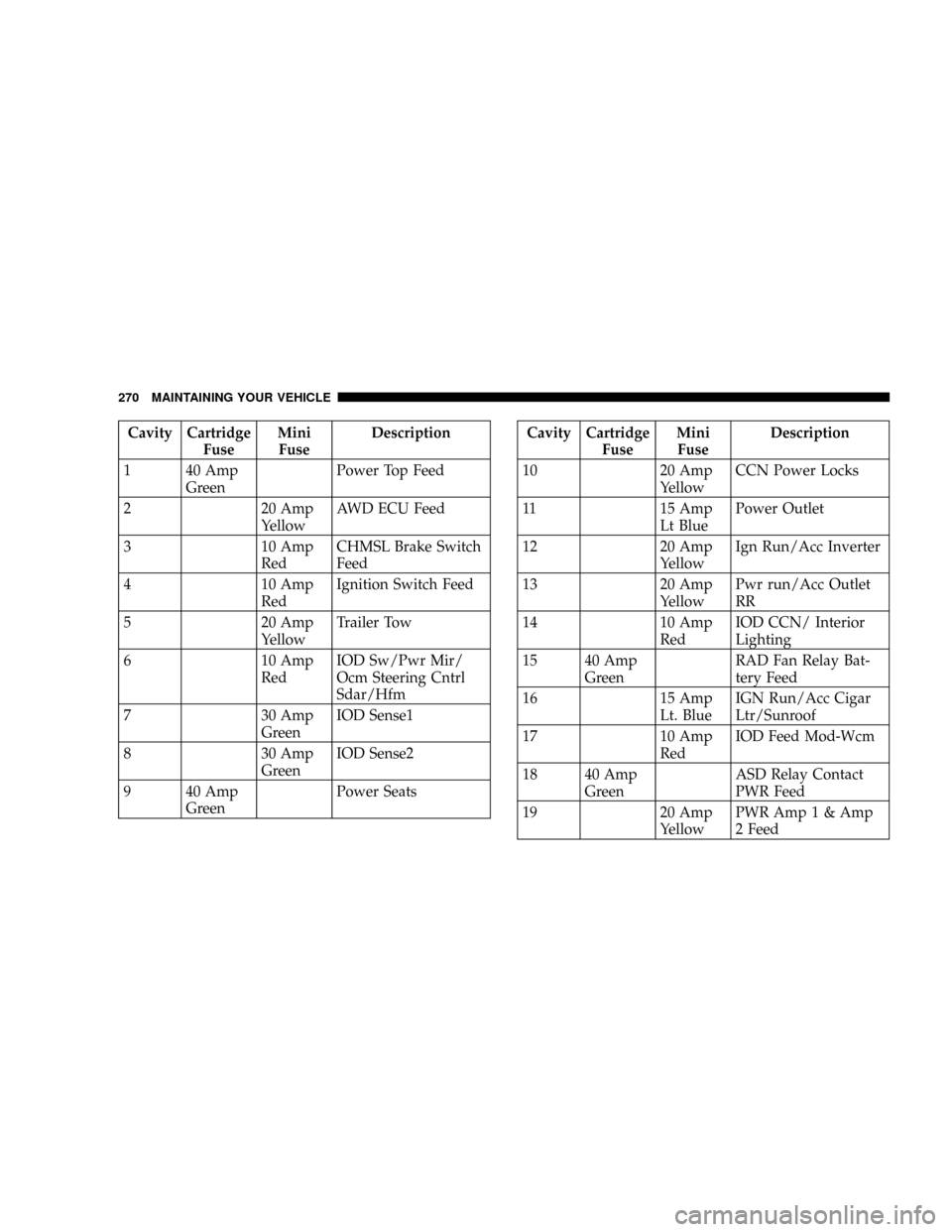
Cavity Cartridge
FuseMini
FuseDescription
1 40 Amp
GreenPower Top Feed
2 20 Amp
YellowAWD ECU Feed
3 10 Amp
RedCHMSL Brake Switch
Feed
4 10 Amp
RedIgnition Switch Feed
5 20 Amp
YellowTrailer Tow
6 10 Amp
RedIOD Sw/Pwr Mir/
Ocm Steering Cntrl
Sdar/Hfm
7 30 Amp
GreenIOD Sense1
8 30 Amp
GreenIOD Sense2
9 40 Amp
GreenPower SeatsCavity Cartridge
FuseMini
FuseDescription
10 20 Amp
YellowCCN Power Locks
11 15 Amp
Lt BluePower Outlet
12 20 Amp
YellowIgn Run/Acc Inverter
13 20 Amp
YellowPwr run/Acc Outlet
RR
14 10 Amp
RedIOD CCN/ Interior
Lighting
15 40 Amp
GreenRAD Fan Relay Bat-
tery Feed
16 15 Amp
Lt. BlueIGN Run/Acc Cigar
Ltr/Sunroof
17 10 Amp
RedIOD Feed Mod-Wcm
18 40 Amp
GreenASD Relay Contact
PWR Feed
19 20 Amp
YellowPWR Amp 1 & Amp
2 Feed
270 MAINTAINING YOUR VEHICLE
Page 272 of 322
CAUTION!
²When installing the Integrated Power Module
cover, it is important to ensure the cover is prop-
erly positioned and fully latched. Failure to do so
may allow water to get into the Integrated Power
Module, and possibly result in an electrical sys-
tem failure.
²When replacing a blown fuse, it is important to
use only a fuse having the correct amperage
rating. The use of a fuse with a rating other than
indicated may result in a dangerous electrical
system overload. If a properly rated fuse contin-
ues to blow, it indicates a problem in the circuit
that must be corrected.
VEHICLE STORAGE
If you will not be using your vehicle for more than 21
days you may want to take steps to preserve your battery.
You may:
²Disengage the mini fuse in the Power Distribution
Center labeled IOD (Ignition Off-Draw).
²Or, disconnect the negative cable from the battery.
REPLACEMENT BULBS
All the inside bulbs are brass or glass wedge base.
Aluminum base bulbs are not approved and should not
be used for replacement.
LIGHT BULBS Ð Interior Bulb Number
Front Header Lamp......................T578
Center Dome Lamp......................T578
Rear Cargo/Flashlight.................8±A35LF
272 MAINTAINING YOUR VEHICLE
Page 273 of 322
LIGHTS BULBS Ð Outside Bulb No.
Low Beam/High Beam Headlight............ H13
Front Park/Turn Signal/Side Marker Light. . . 3157AK
Front Fog Light.........................9145
Center High Mounted Stop Light
(CHMSL)...................... LEDAssembly
Rear Tail/Stop..........................3157
Rear Turn Signal......................3157AK
Backup Light.....................W16W (921)
License Light.......................... W5W
BULB REPLACEMENT
Headlights/Front Parking/Front Turn Signal
See your Authorized Dealer for replacement.
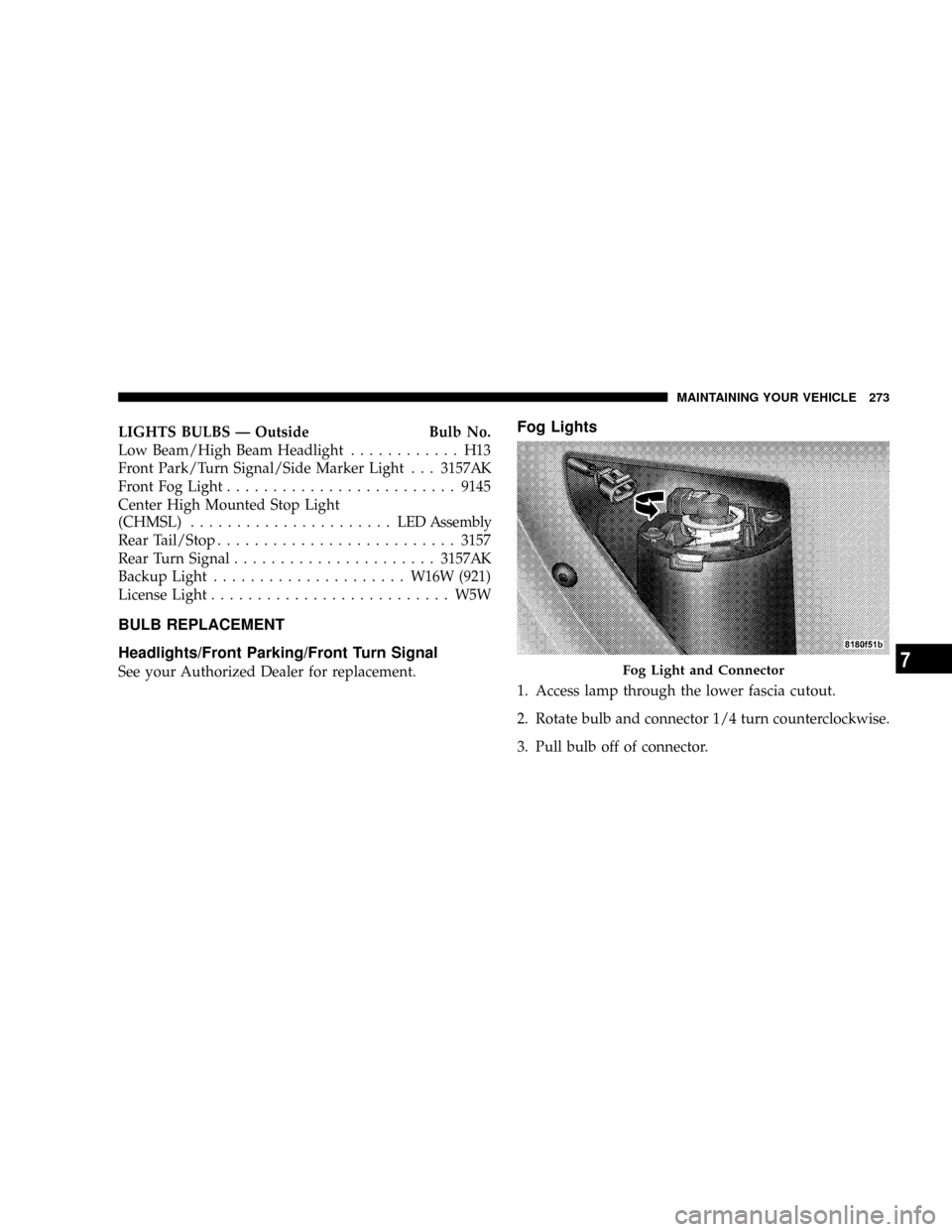
Fog Lights
1. Access lamp through the lower fascia cutout.
2. Rotate bulb and connector 1/4 turn counterclockwise.
3. Pull bulb off of connector.
Fog Light and Connector
MAINTAINING YOUR VEHICLE 273
7
Page 274 of 322

Tail Lights, Rear Turn Signals And Backup Lights
Ð Replacement
1. Remove the two push-pins from the tail light housing.
Removing Push-Pins
Push-Pins Removed
274 MAINTAINING YOUR VEHICLE
Page 276 of 322

4. Remove bulb from socket and replace.License Lights
1. Use a screw driver to gently pry against the side of the
snap tab to remove the lamp from the liftgate.
Removing Bulb From Socket
Prying Lamp from Liftgate.
276 MAINTAINING YOUR VEHICLE
Page 277 of 322
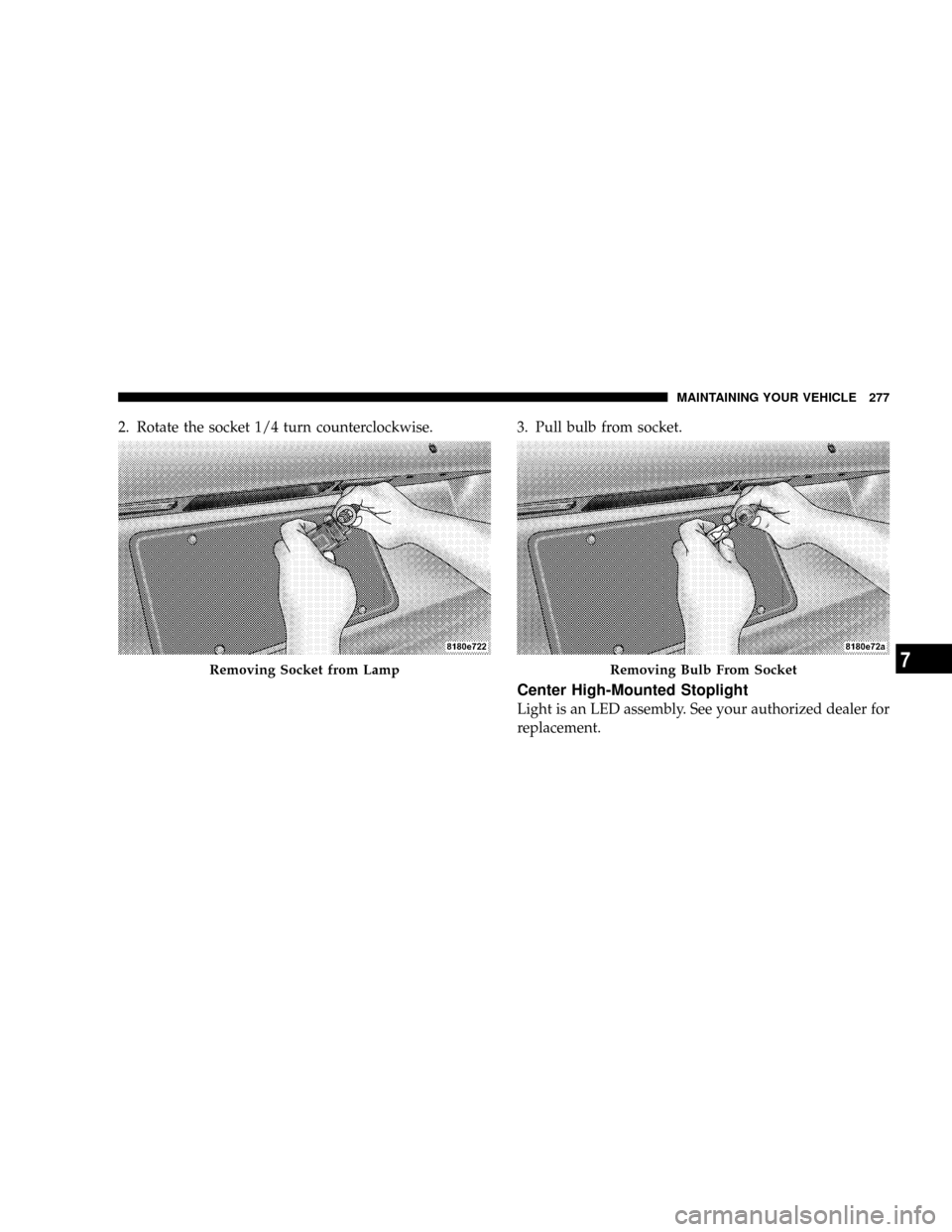
2. Rotate the socket 1/4 turn counterclockwise. 3. Pull bulb from socket.
Center High-Mounted Stoplight
Light is an LED assembly. See your authorized dealer for
replacement.
Removing Socket from LampRemoving Bulb From Socket
MAINTAINING YOUR VEHICLE 277
7
Page 284 of 322
²Check the fluid levels of coolant reservoir, brake
master cylinder, and transmission and add as needed.
²Check all lights and all other electrical items for correct
operation.
At Each Oil Change
²
Change the engine oil filter.
²Inspect the exhaust system.
²Inspect the brake hoses.
²Inspect the CV joints (if equipped) and front suspen-
sion components.
²Check the manual transmission fluid level (if
equipped).
²Check the coolant level, hoses, and clamps.
CAUTION!
Do not check the automatic transaxle fluid. It must
be check by a trained service technician every 15,000
miles and if required only the recommended fluid
be added. Refer to the section ªFluids, Lubricants
And Genuine Partsº for the proper fluid.
284 MAINTENANCE SCHEDULES
8
M
A
I
N
T
E
N
A
N
C
E
S
C
H
E
D
U
L
E
S