door lock DODGE CARAVAN 2008 5.G User Guide
[x] Cancel search | Manufacturer: DODGE, Model Year: 2008, Model line: CARAVAN, Model: DODGE CARAVAN 2008 5.GPages: 531, PDF Size: 7.72 MB
Page 27 of 531
Open/Close Power Left Power Sliding Door Ð If
Equipped
Press the Left Power Sliding Door button twice on the
RKE transmitter within five seconds to Open/Close
Power Left Power Sliding Door. If the button is pushed
while the door is being power-closed, the door will
reverse to the full open position.
Open/Close Power Right Power Sliding Door Ð If
Equipped
Press the Right Power Sliding Door button twice on the
RKE transmitter within five seconds to Open/Close
Power Right Power Sliding Door. If the button on the
RKE transmitter is pushed while the door is being power
closed, the door will reverse to the full open position.
Turn Off Flash Lights With Remote Key Lock Ð If
Equipped
If desired, the Flash Lights With Remote Key Lock feature
can be turned on and off by performing the following
procedure:
1. Perform this operation while standing outside the
vehicle.
2. Press the UNLOCK button on the RKE transmitter for
five to ten seconds.
3. While the UNLOCK button on the RKE transmitter is
pressed, (after five seconds) press the LOCK button.
Release both buttons.
The Flash Lights with Remote Key Lock feature can be
reactivated by repeating this procedure or by performing
the procedure in Section Four, ªElectronic Vehicle Infor-
mation Center (EVIC), Customer Programmable Fea-
turesº on vehicles so equipped.
THINGS TO KNOW BEFORE STARTING YOUR VEHICLE 25
2
Page 28 of 531
The table below explains the Lamp Flash options.
FunctionWhich Turn
Signal LampsNumber of
Flashes
Lock All 1
Unlock 1st Press Left Side 2
Unlock All
DoorsAll 2
Left Side Left Side 2
Right Side Right Side 2
Liftgate All 2
Programming Additional RKE Transmitters
Refer to Sentry KeytImmobilizer System ªCustomer
Key Programming.º
If you do not have a programmed RKE transmitter,
contact your authorized dealer for details.
Replacing the RKE Transmitter Battery
The recommended replacement battery is one CR2032
battery.
NOTE:
Perchlorate Material Ð special handling may ap-
ply. See: www.dtsc.ca.gov/hazardouswaste/perchlorate.
NOTE:Do not touch the battery terminals that are on
the back housing or the printed circuit board.
1. Battery access is through a door located on the rear of
the RKE transmitter. Insert a small, flat bladed screw-
driver into the slot and gently pry open the access door.
26 THINGS TO KNOW BEFORE STARTING YOUR VEHICLE
Page 31 of 531
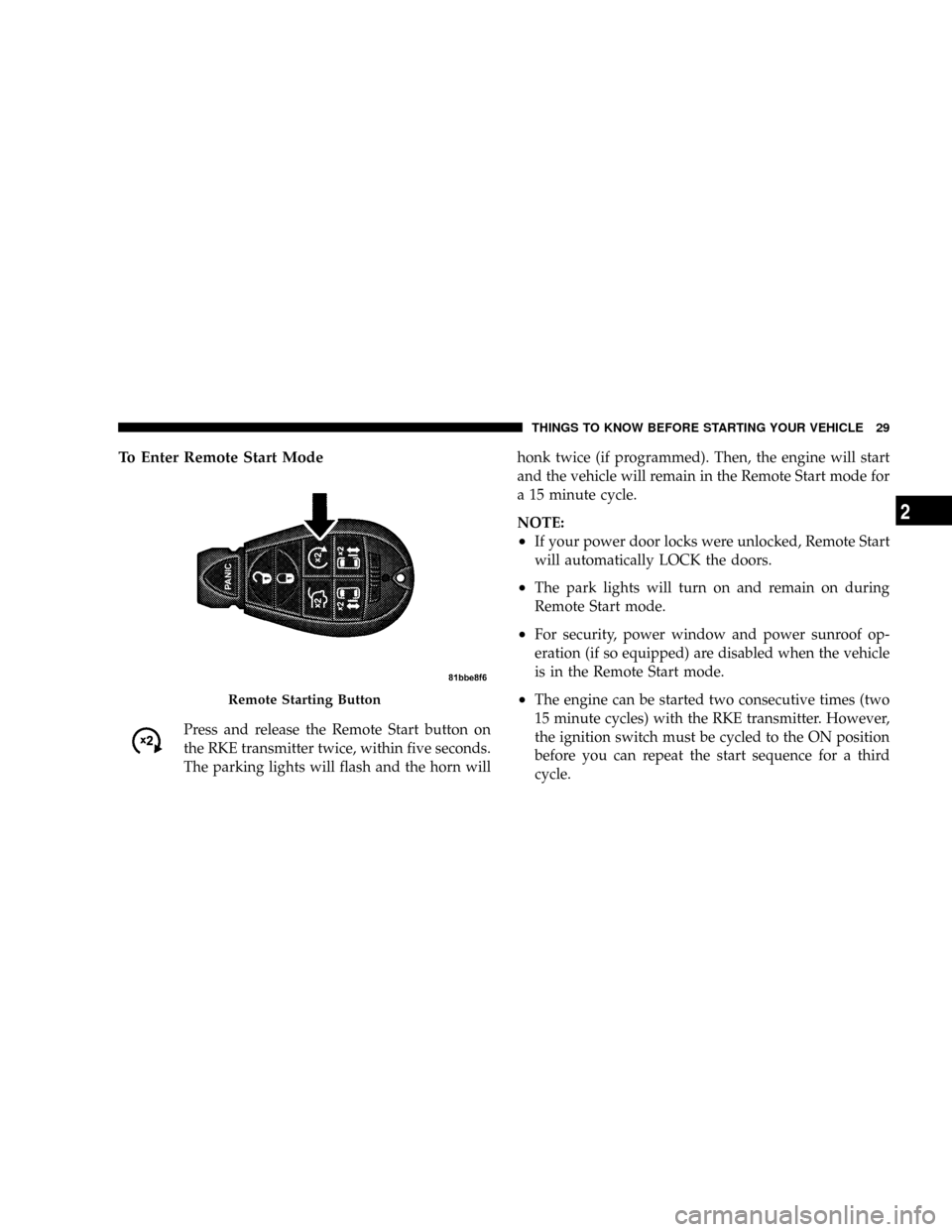
To Enter Remote Start Mode
Press and release the Remote Start button on
the RKE transmitter twice, within five seconds.
The parking lights will flash and the horn willhonk twice (if programmed). Then, the engine will start
and the vehicle will remain in the Remote Start mode for
a 15 minute cycle.
NOTE:
²If your power door locks were unlocked, Remote Start
will automatically LOCK the doors.
²The park lights will turn on and remain on during
Remote Start mode.
²For security, power window and power sunroof op-
eration (if so equipped) are disabled when the vehicle
is in the Remote Start mode.
²The engine can be started two consecutive times (two
15 minute cycles) with the RKE transmitter. However,
the ignition switch must be cycled to the ON position
before you can repeat the start sequence for a third
cycle.Remote Starting Button
THINGS TO KNOW BEFORE STARTING YOUR VEHICLE 29
2
Page 32 of 531
To Enter the Vehicle After Remote Start
To enter the vehicle while the engine is running during a
Remote Start, you must first unlock the vehicle using the
UNLOCK button on the transmitter. After the vehicle is
unlocked, you have 60 seconds to enter the vehicle, insert
the key into the ignition switch and move it to the RUN
position, otherwise the engine will cancel Remote Start-
ing and automatically turn off.
To Exit Remote Start Mode and Drive the Vehicle
Before the end of the 15 minute cycle, press and release
the UNLOCK button on the RKE transmitter to unlock
the doors and disarm the Vehicle Security Alarm (if
equipped). Then, prior to the end of the 15 minute cycle,
insert the key into the ignition switch and turn the switch
to the ON position.
NOTE:
²The ignition switch must be in the ON position in
order to drive the vehicle.
²For vehicles equipped with the Electronic Vehicle
Information Center (EVIC), the message ªInsert Key/
Turn To Runº will flash in the EVIC until you insert
the key. Once inserted, the message ªTurn To Runº
will flash in the EVIC until you turn the key to run.
Cancel Remote Start
Remote Starting will also cancel if any of the following
occur:
²The engine stalls or RPM exceeds 2500.
²Any engine warning telltale lights come on.
²The hood is opened.
²The Hazard Switch is pressed.
²The transmission gear selector lever is moved out of
PARK.
²Pressing the brake pedal.
²Allow the engine to run for the entire 15 minute cycle.
30 THINGS TO KNOW BEFORE STARTING YOUR VEHICLE
Page 33 of 531
To Turn Off the Engine While in Remote Start
Mode
Press and release the Remote Start button one time.
NOTE:To avoid inadvertent shut downs, the system
will disable the one time press of the Remote Start button
for two seconds after receiving a valid Remote Start
request.
When To Reset Remote Start
The vehicle can be started remotely up to a maximum of
two times. The vehicle is also allowed a maximum of one
failed start, where the Remote Starting sequence was
initiated but the engine stopped cranking without start-
ing. After either of these conditions, or if the Security
Alarm System is alarming, or if the PANIC button was
pressed, the vehicle must be reset by inserting a valid key
into the ignition switch, rotating to the RUN position,
and then rotating back to the LOCK/OFF position.
DOOR LOCKS
MANUAL DOOR LOCKS
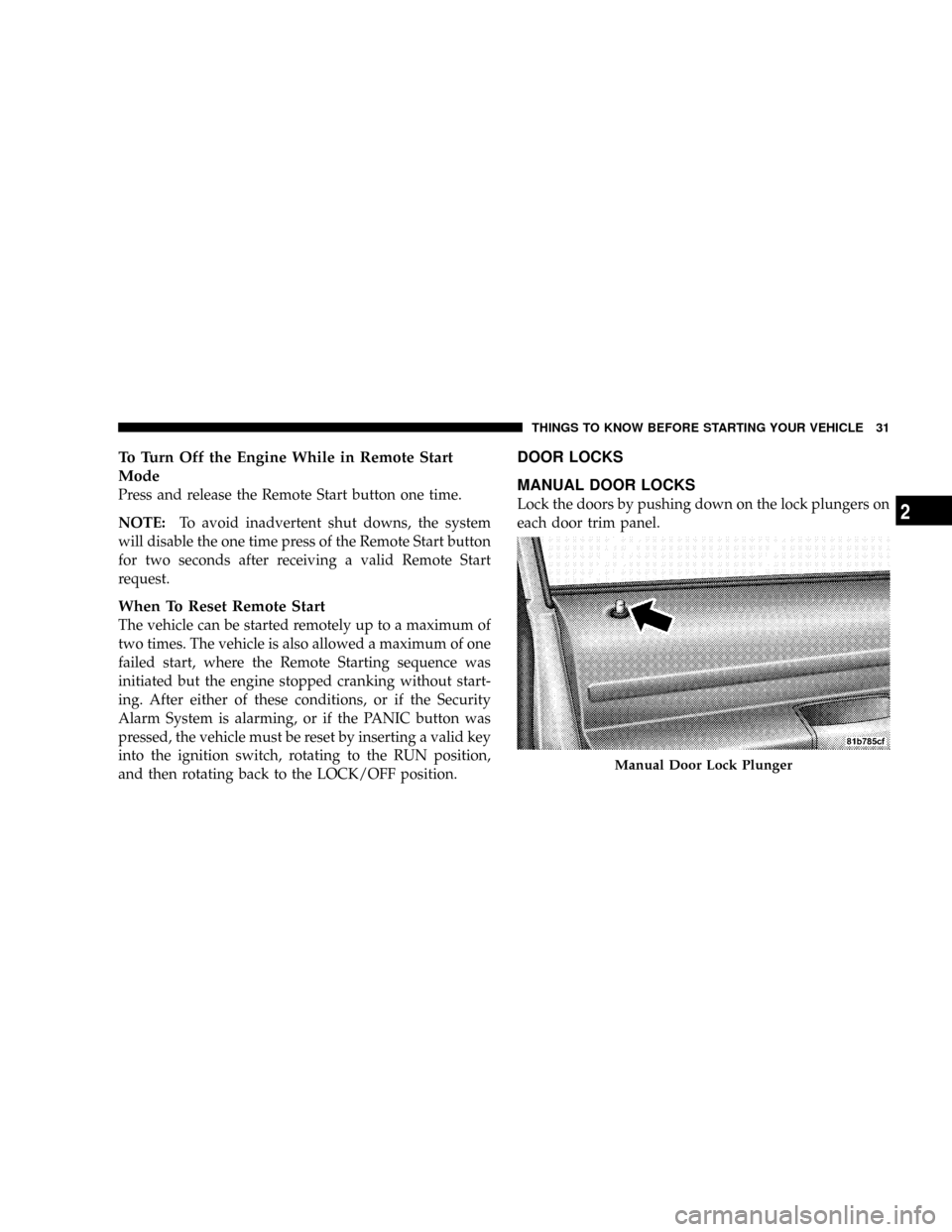
Lock the doors by pushing down on the lock plungers on
each door trim panel.
Manual Door Lock Plunger
THINGS TO KNOW BEFORE STARTING YOUR VEHICLE 31
2
Page 34 of 531
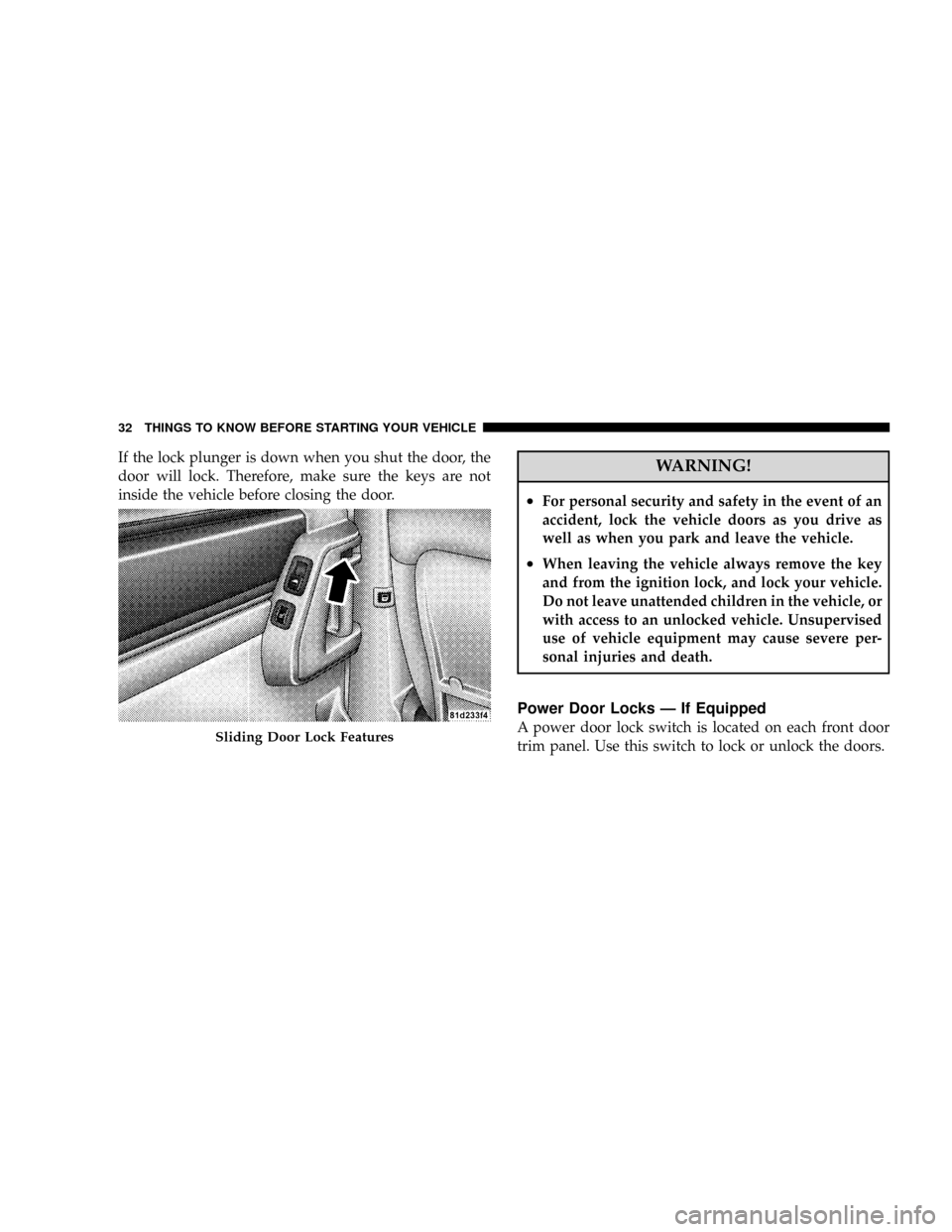
If the lock plunger is down when you shut the door, the
door will lock. Therefore, make sure the keys are not
inside the vehicle before closing the door.WARNING!
²For personal security and safety in the event of an
accident, lock the vehicle doors as you drive as
well as when you park and leave the vehicle.
²When leaving the vehicle always remove the key
and from the ignition lock, and lock your vehicle.
Do not leave unattended children in the vehicle, or
with access to an unlocked vehicle. Unsupervised
use of vehicle equipment may cause severe per-
sonal injuries and death.
Power Door Locks Ð If Equipped
A power door lock switch is located on each front door
trim panel. Use this switch to lock or unlock the doors.Sliding Door Lock Features
32 THINGS TO KNOW BEFORE STARTING YOUR VEHICLE
Page 35 of 531
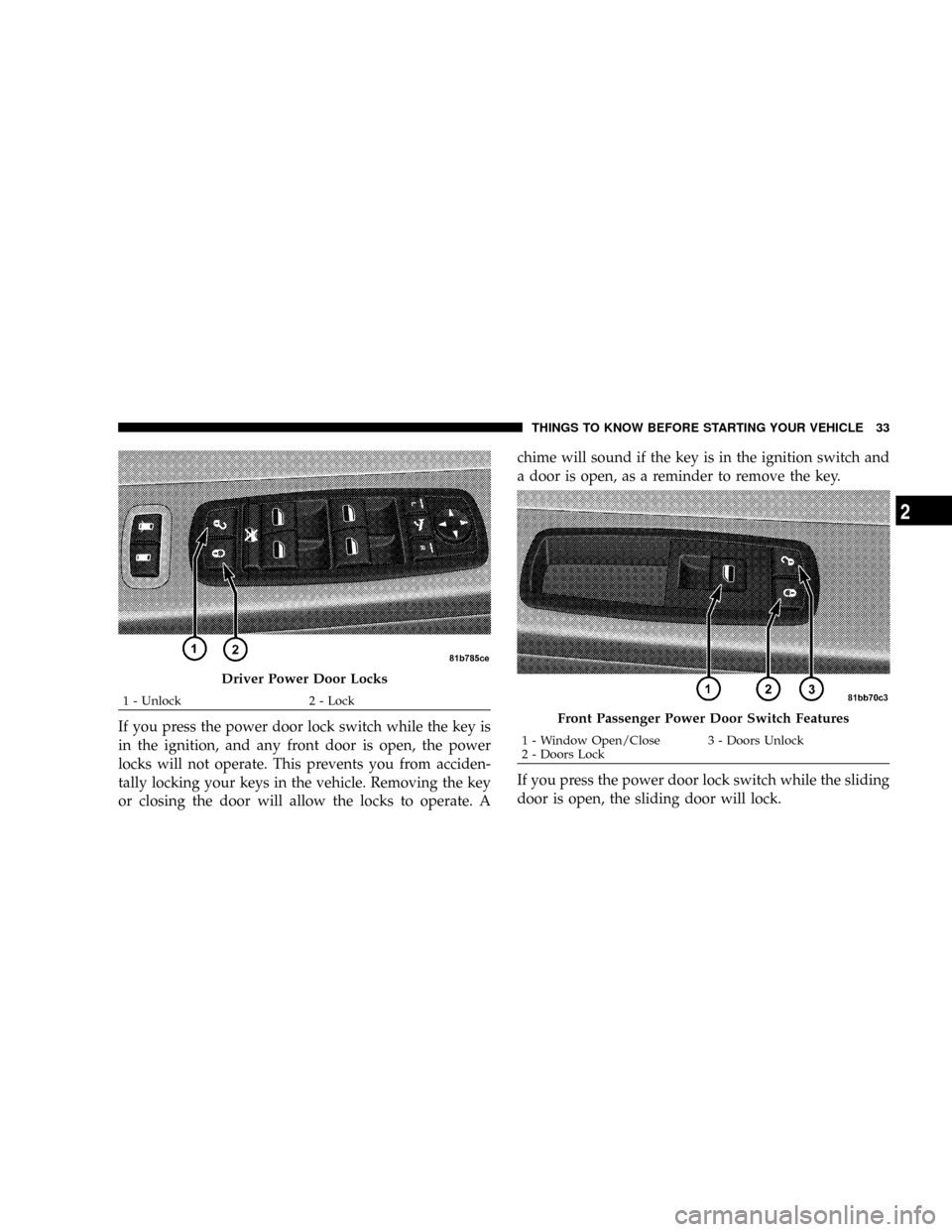
If you press the power door lock switch while the key is
in the ignition, and any front door is open, the power
locks will not operate. This prevents you from acciden-
tally locking your keys in the vehicle. Removing the key
or closing the door will allow the locks to operate. Achime will sound if the key is in the ignition switch and
a door is open, as a reminder to remove the key.
If you press the power door lock switch while the sliding
door is open, the sliding door will lock.
Driver Power Door Locks
1 - Unlock 2 - Lock
Front Passenger Power Door Switch Features
1 - Window Open/Close 3 - Doors Unlock
2 - Doors LockTHINGS TO KNOW BEFORE STARTING YOUR VEHICLE 33
2
Page 36 of 531
Lock Doors Automatically Ð If Equipped
If the Lock Doors Automatically feature is enabled, your
door locks will lock automatically when the vehicle's
speed exceeds 15 mph (24 km/h).
The Lock Doors Automatically feature is enabled when
your vehicle is shipped from the assembly plant and can
be disabled by using the following procedure:
²On Electronic Vehicle Information Center (EVIC)
equipped vehicles, refer to9Personal Settings9in the
EVIC section of this manual.
²On non EVIC-equipped vehicles perform the follow-
ing steps:
1. Enter your vehicle and close all doors.
2. Fasten your seat belt. (Fastening the seat belt will
cancel any chiming that may confuse you during this
programming procedure.)3. Place the key into the ignition.
4. Within 15 seconds cycle the ignition key from the OFF
position to the ON/RUN position a minimum of four
times, ending in the OFF position(do not start the
engine).
5. Within 30 seconds, press the driver's door lock switch
in the lock direction.
6. A single chime will be heard to indicate the feature has
been disabled.
7. To reactivate this feature, repeat the above steps.
8. If a chime is not heard, the program mode was
canceled before the feature could be disabled. If neces-
sary, repeat the above procedure.
34 THINGS TO KNOW BEFORE STARTING YOUR VEHICLE
Page 37 of 531
The Lock Doors Automatically at 15 mph (24 km/h)
feature can be reactivated by repeating the above men-
tioned procedure or by performing the procedure in the
EVIC, Customer Programmable Features section on ve-
hicles so equipped.
Unlock Doors Automatically On Exit Ð If
Equipped
The Unlock Doors Automatically On Exit feature unlocks
all of the doors of the vehicle when any door is opened.
This will occur only after the gear selector lever has been
shifted into the PARK position after the vehicle has been
driven (the gear selector lever has been shifted out of
PARK and all doors closed).
The Unlock Doors Automatically On Exit feature will not
operate if there is any manual operation of the power
door locks (lock or unlock).The Unlock Doors Automatically On Exit feature can be
enabled or disabled by performing the following proce-
dure:
1. Enter your vehicle and close all doors.
2. Fasten your seat belt. (Fastening the seat belt will
cancel any chimes that may be confusing during this
programming procedure.)
3. Insert the key into the ignition switch.
4. Within 15 seconds, cycle the ignition key from the OFF
position to the ON/RUN position a minimum of four
times ending in the OFF position(Do not start the
engine).
5. Within 30 seconds, press the driver's door lock switch
in the unlock direction.
6. A single chime will sound to indicate the feature has
been changed.
THINGS TO KNOW BEFORE STARTING YOUR VEHICLE 35
2
Page 38 of 531
7. To reactivate this feature, repeat the above steps.
8. If a chime is not heard, the program mode was
canceled before the feature could be changed. If neces-
sary, repeat the above procedure.
The Unlock Doors Automatically On Exit feature can be
reactivated by repeating the above mentioned procedure
or by performing the procedure in the EVIC, Customer
Programmable Features section on vehicles so equipped.
NOTE:Use the Lock Doors Automatically at 15 mph (24
km/h) and Unlock Doors Automatically On Exit features
in accordance with local laws.WINDOWS
POWER VENT WINDOWS Ð IF EQUIPPED
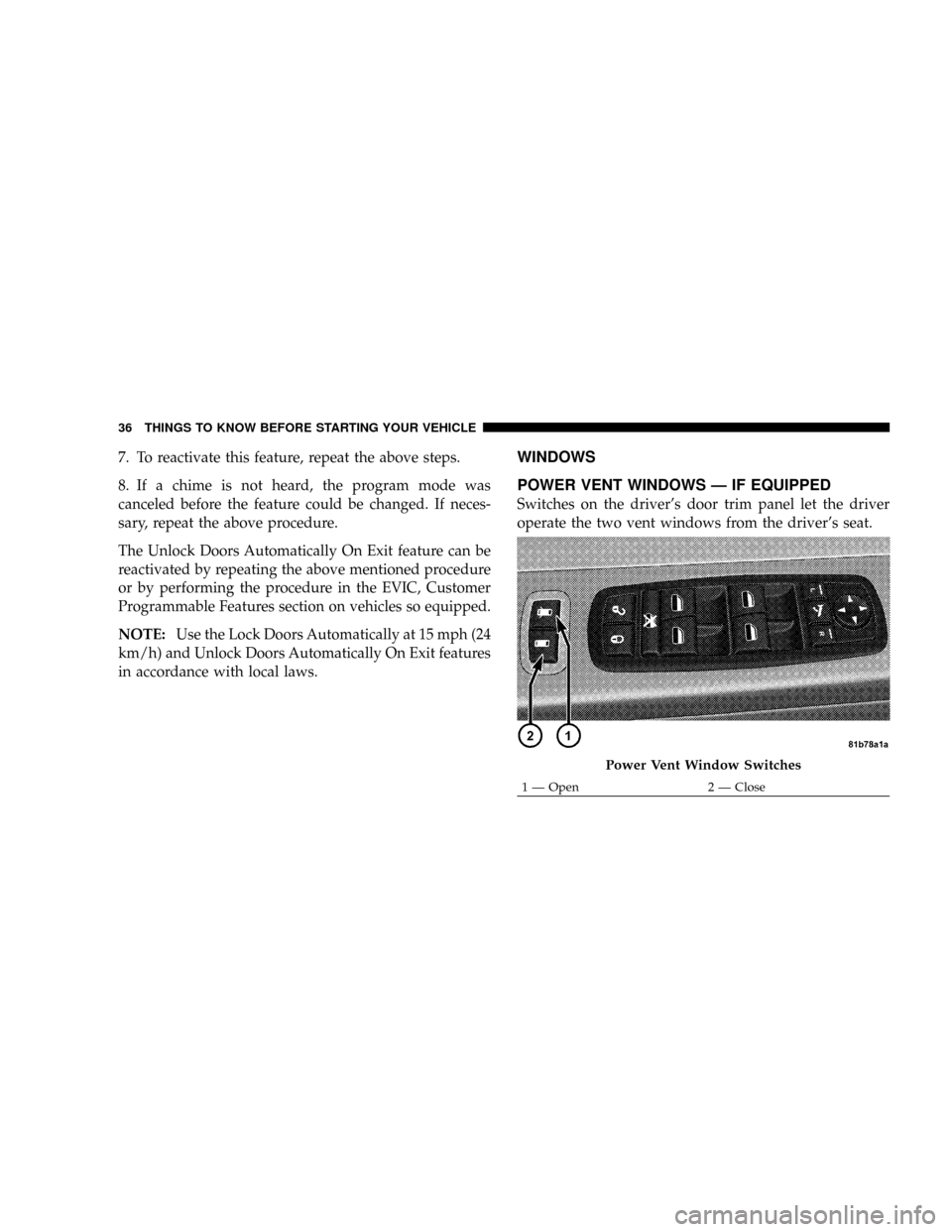
Switches on the driver's door trim panel let the driver
operate the two vent windows from the driver's seat.
Power Vent Window Switches
1 Ð Open 2 Ð Close 36 THINGS TO KNOW BEFORE STARTING YOUR VEHICLE