keyless DODGE CARAVAN 2008 5.G User Guide
[x] Cancel search | Manufacturer: DODGE, Model Year: 2008, Model line: CARAVAN, Model: DODGE CARAVAN 2008 5.GPages: 531, PDF Size: 7.72 MB
Page 50 of 531
LIFTGATE
On vehicles equipped with power locks, the liftgate can
be unlocked using the Remote Keyless Entry (RKE)
transmitter button, or by activating the power door lock
switches located on the front doors.
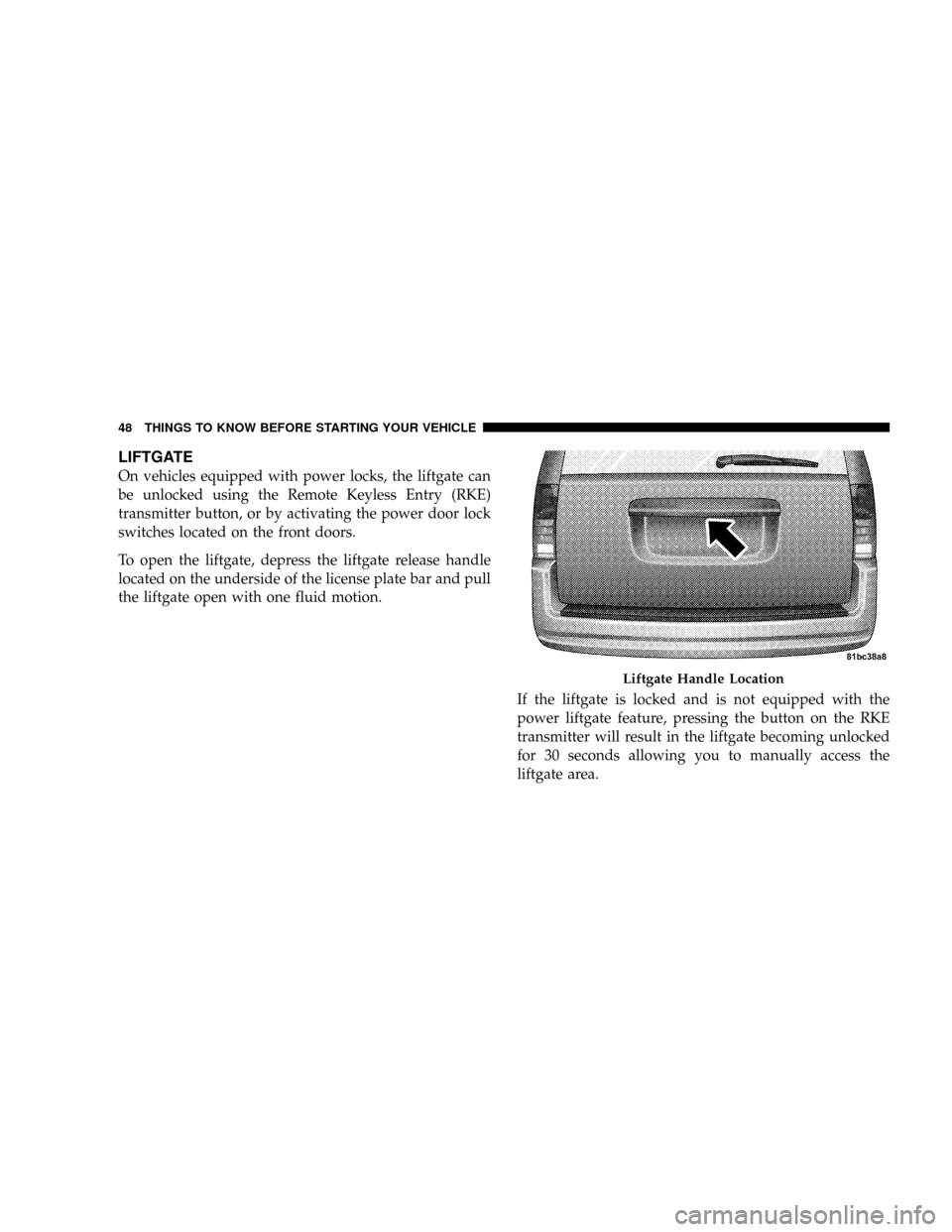
To open the liftgate, depress the liftgate release handle
located on the underside of the license plate bar and pull
the liftgate open with one fluid motion.
If the liftgate is locked and is not equipped with the
power liftgate feature, pressing the button on the RKE
transmitter will result in the liftgate becoming unlocked
for 30 seconds allowing you to manually access the
liftgate area.
Liftgate Handle Location
48 THINGS TO KNOW BEFORE STARTING YOUR VEHICLE
Page 51 of 531
POWER LIFTGATE Ð IF EQUIPPED
The power liftgate may be opened manually or by using
the button on the Remote Keyless Entry (RKE) transmit-
ter. Press the button on the transmitter twice within five
seconds, to open the power liftgate. When the liftgate is
fully open, pressing the button twice within five seconds,
a second time, will close the liftgate.
When the RKE transmitter button is pressed and the
Flash Lights feature is enabled, the tail lights will flash to
signal that the liftgate is opening or closing.
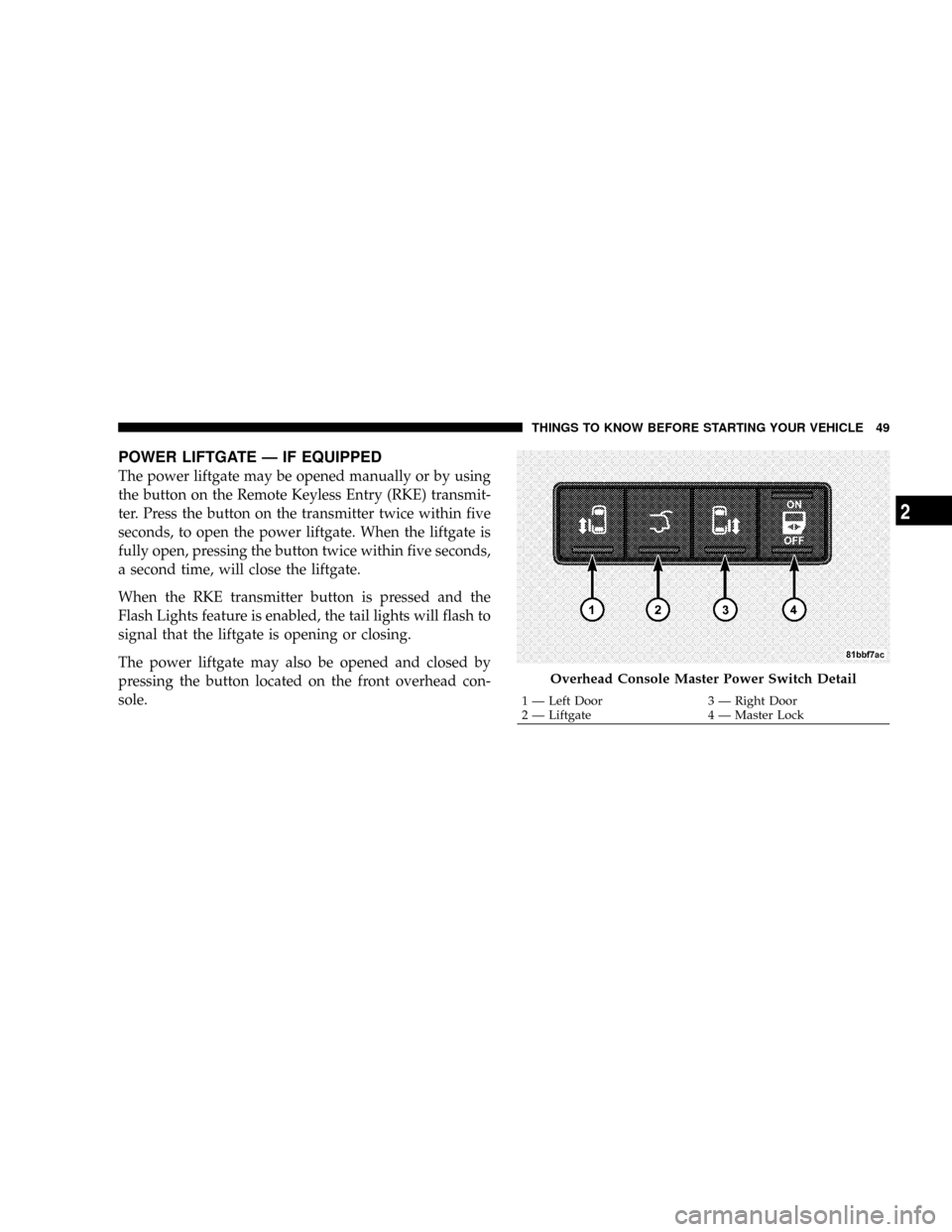
The power liftgate may also be opened and closed by
pressing the button located on the front overhead con-
sole.
Overhead Console Master Power Switch Detail
1 Ð Left Door 3 Ð Right Door
2 Ð Liftgate 4 Ð Master LockTHINGS TO KNOW BEFORE STARTING YOUR VEHICLE 49
2
Page 157 of 531
Plastic Grocery Bag Retainer Hooks
Retainer hooks which will hold plastic grocery bag
handles are built into the seatbacks of all rear seats and
some front seats. The floor supports the partial weight of
the bagged goods.
DRIVER MEMORY SEAT Ð IF EQUIPPED
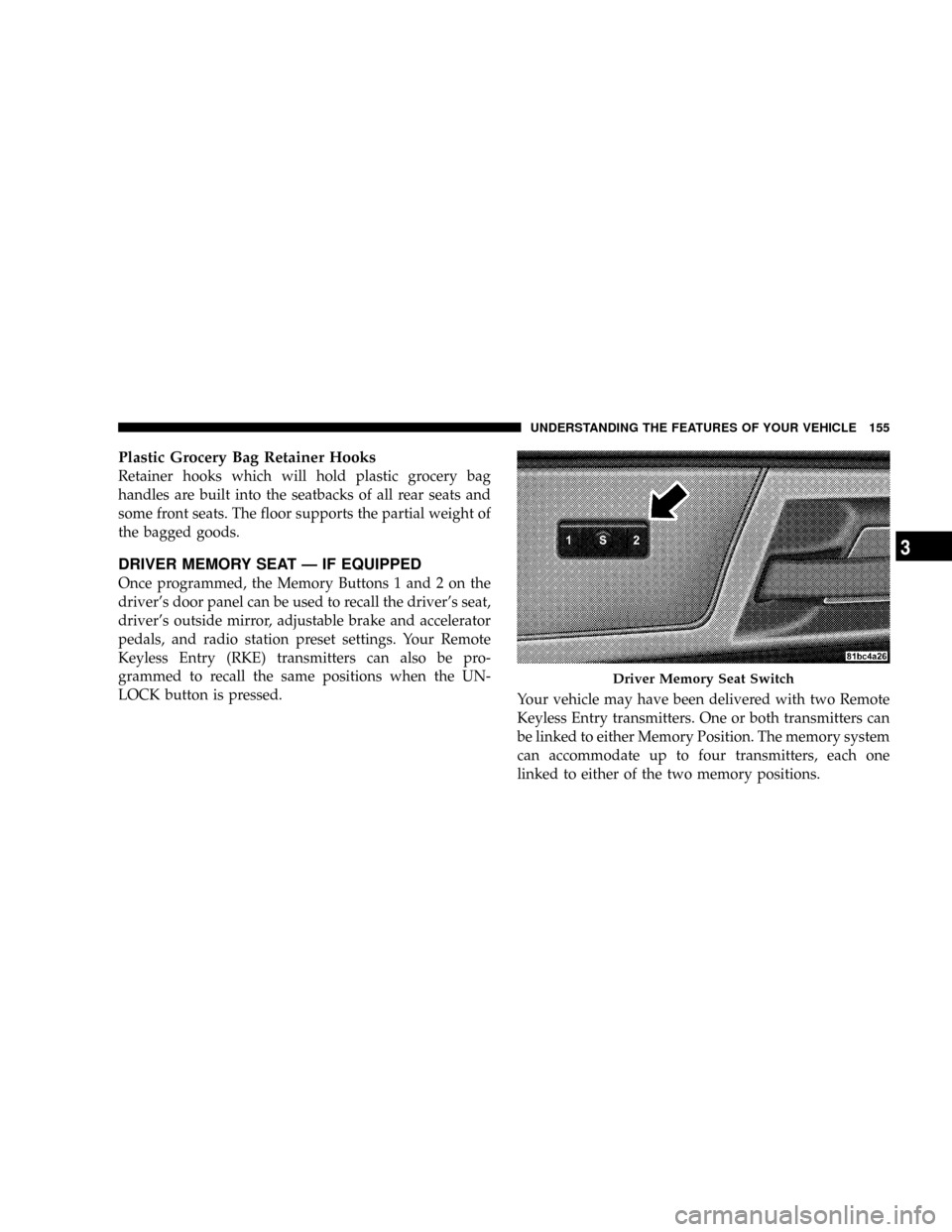
Once programmed, the Memory Buttons 1 and 2 on the
driver's door panel can be used to recall the driver's seat,
driver's outside mirror, adjustable brake and accelerator
pedals, and radio station preset settings. Your Remote
Keyless Entry (RKE) transmitters can also be pro-
grammed to recall the same positions when the UN-
LOCK button is pressed.
Your vehicle may have been delivered with two Remote
Keyless Entry transmitters. One or both transmitters can
be linked to either Memory Position. The memory system
can accommodate up to four transmitters, each one
linked to either of the two memory positions.
Driver Memory Seat Switch
UNDERSTANDING THE FEATURES OF YOUR VEHICLE 155
3
Page 158 of 531
Setting Memory Positions And Linking RKE
Transmitter To Memory
NOTE:Each time the SET(S) button and a numbered
button (1 or 2) are pressed, you erase the memory settings
for that button and store a new one.
1. Insert the ignition key and turn the ignition switch to
the ON position.
2. Press the driver door Memory Buttons number 1 if
you are setting the memory for driver 1, or button
number 2 if you are setting the memory for driver 2. The
system will recall any stored settings. Wait for the system
to complete the memory recall before continuing to step
3.
3. Adjust the driver's seat, recliner, and driver's side-
view mirror to the desired positions.
4. Adjust the brake and accelerator pedals to the desired
positions.5. Turn on the radio and set the radio station presets (up
to 10 AM and 10 FM stations can be set).
6. Turn the ignition switch to the OFF position and
remove the key.
7. Press and release the SET(S) button located on the
driver's door. A chime will sound signaling that you are
in the memory set mode.
8. Within five seconds, press and release Memory Button
1 or 2 on the driver's door. A chime will sound signaling
to you that the driver memory has been set. The next step
must be performed within five seconds if you desire to
also use a Remote Keyless Entry transmitter to recall
memory positions.
9. Press and release the LOCK button on one of the
transmitters. A chime will sound signaling to you that the
transmitter has been successfully linked to memory.
156 UNDERSTANDING THE FEATURES OF YOUR VEHICLE
Page 159 of 531
10. Insert the ignition key and turn the ignition switch to
the ON position.
11. Select9Remote Linked to Memory9in the Electronic
Vehicle Information Center (EVIC) and enter9Ye s9or
select9No9from the EVIC and enter9Ye s9. Refer to the
Customer Programmable features in the Electronic Ve-
hicle Information Center (EVIC) section for more infor-
mation.
12. Repeat the above steps to set the next Memory
Position using the other numbered Memory Button or to
link another Remote Keyless Entry transmitter to
memory.
Memory Position Recall
NOTE:The vehicle must be in PARK to recall memory
positions. If a recall is attempted when the vehicle is not
in PARK, a message will be displayed in the Electronic
Vehicle Information Center (EVIC).To recall the memory settings for driver one, press
Memory Button 1 on the driver's door or the UNLOCK
button on the Remote Keyless Entry transmitter linked to
Memory Position 1.
To recall the memory setting for driver two, press
Memory Button 2 on the driver's door or the UNLOCK
button on the Remote Keyless Entry transmitter linked to
Memory Position 2.
A recall can be cancelled by pressing any of the memory
buttons on the driver's door during a recall (S, 1, or 2).
When a recall is cancelled, the driver's seat, driver's
mirror, and the pedals stop moving. A delay of one
second will occur before another recall can be selected.To Disable A RKE Transmitter Linked to Memory
1. Turn the ignition switch to the OFF position and
remove the key.
UNDERSTANDING THE FEATURES OF YOUR VEHICLE 157
3
Page 160 of 531
2. Press and release Memory Button 1. The system will
recall any memory settings stored in position 1. Wait for
the system to complete the memory recall before continu-
ing to step 3.
3. Press and release the memory SET(S) button located
on the driver's door. A chime will sound signaling that
you are in the memory set mode.
4. Within five seconds, press and release Memory Button
1 on the driver's door. A chime will sound signaling to
you that the driver memory has been set.
5. Within five seconds, press and release the UNLOCK
button on the Remote Keyless Entry transmitter. A chime
will sound signaling to you that the transmitter link has
been successfully disabled.
To disable another transmitter linked to either Memory
Position, repeat steps 1 to 5 for each transmitter.NOTE:Once programmed, all transmitters linked to
memory can be easily enabled or disabled at one time.
Refer to the Remote Linked to Memory9Customer Pro-
grammable Features9in the Electronic Vehicle Informa-
tion Center (EVIC) for more information.
TO OPEN AND CLOSE THE HOOD
To open the hood, two latches must be released.
1. Pull the hood release lever located on the instrument
panel, below the steering column.
2. Move to the front of the vehicle and look inside the
center of the hood opening. Locate, then push the safety
catch lever to the right while raising the hood at the same
time.
158 UNDERSTANDING THE FEATURES OF YOUR VEHICLE
Page 162 of 531
If the vehicle is equipped with the Compass Mini-Trip
Computer (CMTC) and the hood is not latched, a ªhoodº
will be displayed in the PRNDL/Odometer window of
the instrument cluster.
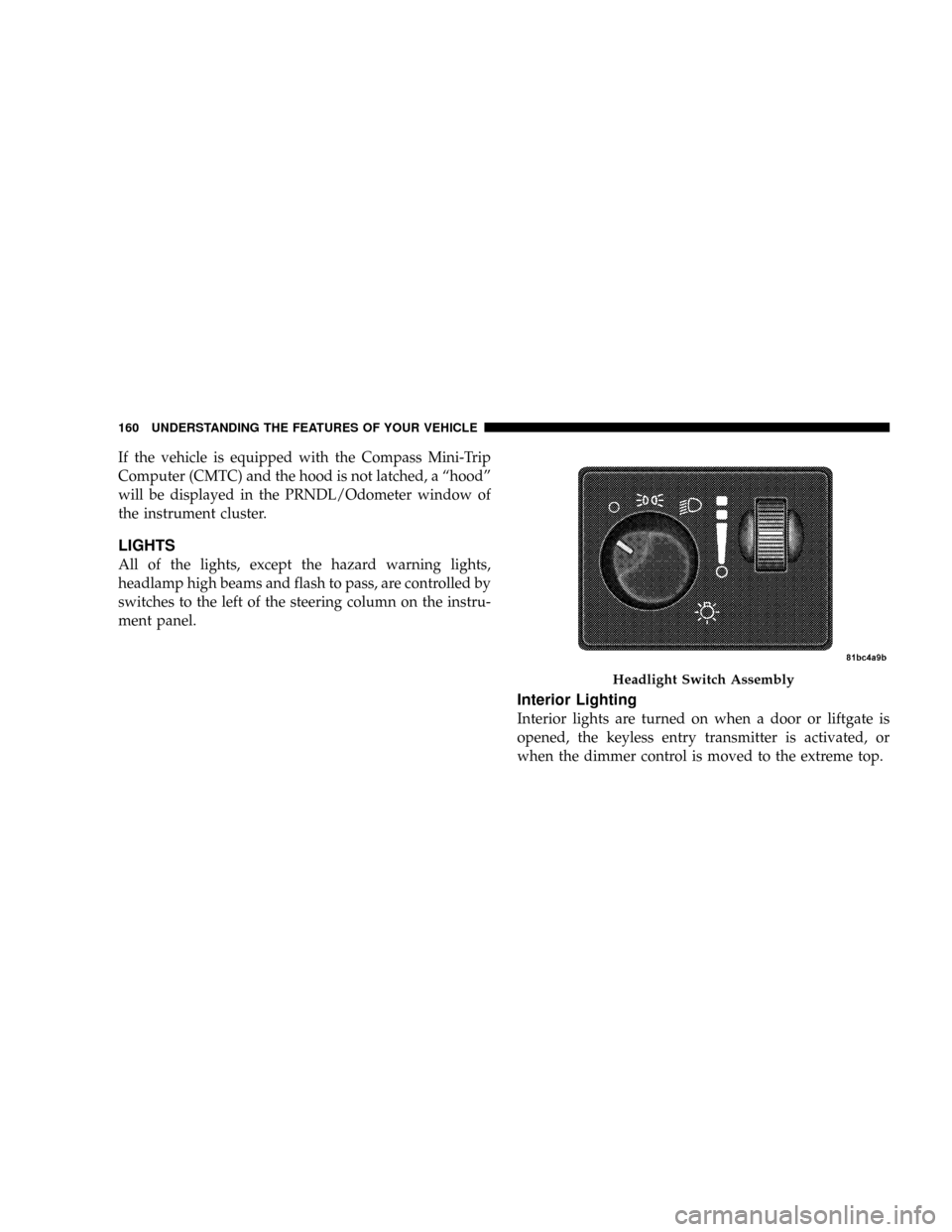
LIGHTS
All of the lights, except the hazard warning lights,
headlamp high beams and flash to pass, are controlled by
switches to the left of the steering column on the instru-
ment panel.
Interior Lighting
Interior lights are turned on when a door or liftgate is
opened, the keyless entry transmitter is activated, or
when the dimmer control is moved to the extreme top.
Headlight Switch Assembly
160 UNDERSTANDING THE FEATURES OF YOUR VEHICLE
Page 185 of 531
Courtesy/Interior Lighting
At the forward end of the console are two courtesy lights
(standard dome light has two buttons). The lights turn on
when a front door, a sliding door or the liftgate is opened.
If your vehicle is equipped with Remote Keyless Entry,
the lights will also turn on when the unlock button on the
transmitter is pressed.
The courtesy lights also function as reading lights. Press
in on each lens to turn these lights on while inside the
vehicle. Press a second time to turn the each light off. You
may adjust the direction of these lights by pressing the
outside ring which is identified with four directional
arrows.The area around the instrument panel cupholders is also
illuminated from a light in the overhead console. This
light is turned on when the headlight switch is on and
will adjust in brightness when the dimmer control is
rotated up or down.
Sunglass Storage
At the rear of the front overhead console, a compartment
is provided for the storage of two pairs of sunglasses.
Press the door latch to open the compartment. The door
will slowly rotate to an open position.
NOTE:The front overhead console used with factory
sunroof incorporates a sunroof switch.
UNDERSTANDING THE FEATURES OF YOUR VEHICLE 183
3
Page 187 of 531
Rear Courtesy/Reading Lights Ð If Equipped
The overhead console had two sets of courtesy lights. The
lights turn on when a front door, a sliding door or the
liftgate is opened. If your vehicle is equipped with
Remote Keyless Entry, the lights will also turn on when
the unlock button on the transmitter is pressed.
The courtesy lights also function as reading lights. Press
in on each lens to turn these lights on while inside the
vehicle. Press a second time to turn the each light off. You
may adjust the direction of these lights by pressing the
outside ring which is identified with four directional
arrows.
Rear Console Halo Lighting Ð If Equipped
The rear overhead console features recessed halo lighting
around the perimeter of the console base. This feature
provides additional lighting options while traveling and
is controlled by the headlight switch. Refer to ªHalo
Lighting - If Equippedº under ªLightingº in ªUnder-
standing The Features Of Your Vehicleº in Section 3.
GARAGE DOOR OPENER Ð IF EQUIPPED
HomeLinktreplaces up to three remote controls (hand-
held transmitters) that operate devices such as garage
door openers, motorized gates, lighting, or home security
systems. The HomeLinktunit operates off your vehicle's
battery.
UNDERSTANDING THE FEATURES OF YOUR VEHICLE 185
3
Page 251 of 531
Unlock Doors Automatically on Exit
When ON is selected, all doors will unlock when the
vehicle is stopped and the transmission is in the PARK or
NEUTRAL position and the driver's door is opened. To
make your selection, press and release the RESET button
until ON or OFF appears.
Remote Key Unlock
WhenDriver Door 1st Pressis selected, only the driver's
door will unlock on the first press of the remote keyless
entry unlock button. When Driver Door 1st Press is
selected, you must press of the remote keyless entry
unlock button twice to unlock the passenger's doors.
WhenAll Doors 1st Pressis selected, all of the doors will
unlock on the first press of the remote keyless entry
unlock button. To make your selection, press and release
the RESET button until ªDriver Door 1st Pressº or ªAll
Doors 1st Pressº appears.
Sound Horn with Remote Key Lock
When ON is selected, a short horn sound will occur when
the remote keyless entry LOCK button is pressed. This
feature may be selected with or without the flash lights
on lock/unlock feature. To make your selection, press
and release the RESET button until ON or OFF appears.
Flash Lights with Remote Key Lock
When ON is selected, the front and rear turn signals will
flash when the doors are locked or unlocked with the
remote keyless entry transmitter. This feature may be
selected with or without the sound horn on lock feature
selected. To make your selection, press and release the
RESET button until ON or OFF appears.
Automatic High Beams Ð If Equipped
When this feature is selected, the high beam headlights
will deactivate automatically under certain conditions. To
make your selection, press and release the FUNCTION
UNDERSTANDING YOUR INSTRUMENT PANEL 249
4