remote start DODGE CARAVAN 2008 5.G User Guide
[x] Cancel search | Manufacturer: DODGE, Model Year: 2008, Model line: CARAVAN, Model: DODGE CARAVAN 2008 5.GPages: 531, PDF Size: 7.72 MB
Page 27 of 531
Open/Close Power Left Power Sliding Door Ð If
Equipped
Press the Left Power Sliding Door button twice on the
RKE transmitter within five seconds to Open/Close
Power Left Power Sliding Door. If the button is pushed
while the door is being power-closed, the door will
reverse to the full open position.
Open/Close Power Right Power Sliding Door Ð If
Equipped
Press the Right Power Sliding Door button twice on the
RKE transmitter within five seconds to Open/Close
Power Right Power Sliding Door. If the button on the
RKE transmitter is pushed while the door is being power
closed, the door will reverse to the full open position.
Turn Off Flash Lights With Remote Key Lock Ð If
Equipped
If desired, the Flash Lights With Remote Key Lock feature
can be turned on and off by performing the following
procedure:
1. Perform this operation while standing outside the
vehicle.
2. Press the UNLOCK button on the RKE transmitter for
five to ten seconds.
3. While the UNLOCK button on the RKE transmitter is
pressed, (after five seconds) press the LOCK button.
Release both buttons.
The Flash Lights with Remote Key Lock feature can be
reactivated by repeating this procedure or by performing
the procedure in Section Four, ªElectronic Vehicle Infor-
mation Center (EVIC), Customer Programmable Fea-
turesº on vehicles so equipped.
THINGS TO KNOW BEFORE STARTING YOUR VEHICLE 25
2
Page 30 of 531
REMOTE STARTING SYSTEM Ð IF EQUIPPED
Remote Starting conveniently starts the engine from
outside the vehicle by using the Remote Keyless Entry
(RKE) transmitter while maintaining the Security Alarm
System. The Remote Starting System has a targeted range
of 328 ft (100 m). In order to Remote Start your vehicle,
the hood, liftgate, and all the doors must be closed and
the transmission gear selector lever in PARK.
NOTE:Remote Starting requires automatic transaxle-
equipped vehicles.
How To Use Remote Start
All of the following conditions must be met before the
engine will Remote Start:
²Gear shift lever in PARK
²Doors closed
²Hood closed
²Trunk closed
²HAZARD switch off
²BRAKE switch inactive (brake pedal not pressed)
²Ignition key removed from ignition switch
²Battery at an acceptable charge level, and
²RKE PANIC button not pressed.
28 THINGS TO KNOW BEFORE STARTING YOUR VEHICLE
Page 31 of 531
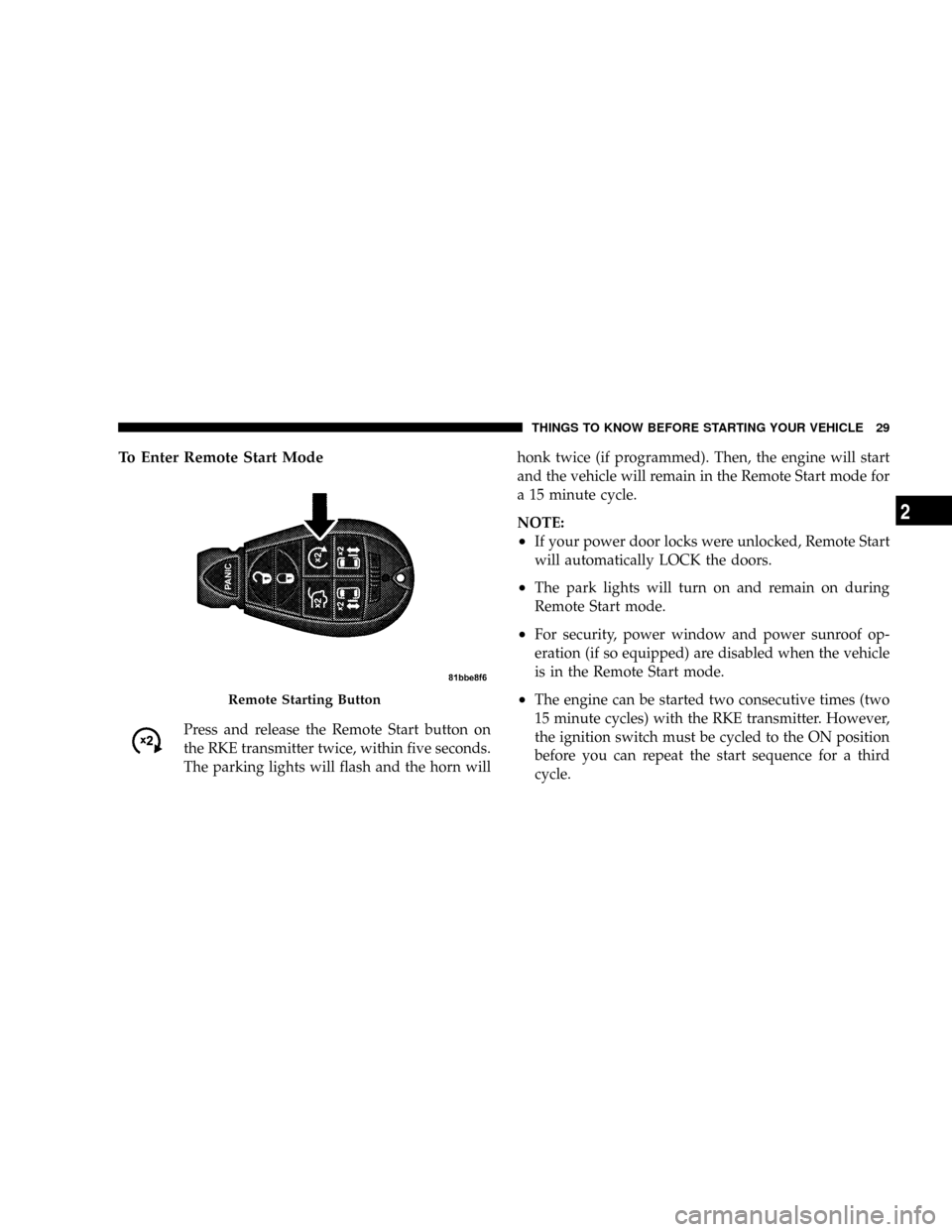
To Enter Remote Start Mode
Press and release the Remote Start button on
the RKE transmitter twice, within five seconds.
The parking lights will flash and the horn willhonk twice (if programmed). Then, the engine will start
and the vehicle will remain in the Remote Start mode for
a 15 minute cycle.
NOTE:
²If your power door locks were unlocked, Remote Start
will automatically LOCK the doors.
²The park lights will turn on and remain on during
Remote Start mode.
²For security, power window and power sunroof op-
eration (if so equipped) are disabled when the vehicle
is in the Remote Start mode.
²The engine can be started two consecutive times (two
15 minute cycles) with the RKE transmitter. However,
the ignition switch must be cycled to the ON position
before you can repeat the start sequence for a third
cycle.Remote Starting Button
THINGS TO KNOW BEFORE STARTING YOUR VEHICLE 29
2
Page 32 of 531
To Enter the Vehicle After Remote Start
To enter the vehicle while the engine is running during a
Remote Start, you must first unlock the vehicle using the
UNLOCK button on the transmitter. After the vehicle is
unlocked, you have 60 seconds to enter the vehicle, insert
the key into the ignition switch and move it to the RUN
position, otherwise the engine will cancel Remote Start-
ing and automatically turn off.
To Exit Remote Start Mode and Drive the Vehicle
Before the end of the 15 minute cycle, press and release
the UNLOCK button on the RKE transmitter to unlock
the doors and disarm the Vehicle Security Alarm (if
equipped). Then, prior to the end of the 15 minute cycle,
insert the key into the ignition switch and turn the switch
to the ON position.
NOTE:
²The ignition switch must be in the ON position in
order to drive the vehicle.
²For vehicles equipped with the Electronic Vehicle
Information Center (EVIC), the message ªInsert Key/
Turn To Runº will flash in the EVIC until you insert
the key. Once inserted, the message ªTurn To Runº
will flash in the EVIC until you turn the key to run.
Cancel Remote Start
Remote Starting will also cancel if any of the following
occur:
²The engine stalls or RPM exceeds 2500.
²Any engine warning telltale lights come on.
²The hood is opened.
²The Hazard Switch is pressed.
²The transmission gear selector lever is moved out of
PARK.
²Pressing the brake pedal.
²Allow the engine to run for the entire 15 minute cycle.
30 THINGS TO KNOW BEFORE STARTING YOUR VEHICLE
Page 33 of 531
To Turn Off the Engine While in Remote Start
Mode
Press and release the Remote Start button one time.
NOTE:To avoid inadvertent shut downs, the system
will disable the one time press of the Remote Start button
for two seconds after receiving a valid Remote Start
request.
When To Reset Remote Start
The vehicle can be started remotely up to a maximum of
two times. The vehicle is also allowed a maximum of one
failed start, where the Remote Starting sequence was
initiated but the engine stopped cranking without start-
ing. After either of these conditions, or if the Security
Alarm System is alarming, or if the PANIC button was
pressed, the vehicle must be reset by inserting a valid key
into the ignition switch, rotating to the RUN position,
and then rotating back to the LOCK/OFF position.
DOOR LOCKS
MANUAL DOOR LOCKS
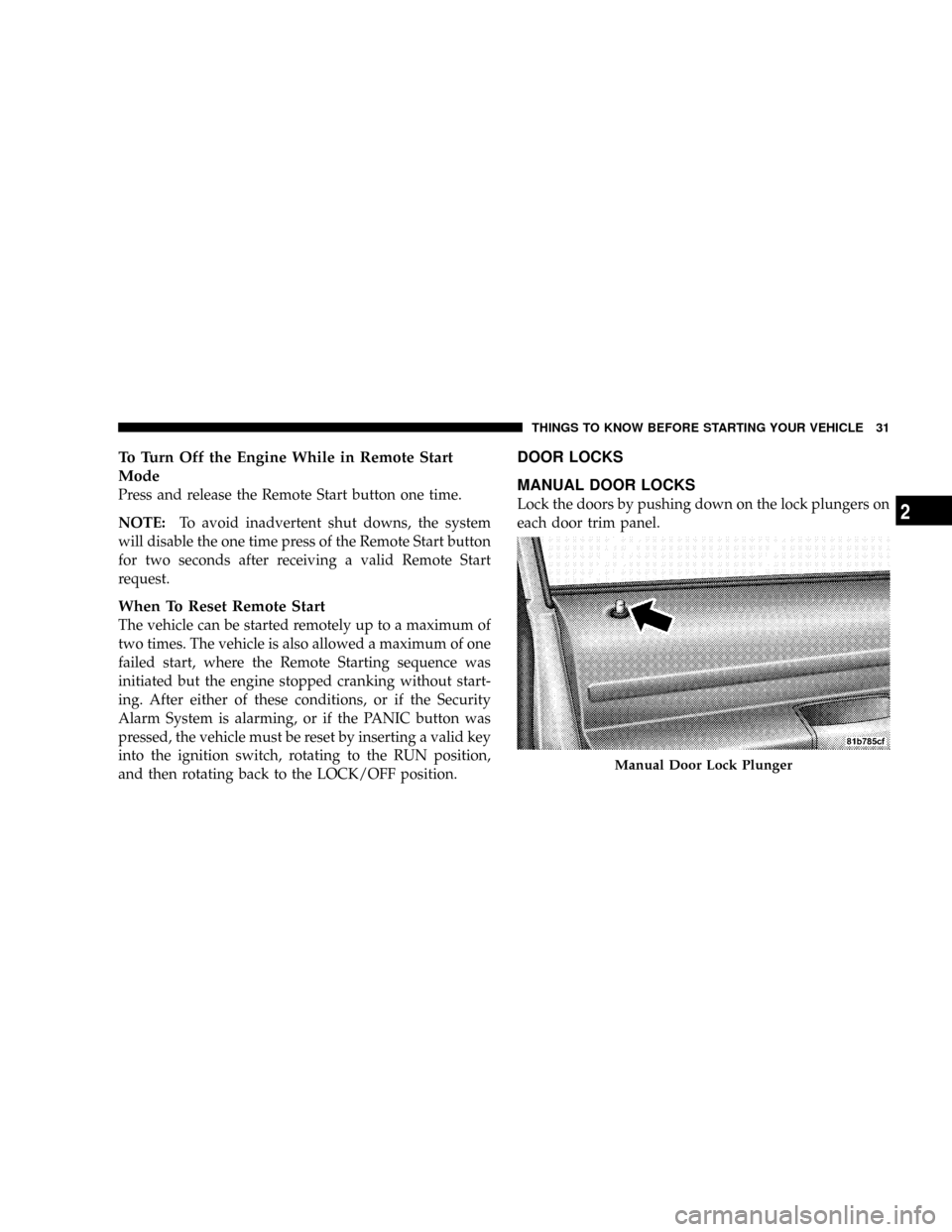
Lock the doors by pushing down on the lock plungers on
each door trim panel.
Manual Door Lock Plunger
THINGS TO KNOW BEFORE STARTING YOUR VEHICLE 31
2
Page 44 of 531
²There is a hold-open latch that is activated when the
sliding door is fully opened. This latch will keep your
sliding door open on any incline. To close the sliding
door after the hold-open latch is activated, you must
rock the inside handle forward or pull outward on the
outside handle.
Always make sure that the sliding door is fully latched
anytime the vehicle is in motion.
NOTE:The left side sliding door cannot be opened
while the fuel door is open. This feature operates only
when the sliding door is fully closed prior to opening the
fuel door.POWER SLIDING SIDE DOOR Ð IF EQUIPPED
The power sliding door may be opened manually or by
using the buttons on the Remote Keyless Entry (RKE)
transmitter.
Press the button on the transmitter twice within five
seconds, to open a power sliding door. When the door is
fully open, pressing the button twice within five seconds
a second time will close the door.
There are also power sliding side door switches located
on the trim panel just in front of the power sliding door
for the rear seat passengers. Pressing the switch once will
open the power sliding door. When the door is fully open
pressing the switch a second time will close the door.
42 THINGS TO KNOW BEFORE STARTING YOUR VEHICLE
Page 49 of 531
NOTE:
²After engaging the Child Protection Door Lock, al-
ways test the door from the inside to make certain it is
in the desired position.
²When the Child Protection Door Lock system is en-
gaged, (even if the inside door lock is in the unlocked
position) the door can be opened only by using the
outside door handle, the Remote Keyless Entry (RKE)
transmitter, the switches on the overhead console, or
the switches located on the trim panel just in front of
the power sliding door.
²The power sliding side door will operate from the
switches located on the trim panel just in front of the
power sliding door, regardless of the Child Protection
Door Lock lever position.To avoid unintentional
operation of the power sliding door from the rear
seats, press the Master Lock Out Switch located in
the front overhead console to the ON position.
WARNING!
Avoid trapping anyone in the vehicle in a collision.
Remember that the sliding doors can only be opened
from the outside door handle or the switches located
on the trim panel just in front of the power sliding
door when the child protection locks are engaged.
To Disengage The Child Protection Door Lock
1. Open the sliding side door.
2. Slide the child lock control outward (away from the
vehicle) to disengage the Child Protection Door Lock.
3. Repeat Steps 1 and 2 on the opposite sliding door (if
equipped).
THINGS TO KNOW BEFORE STARTING YOUR VEHICLE 47
2
Page 50 of 531
LIFTGATE
On vehicles equipped with power locks, the liftgate can
be unlocked using the Remote Keyless Entry (RKE)
transmitter button, or by activating the power door lock
switches located on the front doors.
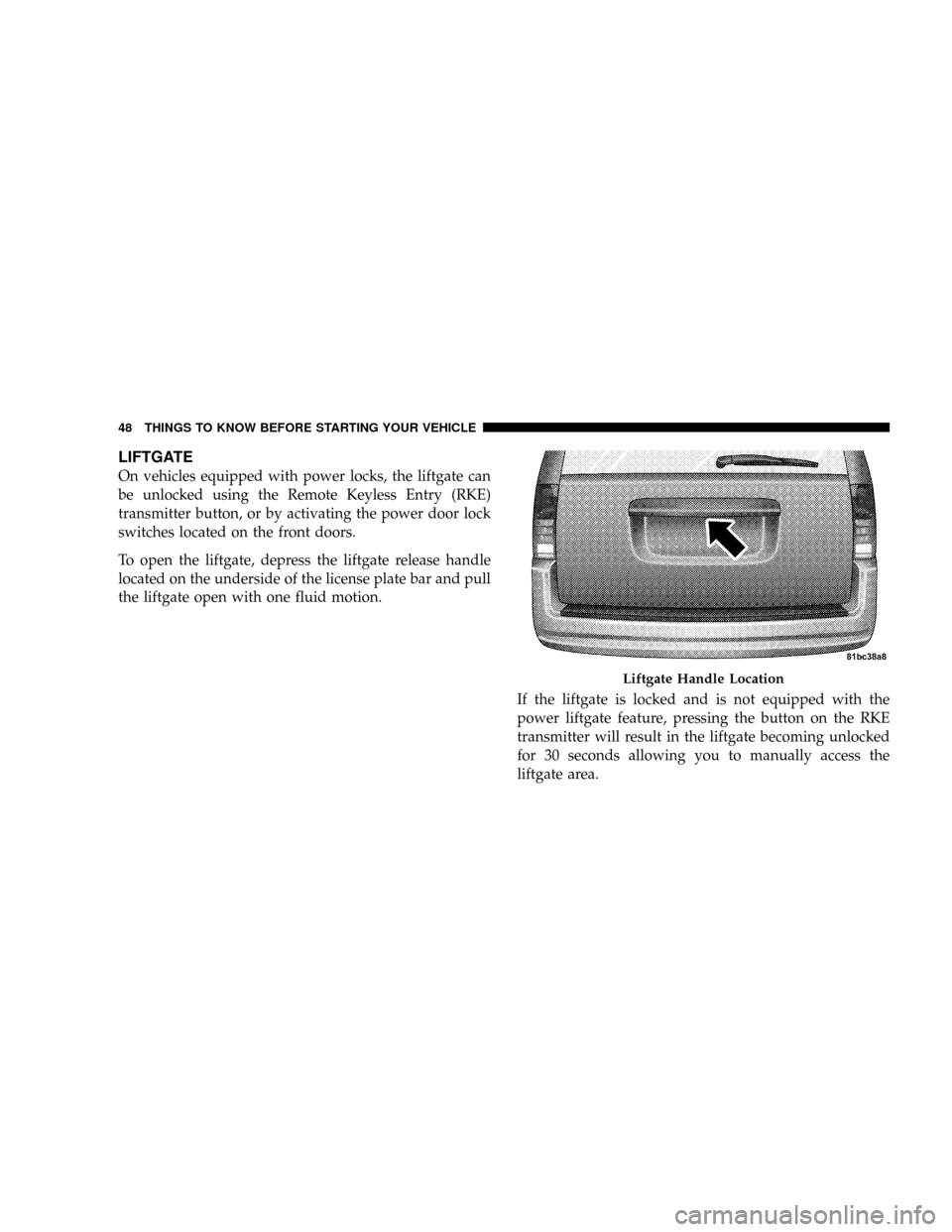
To open the liftgate, depress the liftgate release handle
located on the underside of the license plate bar and pull
the liftgate open with one fluid motion.
If the liftgate is locked and is not equipped with the
power liftgate feature, pressing the button on the RKE
transmitter will result in the liftgate becoming unlocked
for 30 seconds allowing you to manually access the
liftgate area.
Liftgate Handle Location
48 THINGS TO KNOW BEFORE STARTING YOUR VEHICLE
Page 51 of 531
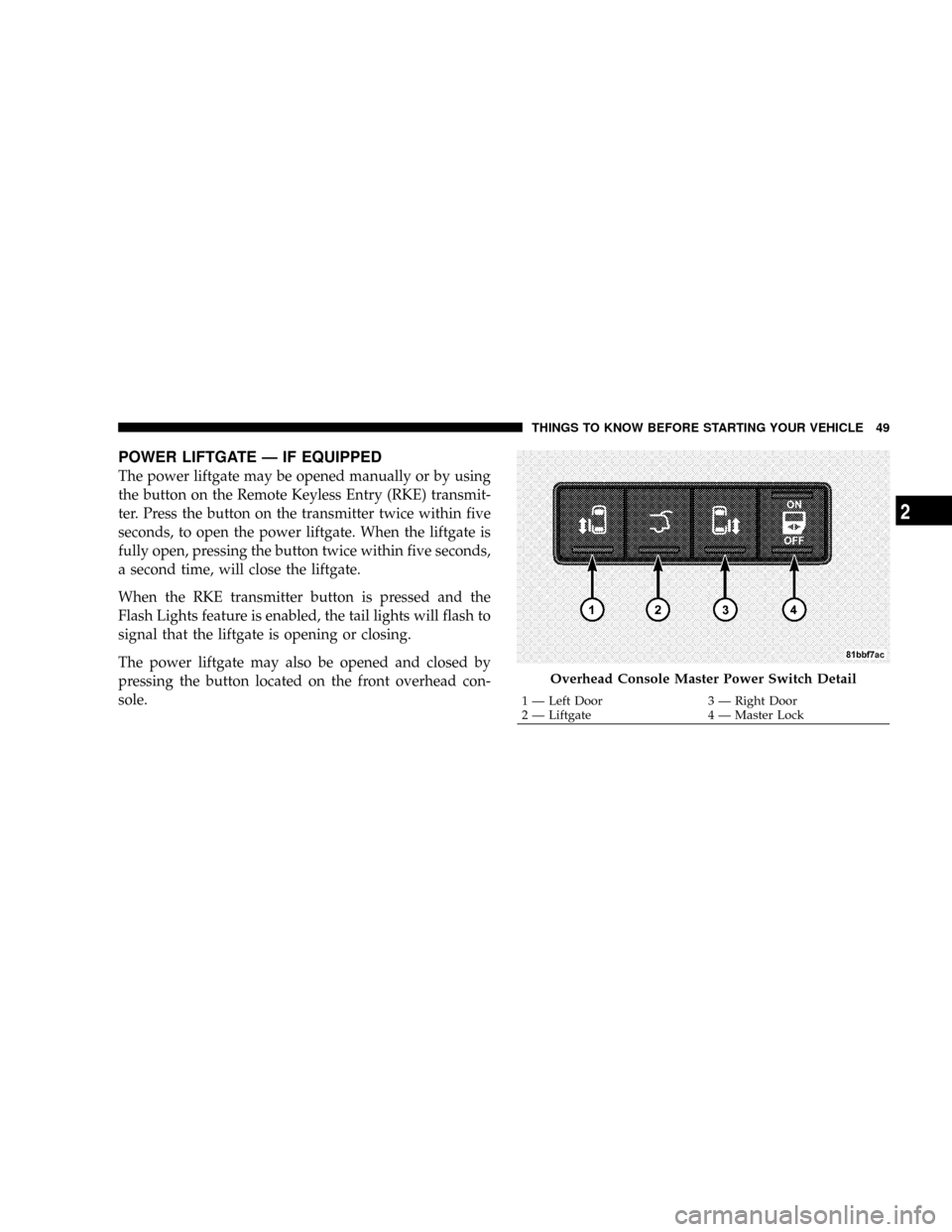
POWER LIFTGATE Ð IF EQUIPPED
The power liftgate may be opened manually or by using
the button on the Remote Keyless Entry (RKE) transmit-
ter. Press the button on the transmitter twice within five
seconds, to open the power liftgate. When the liftgate is
fully open, pressing the button twice within five seconds,
a second time, will close the liftgate.
When the RKE transmitter button is pressed and the
Flash Lights feature is enabled, the tail lights will flash to
signal that the liftgate is opening or closing.
The power liftgate may also be opened and closed by
pressing the button located on the front overhead con-
sole.
Overhead Console Master Power Switch Detail
1 Ð Left Door 3 Ð Right Door
2 Ð Liftgate 4 Ð Master LockTHINGS TO KNOW BEFORE STARTING YOUR VEHICLE 49
2
Page 260 of 531
NOTE:These selections can only be made while playing
a DVD.
²VEStPower -Allows you to turn VESton and off (if
equipped).
²VEStLock -Locks out rear VEStremote controls (if
equipped).
²VEStCH1/CH2 -Allows the user to change the mode
of either the IR1 or IR2, wireless headphones by
pressing the AUDIO/SELECT button (if equipped).
²Set Home Clock -Pressing the SELECT button allows
you to set the clock. Turn the Tune/Scroll control knob
to adjust the hours and then press and turn the
Tune/Scroll control knob to adjust the minutes. Press
the Tune/Scroll control knob again to save changes.
²Player Defaults -Selecting this item will allow the
user to scroll through the following items, and set
defaults according to customer preference.Menu Language Ð If Equipped
Selecting this item will allow the user to choose the
default startup DVD menu language (effective only if
language supported by disc). If you want to select a
language not listed, then scroll down and select9other.9
Enter the four-digit country code using the Tune/Scroll
control knob to scroll up and down to select the number
and then push to select.
Audio Language Ð If Equipped
Selecting this item allows you to choose a default audio
language (effective only if the language is supported by
the disc). You can select a language not listed by scrolling
down and selecting9other.9Enter the country code using
the Tune/Scroll control knob to scroll up and down to
select the number and then push to select.
258 UNDERSTANDING YOUR INSTRUMENT PANEL