instrument cluster DODGE CARAVAN 2008 5.G Owner's Manual
[x] Cancel search | Manufacturer: DODGE, Model Year: 2008, Model line: CARAVAN, Model: DODGE CARAVAN 2008 5.GPages: 531, PDF Size: 7.72 MB
Page 335 of 531
under heavy loading conditions, (i.e., in hilly terrain,
traveling into strong head winds or while towing heavy
trailers). Under these conditions, using the ª3º range will
improve performance and extend transmission life by
reducing excessive shifting and heat build-up.
CAUTION!
If the transmission operating temperature exceeds
acceptable limits, the vehicle computer will override
DRIVE and select ª5º range (on six-speed transmis-
sions) or ª3º range (on four-speed transmissions) by
changing shift points. This is done to prevent trans-
mission damage due to overheating.
Electronic Range Select (ERS) Operation
The Electronic Range Select (ERS) shift control allows
you to move the gear selector lever to the left (-) or right
(+) when the gear selector lever is in the D (Drive)position, this allows the selection of the desired top gear.
For example, if the driver shifts the transmission into 3rd
gear, the transmission will never shift above 3rd gear, but
can shift down to 2nd or 1st gear automatically, when
needed.
Switching from ERS to D-Mode (Drive) can be done at any
vehicle speed. To shift from ªDriveº mode to ªERSº mode,
move gear selector lever to the left (-) once. The current gear
will be maintained as the top gear. To disable ERS, simply
press and hold the gear selector lever to the right (+) until
ªDº is displayed in the instrument cluster odometer.
WARNING!
Do not downshift for additional engine braking on a
slippery surface. The drive wheels could lose their
grip and the vehicle could skid causing an accident or
personal injury.
STARTING AND OPERATING 333
5
Page 337 of 531
5. Shift into the desired gear range and resume driving.
NOTE:Even if the transmission can be reset, it is
recommended that you visit an authorized dealer at your
earliest possible convenience. Your authorized dealer has
diagnostic equipment to determine if the problem could
recur.
If the transmission cannot be reset, authorized dealer
service is required.
PARKING BRAKE
When the parking brake is applied with the ignition
switch ON, the brake light in the instrument cluster will
turn on.
NOTE:This light only shows that the parking brake is
applied. It does not show the degree of brake application.
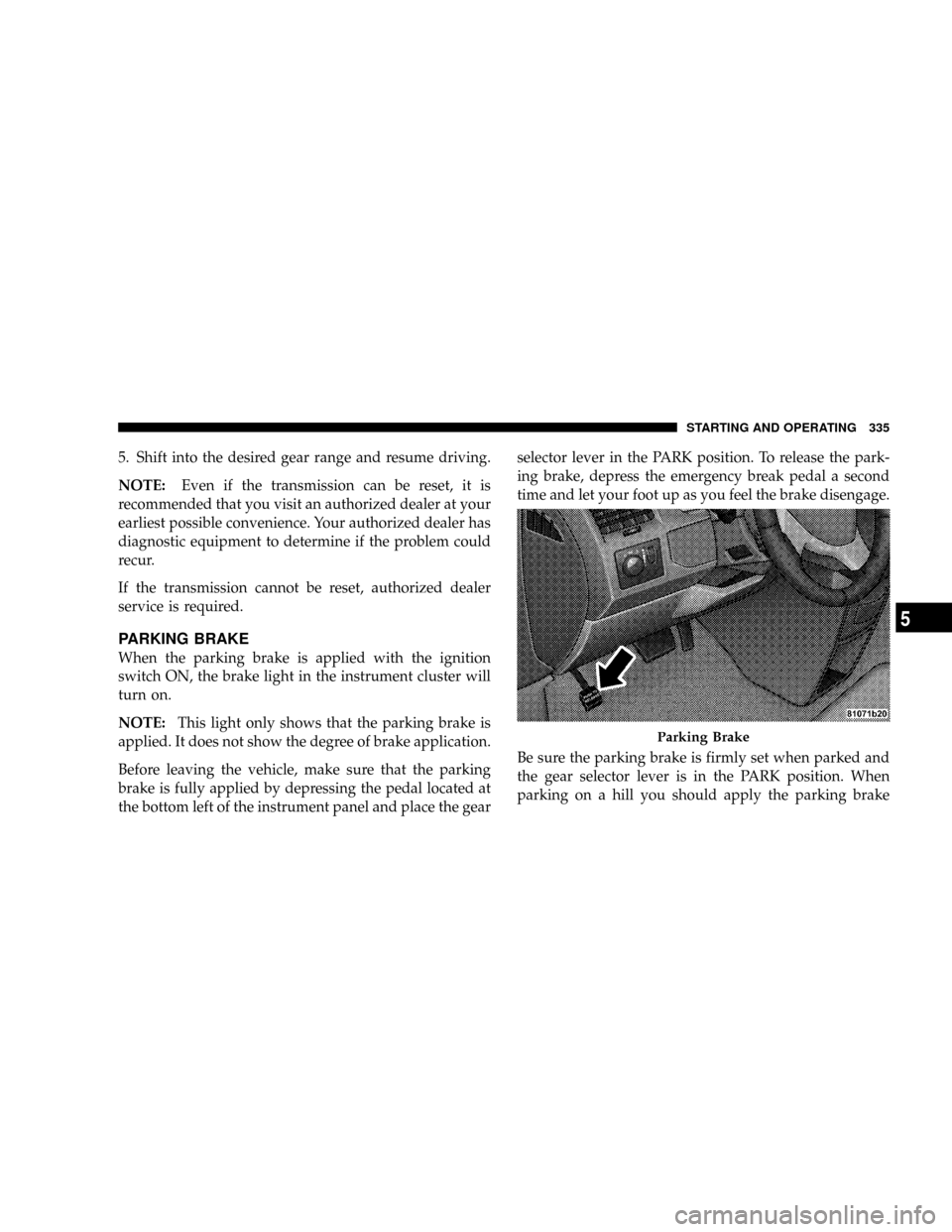
Before leaving the vehicle, make sure that the parking
brake is fully applied by depressing the pedal located at
the bottom left of the instrument panel and place the gearselector lever in the PARK position. To release the park-
ing brake, depress the emergency break pedal a second
time and let your foot up as you feel the brake disengage.
Be sure the parking brake is firmly set when parked and
the gear selector lever is in the PARK position. When
parking on a hill you should apply the parking brake
Parking Brake
STARTING AND OPERATING 335
5
Page 342 of 531
to the ABS system is required. Consult with your autho-
rized dealer service center as soon as possible.
ELECTRONIC BRAKE CONTROL SYSTEMS
Your vehicle is equipped with an advanced electronic
brake control system that includes TCS (Traction Control
System), BAS (Brake Assist System) and ESP (Electronic
Stability Program). These systems complement the Anti-
Lock Brake System (ABS) by optimizing the vehicle
braking capability during emergency braking maneu-
vers.
Traction Control System (TCS)
This system monitors the amount of wheel spin of each of
the driven wheels. If wheel spin is detected, brake
pressure is applied to the slipping wheel(s) and engine
power is reduced to provide enhanced acceleration and
stability. A feature of the TCS system functions similar to
a limited slip differential and controls the wheel spin
across a driven axle. If one wheel on a driven axle isspinning faster than the other, the system will apply the
brake of the spinning wheel. This will allow more engine
torque to be applied to the wheel that is not spinning.
This feature remains active even if the ESP is in the
ªPartial Offº mode.
The Traction Control System (TCS) Indicator
Light, located in the instrument cluster, starts
to flash as soon as the tires lose traction and the
wheels begin to spin. This indicates that the
TCS is active. If the indicator light flashes during accel-
eration, ease up on the accelerator and apply as little
throttle as possible. Be sure to adapt your speed and
driving to the prevailing road conditions, and do not
switch off the ESP or TCS.
340 STARTING AND OPERATING
Page 345 of 531
ESP ON
This is the normal operating mode for ESP on 2WD
vehicles. Whenever the vehicle is started, the ESP system
will be in this mode. This mode should be used for most
driving situations. ESP should only be turned off for
specific reasons as noted below.
ESP Partial OFF
This mode is entered by momentarily depressing the ESP
OFF switch (located in the center switch bank, next to the
hazard flasher switch).
When in Partial OFF mode, the TCS portion of
ESP, except for the ªlimited slipº feature de-
scribed in the TCS section, has been disabled
and the ESP/TCS Indicator Light will be illu-
minated. All other stability features of the ESP function
normally. This mode is intended to be used if the vehicle
is in deep snow, sand or gravel conditions and more
wheel spin than ESP would normally allow is required togain traction. To turn ESP on again, momentarily depress
the ESP OFF switch. This will restore the normal ESP ON
mode of operation.
NOTE:To improve the vehicle's traction when driving
with snow chains, or starting off in deep snow, sand or
gravel, it may be desirable to switch to the Partial OFF
mode by pressing the ESP OFF switch. Once the situation
requiring ESP to be switched to the Partial OFF mode is
overcome, turn ESP back on by momentarily depressing
the ESP OFF switch. This may be done while the vehicle
is in motion.
ESP/BAS Warning Light
The malfunction indicator light for the ESP is
combined with BAS. The ESP/BAS Warning
light and the ESP/TCS Indicator Light in the
instrument cluster both come on when the
ignition switch is turned to the ON position. They should
go out with the engine running. If the ESP/BAS Warning
STARTING AND OPERATING 343
5
Page 374 of 531
The Basic TPMS consists of the following components:
²Receiver Module
²Four Wheel Sensors
²TPMS Telltale Warning Light
The TPMS Telltale Warning Light will illumi-
nate in the instrument cluster, and an audible
chime will be activated when one or more of
the four active road tire pressures are low.
Should this occur, you should stop as soon as possible,
check the inflation pressure of each tire on your vehicle,
and inflate each tire to the vehicle's recommended cold
tire pressure value (located on the placard on the
driver's-side B-Pillar). The system will automatically
update and the TPMS Warning Lamp will extinguish
once the updated tire pressures have been received.
NOTE:
The vehicle may need to be driven for up to 10
minutes above 15 mph (25 km/h) to receive this information.
The TPMS Warning Lamp will flash on and off for 75
seconds, and remain on sold when a system fault is
detected. The system fault will also sound a chime. If the
ignition key is cycled, this sequence will repeat, provid-
ing the system fault still exists. The TPMS Warning Lamp
will turn off when the fault condition no longer exists. A
system fault can occur with any of the following sce-
narios:
1. Jamming due to electronic devices or driving next to
facilities emitting the same radio frequencies as the TPMS
sensors.
2. Installing some form of aftermarket window tinting
that affects radio wave signals.
3. Accumulation of excessive snow and/or ice around
the wheels or wheel housings.
4. Using tire chains on the vehicle.
5. Using wheels/tires not equipped with TPMS sensors.
372 STARTING AND OPERATING
Page 376 of 531
²Three Trigger Modules (mounted in three of the four
wheel wells)
²Various TPMS Messages, which display in the Elec-
tronic Vehicle Information Center (EVIC), and graph-
ics displaying tire pressures
²Yellow TPMS Telltale Warning Light
TPMS Low Pressure Warnings
The TPMS Telltale Warning Light will illuminate in the
instrument cluster, and an audible chime will be acti-
vated when one or more of the four active road tire
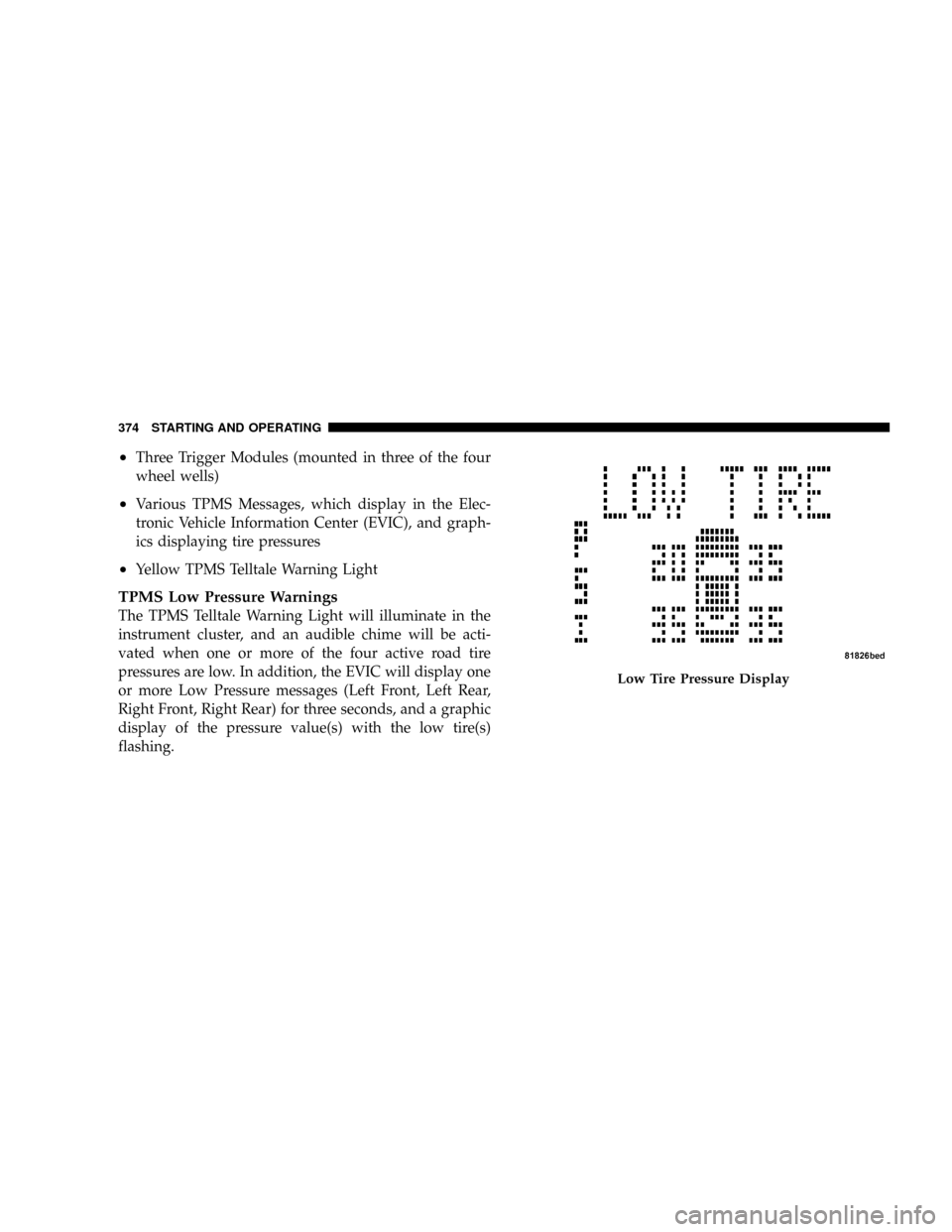
pressures are low. In addition, the EVIC will display one
or more Low Pressure messages (Left Front, Left Rear,
Right Front, Right Rear) for three seconds, and a graphic
display of the pressure value(s) with the low tire(s)
flashing.
Low Tire Pressure Display
374 STARTING AND OPERATING
Page 384 of 531
WARNING!
Carbon monoxide (CO) in exhaust gases is deadly.
Follow the precautions below to prevent carbon
monoxide poisoning:
²Guard against carbon monoxide with proper
maintenance. Have the exhaust system inspected
every time the vehicle is raised. Have any abnor-
mal conditions repaired promptly. Until repaired,
drive with all side windows fully open.
²Keep the liftgate closed when driving your vehicle
to prevent carbon monoxide and other poisonous
exhaust gases from entering the vehicle.
ADDING FUEL
Fuel Filler Cap (Gas Cap)
As a reminder, a fuel icon with an arrow
indicating which side of the vehicle the fuel
filler door is located on, is located in the
instrument cluster, just below the Fuel Gage.
The gas cap is located behind the fuel filler door on the
left side of the vehicle. If the gas cap is lost or damaged,
be sure the replacement cap is for use with this vehicle.
NOTE:The driver's side sliding door cannot be opened
while the fuel door is open. This feature operates only
when the sliding door is fully closed prior to opening the
fuel door.
382 STARTING AND OPERATING
Page 386 of 531
WARNING!
A fire may result if gasoline is pumped into a
portable container that is inside of a vehicle. You
could be burned. Always place gas containers on the
ground while filling.
Loose Fuel Filler Cap Message
²
If thegASCAPmessage is displayed in the instrument
cluster, this signifies a leak or change in the evapora-
tive system is detected. Sometimes this is the result of
a loosely fitting (or possibly damaged) filler cap.
Tighten the fuel filler cap properly and press the
odometer reset button to turn thegASCAPmessage
off.
²Make sure that the fuel filler cap is tightened each time
the vehicle is refueled.
²If the problem continues, the message will appear the
next time the vehicle is started. See your authorized
dealer service center as soon as possible. See Section 7
of this manual for more information.
FLEXIBLE FUEL Ð 3.3L ENGINES ONLY
E-85 General Information
The information in this section is for Flexible Fuel Ve-
hicles (FFV) only. These vehicles can be identified by the
unique fuel filler door label that states:Ethanol (E-85) or
Unleaded Gasoline Only.This section only covers those
subjects that are unique to these vehicles. Please refer to
the other sections of this manual for information on
features that are common between Flexible Fuel and
gasoline only powered vehicles.
384 STARTING AND OPERATING
Page 440 of 531
Loose Fuel Filler Cap Message Ð gASCAP
Should the ªLoose Fuel Filler Capº or ªgASCAPº mes-
sage appear, there may be a problem in the evaporative
system. Before taking the vehicle into an authorized
dealer, check first to see if the fuel filler cap is possibly
loose, improperly installed, or damaged. A loose fuel
filler cap message will be displayed in the instrument
cluster. Tighten the gas cap until a9clicking9sound is
heard. This is an indication that the gas cap is properly
tightened. Press the odometer reset button to turn the
message off. If the problem persists, the message will
appear the next time the vehicle is started. If the problem
is detected twice in a row, the system will turn on the
Malfunction Indicator Light (MIL). Resolving the prob-
lem will turn the MIL light off. Take your vehicle in to an
authorized dealer.
EMISSIONS INSPECTION AND MAINTENANCE
PROGRAMS
In some localities, it may be a legal requirement to pass
an inspection of this vehicle's emissions control system.
Failure to pass could prevent vehicle registration.
For states that require an Inspection and Mainte-
nance (I/M), this check verifies the Malfunction
Indicator Light (MIL) is functioning and is not on
when the engine is running, and that the OBD II system
is ready for testing.
Normally, the OBD II system will be ready. The OBD II
system maynotbe ready if the vehicle was recently
serviced, recently had a dead battery, or a battery replace-
ment. If the OBD II system should be determined not
ready for the I/M test, the vehicle may fail the test.
438 MAINTAINING YOUR VEHICLE
Page 474 of 531
2. To maintain the high gloss shine, apply a scratch and
swirl remover onto a damp cloth and apply to door
applique. Rub the applique with a firm pressure then buff
lightly with a clean cotton cloth until a high gloss shine is
achieved.
Cleaning Headlights
Your vehicle has plastic headlights that are lightweight
and less susceptible to stone breakage than glass head-
lights.
Plastic is not as scratch resistant as glass and therefore
different lens cleaning procedures must be followed.
To minimize the possibility of scratching the lenses and
reducing light output, avoid wiping with a dry cloth. To
remove road dirt, wash with a mild soap solution fol-
lowed by rinsing.
Do not use abrasive cleaning components, solvents, steel
wool or other aggressive material to clean the lenses.
Glass Surfaces
All glass surfaces should be cleaned on a regular basis
with MopartGlass Cleaner or any commercial
household-type glass cleaner. Never use an abrasive type
cleaner. Use caution when cleaning the inside rear win-
dow equipped with electric defrosters or the right rear
quarter window equipped with the radio antenna. Do
not use scrapers or other sharp instruments which may
scratch the elements.
When cleaning the rearview mirror, spray cleaner on the
towel or rag that you are using. Do not spray cleaner
directly on the mirror.
Cleaning Plastic Instrument Cluster Lenses
The lenses in front of the instruments in this vehicle are
molded in clear plastic. When cleaning the lenses, care
must be taken to avoid scratching the plastic.
472 MAINTAINING YOUR VEHICLE