phone DODGE CARAVAN 2008 5.G Owner's Manual
[x] Cancel search | Manufacturer: DODGE, Model Year: 2008, Model line: CARAVAN, Model: DODGE CARAVAN 2008 5.GPages: 531, PDF Size: 7.72 MB
Page 123 of 531
Connect or Disconnect Link Between the
UConnecttSystem and Cellular Phone
Your cellular phone can be paired with many different
electronic devices, but can only be actively9connected9
with one electronic device at a time.
If you would like to connect or disconnect the Bluetootht
connection between a UConnecttpaired cellular phone
and the UConnecttsystem, follow the instructions de-
scribed in your cellular phone User's Manual.
List Paired Cellular Phone Names
²
Press the PHONE button to begin.
²After the ªReadyº prompt and the following beep, say
ªSetup Phone Pairing.º
²When prompted, say9List Phones.9
²The UConnecttsystem will play the phone names of
all paired cellular phones in order from the highest to
the lowest priority. To ªselectº or ªdeleteº a paired
phone being announced, press the ªVoice Recogni-
tionº button and say ªSelectº or ªDelete.º Also, see the
next two sections for an alternate way to ªselectº or
ªdeleteº a paired phone.
Select Another Cellular Phone
This feature allows you to select and start using another
phone paired with the UConnecttsystem.
²Press the PHONE button to begin.
²After the9Ready9prompt and the following beep, say
9Setup Select Phone9and follow the prompts.
²You can also press the ªVoice Recognitionº button at
any time while the list is being played, and then
choose the phone that you wish to select.
UNDERSTANDING THE FEATURES OF YOUR VEHICLE 121
3
Page 124 of 531
²The selected phone will be used for the next phone
call. If the selected phone is not available, the
UConnecttsystem will return to using the highest
priority phone present in or near (approximately
within 30 ft [9 m]) the vehicle.
Delete UConnecttPaired Cellular Phones
²
Press the PHONE button to begin.
²After the9Ready9prompt and the following beep, say
9Setup Phone Pairing.9
²At the next prompt, say9Delete9and follow the
prompts.
²You can also press the ªVoice Recognitionº button at
any time while the list is being played, and then
choose the phone you wish to delete.
Things You Should Know About Your UConnectT
System
UConnecttTutorial
To hear a brief tutorial of the system features, press the
PHONE button and say ªUConnecttTutorial.º
Voice Training
For users experiencing difficulty with the system recog-
nizing their voice commands or numbers, the UConnectt
system Voice Training feature may be used. To enter this
training mode, follow one of the two following proce-
dures:
From outside the UConnecttmode (e.g., from radio
mode):
²Press and hold the ªVoice Recognitionº button for five
seconds until the session begins, or,
²Press the ªVoice Recognitionº button and say the
9Setup, Voice Training9command.
122 UNDERSTANDING THE FEATURES OF YOUR VEHICLE
Page 126 of 531
²When navigating through an automated system such
as voice mail, or when sending a page, at the end of
speaking the digit string, make sure to say9Send.9
²Storing names in the phonebook when the vehicle is
not in motion is recommended.
²It is not recommended to store similar sounding
names in the UConnecttphonebook.
²The UConnecttphonebook nametag recognition rate
is optimized for the person who stored the name in the
phonebook.
²You can say9O9(letter9O9) for909(zero).98009must be
spoken9eight-zero-zero.9
²Even though international dialing for most number
combinations is supported, some shortcut dialing
number combinations may not be supported.
²In a convertible vehicle, system performance may be
compromised with the convertible top down.
Far End Audio Performance
²
Audio quality is maximized under:
²low-to-medium blower setting,
²low-to-medium vehicle speed,
²low road noise,
²smooth road surface,
²fully closed windows,
²dry weather conditions, and
²operation from the driver's seat.
²Performance, such as audio clarity, echo, and loudness
to a large degree rely on the phone and network, and
not the UConnecttsystem.
124 UNDERSTANDING THE FEATURES OF YOUR VEHICLE
Page 127 of 531
²Echo at the far end can sometimes be reduced by
lowering the in-vehicle audio volume.
²In a convertible vehicle, system performance may be
compromised with the convertible top down.
BluetoothtCommunication Link
Cellular phones have been found to lose connection to
the UConnecttsystem. When this happens, the connec-
tion can generally be re-established by switching the
phone off/on. Your cell phone is recommended to remain
in BluetoothtON mode.
Power-Up
After switching the ignition key from OFF to either ON
or ACC position, or after a language change, you must
wait at least five seconds prior to using the system.
UNDERSTANDING THE FEATURES OF YOUR VEHICLE 125
3
Page 132 of 531
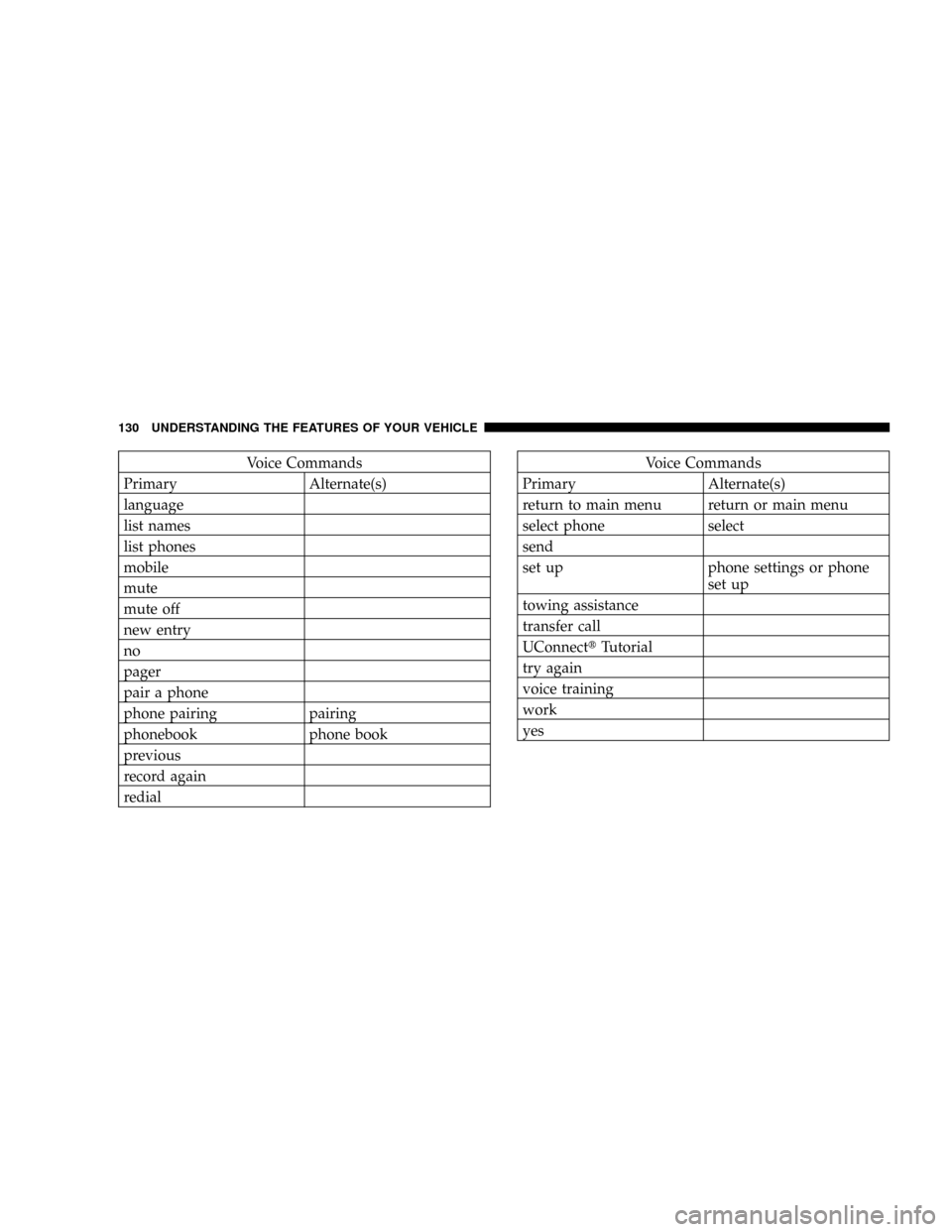
Voice Commands
Primary Alternate(s)
language
list names
list phones
mobile
mute
mute off
new entry
no
pager
pair a phone
phone pairing pairing
phonebook phone book
previous
record again
redialVoice Commands
Primary Alternate(s)
return to main menu return or main menu
select phone select
send
set up phone settings or phone
set up
towing assistance
transfer call
UConnecttTutorial
try again
voice training
work
yes
130 UNDERSTANDING THE FEATURES OF YOUR VEHICLE
Page 150 of 531
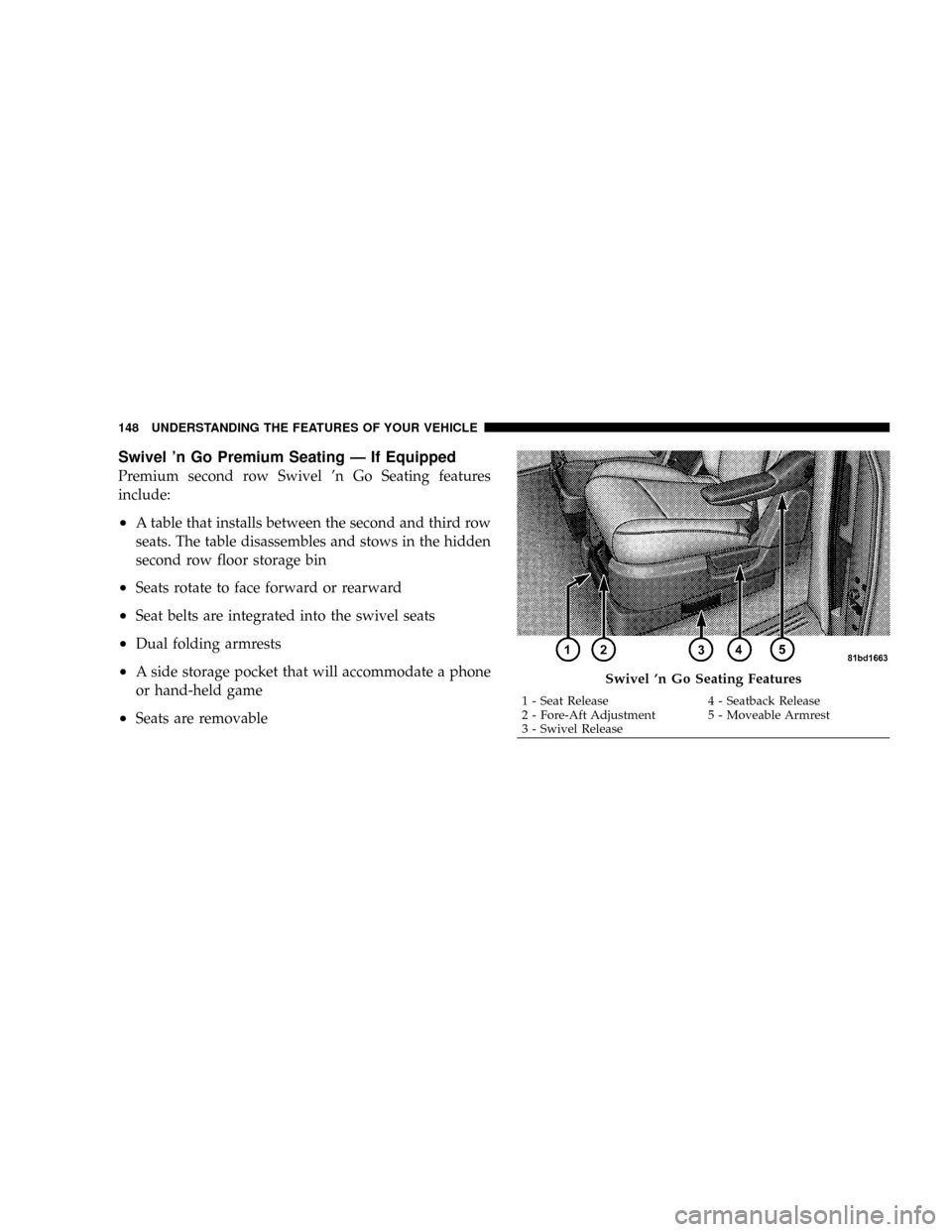
Swivel 'n Go Premium Seating Ð If Equipped
Premium second row Swivel 'n Go Seating features
include:
²A table that installs between the second and third row
seats. The table disassembles and stows in the hidden
second row floor storage bin
²Seats rotate to face forward or rearward
²Seat belts are integrated into the swivel seats
²Dual folding armrests
²A side storage pocket that will accommodate a phone
or hand-held game
²Seats are removable
Swivel 'n Go Seating Features
1 - Seat Release 4 - Seatback Release
2 - Fore-Aft Adjustment 5 - Moveable Armrest
3 - Swivel Release 148 UNDERSTANDING THE FEATURES OF YOUR VEHICLE
Page 200 of 531
ELECTRICAL OUTLET USE WITH ENGINE OFF
CAUTION!
²Many accessories that can be plugged in draw power
from the vehicle's battery, even when not in use (i.e.,
cellular phones, etc.). Eventually, if plugged in long
enough, the vehicle's battery will discharge sufficiently
to degrade battery life and/or prevent engine starting.
²Accessories that draw higher power (i.e., coolers, vacuum
cleaners, lights, etc.), will degrade the battery even more
quickly. Only use these intermittently and with greater
caution.
²After the use of high power draw accessories, or long
periods of the vehicle not being started (with accessories
still plugged in), the vehicle must be driven a sufficient
length of time to allow the alternator to recharge the
vehicle's battery.
²Power outlets are designed for accessory plugs only. Do
not hang any type of accessory or accessory bracket from
the plug. Improper use of the power outlet can cause
damage.
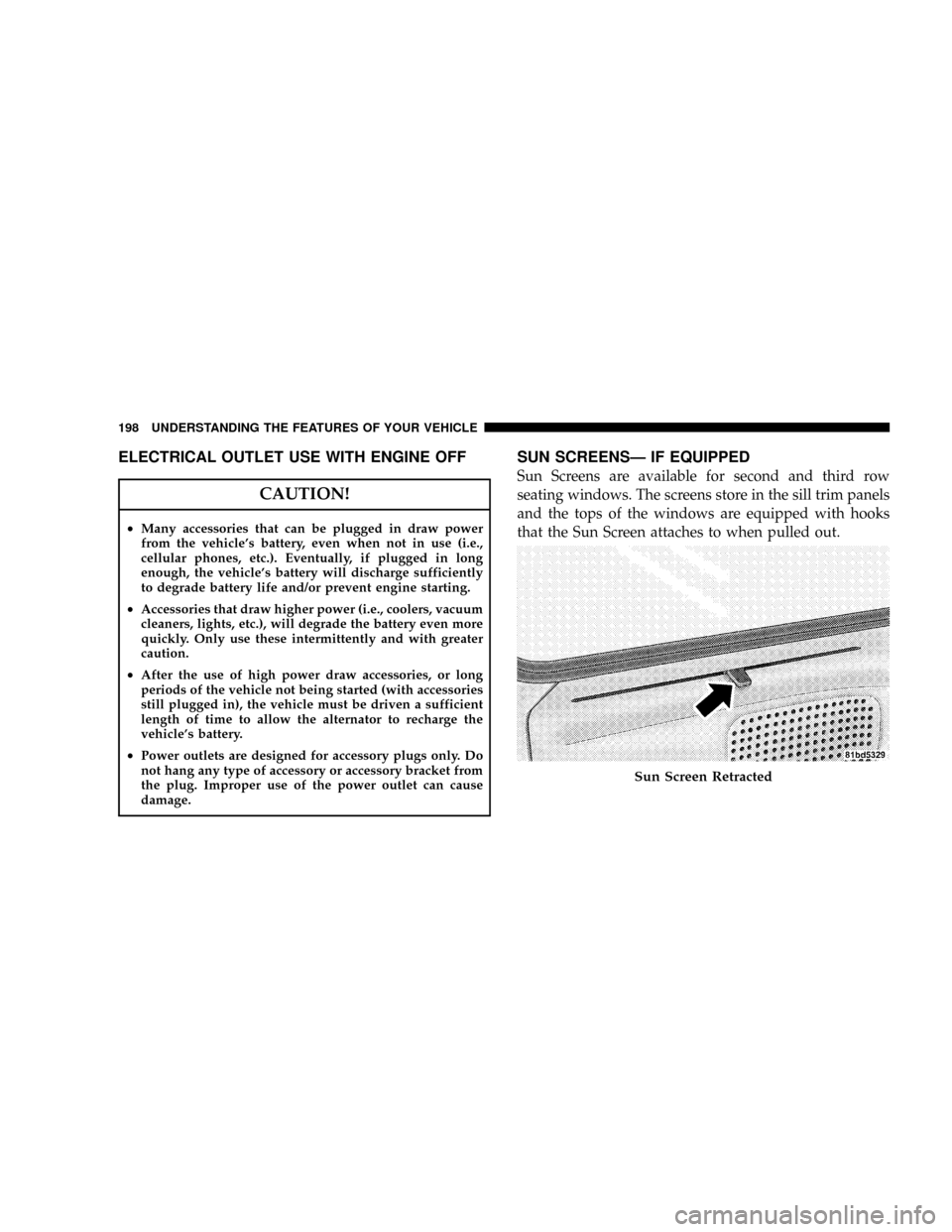
SUN SCREENSÐ IF EQUIPPED
Sun Screens are available for second and third row
seating windows. The screens store in the sill trim panels
and the tops of the windows are equipped with hooks
that the Sun Screen attaches to when pulled out.
Sun Screen Retracted
198 UNDERSTANDING THE FEATURES OF YOUR VEHICLE
Page 206 of 531
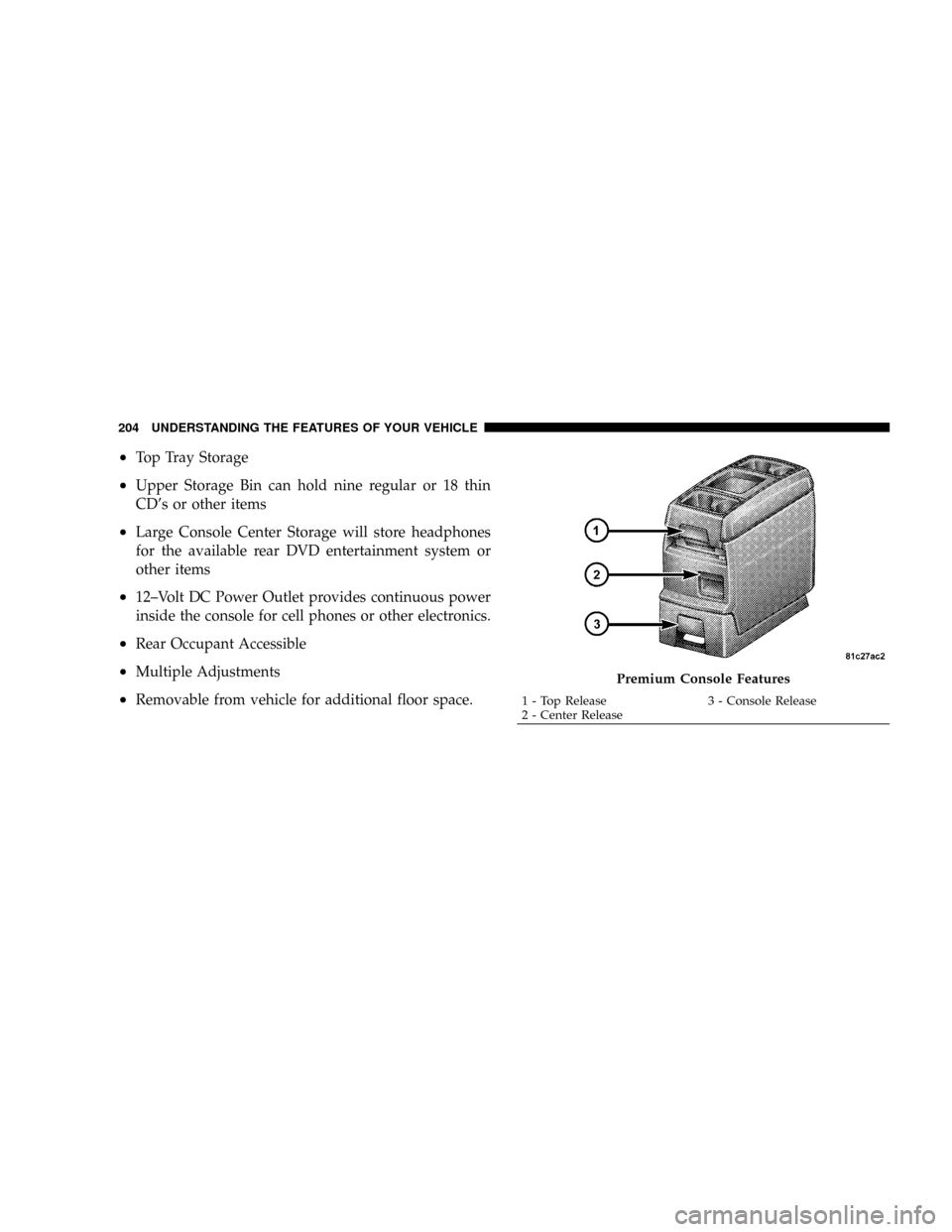
²Top Tray Storage
²Upper Storage Bin can hold nine regular or 18 thin
CD's or other items
²Large Console Center Storage will store headphones
for the available rear DVD entertainment system or
other items
²12±Volt DC Power Outlet provides continuous power
inside the console for cell phones or other electronics.
²Rear Occupant Accessible
²Multiple Adjustments
²Removable from vehicle for additional floor space.
Premium Console Features
1 - Top Release 3 - Console Release
2 - Center Release 204 UNDERSTANDING THE FEATURES OF YOUR VEHICLE
Page 213 of 531
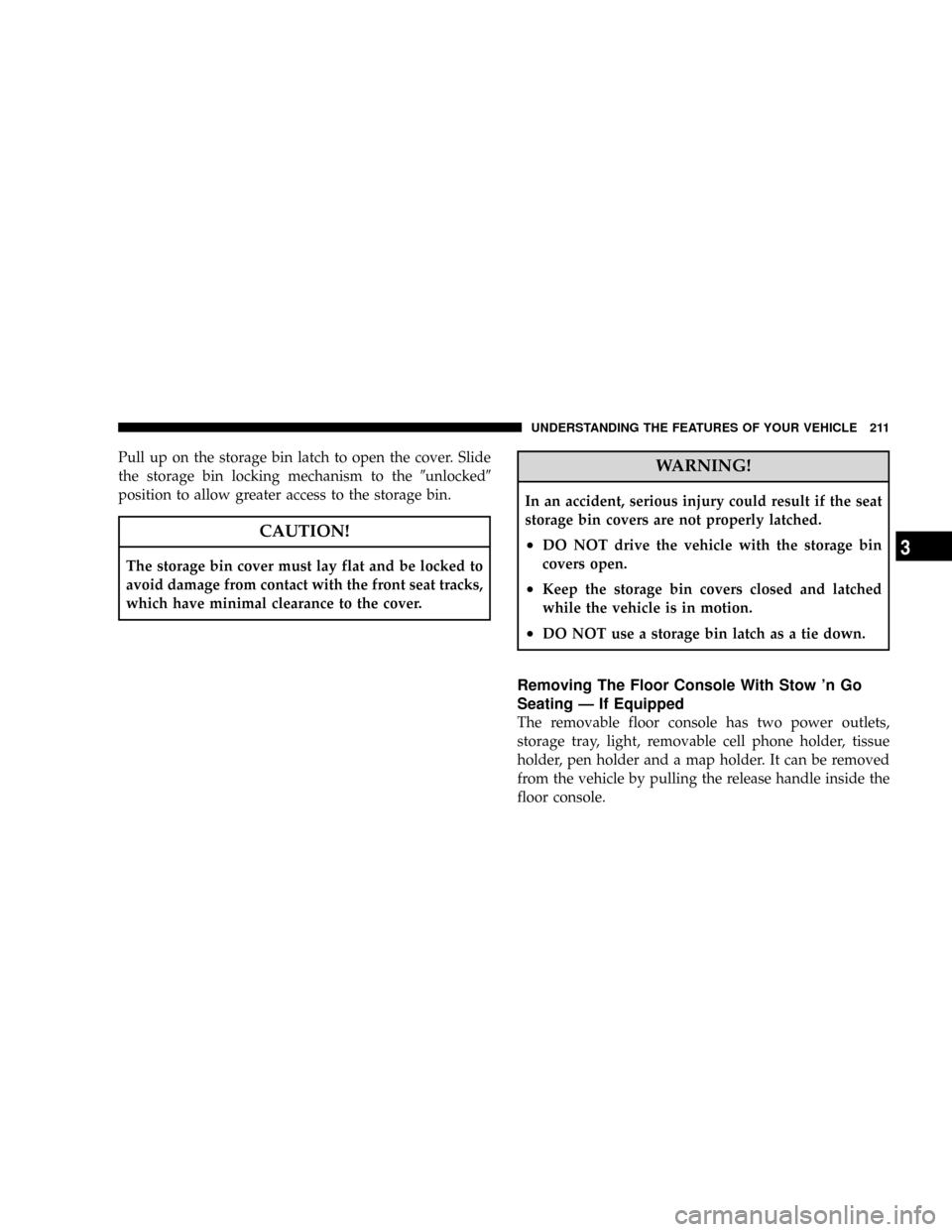
Pull up on the storage bin latch to open the cover. Slide
the storage bin locking mechanism to the9unlocked9
position to allow greater access to the storage bin.
CAUTION!
The storage bin cover must lay flat and be locked to
avoid damage from contact with the front seat tracks,
which have minimal clearance to the cover.
WARNING!
In an accident, serious injury could result if the seat
storage bin covers are not properly latched.
²DO NOT drive the vehicle with the storage bin
covers open.
²Keep the storage bin covers closed and latched
while the vehicle is in motion.
²DO NOT use a storage bin latch as a tie down.
Removing The Floor Console With Stow 'n Go
Seating Ð If Equipped
The removable floor console has two power outlets,
storage tray, light, removable cell phone holder, tissue
holder, pen holder and a map holder. It can be removed
from the vehicle by pulling the release handle inside the
floor console.
UNDERSTANDING THE FEATURES OF YOUR VEHICLE 211
3
Page 223 of 531
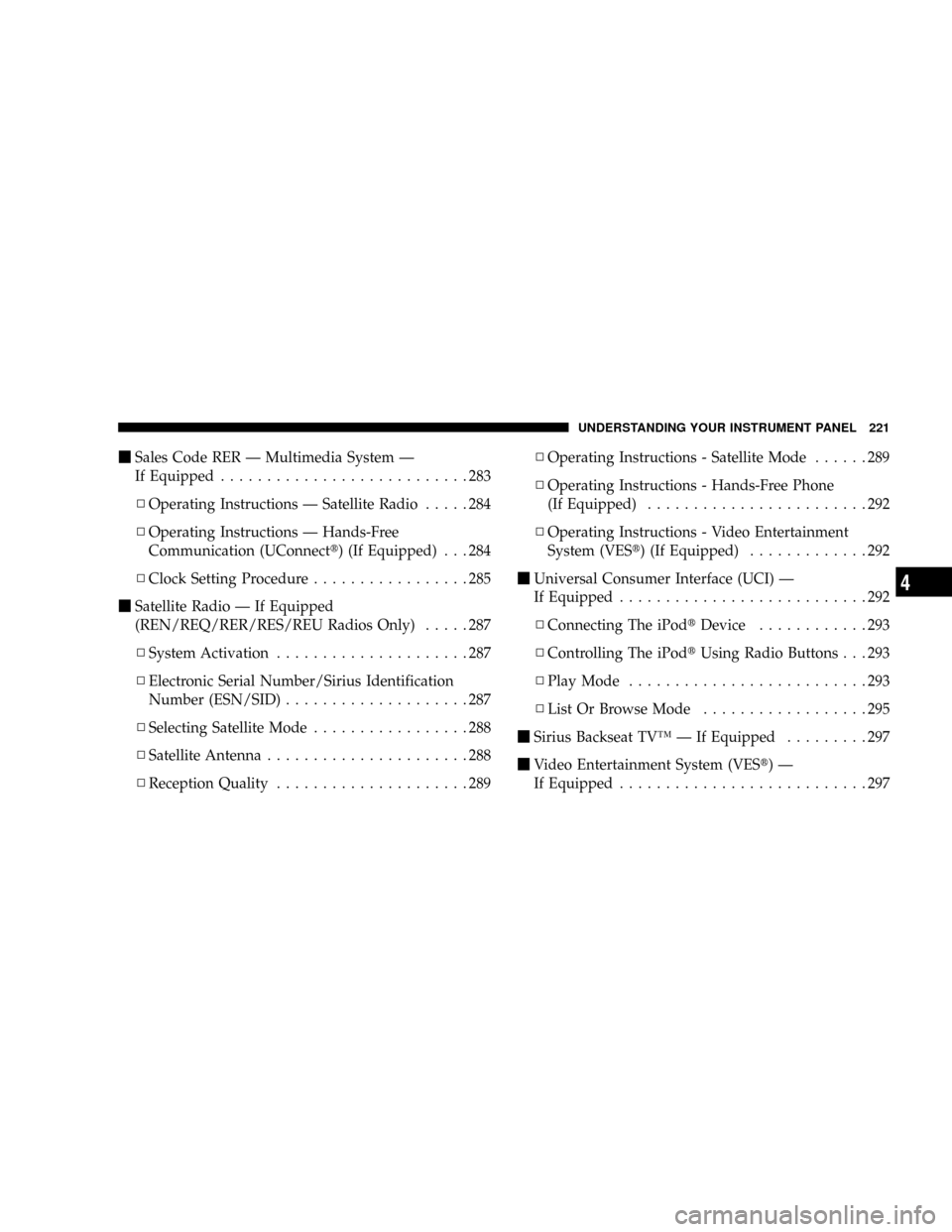
mSales Code RER Ð Multimedia System Ð
If Equipped...........................283
NOperating Instructions Ð Satellite Radio.....284
NOperating Instructions Ð Hands-Free
Communication (UConnectt) (If Equipped) . . . 284
NClock Setting Procedure.................285
mSatellite Radio Ð If Equipped
(REN/REQ/RER/RES/REU Radios Only).....287
NSystem Activation.....................287
NElectronic Serial Number/Sirius Identification
Number (ESN/SID)....................287
NSelecting Satellite Mode.................288
NSatellite Antenna......................288
NReception Quality.....................289NOperating Instructions - Satellite Mode......289
NOperating Instructions - Hands-Free Phone
(If Equipped)........................292
NOperating Instructions - Video Entertainment
System (VESt) (If Equipped).............292
mUniversal Consumer Interface (UCI) Ð
If Equipped...........................292
NConnecting The iPodtDevice............293
NControlling The iPodtUsing Radio Buttons . . . 293
NPlay Mode..........................293
NList Or Browse Mode..................295
mSirius Backseat TVŸ Ð If Equipped.........297
mVideo Entertainment System (VESt)Ð
If Equipped...........................297
UNDERSTANDING YOUR INSTRUMENT PANEL 221
4