engine DODGE CHALLENGER 2019 Owners Manual
[x] Cancel search | Manufacturer: DODGE, Model Year: 2019, Model line: CHALLENGER, Model: DODGE CHALLENGER 2019Pages: 532, PDF Size: 5.01 MB
Page 474 of 532
•Engine Torque
Shows the instantaneous torque.
• Oil Pressure (6.4L only)
Shows the actual engine oil pressure.
• Gear (Automatic Transmission Only)
Shows the current (or pending) operating gear of the
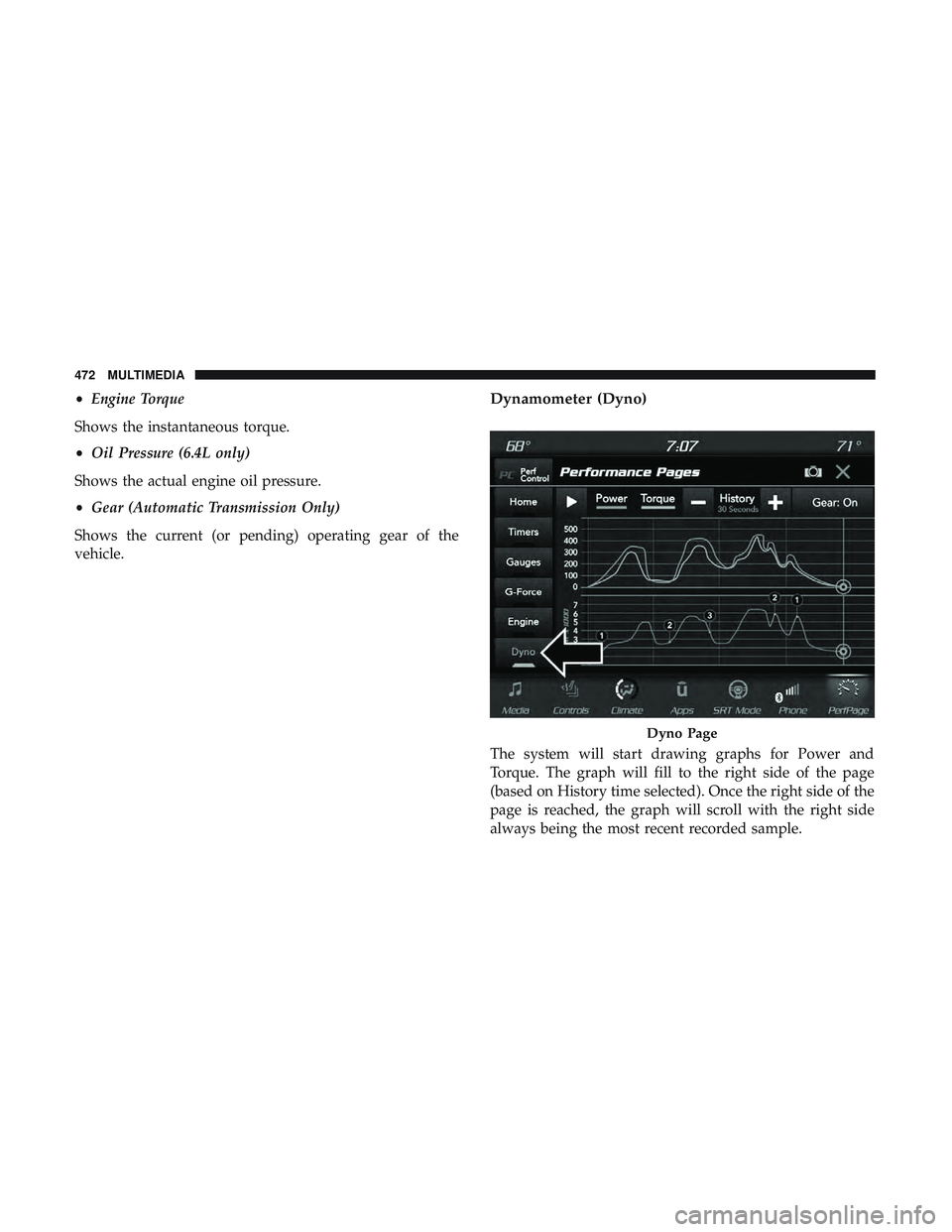
vehicle.Dynamometer (Dyno)
The system will start drawing graphs for Power and
Torque. The graph will fill to the right side of the page
(based on History time selected). Once the right side of the
page is reached, the graph will scroll with the right side
always being the most recent recorded sample.
Dyno Page
472 MULTIMEDIA
Page 475 of 532
The following options can be selected:
•Pressing the STOP button will freeze the graph. Selecting
Play will clear the graph and restart the process over
• Press the “+” or “–” buttons to change the history of the
graph. The selectable options are 30, 60, 90, 120 seconds.
The graph will expand or constrict depending on the
setting selected.
• Select the “Gear” display setting to turn the graph gear
markers on and off.
NOTE: The Gear on/off feature will only display if your
vehicle is equipped with an Automatic Transmission.
Performance Control — If Equipped
Your vehicle is equipped with a Performance Control
feature which allows for coordinating the operation of
various vehicle systems depending upon the type of driv-
ing behavior desired. The Performance Control feature is
controlled through the Uconnect system and may be ac-
cessed by performing any of the following:
• Pushing the Super Track Pack button on the instrument
panel switch bank. •
Selecting “Performance Control” from the “Apps”
menu.
• Selecting “Performance Control” from within the Perfor-
mance Pages menu.
You will be able to enable, disable, and customize the
functionality of the Launch Control and Performance Con-
trol Set-Up features within Performance Control.
Descriptions of these features are provided below. To
access information about the functionality of these features
through the Uconnect system, press the “Info” button on
the touchscreen.
NOTE: Scat and Widebody Dodge vehicles equipped with
a 6.4L engine will use SRT Drive Modes rather than the
Dodge Performance Control Pages. Please refer to the
Owner ’s Manual Supplement for further information on
the SRT Drive Modes.10
MULTIMEDIA 473
Page 477 of 532
familiarity with the race track. Use of this feature in low
traction (cold, wet, gravel, etc.) conditions may results in
excess wheel slip outside this systems control resulting in
an aborted launch.
NOTE:
•Launch control should not be used on public roads.
Always check track conditions and the surrounding
area.
• Launch Control is not available for the first 500 miles
(805 km) of the vehicle’s life.
• Launch Control should only be used when the engine
and transmission are at operating temperature.
• Launch Control is intended to be used on dry, paved
road surfaces only. Use on slippery or loose surfaces
may cause damage to vehicle components and is not
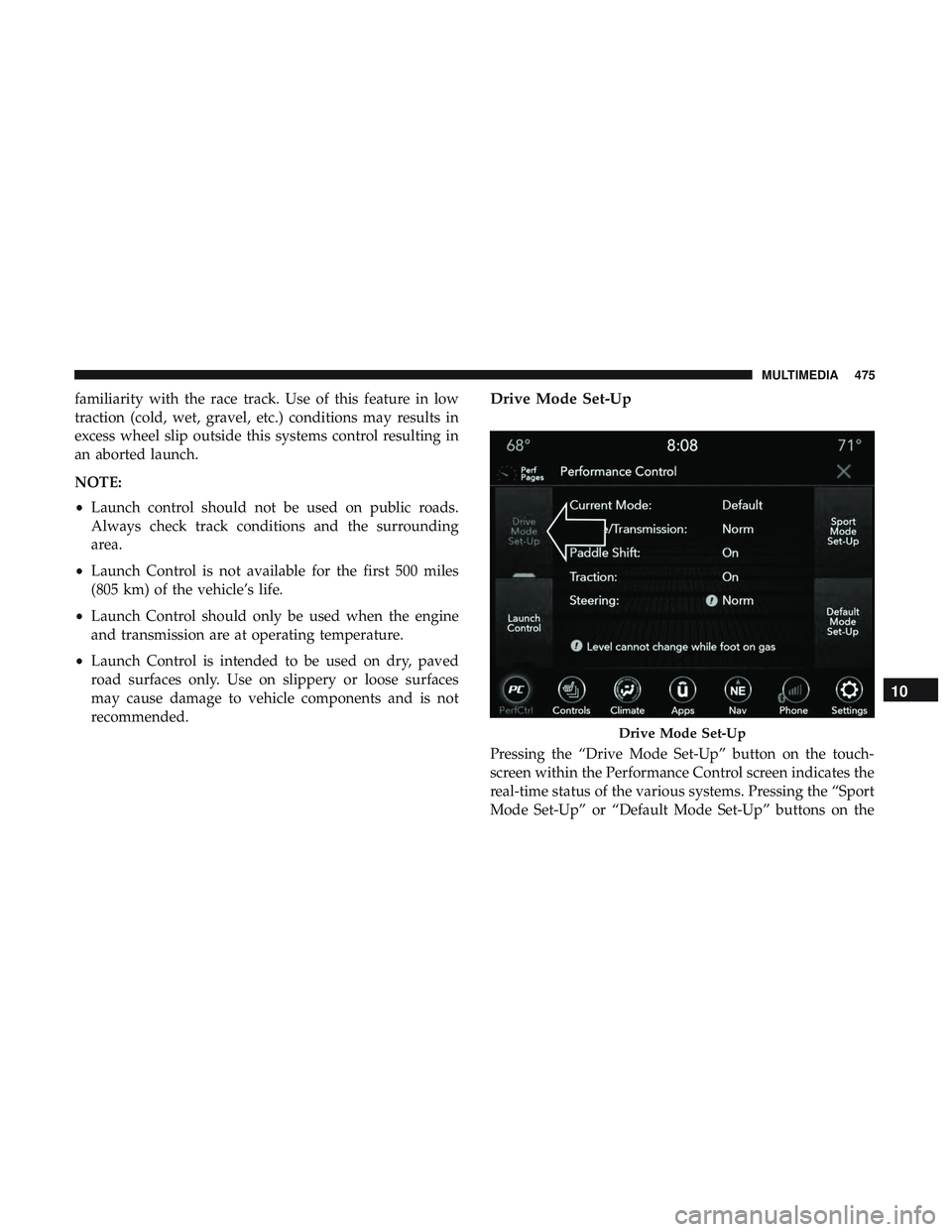
recommended.Drive Mode Set-Up
Pressing the “Drive Mode Set-Up” button on the touch-
screen within the Performance Control screen indicates the
real-time status of the various systems. Pressing the “Sport
Mode Set-Up” or “Default Mode Set-Up” buttons on the
Drive Mode Set-Up
10
MULTIMEDIA 475
Page 478 of 532
touchscreen allows the driver to configure their individual
performance control and see how those configurations
affect the performance of the vehicle.
NOTE:Not all of the options listed in this manual are
available on every vehicle, below is a chart with all
available Performance Control vehicle configurations.
Available Mode Configurations
Engine If Manual Transmission
Engine/Trans If Auto Transmission
Steering X
Paddle Shifters X
Traction Control X
Refer to the Sport and Default modes for their detailed
operation.
NOTE: These settings will remain in effect when using the
Launch Control feature.
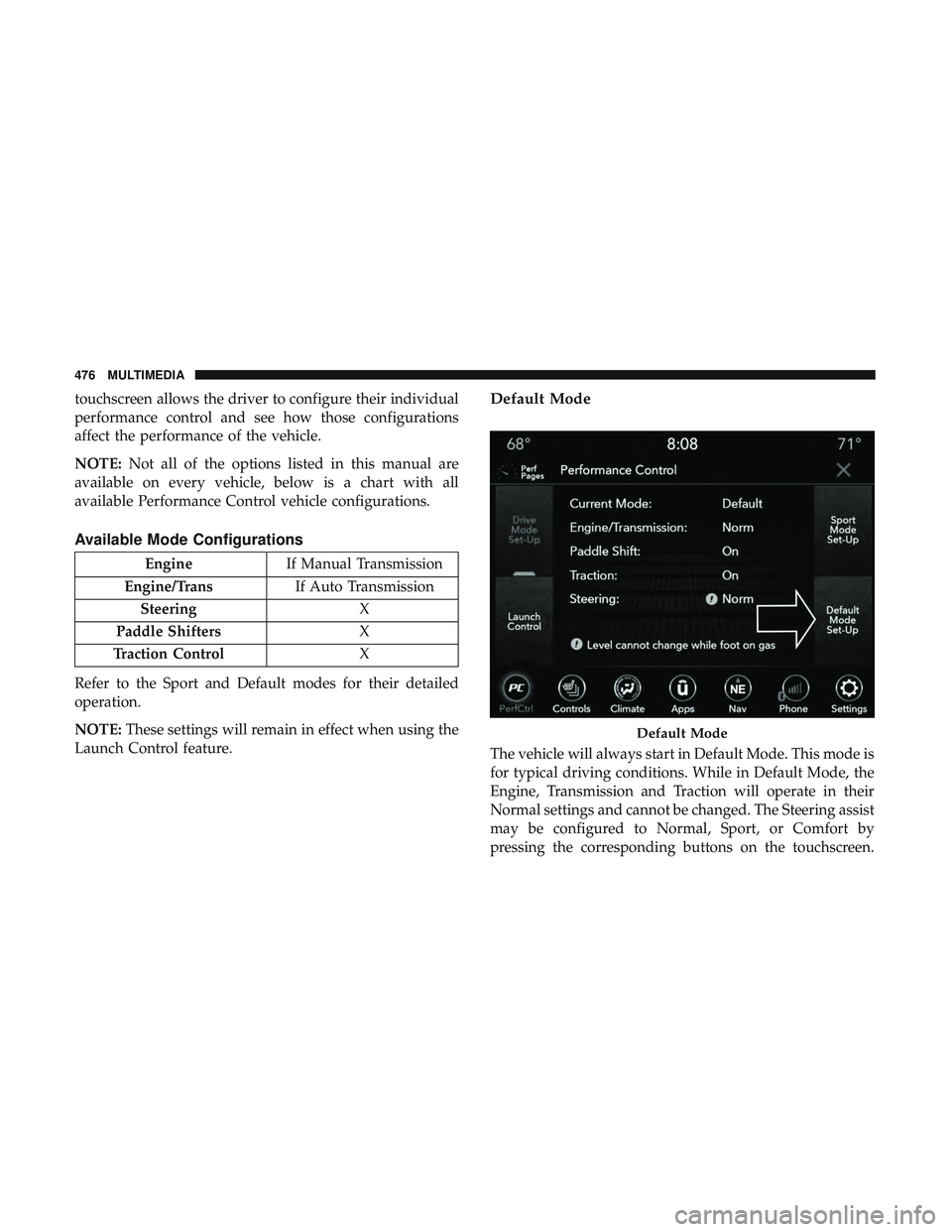
Default Mode
The vehicle will always start in Default Mode. This mode is
for typical driving conditions. While in Default Mode, the
Engine, Transmission and Traction will operate in their
Normal settings and cannot be changed. The Steering assist
may be configured to Normal, Sport, or Comfort by
pressing the corresponding buttons on the touchscreen.
Default Mode
476 MULTIMEDIA
Page 480 of 532
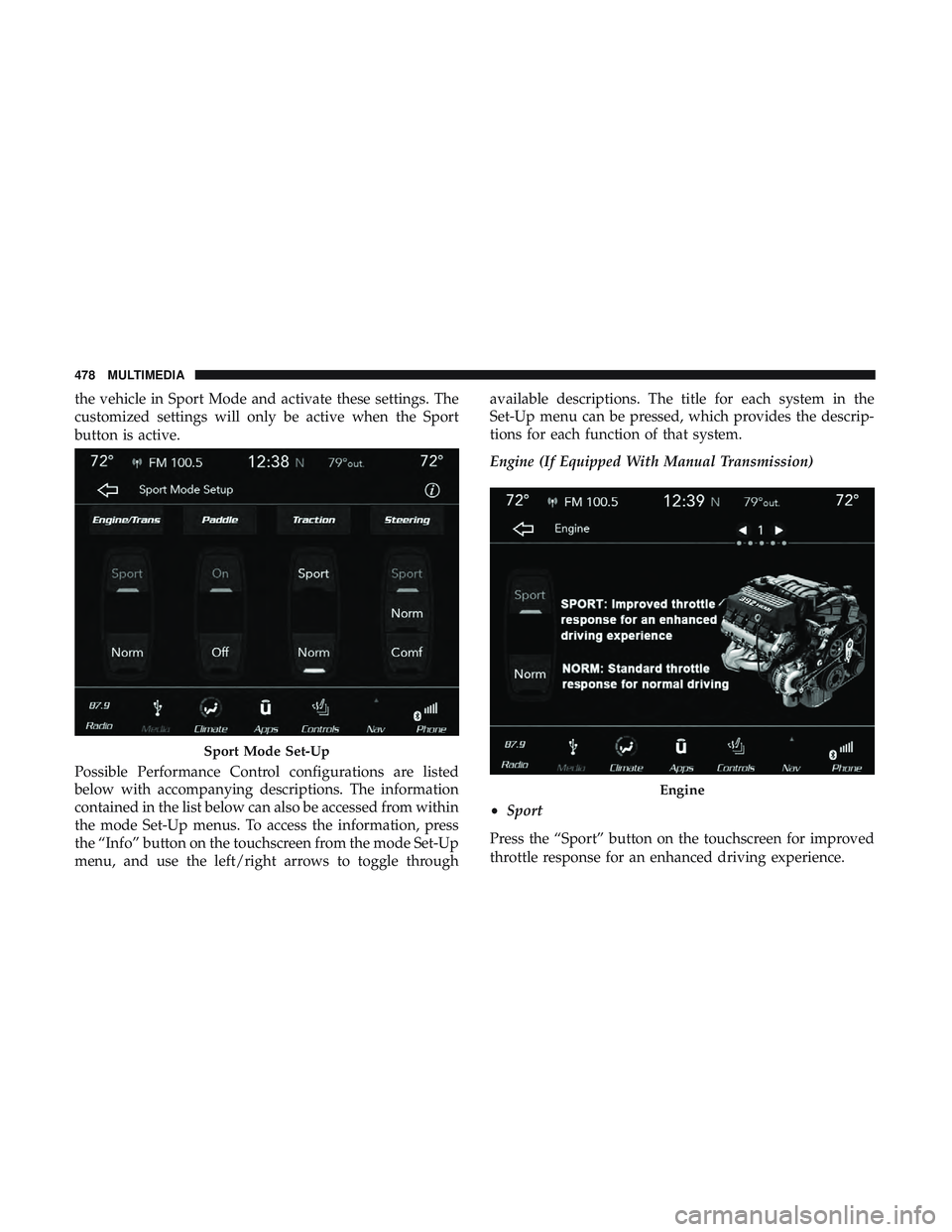
the vehicle in Sport Mode and activate these settings. The
customized settings will only be active when the Sport
button is active.
Possible Performance Control configurations are listed
below with accompanying descriptions. The information
contained in the list below can also be accessed from within
the mode Set-Up menus. To access the information, press
the “Info” button on the touchscreen from the mode Set-Up
menu, and use the left/right arrows to toggle throughavailable descriptions. The title for each system in the
Set-Up menu can be pressed, which provides the descrip-
tions for each function of that system.
Engine (If Equipped With Manual Transmission)
•
Sport
Press the “Sport” button on the touchscreen for improved
throttle response for an enhanced driving experience.
Sport Mode Set-Up
Engine
478 MULTIMEDIA
Page 481 of 532
•Normal
Press the “Norm” button on the touchscreen for standard
throttle response for normal driving.
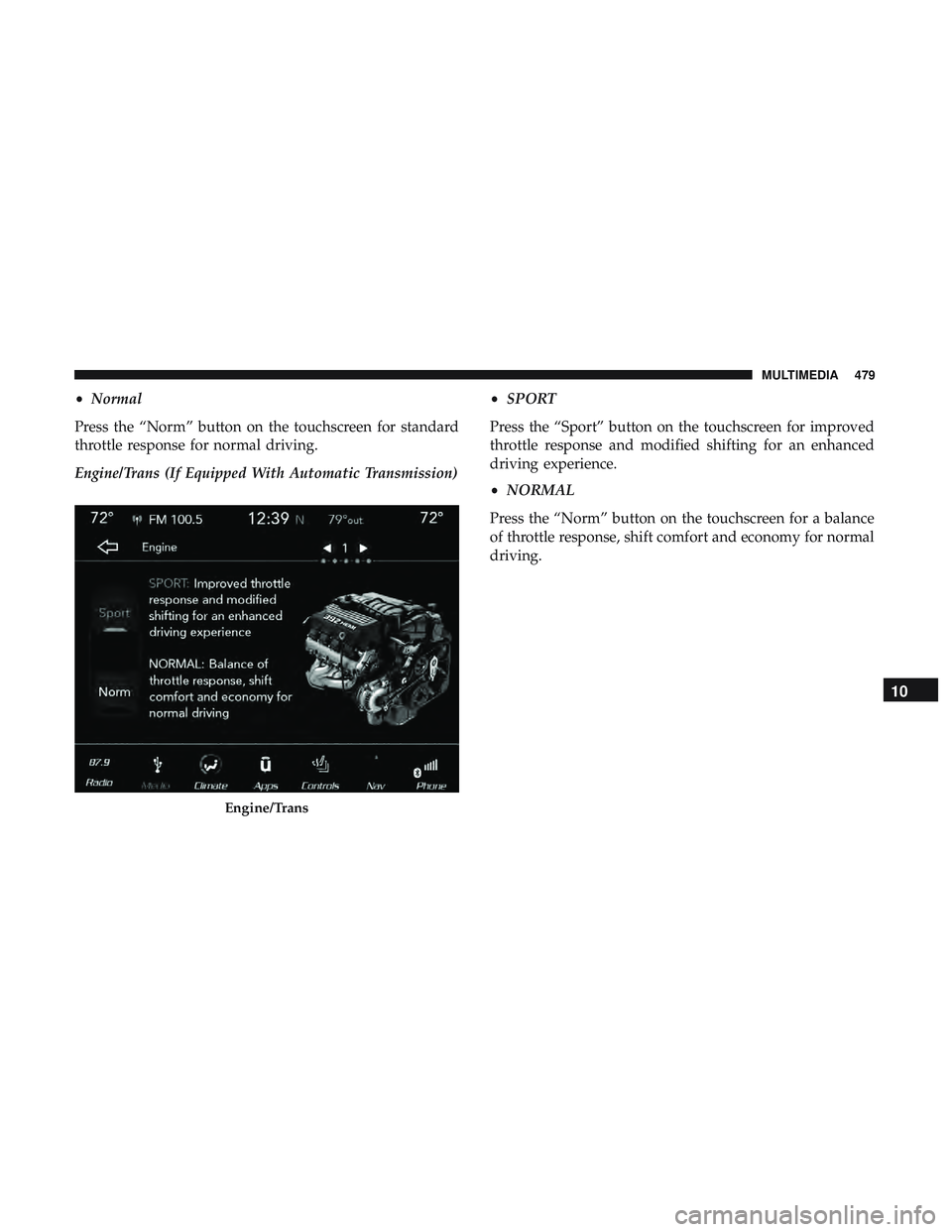
Engine/Trans (If Equipped With Automatic Transmission) •
SPORT
Press the “Sport” button on the touchscreen for improved
throttle response and modified shifting for an enhanced
driving experience.
• NORMAL
Press the “Norm” button on the touchscreen for a balance
of throttle response, shift comfort and economy for normal
driving.
Engine/Trans
10
MULTIMEDIA 479
Page 511 of 532
WARNING!
Engine exhaust (internal combustion engines only),
some of its constituents, and certain vehicle compo-
nents contain, or emit, chemicals known to the State of
California to cause cancer and birth defects, or other
reproductive harm. In addition, certain fluids con-
tained in vehicles and certain products of component
wear contain, or emit, chemicals known to the State of
California to cause cancer and birth defects, or other
reproductive harm.
WARRANTY INFORMATION
See the Warranty Information Booklet for the terms and
provisions of FCA US LLC warranties applicable to this
vehicle and market.
MOPAR PARTS
Mopar fluids, lubricants, parts, and accessories are avail-
able from an authorized dealer. They are recommended for
your vehicle in order to help keep the vehicle operating at
its best.
REPORTING SAFETY DEFECTS
In The 50 United States And Washington, D.C.
If you believe that your vehicle has a defect that could
cause a crash or cause injury or death, you should
immediately inform the National Highway Traffic
Safety Administration (NHTSA) in addition to notifying
FCA US LLC.
If NHTSA receives similar complaints, it may open an
investigation, and if it finds that a safety defect exists in
a group of vehicles, it may order a recall and remedy
campaign. However, NHTSA cannot become involved
in individual problems between you, an authorized
dealer or FCA US LLC.
To contact NHTSA, you may call the Vehicle Safety
Hotline toll free at 1-888-327-4236 (TTY: 1-800-424-9153);
or go to http://www.safercar.gov; or write to: Admin-
istrator, NHTSA, 1200 New Jersey Avenue, SE., West
Building, Washington, D.C. 20590. You can also obtain
other information about motor vehicle safety from
http://www.safercar.gov.11
CUSTOMER ASSISTANCE 509
Page 512 of 532
In Canada
If you believe that your vehicle has a safety defect, you
should contact the Customer Service Department imme-
diately. Canadian customers who wish to report a safety
defect to the Canadian government should contact
Transport Canada, Motor Vehicle Defect Investigations
and Recalls at 1-800-333-0510 or go to http://
www.tc.gc.ca/roadsafety/.
PUBLICATION ORDER FORMS
To order the following manuals, you may use either the
website or the phone numbers listed below.
Service Manuals
These comprehensive Service Manuals provide the infor-
mation that students and professional technicians need in
diagnosing/troubleshooting, problem solving, maintain-
ing, servicing, and repairing FCA US LLC vehicles. A
complete working knowledge of the vehicle, system,
and/or components is written in straightforward language
with illustrations, diagrams, and charts.Diagnostic Procedure Manuals
Diagnostic Procedure Manuals are filled with diagrams,
charts and detailed illustrations. These practical manuals
make it easy for students and technicians to find and fix
problems on computer-controlled vehicle systems and fea-
tures. They show exactly how to find and correct problems
the first time, using step-by-step troubleshooting and driv-
ability procedures, proven diagnostic tests and a complete
list of all tools and equipment.
Owner’s Manuals
These Owner’s Manuals have been prepared with the
assistance of service and engineering specialists to acquaint
you with specific FCA US LLC vehicles. Included are
starting, operating, emergency and maintenance proce-
dures as well as specifications, capabilities and safety tips.
Call toll free at:
•
1-800-890-4038 (U.S.)
• 1-800-387-1143 (Canada)
Or
Visit us on the Worldwide Web at:
• www.techauthority.com (U.S.)
510 CUSTOMER ASSISTANCE
Page 514 of 532
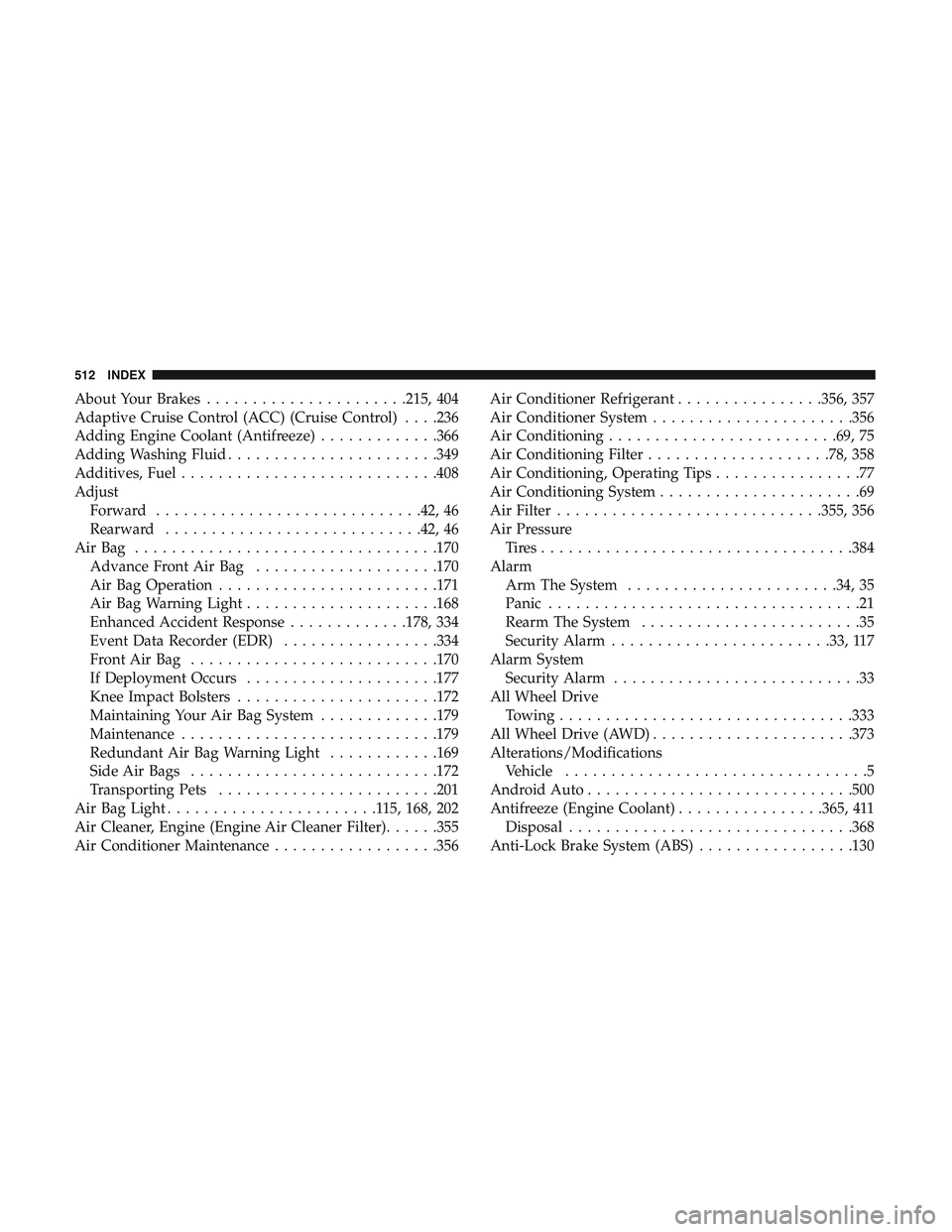
About Your Brakes..................... .215, 404
Adaptive Cruise Control (ACC) (Cruise Control) . . . .236
Adding Engine Coolant (Antifreeze) .............366
Adding Washing Fluid ...................... .349
Additives, Fuel ........................... .408
Adjust Forward ............................ .42, 46
Rearward ........................... .42, 46
AirBag ................................ .170
Advance Front Air Bag ....................170
Air Bag Operation ....................... .171
Air Bag Warning Light .....................168
Enhanced Accident Response .............178, 334
Event Data Recorder (EDR) .................334
FrontAirBag .......................... .170
If Deployment Occurs .....................177
Knee Impact Bolsters ..................... .172
Maintaining Your Air Bag System .............179
Maintenance ........................... .179
Redundant Air Bag Warning Light ............169
Side Air Bags .......................... .172
Transporting Pets ....................... .201
Air Bag Light .......................115, 168, 202
Air Cleaner, Engine (Engine Air Cleaner Filter) ......355
Air Conditioner Maintenance ..................356 Air Conditioner Refrigerant
................356, 357
Air Conditioner System ..................... .356
Air Conditioning ........................ .69, 75
Air Conditioning Filter ....................78, 358
Air Conditioning, Operating Tips ................77
Air Conditioning System ......................69
Air Filter ............................ .355, 356
Air Pressure Tires................................. .384
Alarm Arm The System ...................... .34, 35
Panic ..................................21
Rearm The System ........................35
Security Alarm ....................... .33,
117
Alarm System Security Alarm ...........................33
All Wheel Drive Towing ............................... .333
All Wheel Drive (AWD) ..................... .373
Alterations/Modifications Vehicle .................................5
Android Auto ............................ .500
Antifreeze (Engine Coolant) ................365, 411
Disposal .............................. .368
Anti-Lock Brake System (ABS) .................130
512 INDEX
Page 516 of 532
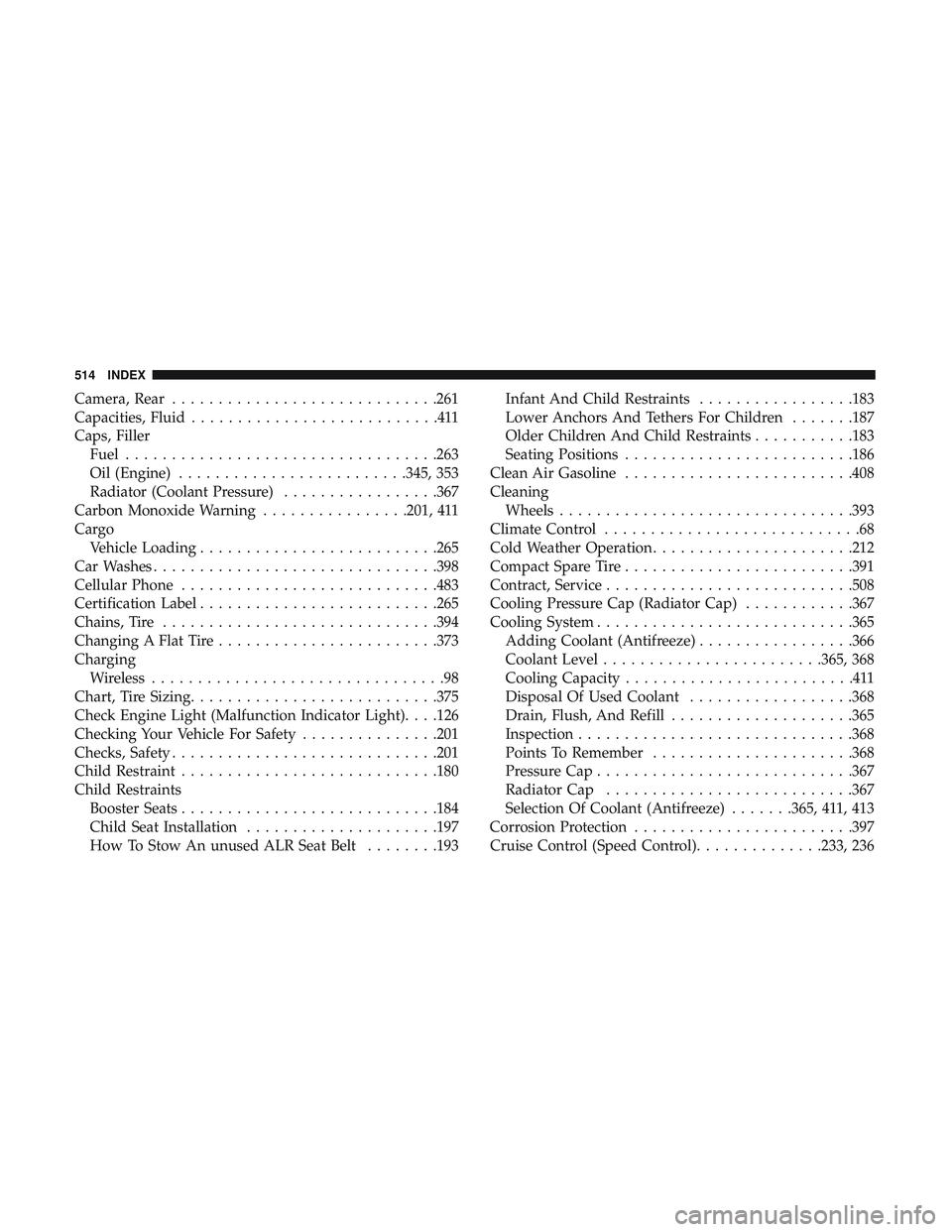
Camera, Rear............................ .261
Capacities, Fluid ...........................411
Caps, Filler Fuel ................................. .263
Oil (Engine) ........................ .345, 353
Radiator (Coolant Pressure) .................367
Carbon Monoxide Warning ................201, 411
Cargo Vehicle Loading ......................... .265
Car Washes .............................. .398
Cellular Phone ........................... .483
Certification Label ......................... .265
Chains, Tire ............................. .394
Changing A Flat Tire ....................... .373
Charging Wireless ................................98
Chart, Tire Sizing .......................... .375
Check Engine Light (Malfunction Indicator Light). . . .126
Checking Your Vehicle For Safety ...............201
Checks, Safety ............................ .201
Child Restraint ........................... .180
Child Restraints Booster Seats ........................... .184
Child Seat Installation .....................197
How To Stow An unused ALR Seat Belt ........193Infant And Child Restraints
.................183
Lower Anchors And Tethers For Children .......187
Older Children And Child Restraints ...........183
Seating Positions ........................ .186
Clean Air Gasoline ........................ .408
Cleaning Wheels ............................... .393
Climate Control ............................68
Cold Weather Operation ..................... .212
Compact Spare Tire ........................ .391
Contract, Service .......................... .508
Cooling Pressure Cap (Radiator Cap) ............367
Cooling System ........................... .365
Adding Coolant (Antifreeze) .................366
Coolant
Level ....................... .365, 368
Cooling Capacity .........................411
Disposal Of Used Coolant ..................368
Drain, Flush, And Refill ....................365
Inspection ............................. .368
Points To Remember ..................... .368
Pressure Cap ........................... .367
Radiator Cap .......................... .367
Selection Of Coolant (Antifreeze) .......365, 411, 413
Corrosion Protection ....................... .397
Cruise Control (Speed Control) ..............233, 236
514 INDEX