mirror DODGE CHALLENGER 2020 Owner's Manual
[x] Cancel search | Manufacturer: DODGE, Model Year: 2020, Model line: CHALLENGER, Model: DODGE CHALLENGER 2020Pages: 396, PDF Size: 16.64 MB
Page 292 of 396
290SERVICING AND MAINTENANCE
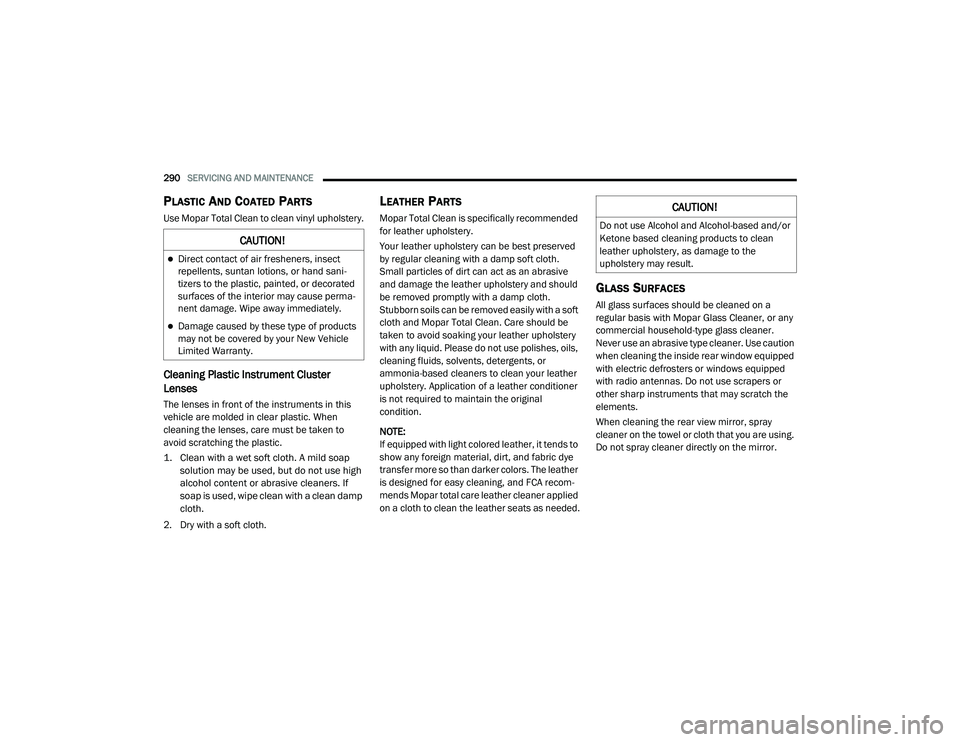
PLASTIC AND COATED PARTS
Use Mopar Total Clean to clean vinyl upholstery.
Cleaning Plastic Instrument Cluster
Lenses
The lenses in front of the instruments in this
vehicle are molded in clear plastic. When
cleaning the lenses, care must be taken to
avoid scratching the plastic.
1. Clean with a wet soft cloth. A mild soap
solution may be used, but do not use high
alcohol content or abrasive cleaners. If
soap is used, wipe clean with a clean damp
cloth.
2. Dry with a soft cloth.
LEATHER PARTS
Mopar Total Clean is specifically recommended
for leather upholstery.
Your leather upholstery can be best preserved
by regular cleaning with a damp soft cloth.
Small particles of dirt can act as an abrasive
and damage the leather upholstery and should
be removed promptly with a damp cloth.
Stubborn soils can be removed easily with a soft
cloth and Mopar Total Clean. Care should be
taken to avoid soaking your leather upholstery
with any liquid. Please do not use polishes, oils,
cleaning fluids, solvents, detergents, or
ammonia-based cleaners to clean your leather
upholstery. Application of a leather conditioner
is not required to maintain the original
condition.
NOTE:
If equipped with light colored leather, it tends to
show any foreign material, dirt, and fabric dye
transfer more so than darker colors. The leather
is designed for easy cleaning, and FCA recom -
mends Mopar total care leather cleaner applied
on a cloth to clean the leather seats as needed.
GLASS SURFACES
All glass surfaces should be cleaned on a
regular basis with Mopar Glass Cleaner, or any
commercial household-type glass cleaner.
Never use an abrasive type cleaner. Use caution
when cleaning the inside rear window equipped
with electric defrosters or windows equipped
with radio antennas. Do not use scrapers or
other sharp instruments that may scratch the
elements.
When cleaning the rear view mirror, spray
cleaner on the towel or cloth that you are using.
Do not spray cleaner directly on the mirror.
CAUTION!
Direct contact of air fresheners, insect
repellents, suntan lotions, or hand sani -
tizers to the plastic, painted, or decorated
surfaces of the interior may cause perma -
nent damage. Wipe away immediately.
Damage caused by these type of products
may not be covered by your New Vehicle
Limited Warranty.
CAUTION!
Do not use Alcohol and Alcohol-based and/or
Ketone based cleaning products to clean
leather upholstery, as damage to the
upholstery may result.
20_LA_OM_EN_USC_t.book Page 290
Page 316 of 396
314MULTIMEDIA
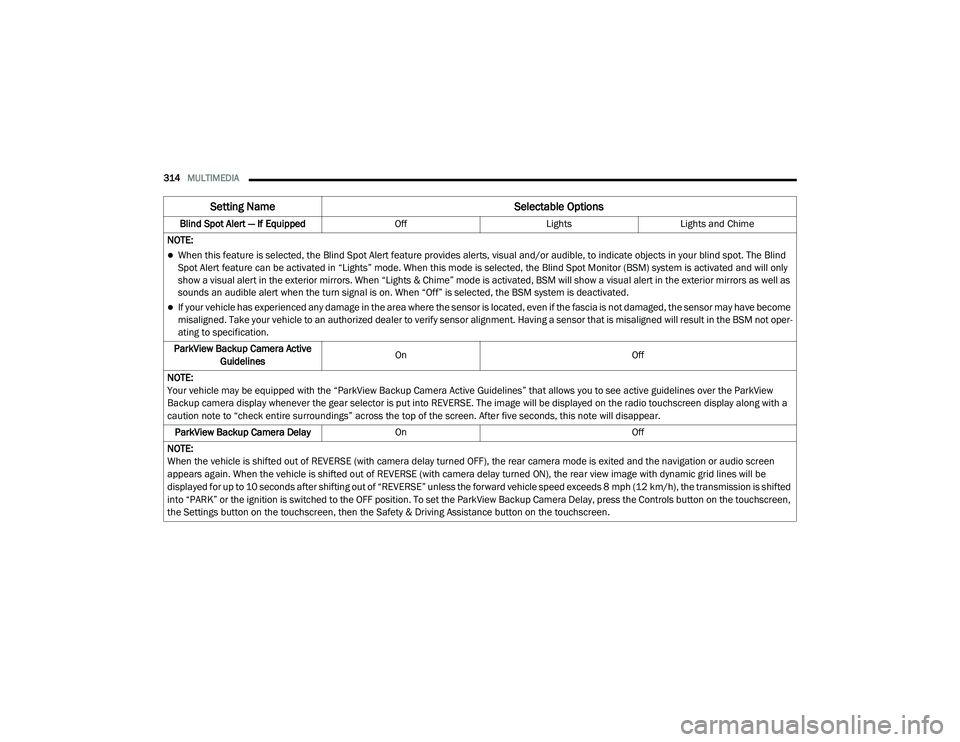
Blind Spot Alert — If Equipped OffLightsLights and Chime
NOTE:
When this feature is selected, the Blind Spot Alert feature provides alerts, visual and/or audible, to indicate objects in your blind spot. The Blind
Spot Alert feature can be activated in “Lights” mode. When this mode is selected, the Blind Spot Monitor (BSM) system is activated and will only
show a visual alert in the exterior mirrors. When “Lights & Chime” mode is activated, BSM will show a visual alert in the exterior mirrors as well as
sounds an audible alert when the turn signal is on. When “Off” is selected, the BSM system is deactivated.
If your vehicle has experienced any damage in the area where the sensor is located, even if the fascia is not damaged, the sensor may have become
misaligned. Take your vehicle to an authorized dealer to verify sensor alignment. Having a sensor that is misaligned will result in the BSM not oper -
ating to specification.
ParkView Backup Camera Active Guidelines On
Off
NOTE:
Your vehicle may be equipped with the “ParkView Backup Camera Active Guidelines” that allows you to see active guidelines over the ParkView
Backup camera display whenever the gear selector is put into REVERSE. The image will be displayed on the radio touchscreen display along with a
caution note to “check entire surroundings” across the top of the screen. After five seconds, this note will disappear. ParkView Backup Camera Delay On Off
NOTE:
When the vehicle is shifted out of REVERSE (with camera delay turned OFF), the rear camera mode is exited and the navigation or audio screen
appears again. When the vehicle is shifted out of REVERSE (with camera delay turned ON), the rear view image with dynamic grid lines will be
displayed for up to 10 seconds after shifting out of “REVERSE” unless the forward vehicle speed exceeds 8 mph (12 km/h), the transmission is shifted into “PARK” or the ignition is switched to the OFF position. To set the ParkView Backup Camera Delay, press the Controls button on the touchscreen,
the Settings button on the touchscreen, then the Safety & Driving Assistance button on the touchscreen.
Setting Name Selectable Options
20_LA_OM_EN_USC_t.book Page 314
Page 319 of 396
MULTIMEDIA317
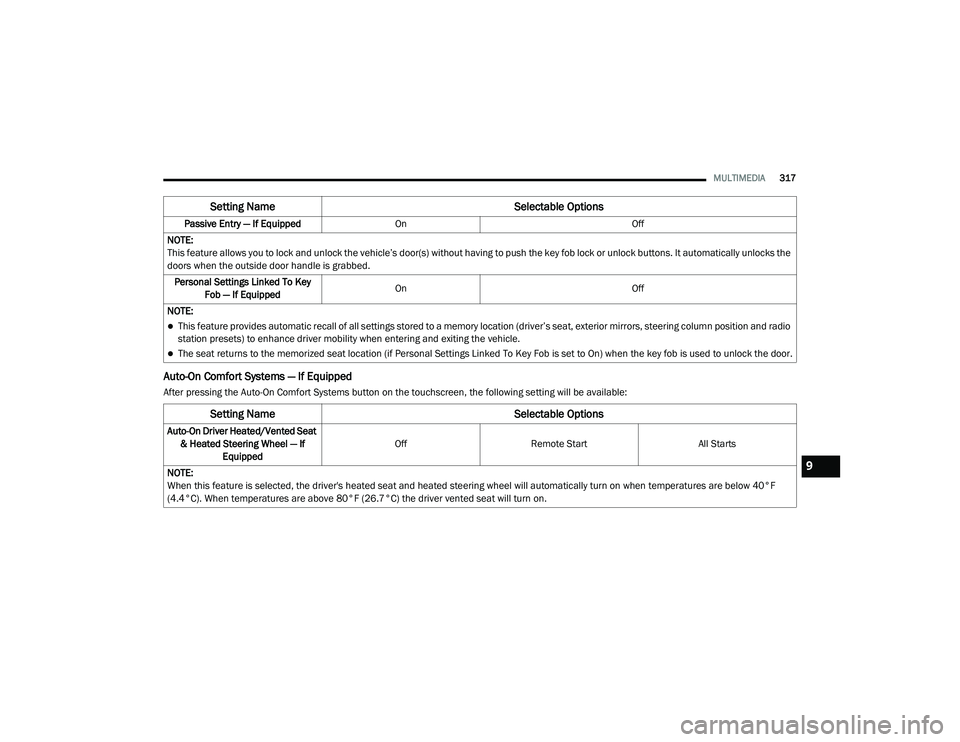
Auto-On Comfort Systems — If Equipped
After pressing the Auto-On Comfort Systems button on the touchscreen, the following setting will be available:Passive Entry — If Equipped
On Off
NOTE:
This feature allows you to lock and unlock the vehicle’s door(s) without having to push the key fob lock or unlock buttons. It automatically unlocks the
doors when the outside door handle is grabbed. Personal Settings Linked To Key Fob — If Equipped On
Off
NOTE:
This feature provides automatic recall of all settings stored to a memory location (driver’s seat, exterior mirrors, steering column position and radio
station presets) to enhance driver mobility when entering and exiting the vehicle.
The seat returns to the memorized seat location (if Personal Settings Linked To Key Fob is set to On) when the key fob is used to unlock the door.
Setting Name Selectable Options
Setting NameSelectable Options
Auto-On Driver Heated/Vented Seat
& Heated Steering Wheel — If Equipped Off
Remote Start All Starts
NOTE:
When this feature is selected, the driver's heated seat and heated steering wheel will automatically turn on when temperatures are below 40°F
(4.4°C). When temperatures are above 80°F (26.7°C) the driver vented seat will turn on.
9
20_LA_OM_EN_USC_t.book Page 317
Page 325 of 396
MULTIMEDIA323
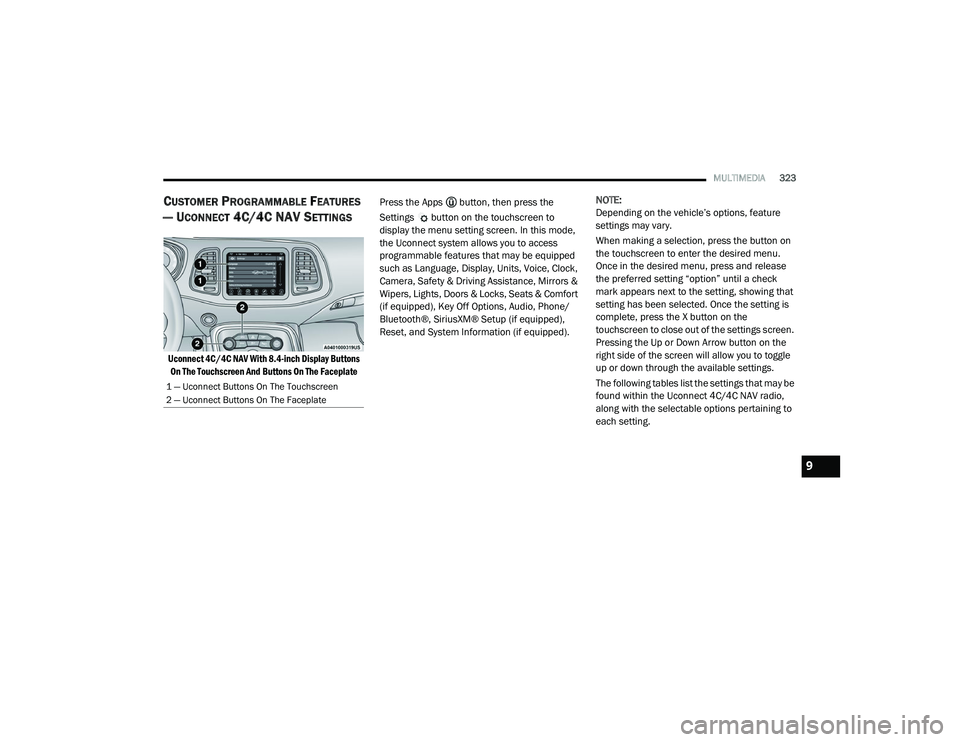
CUSTOMER PROGRAMMABLE FEATURES
— U
CONNECT 4C/4C NAV SETTINGS
Uconnect 4C/4C NAV With 8.4-inch Display Buttons
On The Touchscreen And Buttons On The Faceplate
Press the Apps button, then press the
Settings button on the touchscreen to
display the menu setting screen. In this mode,
the Uconnect system allows you to access
programmable features that may be equipped
such as Language, Display, Units, Voice, Clock,
Camera, Safety & Driving Assistance, Mirrors &
Wipers, Lights, Doors & Locks, Seats & Comfort
(if equipped), Key Off Options, Audio, Phone/
Bluetooth®, SiriusXM® Setup (if equipped),
Reset, and System Information (if equipped).
NOTE:
Depending on the vehicle’s options, feature
settings may vary.
When making a selection, press the button on
the touchscreen to enter the desired menu.
Once in the desired menu, press and release
the preferred setting “option” until a check
mark appears next to the setting, showing that
setting has been selected. Once the setting is
complete, press the X button on the
touchscreen to close out of the settings screen.
Pressing the Up or Down Arrow button on the
right side of the screen will allow you to toggle
up or down through the available settings.
The following tables list the settings that may be
found within the Uconnect 4C/4C NAV radio,
along with the selectable options pertaining to
each setting.
1 — Uconnect Buttons On The Touchscreen
2 — Uconnect Buttons On The Faceplate
9
20_LA_OM_EN_USC_t.book Page 323
Page 332 of 396
330MULTIMEDIA
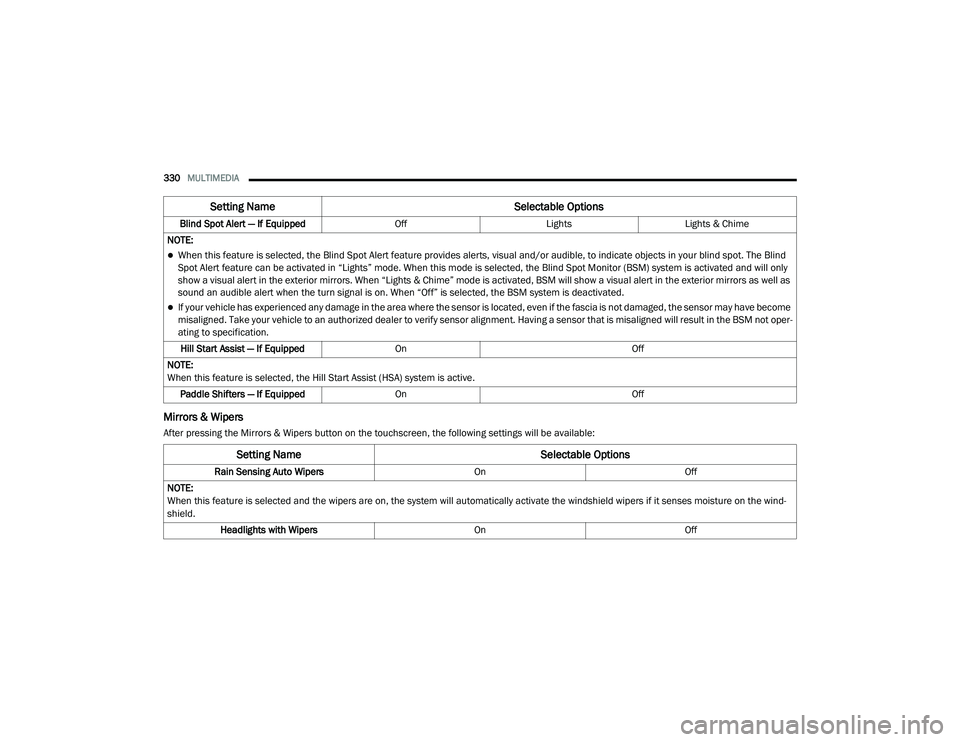
Mirrors & Wipers
After pressing the Mirrors & Wipers button on the touchscreen, the following settings will be available:Blind Spot Alert — If Equipped
OffLightsLights & Chime
NOTE:
When this feature is selected, the Blind Spot Alert feature provides alerts, visual and/or audible, to indicate objects in your blind spot. The Blind
Spot Alert feature can be activated in “Lights” mode. When this mode is selected, the Blind Spot Monitor (BSM) system is activated and will only
show a visual alert in the exterior mirrors. When “Lights & Chime” mode is activated, BSM will show a visual alert in the exterior mirrors as well as
sound an audible alert when the turn signal is on. When “Off” is selected, the BSM system is deactivated.
If your vehicle has experienced any damage in the area where the sensor is located, even if the fascia is not damaged, the sensor may have become
misaligned. Take your vehicle to an authorized dealer to verify sensor alignment. Having a sensor that is misaligned will result in the BSM not oper -
ating to specification.
Hill Start Assist — If Equipped On Off
NOTE:
When this feature is selected, the Hill Start Assist (HSA) system is active. Paddle Shifters — If Equipped On Off
Setting Name Selectable Options
Setting NameSelectable Options
Rain Sensing Auto WipersOnOff
NOTE:
When this feature is selected and the wipers are on, the system will automatically activate the windshield wipers if it senses moisture on the wind -
shield.
Headlights with Wipers OnOff
20_LA_OM_EN_USC_t.book Page 330
Page 335 of 396
MULTIMEDIA333
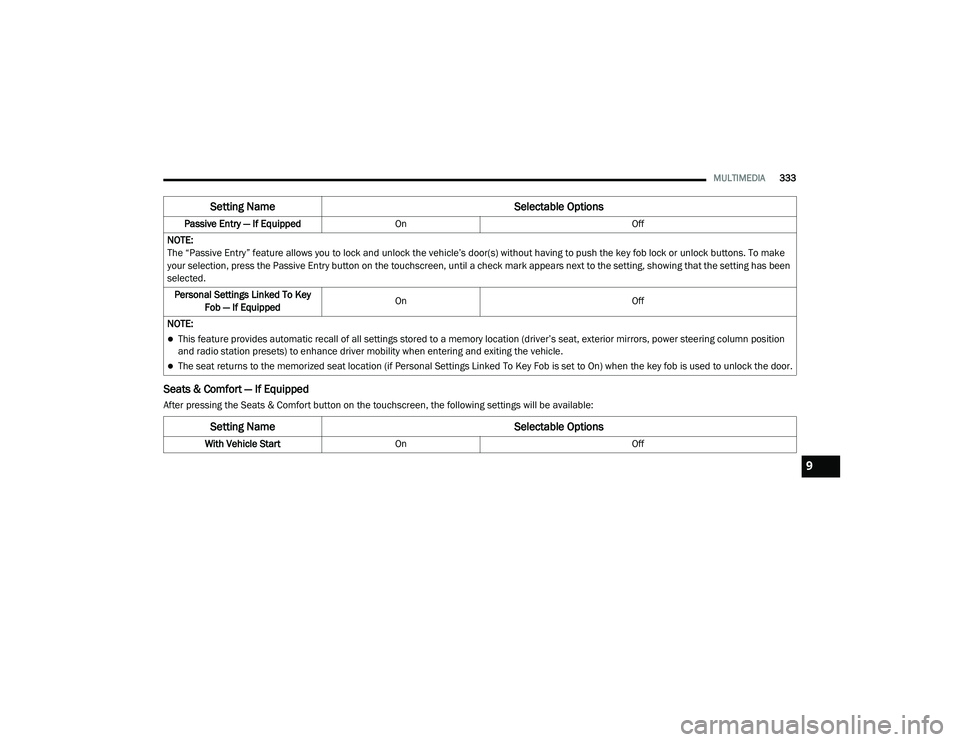
Seats & Comfort — If Equipped
After pressing the Seats & Comfort button on the touchscreen, the following settings will be available:Passive Entry — If Equipped
On Off
NOTE:
The “Passive Entry” feature allows you to lock and unlock the vehicle’s door(s) without having to push the key fob lock or unlock buttons. To make
your selection, press the Passive Entry button on the touchscreen, until a check mark appears next to the setting, showing that the setting has been
selected. Personal Settings Linked To Key Fob — If Equipped On
Off
NOTE:
This feature provides automatic recall of all settings stored to a memory location (driver’s seat, exterior mirrors, power steering column position
and radio station presets) to enhance driver mobility when entering and exiting the vehicle.
The seat returns to the memorized seat location (if Personal Settings Linked To Key Fob is set to On) when the key fob is used to unlock the door.
Setting Name Selectable Options
Setting NameSelectable Options
With Vehicle StartOn Off
9
20_LA_OM_EN_USC_t.book Page 333
Page 368 of 396
366MULTIMEDIA
Call Continuation
Call continuation is the progression of a phone
call on the Uconnect Phone after the vehicle
ignition has been switched to OFF.
NOTE:
The call will remain within the vehicle audio
system until the phone becomes out of range
for the Bluetooth® connection. It is recom -
mended to press the Transfer button on the
touchscreen when leaving the vehicle.
Browsing SMS
Using the steering wheel commands, you can
view and manage the last 10 SMS messages
received on the instrument panel. To use this
function, the mobile phone must support the
SMS exchange function through Bluetooth®.
Select the PHONE button on the instrument
panel menu, and then select “SMS Reader”
using the arrow keys on the steering wheel
controls.
The “SMS Reader” submenu allows the last
10 SMS messages to be displayed.Advanced Phone Connectivity
Transfer Call To And From Mobile Phone
The Uconnect Phone allows ongoing calls to be
transferred from your mobile phone to the
Uconnect Phone without terminating the call. To
transfer an ongoing call from your connected
mobile phone to the Uconnect Phone or vice
versa, press the Transfer button on the Phone
main screen.
Connect Or Disconnect Link Between The
Uconnect Phone And Mobile Phone
If you would like to connect or disconnect the
Bluetooth® connection between a Uconnect
Phone paired mobile phone and the Uconnect
Phone, follow the instructions described in your
mobile phone User's Manual.
Things You Should Know About Your
Uconnect Phone
Voice Command
For the best performance:
Adjust the rearview mirror to provide at least
½-inch (1 cm) gap between the overhead
console (if equipped) and the mirror.
Always wait for the beep before speaking.
Speak normally, without pausing, just as you
would speak to a person sitting a few feet/
meters away from you.
Ensure that no one other than you is
speaking during a voice command period.
Performance is maximized under:
Low-To-Medium Blower Setting
Low-To-Medium Vehicle Speed
Low Road Noise
Smooth Road Surface
Fully Closed Windows
Dry Weather Conditions
WARNING!
ALWAYS drive safely with your hands on the
wheel. You have full responsibility and
assume all risks related to the use of the
Uconnect features and applications in this
vehicle. Only use Uconnect when it is safe to
do so. Failure to do so may result in an
accident involving serious injury or death.
20_LA_OM_EN_USC_t.book Page 366
Page 384 of 396
382 Drain, Flush, And Refill
.............................. 263Inspection................................................. 265Points To Remember................................. 265Pressure Cap............................................. 264Radiator Cap............................................. 264Selection Of Coolant (Antifreeze)......263, 297, 298, 299, 302Corrosion Protection...................................... 287Cruise Control (Speed Control)............ 166, 169Cruise Light.............................................. 89, 90Customer Assistance..................................... 376Customer Programmable Features................306Cybersecurity................................................. 305
D
Daytime Running Lights................................... 41Dealer Service............................................... 252Deck LidPower Release............................................ 58Defroster, Windshield.................................... 146Delay (Intermittent) Wipers.............................. 45Diagnostic System, Onboard........................... 91Dimmer SwitchHeadlight..................................................... 41DipsticksOil (Engine)................................................ 250Disabled Vehicle Towing................................ 232
DisposalAntifreeze (Engine Coolant)...................... 265Disturb.......................................................... 365Do Not Disturb.............................................. 373Door Ajar.......................................................... 86Door Ajar Light................................................. 86Door LocksAutomatic.................................................... 28Door Opener, Garage....................................... 59Doors............................................................... 24Driver’s Seat Back Tilt...................................... 29DrivingThrough Flowing, Rising, Or Shallow Standing Water
.................................... 197
E
Electric Brake Control System.......................... 94Anti-Lock Brake System............................... 93Electronic Roll Mitigation....................95, 100Electric Remote Mirrors................................... 39Electrical Power Outlets................................... 65Electronic Power Distribution Center
(Fuses).......................................................... 208Electronic Speed Control (Cruise Control)..... 167Electronic Stability Control (ESC)..................... 95Electronic Throttle Control Warning Light......... 85
Emergency, In Case OfFreeing Vehicle When Stuck..................... 231Jacking............................................. 216, 269Jump Starting.................................. 226, 227Towing...................................................... 232Emission Control System Maintenance............92Engine............................... 246, 247, 248, 249Air Cleaner................................................ 255Block Heater............................................. 152Break-In Recommendations............ 152, 153Checking Oil Level.................................... 250Compartment......................... 246, 247, 249Compartment Identification............. 246, 248Coolant (Antifreeze)................ 262, 299, 302Cooling...................................................... 262Exhaust Gas Caution....................... 145, 296Fails To Start............................................. 152Flooded, Starting...................................... 152Fuel Requirements................................... 293Jump Starting.................................. 226, 227Oil........................ 252, 297, 298, 299, 302Oil Filler Cap.................................... 246, 254Oil Filter.................................................... 255Oil Selection............................ 252, 297, 298Oil Synthetic.............................................. 254Overheating.............................................. 229Starting............................................ 148, 149
20_LA_OM_EN_USC_t.book Page 382
Page 385 of 396
383
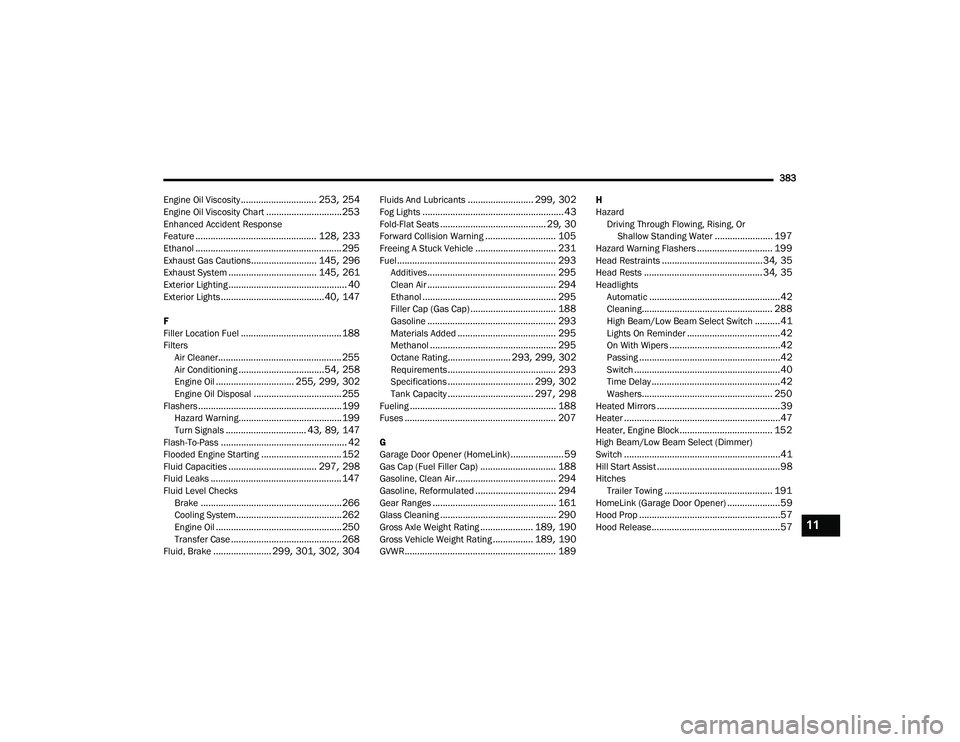
Engine Oil Viscosity
.............................. 253, 254Engine Oil Viscosity Chart.............................. 253Enhanced Accident Response
Feature................................................ 128, 233Ethanol.......................................................... 295Exhaust Gas Cautions.......................... 145, 296Exhaust System................................... 145, 261Exterior Lighting............................................... 40Exterior Lights......................................... 40, 147
F
Filler Location Fuel........................................ 188Filters Air Cleaner................................................. 255Air Conditioning.................................. 54, 258Engine Oil............................... 255, 299, 302Engine Oil Disposal................................... 255Flashers......................................................... 199Hazard Warning......................................... 199Turn Signals................................ 43, 89, 147Flash-To-Pass.................................................. 42Flooded Engine Starting................................ 152Fluid Capacities................................... 297, 298Fluid Leaks.................................................... 147Fluid Level ChecksBrake........................................................ 266Cooling System.......................................... 262Engine Oil.................................................. 250Transfer Case............................................ 268Fluid, Brake....................... 299, 301, 302, 304
Fluids And Lubricants.......................... 299, 302Fog Lights........................................................ 43Fold-Flat Seats.......................................... 29, 30Forward Collision Warning............................ 105Freeing A Stuck Vehicle................................ 231Fuel............................................................... 293Additives................................................... 295Clean Air................................................... 294Ethanol..................................................... 295Filler Cap (Gas Cap).................................. 188Gasoline................................................... 293Materials Added....................................... 295Methanol.................................................. 295Octane Rating......................... 293, 299, 302Requirements........................................... 293Specifications.................................. 299, 302Tank Capacity.................................. 297, 298Fueling.......................................................... 188Fuses............................................................ 207
G
Garage Door Opener (HomeLink)..................... 59Gas Cap (Fuel Filler Cap).............................. 188Gasoline, Clean Air........................................ 294Gasoline, Reformulated................................ 294Gear Ranges................................................. 161Glass Cleaning.............................................. 290Gross Axle Weight Rating..................... 189, 190Gross Vehicle Weight Rating................ 189, 190GVWR............................................................ 189
H
HazardDriving Through Flowing, Rising, Or Shallow Standing Water
....................... 197Hazard Warning Flashers.............................. 199Head Restraints........................................34, 35Head Rests............................................... 34, 35HeadlightsAutomatic....................................................42Cleaning.................................................... 288High Beam/Low Beam Select Switch..........41Lights On Reminder.....................................42On With Wipers............................................42Passing........................................................42Switch..........................................................40Time Delay...................................................42Washers.................................................... 250Heated Mirrors.................................................39Heater..............................................................47Heater, Engine Block..................................... 152High Beam/Low Beam Select (Dimmer)
Switch..............................................................41Hill Start Assist.................................................98HitchesTrailer Towing........................................... 191HomeLink (Garage Door Opener).....................59Hood Prop........................................................57Hood Release...................................................5711
20_LA_OM_EN_USC_t.book Page 383
Page 386 of 396
384 I
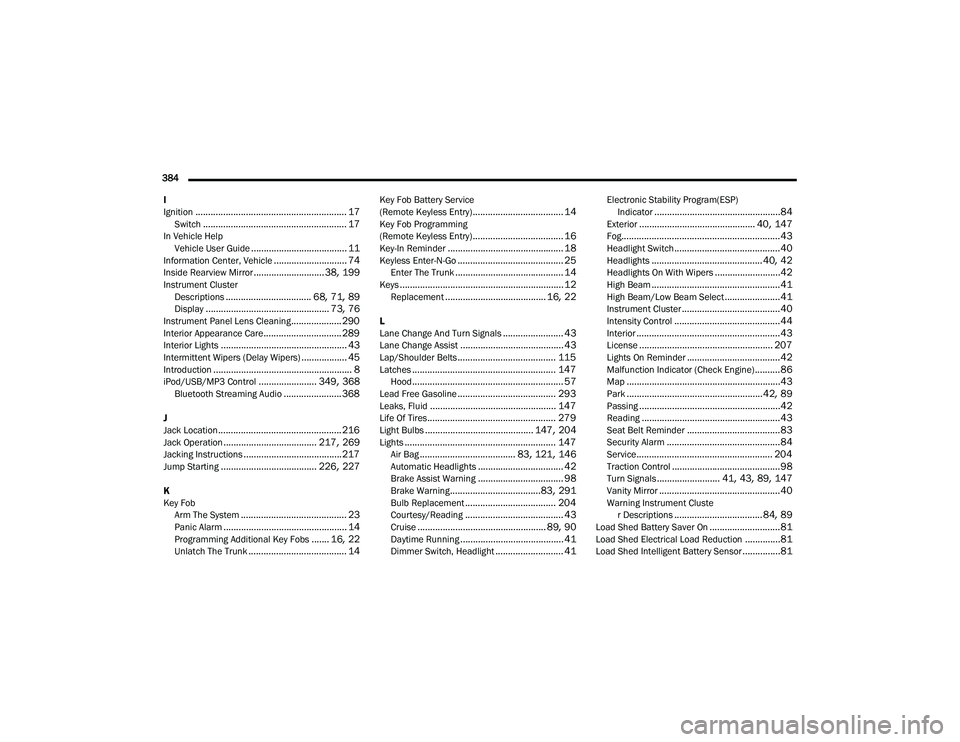
Ignition
............................................................ 17Switch......................................................... 17In Vehicle Help Vehicle User Guide...................................... 11Information Center, Vehicle............................. 74Inside Rearview Mirror............................ 38, 199Instrument ClusterDescriptions.................................. 68, 71, 89Display................................................. 73, 76Instrument Panel Lens Cleaning.................... 290Interior Appearance Care............................... 289Interior Lights.................................................. 43Intermittent Wipers (Delay Wipers).................. 45Introduction....................................................... 8iPod/USB/MP3 Control....................... 349, 368Bluetooth Streaming Audio....................... 368
J
Jack Location................................................. 216Jack Operation..................................... 217, 269Jacking Instructions....................................... 217Jump Starting...................................... 226, 227
K
Key FobArm The System
.......................................... 23Panic Alarm................................................. 14Programming Additional Key Fobs....... 16, 22Unlatch The Trunk....................................... 14
Key Fob Battery Service
(Remote Keyless Entry).................................... 14Key Fob Programming
(Remote Keyless Entry).................................... 16Key-In Reminder.............................................. 18Keyless Enter-N-Go.......................................... 25Enter The Trunk........................................... 14Keys................................................................. 12Replacement........................................ 16, 22
L
Lane Change And Turn Signals........................ 43Lane Change Assist......................................... 43Lap/Shoulder Belts....................................... 115Latches......................................................... 147Hood............................................................ 57Lead Free Gasoline....................................... 293Leaks, Fluid.................................................. 147Life Of Tires................................................... 279Light Bulbs........................................... 147, 204Lights............................................................ 147Air Bag...................................... 83, 121, 146Automatic Headlights.................................. 42Brake Assist Warning.................................. 98Brake Warning....................................83, 291Bulb Replacement.................................... 204Courtesy/Reading....................................... 43Cruise................................................... 89, 90Daytime Running......................................... 41Dimmer Switch, Headlight........................... 41
Electronic Stability Program(ESP)Indicator..................................................84Exterior.............................................. 40, 147Fog...............................................................43Headlight Switch..........................................40Headlights............................................ 40, 42Headlights On With Wipers..........................42High Beam...................................................41High Beam/Low Beam Select......................41Instrument Cluster.......................................40Intensity Control..........................................44Interior.........................................................43License..................................................... 207Lights On Reminder.....................................42Malfunction Indicator (Check Engine)..........86Map.............................................................43Park......................................................42, 89Passing........................................................42Reading.......................................................43Seat Belt Reminder.....................................83Security Alarm.............................................84Service...................................................... 204Traction Control...........................................98Turn Signals......................... 41, 43, 89, 147Vanity Mirror................................................40Warning Instrument Cluster Descriptions................................... 84, 89Load Shed Battery Saver On............................81Load Shed Electrical Load Reduction..............81Load Shed Intelligent Battery Sensor...............81
20_LA_OM_EN_USC_t.book Page 384