audio DODGE CHALLENGER 2020 Owner's Guide
[x] Cancel search | Manufacturer: DODGE, Model Year: 2020, Model line: CHALLENGER, Model: DODGE CHALLENGER 2020Pages: 396, PDF Size: 16.64 MB
Page 363 of 396
MULTIMEDIA361
5. When the pairing process has successfully
completed, the system will prompt you to
choose whether or not this is your favorite
phone. Selecting “Yes” will make this phone
the highest priority. This phone will take
precedence over other paired phones within
range.
NOTE:
For phones which are not made a favorite, the
phone priority is determined by the order in
which it was paired. The latest phone paired will
have the higher priority.
You can also use the following VR commands to
bring up the Paired Phone screen from any
screen on the radio:
“Show Paired Phones” or
“Connect My Phone”
Pair A Bluetooth® Streaming Audio Device
1. Press the Media button on the touchscreen to begin.
2. Change the Source to Bluetooth®.
3. Press the Bluetooth® button on the touchscreen to display the Paired Audio
Devices screen. 4. Press the Add Device button on the
touchscreen.
NOTE:
If there is no device currently connected with
the system, a pop-up will appear.
5. Search for available devices on your Bluetooth®-enabled audio device. When
prompted on the device, enter the PIN
shown on the Uconnect screen.
6. Uconnect Phone will display an in-process screen while the system is connecting.
7. When the pairing process has successfully completed, the system will prompt you to
choose whether or not this is your favorite
device. Selecting “Yes” will make this device
the highest priority. This device will take
precedence over other paired devices
within range.
NOTE:
For devices which are not made a favorite, the
device priority is determined by the order in
which it was paired. The latest device paired will
have the higher priority. You can also use a following VR command to
bring up a list of paired audio devices:
“Show Paired Phones” or
“Connect My Phone”
Connecting To A Particular Mobile Phone Or
Audio Device After Pairing
Uconnect Phone will automatically connect to
the highest priority paired phone and/or Audio
Device within range. If you need to choose a
particular phone or Audio Device follow these
steps:
1. Press the Phone Settings button on the touchscreen.
2. Press the Paired Phones or Paired Audio Sources button on the touchscreen.
3. Press to select the particular Phone or the particular Audio Device. A pop-up menu will
appear, press “Connect Phone”.
4. Press the X button to exit out of the Settings screen.
9
20_LA_OM_EN_USC_t.book Page 361
Page 364 of 396
362MULTIMEDIA
Disconnecting A Phone Or Audio Device
1. Press the Phone Settings button on the
touchscreen.
2. Press the Paired Phones or Paired Audio Devices button on the touchscreen.
3. Press the Settings button located to the right of the device name.
4. The option’s pop-up will be displayed.
5. Press the Disconnect Device button on the touchscreen.
6. Press the X button to exit out of the Settings screen.
Deleting A Phone Or Audio Device
1. Press the Phone Settings button on the touchscreen.
2. Press the Pair Phones or Paired Audio Devices button on the touchscreen.
3. Press the Settings button located to the right of the device name for a different
Phone or Audio Device than the currently
connected device.
4. The option’s pop-up will be displayed. 5. Press the Delete Device button on the
touchscreen.
6. Press the X button to exit out of the Settings screen.
Making A Phone Or Audio Device A Favorite
1. Press the Phone Settings button on the touchscreen.
2. Press the Paired Phones or Paired Audio Devices button on the touchscreen.
3. Press the Settings button located to the right of the device name.
4. The option’s pop-up will be displayed.
5. Press the Make Favorite button on the touchscreen; you will see the chosen device
move to the top of the list.
6. Press the X to exit out of the Settings screen.
Phonebook Download (Automatic Phonebook
Transfer From Mobile Phone) — If Equipped
If equipped and specifically supported by your
phone, Uconnect Phone automatically
downloads names (text names) and number
entries from the mobile phone’s phonebook. Specific Bluetooth® Phones with Phonebook
Access Profile may support this feature.
See Uconnect website, UconnectPhone.com,
for supported phones.
To call a name from a downloaded mobile
phone book, follow the procedure in the
“Uconnect Voice Recognition Quick Tips”
section.
Automatic download and update of a phone
book, if supported, begins as soon as the
Bluetooth® wireless phone connection is
made to the Uconnect Phone, for example,
after you start the vehicle.
A maximum of 5,000 contact names with
four numbers per contact will be downloaded
and updated every time a phone is
connected to the Uconnect Phone.
Depending on the maximum number of
entries downloaded, there may be a short
delay before the latest downloaded names
can be used. Until then, if available, the previ
-
ously downloaded phonebook is available for
use.
20_LA_OM_EN_USC_t.book Page 362
Page 366 of 396
364MULTIMEDIA
Call Controls
The touchscreen allows you to control the
following call features:
Answer
End
Ignore
Hold/unhold
Mute/unmute
Transfer the call to/from the phone
Swap two active calls
Join two active calls together
Touch-Tone Number Entry
1. Press the Phone button on the touchscreen.
2. Press the Dial button on the touchscreen.
3. The Touch-Tone screen will be displayed.
4. Use the numbered buttons on the touchscreens to enter the number and
press Call. If your vehicle has two or three buttons on the
steering wheel (VR, Phone Send, and Phone
End) press the VR button to send a touch-tone
and say “Send 1234#” or you can say “Send
Voicemail Password” if Voicemail password is
stored in your mobile phonebook.
Recent Calls
You may browse a list of the most recent of each
of the following call types:
All Calls
Incoming Calls
Outgoing Calls
Missed Calls
These can be accessed by pressing the Recent
Calls button on the Phone main screen.
You can also push the VR button on your
steering wheel and say “Show my incoming
calls” from any screen and the incoming calls
will be displayed.
NOTE:
Incoming can also be replaced with “Outgoing,”
“Recent”, or “Missed.” Answer Or Ignore An Incoming Call — No Call
Currently In Progress
When you receive a call on your mobile phone,
the Uconnect Phone will interrupt the vehicle
audio system. Push the Phone button on the
steering wheel to accept the call. You can also
press the Answer button on the touchscreen or
press the caller ID box.
Answer Or Ignore An Incoming Call — Call
Currently In Progress
If a call is currently in progress and you have
another incoming call, you will hear the same
network tones for call waiting that you normally
hear when using your mobile phone. Press the
Uconnect Phone button on the steering wheel,
answer button on the touchscreen or caller ID
box to place the current call on hold and answer
the incoming call.
NOTE:
The Uconnect Phone compatible phones in the
market today do not support rejecting an
incoming call when another call is in progress.
Therefore, the user can only answer an
incoming call or ignore it.
20_LA_OM_EN_USC_t.book Page 364
Page 368 of 396
366MULTIMEDIA
Call Continuation
Call continuation is the progression of a phone
call on the Uconnect Phone after the vehicle
ignition has been switched to OFF.
NOTE:
The call will remain within the vehicle audio
system until the phone becomes out of range
for the Bluetooth® connection. It is recom -
mended to press the Transfer button on the
touchscreen when leaving the vehicle.
Browsing SMS
Using the steering wheel commands, you can
view and manage the last 10 SMS messages
received on the instrument panel. To use this
function, the mobile phone must support the
SMS exchange function through Bluetooth®.
Select the PHONE button on the instrument
panel menu, and then select “SMS Reader”
using the arrow keys on the steering wheel
controls.
The “SMS Reader” submenu allows the last
10 SMS messages to be displayed.Advanced Phone Connectivity
Transfer Call To And From Mobile Phone
The Uconnect Phone allows ongoing calls to be
transferred from your mobile phone to the
Uconnect Phone without terminating the call. To
transfer an ongoing call from your connected
mobile phone to the Uconnect Phone or vice
versa, press the Transfer button on the Phone
main screen.
Connect Or Disconnect Link Between The
Uconnect Phone And Mobile Phone
If you would like to connect or disconnect the
Bluetooth® connection between a Uconnect
Phone paired mobile phone and the Uconnect
Phone, follow the instructions described in your
mobile phone User's Manual.
Things You Should Know About Your
Uconnect Phone
Voice Command
For the best performance:
Adjust the rearview mirror to provide at least
½-inch (1 cm) gap between the overhead
console (if equipped) and the mirror.
Always wait for the beep before speaking.
Speak normally, without pausing, just as you
would speak to a person sitting a few feet/
meters away from you.
Ensure that no one other than you is
speaking during a voice command period.
Performance is maximized under:
Low-To-Medium Blower Setting
Low-To-Medium Vehicle Speed
Low Road Noise
Smooth Road Surface
Fully Closed Windows
Dry Weather Conditions
WARNING!
ALWAYS drive safely with your hands on the
wheel. You have full responsibility and
assume all risks related to the use of the
Uconnect features and applications in this
vehicle. Only use Uconnect when it is safe to
do so. Failure to do so may result in an
accident involving serious injury or death.
20_LA_OM_EN_USC_t.book Page 366
Page 369 of 396
MULTIMEDIA367
Even though the system is designed for many
languages and accents, the system may not
always work for some.
NOTE:
It is recommended that you do not store names
in your favorites phonebook while the vehicle is
in motion.
Phonebook (Mobile and Favorites) name
recognition rate is optimized when the entries
are not similar. You can say “O” (letter “O”) for
“0” (zero).
Even though international dialing for most
number combinations is supported, some
shortcut dialing number combinations may not
be supported.
Far End Audio Performance
Audio quality is maximized under:
Low-To-Medium Blower Setting
Low-To-Medium Vehicle Speed
Low Road Noise
Smooth Road Surface
Fully Closed Windows
Dry Weather Conditions
Operation From The Driver's Seat Performance such as audio clarity, echo, and
loudness to a large degree rely on the phone
and network, and not the Uconnect Phone.
Echo at the far end can sometimes be reduced
by lowering the in-vehicle audio volume.
Bluetooth® Communication Link
Mobile phones have been found to lose
connection to the Uconnect Phone. When this
happens, the connection can generally be
re-established by switching the mobile phone
OFF/ON. Your mobile phone is recommended to
remain in Bluetooth® ON mode.
Power-Up
After switching the ignition key from OFF to
either the ON/RUN or ACC position, or after a
language change, you must wait at least 15
seconds prior to using the system.
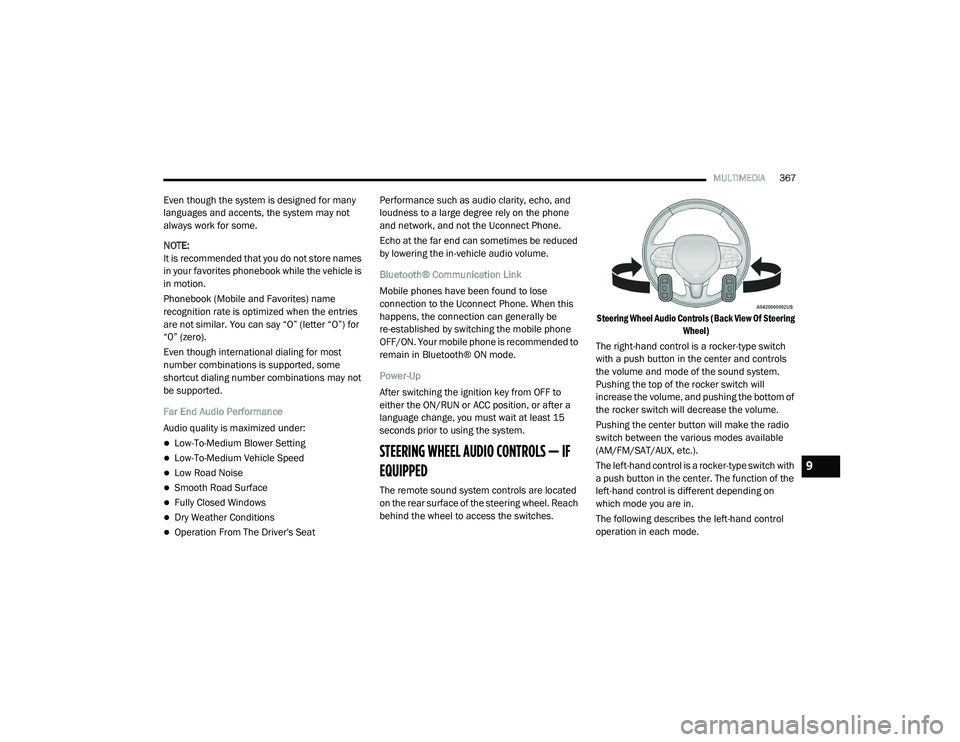
STEERING WHEEL AUDIO CONTROLS — IF
EQUIPPED
The remote sound system controls are located
on the rear surface of the steering wheel. Reach
behind the wheel to access the switches.
Steering Wheel Audio Controls (Back View Of Steering
Wheel)
The right-hand control is a rocker-type switch
with a push button in the center and controls
the volume and mode of the sound system.
Pushing the top of the rocker switch will
increase the volume, and pushing the bottom of
the rocker switch will decrease the volume.
Pushing the center button will make the radio
switch between the various modes available
(AM/FM/SAT/AUX, etc.).
The left-hand control is a rocker-type switch with
a push button in the center. The function of the
left-hand control is different depending on
which mode you are in.
The following describes the left-hand control
operation in each mode.
9
20_LA_OM_EN_USC_t.book Page 367
Page 370 of 396
368MULTIMEDIA
RADIO OPERATION
Pushing the top of the switch will “Seek” up for
the next listenable station and pushing the
bottom of the switch will “Seek” down for the
next listenable station.
The button located in the center of the left-hand
control will tune to the next preset station that
you have programmed in the radio preset
button.
MEDIA MODE
Pushing the top of the switch once goes to the
next track on the selected media (AUX/USB/
Bluetooth®). Pushing the bottom of the switch
once goes to the beginning of the current track,
or to the beginning of the previous track if it is
within eight seconds after the current track
begins to play.
NOTE:
While In Media Mode, the center button on the
left rocker switch is nonfunctional.
IPOD®/USB/MP3 CONTROL — IF EQUIPPED
This feature allows an iPod® or external USB
device to be plugged into the USB port. Plugging in a smartphone device to a USB Port
may activate Android Auto™ or Apple CarPlay®
features, if equipped
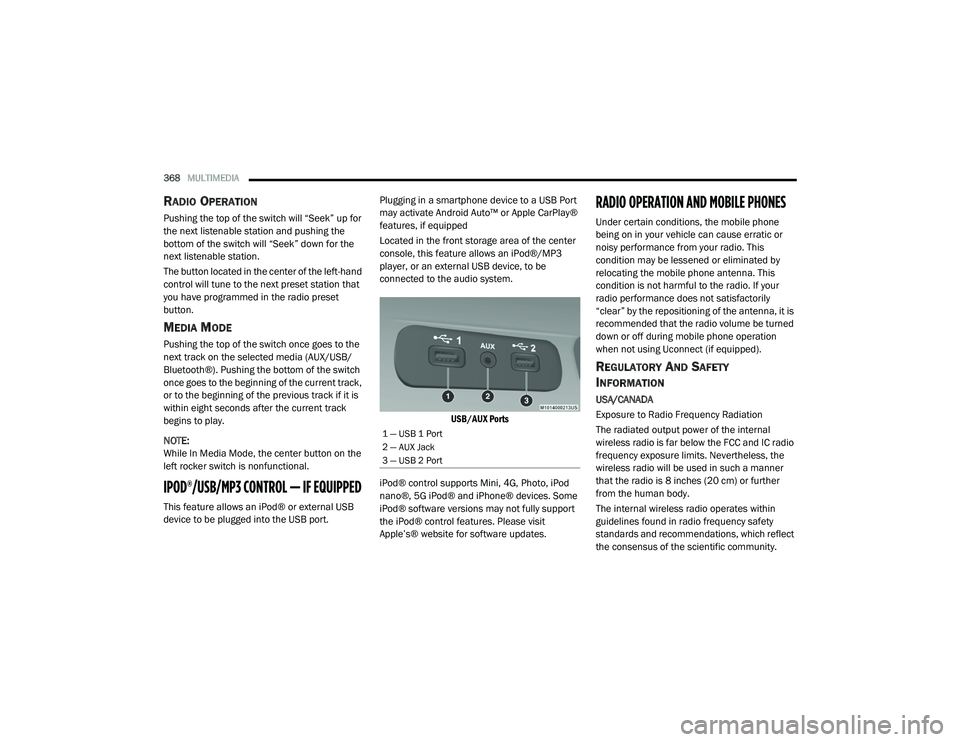
Located in the front storage area of the center
console, this feature allows an iPod®/MP3
player, or an external USB device, to be
connected to the audio system.
USB/AUX Ports
iPod® control supports Mini, 4G, Photo, iPod
nano®, 5G iPod® and iPhone® devices. Some
iPod® software versions may not fully support
the iPod® control features. Please visit
Apple’s® website for software updates.
RADIO OPERATION AND MOBILE PHONES
Under certain conditions, the mobile phone
being on in your vehicle can cause erratic or
noisy performance from your radio. This
condition may be lessened or eliminated by
relocating the mobile phone antenna. This
condition is not harmful to the radio. If your
radio performance does not satisfactorily
“clear” by the repositioning of the antenna, it is
recommended that the radio volume be turned
down or off during mobile phone operation
when not using Uconnect (if equipped).
REGULATORY AND SAFETY
I
NFORMATION
USA/CANADA
Exposure to Radio Frequency Radiation
The radiated output power of the internal
wireless radio is far below the FCC and IC radio
frequency exposure limits. Nevertheless, the
wireless radio will be used in such a manner
that the radio is 8 inches (20 cm) or further
from the human body.
The internal wireless radio operates within
guidelines found in radio frequency safety
standards and recommendations, which reflect
the consensus of the scientific community.
1 — USB 1 Port
2 — AUX Jack
3 — USB 2 Port
20_LA_OM_EN_USC_t.book Page 368
Page 382 of 396
380
INDEX
A
About Your Brakes............................... 154, 291Adaptive Cruise Control (ACC)
(Cruise Control).............................................. 169Adding Engine Coolant (Antifreeze)............... 263Adding Washing Fluid.................................... 250Additives, Fuel............................................... 295AdjustForward................................................ 29, 31Rearward.............................................. 29, 31Air Bag........................................................... 122Advance Front Air Bag............................... 122Air Bag Operation...................................... 123Air Bag Warning Light................................ 121Enhanced Accident Response......... 128, 233Event Data Recorder (EDR)....................... 233Front Air Bag............................................. 122If Deployment Occurs................................ 127Knee Impact Bolsters................................ 124Maintaining Your Air Bag System.............. 128Maintenance............................................. 128Redundant Air Bag Warning Light.............122Side Air Bags............................................. 124Transporting Pets...................................... 145
Air Bag Light.................................. 83, 121, 146Air Cleaner, Engine
(Engine Air Cleaner Filter)............................. 255Air Conditioner Maintenance........................ 257Air Conditioner Refrigerant........................... 257Air Conditioner System................................. 257Air Conditioning......................................... 47, 52Air Conditioning Filter..............................54, 258Air Conditioning System................................... 47Air Conditioning, Operating Tips....................... 53Air Filter............................................... 255, 256Air PressureTires......................................................... 277AlarmArm The System................................... 23, 24Panic........................................................... 14Rearm The System...................................... 24Security Alarm...................................... 23, 84Alarm SystemSecurity Alarm............................................. 23All Wheel Drive (AWD)................................... 268Alterations/ModificationsVehicle......................................................... 10
Android Auto................................................. 374Antifreeze (Engine Coolant)......... 263, 297, 298Disposal.................................................... 265Anti-Lock Brake System (ABS)..........................93Anti-Lock Warning Light...................................88Apple CarPlay................................................ 374Arming SystemSecurity Alarm.............................................23Assist, Hill Start................................................98Audio Settings............................................... 347Audio Systems (Radio).................................. 305Auto Down Power Windows..............................55Automatic Door Locks......................................28Automatic Headlights.......................................42Automatic High Beams.....................................41Automatic Temperature Control (ATC)..............52Automatic Transmission................................ 160Adding Fluid......... 268, 299, 301, 302, 304Fluid And Filter Change............................. 268Fluid Change............................................. 268Fluid Level Check............................. 267, 268Fluid Type............ 267, 299, 301, 302, 304Special Additives...................................... 267
20_LA_OM_EN_USC_t.book Page 380
Page 383 of 396
381
Automatic Transmission Limp
Home Mode
............................................ 28, 163AutoPark........................................................ 150Autostick Operation.................................................. 164Aux Mode....................................................... 350Axle Fluid........................... 299, 301, 302, 304Axle Lubrication................. 299, 301, 302, 304
B
Back-Up......................................................... 186Battery.................................................... 84, 251Charging System Light................................. 84Keyless Key Fob Replacement.................... 14Location.................................................... 251Belts, Seat..................................................... 146Blind Spot Monitoring.................................... 100BluetoothConnect Or Disconnect Link Betweenthe Uconnect Phone And Mobile
Phone
................................................... 366Connecting To A Particular Mobile PhoneOr Audio Device After Pairing................361Bluetooth Mode............................................. 351Body Mechanism Lubrication........................ 259B-Pillar Location............................................. 273Brake Assist System........................................ 94Brake Control System...................................... 94Brake Fluid...............266, 299, 301, 302, 304
Brake System...................................... 266, 291Fluid Check.......... 266, 299, 301, 302, 304Master Cylinder........................................ 266Parking..................................................... 154Warning Light.....................................83, 291Brake/Transmission Interlock...................... 160Break-In Recommendations, New Vehicle.... 152Brightness, Interior Lights................................ 44Bulb Replacement........................................ 204Bulbs, Light.......................................... 147, 204
C
Camera, Rear................................................ 186Capacities, Fluid.................................. 297, 298Caps, FillerFuel.......................................................... 188Oil (Engine)...................................... 246, 254Radiator (Coolant Pressure)..................... 264Car Washes................................................... 288Carbon Monoxide Warning................... 145, 296CargoVehicle Loading........................................ 189Cellular Phone.............................................. 368Certification Label......................................... 189Chains, Tire.......................................... 284, 285Changing A Flat Tire...................................... 269Chart, Tire Sizing........................................... 270
Check Engine Light
(Malfunction Indicator Light)............................92Checking Your Vehicle For Safety.................. 145Checks, Safety.............................................. 145Child Restraint.............................................. 130Child RestraintsBooster Seats........................................... 133Child Seat Installation............................... 142How To Stow An unused ALR Seat Belt..... 139Infant And Child Restraints....................... 132Lower Anchors And Tethers For Children................................................ 135Older Children And Child Restraints.......... 132Seating Positions...................................... 134Clean Air Gasoline......................................... 294CleaningWheels...................................................... 283Climate Control................................................47Cold Weather Operation................................ 151Compact Spare Tire...................................... 281Contract, Service........................................... 377Cooling Pressure Cap (Radiator Cap)............ 264Cooling System............................................. 262Adding Coolant (Antifreeze)...................... 263Coolant Level................................... 262, 265Cooling Capacity.............................. 297, 298Disposal Of Used Coolant......................... 26511
20_LA_OM_EN_USC_t.book Page 381
Page 386 of 396
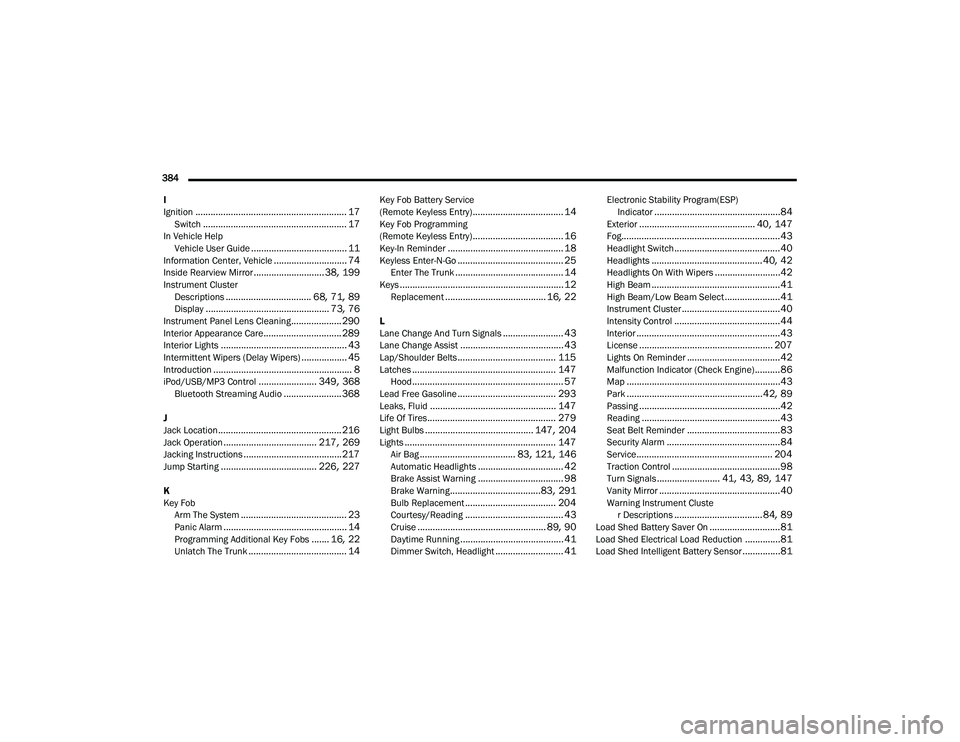
384 I
Ignition
............................................................ 17Switch......................................................... 17In Vehicle Help Vehicle User Guide...................................... 11Information Center, Vehicle............................. 74Inside Rearview Mirror............................ 38, 199Instrument ClusterDescriptions.................................. 68, 71, 89Display................................................. 73, 76Instrument Panel Lens Cleaning.................... 290Interior Appearance Care............................... 289Interior Lights.................................................. 43Intermittent Wipers (Delay Wipers).................. 45Introduction....................................................... 8iPod/USB/MP3 Control....................... 349, 368Bluetooth Streaming Audio....................... 368
J
Jack Location................................................. 216Jack Operation..................................... 217, 269Jacking Instructions....................................... 217Jump Starting...................................... 226, 227
K
Key FobArm The System
.......................................... 23Panic Alarm................................................. 14Programming Additional Key Fobs....... 16, 22Unlatch The Trunk....................................... 14
Key Fob Battery Service
(Remote Keyless Entry).................................... 14Key Fob Programming
(Remote Keyless Entry).................................... 16Key-In Reminder.............................................. 18Keyless Enter-N-Go.......................................... 25Enter The Trunk........................................... 14Keys................................................................. 12Replacement........................................ 16, 22
L
Lane Change And Turn Signals........................ 43Lane Change Assist......................................... 43Lap/Shoulder Belts....................................... 115Latches......................................................... 147Hood............................................................ 57Lead Free Gasoline....................................... 293Leaks, Fluid.................................................. 147Life Of Tires................................................... 279Light Bulbs........................................... 147, 204Lights............................................................ 147Air Bag...................................... 83, 121, 146Automatic Headlights.................................. 42Brake Assist Warning.................................. 98Brake Warning....................................83, 291Bulb Replacement.................................... 204Courtesy/Reading....................................... 43Cruise................................................... 89, 90Daytime Running......................................... 41Dimmer Switch, Headlight........................... 41
Electronic Stability Program(ESP)Indicator..................................................84Exterior.............................................. 40, 147Fog...............................................................43Headlight Switch..........................................40Headlights............................................ 40, 42Headlights On With Wipers..........................42High Beam...................................................41High Beam/Low Beam Select......................41Instrument Cluster.......................................40Intensity Control..........................................44Interior.........................................................43License..................................................... 207Lights On Reminder.....................................42Malfunction Indicator (Check Engine)..........86Map.............................................................43Park......................................................42, 89Passing........................................................42Reading.......................................................43Seat Belt Reminder.....................................83Security Alarm.............................................84Service...................................................... 204Traction Control...........................................98Turn Signals......................... 41, 43, 89, 147Vanity Mirror................................................40Warning Instrument Cluster Descriptions................................... 84, 89Load Shed Battery Saver On............................81Load Shed Electrical Load Reduction..............81Load Shed Intelligent Battery Sensor...............81
20_LA_OM_EN_USC_t.book Page 384
Page 389 of 396
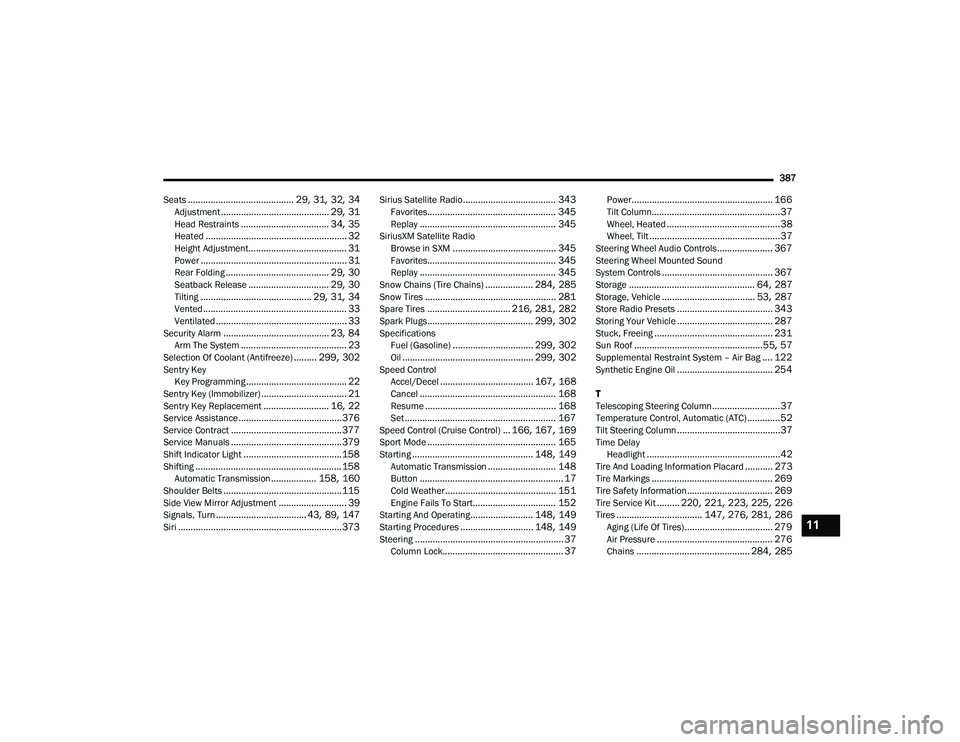
387
Seats
.......................................... 29, 31, 32, 34Adjustment........................................... 29, 31Head Restraints................................... 34, 35Heated........................................................ 32Height Adjustment....................................... 31Power.......................................................... 31Rear Folding......................................... 29, 30Seatback Release................................ 29, 30Tilting............................................ 29, 31, 34Vented......................................................... 33Ventilated.................................................... 33Security Alarm.......................................... 23, 84Arm The System.......................................... 23Selection Of Coolant (Antifreeze)......... 299, 302Sentry Key Key Programming........................................ 22Sentry Key (Immobilizer).................................. 21Sentry Key Replacement.......................... 16, 22Service Assistance......................................... 376Service Contract............................................ 377Service Manuals............................................ 379Shift Indicator Light....................................... 158Shifting.......................................................... 158Automatic Transmission.................. 158, 160Shoulder Belts............................................... 115Side View Mirror Adjustment........................... 39Signals, Turn.................................... 43, 89, 147Siri................................................................. 373
Sirius Satellite Radio..................................... 343Favorites................................................... 345Replay...................................................... 345SiriusXM Satellite RadioBrowse in SXM......................................... 345Favorites................................................... 345Replay...................................................... 345Snow Chains (Tire Chains)................... 284, 285Snow Tires.................................................... 281Spare Tires................................. 216, 281, 282Spark Plugs.......................................... 299, 302SpecificationsFuel (Gasoline)................................ 299, 302Oil.................................................... 299, 302Speed ControlAccel/Decel..................................... 167, 168Cancel...................................................... 168Resume.................................................... 168Set............................................................ 167Speed Control (Cruise Control)... 166, 167, 169Sport Mode................................................... 165Starting................................................ 148, 149Automatic Transmission........................... 148Button......................................................... 17Cold Weather............................................ 151Engine Fails To Start................................. 152Starting And Operating......................... 148, 149Starting Procedures............................. 148, 149Steering........................................................... 37Column Lock................................................ 37
Power........................................................ 166Tilt Column...................................................37Wheel, Heated.............................................38Wheel, Tilt....................................................37Steering Wheel Audio Controls...................... 367Steering Wheel Mounted Sound
System Controls............................................ 367Storage.................................................. 64, 287Storage, Vehicle..................................... 53, 287Store Radio Presets...................................... 343Storing Your Vehicle...................................... 287Stuck, Freeing............................................... 231Sun Roof...................................................55, 57Supplemental Restraint System – Air Bag.... 122Synthetic Engine Oil...................................... 254
T
Telescoping Steering Column...........................37Temperature Control, Automatic (ATC).............52Tilt Steering Column.........................................37Time DelayHeadlight.....................................................42Tire And Loading Information Placard........... 273Tire Markings................................................ 269Tire Safety Information.................................. 269Tire Service Kit......... 220, 221, 223, 225, 226Tires.................................. 147, 276, 281, 286Aging (Life Of Tires)................................... 279Air Pressure.............................................. 276Chains............................................. 284, 285
11
20_LA_OM_EN_USC_t.book Page 387