warning DODGE CHALLENGER 2021 User Guide
[x] Cancel search | Manufacturer: DODGE, Model Year: 2021, Model line: CHALLENGER, Model: DODGE CHALLENGER 2021Pages: 328, PDF Size: 15 MB
Page 21 of 328
GETTING TO KNOW YOUR VEHICLE19
The Remote Start system will turn the engine off
with another push and release of the Remote Start
button on the key fob, or if the engine is allowed to
run for the entire 15 minute cycle. Once the
ignition is placed in the ON/RUN position, the
climate controls will resume the previously set
operations (temperature, blower control, etc.).
NOTE:
To avoid unintentional shutdowns, the system
will disable for two seconds after receiving a
valid Remote Start request.
For vehicles equipped with the Keyless Enter ‘n
Go™ — Passive Entry feature, the message
“Remote Start Active — Push Start Button” will
show in the instrument cluster display until you
push the START/STOP ignition button.
Remote Start will also cancel if any of the following
occur:
The engine stalls or engine speed exceeds
2500 RPM.
Any engine warning lights come on.
The Low Fuel Light turns on.
The hood is opened.
The hazard switch is pushed.
The gear selector is moved out of PARK.
The brake pedal is pressed.
REMOTE START FRONT DEFROST
A
CTIVATION — IF EQUIPPED
When Remote Start is active, and the outside
ambient temperature is 40°F (4.5°C) or below, the
system will automatically activate front defrost for
15 minutes or less. The time is dependent on the
ambient temperature. Once the timer expires, the
system will automatically adjust the settings
depending on ambient conditions. See “Remote
Start Comfort Systems — If Equipped” in the next
section for detailed operation.
REMOTE START COMFORT SYSTEMS —
I
F EQUIPPED
When Remote Start is activated, the front and rear
defrost will automatically turn on in cold weather.
The heated steering wheel and driver heated seat
feature will turn on if selected in the comfort menu
screen within Uconnect Settings Ú page 120. In
warm weather, the driver vented seat feature will
automatically turn on when Remote Start is
activated, if programmed in the comfort menu
screen. The vehicle will adjust the climate control
settings depending on the outside ambient
temperature. Automatic Temperature Control (ATC) —
If Equipped
The climate controls will be automatically adjusted
to the optimal temperature and mode settings
depending on the outside ambient temperature.
This will occur until the ignition is placed in the ON/
RUN position where the climate controls will
resume their previous settings.
Manual Temperature Control (MTC) — If Equipped
In ambient temperatures at 40°F (4.5°C) or
below, the climate settings will default to
maximum heat, with fresh air entering the
cabin. If the front defrost timer expires, the
vehicle will enter Mix Mode.
In ambient temperatures from 40°F (4.5°C) to
78°F (26°C), the climate settings will be based
on the last settings selected by the driver.
In ambient temperatures at 78°F (26°C) or
above, the climate settings will default to MAX
A/C, Bi-Level Mode, with Recirculation on.
For more information on ATC, MTC, and climate
control settings, see Ú page 48.
2
21_LA_OM_EN_USC_t.book Page 19
Page 23 of 328
GETTING TO KNOW YOUR VEHICLE21
If you remain in the vehicle and open a door, the
alarm will sound. If this occurs, disarm the Vehicle
Security system.
If the Vehicle Security system is armed and the
battery becomes disconnected, the Vehicle
Security system will remain armed when the
battery is reconnected; the exterior lights will flash,
and the horn will sound. If this occurs, disarm the
Vehicle Security system.
REARMING THE SYSTEM
If something triggers the alarm and no action is
taken to disarm it, the Vehicle Security system will
turn the horn off after a 29 second cycle (with five
seconds between cycles and up to eight cycles if
the trigger remains active) and then rearm itself.
SECURITY SYSTEM MANUAL OVERRIDE
The Vehicle Security system will not arm if you lock
the doors using the manual door lock.
TAMPER ALERT
If something has triggered the Vehicle Security
system in your absence, the horn will sound three
times and the exterior lights will blink three times
when you disarm the Vehicle Security system.
DOORS
MANUAL DOOR LOCKS
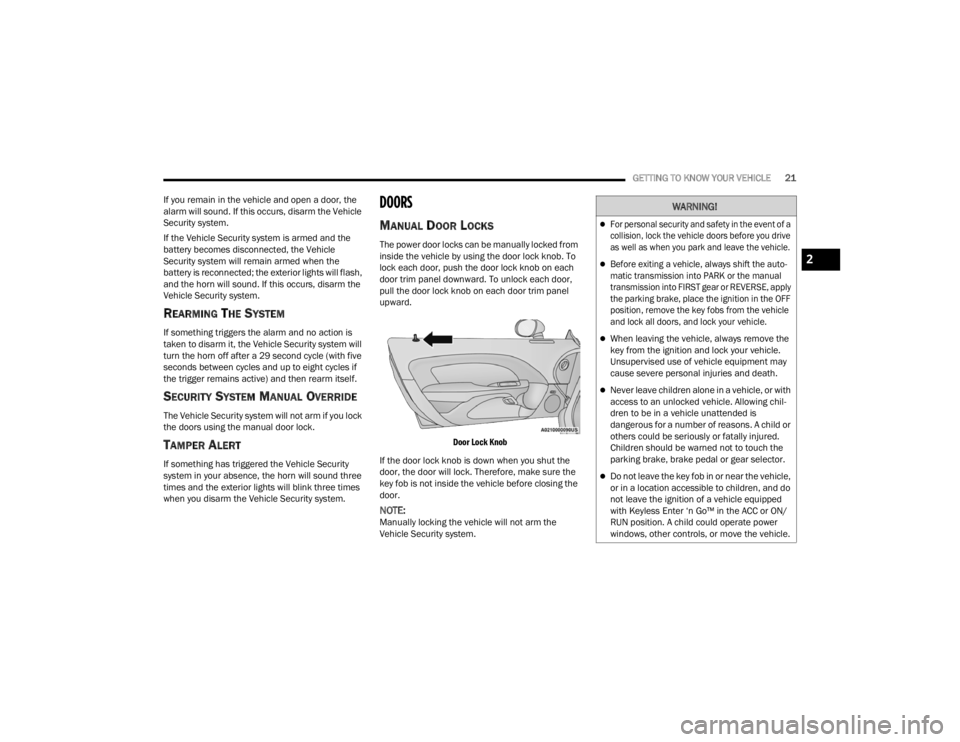
The power door locks can be manually locked from
inside the vehicle by using the door lock knob. To
lock each door, push the door lock knob on each
door trim panel downward. To unlock each door,
pull the door lock knob on each door trim panel
upward.
Door Lock Knob
If the door lock knob is down when you shut the
door, the door will lock. Therefore, make sure the
key fob is not inside the vehicle before closing the
door.
NOTE:Manually locking the vehicle will not arm the
Vehicle Security system.
WARNING!
For personal security and safety in the event of a
collision, lock the vehicle doors before you drive
as well as when you park and leave the vehicle.
Before exiting a vehicle, always shift the auto -
matic transmission into PARK or the manual
transmission into FIRST gear or REVERSE, apply
the parking brake, place the ignition in the OFF
position, remove the key fobs from the vehicle
and lock all doors, and lock your vehicle.
When leaving the vehicle, always remove the
key from the ignition and lock your vehicle.
Unsupervised use of vehicle equipment may
cause severe personal injuries and death.
Never leave children alone in a vehicle, or with
access to an unlocked vehicle. Allowing chil -
dren to be in a vehicle unattended is
dangerous for a number of reasons. A child or
others could be seriously or fatally injured.
Children should be warned not to touch the
parking brake, brake pedal or gear selector.
Do not leave the key fob in or near the vehicle,
or in a location accessible to children, and do
not leave the ignition of a vehicle equipped
with Keyless Enter ‘n Go™ in the ACC or ON/
RUN position. A child could operate power
windows, other controls, or move the vehicle.
2
21_LA_OM_EN_USC_t.book Page 21
Page 27 of 328
GETTING TO KNOW YOUR VEHICLE25
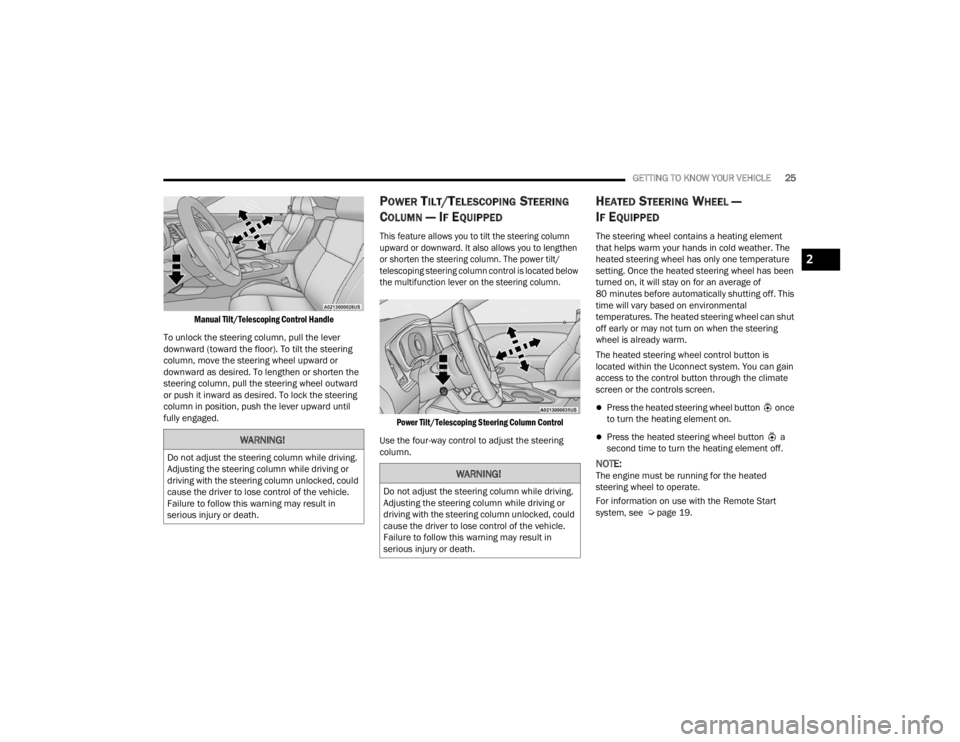
Manual Tilt/Telescoping Control Handle
To unlock the steering column, pull the lever
downward (toward the floor). To tilt the steering
column, move the steering wheel upward or
downward as desired. To lengthen or shorten the
steering column, pull the steering wheel outward
or push it inward as desired. To lock the steering
column in position, push the lever upward until
fully engaged.
POWER TILT/TELESCOPING STEERING
C
OLUMN — IF EQUIPPED
This feature allows you to tilt the steering column
upward or downward. It also allows you to lengthen
or shorten the steering column. The power tilt/
telescoping steering column control is located below
the multifunction lever on the steering column.
Power Tilt/Telescoping Steering Column Control
Use the four-way control to adjust the steering
column.
HEATED STEERING WHEEL —
I
F EQUIPPED
The steering wheel contains a heating element
that helps warm your hands in cold weather. The
heated steering wheel has only one temperature
setting. Once the heated steering wheel has been
turned on, it will stay on for an average of
80 minutes before automatically shutting off. This
time will vary based on environmental
temperatures. The heated steering wheel can shut
off early or may not turn on when the steering
wheel is already warm.
The heated steering wheel control button is
located within the Uconnect system. You can gain
access to the control button through the climate
screen or the controls screen.
Press the heated steering wheel button once
to turn the heating element on.
Press the heated steering wheel button a
second time to turn the heating element off.
NOTE:The engine must be running for the heated
steering wheel to operate.
For information on use with the Remote Start
system, see Ú page 19.
WARNING!
Do not adjust the steering column while driving.
Adjusting the steering column while driving or
driving with the steering column unlocked, could
cause the driver to lose control of the vehicle.
Failure to follow this warning may result in
serious injury or death.
WARNING!
Do not adjust the steering column while driving.
Adjusting the steering column while driving or
driving with the steering column unlocked, could
cause the driver to lose control of the vehicle.
Failure to follow this warning may result in
serious injury or death.
2
21_LA_OM_EN_USC_t.book Page 25
Page 28 of 328
26GETTING TO KNOW YOUR VEHICLE
UCONNECT VOICE RECOGNITION
INTRODUCING VOICE RECOGNITION
Start using Uconnect Voice Recognition with these
helpful quick tips. It provides the key Voice
Commands and tips you need to know to control
your vehicle’s Voice Recognition (VR) system.
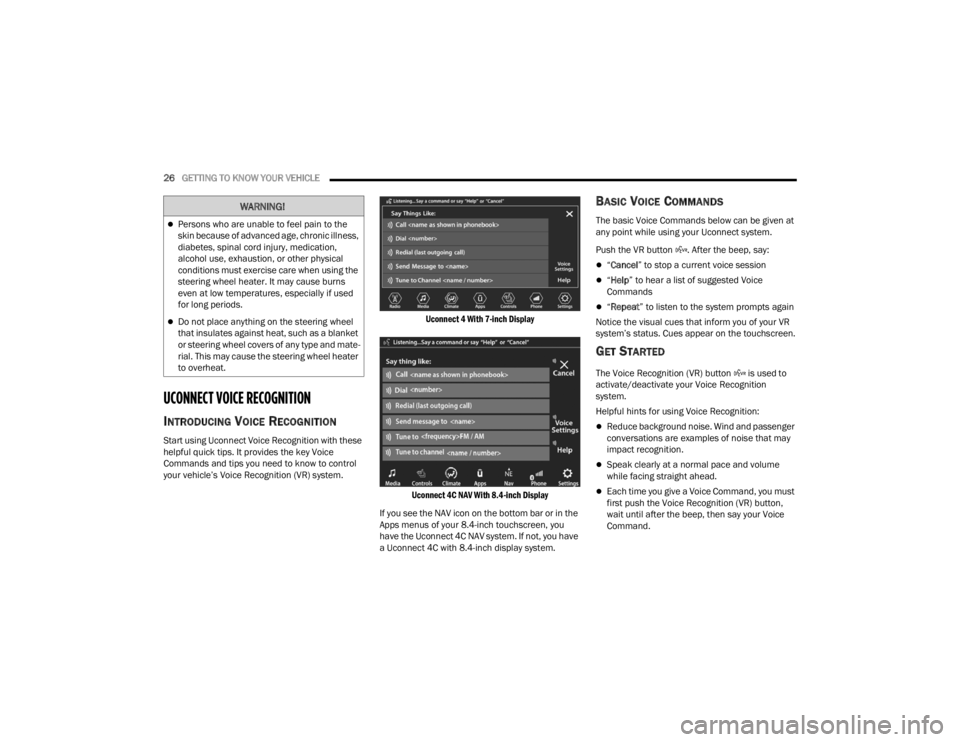
Uconnect 4 With 7-inch Display
Uconnect 4C NAV With 8.4-inch Display
If you see the NAV icon on the bottom bar or in the
Apps menus of your 8.4-inch touchscreen, you
have the Uconnect 4C NAV system. If not, you have
a Uconnect 4C with 8.4-inch display system.
BASIC VOICE COMMANDS
The basic Voice Commands below can be given at
any point while using your Uconnect system.
Push the VR button . After the beep, say:
“ Cancel ” to stop a current voice session
“Help ” to hear a list of suggested Voice
Commands
“ Repeat ” to listen to the system prompts again
Notice the visual cues that inform you of your VR
system’s status. Cues appear on the touchscreen.
GET STARTED
The Voice Recognition (VR) button is used to
activate/deactivate your Voice Recognition
system.
Helpful hints for using Voice Recognition:
Reduce background noise. Wind and passenger
conversations are examples of noise that may
impact recognition.
Speak clearly at a normal pace and volume
while facing straight ahead.
Each time you give a Voice Command, you must
first push the Voice Recognition (VR) button,
wait until after the beep, then say your Voice
Command.
WARNING!
Persons who are unable to feel pain to the
skin because of advanced age, chronic illness,
diabetes, spinal cord injury, medication,
alcohol use, exhaustion, or other physical
conditions must exercise care when using the
steering wheel heater. It may cause burns
even at low temperatures, especially if used
for long periods.
Do not place anything on the steering wheel
that insulates against heat, such as a blanket
or steering wheel covers of any type and mate -
rial. This may cause the steering wheel heater
to overheat.
21_LA_OM_EN_USC_t.book Page 26
Page 31 of 328
GETTING TO KNOW YOUR VEHICLE29
SEATS
Seats are a part of the Occupant Restraint system
of the vehicle.
MANUAL ADJUSTMENT (FRONT SEATS) —
I
F EQUIPPED
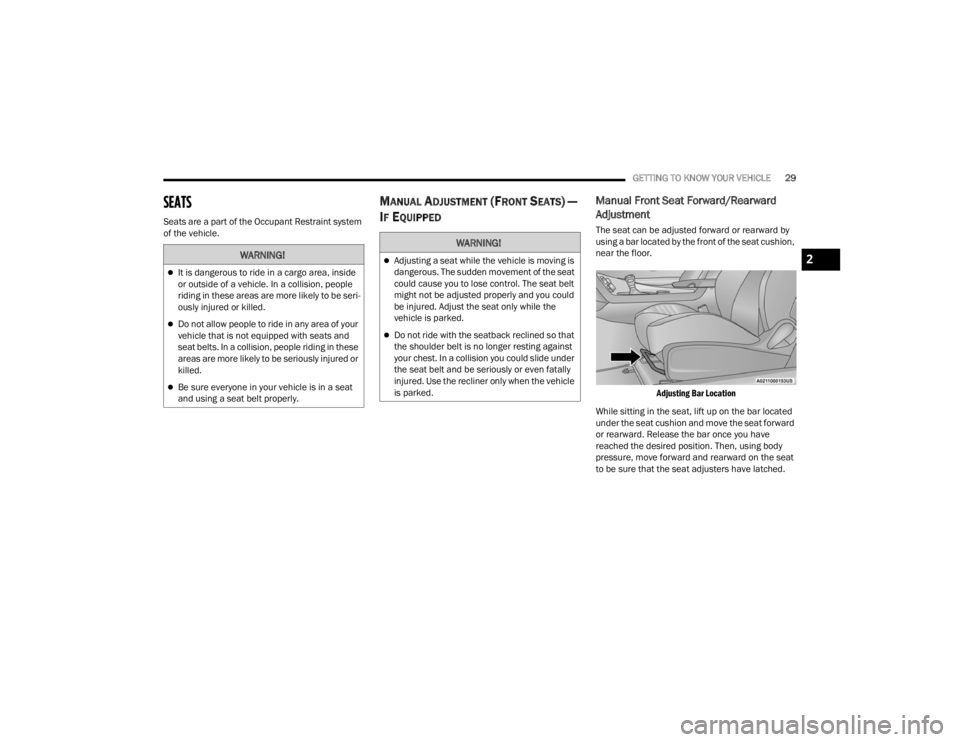
Manual Front Seat Forward/Rearward
Adjustment
The seat can be adjusted forward or rearward by
using a bar located by the front of the seat cushion,
near the floor.
Adjusting Bar Location
While sitting in the seat, lift up on the bar located
under the seat cushion and move the seat forward
or rearward. Release the bar once you have
reached the desired position. Then, using body
pressure, move forward and rearward on the seat
to be sure that the seat adjusters have latched.
WARNING!
It is dangerous to ride in a cargo area, inside
or outside of a vehicle. In a collision, people
riding in these areas are more likely to be seri -
ously injured or killed.
Do not allow people to ride in any area of your
vehicle that is not equipped with seats and
seat belts. In a collision, people riding in these
areas are more likely to be seriously injured or
killed.
Be sure everyone in your vehicle is in a seat
and using a seat belt properly.
WARNING!
Adjusting a seat while the vehicle is moving is
dangerous. The sudden movement of the seat
could cause you to lose control. The seat belt
might not be adjusted properly and you could
be injured. Adjust the seat only while the
vehicle is parked.
Do not ride with the seatback reclined so that
the shoulder belt is no longer resting against
your chest. In a collision you could slide under
the seat belt and be seriously or even fatally
injured. Use the recliner only when the vehicle
is parked.
2
21_LA_OM_EN_USC_t.book Page 29
Page 32 of 328
30GETTING TO KNOW YOUR VEHICLE
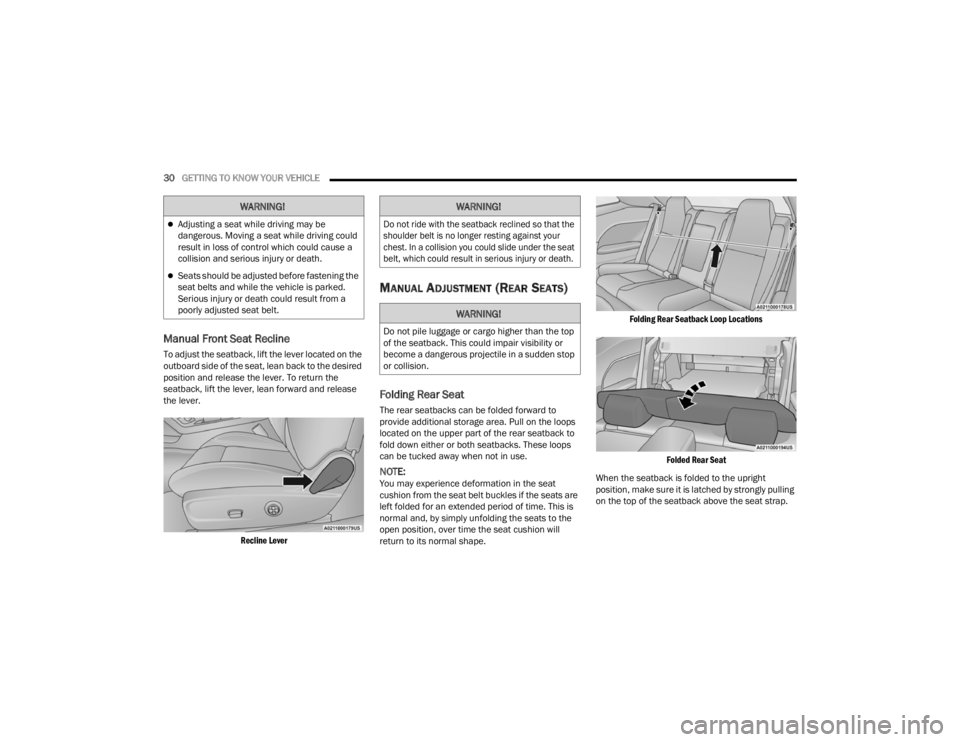
Manual Front Seat Recline
To adjust the seatback, lift the lever located on the
outboard side of the seat, lean back to the desired
position and release the lever. To return the
seatback, lift the lever, lean forward and release
the lever.
Recline Lever
MANUAL ADJUSTMENT (REAR SEATS)
Folding Rear Seat
The rear seatbacks can be folded forward to
provide additional storage area. Pull on the loops
located on the upper part of the rear seatback to
fold down either or both seatbacks. These loops
can be tucked away when not in use.
NOTE:You may experience deformation in the seat
cushion from the seat belt buckles if the seats are
left folded for an extended period of time. This is
normal and, by simply unfolding the seats to the
open position, over time the seat cushion will
return to its normal shape.
Folding Rear Seatback Loop Locations
Folded Rear Seat
When the seatback is folded to the upright
position, make sure it is latched by strongly pulling
on the top of the seatback above the seat strap.
WARNING!
Adjusting a seat while driving may be
dangerous. Moving a seat while driving could
result in loss of control which could cause a
collision and serious injury or death.
Seats should be adjusted before fastening the
seat belts and while the vehicle is parked.
Serious injury or death could result from a
poorly adjusted seat belt.
WARNING!
Do not ride with the seatback reclined so that the
shoulder belt is no longer resting against your
chest. In a collision you could slide under the seat
belt, which could result in serious injury or death.
WARNING!
Do not pile luggage or cargo higher than the top
of the seatback. This could impair visibility or
become a dangerous projectile in a sudden stop
or collision.
21_LA_OM_EN_USC_t.book Page 30
Page 33 of 328
GETTING TO KNOW YOUR VEHICLE31
POWER ADJUSTMENT (FRONT SEATS) —
I
F EQUIPPED
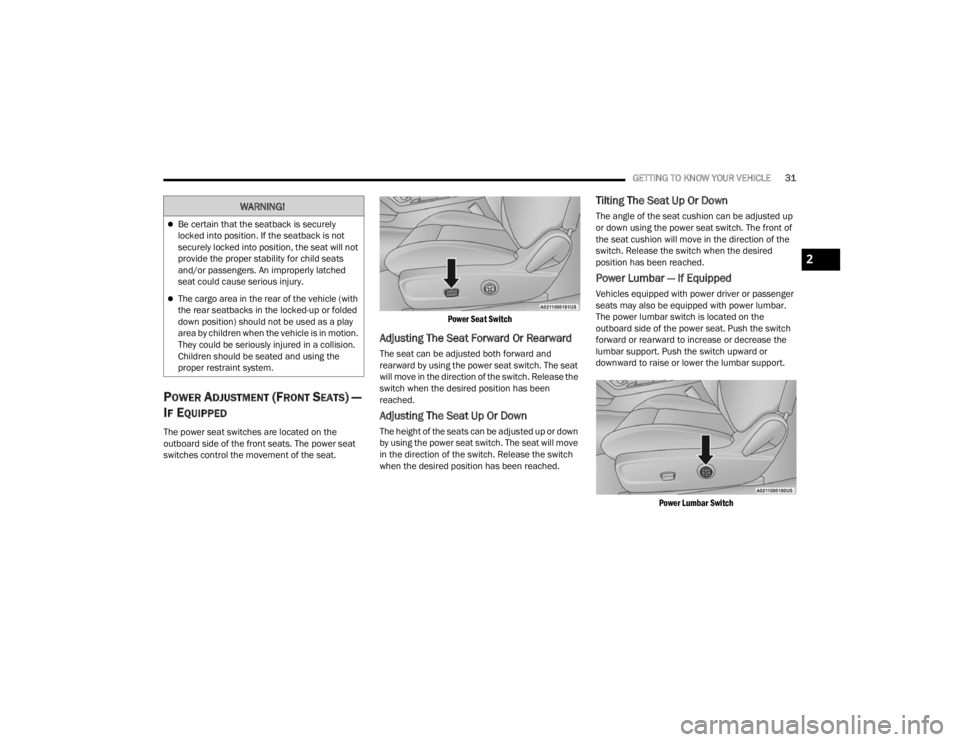
The power seat switches are located on the
outboard side of the front seats. The power seat
switches control the movement of the seat.
Power Seat Switch
Adjusting The Seat Forward Or Rearward
The seat can be adjusted both forward and
rearward by using the power seat switch. The seat
will move in the direction of the switch. Release the
switch when the desired position has been
reached.
Adjusting The Seat Up Or Down
The height of the seats can be adjusted up or down
by using the power seat switch. The seat will move
in the direction of the switch. Release the switch
when the desired position has been reached.
Tilting The Seat Up Or Down
The angle of the seat cushion can be adjusted up
or down using the power seat switch. The front of
the seat cushion will move in the direction of the
switch. Release the switch when the desired
position has been reached.
Power Lumbar — If Equipped
Vehicles equipped with power driver or passenger
seats may also be equipped with power lumbar.
The power lumbar switch is located on the
outboard side of the power seat. Push the switch
forward or rearward to increase or decrease the
lumbar support. Push the switch upward or
downward to raise or lower the lumbar support.
Power Lumbar Switch
WARNING!
Be certain that the seatback is securely
locked into position. If the seatback is not
securely locked into position, the seat will not
provide the proper stability for child seats
and/or passengers. An improperly latched
seat could cause serious injury.
The cargo area in the rear of the vehicle (with
the rear seatbacks in the locked-up or folded
down position) should not be used as a play
area by children when the vehicle is in motion.
They could be seriously injured in a collision.
Children should be seated and using the
proper restraint system.
2
21_LA_OM_EN_USC_t.book Page 31
Page 34 of 328
32GETTING TO KNOW YOUR VEHICLE
Easy Entry/Exit Seat — If Equipped
This feature provides automatic driver seat
positioning to enhance driver mobility when
entering and exiting the vehicle.
The distance the driver seat moves depends on
where you have the driver seat positioned when
you place the vehicle’s ignition in the OFF position.
When you place the vehicle’s ignition in the OFF
position, the driver seat will move about
2.4 inches (6.1 cm) rearward if the driver seat
position is greater than or equal to 2.7 inches
(6.8 cm) forward of the rear stop. The seat will
return to its previously set position when you
place the vehicle’s ignition in the ACC or RUN
position.
The Easy Entry/Easy Exit feature is disabled
when the driver seat position is less than 0.9 of
an inch (2.3 cm) forward of the rear stop. At this
position, there is no benefit to the driver by
moving the seat for Easy Exit or Easy Entry.
When enabled in Uconnect Settings, Easy Entry
and Easy Exit positions are stored in each memory
setting profile Ú page 27.
NOTE:The Easy Entry/Exit feature is enabled or disabled
through the programmable features in the
Uconnect system Ú page 120.
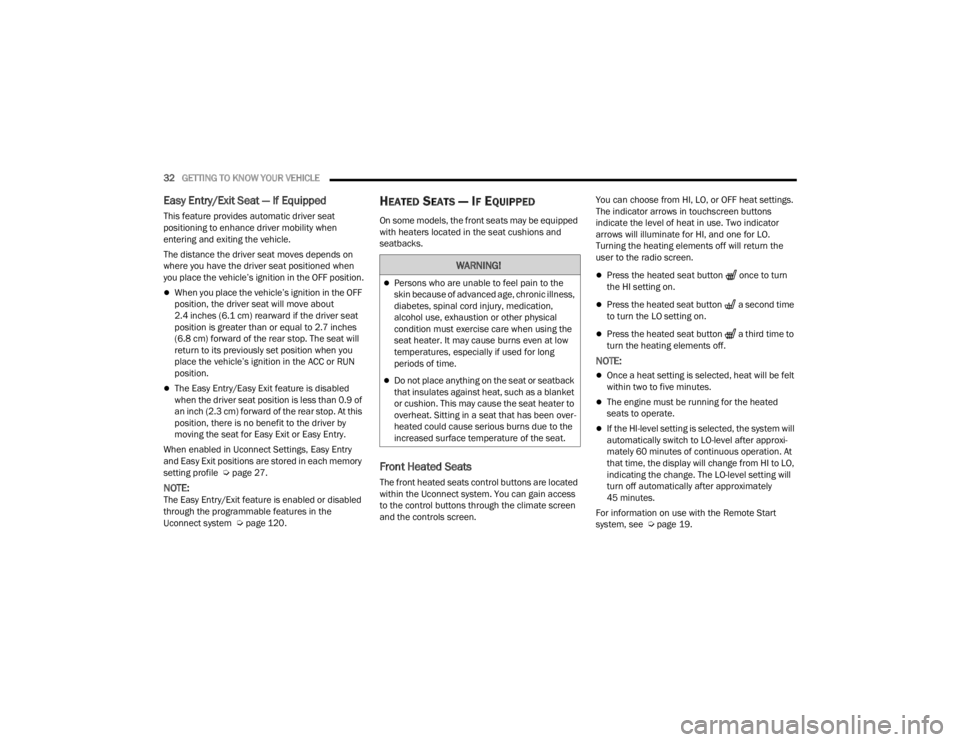
HEATED SEATS — IF EQUIPPED
On some models, the front seats may be equipped
with heaters located in the seat cushions and
seatbacks.
Front Heated Seats
The front heated seats control buttons are located
within the Uconnect system. You can gain access
to the control buttons through the climate screen
and the controls screen. You can choose from HI, LO, or OFF heat settings.
The indicator arrows in touchscreen buttons
indicate the level of heat in use. Two indicator
arrows will illuminate for HI, and one for LO.
Turning the heating elements off will return the
user to the radio screen.
Press the heated seat button once to turn
the HI setting on.
Press the heated seat button a second time
to turn the LO setting on.
Press the heated seat button a third time to
turn the heating elements off.
NOTE:
Once a heat setting is selected, heat will be felt
within two to five minutes.
The engine must be running for the heated
seats to operate.
If the HI-level setting is selected, the system will
automatically switch to LO-level after approxi-
mately 60 minutes of continuous operation. At
that time, the display will change from HI to LO,
indicating the change. The LO-level setting will
turn off automatically after approximately
45 minutes.
For information on use with the Remote Start
system, see Ú page 19.
WARNING!
Persons who are unable to feel pain to the
skin because of advanced age, chronic illness,
diabetes, spinal cord injury, medication,
alcohol use, exhaustion or other physical
condition must exercise care when using the
seat heater. It may cause burns even at low
temperatures, especially if used for long
periods of time.
Do not place anything on the seat or seatback
that insulates against heat, such as a blanket
or cushion. This may cause the seat heater to
overheat. Sitting in a seat that has been over -
heated could cause serious burns due to the
increased surface temperature of the seat.
21_LA_OM_EN_USC_t.book Page 32
Page 35 of 328
GETTING TO KNOW YOUR VEHICLE33
(Continued)
FRONT VENTILATED SEATS —
I
F EQUIPPED
The ventilated seats are equipped with fans that
can be controlled through the climate and control
screen in the Uconnect system. The fans operate
at two speeds, HI and LO.
Press the ventilated seat button once to
choose HI.
Press the ventilated seat button a second
time to choose LO.
Press the ventilated seat button a third time
to turn the ventilated seat off.
NOTE:The engine must be running for the ventilated
seats to operate.
For information on use with the Remote Start
system, see Ú page 19.
VEHICLES WITHOUT PASSENGER
S
EATING INSTALLED
All passenger occupants within the vehicle must be
in a seat equipped with a Seat Belt System and
Head Restraint for the safety of the passenger. If
the passenger and/or rear seats have been
removed, do not ride in those areas.
This vehicle has been designed to maximize total
performance. In doing so, the deletion of
passenger seats and/or rear seat may affect the
Noise, Vibration, and Harshness (NVH)
characteristics. As a result, the interior will be
louder overall.
WARNING!
Persons who are unable to feel pain to the
skin because of advanced age, chronic illness,
diabetes, spinal cord injury, medication,
alcohol use, exhaustion or other physical
condition must exercise care when using the
seat heater. It may cause burns even at low
temperatures, especially if used for long
periods of time.
Do not place anything on the seat or seatback
that insulates against heat, such as a blanket
or cushion. This may cause the seat heater to
overheat. Sitting in a seat that has been over -
heated could cause serious burns due to the
increased surface temperature of the seat.
WARNING!
If the passenger and/or rear seats have been
removed, do not ride in those areas. In a colli -
sion, people riding in these areas are more
likely to be seriously injured or killed.
If this vehicle was not factory equipped with a
passenger seat, NEVER attempt to install a
passenger seat because the safety systems,
including the air bags and seat belt, may not
properly protect you.
It is dangerous to ride in a cargo area, inside
or outside of a vehicle. In a collision, people
riding in this area are more likely to be seri -
ously injured or killed.
Only ride in available seating positions
equipped with seat belt systems. Always prop -
erly wear your seat belt. Failure to do so could
result in an increased risk of serious injury or
death in the event of an accident.
Be sure everyone in your vehicle is in a seat
and using a seat belt properly. Occupants,
including the driver, should always wear their
seat belts whether or not an air bag is also
provided at their seating positions to minimize
the risk of severe injury or death in the event
of a crash.
2
21_LA_OM_EN_USC_t.book Page 33
Page 36 of 328
34GETTING TO KNOW YOUR VEHICLE
(Continued)
PASSENGER SEAT EASY ENTRY
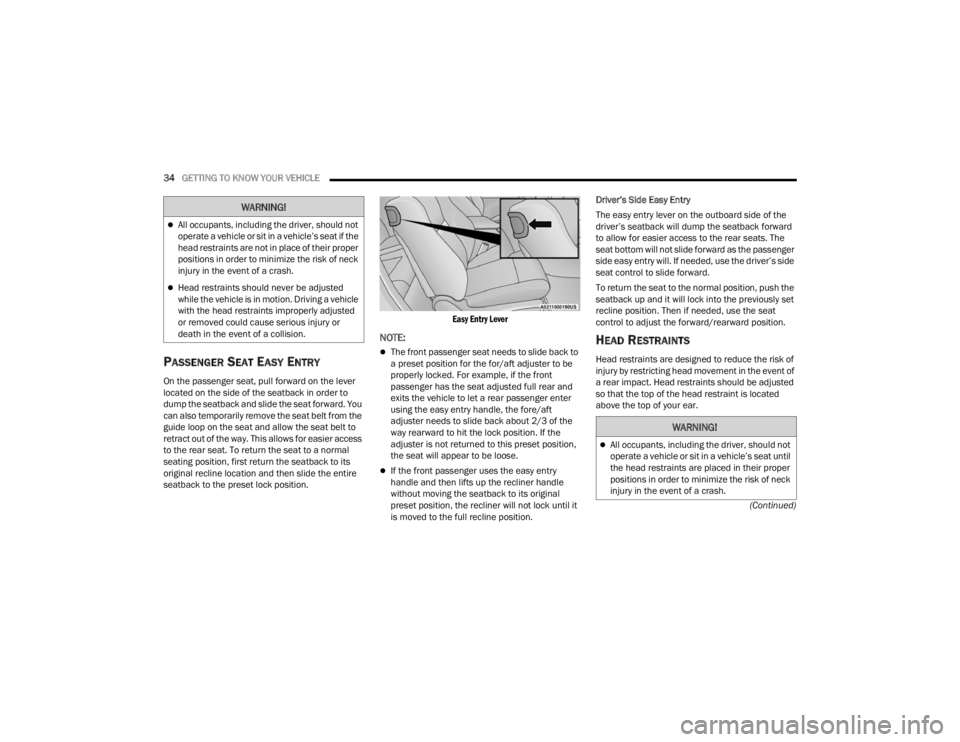
On the passenger seat, pull forward on the lever
located on the side of the seatback in order to
dump the seatback and slide the seat forward. You
can also temporarily remove the seat belt from the
guide loop on the seat and allow the seat belt to
retract out of the way. This allows for easier access
to the rear seat. To return the seat to a normal
seating position, first return the seatback to its
original recline location and then slide the entire
seatback to the preset lock position.
Easy Entry Lever
NOTE:
The front passenger seat needs to slide back to
a preset position for the for/aft adjuster to be
properly locked. For example, if the front
passenger has the seat adjusted full rear and
exits the vehicle to let a rear passenger enter
using the easy entry handle, the fore/aft
adjuster needs to slide back about 2/3 of the
way rearward to hit the lock position. If the
adjuster is not returned to this preset position,
the seat will appear to be loose.
If the front passenger uses the easy entry
handle and then lifts up the recliner handle
without moving the seatback to its original
preset position, the recliner will not lock until it
is moved to the full recline position.Driver’s Side Easy Entry
The easy entry lever on the outboard side of the
driver’s seatback will dump the seatback forward
to allow for easier access to the rear seats. The
seat bottom will not slide forward as the passenger
side easy entry will. If needed, use the driver’s side
seat control to slide forward.
To return the seat to the normal position, push the
seatback up and it will lock into the previously set
recline position. Then if needed, use the seat
control to adjust the forward/rearward position.
HEAD RESTRAINTS
Head restraints are designed to reduce the risk of
injury by restricting head movement in the event of
a rear impact. Head restraints should be adjusted
so that the top of the head restraint is located
above the top of your ear.
All occupants, including the driver, should not
operate a vehicle or sit in a vehicle’s seat if the
head restraints are not in place of their proper
positions in order to minimize the risk of neck
injury in the event of a crash.
Head restraints should never be adjusted
while the vehicle is in motion. Driving a vehicle
with the head restraints improperly adjusted
or removed could cause serious injury or
death in the event of a collision.
WARNING!
WARNING!
All occupants, including the driver, should not
operate a vehicle or sit in a vehicle’s seat until
the head restraints are placed in their proper
positions in order to minimize the risk of neck
injury in the event of a crash.
21_LA_OM_EN_USC_t.book Page 34