ABS DODGE CHALLENGER 2023 Owners Manual
[x] Cancel search | Manufacturer: DODGE, Model Year: 2023, Model line: CHALLENGER, Model: DODGE CHALLENGER 2023Pages: 300, PDF Size: 12.82 MB
Page 6 of 300

4
PARKSENSE REAR PARK ASSIST — IF EQUIPPED .........92
ParkSense Sensors ..................................................... 92
ParkSense Display ...................................................... 92
ParkSense Warning Display ....................................... 94
Enabling And Disabling ParkSense............................ 94
Service The ParkSense Rear Park Assist System ..... 94
Cleaning The ParkSense System ............................... 95
ParkSense System Usage Precautions ..................... 95
PARKVIEW REAR BACK UP CAMERA ..............................96
REFUELING THE VEHICLE ..................................................96 Loose Fuel Filler Cap Message .................................. 97
VEHICLE LOADING ..............................................................97 Vehicle Certification Label ......................................... 98
Gross Vehicle Weight Rating (GVWR) ........................ 98
Gross Axle Weight Rating (GAWR) ............................. 98
Overloading ................................................................. 98
Loading ....................................................................... 98
TRAILER TOWING ...............................................................98 Common Towing Definitions ...................................... 99
Trailer Hitch Classification........................................ 100 Trailer Towing Weights
(Maximum Trailer Weight Ratings)........................... 100
Trailer And Tongue Weight ...................................... 101
Towing Requirements ............................................... 101Towing Tips ............................................................... 103
RECREATIONAL TOWING
(BEHIND MOTORHOME) ................................................. 104
DRIVING TIPS ................................................................... 104 Driving On Slippery Surfaces.................................... 104
Driving Through Water ............................................. 105MULTIMEDIA
UCONNECT SYSTEMS ..................................................... 106
CYBERSECURITY ............................................................. 106
UCONNECT SETTINGS .................................................... 107 Customer Programmable Features ......................... 107
UCONNECT INTRODUCTION............................................ 121 System Overview ...................................................... 121
Drag & Drop Menu Bar ............................................. 123
Safety And General Information .............................. 123
UCONNECT MODES ......................................................... 124 Steering Wheel Audio Controls ................................ 124
Radio Mode .............................................................. 125
Media Mode ............................................................. 133
Phone Mode ............................................................. 135
ANDROID AUTO™ & APPLE CARPLAY® —
IF EQUIPPED .................................................................... 144 Android Auto™ ......................................................... 144Apple CarPlay® ......................................................... 146Android Auto™ And Apple CarPlay® Tips
And Tricks.................................................................. 147
PERFORMANCE PAGES .................................................. 148 Home ......................................................................... 148
Timers ........................................................................ 150Gauges ...................................................................... 152
G-Force ...................................................................... 152
Engine........................................................................ 153Dynamometer (Dyno) ............................................... 153
DODGE DRIVE MODES — IF EQUIPPED......................... 154 Performance Control — If Equipped ........................ 154
RADIO OPERATION AND MOBILE PHONES.................. 158 Regulatory And Safety Information.......................... 158
SAFETY
SAFETY FEATURES ...........................................................159Anti-Lock Brake System (ABS) ................................. 159
Electronic Brake Control (EBC) System ................... 160
AUXILIARY DRIVING SYSTEMS .......................................164 Blind Spot Monitoring (BSM) — If Equipped ............ 164
Forward Collision Warning (FCW) Operation —
If Equipped................................................................. 167
Tire Pressure Monitoring System (TPMS) ................ 168
OCCUPANT RESTRAINT SYSTEMS ................................172 Occupant Restraint Systems Features .................... 172
Important Safety Precautions................................... 172
Seat Belt Systems .................................................... 172
Supplemental Restraint Systems (SRS) .................. 178Child Restraints ........................................................ 185
SAFETY TIPS......................................................................196 Transporting Passengers .......................................... 196
Transporting Pets ................................................... 196
Connected Vehicles................................................... 196
Safety Checks You Should Make Inside
The Vehicle ............................................................... 196
Periodic Safety Checks You Should Make
Outside The Vehicle .................................................. 198
Exhaust Gas ............................................................... 198
Carbon Monoxide Warnings ..................................... 198
23_LA_OM_EN_USC_t.book Page 4
Page 12 of 300
10
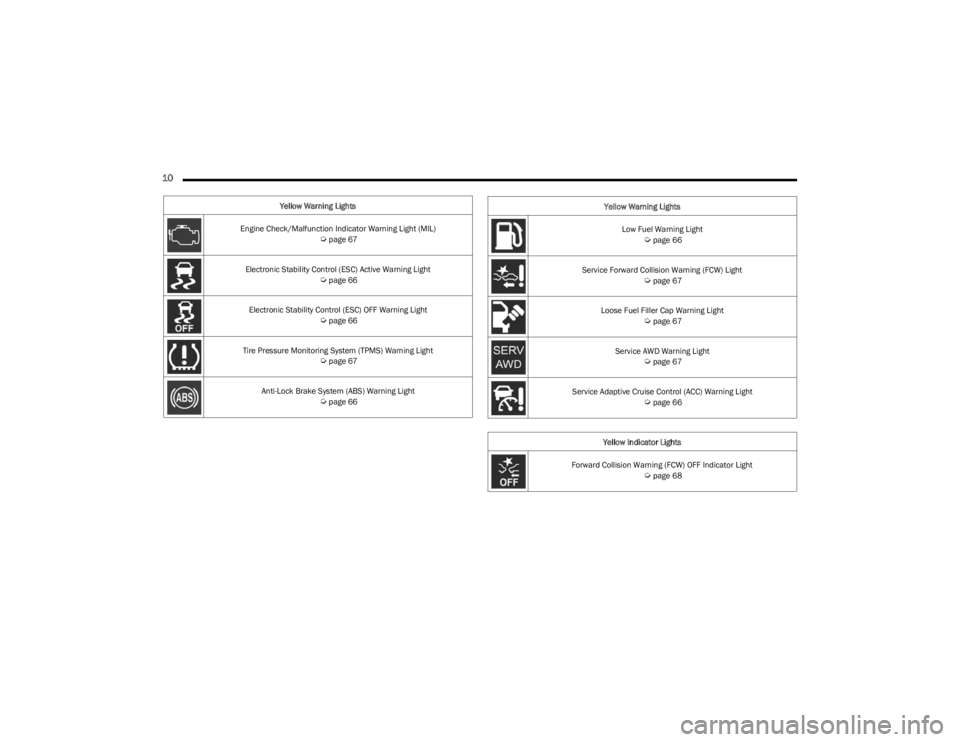
Yellow Warning Lights
Engine Check/Malfunction Indicator Warning Light (MIL)
Úpage 67
Electronic Stability Control (ESC) Active Warning Light
Úpage 66
Electronic Stability Control (ESC) OFF Warning Light
Úpage 66
Tire Pressure Monitoring System (TPMS) Warning Light
Úpage 67
Anti-Lock Brake System (ABS) Warning Light
Úpage 66
Low Fuel Warning Light Úpage 66
Service Forward Collision Warning (FCW) Light
Úpage 67
Loose Fuel Filler Cap Warning Light
Úpage 67
Service AWD Warning Light
Úpage 67
Service Adaptive Cruise Control (ACC) Warning Light
Úpage 66
Yellow Indicator Lights
Forward Collision Warning (FCW) OFF Indicator Light
Úpage 68
Yellow Warning Lights
23_LA_OM_EN_USC_t.book Page 10
Page 22 of 300

20GETTING TO KNOW YOUR VEHICLE
REARMING THE SYSTEM
If something triggers the alarm and no action is taken to
disarm it, the Vehicle Security system will turn the horn off
after a 29 second cycle (with five seconds between cycles
and up to eight cycles if the trigger remains active) and
then rearm itself.
SECURITY SYSTEM MANUAL OVERRIDE
The Vehicle Security system will not arm if you lock the
doors using the manual door lock.
TAMPER ALERT
If something has triggered the Vehicle Security system in
your absence, the horn will sound three times and the
exterior lights will blink three times when you disarm the
Vehicle Security system.
DELUXE VEHICLE SECURITY SYSTEM —
IF EQUIPPED
The Deluxe Vehicle Security system monitors the doors,
hood latch, and trunk for unauthorized entry and the
ignition switch for unauthorized operation. The system
also includes a dual function intrusion sensor and vehicle
tilt sensor. The intrusion sensor monitors the vehicle
interior for motion. The vehicle tilt sensor monitors the
vehicle for any tilting actions (tow away, tire removal, ferry
transport, etc.).
If a perimeter violation triggers the security system, the
horn will sound for 29 seconds and the exterior lights will
flash followed by approximately five seconds of no activity. This will continue for eight cycles if no action is taken to
disarm the system.
TO ARM THE SYSTEM
Follow these steps to arm the security system:
1. If any doors, windows, or the sunroof (if equipped)
are open, close them.
2. Make sure the vehicle ignition system is OFF.
3. Perform one of the following methods to lock the vehicle:
Push lock on the interior power door lock switch
with the driver and/or passenger door open.
Push the lock button on the exterior Passive Entry
door handle with a key fob available in the same
exterior zone
Úpage 22.
Push the lock button on the key fob.
NOTE:
When armed, the interior motion sensor detects move -
ment within the vehicle's interior, including moving
objects (i.e. people and pets) and air currents through
open windows or the sunroof. The windows and
sunroof should be closed, and moving objects should
not be left in the vehicle when the intrusion detection
is armed, otherwise false alarms can occur.
Once the security system is armed, it remains in that
state until you disarm it by following either of the
disarming procedures described. If a power loss occurs
after arming the system, you must disarm the system
after restoring power to prevent alarm activation.
The ultrasonic intrusion sensor (motion detector)
actively monitors your vehicle every time you arm the
Vehicle Security system. If you prefer, you can turn off
the ultrasonic intrusion sensor when arming the
Vehicle Security system. To do so, push the lock button
on the key fob three times within 15 seconds of arming
the system (while the Vehicle Security Light is flashing
rapidly). The vehicle will remain locked but will disable
the alarm in the case of repeated false alarms due to
ambient conditions.
TO DISARM THE SYSTEM
The Vehicle Security system can be disarmed using any of
the following methods:
Push the unlock button on the key fob.
Grab the Passive Entry door handle to unlock the door
Úpage 22.
Cycle the vehicle ignition system out of the OFF position
by pushing the START/STOP ignition button (requires at
least one valid key fob in the vehicle).
NOTE:
The driver's door key cylinder and the trunk button on
the key fob cannot arm or disarm the Vehicle Security
system.
The Vehicle Security system remains armed during
power trunk entry. If a valid key fob or key fob Passive
Entry is used to open the trunk, the motion sensing will
be suppressed until after the trunk is closed. If
someone enters the opened vehicle through the trunk,
then opens any door, the alarm will sound.
23_LA_OM_EN_USC_t.book Page 20
Page 66 of 300
64GETTING TO KNOW YOUR INSTRUMENT PANEL
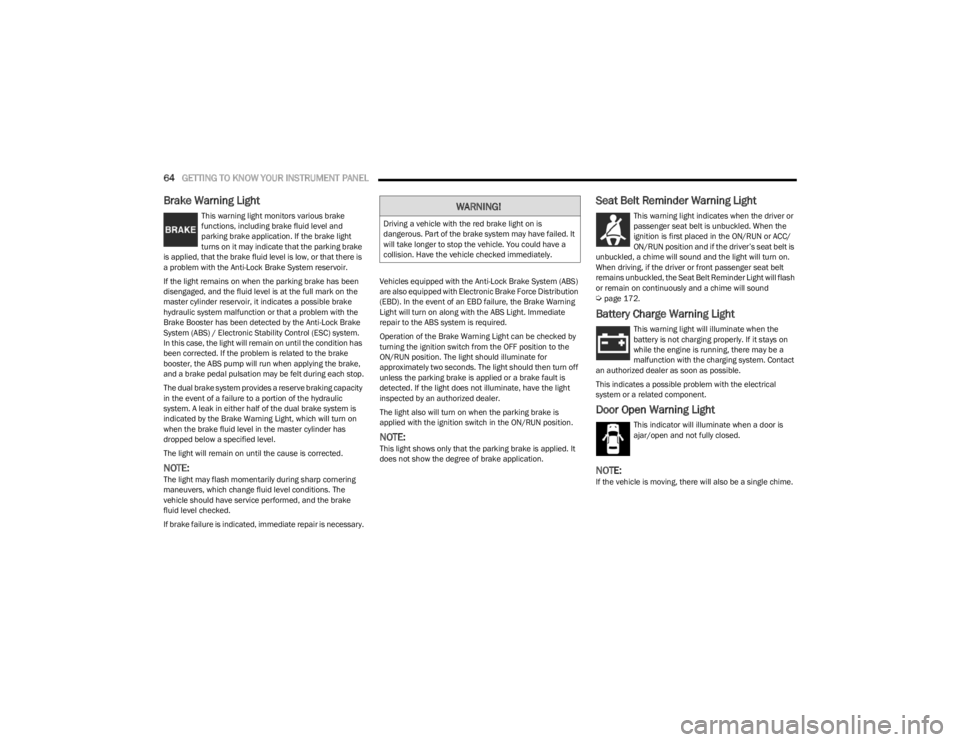
Brake Warning Light
This warning light monitors various brake
functions, including brake fluid level and
parking brake application. If the brake light
turns on it may indicate that the parking brake
is applied, that the brake fluid level is low, or that there is
a problem with the Anti-Lock Brake System reservoir.
If the light remains on when the parking brake has been
disengaged, and the fluid level is at the full mark on the
master cylinder reservoir, it indicates a possible brake
hydraulic system malfunction or that a problem with the
Brake Booster has been detected by the Anti-Lock Brake
System (ABS) / Electronic Stability Control (ESC) system.
In this case, the light will remain on until the condition has
been corrected. If the problem is related to the brake
booster, the ABS pump will run when applying the brake,
and a brake pedal pulsation may be felt during each stop.
The dual brake system provides a reserve braking capacity
in the event of a failure to a portion of the hydraulic
system. A leak in either half of the dual brake system is
indicated by the Brake Warning Light, which will turn on
when the brake fluid level in the master cylinder has
dropped below a specified level.
The light will remain on until the cause is corrected.
NOTE:The light may flash momentarily during sharp cornering
maneuvers, which change fluid level conditions. The
vehicle should have service performed, and the brake
fluid level checked.
If brake failure is indicated, immediate repair is necessary. Vehicles equipped with the Anti-Lock Brake System (ABS)
are also equipped with Electronic Brake Force Distribution
(EBD). In the event of an EBD failure, the Brake Warning
Light will turn on along with the ABS Light. Immediate
repair to the ABS system is required.
Operation of the Brake Warning Light can be checked by
turning the ignition switch from the OFF position to the
ON/RUN position. The light should illuminate for
approximately two seconds. The light should then turn off
unless the parking brake is applied or a brake fault is
detected. If the light does not illuminate, have the light
inspected by an authorized dealer.
The light also will turn on when the parking brake is
applied with the ignition switch in the ON/RUN position.
NOTE:This light shows only that the parking brake is applied. It
does not show the degree of brake application.
Seat Belt Reminder Warning Light
This warning light indicates when the driver or
passenger seat belt is unbuckled. When the
ignition is first placed in the ON/RUN or ACC/
ON/RUN position and if the driver’s seat belt is
unbuckled, a chime will sound and the light will turn on.
When driving, if the driver or front passenger seat belt
remains unbuckled, the Seat Belt Reminder Light will flash
or remain on continuously and a chime will sound
Úpage 172.
Battery Charge Warning Light
This warning light will illuminate when the
battery is not charging properly. If it stays on
while the engine is running, there may be a
malfunction with the charging system. Contact
an authorized dealer as soon as possible.
This indicates a possible problem with the electrical
system or a related component.
Door Open Warning Light
This indicator will illuminate when a door is
ajar/open and not fully closed.
NOTE:If the vehicle is moving, there will also be a single chime.
WARNING!
Driving a vehicle with the red brake light on is
dangerous. Part of the brake system may have failed. It
will take longer to stop the vehicle. You could have a
collision. Have the vehicle checked immediately.
23_LA_OM_EN_USC_t.book Page 64
Page 68 of 300
66GETTING TO KNOW YOUR INSTRUMENT PANEL
Transmission Temperature Warning Light
This warning light will illuminate to warn of a
high transmission fluid temperature. This may
occur with strenuous usage such as trailer
towing. If this light turns on, stop the vehicle
and run the engine at idle or slightly faster, with the
transmission in PARK (P) or NEUTRAL (N), until the light
turns off. Once the light turns off, you may continue to
drive normally.
Vehicle Security Warning Light —
If Equipped
This light will flash at a fast rate for
approximately 15 seconds when the vehicle
security system is arming, and then will flash
slowly until the vehicle is disarmed.
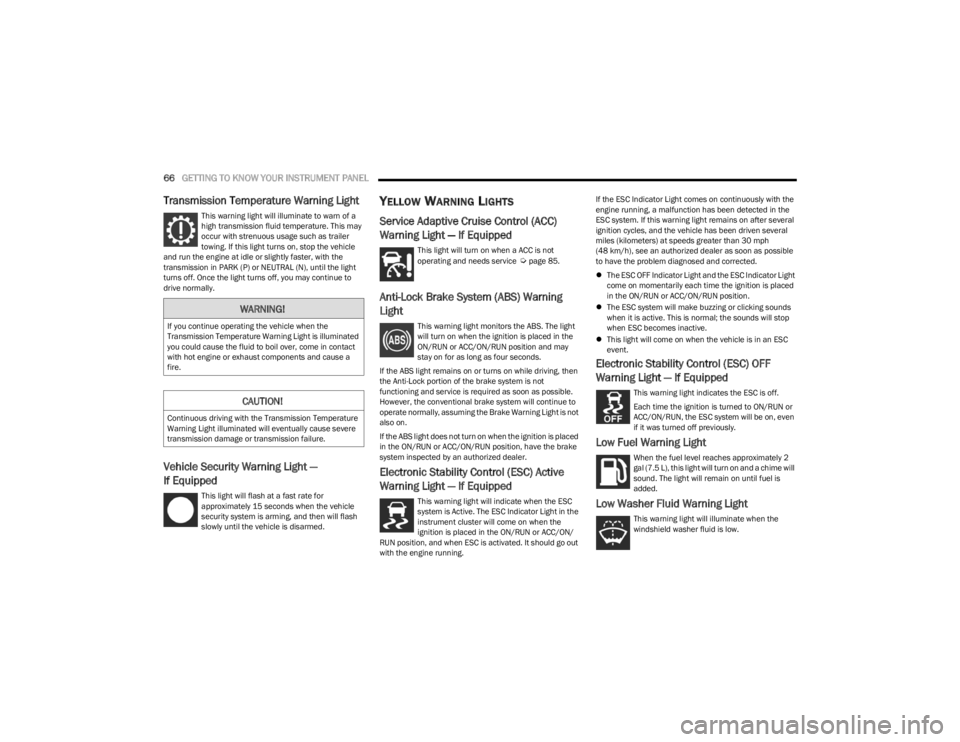
YELLOW WARNING LIGHTS
Service Adaptive Cruise Control (ACC)
Warning Light — If Equipped
This light will turn on when a ACC is not
operating and needs service Úpage 85.
Anti-Lock Brake System (ABS) Warning
Light
This warning light monitors the ABS. The light
will turn on when the ignition is placed in the
ON/RUN or ACC/ON/RUN position and may
stay on for as long as four seconds.
If the ABS light remains on or turns on while driving, then
the Anti-Lock portion of the brake system is not
functioning and service is required as soon as possible.
However, the conventional brake system will continue to
operate normally, assuming the Brake Warning Light is not
also on.
If the ABS light does not turn on when the ignition is placed
in the ON/RUN or ACC/ON/RUN position, have the brake
system inspected by an authorized dealer.
Electronic Stability Control (ESC) Active
Warning Light — If Equipped
This warning light will indicate when the ESC
system is Active. The ESC Indicator Light in the
instrument cluster will come on when the
ignition is placed in the ON/RUN or ACC/ON/
RUN position, and when ESC is activated. It should go out
with the engine running. If the ESC Indicator Light comes on continuously with the
engine running, a malfunction has been detected in the
ESC system. If this warning light remains on after several
ignition cycles, and the vehicle has been driven several
miles (kilometers) at speeds greater than 30 mph
(48 km/h), see an authorized dealer as soon as possible
to have the problem diagnosed and corrected.
The ESC OFF Indicator Light and the ESC Indicator Light
come on momentarily each time the ignition is placed
in the ON/RUN or ACC/ON/RUN position.
The ESC system will make buzzing or clicking sounds
when it is active. This is normal; the sounds will stop
when ESC becomes inactive.
This light will come on when the vehicle is in an ESC
event.
Electronic Stability Control (ESC) OFF
Warning Light — If Equipped
This warning light indicates the ESC is off.
Each time the ignition is turned to ON/RUN or
ACC/ON/RUN, the ESC system will be on, even
if it was turned off previously.
Low Fuel Warning Light
When the fuel level reaches approximately 2
gal (7.5 L), this light will turn on and a chime will
sound. The light will remain on until fuel is
added.
Low Washer Fluid Warning Light
This warning light will illuminate when the
windshield washer fluid is low.
WARNING!
If you continue operating the vehicle when the
Transmission Temperature Warning Light is illuminated
you could cause the fluid to boil over, come in contact
with hot engine or exhaust components and cause a
fire.
CAUTION!
Continuous driving with the Transmission Temperature
Warning Light illuminated will eventually cause severe
transmission damage or transmission failure.
23_LA_OM_EN_USC_t.book Page 66
Page 90 of 300
88STARTING AND OPERATING
If ACC is set when the vehicle speed is below 20 mph
(32 km/h), the set speed will default to 20 mph
(32 km/h).
NOTE:Fixed Speed Cruise Control cannot be set below 20 mph
(32 km/h).
If either system is set when the vehicle speed is above
20 mph (32 km/h), the set speed shall be the current
speed of the vehicle.
NOTE:
Keeping your foot on the accelerator pedal can cause
the vehicle to continue to accelerate beyond the set
speed. If this occurs, the message “DRIVER OVERRIDE”
will display in the instrument cluster display.
If you continue to accelerate beyond the set speed
while ACC is enabled, the system will not be controlling
the distance between your vehicle and the vehicle
ahead. The vehicle speed will only be determined by
the position of the accelerator pedal.
To Cancel
The following conditions cancel the ACC or Fixed Speed
Cruise Control systems:
The brake pedal is applied.
The parking brake is applied.
The CANC (cancel) button is pushed.
An Anti-Lock Brake System (ABS) event occurs.
The gear selector is removed from the DRIVE position.
The Electronic Stability Control/Traction Control
System (ESC/TCS) activates.
The following condition will only cancel the ACC system:
The vehicle speed goes below 15 mph (24 km/h).
To Turn Off
The system will turn off and erase the set speed in
memory if:
The Adaptive Cruise Control (ACC) on/off button is
pushed.
The Fixed Speed Cruise Control on/off button is
pushed.
The ignition is placed in the OFF position.
To Resume
If there is a set speed in memory, push the RES (resume)
button and remove your foot from the accelerator pedal.
The instrument cluster display will show the last set
speed.
Resume can be used at any speed above 20 mph
(32 km/h) when only Fixed Speed Cruise Control is
being used.
Resume can be used at any speed above 0 mph (0 km/h)
when ACC is active.
To Vary The Speed Setting
To Increase Or Decrease The Set Speed
While ACC is set, you can increase speed by pushing the
SET (+) button, or decrease speed by pushing the SET (-)
button.
U.S. Speed (mph)
Pushing the SET (+), or SET (-) button once will result in
a 1 mph speed adjustment. Each subsequent tap of
the button results in an adjustment of 1 mph.
If the button is continually pushed, the set speed will
continue to adjust in 5 mph increments until the button
is released. The new set speed is reflected in the instru -
ment cluster display.
Metric Speed (km/h)
Pushing the SET (+), or SET (-) button once will result in
a 1 km/h speed adjustment. Each subsequent tap of
the button results in an adjustment of 1 km/h.
If the button is continually pushed, the set speed will
continue to adjust in 10 km/h increments until the
button is released. The new set speed is reflected in
the instrument cluster display.
NOTE:When you override and push the SET (+) button or SET (-)
button, the new set speed will be the current speed of the
vehicle.
WARNING!
The Resume function should only be used if traffic and
road conditions permit. Resuming a set speed that is
too high or too low for prevailing traffic and road
conditions could cause the vehicle to accelerate or
decelerate too sharply for safe operation. Failure to
follow these warnings can result in a collision and death
or serious personal injury.
23_LA_OM_EN_USC_t.book Page 88
Page 131 of 300
MULTIMEDIA129
FAVORITES
Press the Favorites button on the touchscreen to activate
the favorites menu, which will time out within 20 seconds
in absence of user interaction.
You can exit the Favorites Menu by a press of the X button.
The Favorites feature enables you to set a favorite artist or
song that is currently playing. The radio then uses this
information to alert you when either the favorite artist or
song is being played at any time by any of the SiriusXM®
Channels.
The maximum number of favorites that can be stored in
the Radio is 50.
Favorite Artist: While the song is playing, to set a favorite
artist, press the Favorites button on the touchscreen and
then the Favorite Artist button on the touchscreen.
Favorite Song: While the song is playing, to set a favorite
song, press the Favorites button on the touchscreen and
then the Favorite Song button on the touchscreen.
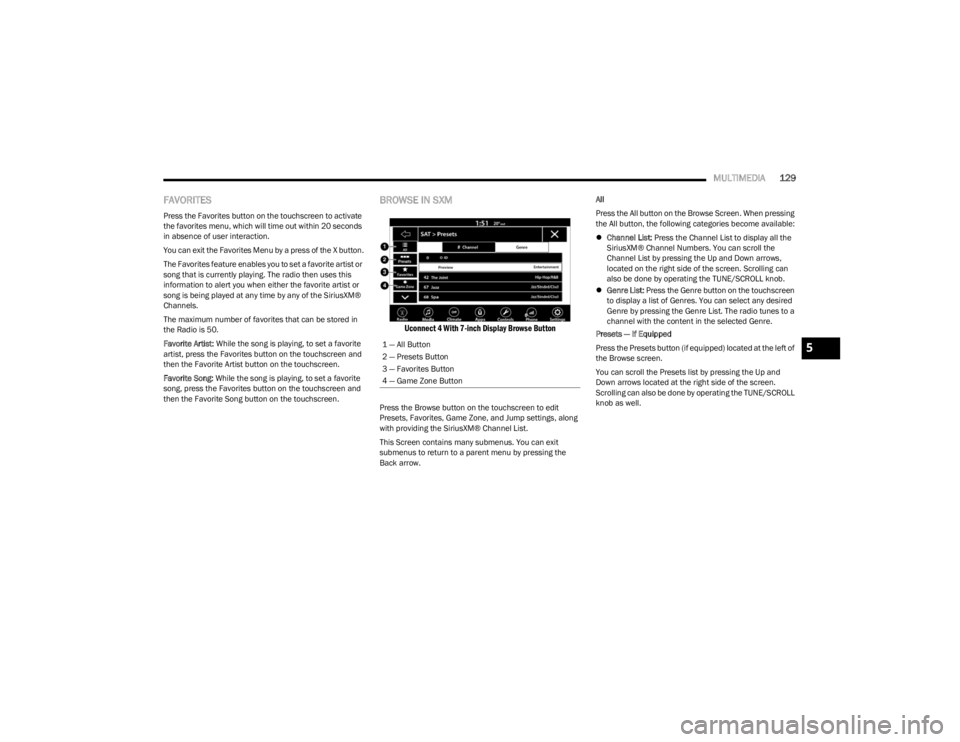
BROWSE IN SXM
Uconnect 4 With 7-inch Display Browse Button
Press the Browse button on the touchscreen to edit
Presets, Favorites, Game Zone, and Jump settings, along
with providing the SiriusXM® Channel List.
This Screen contains many submenus. You can exit
submenus to return to a parent menu by pressing the
Back arrow. All
Press the All button on the Browse Screen. When pressing
the All button, the following categories become available:
Channel List: Press the Channel List to display all the
SiriusXM® Channel Numbers. You can scroll the
Channel List by pressing the Up and Down arrows,
located on the right side of the screen. Scrolling can
also be done by operating the TUNE/SCROLL knob.
Genre List: Press the Genre button on the touchscreen
to display a list of Genres. You can select any desired
Genre by pressing the Genre List. The radio tunes to a
channel with the content in the selected Genre.
Presets — If Equipped
Press the Presets button (if equipped) located at the left of
the Browse screen.
You can scroll the Presets list by pressing the Up and
Down arrows located at the right side of the screen.
Scrolling can also be done by operating the TUNE/SCROLL
knob as well.
1 — All Button
2 — Presets Button
3 — Favorites Button
4 — Game Zone Button
5
23_LA_OM_EN_USC_t.book Page 129
Page 152 of 300
150MULTIMEDIA
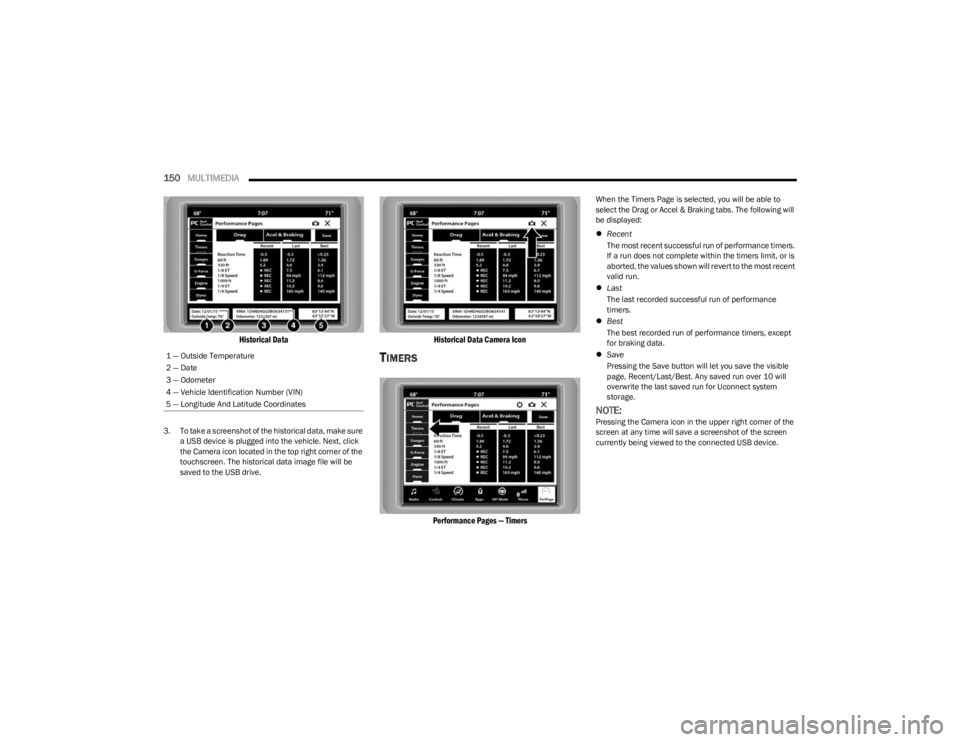
Historical Data
3. To take a screenshot of the historical data, make sure
a USB device is plugged into the vehicle. Next, click
the Camera icon located in the top right corner of the
touchscreen. The historical data image file will be
saved to the USB drive.
Historical Data Camera Icon
TIMERS
Performance Pages — Timers
When the Timers Page is selected, you will be able to
select the Drag or Accel & Braking tabs. The following will
be displayed:
Recent
The most recent successful run of performance timers.
If a run does not complete within the timers limit, or is
aborted, the values shown will revert to the most recent
valid run.
Last
The last recorded successful run of performance
timers.
Best
The best recorded run of performance timers, except
for braking data.
Save
Pressing the Save button will let you save the visible
page, Recent/Last/Best. Any saved run over 10 will
overwrite the last saved run for Uconnect system
storage.
NOTE:Pressing the Camera icon in the upper right corner of the
screen at any time will save a screenshot of the screen
currently being viewed to the connected USB device.
1 — Outside Temperature
2 — Date
3 — Odometer
4 — Vehicle Identification Number (VIN)
5 — Longitude And Latitude Coordinates
23_LA_OM_EN_USC_t.book Page 150
Page 153 of 300
MULTIMEDIA151
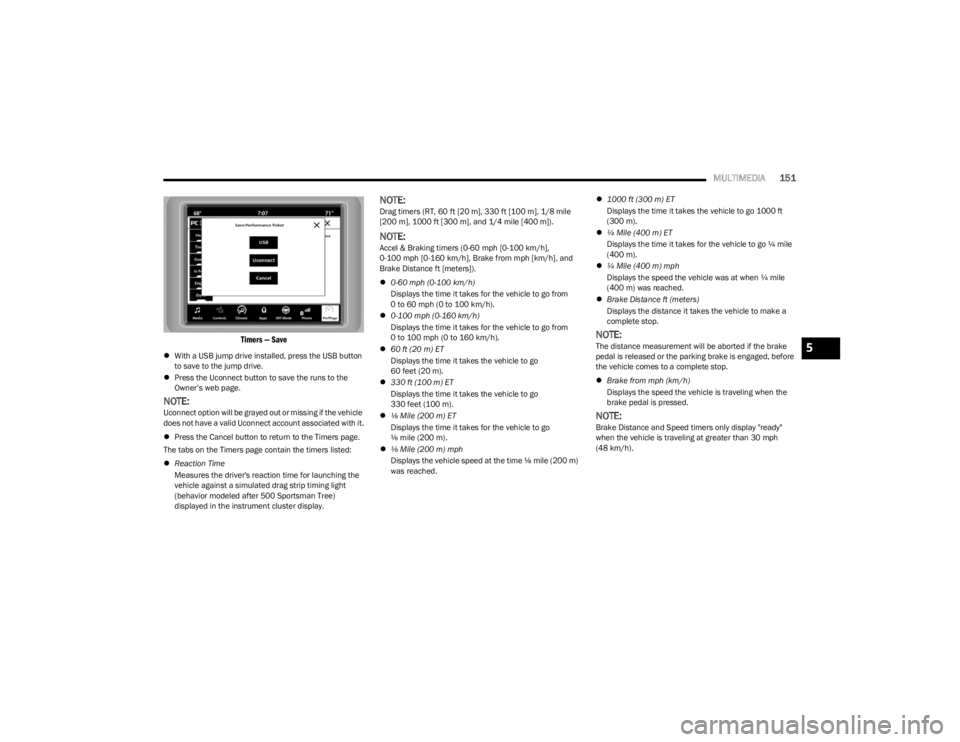
Timers — Save
With a USB jump drive installed, press the USB button
to save to the jump drive.
Press the Uconnect button to save the runs to the
Owner’s web page.
NOTE:Uconnect option will be grayed out or missing if the vehicle
does not have a valid Uconnect account associated with it.
Press the Cancel button to return to the Timers page.
The tabs on the Timers page contain the timers listed:
Reaction Time
Measures the driver's reaction time for launching the
vehicle against a simulated drag strip timing light
(behavior modeled after 500 Sportsman Tree)
displayed in the instrument cluster display.
NOTE:Drag timers (RT, 60 ft [20 m], 330 ft [100 m], 1/8 mile
[200 m], 1000 ft [300 m], and 1/4 mile [400 m]).
NOTE:Accel & Braking timers (0-60 mph [0-100 km/h],
0-100 mph [0-160 km/h], Brake from mph [km/h], and
Brake Distance ft [meters]).
0-60 mph (0-100 km/h)
Displays the time it takes for the vehicle to go from
0 to 60 mph (0 to 100 km/h).
0-100 mph (0-160 km/h)
Displays the time it takes for the vehicle to go from
0 to 100 mph (0 to 160 km/h).
60 ft (20 m) ET
Displays the time it takes the vehicle to go
60 feet (20 m).
330 ft (100 m) ET
Displays the time it takes the vehicle to go
330 feet (100 m).
⅛ Mile (200 m) ET
Displays the time it takes for the vehicle to go
⅛ mile (200 m).
⅛ Mile (200 m) mph
Displays the vehicle speed at the time ⅛ mile (200 m)
was reached.
1000 ft (300 m) ET
Displays the time it takes the vehicle to go 1000 ft
(300 m).
¼ Mile (400 m) ET
Displays the time it takes for the vehicle to go ¼ mile
(400 m).
¼ Mile (400 m) mph
Displays the speed the vehicle was at when ¼ mile
(400 m) was reached.
Brake Distance ft (meters)
Displays the distance it takes the vehicle to make a
complete stop.
NOTE:The distance measurement will be aborted if the brake
pedal is released or the parking brake is engaged, before
the vehicle comes to a complete stop.
Brake from mph (km/h)
Displays the speed the vehicle is traveling when the
brake pedal is pressed.
NOTE:Brake Distance and Speed timers only display "ready"
when the vehicle is traveling at greater than 30 mph
(48 km/h).
5
23_LA_OM_EN_USC_t.book Page 151
Page 161 of 300
159
(Continued)
SAFETY
SAFETY FEATURES
ANTI-LOCK BRAKE SYSTEM (ABS)
The ABS provides increased vehicle stability and brake
performance under most braking conditions. The system
automatically prevents wheel lock and enhances vehicle
control during braking.
The ABS performs a self-check cycle to ensure that the
ABS is working properly each time the vehicle is started
and driven. During this self-check, you may hear a slight
clicking sound as well as some related motor noises.
The ABS is activated during braking when the system
detects one or more wheels are beginning to lock. Road
conditions such as ice, snow, gravel, bumps, railroad
tracks, loose debris, or panic stops may increase the
likelihood of the ABS activating.
You also may experience the following normal
characteristics when the ABS activates:
ABS motor noise or clicking sounds (you may continue
to hear for a short time after the stop)
Brake pedal pulsations
A slight drop of the brake pedal at the end of the stop The ABS is designed to function with the Original
Equipment Manufacturer (OEM) tires. Modification may
result in degraded ABS performance.
Anti-Lock Brake System (ABS) Warning
Light
The yellow ABS Warning Light will turn on when the ignition
is placed in the ON/RUN mode and may stay on for as long
as four seconds.
If the ABS Warning Light remains on or comes on while
driving, it indicates that the anti-lock portion of the brake
system is not functioning and that service is required.
However, the conventional brake system will continue to
operate normally if the ABS Warning Light is on.
If the ABS Warning Light is on, the brake system should be
serviced as soon as possible to restore the benefits of
Anti-Lock Brakes. If the ABS Warning Light does not come
on when the ignition is placed in the ON/RUN mode, have
the light repaired as soon as possible.
WARNING!
The ABS contains sophisticated electronic equip -
ment that may be susceptible to interference caused
by improperly installed or high output radio transmit -
ting equipment. This interference can cause possible
loss of anti-lock braking capability. Installation of
such equipment should be performed by qualified
professionals.
Pumping of the Anti-Lock Brakes will diminish their
effectiveness and may lead to a collision. Pumping
makes the stopping distance longer. Just press firmly
on your brake pedal when you need to slow down or
stop.
The ABS cannot prevent the natural laws of physics
from acting on the vehicle, nor can it increase
braking or steering efficiency beyond that afforded
by the condition of the vehicle brakes and tires or the
traction afforded.
The ABS cannot prevent collisions, including those
resulting from excessive speed in turns, following
another vehicle too closely, or hydroplaning.
The capabilities of an ABS equipped vehicle must
never be exploited in a reckless or dangerous
manner that could jeopardize the user’s safety or the
safety of others.
WARNING!
6
23_LA_OM_EN_USC_t.book Page 159