lock DODGE CHARGER 2008 6.G Service Manual
[x] Cancel search | Manufacturer: DODGE, Model Year: 2008, Model line: CHARGER, Model: DODGE CHARGER 2008 6.GPages: 466, PDF Size: 6.37 MB
Page 124 of 466

Automatic Headlights Ð If Equipped
This system automatically turns the headlights ON or
OFF according to ambient light levels. To turn the system
ON, rotate the headlight switch counter-clockwise to the
AUTO (A) position. When the system is ON, the Head-
light Time Delay feature is also ON. This means the
headlights will stay ON for up to 90 seconds after you
turn the ignition switch OFF. To turn the Automatic
System OFF, move the headlight switch out of the AUTO
(A) position.
NOTE:The engine must be running before the head-
lights will come ON in the Automatic mode.
Headlight Switch
124 UNDERSTANDING THE FEATURES OF YOUR VEHICLE
Page 128 of 466

Flash to Pass
You can signal another vehicle with your headlights by
lightly pulling the Multi-Function Lever toward you.
This will cause the headlights to turn on at high beam
and remain on until the lever is released.
Overhead Console Map/Reading Lights
These lights are mounted between the sun visors on the
overhead console. Each light is turned ON by pressing
the lens. Press the lens a second time to turn OFF the
light. These lights also turn on when a door is opened, or
when the unlock button on the remote keyless entry
transmitter is pressed, or when the dimmer control is
turned fully upward, past the second detent.
Interior Lights
The interior lights come on when a door is opened.
To protect the battery, the interior lights will turn off
automatically 10 minutes after the ignition switch is
moved to the LOCK position. This will occur if the
interior lights were switched on manually or are on
Overhead Console
128 UNDERSTANDING THE FEATURES OF YOUR VEHICLE
Page 133 of 466
WARNING!
Commercially available windshield washer solvents
are flammable. They could ignite and burn you. Care
must be exercised when filling or working around
the washer solution.
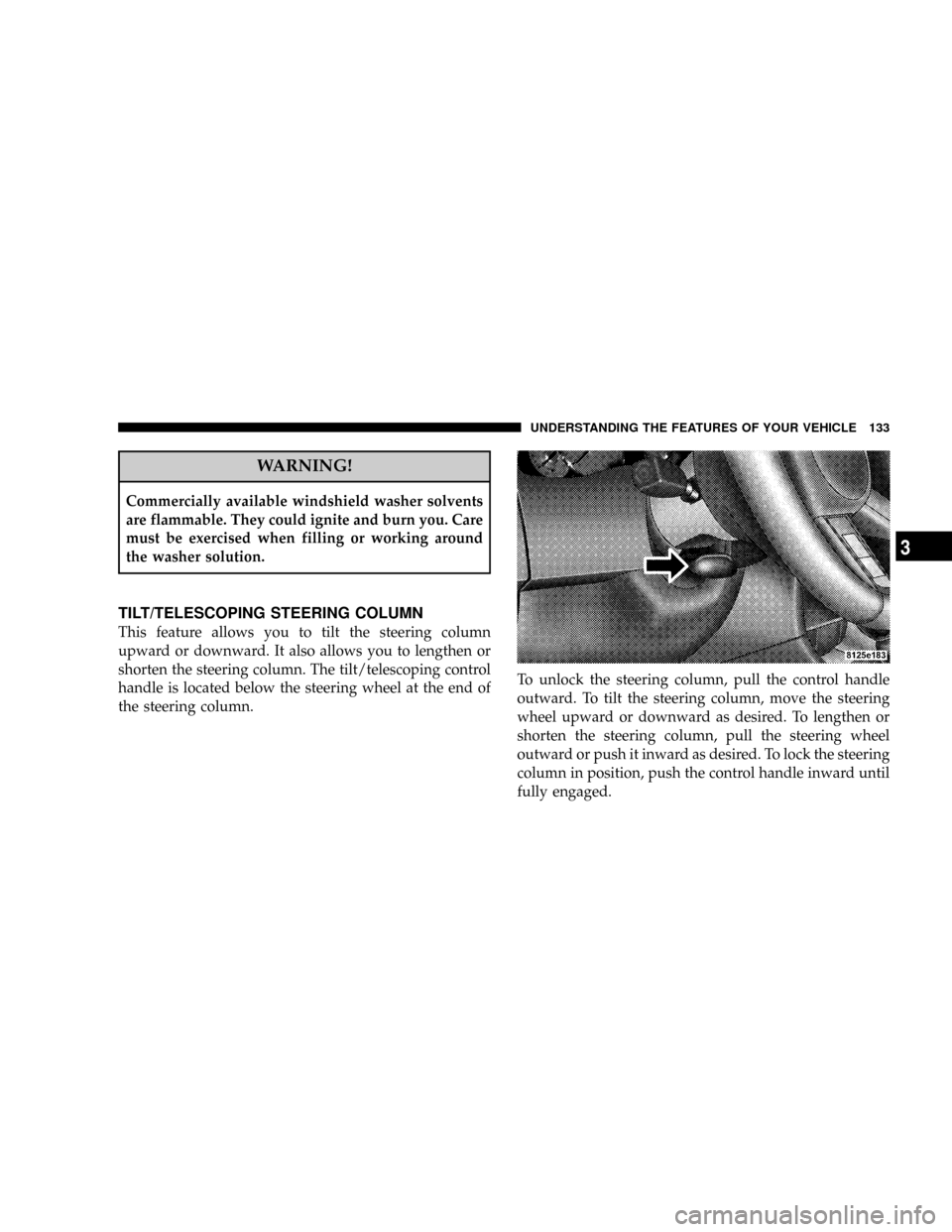
TILT/TELESCOPING STEERING COLUMN
This feature allows you to tilt the steering column
upward or downward. It also allows you to lengthen or
shorten the steering column. The tilt/telescoping control
handle is located below the steering wheel at the end of
the steering column.To unlock the steering column, pull the control handle
outward. To tilt the steering column, move the steering
wheel upward or downward as desired. To lengthen or
shorten the steering column, pull the steering wheel
outward or push it inward as desired. To lock the steering
column in position, push the control handle inward until
fully engaged.
UNDERSTANDING THE FEATURES OF YOUR VEHICLE 133
3
Page 134 of 466

WARNING!
Do not adjust the steering wheel while driving. The
telescoping adjustment must be locked while driv-
ing. Adjusting the steering wheel while driving or
driving without the telescoping adjustment locked
could cause the driver to lose control of the vehicle.
ADJUSTABLE PEDALS Ð IF EQUIPPED
The adjustable pedal system is designed to allow a
greater range of driver comfort for steering wheel tilt and
seat position. This feature allows both the brake and
accelerator pedal to move toward or away from the
driver to provide improved position with the steering
wheel. The switch is located on the front side of the
driver's seat cushion side shield.Press the switch forward to move the pedals forward
(toward the front of the vehicle).
Press the switch rearward to move the pedals rearward
(toward the driver).
²The pedals can be adjusted with the ignition OFF.
Adjustable Pedal Switch
134 UNDERSTANDING THE FEATURES OF YOUR VEHICLE
Page 139 of 466

Courtesy/Reading Lights
At the forward end of the console are two courtesy/
reading lights.
Press the lens to turn on the light. Press it a second time
to turn off the light.
These lights also turn on when a door is opened, or when
the unlock button on the remote keyless entry transmitter
is pressed, or when the dimmer control is turned fully
upward, past the second detent.
Sunglasses Storage
At the rear of the console, a compartment is provided for
the storage of a pair of sunglasses.The storage compartment access is a9push/push9design.
Push the raised bar on the compartment door to open.
Push the raised bar to close.
GARAGE DOOR OPENER Ð IF EQUIPPED
HomeLinktreplaces up to three remote controls (hand
held transmitters) that operate devices such as garage
door openers, motorized gates, lighting, or home security
systems. The HomeLinktunit operates off of your vehi-
cle's battery.
NOTE:HomeLinktis disabled when the Vehicle Secu-
rity Alarm is active.
UNDERSTANDING THE FEATURES OF YOUR VEHICLE 139
3
Page 144 of 466

Then proceed with Step 4 under ªProgramming
HomeLink.º earlier in this section.
Using HomeLinkT
To operate, simply press and release the programmed
HomeLinktbutton. Activation will now occur for the
trained device (i.e. garage door opener, gate operator,
security system, entry door lock, home/office lighting,
etc. The hand-held transmitter of the device may also be
used at any time.
Reprogramming a Single HomeLinkTButton
To re-program a channel that has been previously
trained, follow these steps:
1. Turn the ignition switch to the ON/RUN position.2. Press and hold the desired HomeLinktbutton for 20
seconds until the EVIC display states ªCHANNEL #
TRAINING.ºDo not release the button.
3.Without releasing the button,proceed with PRO-
GRAMMING HOMELINK Step #2 and follow all remain-
ing steps.
Security
It is advised to erase all channels before you sell or turn
in your vehicle.
To do this, press and hold the two outside buttons for 20
seconds until the EVIC message states ªCHANNELS
CLEARED.º Note that all channels will be erased. Indi-
vidual channels cannot be erased.
The HomeLinktUniversal Transceiver is disabled when
the Vehicle Security Alarm is active.
144 UNDERSTANDING THE FEATURES OF YOUR VEHICLE
Page 149 of 466
Sunroof Fully Closed
Press the switch forward and release to ensure that the
sunroof is fully closed.
ELECTRICAL POWER OUTLETS
There are two 12-volt electrical outlets on this vehicle.
Both of the outlets are protected by a fuse.
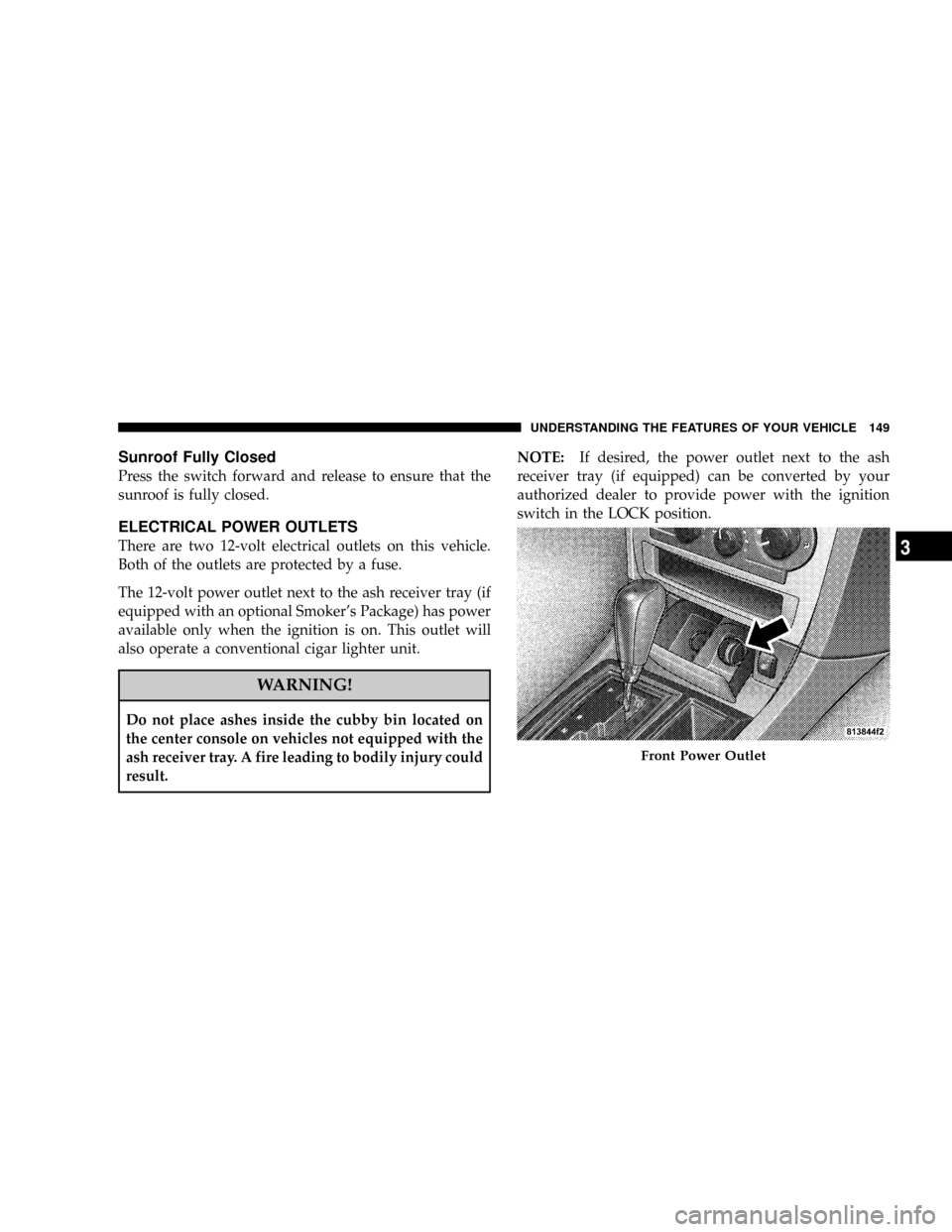
The 12-volt power outlet next to the ash receiver tray (if
equipped with an optional Smoker's Package) has power
available only when the ignition is on. This outlet will
also operate a conventional cigar lighter unit.
WARNING!
Do not place ashes inside the cubby bin located on
the center console on vehicles not equipped with the
ash receiver tray. A fire leading to bodily injury could
result.NOTE:If desired, the power outlet next to the ash
receiver tray (if equipped) can be converted by your
authorized dealer to provide power with the ignition
switch in the LOCK position.
Front Power Outlet
UNDERSTANDING THE FEATURES OF YOUR VEHICLE 149
3
Page 155 of 466
WARNING!
²Be certain that the seatback is securely locked into
position. If the seatback in not securely locked
into position, the seat will not provide the proper
stability for child seats and/or passengers. An
improperly latched seat could cause serious in-
jury.
²The cargo area in the rear of the vehicle (with the
rear seatbacks in the locked-up or folded down
position) should not be used as a play area by
children when the vehicle is in motion. They
could be seriously injured in an accident. Chil-
dren should be seated and using the proper re-
straint system.
²To help protect against personal injury, passen-
gers should not be seated in the rear cargo area.
The rear cargo space is intended for load carrying
purposes only, not for passengers, who should sit
in seats and use seat belts.
WARNING!
²The weight and position of cargo and passengers
can change the vehicle center of gravity and ve-
hicle handling. To avoid loss of control resulting
in personal injury, follow these guidelines for
loading your vehicle:
²Always place cargo evenly on the cargo floor. Put
heavier objects as low and as far forward as possible.
²Place as much cargo as possible in front of the rear
axle. Too much weight or improperly placed weight
over or behind the rear axle can cause the rear of the
vehicle to sway.
²Do not pile luggage or cargo higher than the top of the
seatback. This could impair visibility or become a
dangerous projectile in a sudden stop or collision.
UNDERSTANDING THE FEATURES OF YOUR VEHICLE 155
3
Page 158 of 466

NAM Reception.......................190
NFM Reception........................190
mSales Code REN Ð Multimedia System Ð
If Equipped...........................191
NOperating Instructions Ð Satellite Radio
(If Equipped)........................192
NOperating Instructions Ð Hands-Free
Communication (UConnectŸ) (If Equipped) . . 192
NClock Setting Procedure.................192
mSales Code REQ Ð AM/FM Stereo Radio And
6±Disc CD/DVD Changer (MP3/WMA AUX
Jack)................................194
NOperating Instructions - Radio Mode.......195
NOperation Instructions - (Disc Mode For CD
And MP3/WMA Audio Play, DVD-Video)....203NNotes On Playing MP3/WMA Files........205
NList Button (Disc Mode For MP3/WMA
Play)..............................207
NInfo Button (Disc Mode For MP3/WMA
Play)..............................207
mSales Code RER Ð Multimedia System Ð
If Equipped...........................209
NOperating Instructions Ð Satellite Radio.....211
NOperating Instructions Ð Hands-Free
Communication (UConnectŸ) (If Equipped) . . 211
NClock Setting Procedure.................211
mSales Code RES Ð AM/FM Stereo Radio With
CD Player (MP3 AUX Jack)................213
NOperating Instructions - Radio Mode.......214
158 UNDERSTANDING YOUR INSTRUMENT PANEL
Page 170 of 466

next scheduled oil change interval. The engine oil change
indicator system is duty cycle based, which means the
engine oil change interval may fluctuate dependent upon
your personal driving style.
Unless reset, this message will continue to display each
time you turn the ignition switch to the ªONº position.
To turn off the message temporarily, press and release the
Trip Odometer button on the instrument cluster. To reset
the oil change indicator system (after performing the
scheduled maintenance) perform the following proce-
dure:
1. Turn the ignition switch to the ON position (Do not
start the engine).
2. Fully depress the accelerator pedal slowly three
times within 10 seconds.
3. Turn the ignition switch to the LOCK position.NOTE:If the indicator message illuminates when you
start the vehicle, the oil change indicator system did not
reset. If necessary, repeat this procedure.
20. Brake System Warning Light
This light monitors various brake functions,
including brake fluid level and parking brake
application. If the brake light turns on, it may
indicate that the parking brake is applied, that
the brake fluid level is low, or that there is a problem with
the anti-lock brake system (if equipped).
The dual brake system provides a reserve braking capac-
ity to a portion of the hydraulic system in the event of a
failure. Failure of either half of the dual brake system is
indicated by the Brake Warning Light, which will turn on
when the brake fluid level in the master cylinder drops
below a specified level.
The light will remain on until the cause is corrected.
170 UNDERSTANDING YOUR INSTRUMENT PANEL