low beam DODGE CHARGER 2011 7.G Owners Manual
[x] Cancel search | Manufacturer: DODGE, Model Year: 2011, Model line: CHARGER, Model: DODGE CHARGER 2011 7.GPages: 104, PDF Size: 4.53 MB
Page 9 of 104
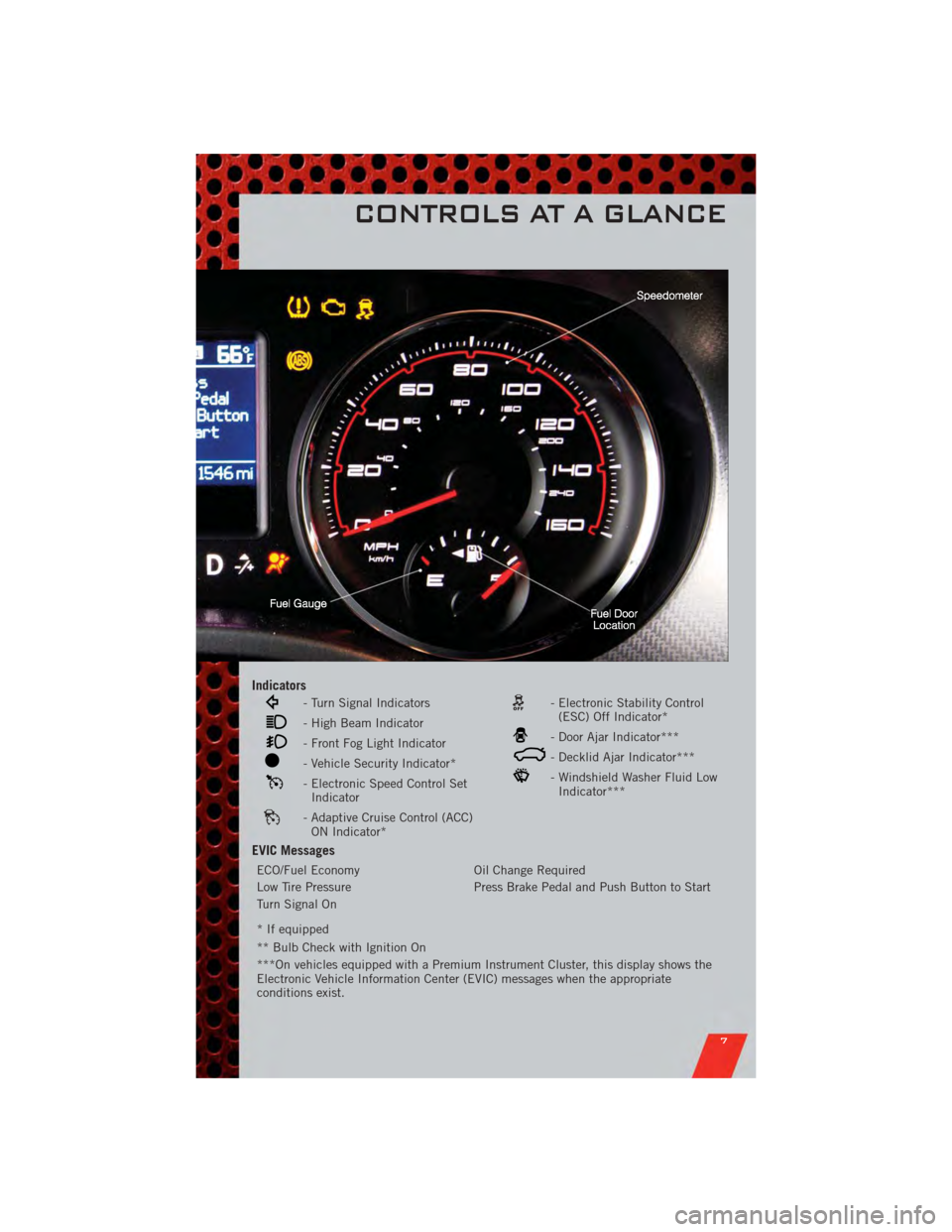
Indicators
- Turn Signal Indicators
- High Beam Indicator
- Front Fog Light Indicator
- Vehicle Security Indicator*
- Electronic Speed Control SetIndicator
- Adaptive Cruise Control (ACC)ON Indicator*
- Electronic Stability Control(ESC) Off Indicator*
- Door Ajar Indicator***
- Decklid Ajar Indicator***
- Windshield Washer Fluid LowIndicator***
EVIC Messages
ECO/Fuel Economy Oil Change Required
Low Tire Pressure Press Brake Pedal and Push Button to Start
Turn Signal On
* If equipped
** Bulb Check with Ignition On
***On vehicles equipped with a Premium Instrument Cluster, this display shows the
Electronic Vehicle Information Center (EVIC) messages when the appropriate
conditions exist.
CONTROLS AT A GLANCE
7
Page 23 of 104
TILT/TELESCOPING STEERING COLUMN
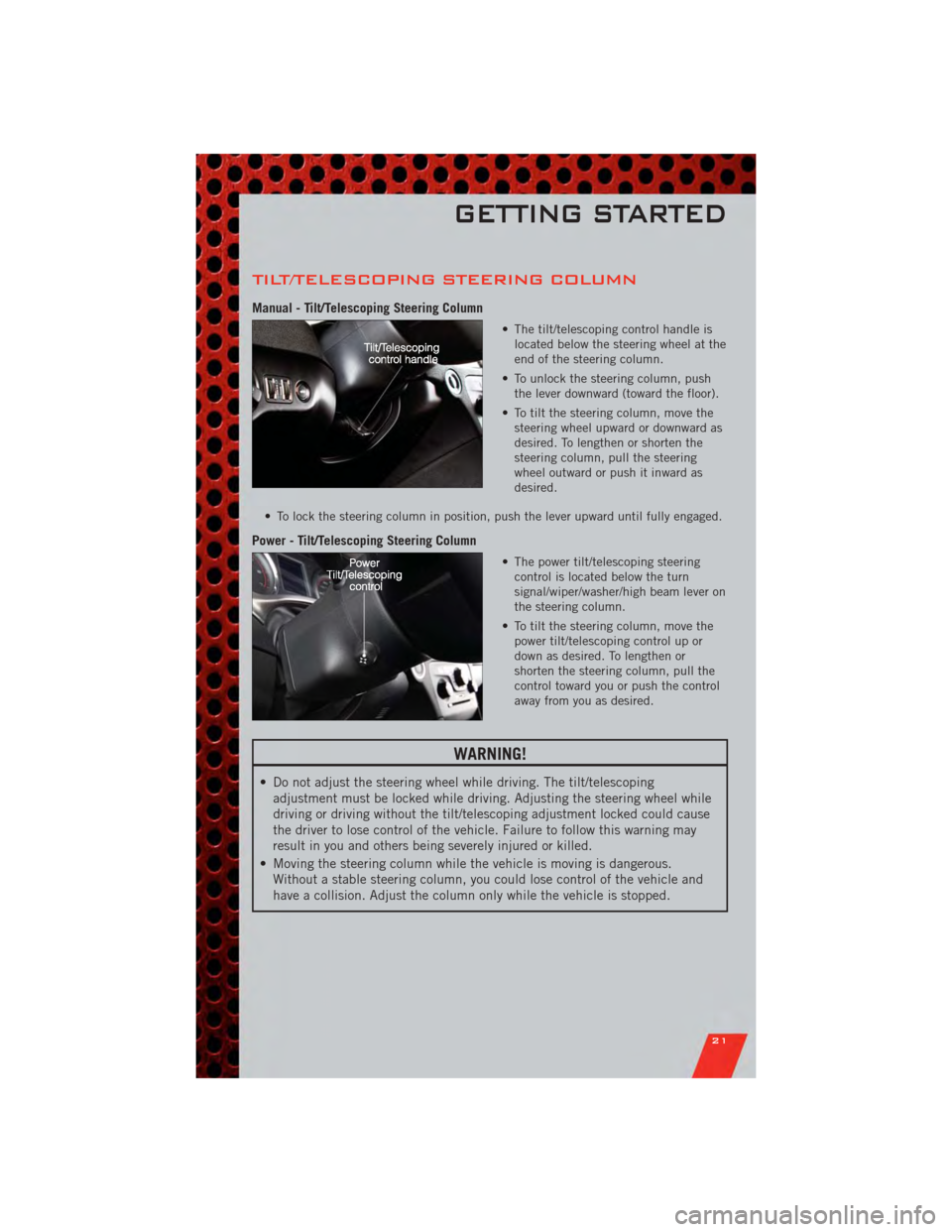
Manual - Tilt/Telescoping Steering Column
• The tilt/telescoping control handle islocated below the steering wheel at the
end of the steering column.
• To unlock the steering column, push the lever downward (toward the floor).
• To tilt the steering column, move the steering wheel upward or downward as
desired. To lengthen or shorten the
steering column, pull the steering
wheel outward or push it inward as
desired.
• To lock the steering column in position, push the lever upward until fully engaged.
Power - Tilt/Telescoping Steering Column
• The power tilt/telescoping steering control is located below the turn
signal/wiper/washer/high beam lever on
the steering column.
• To tilt the steering column, move the power tilt/telescoping control up or
down as desired. To lengthen or
shorten the steering column, pull the
control toward you or push the control
away from you as desired.
WARNING!
• Do not adjust the steering wheel while driving. The tilt/telescopingadjustment must be locked while driving. Adjusting the steering wheel while
driving or driving without the tilt/telescoping adjustment locked could cause
the driver to lose control of the vehicle. Failure to follow this warning may
result in you and others being severely injured or killed.
• Moving the steering column while the vehicle is moving is dangerous. Without a stable steering column, you could lose control of the vehicle and
have a collision. Adjust the column only while the vehicle is stopped.
GETTING STARTED
21
Page 24 of 104
TURN SIGNAL/WIPER/WASHER/HIGH BEAM
LEVER
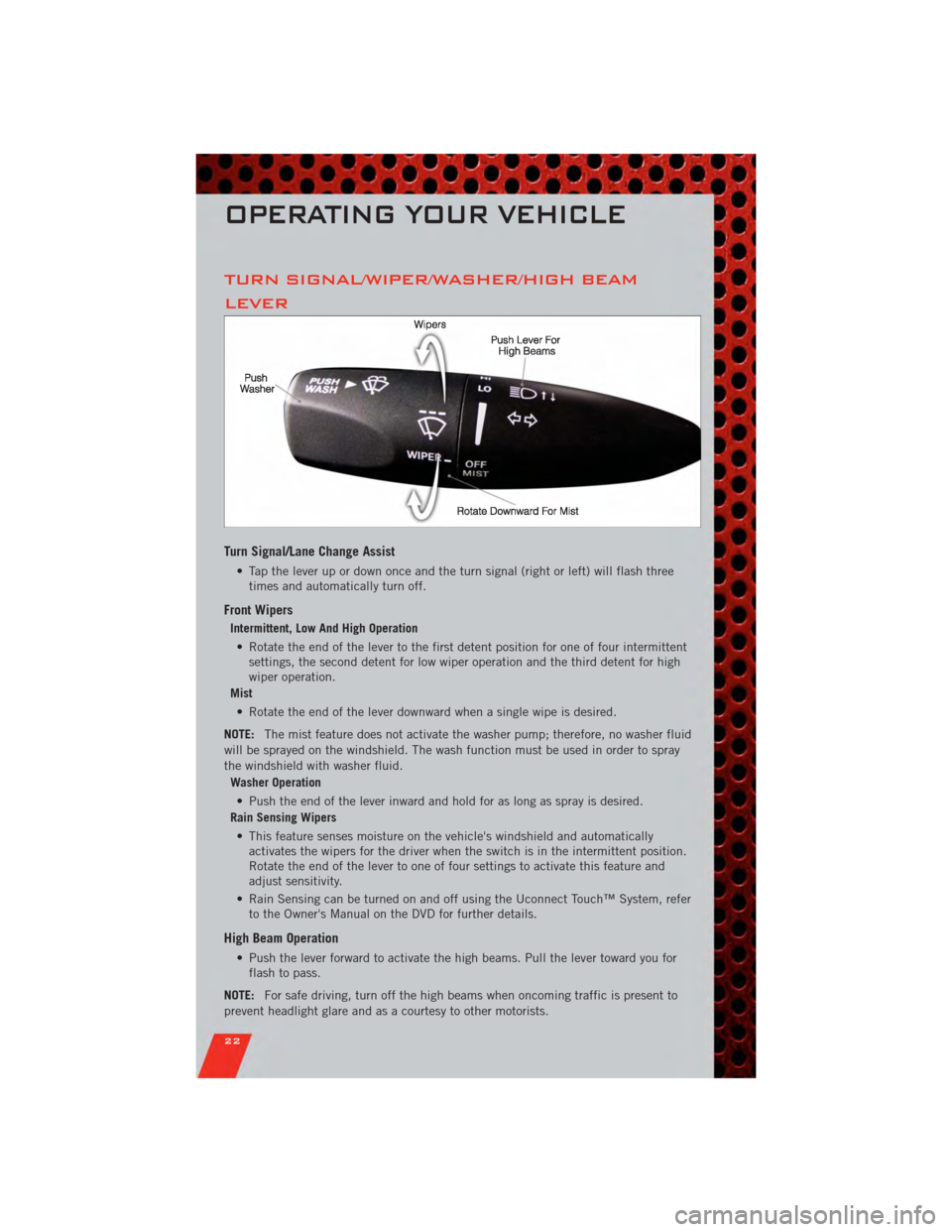
Turn Signal/Lane Change Assist
• Tap the lever up or down once and the turn signal (right or left) will flash threetimes and automatically turn off.
Front Wipers
Intermittent, Low And High Operation
• Rotate the end of the lever to the first detent position for one of four intermittent settings, the second detent for low wiper operation and the third detent for high
wiper operation.
Mist
• Rotate the end of the lever downward when a single wipe is desired.
NOTE: The mist feature does not activate the washer pump; therefore, no washer fluid
will be sprayed on the windshield. The wash function must be used in order to spray
the windshield with washer fluid.
Washer Operation
• Push the end of the lever inward and hold for as long as spray is desired.
Rain Sensing Wipers
• This feature senses moisture on the vehicle's windshield and automatically activates the wipers for the driver when the switch is in the intermittent position.
Rotate the end of the lever to one of four settings to activate this feature and
adjust sensitivity.
• Rain Sensing can be turned on and off using the Uconnect Touch™ System, refer to the Owner's Manual on the DVD for further details.
High Beam Operation
• Push the lever forward to activate the high beams. Pull the lever toward you forflash to pass.
NOTE: For safe driving, turn off the high beams when oncoming traffic is present to
prevent headlight glare and as a courtesy to other motorists.
OPERATING YOUR VEHICLE
22
Page 25 of 104
HEADLIGHT SWITCH
Automatic Headlights/Parking
Lights/Headlights
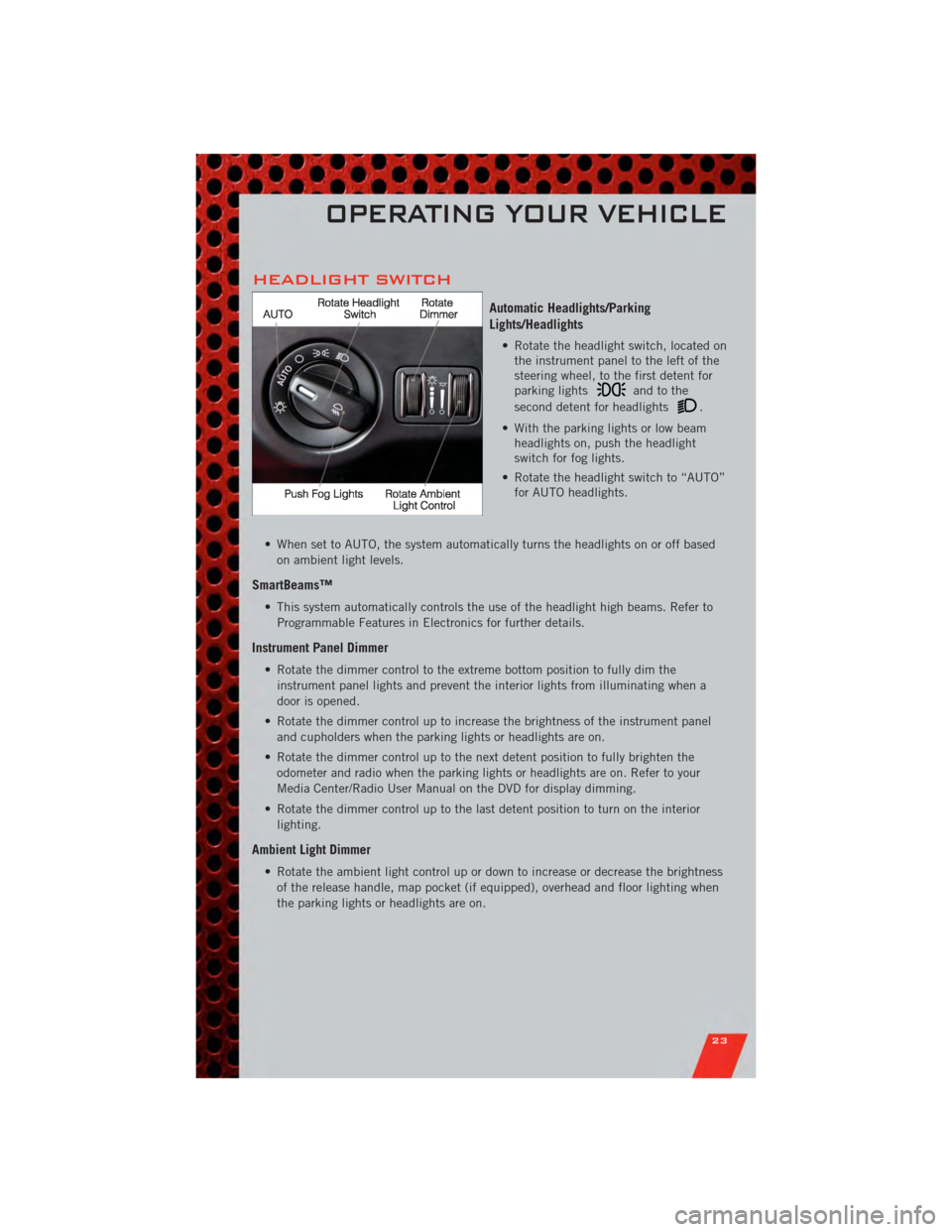
• Rotate the headlight switch, located onthe instrument panel to the left of the
steering wheel, to the first detent for
parking lights
andtothe
second detent for headlights
.
• With the parking lights or low beam headlights on, push the headlight
switch for fog lights.
• Rotate the headlight switch to “AUTO” for AUTO headlights.
• When set to AUTO, the system automatically turns the headlights on or off based on ambient light levels.
SmartBeams™
• This system automatically controls the use of the headlight high beams. Refer toProgrammable Features in Electronics for further details.
Instrument Panel Dimmer
• Rotate the dimmer control to the extreme bottom position to fully dim theinstrument panel lights and prevent the interior lights from illuminating when a
door is opened.
• Rotate the dimmer control up to increase the brightness of the instrument panel and cupholders when the parking lights or headlights are on.
• Rotate the dimmer control up to the next detent position to fully brighten the odometer and radio when the parking lights or headlights are on. Refer to your
Media Center/Radio User Manual on the DVD for display dimming.
• Rotate the dimmer control up to the last detent position to turn on the interior lighting.
Ambient Light Dimmer
• Rotate the ambient light control up or down to increase or decrease the brightnessof the release handle, map pocket (if equipped), overhead and floor lighting when
the parking lights or headlights are on.
OPERATING YOUR VEHICLE
23
Page 93 of 104
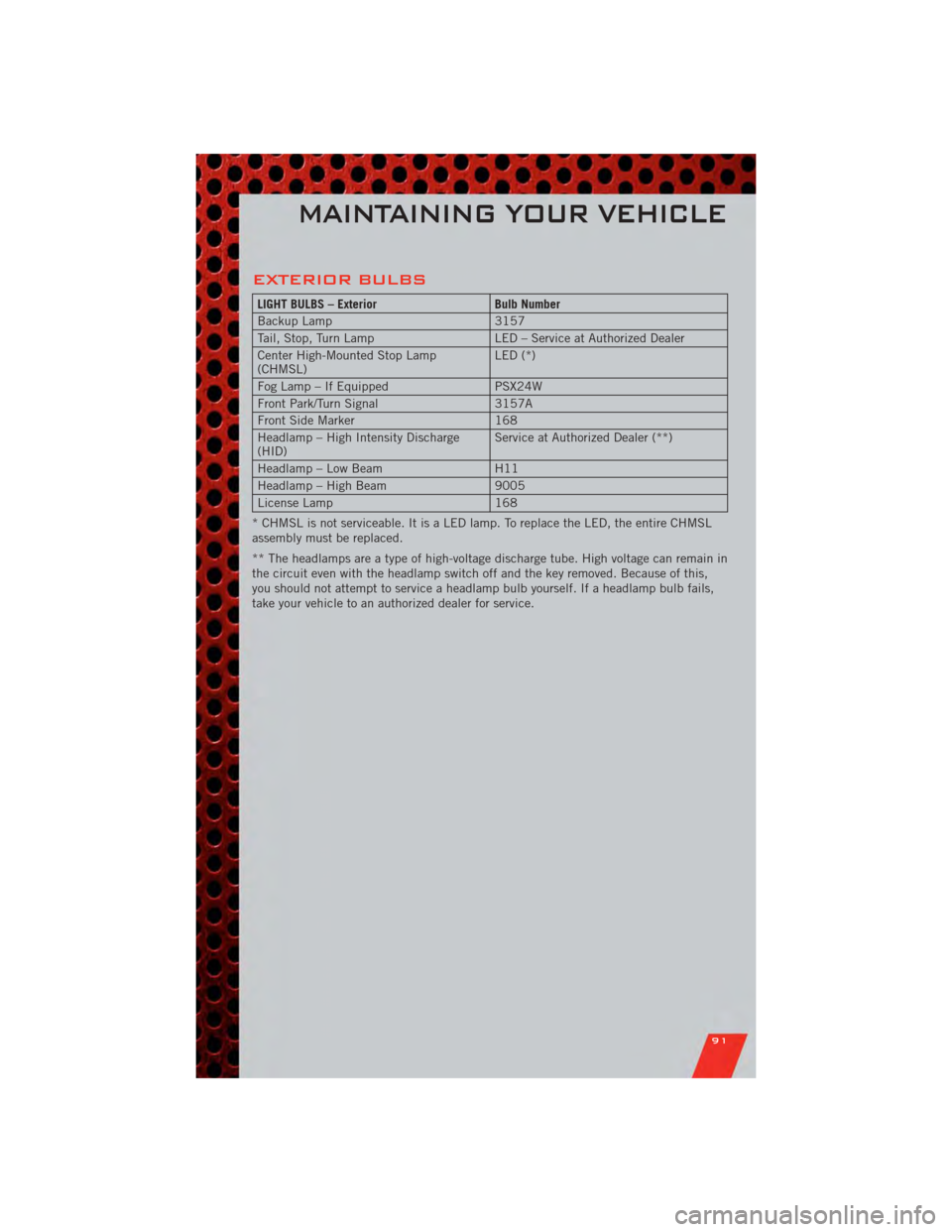
EXTERIOR BULBS
LIGHT BULBS – ExteriorBulb Number
Backup Lamp 3157
Tail, Stop, Turn Lamp LED – Service at Authorized Dealer
Center High-Mounted Stop Lamp
(CHMSL) LED (*)
Fog Lamp – If Equipped PSX24W
Front Park/Turn Signal 3157A
Front Side Marker 168
Headlamp – High Intensity Discharge
(HID) Service at Authorized Dealer (**)
Headlamp – Low Beam H11
Headlamp – High Beam 9005
License Lamp 168
* CHMSL is not serviceable. It is a LED lamp. To replace the LED, the entire CHMSL
assembly must be replaced.
** The headlamps are a type of high-voltage discharge tube. High voltage can remain in
the circuit even with the headlamp switch off and the key removed. Because of this,
you should not attempt to service a headlamp bulb yourself. If a headlamp bulb fails,
take your vehicle to an authorized dealer for service.
MAINTAINING YOUR VEHICLE
91
Page 97 of 104
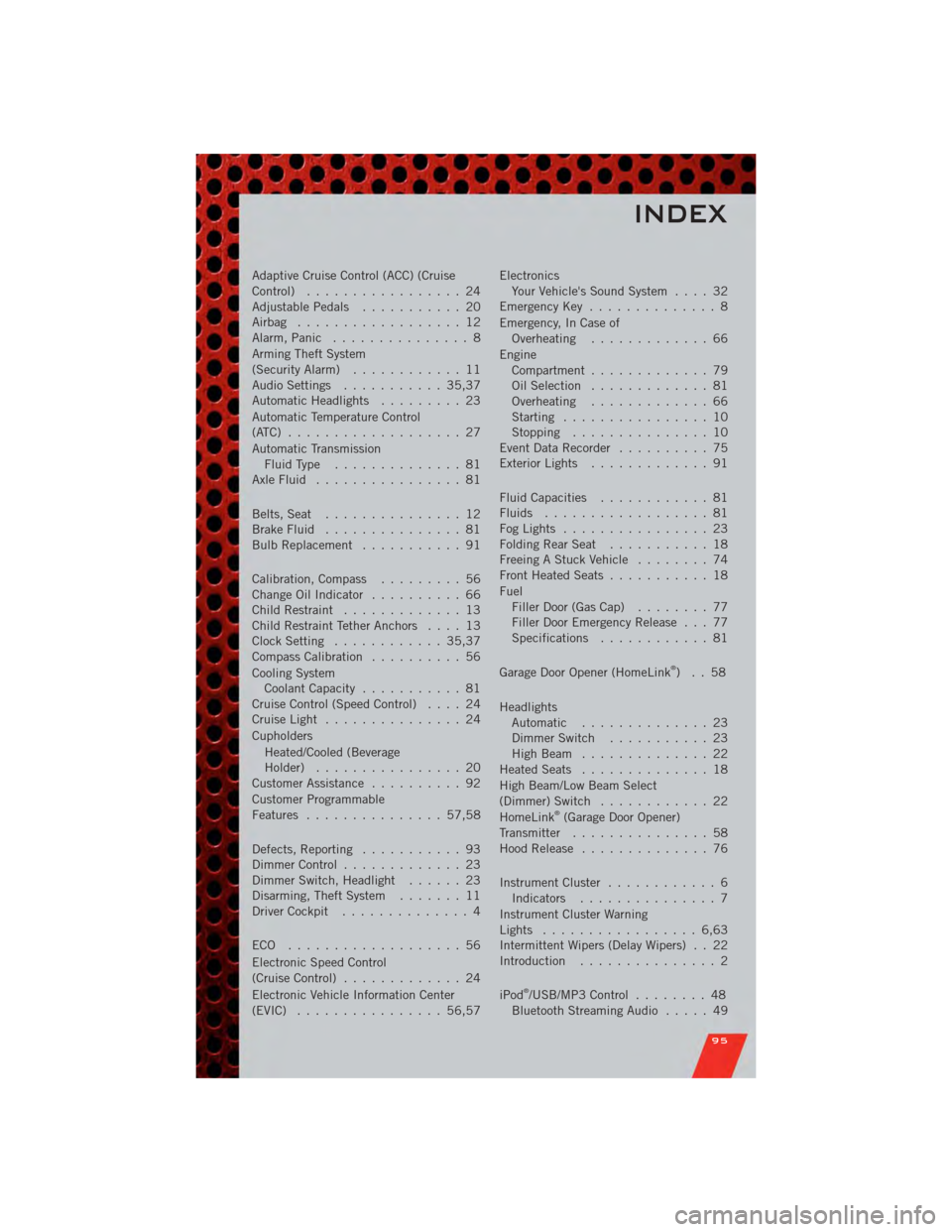
Adaptive Cruise Control (ACC) (Cruise
Control)................. 24
AdjustablePedals ........... 20
Airbag .................. 12
Alarm,Panic ............... 8
Arming Theft System
(Security Alarm) ............ 11
Audio Settings ........... 35,37
Automatic Headlights ......... 23
Automatic Temperature Control
(ATC) ................... 27
Automatic Transmission FluidType .............. 81
AxleFluid ................ 81
Belts, Seat ............... 12
Brake Fluid ............... 81
BulbReplacement ........... 91
Calibration,Compass ......... 56
ChangeOilIndicator .......... 66
Child Restraint ............. 13
Child Restraint Tether Anchors .... 13
Clock Setting ............ 35,37
Compass Calibration .......... 56
Cooling System Coolant Capacity ........... 81
Cruise Control (Speed Control) .... 24
CruiseLight ............... 24
Cupholders
Heated/Cooled (Beverage
Holder) ................ 20
Customer Assistance .......... 92
Customer Programmable
Features ............... 57,58
Defects, Reporting ........... 93
Dimmer Control ............. 23
Dimmer Switch, Headlight ...... 23
Disarming, Theft System ....... 11
Driver Cockpit .............. 4
ECO ................... 56
Electronic Speed Control
(Cruise Control) ............. 24
Electronic Vehicle Information Center
(EVIC) ................ 56,57 Electronics
Your Vehicle's Sound System .... 32
Emergency Key .............. 8
Emergency, In Case of Overheating ............. 66
Engine Compartment ............. 79
Oil Selection ............. 81
Overheating ............. 66
Starting ................ 10
Stopping ............... 10
Event Data Recorder .......... 75
Exterior Lights ............. 91
Fluid Capacities ............ 81
Fluids .................. 81
FogLights ................ 23
FoldingRearSeat ........... 18
Freeing A Stuck Vehicle ........ 74
Front Heated Seats ........... 18
Fuel Filler Door (Gas Cap) ........ 77
Filler Door Emergency Release . . . 77
Specifications ............ 81
Garage Door Opener (HomeLink
®)..58
Headlights Automatic .............. 23
Dimmer Switch ........... 23
HighBeam .............. 22
Heated Seats .............. 18
High Beam/Low Beam Select
(Dimmer) Switch ............ 22
HomeLink
®(Garage Door Opener)
Transmitter ............... 58
Hood Release .............. 76
Instrument Cluster ............ 6
Indicators ............... 7
Instrument Cluster Warning
Lights ................. 6,63
Intermittent Wipers (Delay Wipers) . . 22
Introduction ............... 2
iPod
®/USB/MP3 Control ........ 48
Bluetooth Streaming Audio ..... 49
INDEX
95
Page 98 of 104
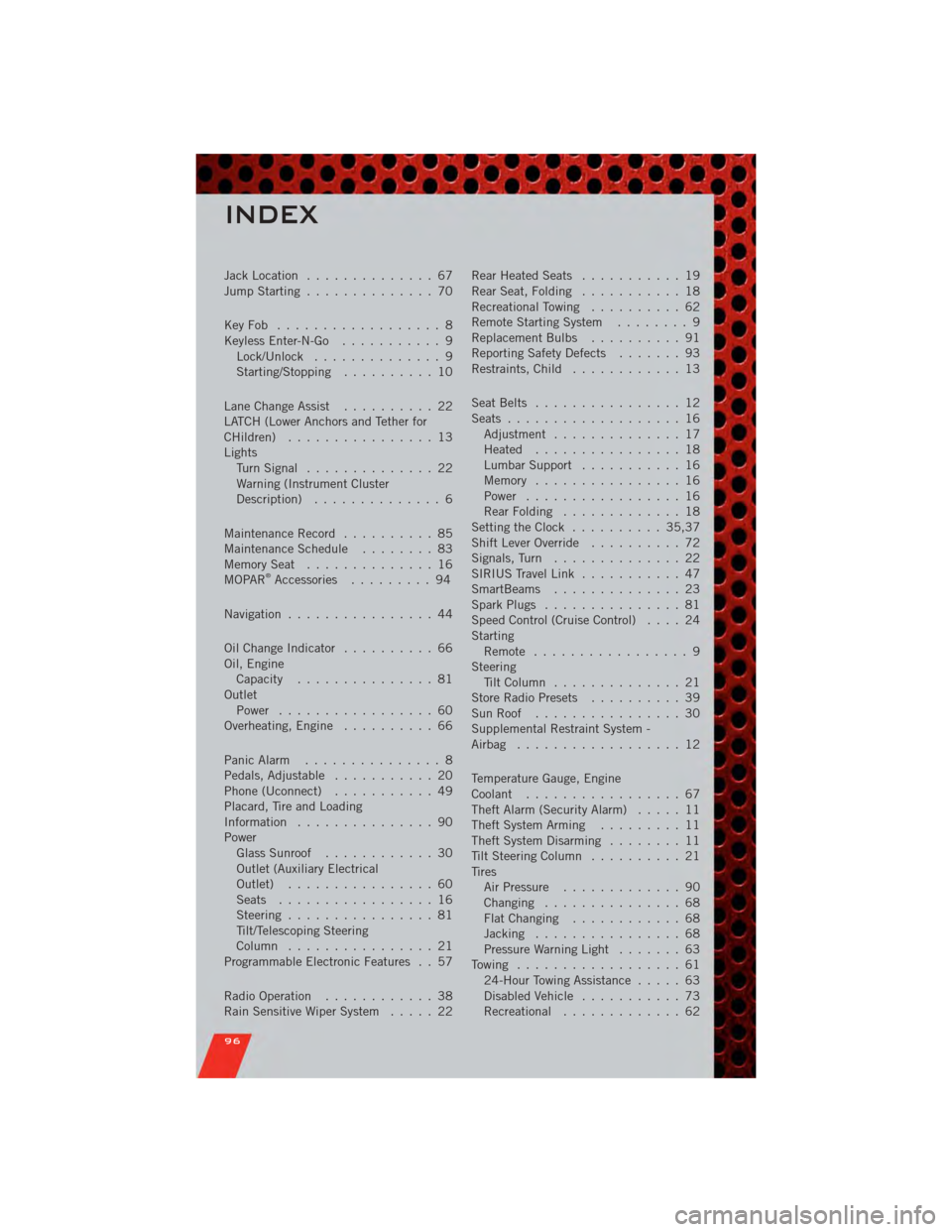
Jack Location.............. 67
Jump Starting .............. 70
KeyFob .................. 8
Keyless Enter-N-Go ........... 9
Lock/Unlock .............. 9
Starting/Stopping .......... 10
Lane Change Assist .......... 22
LATCH (Lower Anchors and Tether for
CHildren) ................ 13
Lights TurnSignal .............. 22
Warning (Instrument Cluster
Description) .............. 6
Maintenance Record .......... 85
MaintenanceSchedule ........ 83
MemorySeat .............. 16
MOPAR
®Accessories ......... 94
Navigation ................ 44
Oil Change Indicator .......... 66
Oil, Engine Capacity ............... 81
Outlet Power ................. 60
Overheating, Engine .......... 66
Panic Alarm ............... 8
Pedals, Adjustable ........... 20
Phone (Uconnect) ........... 49
Placard, Tire and Loading
Information ............... 90
Power Glass Sunroof ............ 30
Outlet (Auxiliary Electrical
Outlet) ................ 60
Seats ................. 16
Steering ................ 81
Tilt/Telescoping Steering
Column ................ 21
Programmable Electronic Features . . 57
Radio Operation ............ 38
Rain Sensitive Wiper System ..... 22Rear Heated Seats
........... 19
Rear Seat, Folding ........... 18
Recreational Towing .......... 62
Remote Starting System ........ 9
Replacement Bulbs .......... 91
Reporting Safety Defects ....... 93
Restraints, Child ............ 13
Seat Belts ................ 12
Seats ................... 16
Adjustment .............. 17
Heated ................ 18
Lumbar Support ........... 16
Memory ................ 16
Power ................. 16
RearFolding ............. 18
Setting the Clock .......... 35,37
Shift Lever Override .......... 72
Signals, Turn .............. 22
SIRIUS Travel Link ........... 47
SmartBeams .............. 23
Spark Plugs ............... 81
Speed Control (Cruise Control) .... 24
Starting Remote ................. 9
Steering Tilt Column .............. 21
Store Radio Presets .......... 39
SunRoof ................ 30
Supplemental Restraint System -
Airbag .................. 12
Temperature Gauge, Engine
Coolant ................. 67
Theft Alarm (Security Alarm) ..... 11
Theft System Arming ......... 11
Theft System Disarming ........ 11
Tilt Steering Column .......... 21
Tires AirPressure ............. 90
Changing ............... 68
FlatChanging ............ 68
Jacking ................ 68
Pressure Warning Light ....... 63
Towing .................. 61 24-Hour Towing Assistance ..... 63
Disabled Vehicle ........... 73
Recreational ............. 6
2
INDEX
96