fuel DODGE CHARGER 2013 7.G User Guide
[x] Cancel search | Manufacturer: DODGE, Model Year: 2013, Model line: CHARGER, Model: DODGE CHARGER 2013 7.GPages: 132, PDF Size: 4.77 MB
Page 3 of 132
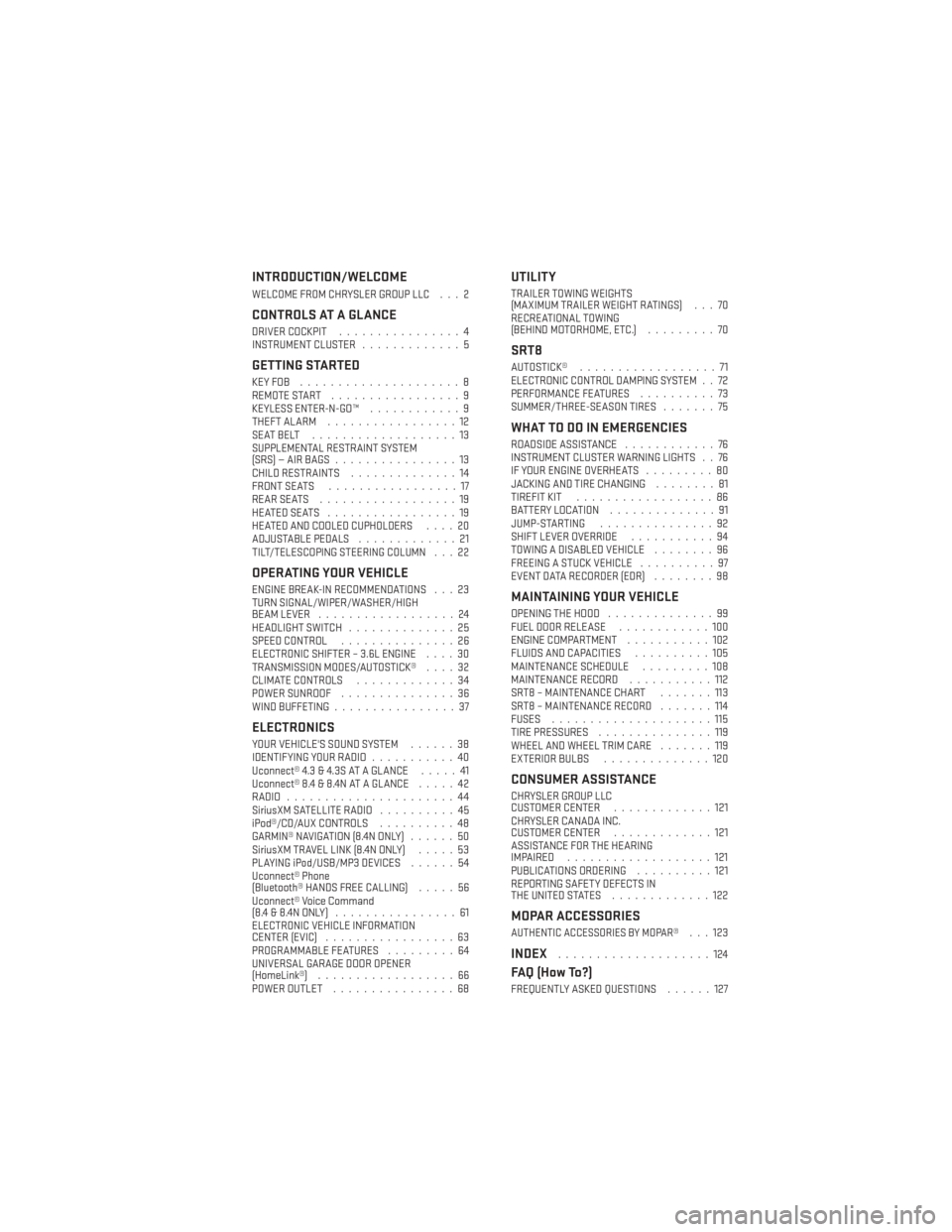
INTRODUCTION/WELCOME
WELCOME FROM CHRYSLER GROUP LLC . . . 2
CONTROLS AT A GLANCE
DRIVER COCKPIT................4
INSTRUMENT CLUSTER .............5
GETTING STARTED
KEYFOB .....................8
REMOTE START.................9
KEYLESS ENTER-N-GO™ ............9
THEFT ALARM .................12
SEATBELT ...................13
SUPPLEMENTAL RESTRAINT SYSTEM
(SRS)—AIRBAGS................13
CHILD RESTRAINTS ..............14
FRONT SEATS .................17
REARSEATS ..................19
HEATEDSEATS .................19
HEATED AND COOLED CUPHOLDERS ....20
ADJUSTABLE PEDALS .............21
TILT/TELESCOPING STEERING COLUMN . . . 22
OPERATING YOUR VEHICLE
ENGINE BREAK-IN RECOMMENDATIONS . . . 23
TURN SIGNAL/WIPER/WASHER/HIGH
BEAM LEVER ..................24
HEADLIGHT SWITCH ..............25
SPEED CONTROL ...............26
ELECTRONIC SHIFTER – 3.6L ENGINE ....30
TRANSMISSION MODES/AUTOSTICK® ....32
CLIMATE CONTROLS .............34
POWER SUNROOF ...............36
WIND BUFFETING ................37
ELECTRONICS
YOUR VEHICLE'S SOUND SYSTEM ......38
IDENTIFYING YOUR RADIO ...........40
Uconnect® 4.3 & 4.3S AT A GLANCE .....41
Uconnect® 8.4 & 8.4N AT A GLANCE .....42
RADIO ......................44
SiriusXM SATELLITE RADIO ..........45
iPod®/CD/AUX CONTROLS ..........48
GARMIN® NAVIGATION (8.4N ONLY) ......50
SiriusXM TRAVEL LINK (8.4N ONLY) .....53
PLAYING iPod/USB/MP3 DEVICES ......54
Uconnect® Phone
(Bluetooth® HANDS FREE CALLING) .....56
Uconnect® Voice Command
(8.4&8.4NONLY) ................61
ELECTRONIC VEHICLE INFORMATION
CENTER (EVIC) .................63
PROGRAMMABLE FEATURES .........64
UNIVERSAL GARAGE DOOR OPENER
(HomeLink®) ..................66
POWER OUTLET ................68
UTILITY
TRAILER TOWING WEIGHTS
(MAXIMUM TRAILER WEIGHT RATINGS) . . . 70
RECREATIONAL TOWING
(BEHIND MOTORHOME, ETC.) .........70
SRT8
AUTOSTICK®..................71
ELECTRONIC CONTROL DAMPING SYSTEM . . 72
PERFORMANCE FEATURES ..........73
SUMMER/THREE-SEASON TIRES .......75
WHAT TO DO IN EMERGENCIES
ROADSIDE ASSISTANCE............76
INSTRUMENT CLUSTER WARNING LIGHTS . . 76
IF YOUR ENGINE OVERHEATS .........80
JACKING AND TIRE CHANGING ........81
TIREFIT KIT ..................86
BATTERY LOCATION ..............91
JUMP-STARTING ...............92
SHIFT LEVER OVERRIDE ...........94
TOWING A DISABLED VEHICLE ........96
FREEING A STUCK VEHICLE ..........97
EVENT DATA RECORDER (EDR) ........98
MAINTAINING YOUR VEHICLE
OPENING THE HOOD..............99
FUEL DOOR RELEASE ............100
ENGINE COMPARTMENT ...........102
FLUIDS AND CAPACITIES ..........105
MAINTENANCE SCHEDULE .........108
MAINTENANCE RECORD ...........112
SRT8 – MAINTENANCE CHART .......113
SRT8 – MAINTENANCE RECORD .......114
FUSES .....................115
TIRE PRESSURES ...............119
WHEEL AND WHEEL TRIM CARE .......119
EXTERIOR BULBS ..............120
CONSUMER ASSISTANCE
CHRYSLER GROUP LLC
CUSTOMER CENTER .............121
CHRYSLER CANADA INC.
CUSTOMER CENTER .............121
ASSISTANCE FOR THE HEARING
IMPAIRED ...................121
PUBLICATIONS ORDERING ..........121
REPORTING SAFETY DEFECTS IN
THEUNITEDSTATES .............122
MOPAR ACCESSORIES
AUTHENTIC ACCESSORIES BY MOPAR®...123
INDEX....................124
FAQ (How To?)
FREQUENTLY ASKED QUESTIONS ......127
TABLE OF CONTENTS
Page 7 of 132
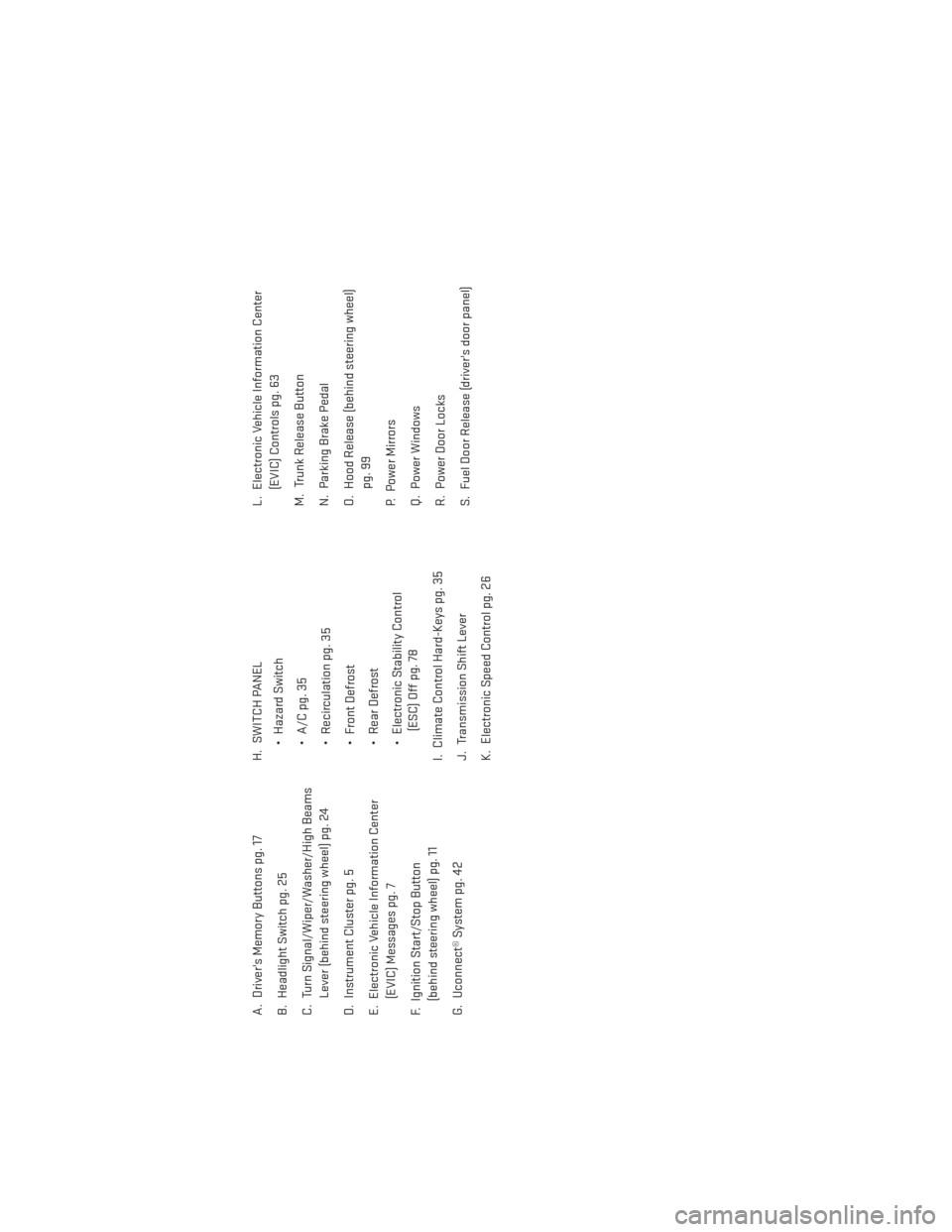
A. Driver's Memory Buttons pg. 17
B. Headlight Switch pg. 25
C. Turn Signal/Wiper/Washer/High BeamsLever (behind steering wheel) pg. 24
D. Instrument Cluster pg. 5
E. Electronic Vehicle Information Center (EVIC) Messages pg. 7
F. Ignition Start/Stop Button (behind steering wheel) pg. 11
G. Uconnect® System pg. 42 H. SWITCH PANEL
• Hazard Switch
• A/C pg. 35
• Recirculation pg. 35
• Front Defrost
• Rear Defrost
• Electronic Stability Control(ESC) Off pg. 78
I. Climate Control Hard-Keys pg. 35
J. Transmission Shift Lever
K. Electronic Speed Control pg. 26 L. Electronic Vehicle Information Center
(EVIC) Controls pg. 63
M. Trunk Release Button
N. Parking Brake Pedal
O. Hood Release (behind steering wheel) pg. 99
P. Power Mirrors
Q. Power Windows
R. Power Door Locks
S. Fuel Door Release (driver's door panel)
CONTROLS AT A GLANCE
5
Page 8 of 132
INSTRUMENT CLUSTER
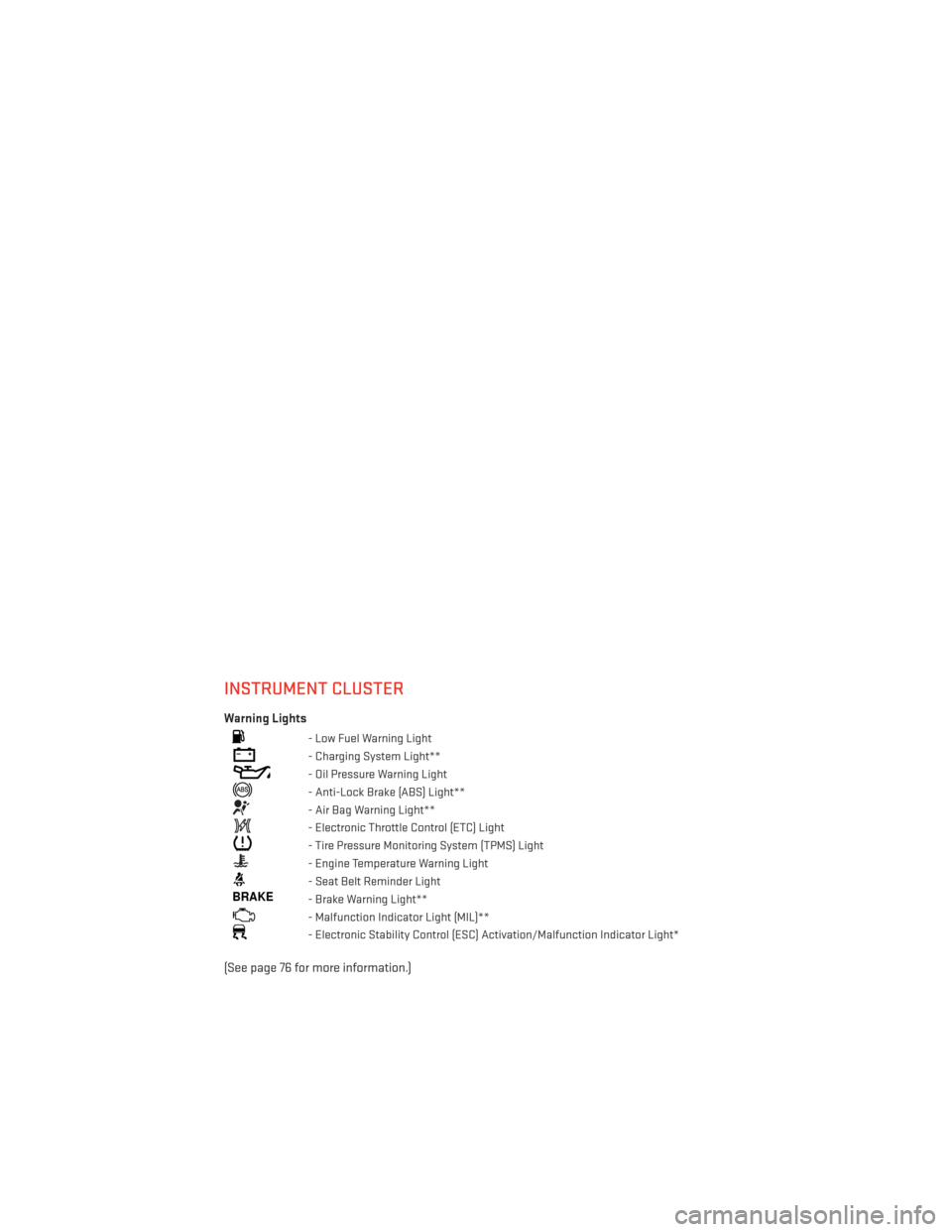
Warning Lights
- Low Fuel Warning Light
- Charging System Light**
- Oil Pressure Warning Light
- Anti-Lock Brake (ABS) Light**
- Air Bag Warning Light**
- Electronic Throttle Control (ETC) Light
- Tire Pressure Monitoring System (TPMS) Light
- Engine Temperature Warning Light
- Seat Belt Reminder Light
BRAKE- Brake Warning Light**
- Malfunction Indicator Light (MIL)**
- Electronic Stability Control (ESC) Activation/Malfunction Indicator Light*
(See page 76 for more information.)
CONTROLS AT A GLANCE
6
Page 9 of 132
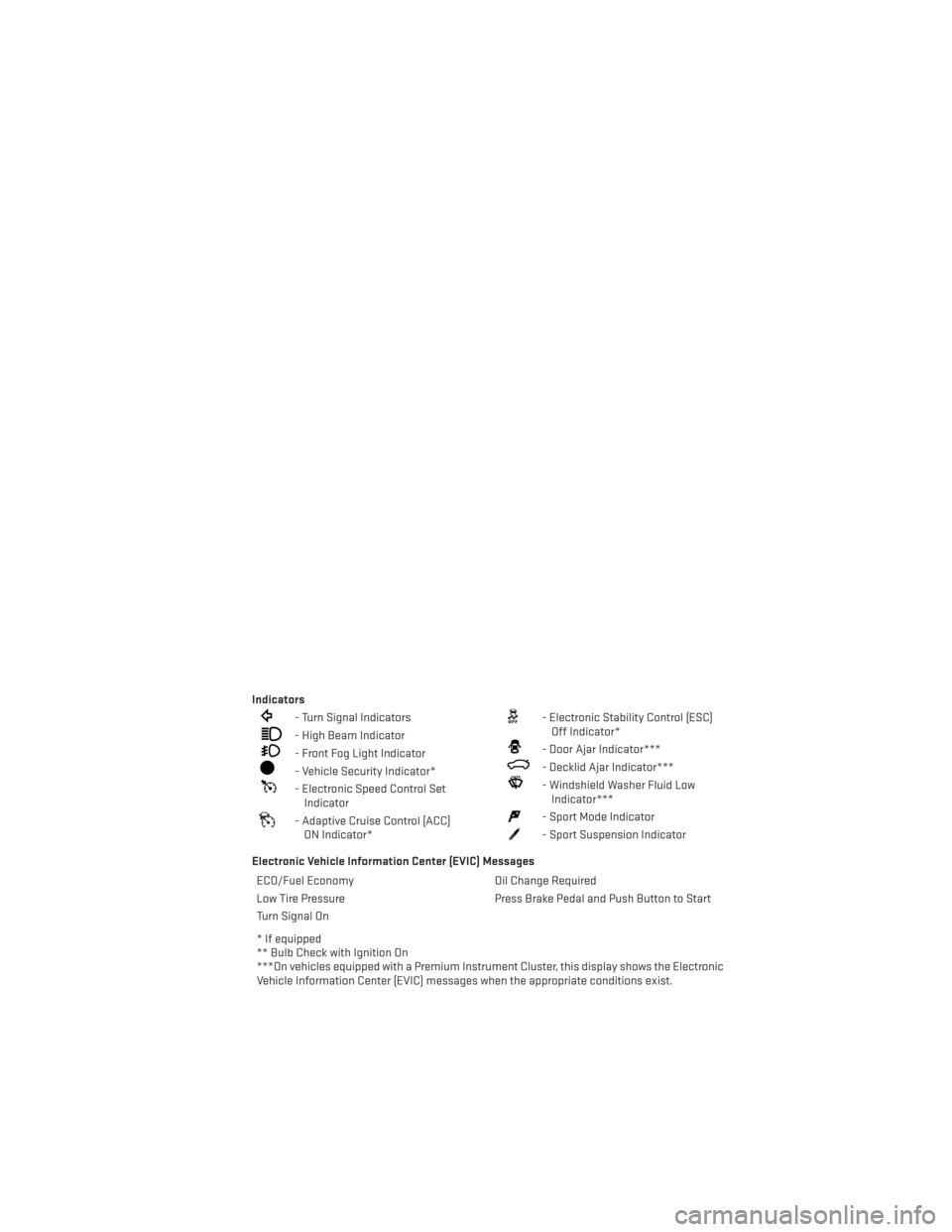
Indicators
- Turn Signal Indicators
- High Beam Indicator
- Front Fog Light Indicator
- Vehicle Security Indicator*
- Electronic Speed Control SetIndicator
- Adaptive Cruise Control (ACC)ON Indicator*
- Electronic Stability Control (ESC)Off Indicator*
- Door Ajar Indicator***
- Decklid Ajar Indicator***
- Windshield Washer Fluid LowIndicator***
- Sport Mode Indicator
- Sport Suspension Indicator
Electronic Vehicle Information Center (EVIC) Messages ECO/Fuel Economy Oil Change Required
Low Tire Pressure Press Brake Pedal and Push Button to Start
Turn Signal On
* If equipped
** Bulb Check with Ignition On
***On vehicles equipped with a Premium Instrument Cluster, this display shows the Electronic
Vehicle Information Center (EVIC) messages when the appropriate conditions exist.
CONTROLS AT A GLANCE
7
Page 32 of 132
ELECTRONIC SHIFTER – 3.6L ENGINE
• Your new vehicle is equipped with a stateof the art, fuel efficient 8 speed transmis-
sion. The electronic shift lever in this ve-
hicle does not slide like a conventional
shifter. Instead, the shift lever is spring
loaded and moves forward and rearward,
always returning to the center position
after each gear is selected.
•
The transmission gear (PRND) is displayed
both on the shift lever and in the Electronic
Vehicle Information Center (EVIC).
Shifting From PARK to DRIVE
• Firmly depress the brake pedal, press the lock button on the shift lever, then pull
and hold the shift lever fully rearward until
“D” is displayed in the EVIC.
• To shift back into PARK from DRIVE, bring the vehicle to a complete stop, fully de-
press the brake pedal, press the lock but-
ton on the shift lever, then push and hold
the shift lever fully forward until “P” is
displayed in the EVIC.
Shifting From REVERSE to NEUTRAL
• Pull the shift lever rearward to the first detent and release. “N” will display in the
EVIC.
• To shift back into REVERSE from NEU- TRAL, firmly depress the brake pedal, press the lock button on the shift lever, then push
the shift lever forward to the first detent and release. “R” will display in the EVIC.
OPERATING YOUR VEHICLE
30
Page 55 of 132
SiriusXM TRAVEL LINK (8.4N ONLY)
• SiriusXM Travel Link brings a wealth of useful information into your vehicle and right toyour fingertips.
• To access Travel Link, touch More soft-key, then the Travel Link soft-key
NOTE:
SiriusXM Travel Link requires a subscription, sold separately after the 1 year trial subscrip-
tion included with your vehicle purchase.
1 – Fuel Prices View detailed price information for fuel stations near your current
location.
2 – Movie Listings View information on movies that are playing at theaters near your
current location.
3 – Sports Scores View scores and upcoming events for all major sports.
4 – SiriusXM View subscription information.
5–MyFavorites View and store your favorite location, theater and sport teams for
quick access.
6 – Weather View detailed weather conditions, forecasts and ski/snowboarding
conditions at local resorts.
ELECTRONICS
53
Page 64 of 132
SiriusXM Travel Link“Show fuel prices”
“Show movie listings”
“Show current weather”
“Show extended weather”
“Show Travel Link favorites”
“Show NFL headlines”
“Show NBA rankings”
“Show NFL schedules”
“Show NBA scores”
SiriusXM Navigation “Navigate to (Address)”
“Navigate to (Point of Interest)”
NOTE:
•
For the shortened SiriusXM Satellite Radio mode commands to be recognized you must be
in that mode. For example, if you are in SiriusXM Satellite Radio mode you can say “39”, but
if you are not in SiriusXM mode, you would need to say “Tune to Satellite Channel 39.”
Common Navigation Voice Commands
• To access the navigation voice commands, press the Uconnect® Voice Command
button while in any mode and say “Navigation.”
• Once in the Navigation feature, you can simply Say What You Seeon the touch-screen to
give a navigation voice command.
• Locating an address can be given as a one shot entry. For example, after saying “Find
Address” and the system is ready, you can say the entire address in one command,
“1234 1st Street, Any Town, Michigan.” If you are searching for a particular address or
Point Of Interest, the available voice commands depend on what is displayed on the
touch-screen.
• When the Voice Command system is ready to be given a command, the green indicator is visible in the right corner of the touch-screen.
ELECTRONICS
62
Page 65 of 132
• The following chart lists the navigation voice commands that may be available.
Navigation Voice
Commands:“Where To?” (Main Menu command)
“View Map” (Main Menu command)
“Repeat guidance” “Cancel Route”
“Detour” (During a Route Guidance)
“Where Am I?”
“Find Address”
“Go Home”
“Find Place by Category”
“Find Place by Name”
“Find Recently Found”
“Find Favorite”
“Find City”
“Find Nearest Restaurant”
“Find Nearest Fuel” “Find Nearest Transit”
“Find Nearest Lodging”
“Find Nearest Shopping”
“Find Nearest Bank”
“Find Nearest Parking”
“Find Nearest Entertainment”
“Find Nearest Recreation”
“Find Nearest Attractions”
“Find Nearest Hospitals”
“Find Nearest Community”
“Find Nearest Auto Services”
“Find Nearest Airport”
“Find Nearest Police Stations”
“Find Nearest Fire Stations”
“Find Nearest Auto Dealers”
WARNING!
Any voice commanded system should be used only in safe driving conditions following
applicable laws regarding phone use. Your attention should be focused on safely oper-
ating the vehicle. Failure to do so may result in a collision causing you and others to be
severely injured or killed.
ELECTRONIC VEHICLE INFORMATION CENTER (EVIC)
• The EVIC features a driver interactive dis-
play that is located in the instrument
cluster. Pressing the controls on the left
side of the steering wheel allows the
driver to select vehicle information and
Personal Settings. For additional infor-
mation, refer to Programmable Features
in this guide.
• Press and release the UP
button to
scroll upward through the main menus
(Fuel Economy, Vehicle Info, Tire PSI,
Cruise, Messages, Trip Info, Vehicle Speed
and Turn Menu Off) and sub menus.
• Press and release the DOWN
button to scroll downward through the main menus and
sub menus.
• Press and release the SELECT
button for access to main menus, sub menus or to
select a personal setting in the setup menu. Press and hold the SELECT button for two
seconds to reset features.
• Press the BACK button to scroll back to a previous menu or sub menu.
ELECTRONICS
63
Page 66 of 132
Compass Calibration
• This compass is self-calibrating, which eliminates the need to set the compass manu-ally. When the vehicle is new, the compass may appear erratic and the EVIC will display
“CAL” until the compass is calibrated.
• You may also calibrate the compass by completing one or more 360 degree turns (in an area free from large metal or metallic objects) until the “CAL” message displayed in the
EVIC turns off. The compass will now function normally.
ECO
• The ECO message will appear in your EVIC display when the Fuel Saver Technology is active and you are driving in a fuel efficient manner.
• This feature allows you to monitor when you are driving in a fuel efficient manner, and it can be used to modify driving habits in order to increase fuel economy.
PROGRAMMABLE FEATURES
Electronic Vehicle Information Center (EVIC)
•
The EVIC can be used to view or change the following settings. Press the UPor DOWN
button until System Setup displays, then press the SELECTbutton. Scroll through
the settings using the UP or DOWN buttons. Press the SELECT
button to change the
setting. Press the BACK button to scroll back to a previous menu or sub menu.
• Fuel Economy • Vehicle Info (Customer Information Features)
• Cruise • Tire PSI
• Vehicle Speed • Messages
• Trip Info • Turn Menu Off
• Units
ELECTRONICS
64
Page 75 of 132
• Engine overspeed protection is achieved through fuel cut off at or near redline.
• This mode will provide aggressive shifting and is intended for spirited driving.
• The system will return to SPORT mode when the ignition switch is cycled from RUN toOFF, and back to RUN again, if this mode is selected.
PERFORMANCE FEATURES
Electronic Vehicle Information Center (EVIC)
• The EVIC can be used to view or changethe following Performance Features.
Press the UP
or DOWN button
until System Setup displays, then press
the SELECT
button. Scroll through
the settings using the UP or DOWN but-
tons. Press the SELECT
button to
change the setting. Press the BACK but-
ton to scroll back to a previous menu or
sub menu.
• 0-60 mph (0-100 km/h) • Instantaneous G-Force
• Braking Distance • Peak G-Force
• 1/8 Mile • Digital Speedometer
• 1/4 Mile
0-60 mph (0-100 km/h)
• When selected, this screen displays the time it takes for the vehicle to go from 0 to 60 mph (0 to 100 km/h) within 10 seconds.
Braking Distance
• When selected, this screen displays the vehicle's braking distance and the speed at which the brake pedal was depressed.
1/8 Mile, 1/4 Mile
• When selected, this screen displays the time it takes the vehicle to travel 1/8 mile (1/4 mile) within 30 seconds and the vehicle's speed when it reaches 1/8 mile (1/4 mile).
Instantaneous G-Force
• When selected, this screen displays the current G-Force (lateral and longitudinal) along with a friction circle that displays the directions of the forces.
Peak G-Force
•
When selected, this screen displays all four G-Force values (two lateral and two longitudinal).
SRT8
73