transmission DODGE CHARGER 2013 7.G User Guide
[x] Cancel search | Manufacturer: DODGE, Model Year: 2013, Model line: CHARGER, Model: DODGE CHARGER 2013 7.GPages: 132, PDF Size: 4.77 MB
Page 3 of 132
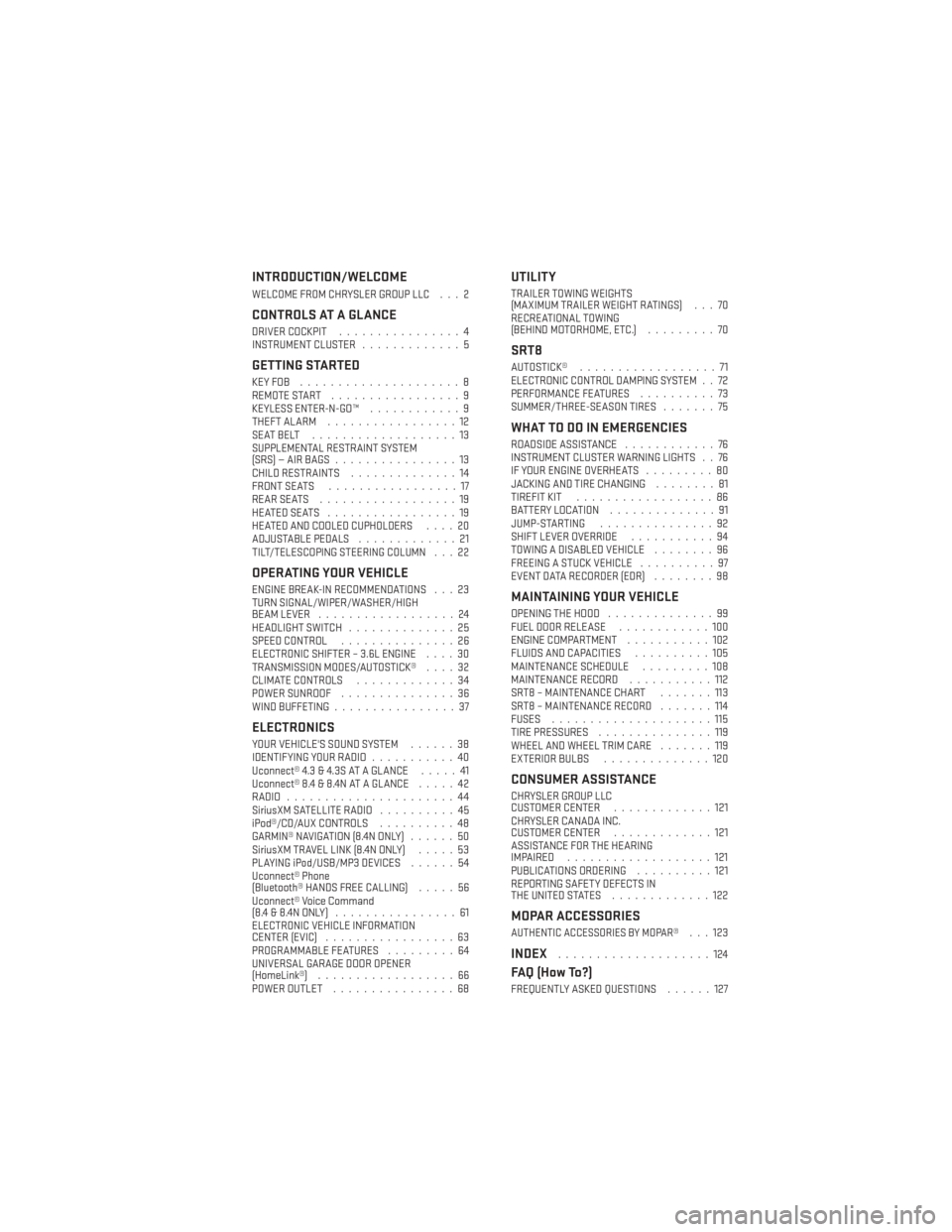
INTRODUCTION/WELCOME
WELCOME FROM CHRYSLER GROUP LLC . . . 2
CONTROLS AT A GLANCE
DRIVER COCKPIT................4
INSTRUMENT CLUSTER .............5
GETTING STARTED
KEYFOB .....................8
REMOTE START.................9
KEYLESS ENTER-N-GO™ ............9
THEFT ALARM .................12
SEATBELT ...................13
SUPPLEMENTAL RESTRAINT SYSTEM
(SRS)—AIRBAGS................13
CHILD RESTRAINTS ..............14
FRONT SEATS .................17
REARSEATS ..................19
HEATEDSEATS .................19
HEATED AND COOLED CUPHOLDERS ....20
ADJUSTABLE PEDALS .............21
TILT/TELESCOPING STEERING COLUMN . . . 22
OPERATING YOUR VEHICLE
ENGINE BREAK-IN RECOMMENDATIONS . . . 23
TURN SIGNAL/WIPER/WASHER/HIGH
BEAM LEVER ..................24
HEADLIGHT SWITCH ..............25
SPEED CONTROL ...............26
ELECTRONIC SHIFTER – 3.6L ENGINE ....30
TRANSMISSION MODES/AUTOSTICK® ....32
CLIMATE CONTROLS .............34
POWER SUNROOF ...............36
WIND BUFFETING ................37
ELECTRONICS
YOUR VEHICLE'S SOUND SYSTEM ......38
IDENTIFYING YOUR RADIO ...........40
Uconnect® 4.3 & 4.3S AT A GLANCE .....41
Uconnect® 8.4 & 8.4N AT A GLANCE .....42
RADIO ......................44
SiriusXM SATELLITE RADIO ..........45
iPod®/CD/AUX CONTROLS ..........48
GARMIN® NAVIGATION (8.4N ONLY) ......50
SiriusXM TRAVEL LINK (8.4N ONLY) .....53
PLAYING iPod/USB/MP3 DEVICES ......54
Uconnect® Phone
(Bluetooth® HANDS FREE CALLING) .....56
Uconnect® Voice Command
(8.4&8.4NONLY) ................61
ELECTRONIC VEHICLE INFORMATION
CENTER (EVIC) .................63
PROGRAMMABLE FEATURES .........64
UNIVERSAL GARAGE DOOR OPENER
(HomeLink®) ..................66
POWER OUTLET ................68
UTILITY
TRAILER TOWING WEIGHTS
(MAXIMUM TRAILER WEIGHT RATINGS) . . . 70
RECREATIONAL TOWING
(BEHIND MOTORHOME, ETC.) .........70
SRT8
AUTOSTICK®..................71
ELECTRONIC CONTROL DAMPING SYSTEM . . 72
PERFORMANCE FEATURES ..........73
SUMMER/THREE-SEASON TIRES .......75
WHAT TO DO IN EMERGENCIES
ROADSIDE ASSISTANCE............76
INSTRUMENT CLUSTER WARNING LIGHTS . . 76
IF YOUR ENGINE OVERHEATS .........80
JACKING AND TIRE CHANGING ........81
TIREFIT KIT ..................86
BATTERY LOCATION ..............91
JUMP-STARTING ...............92
SHIFT LEVER OVERRIDE ...........94
TOWING A DISABLED VEHICLE ........96
FREEING A STUCK VEHICLE ..........97
EVENT DATA RECORDER (EDR) ........98
MAINTAINING YOUR VEHICLE
OPENING THE HOOD..............99
FUEL DOOR RELEASE ............100
ENGINE COMPARTMENT ...........102
FLUIDS AND CAPACITIES ..........105
MAINTENANCE SCHEDULE .........108
MAINTENANCE RECORD ...........112
SRT8 – MAINTENANCE CHART .......113
SRT8 – MAINTENANCE RECORD .......114
FUSES .....................115
TIRE PRESSURES ...............119
WHEEL AND WHEEL TRIM CARE .......119
EXTERIOR BULBS ..............120
CONSUMER ASSISTANCE
CHRYSLER GROUP LLC
CUSTOMER CENTER .............121
CHRYSLER CANADA INC.
CUSTOMER CENTER .............121
ASSISTANCE FOR THE HEARING
IMPAIRED ...................121
PUBLICATIONS ORDERING ..........121
REPORTING SAFETY DEFECTS IN
THEUNITEDSTATES .............122
MOPAR ACCESSORIES
AUTHENTIC ACCESSORIES BY MOPAR®...123
INDEX....................124
FAQ (How To?)
FREQUENTLY ASKED QUESTIONS ......127
TABLE OF CONTENTS
Page 7 of 132
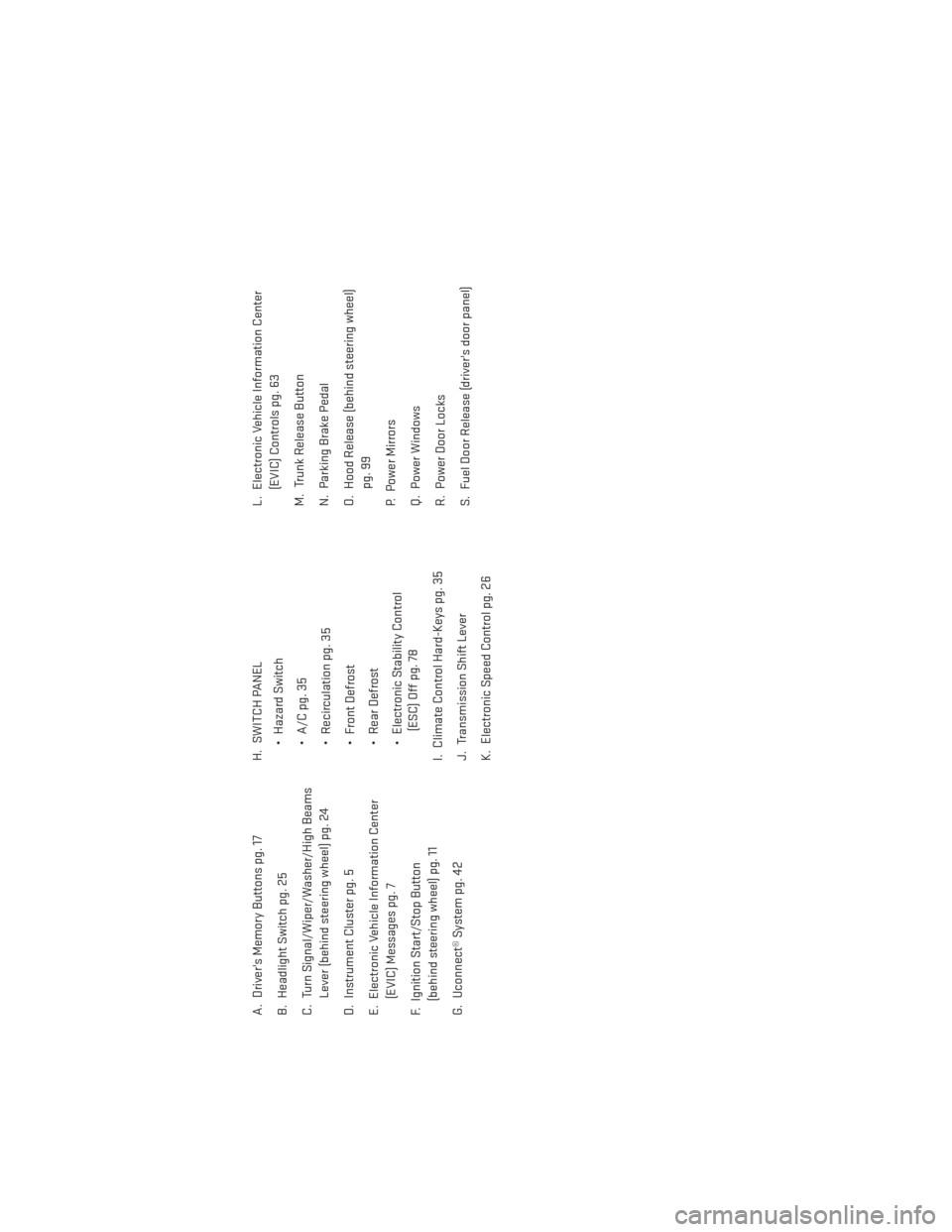
A. Driver's Memory Buttons pg. 17
B. Headlight Switch pg. 25
C. Turn Signal/Wiper/Washer/High BeamsLever (behind steering wheel) pg. 24
D. Instrument Cluster pg. 5
E. Electronic Vehicle Information Center (EVIC) Messages pg. 7
F. Ignition Start/Stop Button (behind steering wheel) pg. 11
G. Uconnect® System pg. 42 H. SWITCH PANEL
• Hazard Switch
• A/C pg. 35
• Recirculation pg. 35
• Front Defrost
• Rear Defrost
• Electronic Stability Control(ESC) Off pg. 78
I. Climate Control Hard-Keys pg. 35
J. Transmission Shift Lever
K. Electronic Speed Control pg. 26 L. Electronic Vehicle Information Center
(EVIC) Controls pg. 63
M. Trunk Release Button
N. Parking Brake Pedal
O. Hood Release (behind steering wheel) pg. 99
P. Power Mirrors
Q. Power Windows
R. Power Door Locks
S. Fuel Door Release (driver's door panel)
CONTROLS AT A GLANCE
5
Page 14 of 132
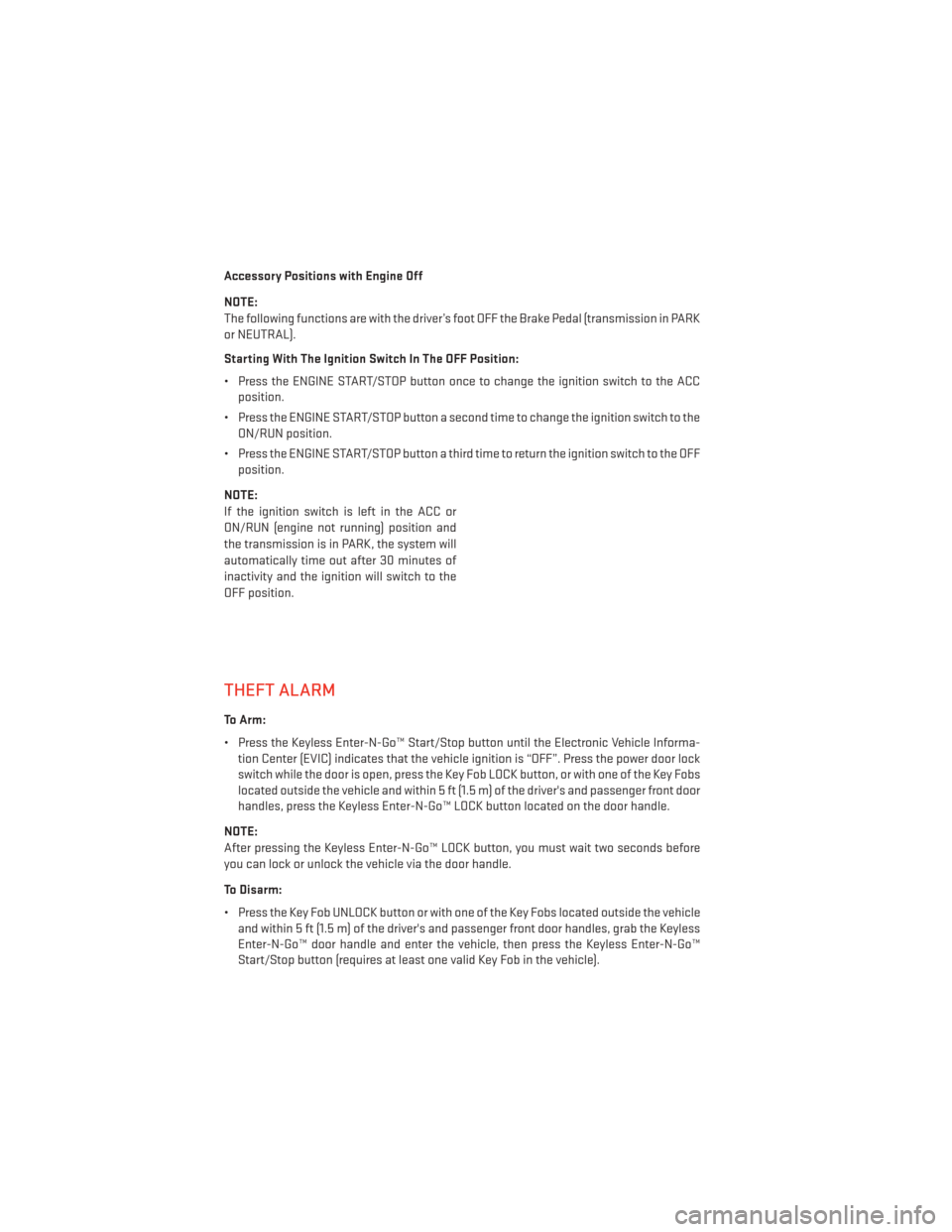
Accessory Positions with Engine Off
NOTE:
The following functions are with the driver’s foot OFF the Brake Pedal (transmission in PARK
or NEUTRAL).
Starting With The Ignition Switch In The OFF Position:
• Press the ENGINE START/STOP button once to change the ignition switch to the ACCposition.
• Press the ENGINE START/STOP button a second time to change the ignition switch to the ON/RUN position.
• Press the ENGINE START/STOP button a third time to return the ignition switch to the OFF position.
NOTE:
If the ignition switch is left in the ACC or
ON/RUN (engine not running) position and
the transmission is in PARK, the system will
automatically time out after 30 minutes of
inactivity and the ignition will switch to the
OFF position.
THEFT ALARM
To Arm:
• Press the Keyless Enter-N-Go™ Start/Stop button until the Electronic Vehicle Informa- tion Center (EVIC) indicates that the vehicle ignition is “OFF”. Press the power door lock
switch while the door is open, press the Key Fob LOCK button, or with one of the Key Fobs
located outside the vehicle and within 5 ft (1.5 m) of the driver's and passenger front door
handles, press the Keyless Enter-N-Go™ LOCK button located on the door handle.
NOTE:
After pressing the Keyless Enter-N-Go™ LOCK button, you must wait two seconds before
you can lock or unlock the vehicle via the door handle.
To Disarm:
• Press the Key Fob UNLOCK button or with one of the Key Fobs located outside the vehicle and within 5 ft (1.5 m) of the driver's and passenger front door handles, grab the Keyless
Enter-N-Go™ door handle and enter the vehicle, then press the Keyless Enter-N-Go™
Start/Stop button (requires at least one valid Key Fob in the vehicle).
GETTING STARTED
12
Page 25 of 132
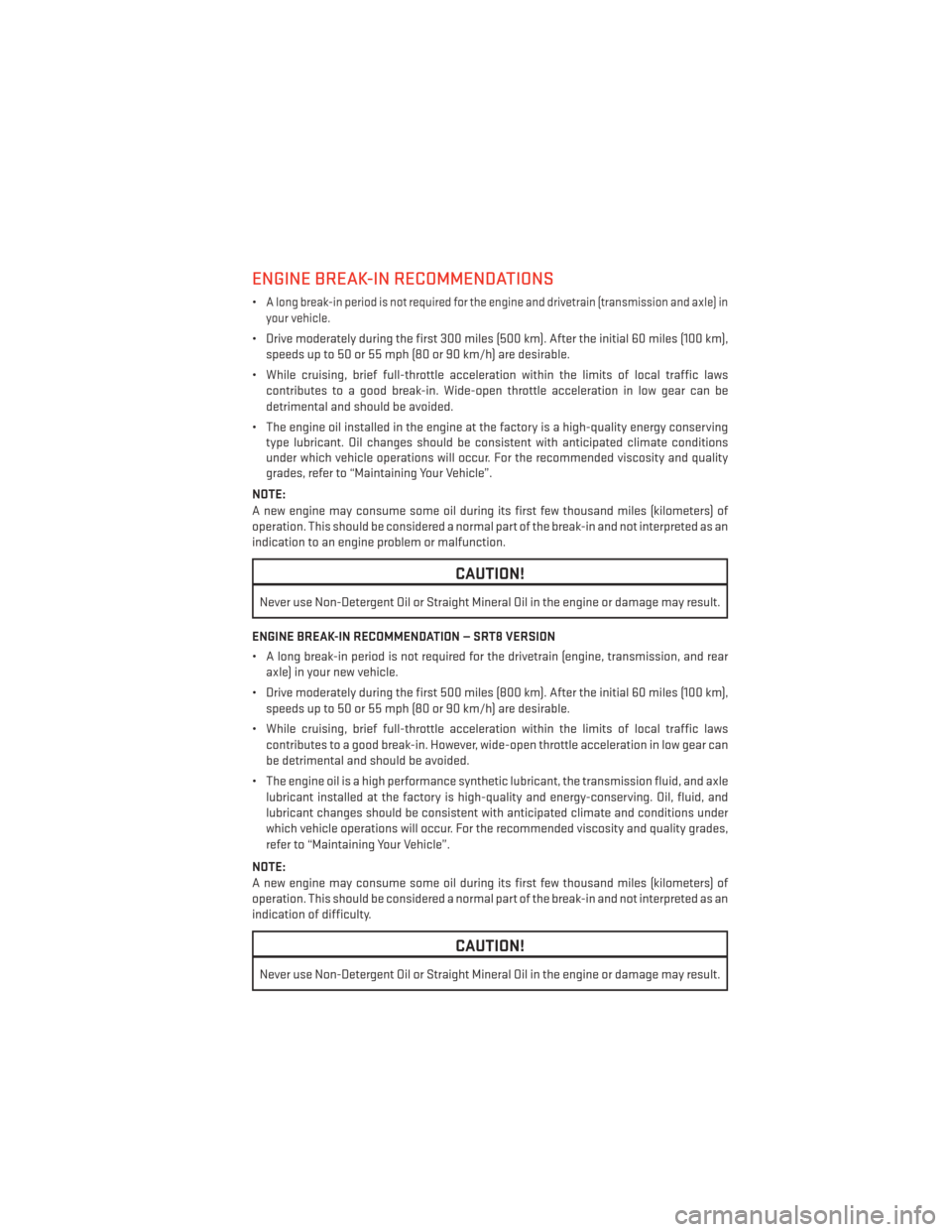
ENGINE BREAK-IN RECOMMENDATIONS
•A long break-in period is not required for the engine and drivetrain (transmission and axle) in
your vehicle.
• Drive moderately during the first 300 miles (500 km). After the initial 60 miles (100 km), speeds up to 50 or 55 mph (80 or 90 km/h) are desirable.
• While cruising, brief full-throttle acceleration within the limits of local traffic laws contributes to a good break-in. Wide-open throttle acceleration in low gear can be
detrimental and should be avoided.
• The engine oil installed in the engine at the factory is a high-quality energy conserving type lubricant. Oil changes should be consistent with anticipated climate conditions
under which vehicle operations will occur. For the recommended viscosity and quality
grades, refer to “Maintaining Your Vehicle”.
NOTE:
A new engine may consume some oil during its first few thousand miles (kilometers) of
operation. This should be considered a normal part of the break-in and not interpreted as an
indication to an engine problem or malfunction.
CAUTION!
Never use Non-Detergent Oil or Straight Mineral Oil in the engine or damage may result.
ENGINE BREAK-IN RECOMMENDATION — SRT8 VERSION
• A long break-in period is not required for the drivetrain (engine, transmission, and rear axle) in your new vehicle.
• Drive moderately during the first 500 miles (800 km). After the initial 60 miles (100 km), speeds up to 50 or 55 mph (80 or 90 km/h) are desirable.
• While cruising, brief full-throttle acceleration within the limits of local traffic laws contributes to a good break-in. However, wide-open throttle acceleration in low gear can
be detrimental and should be avoided.
• The engine oil is a high performance synthetic lubricant, the transmission fluid, and axle lubricant installed at the factory is high-quality and energy-conserving. Oil, fluid, and
lubricant changes should be consistent with anticipated climate and conditions under
which vehicle operations will occur. For the recommended viscosity and quality grades,
refer to “Maintaining Your Vehicle”.
NOTE:
A new engine may consume some oil during its first few thousand miles (kilometers) of
operation. This should be considered a normal part of the break-in and not interpreted as an
indication of difficulty.
CAUTION!
Never use Non-Detergent Oil or Straight Mineral Oil in the engine or damage may result.
OPERATING YOUR VEHICLE
23
Page 32 of 132
ELECTRONIC SHIFTER – 3.6L ENGINE
• Your new vehicle is equipped with a stateof the art, fuel efficient 8 speed transmis-
sion. The electronic shift lever in this ve-
hicle does not slide like a conventional
shifter. Instead, the shift lever is spring
loaded and moves forward and rearward,
always returning to the center position
after each gear is selected.
•
The transmission gear (PRND) is displayed
both on the shift lever and in the Electronic
Vehicle Information Center (EVIC).
Shifting From PARK to DRIVE
• Firmly depress the brake pedal, press the lock button on the shift lever, then pull
and hold the shift lever fully rearward until
“D” is displayed in the EVIC.
• To shift back into PARK from DRIVE, bring the vehicle to a complete stop, fully de-
press the brake pedal, press the lock but-
ton on the shift lever, then push and hold
the shift lever fully forward until “P” is
displayed in the EVIC.
Shifting From REVERSE to NEUTRAL
• Pull the shift lever rearward to the first detent and release. “N” will display in the
EVIC.
• To shift back into REVERSE from NEU- TRAL, firmly depress the brake pedal, press the lock button on the shift lever, then push
the shift lever forward to the first detent and release. “R” will display in the EVIC.
OPERATING YOUR VEHICLE
30
Page 34 of 132
TRANSMISSION MODES/AUTOSTICK®
• AUTOSTICK® is only available on sport equipped vehicles.
For Vehicles Equipped With Sport Mode
• This mode is driver selectable and will provide more aggressive shifting and is intendedfor spirited driving.
• Shifting into SPORT mode can be done anytime the vehicle is in the “D” Drive position. Simply pull the shift lever and release when “S” is displayed in the EVIC. Pulling the shift
lever rearward a second time will return the vehicle to the “D” Drive position.
NOTE:
When the vehicle is in SPORT mode, there is a green “SPORT” message attached with a flag
illuminated in the instrument cluster.
For Vehicles Equipped With Low Mode
• This range should be used for engine braking when descending very steep grades. In this range, the transmission will downshift for increased engine braking. To switch between
DRIVE and LOW mode, pull the shift lever rearward and release when “L” is displayed in
the EVIC.
• Shifting into LOW can be done anytime the vehicle is in “D” DRIVE position.
OPERATING YOUR VEHICLE
32
Page 35 of 132
Autostick®
•Autostick® is only available on sport
equipped vehicles.
• When the transmission is in DRIVE, it will operate automatically, shifting between
the eight available gears. While in SPORT
mode, the transmission will only shift be-
tween seven of the eight available gears.
•
To engage AutoStick®, simply tap one of
the steering wheel-mounted shift paddles
(+/-).
•In AutoStick® mode, the transmission will
only shift up or down when (+/-) is manually
selected by the driver, except as described
below. It will remain in the selected gear
until another upshift or downshift is cho-
sen.
• When AutoStick® is active, the current transmission gear is displayed in the EVIC.
• If AutoStick® is engaged while in DRIVE mode, lack of accelerator pedal activity will cause the transmission to revert to automatic operation. The transmission will also
upshift automatically once redline, (where the tachometer needle points to the red
portion of the gauge) is reached. If the accelerator is pressed to the floor, the transmis-
sion will downshift when possible (based on current vehicle speed and gear).
• When AutoStick® is used in SPORT mode, the transmission will only shift up or down when commanded by the driver, except as noted below.
• In either DRIVE or SPORT mode, the transmission will automatically downshift as the vehicle slows to a stop (to prevent engine lugging) and will display the current gear.
Tapping the (+) paddle (at a stop) will allow starting in second gear. After a stop, the driver
should manually upshift (+) the transmission as the vehicle accelerates.
NOTE:
To disengage AutoStick® mode, press and hold the (+) shift paddle until “D” or “S” is once
again displayed in the EVIC. You can shift in or out of the AutoStick® mode at any time
without taking your foot off the accelerator pedal.
OPERATING YOUR VEHICLE
33
Page 68 of 132
UNIVERSAL GARAGE DOOR OPENER (HomeLink®)
•HomeLink® replaces up to three hand-held transmitters that operate devices such as garage
door openers, motorized gates, lighting or home security systems. The HomeLink® unit is
powered by your vehicles 12 Volt battery.
• The HomeLink® buttons that are located in the overhead console or sunvisor designate the three different HomeLink® channels.
• The HomeLink® indicator is located above the center button.
Before You Begin Programming HomeLink®
•Ensure that your vehicle is parked outside
of the garage before you begin program-
ming.
• For efficient programming and accurate transmission of the radio-frequency sig-
nal, it is recommended that a new battery
be placed in the hand-held transmitter of
the device that is being programmed to
the HomeLink® system.
•
Erase all channels before you begin pro-
gramming. To erase the channels, place
the ignition switch into the ON/RUN posi-
tion, then press and hold the two outside
HomeLink® buttons (I and III) for up to 20 seconds or until the red indicator flashes.
NOTE:
Erasing all channels should only be performed when programming HomeLink® for the first
time. Do not erase channels when programming additional buttons.
• If you have any problems, or require assistance, please call toll-free 1–800–355–3515 or, on the Internet at www.HomeLink.com for information or assistance.
Programming A Rolling Code
• For programming Garage Door Openers that were manufactured after 1995. These Garage Door Openers can be identified by the “LEARN” or “TRAIN” button located where
the hanging antenna is attached to the Garage Door Opener. It is NOT the button that is
normally used to open and close the door. The name and color of the button may vary by
manufacturer.
• Place the ignition switch into the ON/RUN position.
• Place the hand-held transmitter 1 to 3 in (3 to 8 cm) away from the HomeLink® button you wish to program while keeping the HomeLink® indicator light in view.
• Simultaneously press and hold both the HomeLink® button you want to program and the hand-held transmitter button.
ELECTRONICS
66
Page 72 of 132
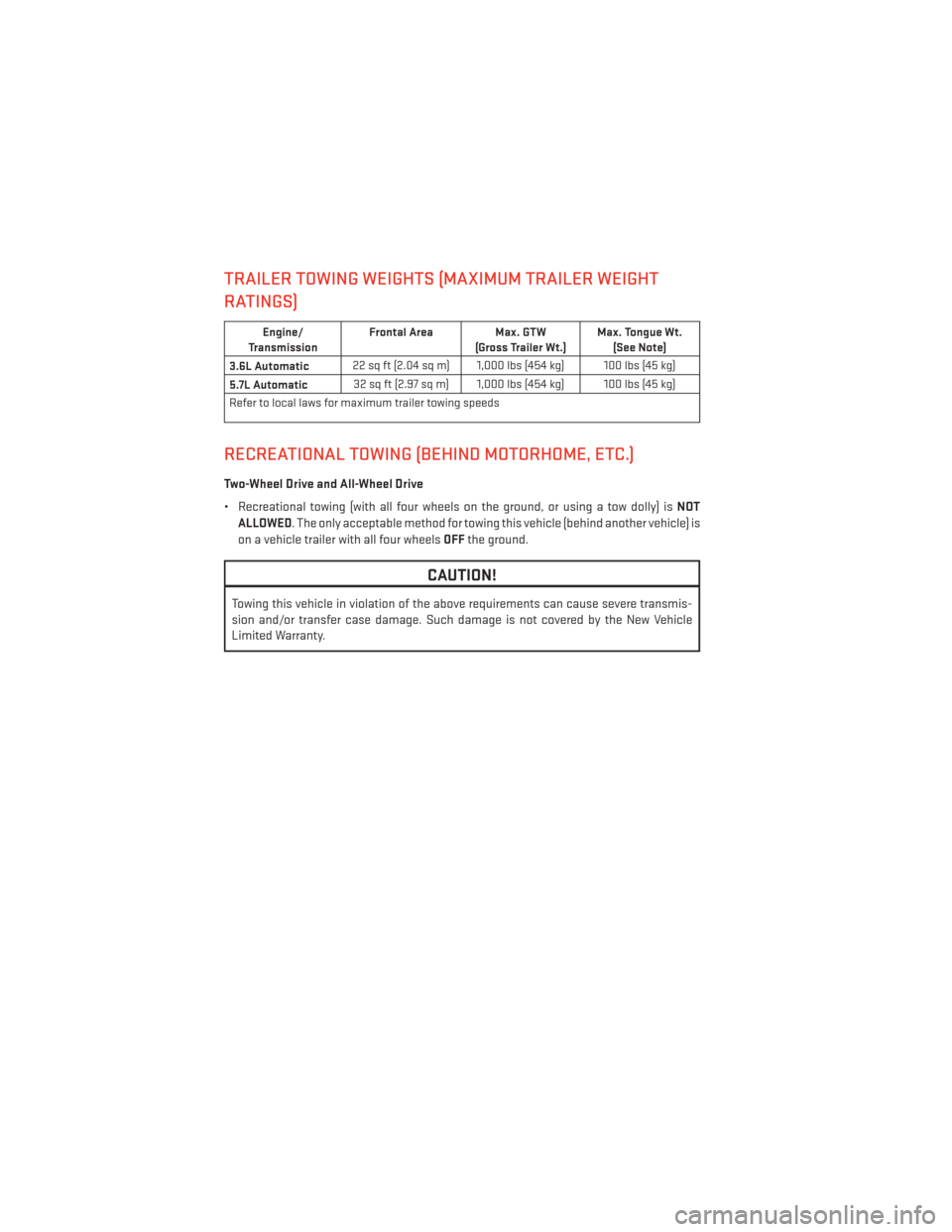
TRAILER TOWING WEIGHTS (MAXIMUM TRAILER WEIGHT
RATINGS)
Engine/
Transmission Frontal Area Max. GTW
(Gross Trailer Wt.) Max. Tongue Wt.
(See Note)
3.6L Automatic 22 sq ft (2.04 sq m) 1,000 lbs (454 kg) 100 lbs (45 kg)
5.7L Automatic 32 sq ft (2.97 sq m) 1,000 lbs (454 kg) 100 lbs (45 kg)
Refer to local laws for maximum trailer towing speeds
RECREATIONAL TOWING (BEHIND MOTORHOME, ETC.)
Two-Wheel Drive and All-Wheel Drive
• Recreational towing (with all four wheels on the ground, or using a tow dolly) is NOT
ALLOWED. The only acceptable method for towing this vehicle (behind another vehicle) is
on a vehicle trailer with all four wheels OFFthe ground.
CAUTION!
Towing this vehicle in violation of the above requirements can cause severe transmis-
sion and/or transfer case damage. Such damage is not covered by the New Vehicle
Limited Warranty.
UTILITY
70
Page 73 of 132
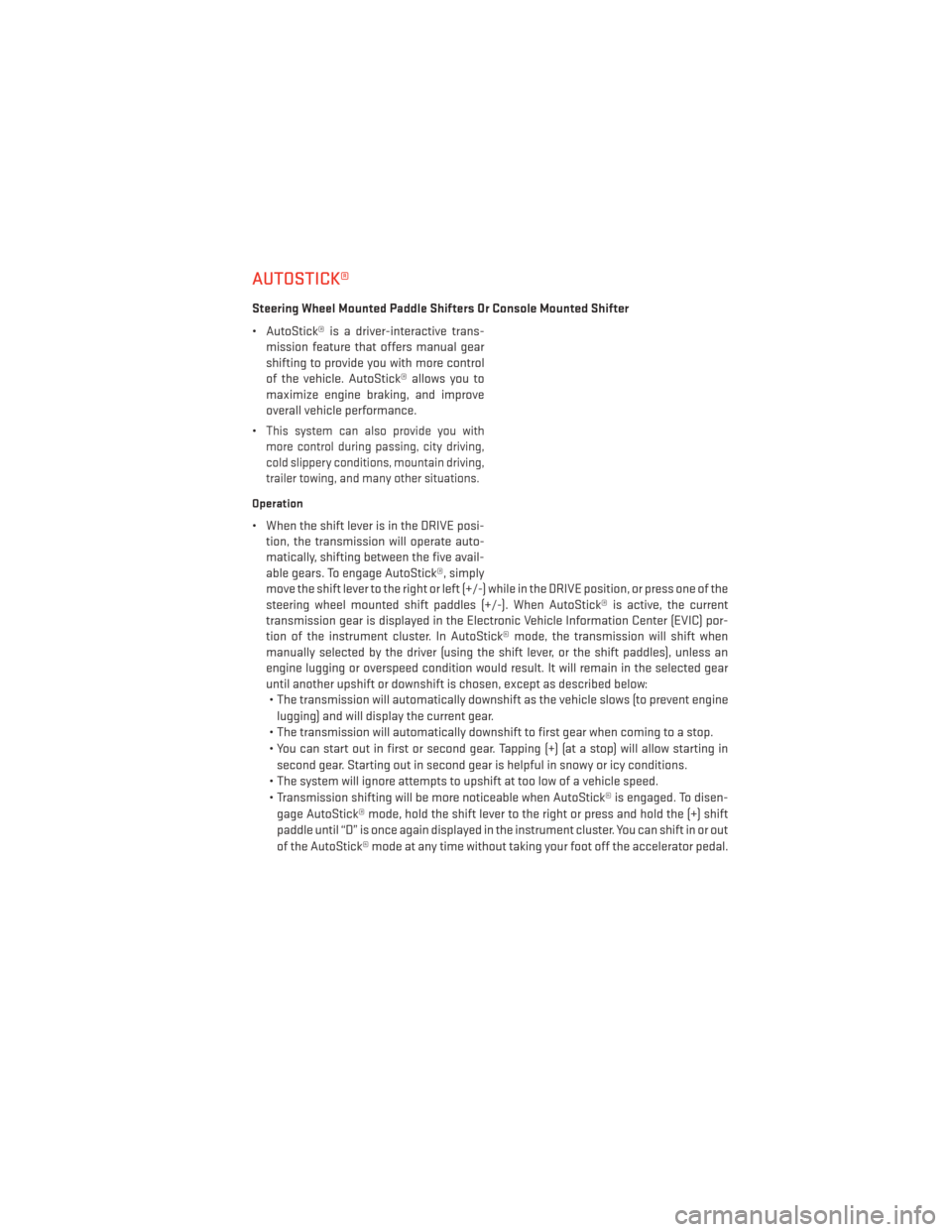
AUTOSTICK®
Steering Wheel Mounted Paddle Shifters Or Console Mounted Shifter
• AutoStick® is a driver-interactive trans- mission feature that offers manual gear
shifting to provide you with more control
of the vehicle. AutoStick® allows you to
maximize engine braking, and improve
overall vehicle performance.
•
This system can also provide you with
more control during passing, city driving,
cold slippery conditions, mountain driving,
trailer towing, and many other situations.
Operation
• When the shift lever is in the DRIVE posi- tion, the transmission will operate auto-
matically, shifting between the five avail-
able gears. To engage AutoStick®, simply
move the shift lever to the right or left (+/-) while in the DRIVE position, or press one of the
steering wheel mounted shift paddles (+/-). When AutoStick® is active, the current
transmission gear is displayed in the Electronic Vehicle Information Center (EVIC) por-
tion of the instrument cluster. In AutoStick® mode, the transmission will shift when
manually selected by the driver (using the shift lever, or the shift paddles), unless an
engine lugging or overspeed condition would result. It will remain in the selected gear
until another upshift or downshift is chosen, except as described below:• The transmission will automatically downshift as the vehicle slows (to prevent engine
lugging) and will display the current gear.
• The transmission will automatically downshift to first gear when coming to a stop.
• You can start out in first or second gear. Tapping (+) (at a stop) will allow starting in second gear. Starting out in second gear is helpful in snowy or icy conditions.
• The system will ignore attempts to upshift at too low of a vehicle speed.
• Transmission shifting will be more noticeable when AutoStick® is engaged. To disen- gage AutoStick® mode, hold the shift lever to the right or press and hold the (+) shift
paddle until “D” is once again displayed in the instrument cluster. You can shift in or out
of the AutoStick® mode at any time without taking your foot off the accelerator pedal.
SRT8
71