wheel DODGE CHARGER 2015 7.G Owner's Guide
[x] Cancel search | Manufacturer: DODGE, Model Year: 2015, Model line: CHARGER, Model: DODGE CHARGER 2015 7.GPages: 638, PDF Size: 16.56 MB
Page 280 of 638
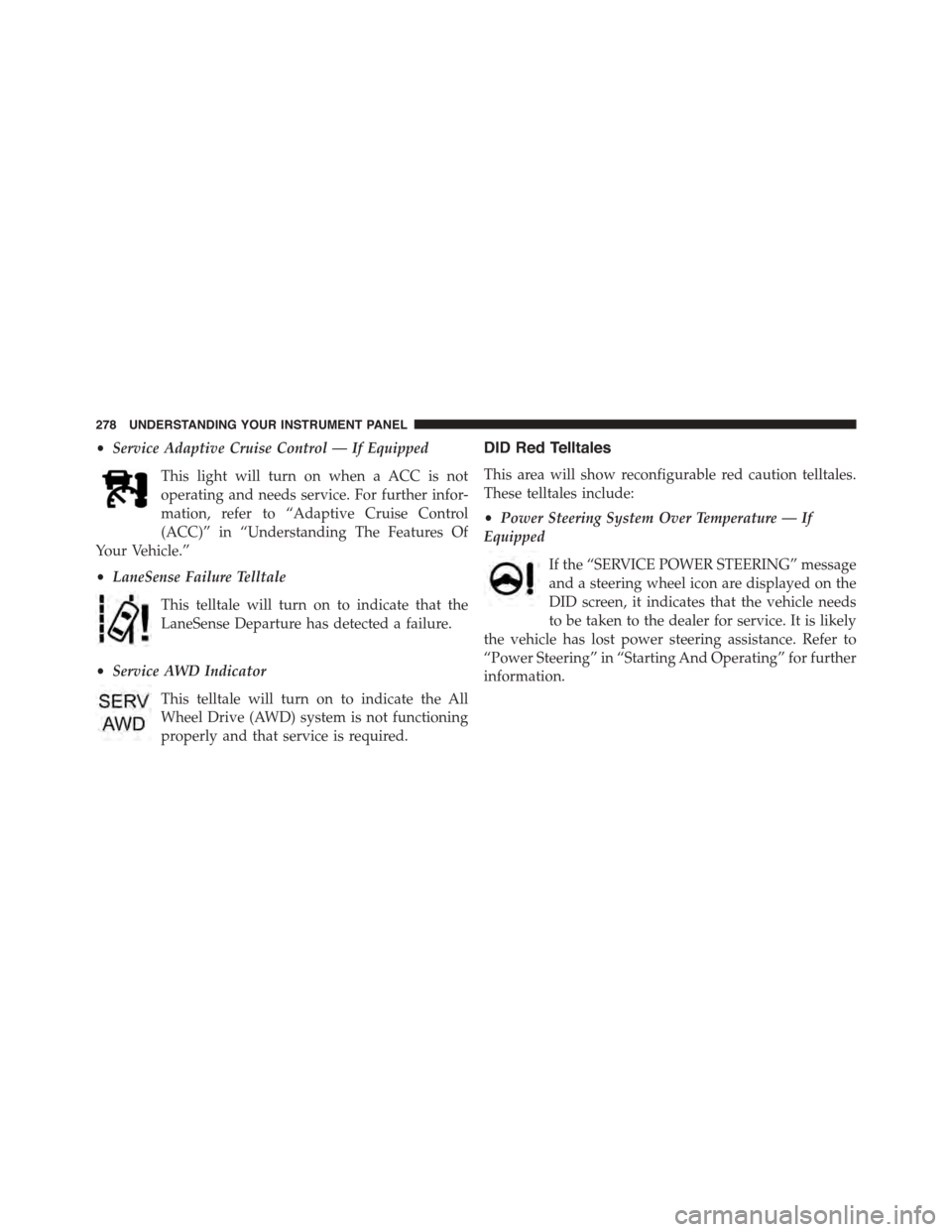
•Service Adaptive Cruise Control — If Equipped
This light will turn on when a ACC is not
operating and needs service. For further infor-
mation, refer to “Adaptive Cruise Control
(ACC)” in “Understanding The Features Of
Your Vehicle.”
•LaneSense Failure Telltale
This telltale will turn on to indicate that the
LaneSense Departure has detected a failure.
•Service AWD Indicator
This telltale will turn on to indicate the All
Wheel Drive (AWD) system is not functioning
properly and that service is required.
DID Red Telltales
This area will show reconfigurable red caution telltales.
These telltales include:
•Power Steering System Over Temperature — If
Equipped
If the “SERVICE POWER STEERING” message
and a steering wheel icon are displayed on the
DID screen, it indicates that the vehicle needs
to be taken to the dealer for service. It is likely
the vehicle has lost power steering assistance. Refer to
“Power Steering” in “Starting And Operating” for further
information.
278 UNDERSTANDING YOUR INSTRUMENT PANEL
Page 290 of 638
Top Speed
When selected, this screen displays the Top Speed since
last reset:
•Populates a top speed from first drive cycle and every
time that speed is exceeded that number is stored here
unless/until the driver resets the screen.
•Latching over ignition cycles.
•Units will change with the global change in units.
Driver Assist — If Equipped
Adaptive Cruise Control (ACC) Menu
The DID displays the current ACC system settings. The
information displayed depends on ACC system status.
Push the ADAPTIVE CRUISE CONTROL (ACC) ON/
OFF button (located on the steering wheel) until one of
the following displays in the DID:
Adaptive Cruise Control Off
When ACC is deactivated, the display will read “Adap-
tive Cruise Control Off.”
Adaptive Cruise Control Ready
When ACC is activated but the vehicle speed setting has
not been selected, the display will read “Adaptive Cruise
Control Ready.”
Push the SET + or the SET- button (located on the steering
wheel) and the following will display in the DID:
ACC SET
When ACC is set, the set speed will display in the
instrument cluster.
288 UNDERSTANDING YOUR INSTRUMENT PANEL
Page 306 of 638
Auto Comfort Systems — If Equipped
After pressing the “Auto-On Comfort & Remote Start”
button on the touchscreen the following settings will be
available:
•Auto-On Driver Heated/Ventilated Seat & Steering
Wheel With Vehicle Start — If Equipped
When this feature is selected the driver’s heated seat and
heated steering wheel will automatically turn ON when
temperatures are below 40° F (4.4° C). When tempera-
tures are above 80° F (26.7° C) the driver vented seat will
turn ON. To make your selection, press the “Auto Heated
Seats” button on the touchscreen then select either “Off,”
“Remote Start” or “All Starts.” Press the back arrow/
Done button on the touchscreen to return to the previous
menu.
Engine Off Options
After pressing the “Engine Off Options” button on the
touchscreen the following settings will be available.
•Headlight Off Delay
When this feature is selected, the driver can choose to
have the headlights remain on for 0, 30, 60, or 90 seconds
when exiting the vehicle. To change the Headlight Off
Delay status press the “Headlight Off Delay” button on
the touchscreen and select from “0,” “30,” “60,” or “90”
buttons on the touchscreen to select your desired time
interval. Press the back arrow/Done button on the touch-
screen to return to the previous menu.
•Engine Off Power Delay
When this feature is selected, the power window
switches, radio, Uconnect® phone system (if equipped),
DVD video system (if equipped), power sunroof (if
equipped), and power outlets will remain active for up to
304 UNDERSTANDING YOUR INSTRUMENT PANEL
Page 318 of 638
For further information, refer to “Adaptive Cruise Con-
trol (ACC)” in “Understanding The Features Of Your
Vehicle”.
•Forward Collision Warning (FCW) — Active Braking
The FCW system includes Advanced Brake Assist (ABA).
When this feature is selected, the ABA applies additional
brake pressure when the driver requests insufficient
brake pressure to avoid a potential frontal collision. The
ABA system becomes active at 5 mph (8 km/h). To make
your selection, press the “Forward Collision Warning
Active Braking” button on the touchscreen, until a check-
mark appears next to setting, indicating that the setting
had been selected. Press the back arrow button on the
touchscreen to return to the previous menu. For further
information, refer to “Forward Collision Warning (FCW)
With Mitigation” in “Understanding The Features Of
Your Vehicle.”
•LaneSense Warning — If Equipped
When this feature is selected, it sets the distance at which
the steering wheel will provide feedback for potential
lane departures. The LDW sensitivity can be set to
provide either an “Early,” “Medium,” or “Late” warning
zone start point.
For further information, refer to “LaneSense Warning
(LDW)” in “Understanding The Features Of Your Vehicle”.
•LaneSense Strength — If Equipped
When this feature is selected, it sets the strength of the
steering wheel feedback for potential lane departures.
The amount of directional torque the steering system can
apply to the steering wheel to correct for vehicle lane
departure can be set at “Low,” “Medium” or “High.”
For further information, refer to “Lane Departure Warn-
ing (LDW)” in “Understanding The Features Of Your
Vehicle”.
316 UNDERSTANDING YOUR INSTRUMENT PANEL
Page 327 of 638
NOTE:The seat will return to the memorized seat
location (if Recall Memory with Remote Key Unlock is set
to ON) when the Remote Keyless Entry (RKE) transmitter
is used to unlock the door. Refer to “Driver Memory
Seat” in “Understanding The Features Of Your Vehicle”
for further information.
Auto Comfort Systems — If Equipped
After pressing the “Auto-On Comfort” button on the
touchscreen the following settings will be available:
•Auto-On Driver Heated/Ventilated Seat & Steering
Wheel With Vehicle Start — If Equipped
When this feature is selected the driver’s heated seat and
heated steering wheel will automatically turn ON when
temperatures are below 40° F (4.4° C). When tempera-
tures are above 80° F (26.7° C) the driver vented seat will
turn ON. To make your selection, press the “Auto-On
Driver Heated/Ventilated Seat & Steering Wheel With
Vehicle Start” button to select from “Off,” “Remote Start”
or “All Starts” until a check-mark appears next to setting,
showing that setting has been selected. Press the back
arrow button on the touchscreen to return to the previous
menu.
Engine Off Options
After pressing the “Engine Off Options” button on the
touchscreen the following settings will be available:
•Easy Exit Seat — If Equipped
When this feature is selected, the Driver ’s seat will
automatically move rearward once the engine is shut off.
To make your selection, press the “Easy Exit Seat” button
on the touchscreen, until a check-mark appears next to
setting, showing that setting has been selected. Press the
back arrow button on the touchscreen to return to the
previous menu.
4
UNDERSTANDING YOUR INSTRUMENT PANEL 325
Page 340 of 638
•Vehicle Speed
Vehicle Speed measures the current speed of the vehicle
in either mph or km/h, starting at 0 with no maximum
value.
•Steering Wheel Angle
Steering Wheel Angle utilizes the steering angle sensor to
measure the degree of the steering wheel relative to zero.
The zero degree measurement indicates a steering wheel
straight ahead position. When the steering angle value is
negative, this indicates a turn to the left, and when the
steering angle value is positive, a turn to the right.
Engine
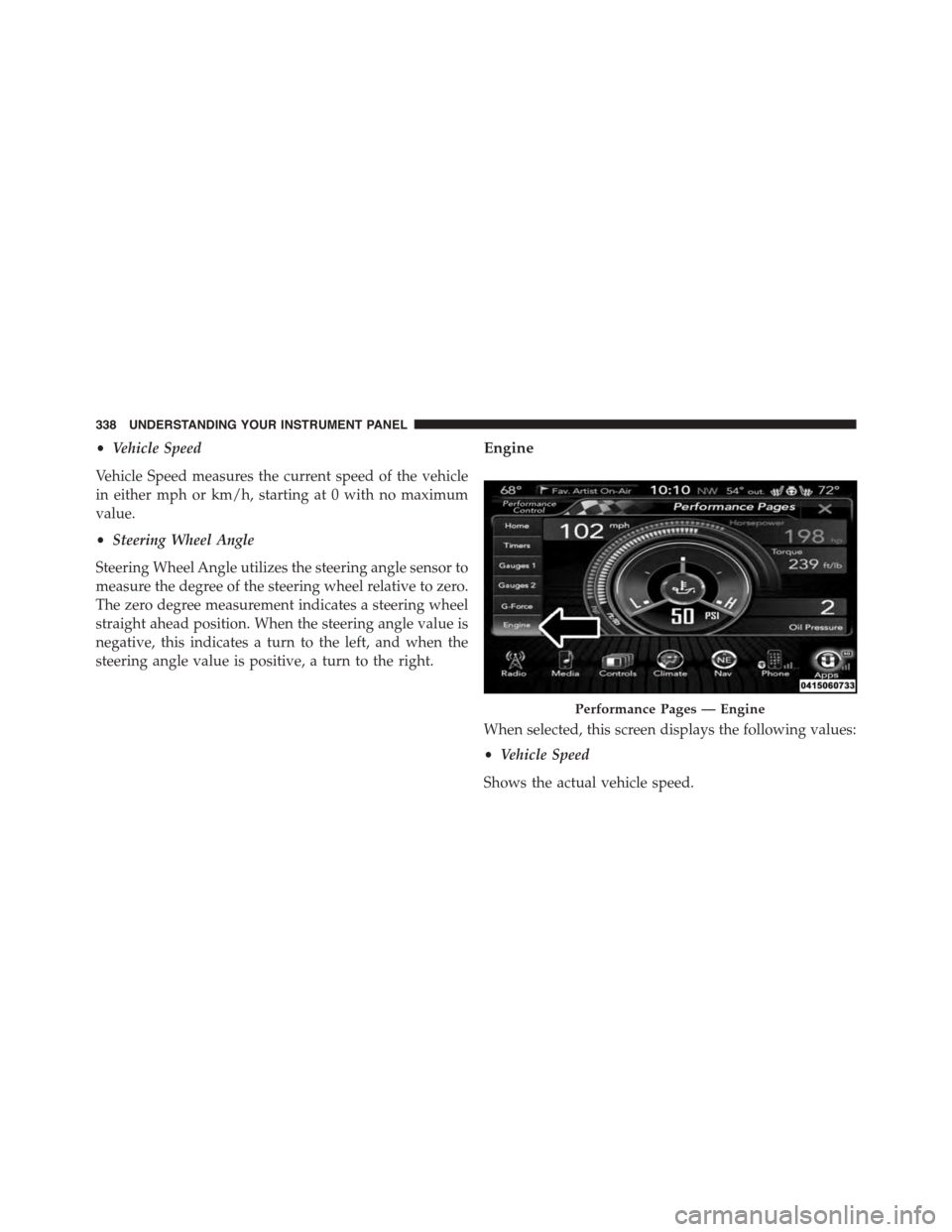
When selected, this screen displays the following values:
•Vehicle Speed
Shows the actual vehicle speed.
Performance Pages — Engine
338 UNDERSTANDING YOUR INSTRUMENT PANEL
Page 343 of 638
system is not intended to compensate for lack of driver
experience or familiarity with the race track. Use of this
feature in low traction (cold, wet, gravel, etc.) conditions
may results in excess wheel slip outside this systems
control resulting in an aborted launch.
NOTE:
•Launch control should not be used on public roads.
Always check track conditions and the surrounding
area.
•Launch Control is not available for the first 500 miles
of the vehicle’s life.
•Launch Control should only be used when the engine
and transmission are at operating temperature.
•Launch Control is intended to be used on dry, paved
road surfaces only. Use on slippery or loose surfaces
may cause damage to vehicle components and is not
recommended.
Drive Mode Set-Up
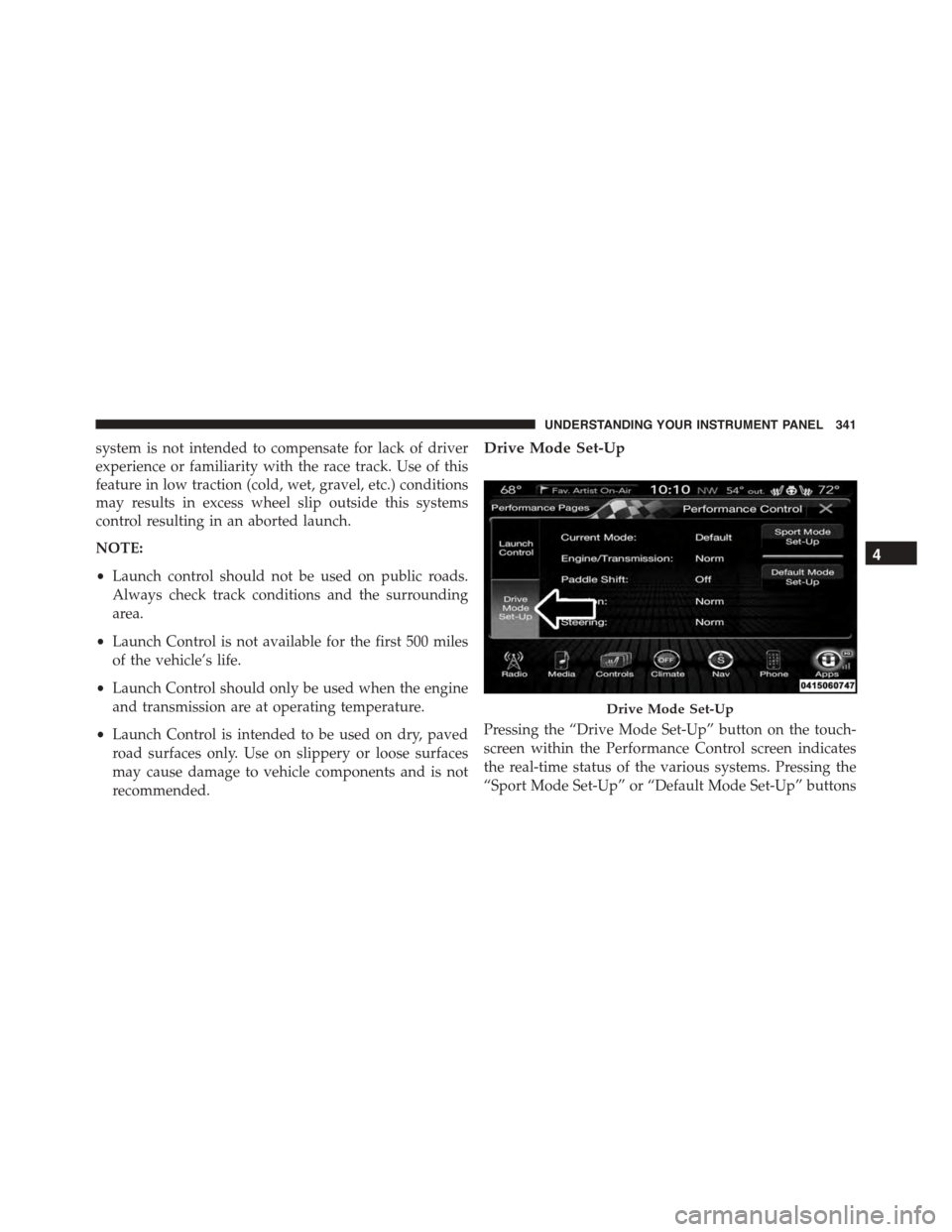
Pressing the “Drive Mode Set-Up” button on the touch-
screen within the Performance Control screen indicates
the real-time status of the various systems. Pressing the
“Sport Mode Set-Up” or “Default Mode Set-Up” buttons
Drive Mode Set-Up
4
UNDERSTANDING YOUR INSTRUMENT PANEL 341
Page 345 of 638
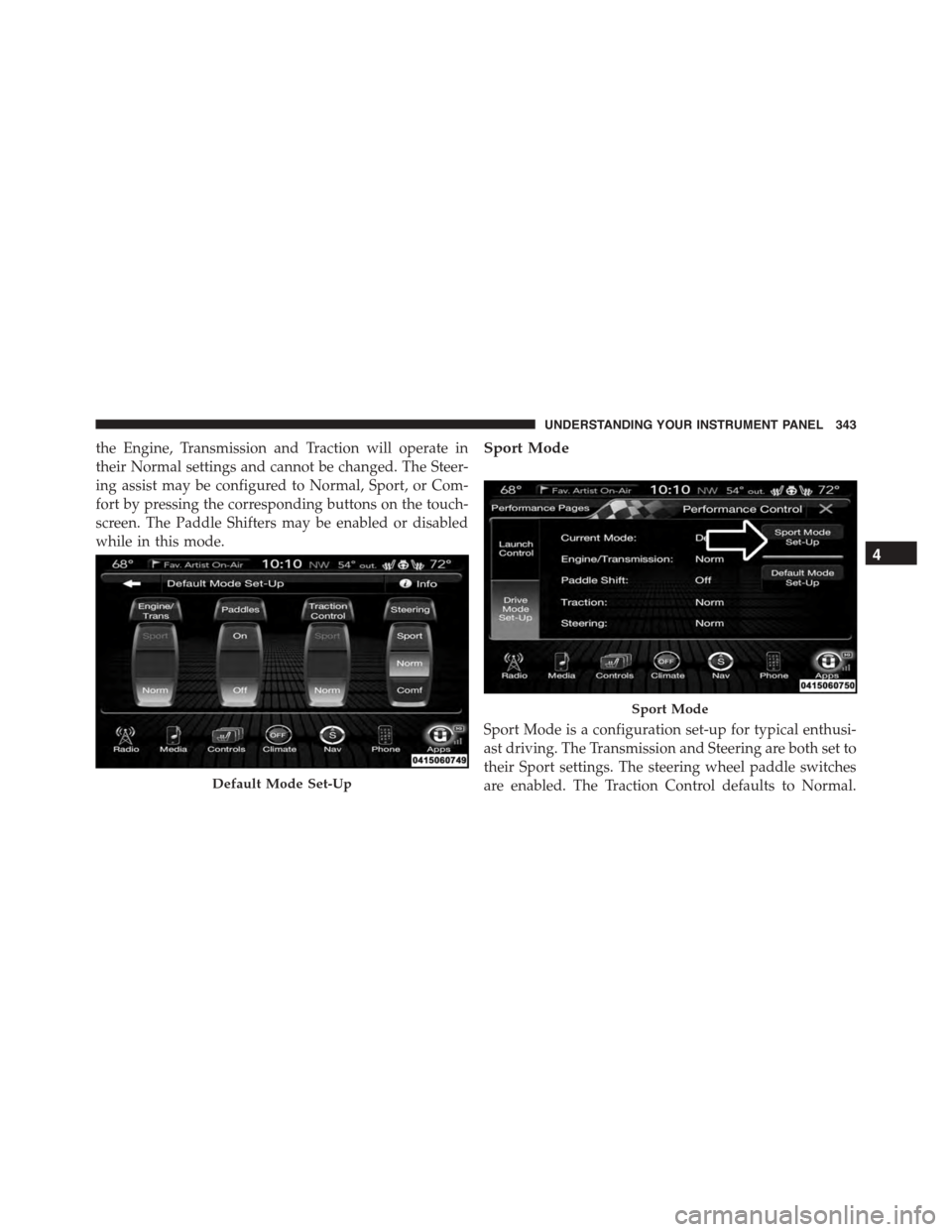
the Engine, Transmission and Traction will operate in
their Normal settings and cannot be changed. The Steer-
ing assist may be configured to Normal, Sport, or Com-
fort by pressing the corresponding buttons on the touch-
screen. The Paddle Shifters may be enabled or disabled
while in this mode.
Sport Mode
Sport Mode is a configuration set-up for typical enthusi-
ast driving. The Transmission and Steering are both set to
their Sport settings. The steering wheel paddle switches
are enabled. The Traction Control defaults to Normal.Default Mode Set-Up
Sport Mode
4
UNDERSTANDING YOUR INSTRUMENT PANEL 343
Page 348 of 638
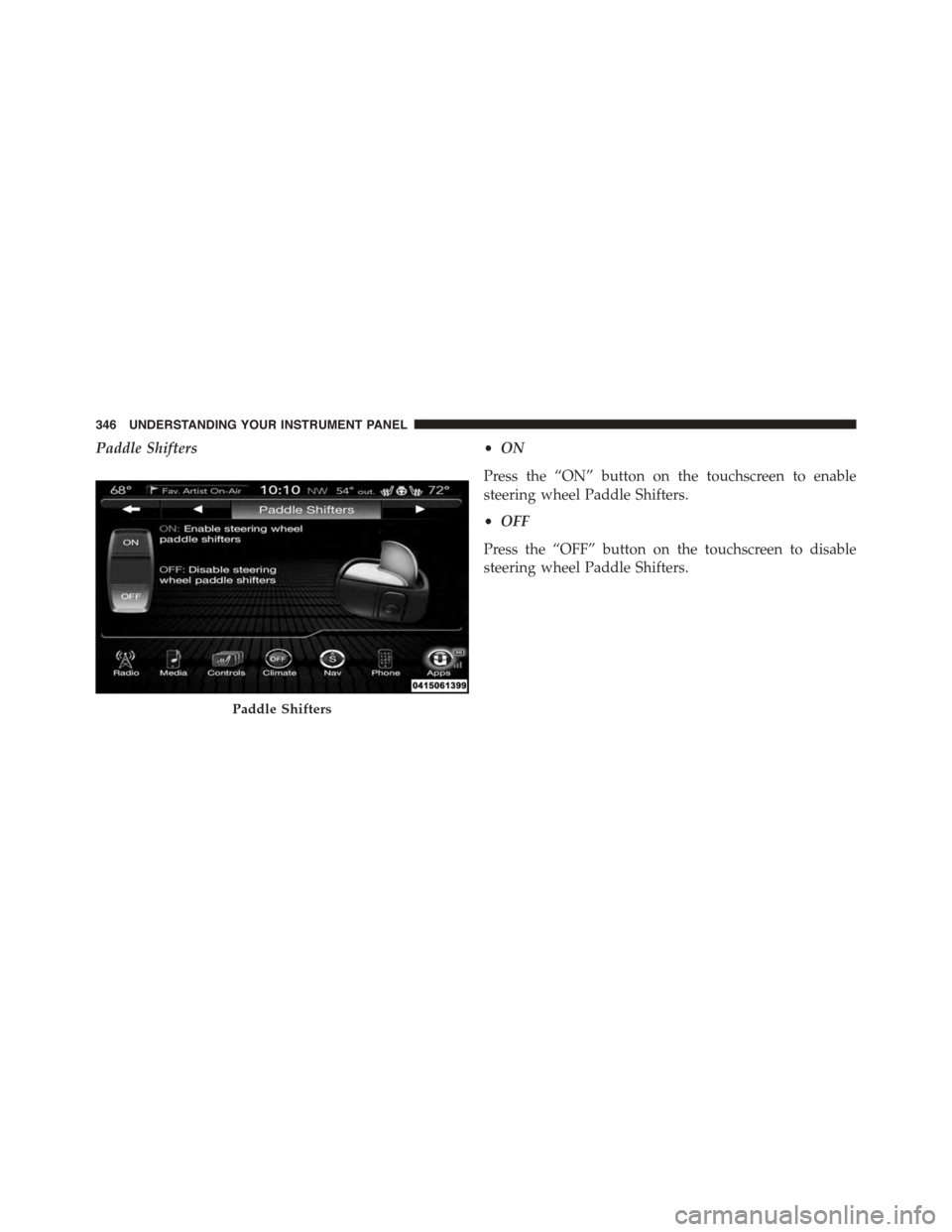
Paddle Shifters•ON
Press the “ON” button on the touchscreen to enable
steering wheel Paddle Shifters.
•OFF
Press the “OFF” button on the touchscreen to disable
steering wheel Paddle Shifters.
Paddle Shifters
346 UNDERSTANDING YOUR INSTRUMENT PANEL
Page 352 of 638
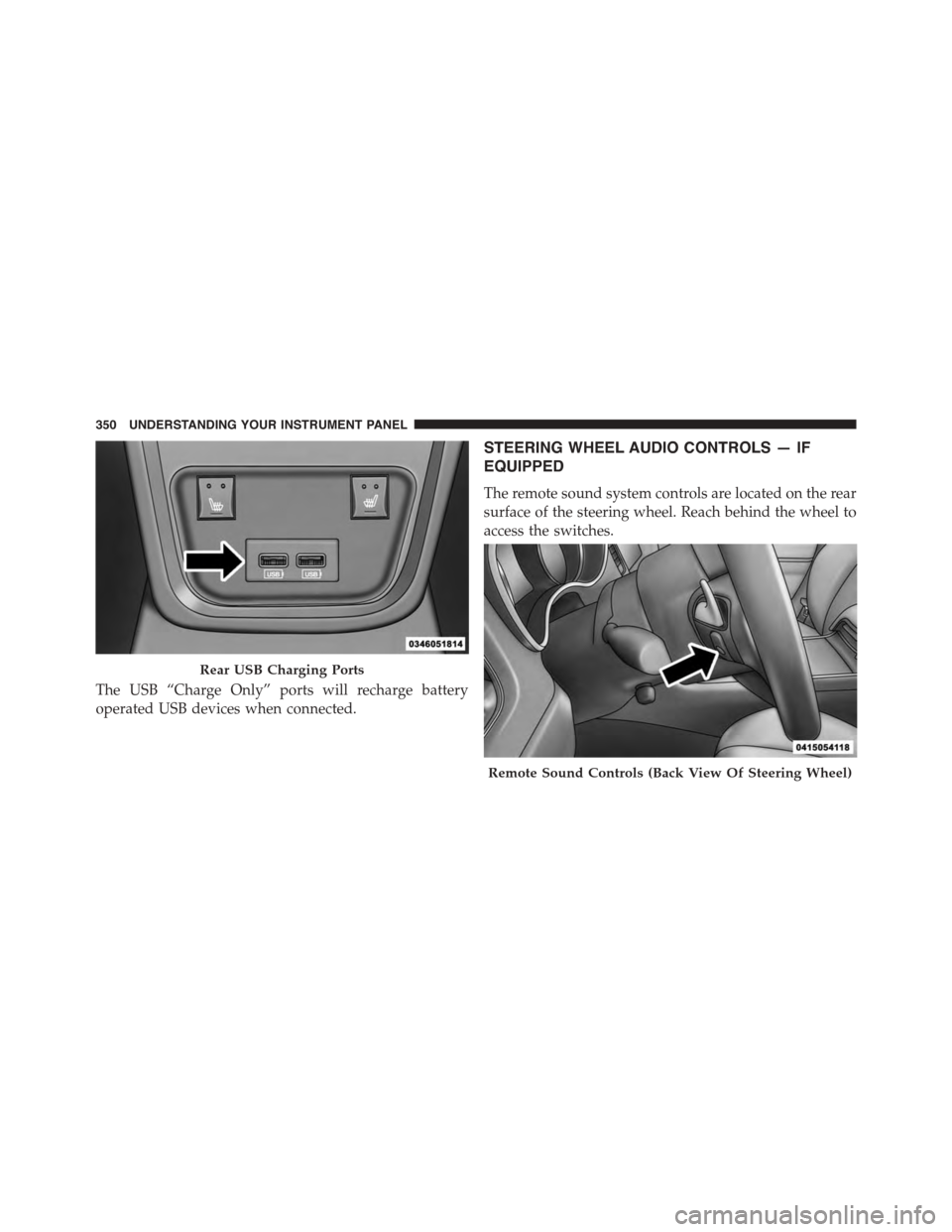
The USB “Charge Only” ports will recharge battery
operated USB devices when connected.
STEERING WHEEL AUDIO CONTROLS — IF
EQUIPPED
The remote sound system controls are located on the rear
surface of the steering wheel. Reach behind the wheel to
access the switches.
Rear USB Charging Ports
Remote Sound Controls (Back View Of Steering Wheel)
350 UNDERSTANDING YOUR INSTRUMENT PANEL