instrument panel DODGE CHARGER 2019 User Guide
[x] Cancel search | Manufacturer: DODGE, Model Year: 2019, Model line: CHARGER, Model: DODGE CHARGER 2019Pages: 560, PDF Size: 6.03 MB
Page 86 of 560
IconDescription
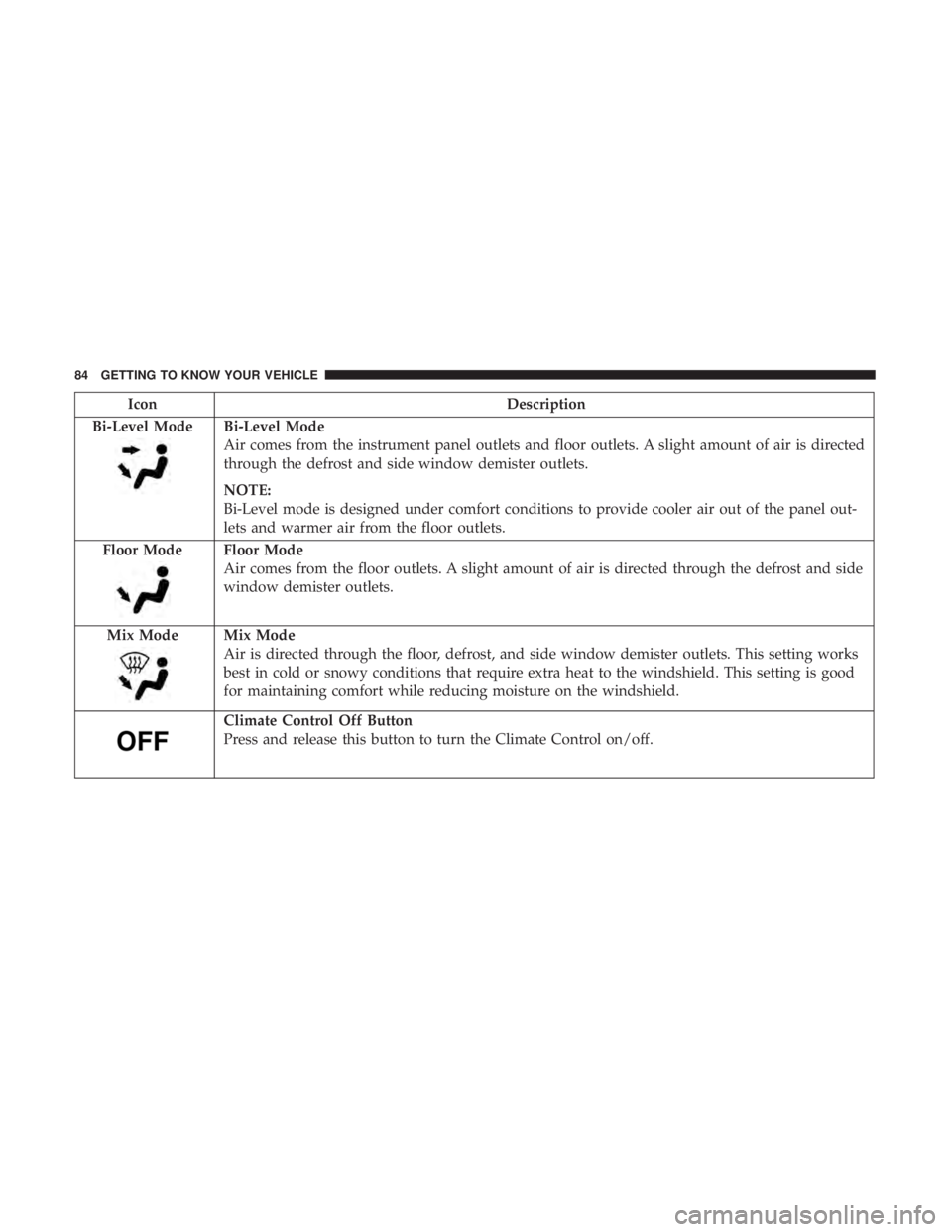
Bi-Level Mode
Bi-Level Mode
Air comes from the instrument panel outlets and floor outlets. A slight amount of air is directed
through the defrost and side window demister outlets.
NOTE:
Bi-Level mode is designed under comfort conditions to provide cooler air out of the panel out-
lets and warmer air from the floor outlets.
Floor Mode
Floor Mode
Air comes from the floor outlets. A slight amount of air is directed through the defrost and side
window demister outlets.
Mix Mode
Mix Mode
Air is directed through the floor, defrost, and side window demister outlets. This setting works
best in cold or snowy conditions that require extra heat to the windshield. This setting is good
for maintaining comfort while reducing moisture on the windshield.
Climate Control Off Button
Press and release this button to turn the Climate Control on/off.
84 GETTING TO KNOW YOUR VEHICLE
Page 91 of 560
IconDescription
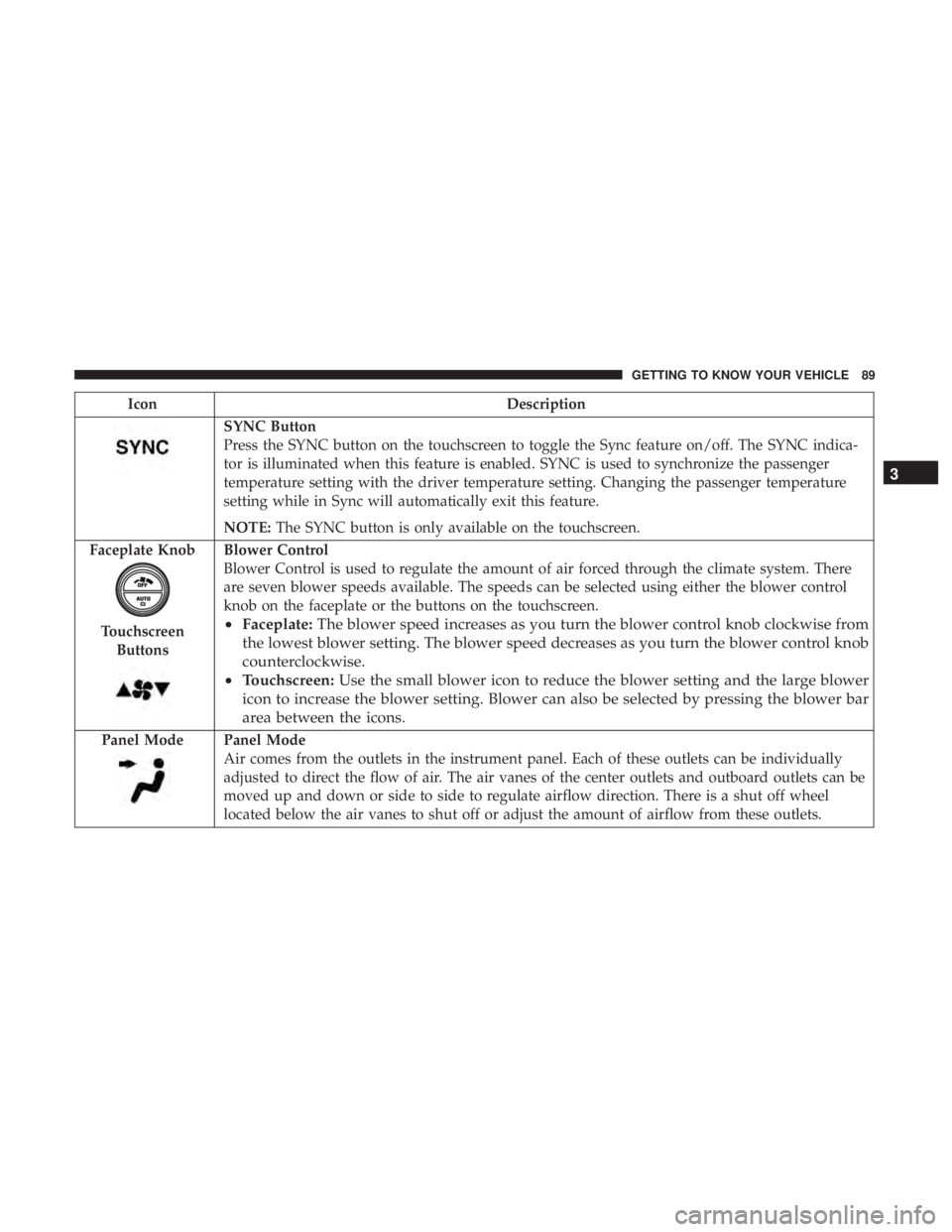
SYNC Button
Press the SYNC button on the touchscreen to toggle the Sync feature on/off. The SYNC indica-
tor is illuminated when this feature is enabled. SYNC is used to synchronize the passenger
temperature setting with the driver temperature setting. Changing the passenger temperature
setting while in Sync will automatically exit this feature.
NOTE:The SYNC button is only available on the touchscreen.
Faceplate Knob
Touchscreen Buttons
Blower Control
Blower Control is used to regulate the amount of air forced through the climate system. There
are seven blower speeds available. The speeds can be selected using either the blower control
knob on the faceplate or the buttons on the touchscreen.
• Faceplate: The blower speed increases as you turn the blower control knob clockwise from
the lowest blower setting. The blower speed decreases as you turn the blower control knob
counterclockwise.
• Touchscreen: Use the small blower icon to reduce the blower setting and the large blower
icon to increase the blower setting. Blower can also be selected by pressing the blower bar
area between the icons.
Panel ModePanel Mode
Air comes from the outlets in the instrument panel. Each of these outlets can be individually
adjusted to direct the flow of air. The air vanes of the center outlets and outboard outlets can be
moved up and down or side to side to regulate airflow direction. There is a shut off wheel
located below the air vanes to shut off or adjust the amount of airflow from these outlets.
3
GETTING TO KNOW YOUR VEHICLE 89
Page 92 of 560
IconDescription
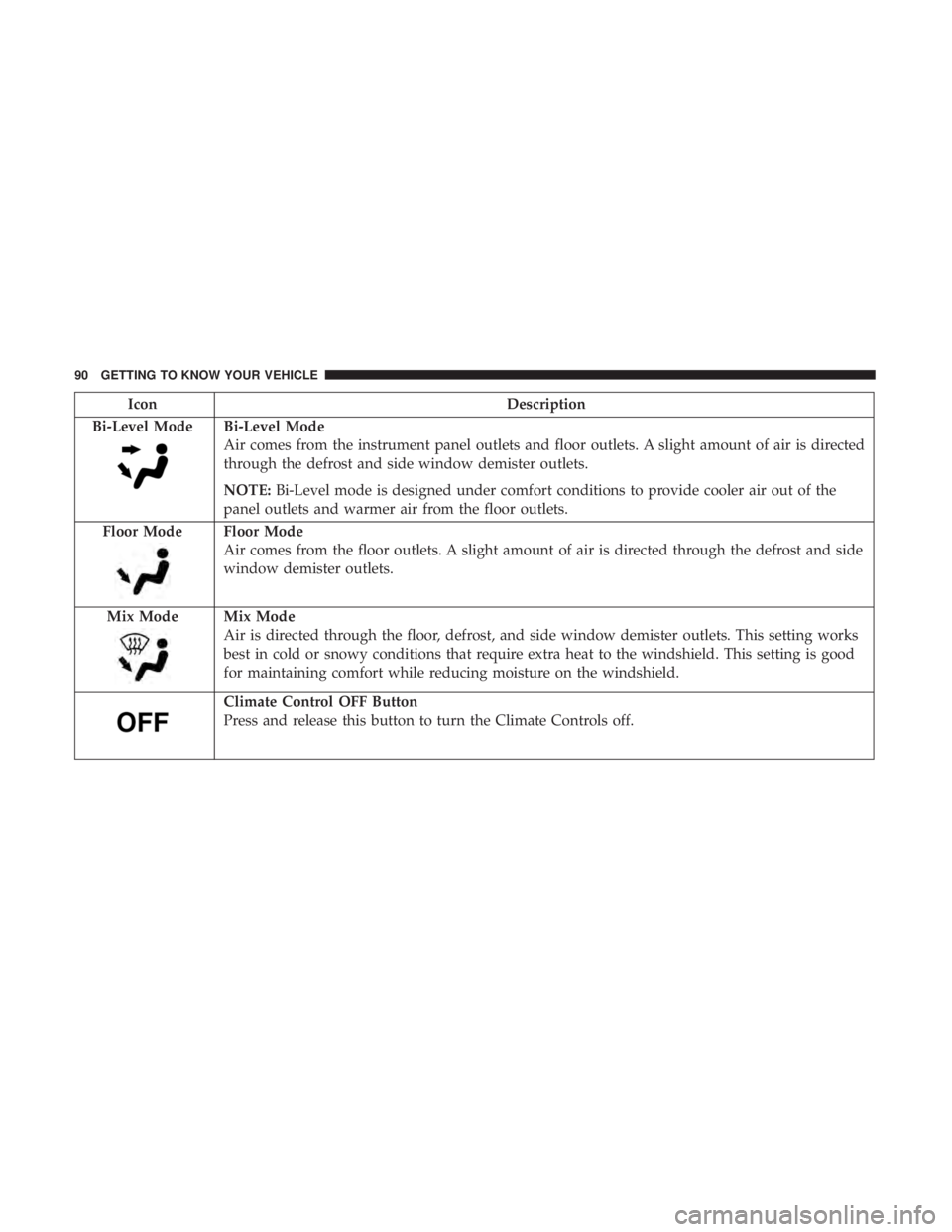
Bi-Level Mode
Bi-Level Mode
Air comes from the instrument panel outlets and floor outlets. A slight amount of air is directed
through the defrost and side window demister outlets.
NOTE: Bi-Level mode is designed under comfort conditions to provide cooler air out of the
panel outlets and warmer air from the floor outlets.
Floor Mode
Floor Mode
Air comes from the floor outlets. A slight amount of air is directed through the defrost and side
window demister outlets.
Mix Mode
Mix Mode
Air is directed through the floor, defrost, and side window demister outlets. This setting works
best in cold or snowy conditions that require extra heat to the windshield. This setting is good
for maintaining comfort while reducing moisture on the windshield.
Climate Control OFF Button
Press and release this button to turn the Climate Controls off.
90 GETTING TO KNOW YOUR VEHICLE
Page 102 of 560
Calibration Procedure
If the sunroof “Express Operation” feature is no longer
functioning, or the sunroof is auto-reversing while at-
tempting to “Express Close” but no obstruction is in the
roof opening, the sunroof can be re-calibrated per the
following steps:
1. Set the ignition to ACC or ON/RUN.
2. Close sunroof glass.
3. With sunroof in closed position, push and hold the closeswitch.
4. After 10 seconds of holding switch, the sunroof glass will cycle into the vent position and stop.
5. Release the close switch, then within 5 seconds push and hold the close switch again. The sunroof will cycle open
and back to closed as the switch is held.
6. Once the sunroof has stopped in the full closed position, release the close switch. The sunroof is now reset and
ready to use.
HOOD
To Open The Hood
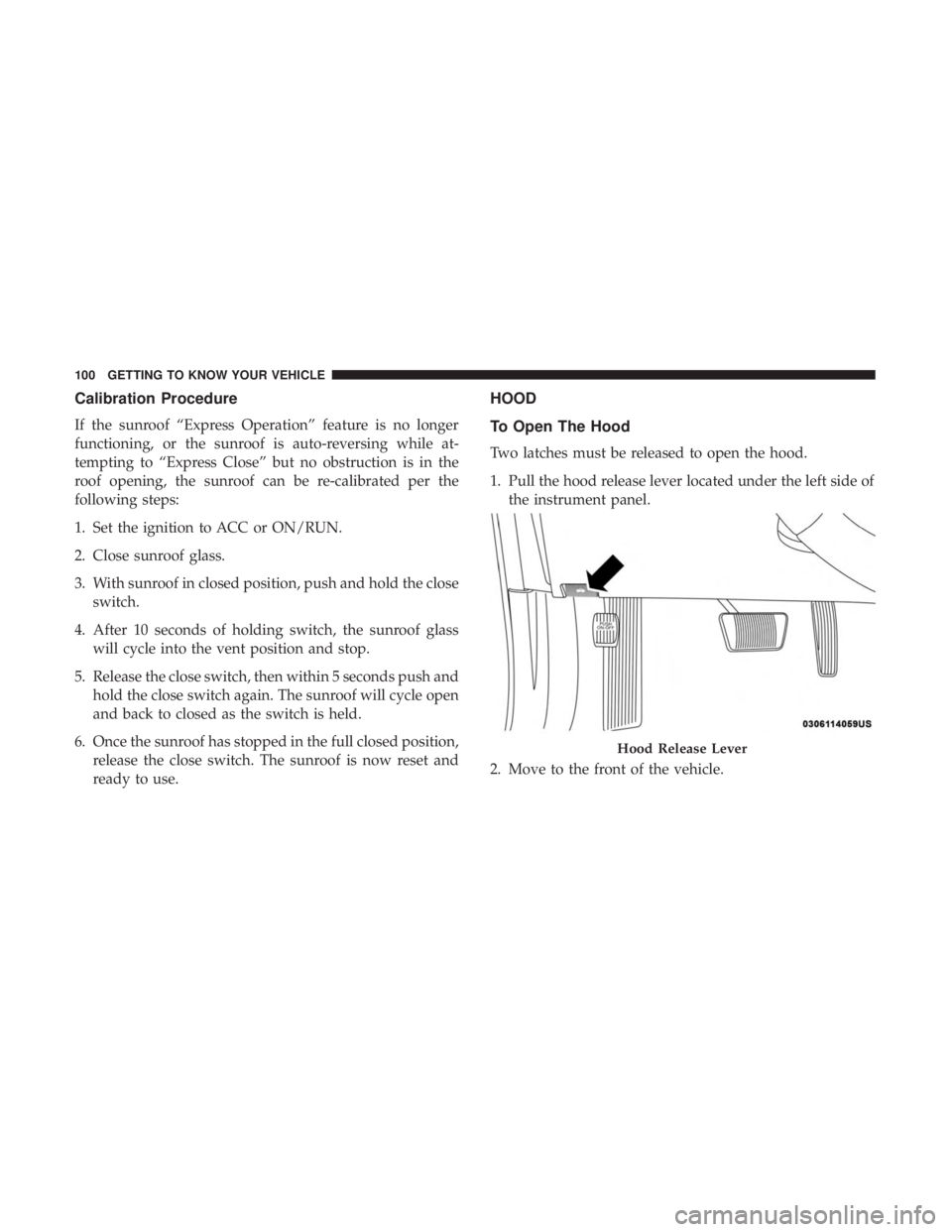
Two latches must be released to open the hood.
1. Pull the hood release lever located under the left side ofthe instrument panel.
2. Move to the front of the vehicle.
Hood Release Lever
100 GETTING TO KNOW YOUR VEHICLE
Page 103 of 560
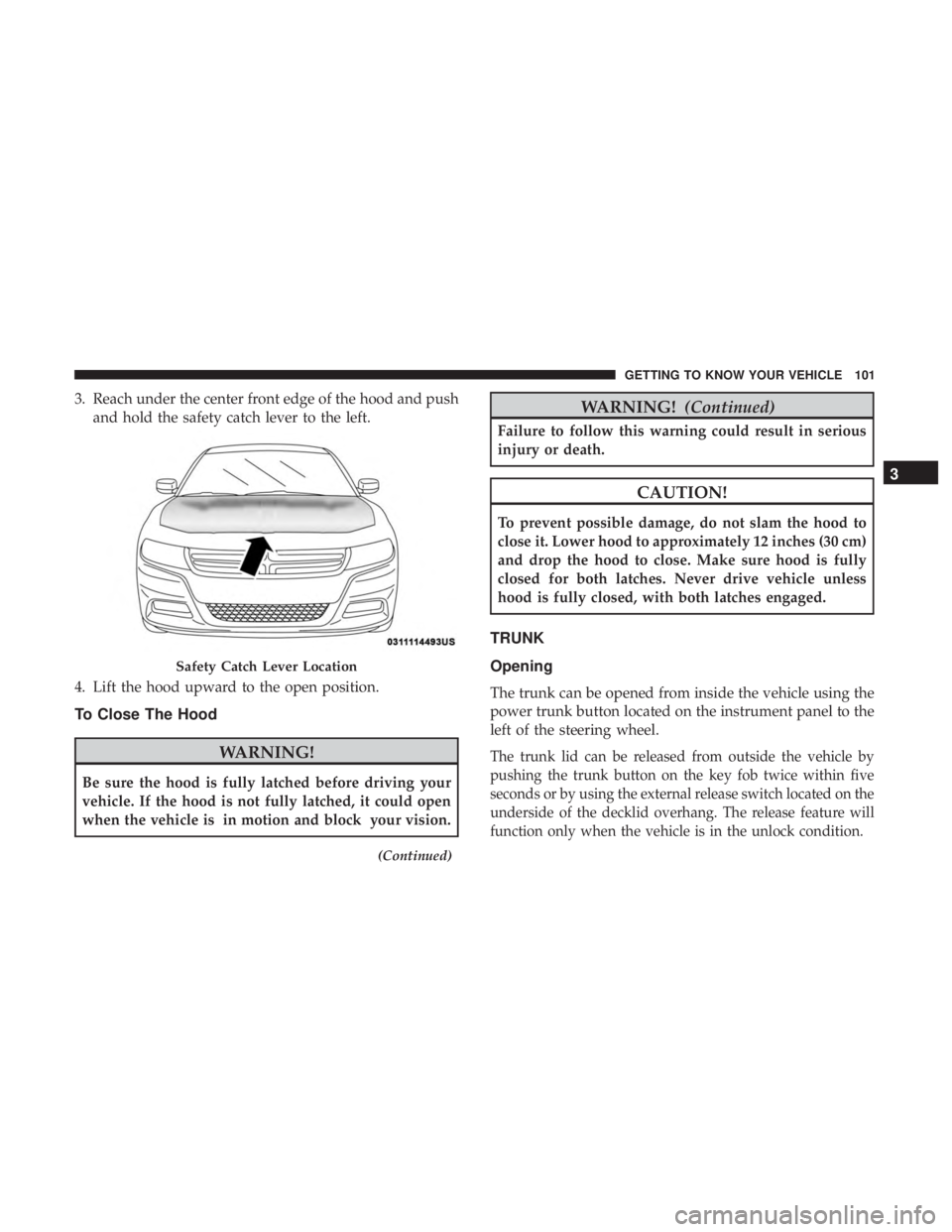
3. Reach under the center front edge of the hood and pushand hold the safety catch lever to the left.
4. Lift the hood upward to the open position.
To Close The Hood
WARNING!
Be sure the hood is fully latched before driving your
vehicle. If the hood is not fully latched, it could open
when the vehicle is in motion and block your vision.
(Continued)
WARNING! (Continued)
Failure to follow this warning could result in serious
injury or death.
CAUTION!
To prevent possible damage, do not slam the hood to
close it. Lower hood to approximately 12 inches (30 cm)
and drop the hood to close. Make sure hood is fully
closed for both latches. Never drive vehicle unless
hood is fully closed, with both latches engaged.
TRUNK
Opening
The trunk can be opened from inside the vehicle using the
power trunk button located on the instrument panel to the
left of the steering wheel.
The trunk lid can be released from outside the vehicle by
pushing the trunk button on the key fob twice within five
seconds or by using the external release switch located on the
underside of the decklid overhang. The release feature will
function only when the vehicle is in the unlock condition.
Safety Catch Lever Location
3
GETTING TO KNOW YOUR VEHICLE 101
Page 104 of 560
With the ignition in the ON/RUN position, the trunk open
symbol will display in the instrument cluster indicating
that the trunk is open. The odometer display will reappear
once the trunk is closed.
With the ignition in the OFF position, the trunk open
symbol will display until the trunk is closed.
NOTE:Refer to “Keyless Enter-N-Go — Passive Entry” in
”Doors” in “Getting To Know Your Vehicle” for further
information on trunk operation with the Passive Entry
feature.
Opening From Inside The Vehicle
Interior Power Trunk Release
The trunk can be opened from inside the
vehicle using the power trunk release
button located on the instrument panel
to the left of the steering wheel.
NOTE:The transmission must be in
PARK before the button will operate.
Opening From Outside The Vehicle
To Unlock/Open The Trunk
The trunk may be unlocked/opened using either of the
following methods:
• Key Fob Trunk Release Button
• Passive Entry Button
Key Fob Trunk Release Button Push the power trunk button on the key fob
twice within five seconds to release the trunk.
Passive Entry Button
Push the trunk passive entry button which is located on the
back of the trunk lid. With a valid Passive Entry key fob
within 5 ft (1.5 m) of the trunk, push the passive entry
button to open the trunk.
Power Trunk Release
102 GETTING TO KNOW YOUR VEHICLE
Page 113 of 560
General Information
The following regulatory statement applies to all Radio
Frequency (RF) devices equipped in this vehicle:
This device complies with Part 15 of the FCC Rules and
with Innovation, Science and Economic Development
Canada license-exempt RSS standard(s). Operation is sub-
ject to the following two conditions:
1. This device may not cause harmful interference, and
2. This device must accept any interference received, in-cluding interference that may cause undesired opera-
tion.
NOTE: Changes or modifications not expressly approved
by the party responsible for compliance could void the
user ’s authority to operate the equipment.
INTERNAL EQUIPMENT
Storage
Glove Compartment
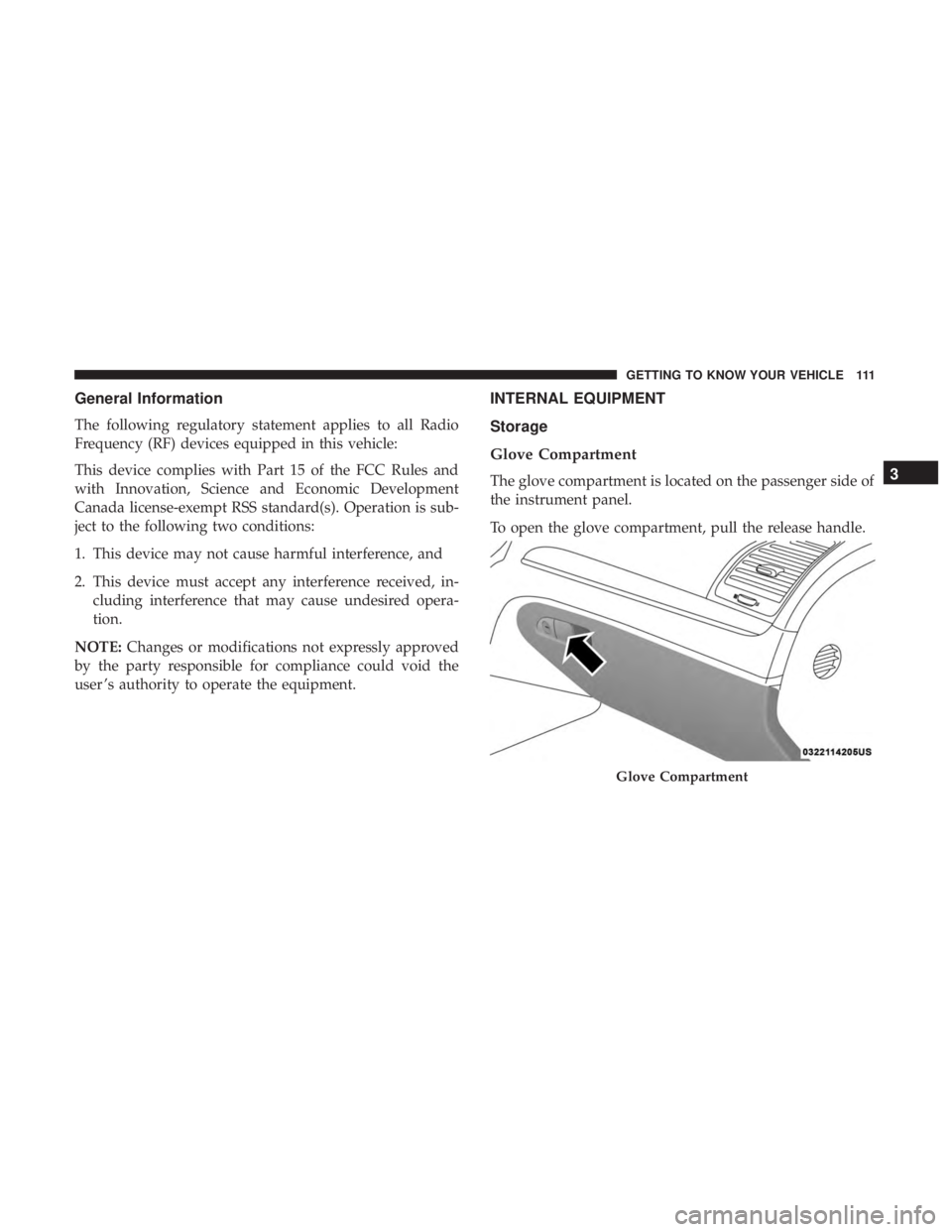
The glove compartment is located on the passenger side of
the instrument panel.
To open the glove compartment, pull the release handle.
Glove Compartment
3
GETTING TO KNOW YOUR VEHICLE 111
Page 117 of 560
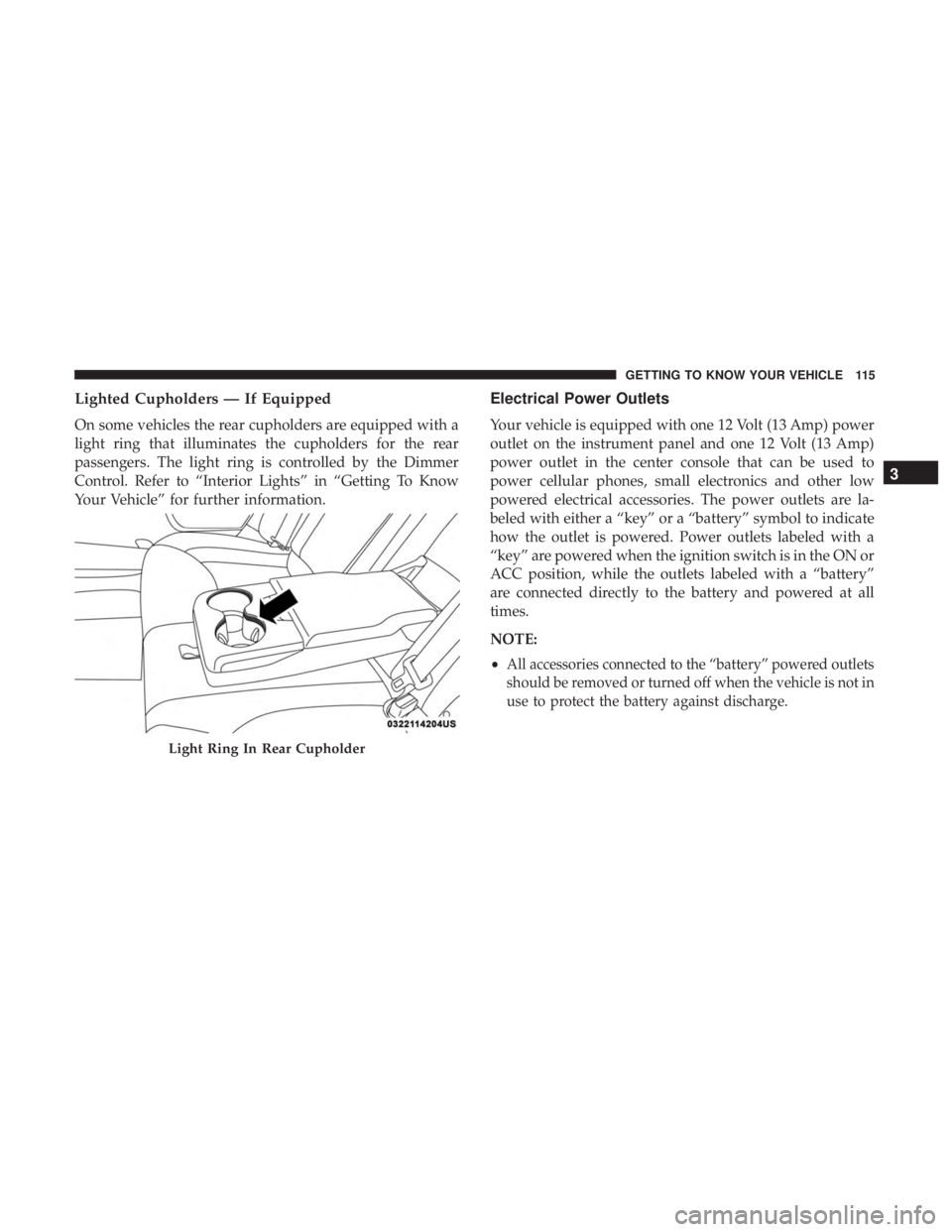
Lighted Cupholders — If Equipped
On some vehicles the rear cupholders are equipped with a
light ring that illuminates the cupholders for the rear
passengers. The light ring is controlled by the Dimmer
Control. Refer to “Interior Lights” in “Getting To Know
Your Vehicle” for further information.
Electrical Power Outlets
Your vehicle is equipped with one 12 Volt (13 Amp) power
outlet on the instrument panel and one 12 Volt (13 Amp)
power outlet in the center console that can be used to
power cellular phones, small electronics and other low
powered electrical accessories. The power outlets are la-
beled with either a “key” or a “battery” symbol to indicate
how the outlet is powered. Power outlets labeled with a
“key” are powered when the ignition switch is in the ON or
ACC position, while the outlets labeled with a “battery”
are connected directly to the battery and powered at all
times.
NOTE:
•
All accessories connected to the “battery” powered outlets
should be removed or turned off when the vehicle is not in
use to protect the battery against discharge.
Light Ring In Rear Cupholder
3
GETTING TO KNOW YOUR VEHICLE 115
Page 118 of 560
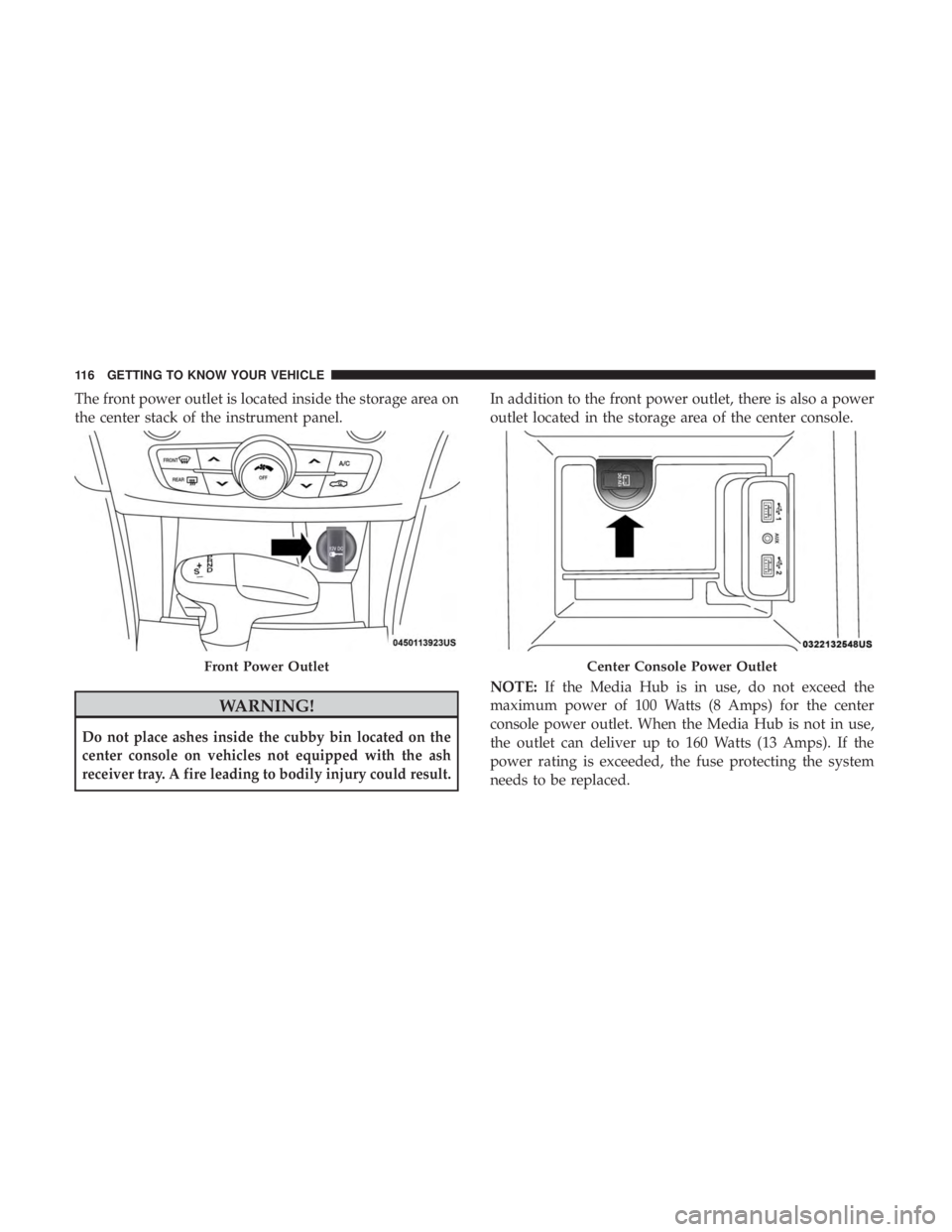
The front power outlet is located inside the storage area on
the center stack of the instrument panel.
WARNING!
Do not place ashes inside the cubby bin located on the
center console on vehicles not equipped with the ash
receiver tray. A fire leading to bodily injury could result.
In addition to the front power outlet, there is also a power
outlet located in the storage area of the center console.
NOTE:If the Media Hub is in use, do not exceed the
maximum power of 100 Watts (8 Amps) for the center
console power outlet. When the Media Hub is not in use,
the outlet can deliver up to 160 Watts (13 Amps). If the
power rating is exceeded, the fuse protecting the system
needs to be replaced.
Front Power OutletCenter Console Power Outlet
116 GETTING TO KNOW YOUR VEHICLE
Page 119 of 560
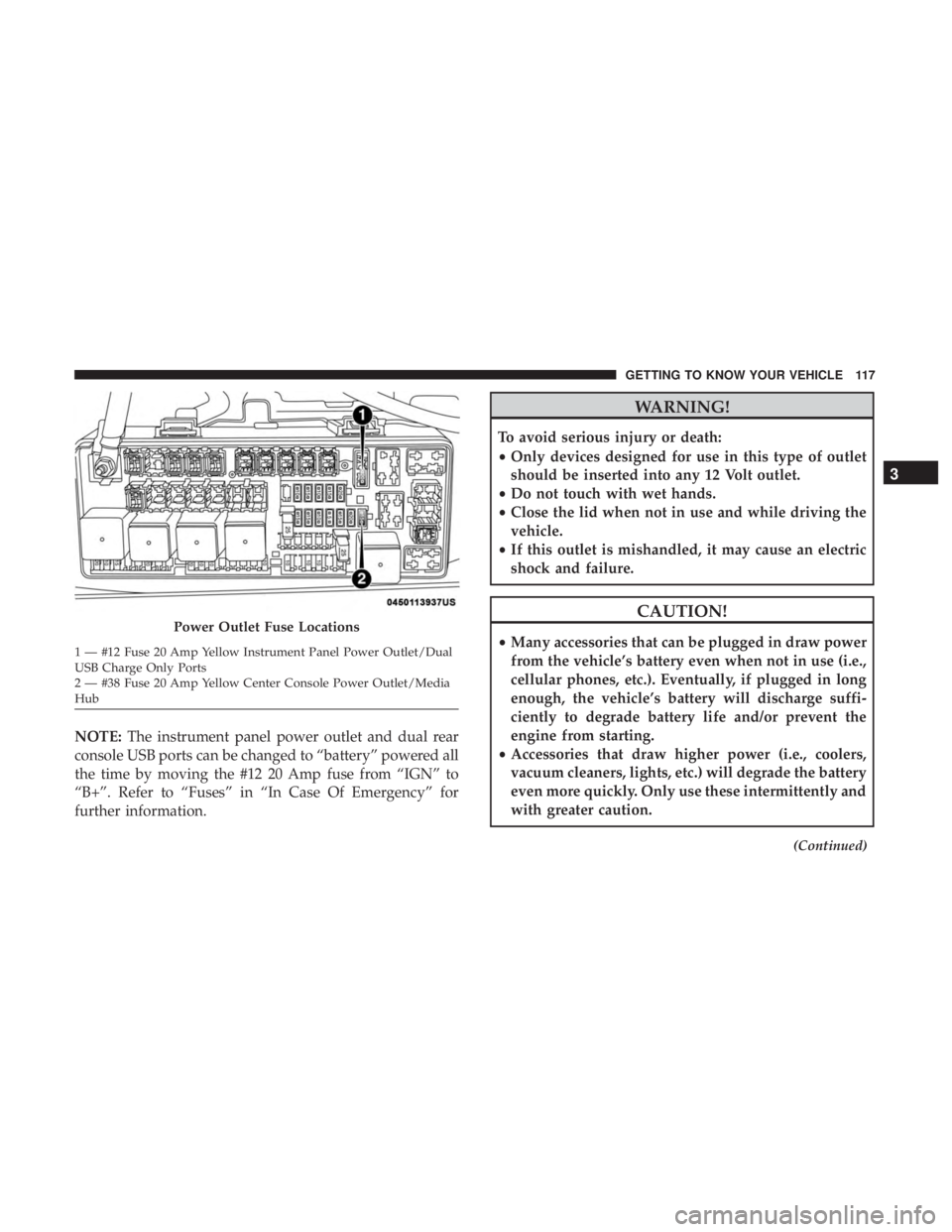
NOTE:The instrument panel power outlet and dual rear
console USB ports can be changed to “battery” powered all
the time by moving the #12 20 Amp fuse from “IGN” to
“B+”. Refer to “Fuses” in “In Case Of Emergency” for
further information.
WARNING!
To avoid serious injury or death:
• Only devices designed for use in this type of outlet
should be inserted into any 12 Volt outlet.
• Do not touch with wet hands.
• Close the lid when not in use and while driving the
vehicle.
• If this outlet is mishandled, it may cause an electric
shock and failure.
CAUTION!
• Many accessories that can be plugged in draw power
from the vehicle’s battery even when not in use (i.e.,
cellular phones, etc.). Eventually, if plugged in long
enough, the vehicle’s battery will discharge suffi-
ciently to degrade battery life and/or prevent the
engine from starting.
• Accessories that draw higher power (i.e., coolers,
vacuum cleaners, lights, etc.) will degrade the battery
even more quickly. Only use these intermittently and
with greater caution.
(Continued)
Power Outlet Fuse Locations
1 — #12 Fuse 20 Amp Yellow Instrument Panel Power Outlet/Dual
USB Charge Only Ports
2 — #38 Fuse 20 Amp Yellow Center Console Power Outlet/Media
Hub
3
GETTING TO KNOW YOUR VEHICLE 117