door DODGE CHARGER 2019 Owner's Manual
[x] Cancel search | Manufacturer: DODGE, Model Year: 2019, Model line: CHARGER, Model: DODGE CHARGER 2019Pages: 560, PDF Size: 6.03 MB
Page 41 of 560
To Unlock From The Passenger Side
With a valid Passive Entry key fob within 5 ft (1.5 m) of the
passenger door handle, grab the front passenger door
handle to unlock all four doors automatically. The interior
door panel lock knob will raise when the door is unlocked.
NOTE:All doors will unlock when the front passenger
door handle is grabbed, regardless of the driver ’s door
unlock preference setting (“Unlock Driver Door 1st Press”
or “Unlock All Doors 1st Press”).
Preventing Inadvertent Locking Of Passive Entry Key
Fob In Vehicle
To minimize the possibility of unintentionally locking a
Passive Entry key fob inside your vehicle, the Passive Entry
system is equipped with an automatic door unlock feature
which will function if the ignition switch is in the OFF
position.
FOBIK-Safe only executes in vehicles with passive entry.
There are three situations that trigger a FOBIK-Safe search
in any passive entry vehicle.
1. A lock request is made by a valid Passive Entry key fob while a door is open. 2. A lock request is made by the Passive Entry door handle
while a door is open.
3. A lock request is made by the door panel switch while the door is open.
When any of these situations occur, after all open doors are
shut, the FOBIK-Safe search will be executed. If it finds a
Passive Entry key fob inside the car and it does not find
any Passive Entry key fobs outside the car, then the car will
unlock and alert the customer.
NOTE: The vehicle will only unlock the doors when a valid
Passive Entry key fob is detected inside the vehicle, and no
valid Passive Entry key fob is detected outside the vehicle.
The vehicle will not unlock the doors when any of the
following conditions are true:
• The doors are locked manually using the door lock
knobs.
• There is a valid Passive Entry key fob outside the vehicle
and within 5 ft (1.5 m) of either Passive Entry door
handle.
• Three attempts are made to lock the doors using the
door panel switch and then close the doors.
3
GETTING TO KNOW YOUR VEHICLE 39
Page 42 of 560
To Enter The Trunk
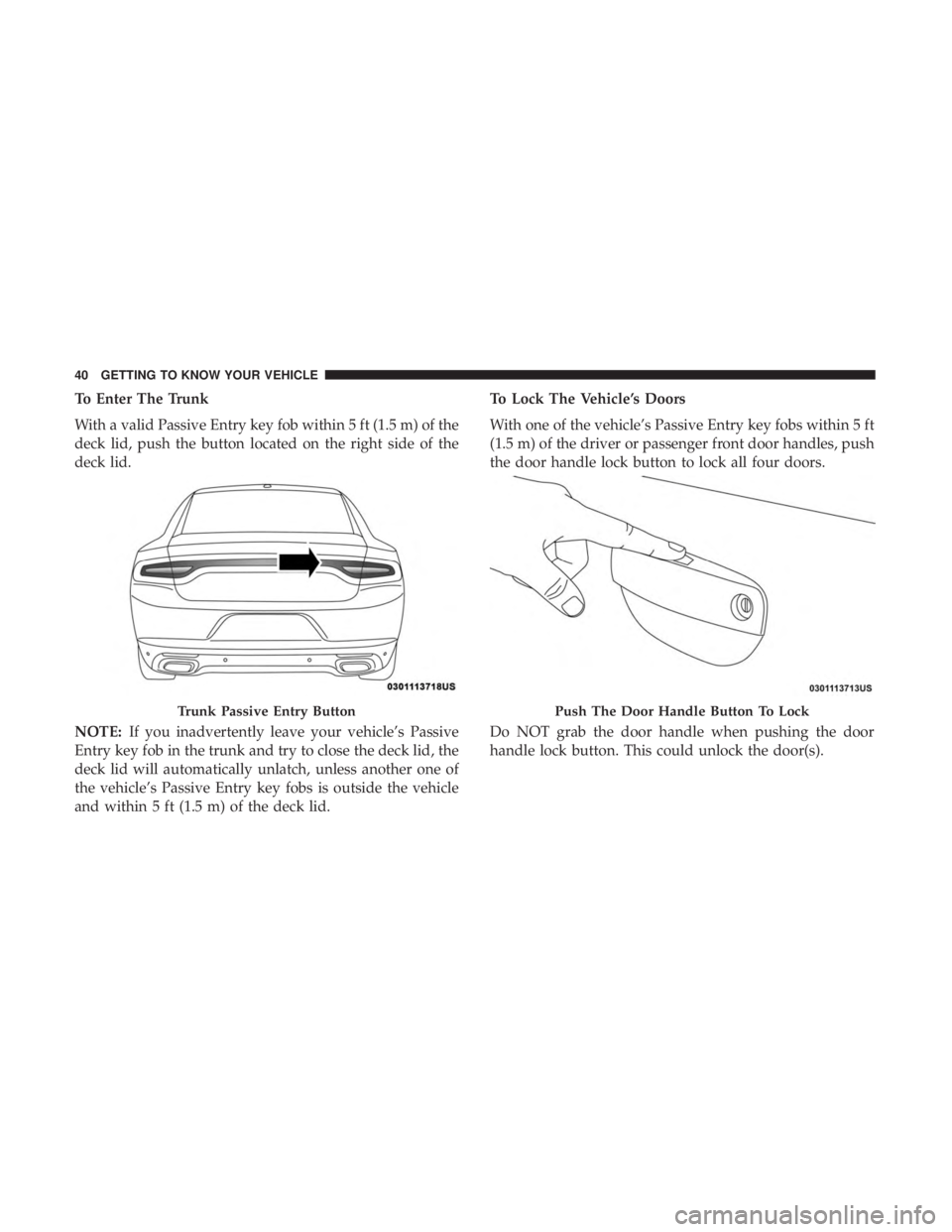
With a valid Passive Entry key fob within 5 ft (1.5 m) of the
deck lid, push the button located on the right side of the
deck lid.
NOTE:If you inadvertently leave your vehicle’s Passive
Entry key fob in the trunk and try to close the deck lid, the
deck lid will automatically unlatch, unless another one of
the vehicle’s Passive Entry key fobs is outside the vehicle
and within 5 ft (1.5 m) of the deck lid. To Lock The Vehicle’s Doors
With one of the vehicle’s Passive Entry key fobs within 5 ft
(1.5 m) of the driver or passenger front door handles, push
the door handle lock button to lock all four doors.
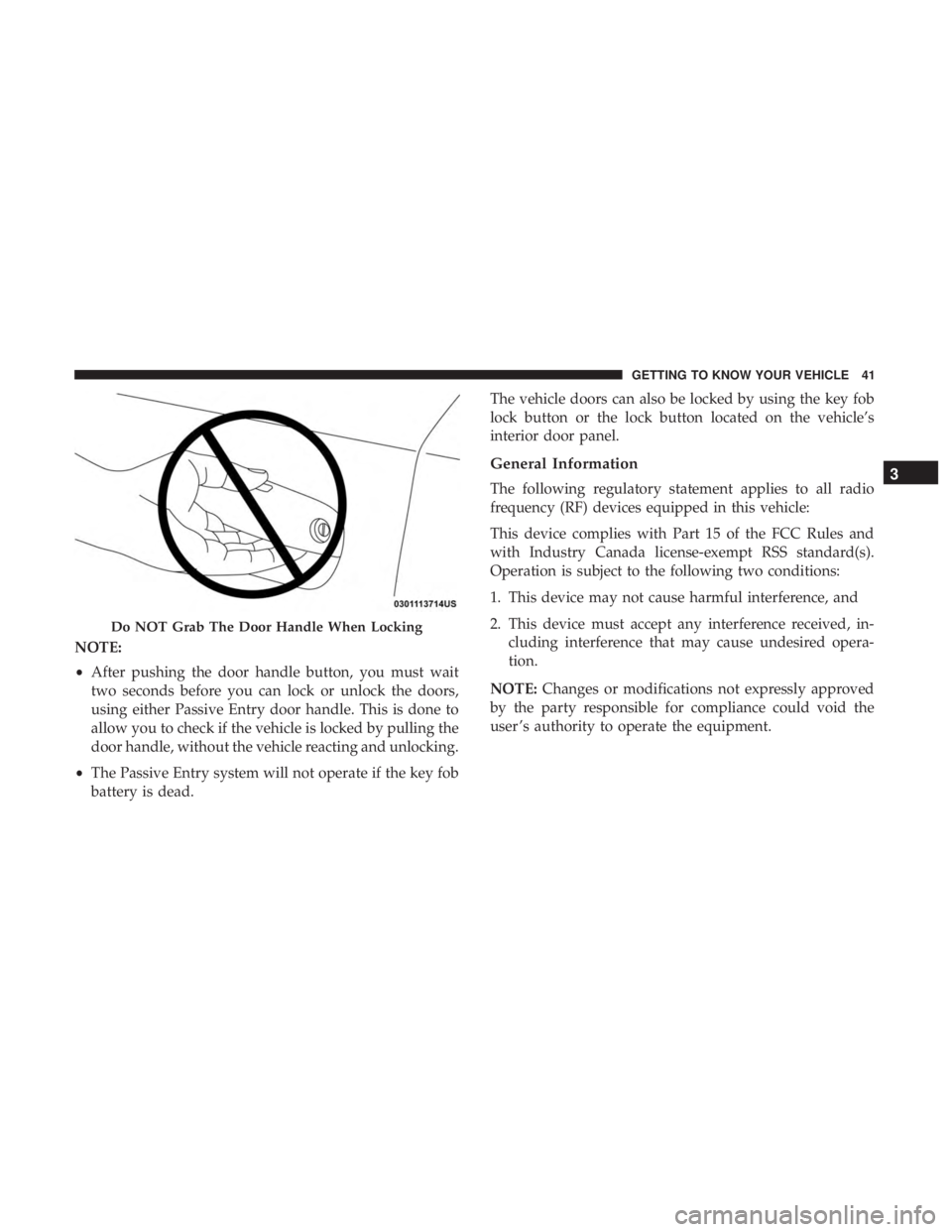
Do NOT grab the door handle when pushing the door
handle lock button. This could unlock the door(s).
Trunk Passive Entry ButtonPush The Door Handle Button To Lock
40 GETTING TO KNOW YOUR VEHICLE
Page 43 of 560
NOTE:
•After pushing the door handle button, you must wait
two seconds before you can lock or unlock the doors,
using either Passive Entry door handle. This is done to
allow you to check if the vehicle is locked by pulling the
door handle, without the vehicle reacting and unlocking.
• The Passive Entry system will not operate if the key fob
battery is dead. The vehicle doors can also be locked by using the key fob
lock button or the lock button located on the vehicle’s
interior door panel.
General Information
The following regulatory statement applies to all radio
frequency (RF) devices equipped in this vehicle:
This device complies with Part 15 of the FCC Rules and
with Industry Canada license-exempt RSS standard(s).
Operation is subject to the following two conditions:
1. This device may not cause harmful interference, and
2. This device must accept any interference received, in-
cluding interference that may cause undesired opera-
tion.
NOTE: Changes or modifications not expressly approved
by the party responsible for compliance could void the
user ’s authority to operate the equipment.
Do NOT Grab The Door Handle When Locking
3
GETTING TO KNOW YOUR VEHICLE 41
Page 44 of 560
Automatic Unlock Doors On Exit
The doors will unlock automatically on vehicles with
power door locks if:
1. The Automatic Unlock Doors On Exit feature is enabled.
2. The vehicle was in motion, then speed returned to0 mph (0 km/h) and the transmission is placed in PARK.
3. The driver door is opened.
4. The doors were not previously unlocked.
NOTE: Automatic Unlock Doors On Exit Programming
To change the current setting, refer to “Uconnect Settings”
in “Multimedia” for further information.
Use the Automatic Unlock Doors On Exit feature in accor-
dance with local laws.
Automatic Door Locks — If Equipped
The auto door lock feature default condition is enabled.
When enabled, the door locks will lock automatically when
the vehicle’s speed exceeds 15 mph (24 km/h). The auto
door lock feature can be enabled or disabled by an autho-
rized dealer per written request of the customer. Please see
an authorized dealer for service.
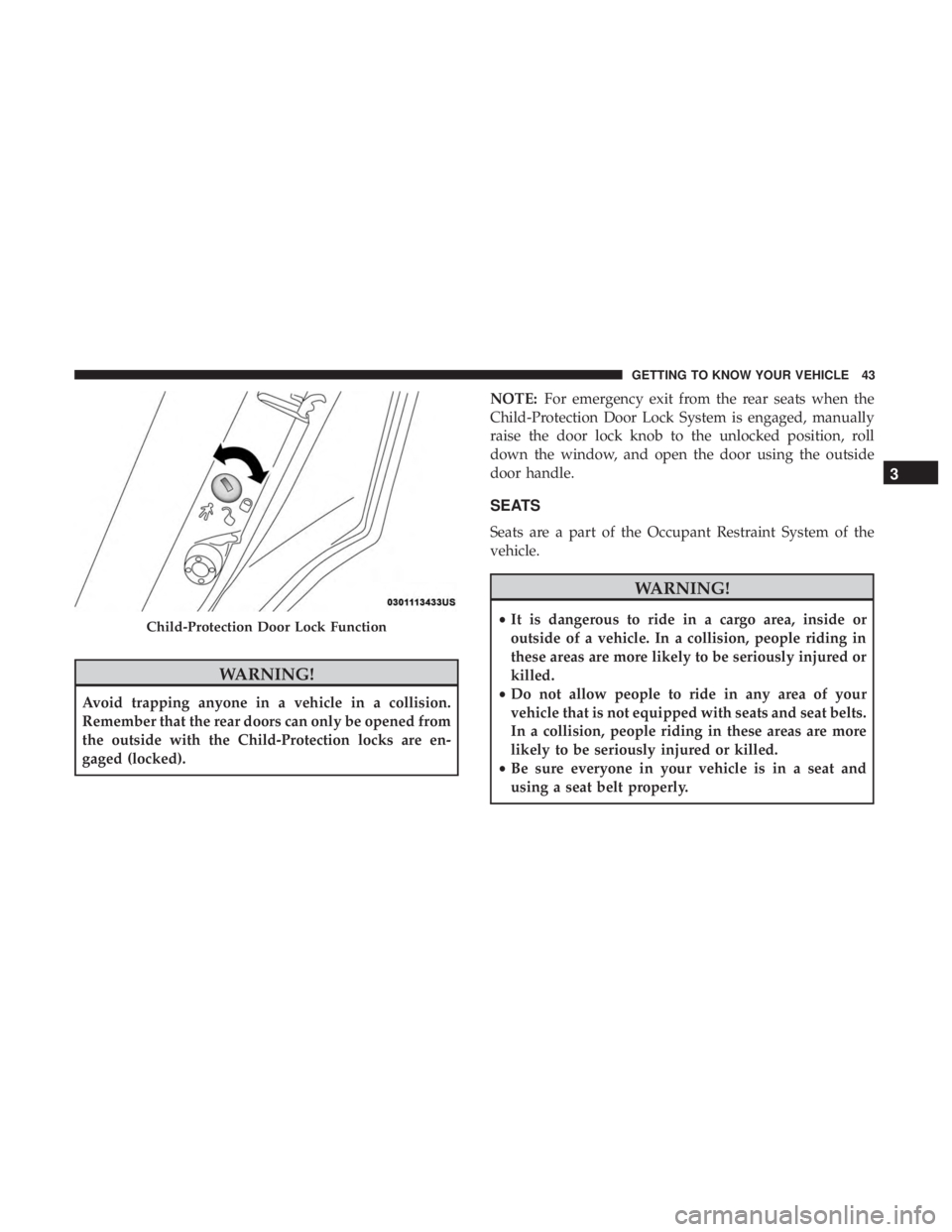
Child-Protection Door Lock System — Rear Doors
To provide a safer environment for small children riding in
the rear seats, the rear doors are equipped with Child-
Protection Door Lock system.
To Engage Or Disengage The Child-Protection Door Lock
System
1. Open the rear door.
2. Insert the tip of the emergency key into the lock and rotate to the lock or unlock position.
3. Repeat steps one and two for the opposite rear door.
42 GETTING TO KNOW YOUR VEHICLE
Page 45 of 560
WARNING!
Avoid trapping anyone in a vehicle in a collision.
Remember that the rear doors can only be opened from
the outside with the Child-Protection locks are en-
gaged (locked).NOTE:
For emergency exit from the rear seats when the
Child-Protection Door Lock System is engaged, manually
raise the door lock knob to the unlocked position, roll
down the window, and open the door using the outside
door handle.
SEATS
Seats are a part of the Occupant Restraint System of the
vehicle.
WARNING!
• It is dangerous to ride in a cargo area, inside or
outside of a vehicle. In a collision, people riding in
these areas are more likely to be seriously injured or
killed.
• Do not allow people to ride in any area of your
vehicle that is not equipped with seats and seat belts.
In a collision, people riding in these areas are more
likely to be seriously injured or killed.
• Be sure everyone in your vehicle is in a seat and
using a seat belt properly.Child-Protection Door Lock Function
3
GETTING TO KNOW YOUR VEHICLE 43
Page 52 of 560
Driver Memory Seat — If Equipped
This feature allows the driver to store up to two different
memory profiles for easy recall through a memory switch.
Each memory profile contains desired position settings for
the driver seat, side mirrors, and power tilt and telescopic
steering column (if equipped) and a set of desired radio
station presets. Your remote keyless entry key fob can also
be programmed to recall the same positions when the
unlock button is pushed.
NOTE:If your vehicle is equipped with two key fobs, one
key fob can be linked to memory position 1 and the other
key fob can be linked to memory position 2.
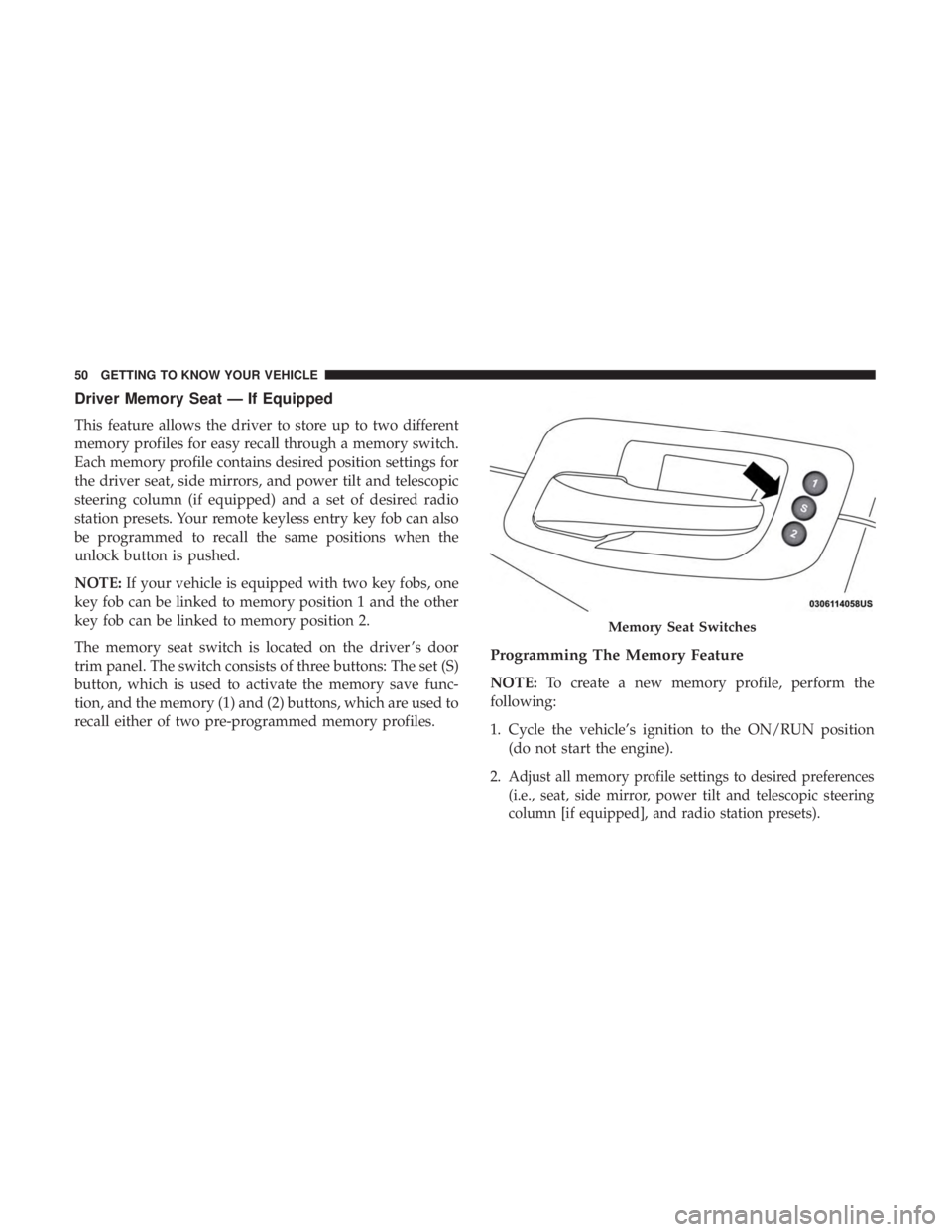
The memory seat switch is located on the driver ’s door
trim panel. The switch consists of three buttons: The set (S)
button, which is used to activate the memory save func-
tion, and the memory (1) and (2) buttons, which are used to
recall either of two pre-programmed memory profiles.
Programming The Memory Feature
NOTE: To create a new memory profile, perform the
following:
1. Cycle the vehicle’s ignition to the ON/RUN position (do not start the engine).
2.
Adjust all memory profile settings to desired preferences
(i.e., seat, side mirror, power tilt and telescopic steering
column [if equipped], and radio station presets).
Memory Seat Switches
50 GETTING TO KNOW YOUR VEHICLE
Page 54 of 560
Memory Position Recall
NOTE:The vehicle must be in PARK to recall memory
positions. If a recall is attempted when the vehicle is not in
PARK, a message will display in the instrument cluster
display.
To recall the memory settings for driver 1, push memory
button (1) on the driver’s door or the unlock button on the
key fob linked to memory position 1.
NOTE: If the vehicle is equipped with Passive Entry, the
memory settings will be recalled with a Passive Entry
Unlock into the driver’s door using the key fob linked to
position 1.
To recall the memory setting for driver 2, push memory
button (2) on the driver’s door or the unlock button on the
key fob linked to memory position 2.
NOTE: If the vehicle is equipped with Passive Entry, the
memory settings will be recalled with a Passive Entry
Unlock into the driver’s door using the key fob linked to
position 2.
A recall can be cancelled by pushing any of the memory
buttons (S, 1, or 2) on the driver’s door during a recall.
When a recall is cancelled, the driver’s seat or power tilt and telescopic steering column (if equipped) stop moving.
A delay of one second will occur before another recall can
be selected.
Easy Entry/Exit Seat
This feature provides automatic driver seat positioning to
enhance driver mobility when entering and exiting the
vehicle.
The distance the driver seat moves depends on where you
have the driver seat positioned when you cycle the vehi-
cle’s ignition to the OFF position.
•
When you cycle the vehicle’s ignition to the OFF posi-
tion, the driver seat will move about 2.4 inches (60 mm)
rearward if the driver seat position is greater than or
equal to 2.7 inches (67.7 mm) forward of the rear stop.
The seat will return to its previously set position when
you cycle the vehicle’s ignition to the ACC or RUN
position.
• The Easy Entry/Easy Exit feature is disabled when the
driver seat position is less than 0.9 of an inch (22.7 mm)
forward of the rear stop. At this position, there is no
benefit to the driver by moving the seat for Easy Exit or
Easy Entry.
52 GETTING TO KNOW YOUR VEHICLE
Page 62 of 560
WARNING!
Do not adjust the steering column while driving.
Adjusting the steering column while driving or driv-
ing with the steering column unlocked, could cause the
driver to lose control of the vehicle. Failure to follow
this warning may result in serious injury or death.
Power Tilt/Telescoping Steering Column —
If Equipped
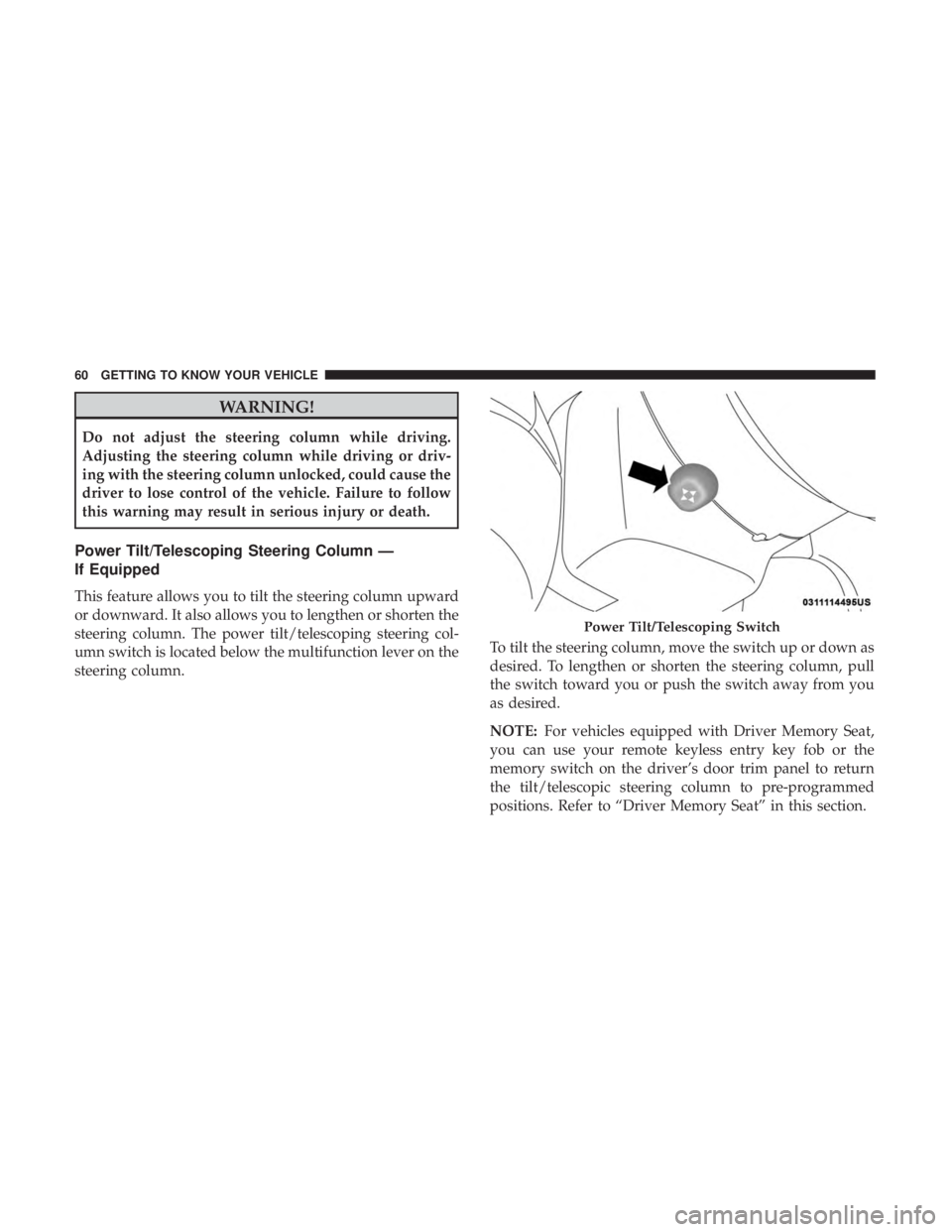
This feature allows you to tilt the steering column upward
or downward. It also allows you to lengthen or shorten the
steering column. The power tilt/telescoping steering col-
umn switch is located below the multifunction lever on the
steering column.To tilt the steering column, move the switch up or down as
desired. To lengthen or shorten the steering column, pull
the switch toward you or push the switch away from you
as desired.
NOTE:
For vehicles equipped with Driver Memory Seat,
you can use your remote keyless entry key fob or the
memory switch on the driver’s door trim panel to return
the tilt/telescopic steering column to pre-programmed
positions. Refer to “Driver Memory Seat” in this section.
Power Tilt/Telescoping Switch
60 GETTING TO KNOW YOUR VEHICLE
Page 66 of 560
Driver’s Outside Automatic Dimming Mirror —
If Equipped
The driver ’s outside mirror will automatically adjust for
glare from vehicles behind you. This feature is controlled
by the inside automatic dimming mirror and will automati-
cally adjust for headlight glare when the inside mirror
adjusts.
Outside Mirrors Approach Light — If Equipped
Driver and passenger outside mirrors equipped with ap-
proach lighting contain one LED, which is located in the
upper outboard mirror glass corner. The approach light
supplies illuminated entry lighting, which turns on in both
mirrors when you use the remote keyless entry key fob or
open any door. This LED shines outward to illuminate the
front and rear door handles. It also shines downward to
illuminate the area in front of the doors.
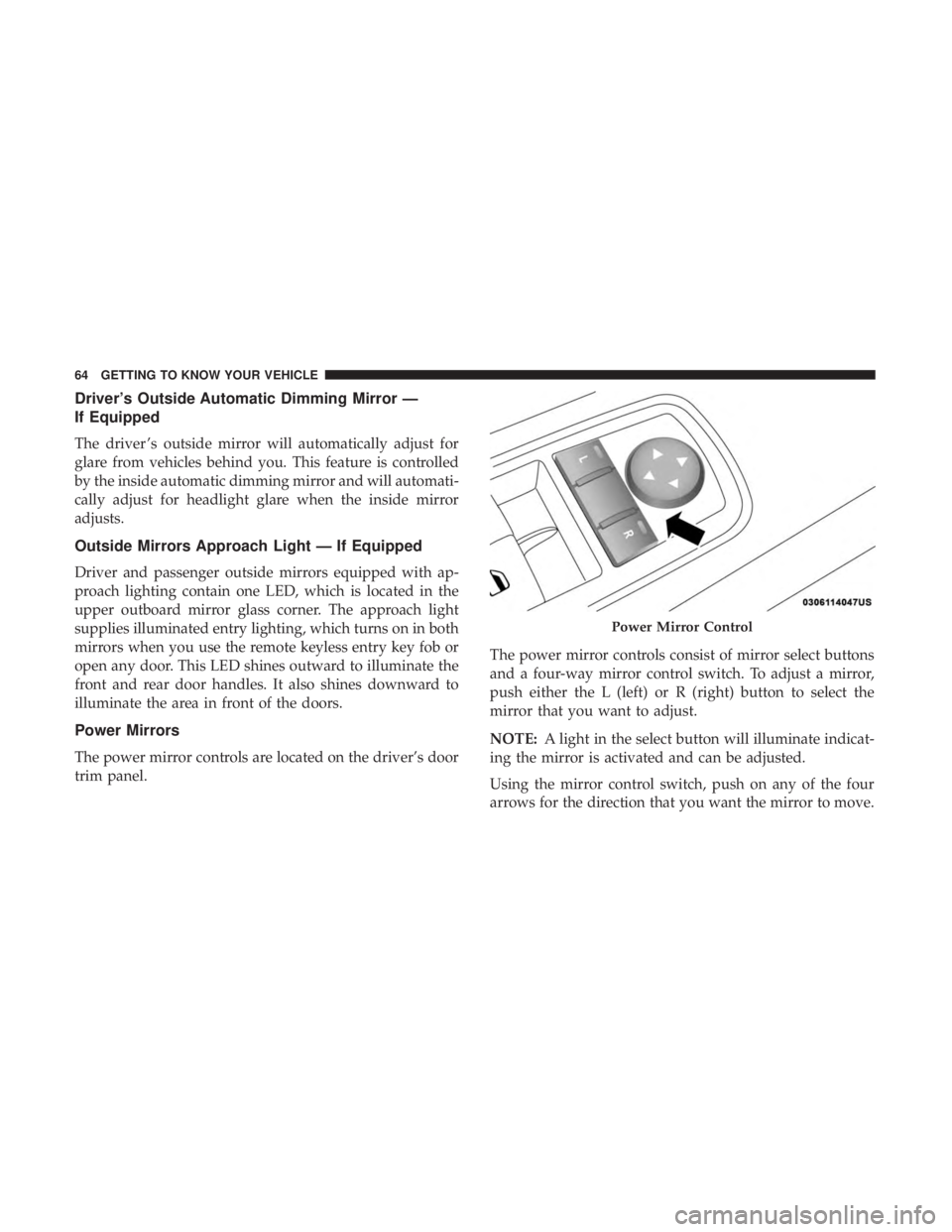
Power Mirrors
The power mirror controls are located on the driver’s door
trim panel.The power mirror controls consist of mirror select buttons
and a four-way mirror control switch. To adjust a mirror,
push either the L (left) or R (right) button to select the
mirror that you want to adjust.
NOTE:
A light in the select button will illuminate indicat-
ing the mirror is activated and can be adjusted.
Using the mirror control switch, push on any of the four
arrows for the direction that you want the mirror to move.
Power Mirror Control
64 GETTING TO KNOW YOUR VEHICLE
Page 67 of 560
Heated Mirrors — If Equipped
These mirrors are heated to melt frost or ice. This
feature will be activated whenever you turn on the
rear window defroster (if equipped). Refer to “Climate
Controls” in “Getting To Know Your Vehicle” for further
information.
Tilt Side Mirrors In Reverse — If Equipped
Tilt Side Mirrors In Reverse provides automatic outside
mirror positioning which will aid the driver ’s view of the
ground rearward of the front doors. The outside mirrors
will move slightly downward from the present position
when the vehicle is shifted into REVERSE. The outside
mirrors will then return to the original position when the
vehicle is shifted out of the REVERSE position. Each stored
memory setting will have an associated Tilt Side Mirrors In
Reverse position.
NOTE: The Tilt Side Mirrors In Reverse feature is not
turned on when delivered from the factory. The Tilt Side
Mirrors In Reverse feature can be turned on and off using
the Uconnect System. Refer to “Uconnect Settings” in
“Multimedia” for further information.
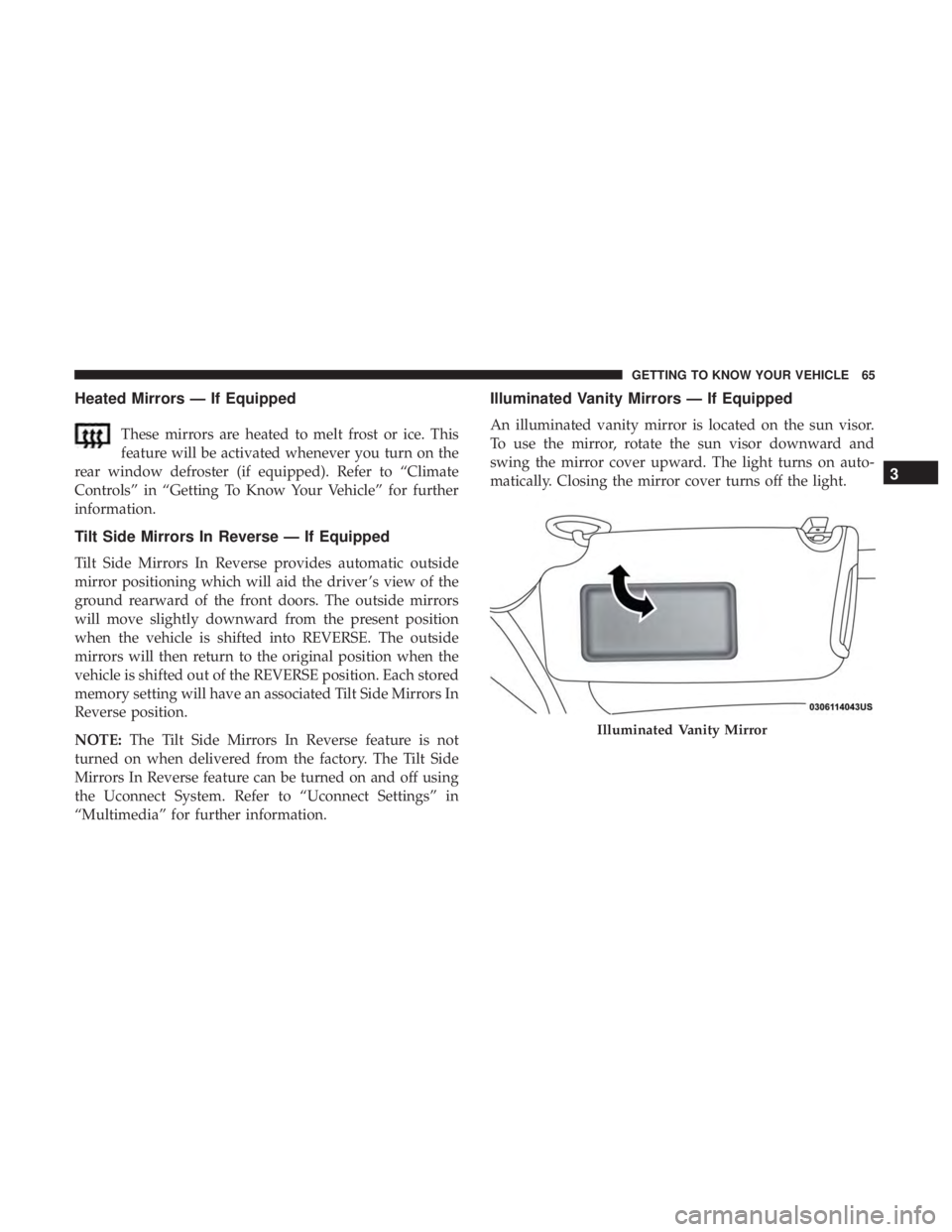
Illuminated Vanity Mirrors — If Equipped
An illuminated vanity mirror is located on the sun visor.
To use the mirror, rotate the sun visor downward and
swing the mirror cover upward. The light turns on auto-
matically. Closing the mirror cover turns off the light.
Illuminated Vanity Mirror
3
GETTING TO KNOW YOUR VEHICLE 65